Sony | Creators' App for ENT
다운로드: App Store

이 페이지는 앱이나 개발자의 공식 페이지가 아니며, 정보 제공 및 논평을 목적으로 작성된 독립 편집 간행물입니다. 명시적으로 달리 언급되지 않는 한, 해당 앱이나 개발자는 MWM, Apple, Google Play, 앱 퍼블리셔 또는 앱 개발자와 제휴, 보증, 후원, 승인 또는 공식적으로 연결되어 있지 않으며, 이 페이지의 어떤 내용도 해당 앱이 MWM의 서비스를 사용하여 개발되었음을 의미하지 않습니다. 모든 상표, 로고, 스크린샷 및 기타 콘텐츠는 해당 소유자의 자산입니다.


로고: Sony | Creators' App for ENT
다운로드: App Store

Sony | Creators' App for ENT

고속 카메라-모바일 전송, 엔터프라이즈급 메타데이터 관리, Sony C3 Portal 및 Ci Media Cloud와의 직접 통합으로 방송 제작을 간소화하세요.

주요 수치

다운로드

1K+

사용자 평점

1.1/5

총 평가 수

100

개발사

Sony Corporation

카테고리

Utilities

지원 언어

6

최신 버전

2025.2

크기

57.0 MB

출시일

2021년 12월 2일
기능

제작 워크플로우 가속화

전문가용 Sony 카메라와 클라우드를 연결하는 필수 다리입니다. ENG 팀, 스포츠 방송사 및 엔터프라이즈 미디어 팀을 위해 실시간으로 콘텐츠를 전달하도록 특별히 설계되었습니다.

즉각적인 스피드 투 에어

물리적인 전달 과정을 건너뛰세요. 5G를 통해 고품질 비디오 클립을 카메라에서 C3 Portal 또는 Ci Media Cloud로 직접 업로드하여, 속보를 놓치지 않고 뉴스룸이나 편집자에게 영상을 전달하세요.

자동 스토리 메타데이터

후반 작업 혼란을 제거하세요. 전송 과정에서 스토리 메타데이터 및 태그를 자동으로 할당하여 팀이 업로드가 완료되는 즉시 검색, 필터링 및 편집을 시작할 수 있도록 하세요.

다음 스크린샷과 설명은 앱의 공식 스토어 목록에서 직접 가져온 것이며 앱 개발자의 자산입니다.

앱 스토어

스크린샷
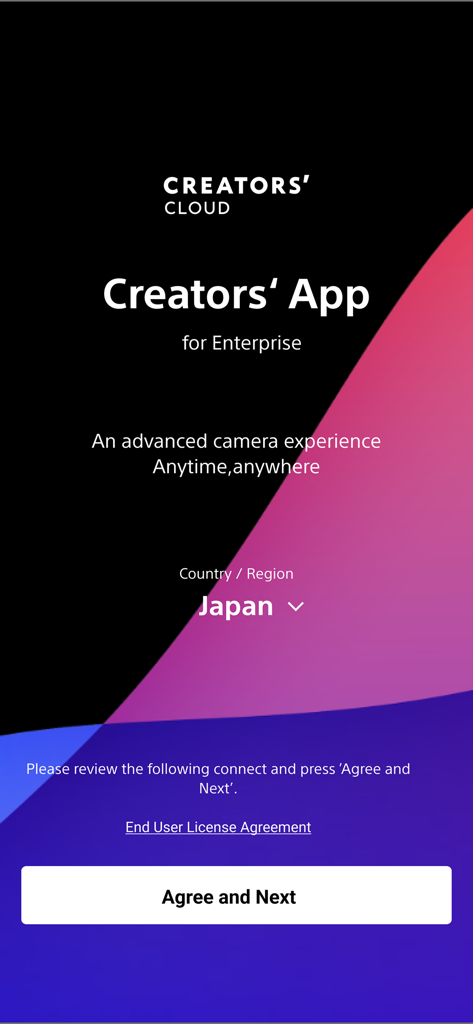
Sony | Creators' App for ENT - Sony Creators App for Enterprise의 환영 화면으로, 지역 선택 및 동의 버튼이 표시됩니다.
Sony Creators App for Enterprise의 환영 화면으로, 지역 선택 및 동의 버튼이 표시됩니다.

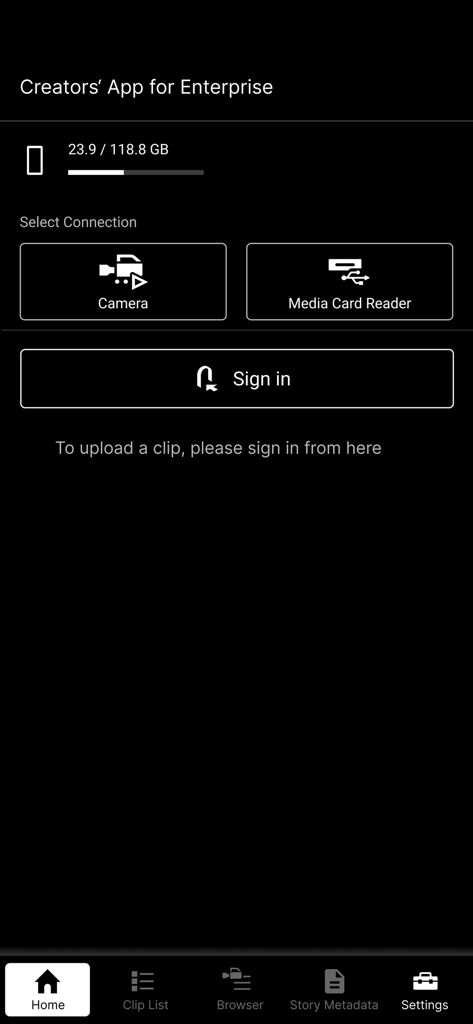
Sony | Creators' App for ENT - Sony Creators' App for Enterprise의 홈 화면으로, 카메라 및 미디어 카드 리더 연결 옵션이 특징입니다.
Sony Creators' App for Enterprise의 홈 화면으로, 카메라 및 미디어 카드 리더 연결 옵션이 특징입니다.

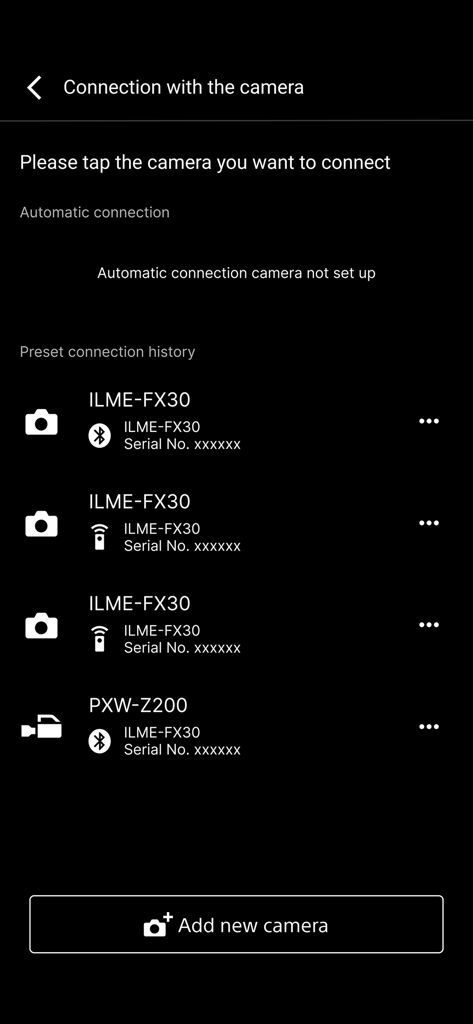
Sony | Creators' App for ENT - Creators App for Enterprise 연결 메뉴에 페어링된 Sony 전문가용 카메라 목록
Creators App for Enterprise 연결 메뉴에 페어링된 Sony 전문가용 카메라 목록

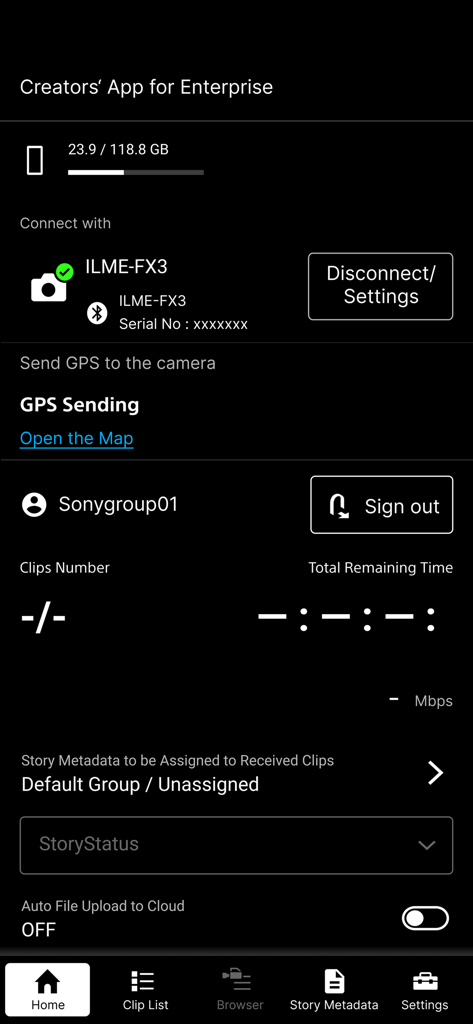
Sony | Creators' App for ENT - Sony Creators App for Enterprise 홈 화면으로, 연결된 카메라 및 클라우드 업로드 옵션이 표시됩니다.
Sony Creators App for Enterprise 홈 화면으로, 연결된 카메라 및 클라우드 업로드 옵션이 표시됩니다.

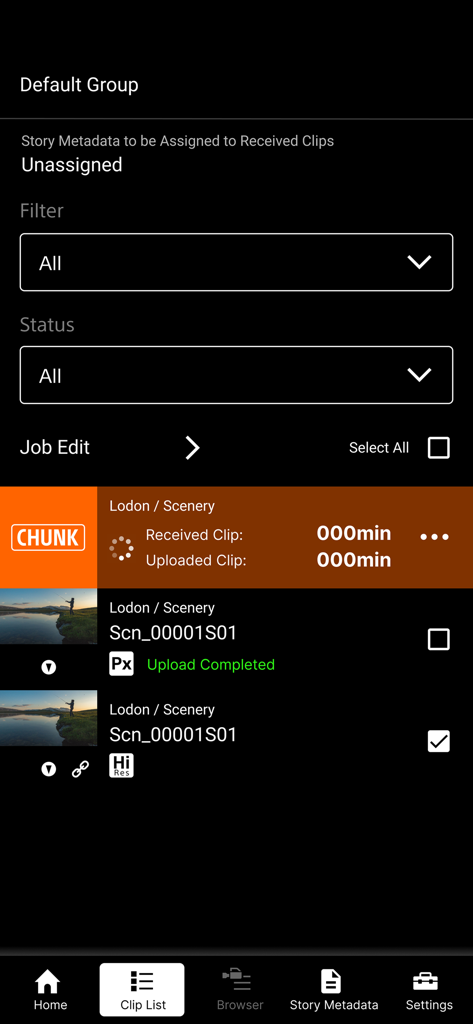
Sony | Creators' App for ENT - Sony Creators App for ENT 클립 목록 인터페이스로, 비디오 업로드 상태 및 고해상도 파일 관리가 표시됩니다.
Sony Creators App for ENT 클립 목록 인터페이스로, 비디오 업로드 상태 및 고해상도 파일 관리가 표시됩니다.

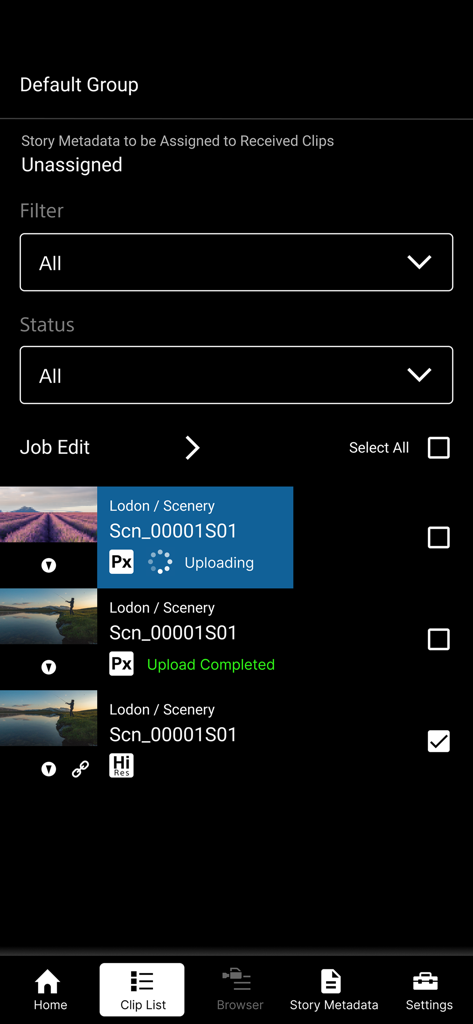
Sony | Creators' App for ENT - Sony Creators App for Enterprise의 비디오 클립 목록 및 업로드 상태 표시

Sony Creators App for Enterprise의 비디오 클립 목록 및 업로드 상태 표시

설명

※ Important Update Notice After this update, you will need to sign in to the service to display video clips that were saved prior to this update (including those imported in offline mode). "Creators' App for Enterprise (Abbreviation: C'App for ENT)" is an app for uploading video clips by connecting cameras to Sony’s C3 Portal and Ci Media Cloud (both are cloud services) via a smartphone. For details about C3 Portal, refer to the following. https://pro.sony/en_GB/technology/wireless-workflow/c3-portal For details about Ci Media Cloud, refer to the following. https://www.cimediacloud.com/ New features in version 2025.2 ■ Support for Sony camera model PXW-Z300/Z380. ■ Support for feature that send GPS information to the supported camera. ■ Enhanced user experience (UX). Existing features ■ Simple Camera Connection + Simple connection (via USB) to camera by scanning QR code displayed on the camera *1 + Simple connection (via USB) to camera by bluetooth pairing with the camera *8 + Simple connection (via USB) to camera by using Remote Shooting feature *9 ■ Transfer Video Clips from Camera to Smartphone ■ Upload Video Clips from Smartphone to cloud services ■ Load from Card Reader *2*3 ■ Auto Upload and Assign + Auto upload clips to cloud services when transferring clips to the smartphone (ON/OFF selectable) + Assign story metadata automatically when transferring clips to the smartphone (C3 Portal only) ■ Display Video Clip List + Play video clips *4 + Edit essence marks *5 ■ Camera Browser + List video clips saved on Sony camera + Transfer video clips from Sony camera to smartphone via this app + Play video clips saved on Sony camera *4 ■ Upload Job Edit + Editable video clip upload order + Can change upload status while viewing video clips Features for C3 Portal ■ Manage Story Metadata + Create and edit story metadata *6 + Display and assign story metadata allocated to groups, as well as the logged in user + Supports file attachments *7 Feature for Ci Media Cloud ■ Support File Request Code + Upload video clips to Ci Media Cloud using file request codes without Ci user account + Edit metadata information of file request *1 Refer to the Web Help for information about supported cameras. *2 Refer to the Web Help for information about verified card readers. *3 Media formatted in exFAT format may not be recognized, depending on the device. *4 Thumbnail image or playback image of interlaced proxy clips may not be displayed properly, depending on the device. *5 Video clips recorded by cameras other than Sony cameras (not all models) are not supported. *6 Items that can be edited will vary depending on the user. *7 Restricted to files that can be recognized by the smartphone. *8 Refer to the Web Help for information about supported cameras. *9 Refer to the Web Help for information about supported cameras. ■ Operating Environment iOS 16 to 18 ■ Web Help Page For details about usage, refer to the following help pages. https://helpguide.sony.net/promobile/c3p_app/v2/en/index.html ■ Other This application is not guaranteed to work on all smartphones and tablets. Note that we do not respond individually to inquiries from customers about this application and its services. You can report vulnerabilities related to this application and service via the “SECURE @ SONY” website. URL: https://secure.sony.net/

Download

다운로드: App Store

이 페이지는 앱이나 개발자의 공식 페이지가 아니며, 정보 제공 및 논평을 목적으로 작성된 독립 편집 간행물입니다. 명시적으로 달리 언급되지 않는 한, 해당 앱이나 개발자는 MWM, Apple, Google Play, 앱 퍼블리셔 또는 앱 개발자와 제휴, 보증, 후원, 승인 또는 공식적으로 연결되어 있지 않으며, 이 페이지의 어떤 내용도 해당 앱이 MWM의 서비스를 사용하여 개발되었음을 의미하지 않습니다. 모든 상표, 로고, 스크린샷 및 기타 콘텐츠는 해당 소유자의 자산입니다.








