SP Camera
SP Camera
다운로드: App Store

이 페이지는 앱이나 개발자의 공식 페이지가 아니며, 정보 제공 및 논평을 목적으로 작성된 독립 편집 간행물입니다. 명시적으로 달리 언급되지 않는 한, 해당 앱이나 개발자는 MWM, Apple, Google Play, 앱 퍼블리셔 또는 앱 개발자와 제휴, 보증, 후원, 승인 또는 공식적으로 연결되어 있지 않으며, 이 페이지의 어떤 내용도 해당 앱이 MWM의 서비스를 사용하여 개발되었음을 의미하지 않습니다. 모든 상표, 로고, 스크린샷 및 기타 콘텐츠는 해당 소유자의 자산입니다.


로고: SP Camera
다운로드: App Store

SP Camera

눈에 띄지 않고 고화질 증거 및 사진을 촬영하세요. 가짜 배경, 동작 감지, 비밀번호로 보호되는 보관함을 사용하여 녹화 내용을 비공개로 안전하게 유지하세요.

주요 수치

다운로드

309K+

사용자 평점

4.5/5

총 평가 수

3K+

개발사

Ratha Sou

카테고리

Photo & Video

지원 언어

1

최신 버전

7.7.5

크기

34.0 MB

출시일

2013년 2월 20일
기능

전문가를 위한 고급 은밀 도구

높은 수준의 보안, 개인 정보 보호 및 완벽한 투명성을 위해 설계된 기능 모음으로 고해상도 증거를 캡처하고 주변을 모니터링하세요.

스텔스 모드 인터페이스

웹 브라우저나 시계와 같은 가짜 배경을 사용하여 어떤 환경에도 녹아들거나, 완전히 검은 화면으로 녹화하여 주의를 끌지 않고 영상을 캡처하세요.

자동 증거 캡처

기기 터치 없이 자동으로 공간을 모니터링하고 이벤트를 문서화하기 위해 내장된 동작 감지 센서와 사용자 정의 가능한 사진 타이머를 활용하세요.

다음 스크린샷과 설명은 앱의 공식 스토어 목록에서 직접 가져온 것이며 앱 개발자의 자산입니다.

앱 스토어

스크린샷
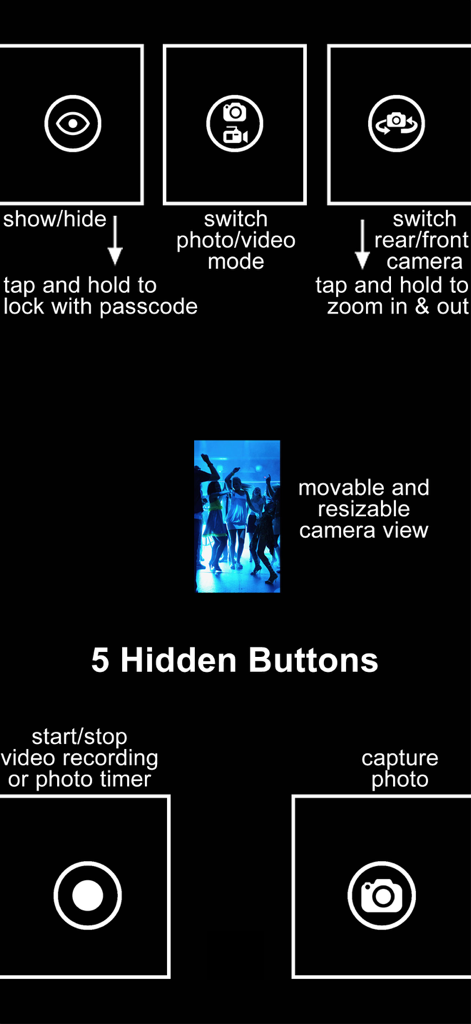
SP Camera - SP 카메라 인터페이스 다이어그램으로, 5개의 숨겨진 제어 버튼과 은밀한 녹화를 위한 이동 가능한 미리보기 창을 보여줍니다.
SP 카메라 인터페이스 다이어그램으로, 5개의 숨겨진 제어 버튼과 은밀한 녹화를 위한 이동 가능한 미리보기 창을 보여줍니다.

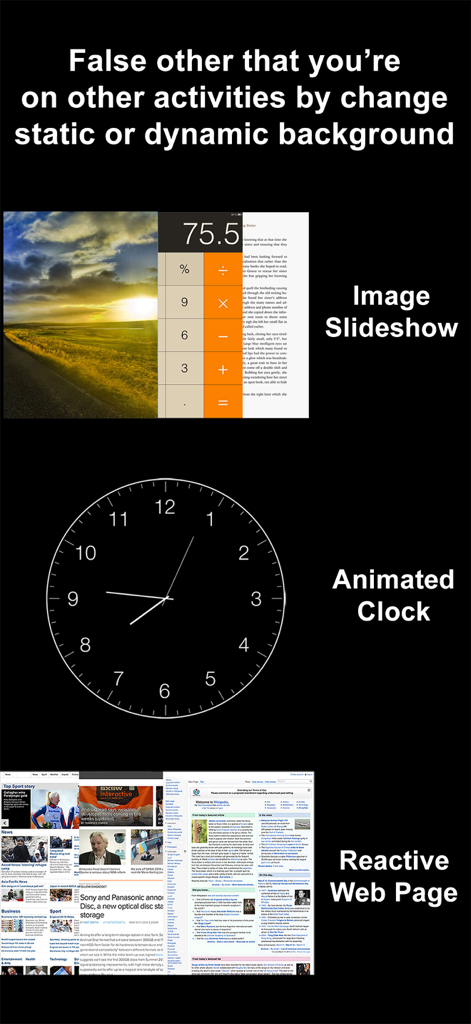
SP Camera - SP 카메라 앱 인터페이스로, 스텔스 녹화를 위한 애니메이션 시계 및 웹 브라우저와 같은 가짜 배경 옵션을 보여줍니다.
SP 카메라 앱 인터페이스로, 스텔스 녹화를 위한 애니메이션 시계 및 웹 브라우저와 같은 가짜 배경 옵션을 보여줍니다.

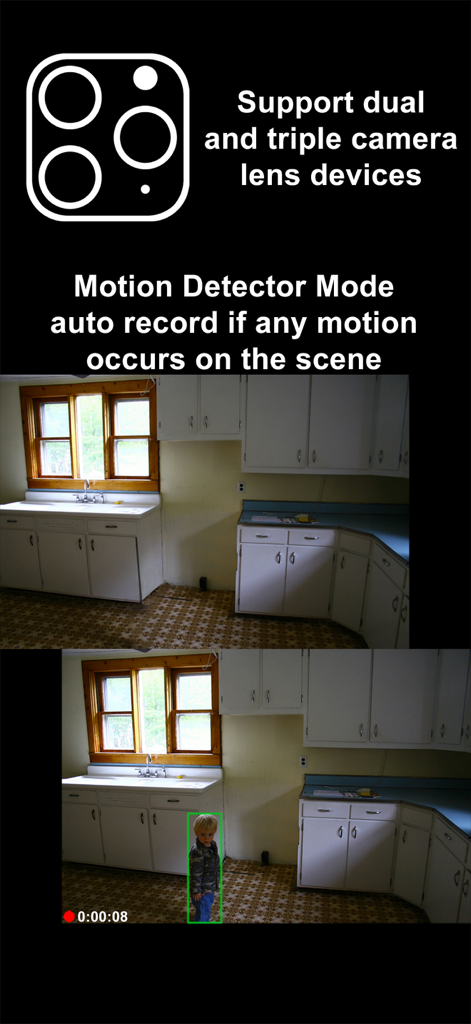
SP Camera - SP 카메라 앱 스크린샷으로, 자동 녹화 및 트리플 렌즈 지원을 갖춘 동작 감지 모드를 보여줍니다.
SP 카메라 앱 스크린샷으로, 자동 녹화 및 트리플 렌즈 지원을 갖춘 동작 감지 모드를 보여줍니다.

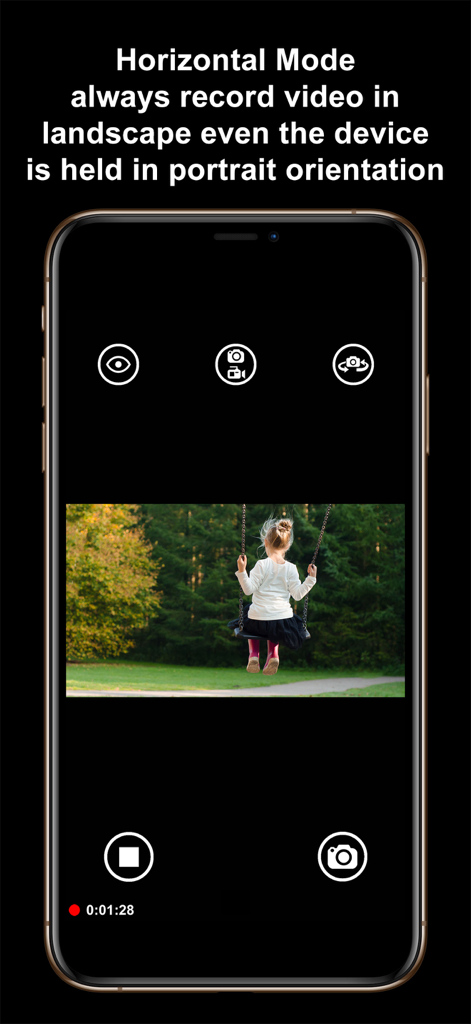
SP Camera - SP 카메라 앱 인터페이스로, 휴대폰을 세로로 잡고 가로 동영상을 캡처하는 가로 모드 기능을 보여줍니다.
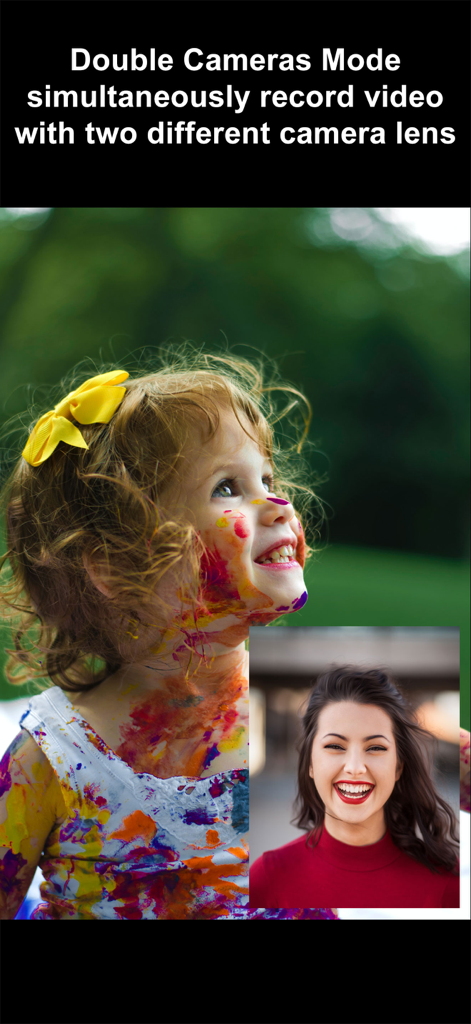
SP 카메라 앱 인터페이스로, 휴대폰을 세로로 잡고 가로 동영상을 캡처하는 가로 모드 기능을 보여줍니다.

SP Camera - SP 카메라 앱 인터페이스로, 픽처 인 픽처 모드에서 동시에 듀얼 렌즈 동영상 녹화를 보여줍니다.
SP 카메라 앱 인터페이스로, 픽처 인 픽처 모드에서 동시에 듀얼 렌즈 동영상 녹화를 보여줍니다.

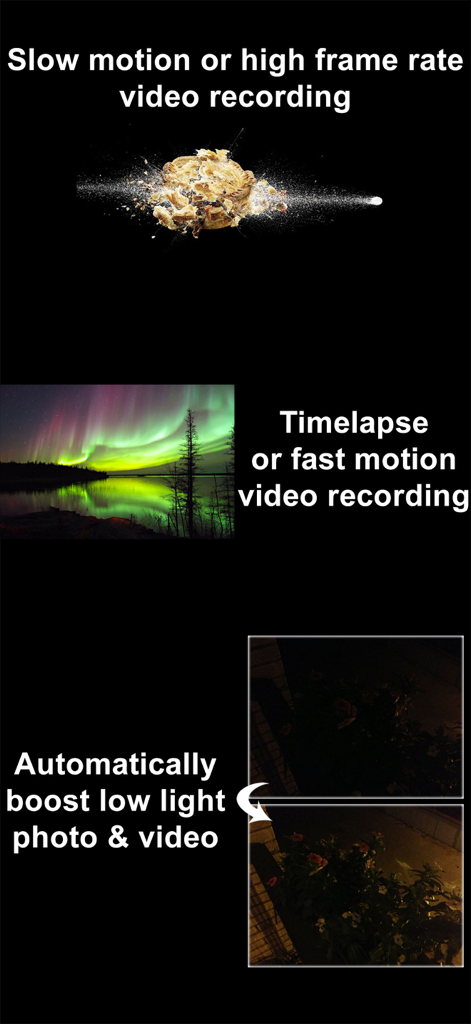
SP Camera - SP 카메라 기능 개요로, 슬로우 모션 비디오, 타임랩스, 자동 저조도 향상 기능이 포함됩니다.
SP 카메라 기능 개요로, 슬로우 모션 비디오, 타임랩스, 자동 저조도 향상 기능이 포함됩니다.

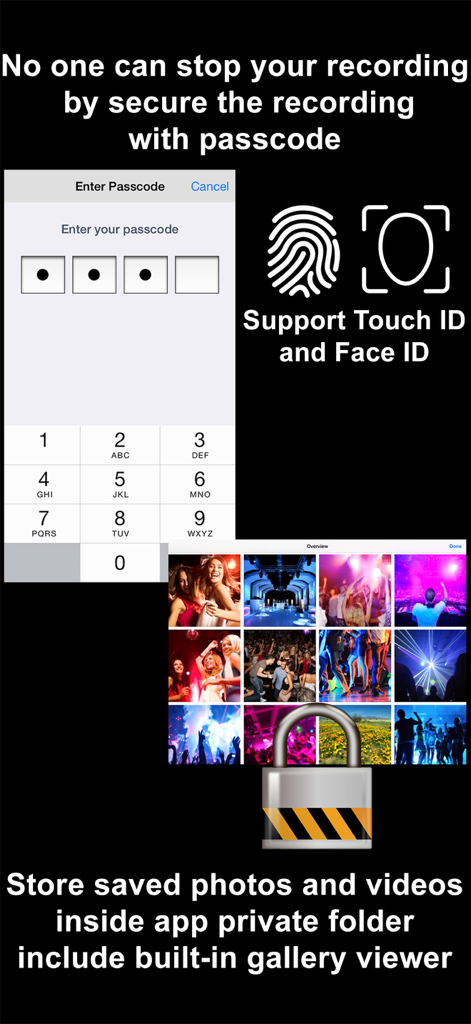
SP Camera - SP 카메라 보안 기능으로, 비밀번호 입력 화면, Touch ID 및 Face ID 지원, 잠긴 개인 갤러리 폴더를 보여줍니다.
SP 카메라 보안 기능으로, 비밀번호 입력 화면, Touch ID 및 Face ID 지원, 잠긴 개인 갤러리 폴더를 보여줍니다.

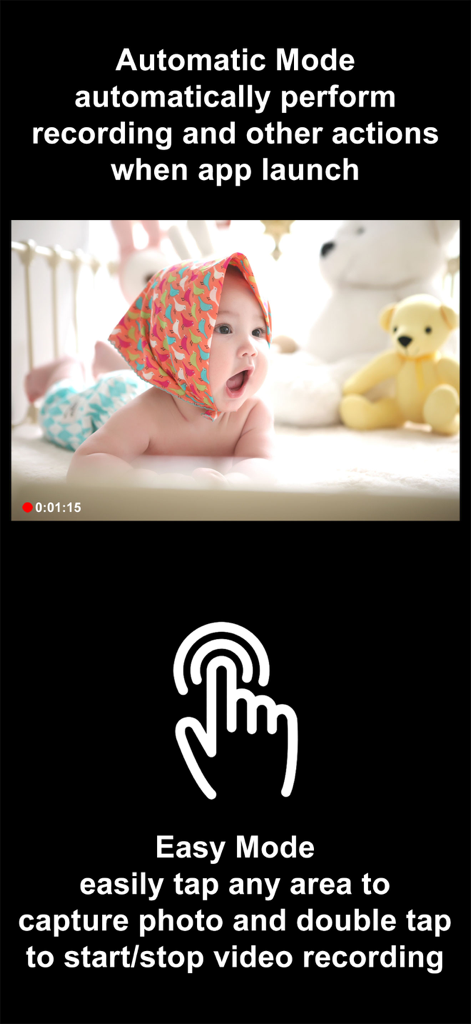
SP Camera - SP 카메라 앱 인터페이스로, 실행 시 즉시 녹화되는 자동 모드와 원탭 사진 캡처 및 더블탭 동영상 녹화를 위한 이지 모드를 보여줍니다.
SP 카메라 앱 인터페이스로, 실행 시 즉시 녹화되는 자동 모드와 원탭 사진 캡처 및 더블탭 동영상 녹화를 위한 이지 모드를 보여줍니다.

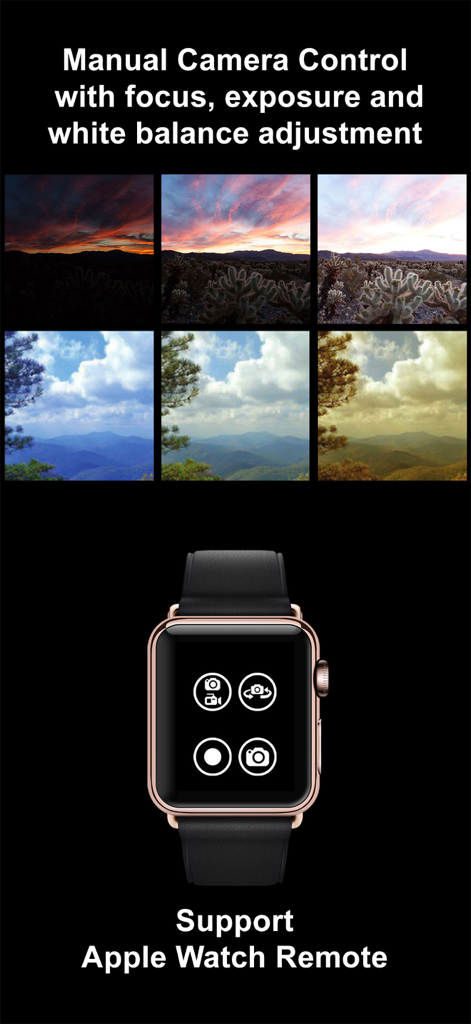
SP Camera - SP 카메라 앱 인터페이스로, 초점 및 노출에 대한 수동 조정 비교와 Apple Watch 리모컨 인터페이스를 보여줍니다.
SP 카메라 앱 인터페이스로, 초점 및 노출에 대한 수동 조정 비교와 Apple Watch 리모컨 인터페이스를 보여줍니다.

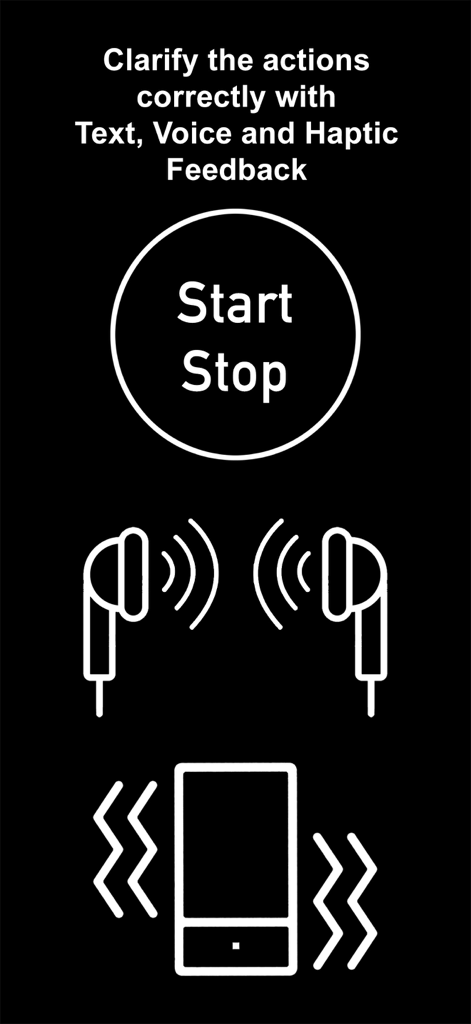
SP Camera - SP 카메라 앱 인터페이스로, 은밀한 녹화 중 텍스트 음성 및 햅틱 피드백 아이콘을 보여줍니다.

SP 카메라 앱 인터페이스로, 은밀한 녹화 중 텍스트 음성 및 햅틱 피드백 아이콘을 보여줍니다.

설명

Want to secretly capture photos and videos without anyone notices, here is the app that you need: SP Camera. With SP Camera, you can record video, or take pictures without being seen while the device shows one of fake backgrounds. Simulate that you are browsing the web, a blog or leave the device on a table showing a still image or a time clock while recording. Automatically record and save video if any motion occurs on the scene with Motion Detector Sensor. With built-in Photo Timer, this app automatically captures photos every few seconds without touching the capture button again. Save your photos and videos in the password protected private folder. Moreover, you can hide all the UI control buttons to simulate a real spy experience. MODE * Photo: automatically capture photo without tap any buttons with Photo Timer up to 48MP * Video: record video and capture still photo at the same time (snap 8MP photo while recording 4K video) * Motion Detector: automatically record only if any motion occurs on the scene * Slow Motion: support high frame rate or slow motion video recording on both front and rear camera * Timelapse: record video in fast motion action up to 32x * Horizontal: always record video in landscape even the device is held in portrait orientation * Double Cameras: simultaneously record video with two different camera lens CAMERA • Manual camera control with focus, exposure, ISO, and white balance adjustment • Ability for photo capturing & video recording at the same time for all video modes • Save more storage with changeable video recording resolution between QVGA 240p, VGA 480p, HD 720p, FullHD 1080p or 4K 2160p • Ability to zoom in & zoom out up to 10x • Support dual and triple rear camera lens devices • Automatically boost low light photo & video visibility and quality • Limitable video recording duration and numbers of Photo Timer photos • Cinematic video stabilization support for shake-free video recording • Tap on camera view area to focus and adjust exposure • Adjustable auto or manual focus and exposure • Ability to record silent video (without sound) • Support volume buttons actions for photo capturing and video recording • Save photo and video in passcode protected private app folder or save to camera roll • Ability to add date and time stamp when capturing photo or recording motion detector video • Choose different styles of Double Cameras mode recording including Picture-in-Picture, Split View, and Dual Files INTERFACE • Automatic Mode: auto perform record action and other actions when app launch • Easy Mode: easily tap any area to take photo and double tap to start/stop video recording • Screen is completely black simulate the device is turned off • No camera flash or on-screen flash is appeared • Fake other people that you're on other activities by using fake backgrounds • Alternative image slideshow or animated clock or reactive web browsing fake backgrounds • Ability to your own image fake backgrounds • Dimmed screen with zero brightness in black background • Adjustable the visibilty of the UI transparency • Movable and resizable camera preview • Clarify the actions correctly with Text, Voice, and Haptic Feedback PASSCODE • No one can stop your recording by secure the recording and lock UI buttons with passcode • Advanced passcode system can lock app startup, lock camera UI buttons, or lock gallery viewing • Hide App Folder private photos and videos with failed passcode input GALLERY • Built-in gallery for viewing photos and videos and easy sharing • Recover deleted photos and videos within 7 days with Trash Folder REMOTE • Wireless Apple Watch Remote supported for recording control NOTES: • Built-in Gallery Viewer unable to play slow-mo video in slow motion action. • Double Cameras mode required iPhone or iPad with A12 or A12X chipset or later. • 48MP photos capturing required iPhone 14 Pro series or iPhone 15 series or later. • 4K 120fps recording required iPhone 16 Pro series or later.

Download

다운로드: App Store

이 페이지는 앱이나 개발자의 공식 페이지가 아니며, 정보 제공 및 논평을 목적으로 작성된 독립 편집 간행물입니다. 명시적으로 달리 언급되지 않는 한, 해당 앱이나 개발자는 MWM, Apple, Google Play, 앱 퍼블리셔 또는 앱 개발자와 제휴, 보증, 후원, 승인 또는 공식적으로 연결되어 있지 않으며, 이 페이지의 어떤 내용도 해당 앱이 MWM의 서비스를 사용하여 개발되었음을 의미하지 않습니다. 모든 상표, 로고, 스크린샷 및 기타 콘텐츠는 해당 소유자의 자산입니다.








