Spatial Touch™
Spatial Touch™
다운로드: App Store

이 페이지는 앱이나 개발자의 공식 페이지가 아니며, 정보 제공 및 논평을 목적으로 작성된 독립 편집 간행물입니다. 명시적으로 달리 언급되지 않는 한, 해당 앱이나 개발자는 MWM, Apple, Google Play, 앱 퍼블리셔 또는 앱 개발자와 제휴, 보증, 후원, 승인 또는 공식적으로 연결되어 있지 않으며, 이 페이지의 어떤 내용도 해당 앱이 MWM의 서비스를 사용하여 개발되었음을 의미하지 않습니다. 모든 상표, 로고, 스크린샷 및 기타 콘텐츠는 해당 소유자의 자산입니다.


로고: Spatial Touch™
다운로드: App Store

Spatial Touch™

멀리서도 미디어를 제어할 수 있는 AI 리모컨. 화면을 만지지 않고 스크롤, 일시 중지, 건너뛰기 — 식사, 요리 또는 멀티태스킹 중에도 깔끔하게 유지하세요.

주요 수치

다운로드

17K+

사용자 평점

2.9/5

총 평가 수

0

개발사

Reehee Company, Inc.

카테고리

Utilities

지원 언어

14

최신 버전

1.3.19

크기

39.7 MB

출시일

2025년 1월 30일
기능

미디어를 손대지 않고 마스터하세요

Spatial Touch™는 고급 AI를 사용하여 손 제스처를 강력한 명령으로 변환하여 화면을 전혀 만지지 않고 TikTok, YouTube 및 Instagram을 제어할 수 있습니다.

간편한 에어 제스처

간단한 손 움직임으로 탭, 스크롤, 볼륨 조절을 하세요. 손이 바쁘거나, 더러워지거나, 쉬고 싶을 때 완벽합니다.

궁극의 편안한 경험

최대 2미터 거리에서 기기를 제어하세요. 침대나 소파에서 iPhone 또는 iPad를 핸즈프리 엔터테인먼트 허브로 바꾸세요.

다음 스크린샷과 설명은 앱의 공식 스토어 목록에서 직접 가져온 것이며 앱 개발자의 자산입니다.

앱 스토어

스크린샷
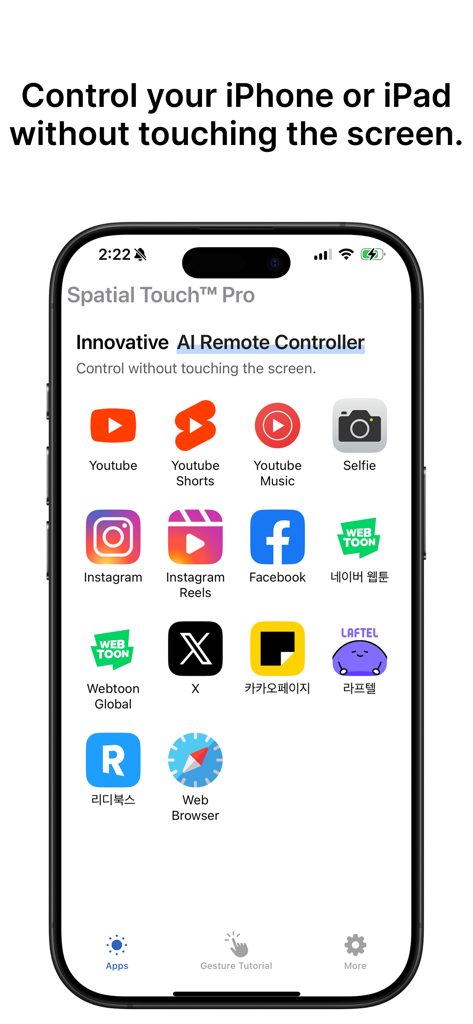
Spatial Touch™ - Spatial Touch 앱 인터페이스가 iPhone에 표시되며 핸즈프리 에어 제스처 제어에 지원되는 앱 목록을 보여줍니다.
Spatial Touch 앱 인터페이스가 iPhone에 표시되며 핸즈프리 에어 제스처 제어에 지원되는 앱 목록을 보여줍니다.

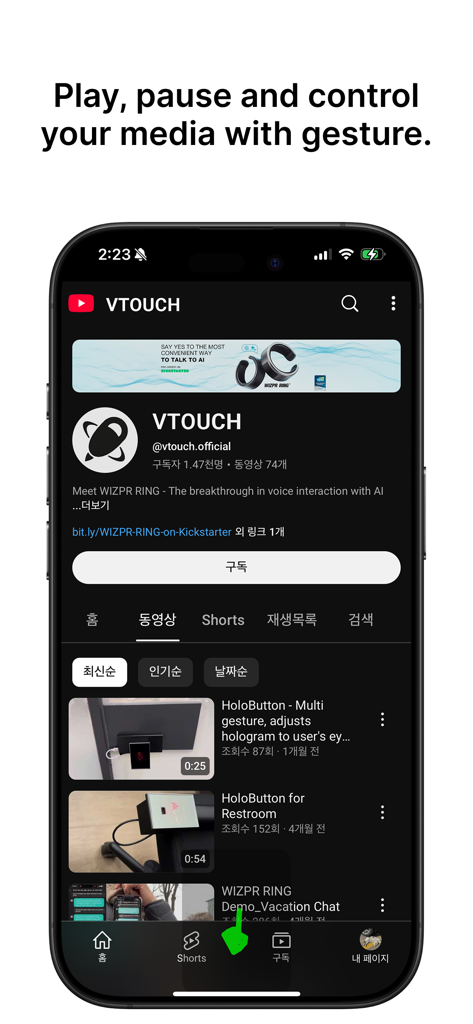
Spatial Touch™ - 스마트폰 화면에 Spatial Touch 앱 인터페이스가 표시되고 에어 제스처 미디어 제어에 대한 헤드라인이 표시됩니다.
스마트폰 화면에 Spatial Touch 앱 인터페이스가 표시되고 에어 제스처 미디어 제어에 대한 헤드라인이 표시됩니다.

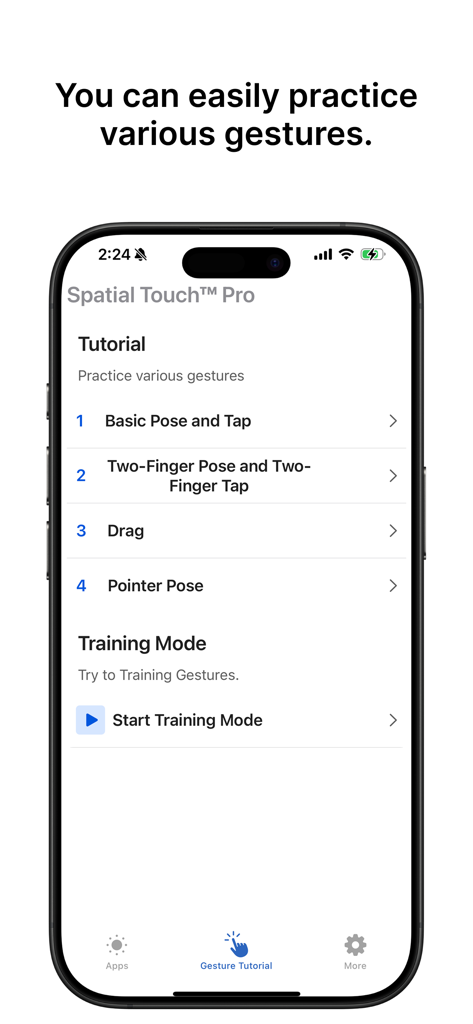
Spatial Touch™ - Spatial Touch 앱의 튜토리얼 메뉴는 iPhone에서 기본 포즈, 탭 및 드래그 에어 제스처를 연습하는 옵션을 보여줍니다.
Spatial Touch 앱의 튜토리얼 메뉴는 iPhone에서 기본 포즈, 탭 및 드래그 에어 제스처를 연습하는 옵션을 보여줍니다.

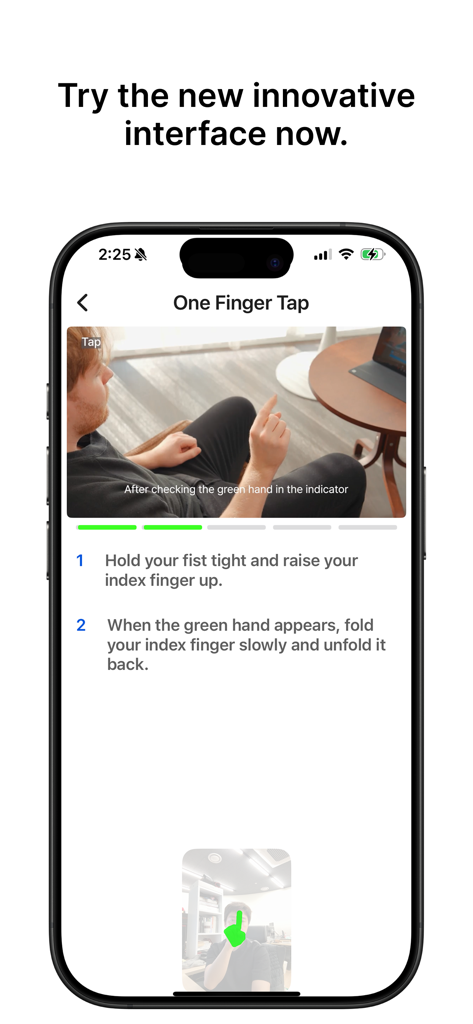
Spatial Touch™ - Spatial Touch 앱의 교육 화면은 핸즈프리 제어를 위해 한 손가락 탭 에어 제스처를 시연합니다.

Spatial Touch 앱의 교육 화면은 핸즈프리 제어를 위해 한 손가락 탭 에어 제스처를 시연합니다.

설명

Control your iPhone and iPad without touching the screen! Spatial Touch is an AI-based air gesture remote controller that allows you to control media apps from a distance without touching the screen. You can control YouTube, Shorts, Instagram, Reels, Tiktok and more apps are being added. When you're leaned back watching a video with your device on the table, when your hands are wet from doing dishes, or when you eat and you don’t want to touch the screen, Spatial Touch lets you easily control your devices in any of these cases. Download and experience the innovation of Spatial Touch. App Features and Benefits: 1. Air Gestures: Control media playback, pause, volume adjustment, navigation, scrolling, and more using air gestures without touching the screen. 2. Remote Control: You can control your device from a distance of up to 2 meters, and it works perfectly in various environment and postures. 3. Technology: State-of-the-art gesture recognition technology ensures stable operation with minimized false triggers 4. Apps Supported: It supports YouTube, Shorts, Instagram, Reels, Tiktok and more apps will be added in the near future. 5. Strong Security: While Spatial TouchTM runs with camera, All processing is done within your device. It does not store or transmit any images or videos to the outside of the device. 6. Battery: Minimized power consumption through the latest on-device AI technology. Key Functions: 1. Tap: Play/pause video, next video(Shorts, Reels, Tiktok) 2. Two Finger Tap: Toggle full-screen mode(YouTube), Previous video(Shorts, Reels, Tiktok) 3. Drag Left/Right: Video navigation (Fast Forward/Rewind) 4. Drag Up/Down: Adjust Volume 5. Two Finger Left/Right: Scroll Left/Right, Go to the Previous/Next video 6. Two Finger Up/Down: Scroll Down/Up ※ App Permissions Information: To provide the service, the app requires the following permissions: • Camera: for user gesture recognition (enabled only during app usage) We welcome all suggestions to improve your experience. If you have any questions or suggestions, feel free to contact at iOS@vtouch.io

Download

다운로드: App Store

이 페이지는 앱이나 개발자의 공식 페이지가 아니며, 정보 제공 및 논평을 목적으로 작성된 독립 편집 간행물입니다. 명시적으로 달리 언급되지 않는 한, 해당 앱이나 개발자는 MWM, Apple, Google Play, 앱 퍼블리셔 또는 앱 개발자와 제휴, 보증, 후원, 승인 또는 공식적으로 연결되어 있지 않으며, 이 페이지의 어떤 내용도 해당 앱이 MWM의 서비스를 사용하여 개발되었음을 의미하지 않습니다. 모든 상표, 로고, 스크린샷 및 기타 콘텐츠는 해당 소유자의 자산입니다.








