Speech To Text: Transcription
다운로드: App Store

이 페이지는 앱이나 개발자의 공식 페이지가 아니며, 정보 제공 및 논평을 목적으로 작성된 독립 편집 간행물입니다. 명시적으로 달리 언급되지 않는 한, 해당 앱이나 개발자는 MWM, Apple, Google Play, 앱 퍼블리셔 또는 앱 개발자와 제휴, 보증, 후원, 승인 또는 공식적으로 연결되어 있지 않으며, 이 페이지의 어떤 내용도 해당 앱이 MWM의 서비스를 사용하여 개발되었음을 의미하지 않습니다. 모든 상표, 로고, 스크린샷 및 기타 콘텐츠는 해당 소유자의 자산입니다.

로고: Speech To Text: Transcription
다운로드: App Store

Speech To Text: Transcription

회의, 강의, 비디오를 즉시 실행 가능한 텍스트로 변환하세요. 스마트 화자 식별, 실시간 번역, AI 기반 요약으로 노트를 자동화하세요.

주요 수치

다운로드

29K+

사용자 평점

4.7/5

총 평가 수

600

개발사

嘉 王

카테고리

Business

지원 언어

3

최신 버전

5.2.5

크기

66.9 MB

출시일

2023년 4월 20일
기능

AI 기반 인텔리전스로 워크플로우를 마스터하세요

회의실 회의부터 크리에이티브 콘텐츠까지, 모든 단어를 전문적인 자산으로 만드세요. 이동 중에 오디오를 녹취, 요약 및 편집하는 가장 빠른 방법을 경험하세요.

즉각적인 녹취 및 화자 식별

모든 단어를 실시간으로 캡처하세요. AI가 다른 화자를 구분하고 스마트 형식을 적용하여 몇 초 안에 세련된 회의록 또는 인터뷰 스크립트를 제공합니다.

스마트 검색 및 AI 요약

몇 시간 동안 오디오를 샅샅이 뒤지는 것을 멈추세요. 특정 키워드를 즉시 찾거나 자동 AI 요약 및 실행 가능한 워드 클라우드를 사용하여 '너무 길어; 듣지 못했음' 버전을 받으세요.

다음 스크린샷과 설명은 앱의 공식 스토어 목록에서 직접 가져온 것이며 앱 개발자의 자산입니다.

앱 스토어

스크린샷
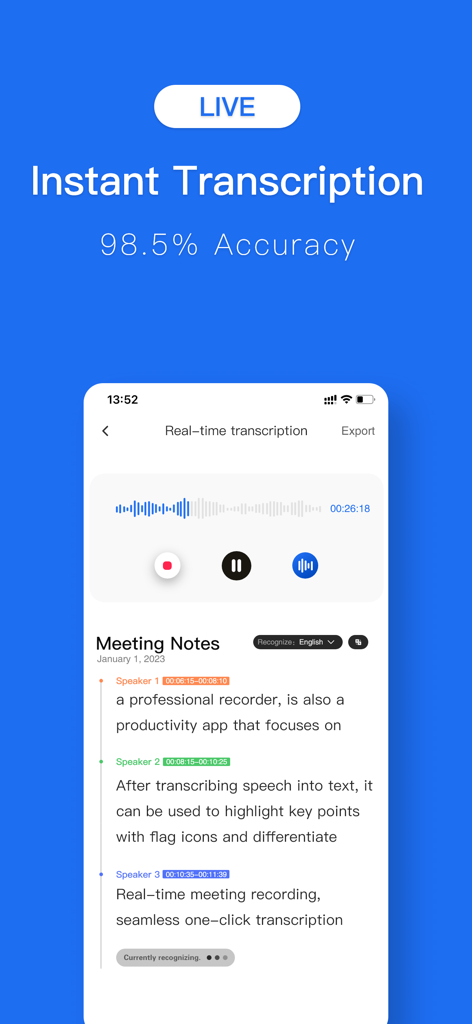
Speech To Text: Transcription - 실시간 회의 노트 및 화자 식별 기능이 있는 즉각적인 녹취 인터페이스
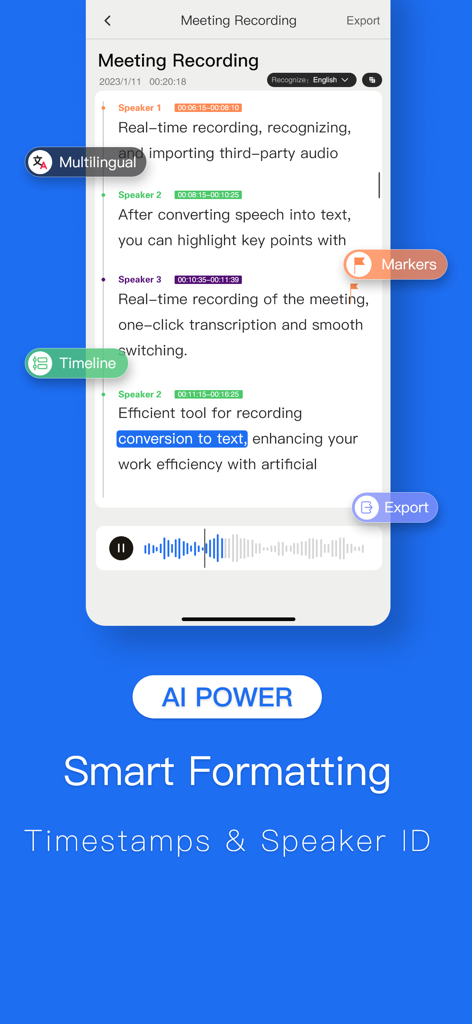
실시간 회의 노트 및 화자 식별 기능이 있는 즉각적인 녹취 인터페이스

Speech To Text: Transcription - 음성을 텍스트로 변환하는 앱이 화자 식별 및 타임스탬프가 있는 회의 녹취를 보여줍니다
음성을 텍스트로 변환하는 앱이 화자 식별 및 타임스탬프가 있는 회의 녹취를 보여줍니다

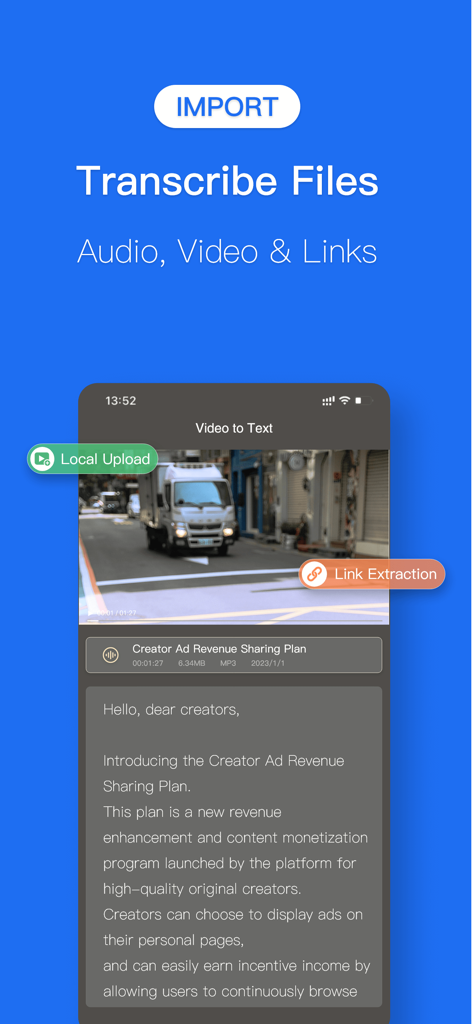
Speech To Text: Transcription - 음성을 텍스트로 변환하는 앱 인터페이스가 비디오를 텍스트로 변환하고 파일 가져오기 옵션을 보여줍니다
음성을 텍스트로 변환하는 앱 인터페이스가 비디오를 텍스트로 변환하고 파일 가져오기 옵션을 보여줍니다

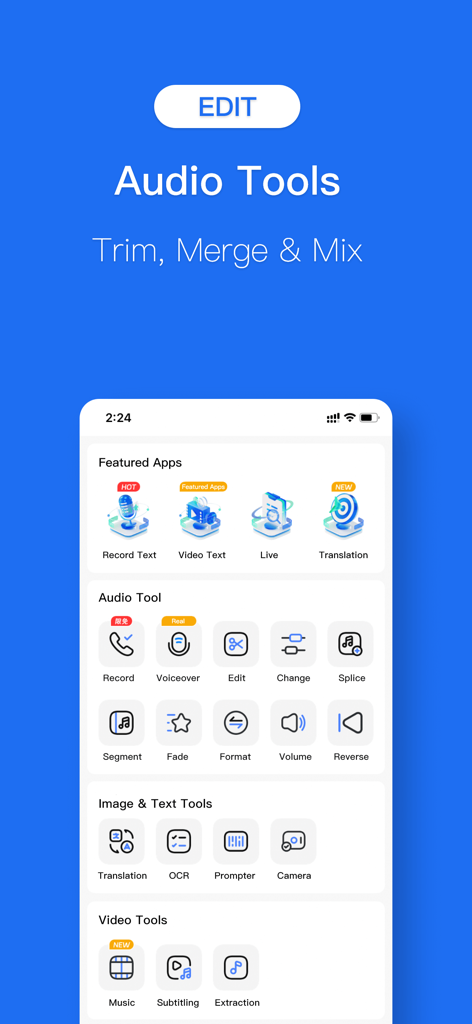
Speech To Text: Transcription - 음성을 텍스트로 변환하는 앱의 스크린샷으로 오디오 파일 자르기, 병합, 믹싱을 위한 오디오 도구를 보여줍니다
음성을 텍스트로 변환하는 앱의 스크린샷으로 오디오 파일 자르기, 병합, 믹싱을 위한 오디오 도구를 보여줍니다

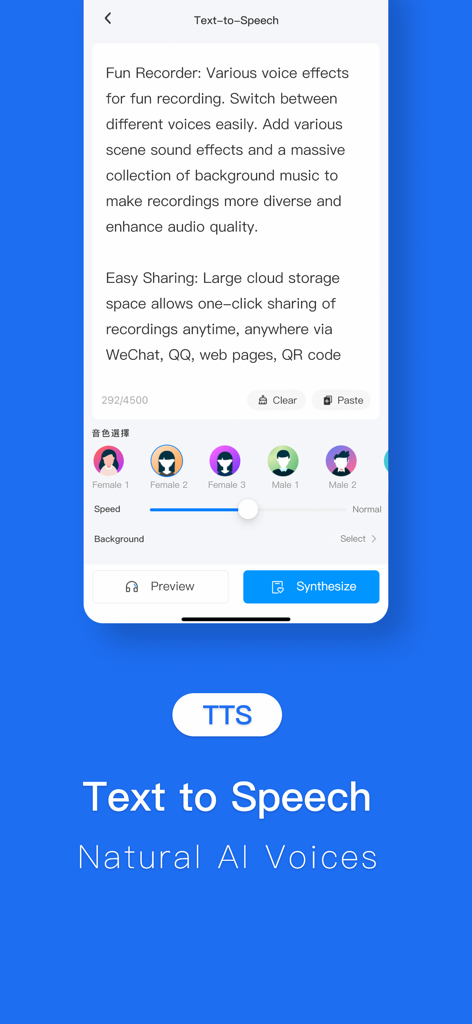
Speech To Text: Transcription - 다양한 AI 자연 음성 선택 옵션과 함께 텍스트 음성 변환을 보여주는 모바일 앱 화면
다양한 AI 자연 음성 선택 옵션과 함께 텍스트 음성 변환을 보여주는 모바일 앱 화면

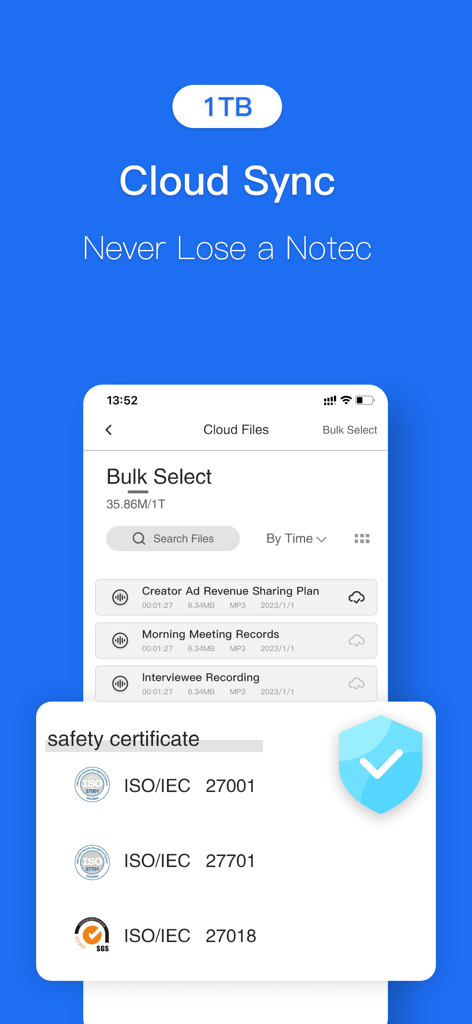
Speech To Text: Transcription - 음성을 텍스트로 변환하는 앱의 1TB 클라우드 동기화 및 ISO 안전 인증서를 보여주는 스크린샷.

음성을 텍스트로 변환하는 앱의 1TB 클라우드 동기화 및 ISO 안전 인증서를 보여주는 스크린샷.

설명

Turn your voice into text, instantly. Record meetings, transcribe audio files, and convert video to text with powerful AI. Your all-in-one transcription and voice tool. --- ALL-IN-ONE AUDIO & VIDEO TOOLS Instant Transcription: Record and watch your words appear as text in real time. Import Anything: Easily import audio or video files from your device, cloud storage (like iCloud Drive & Dropbox), or other apps for quick transcription. Video-to-Text Made Easy: Extract spoken words from any video, from work webinars to your favorite TikToks. Simultaneous Interpretation: Bridge language gaps with real-time translation during live conversations. SMART AI-POWERED FEATURES Automatic Formatting: Our AI intelligently adds punctuation, capitalization, and paragraphs to create clean, readable transcripts. Speaker Identification: Automatically detects and labels different speakers (Speaker 1, Speaker 2) for clear, organized dialogue. Instant Insights: Generate word clouds and summaries to find key topics at a glance. Click any keyword to jump directly to that moment in the audio. EFFORTLESS EDITING & PLAYBACK Interactive Transcripts: Tap a word in the text to instantly play the audio from that exact spot. Smart Search: Quickly find specific quotes or keywords without scrubbing through hours of audio. Variable Playback Speed: Listen back at a speed that works for you, from 0.5x to 2x. Full Editing Suite: Correct any errors, tag speakers with custom names, and highlight important sentences. A COMPLETE AUDIO SUITE Audio Trimmer & Editor: Trim, split, or merge recordings. You can even add background music to create professional-grade audio. Text-to-Speech (Dubbing): Convert your edited text back into speech with a variety of natural-sounding voices, speeds, and tones. Perfect for dubbing videos or creating voiceovers. Audio Extractor: Easily pull the audio track from any video file, converting MP4 to MP3 with a single tap. SEAMLESS SHARING & EXPORT Export in Any Format: Share your work as a TXT, Word (.docx), or even PNG image file. Share Anywhere: Quickly copy transcripts to your clipboard or share directly to other apps. Cloud Sync: Securely back up your files to the cloud and access them across all your devices. --- SUBSCRIPTION & TERMS Payment will be charged to your Apple ID account at the confirmation of purchase. The subscription automatically renews unless it is canceled at least 24 hours before the end of the current period. Your account will be charged for renewal within 24 hours prior to the end of the current period. You can manage and cancel your subscriptions by going to your App Store account settings after purchase. Terms of Service: [https://www.luyingou.com/sub.html] Privacy Policy: [https://www.luyingou.com/3user.html] Subscription Agreement: [ https://www.luyingou.com/3privacy.html]

Download

다운로드: App Store

이 페이지는 앱이나 개발자의 공식 페이지가 아니며, 정보 제공 및 논평을 목적으로 작성된 독립 편집 간행물입니다. 명시적으로 달리 언급되지 않는 한, 해당 앱이나 개발자는 MWM, Apple, Google Play, 앱 퍼블리셔 또는 앱 개발자와 제휴, 보증, 후원, 승인 또는 공식적으로 연결되어 있지 않으며, 이 페이지의 어떤 내용도 해당 앱이 MWM의 서비스를 사용하여 개발되었음을 의미하지 않습니다. 모든 상표, 로고, 스크린샷 및 기타 콘텐츠는 해당 소유자의 자산입니다.