Speed Changer | Transcribe+
다운로드: App Store

이 페이지는 앱이나 개발자의 공식 페이지가 아니며, 정보 제공 및 논평을 목적으로 작성된 독립 편집 간행물입니다. 명시적으로 달리 언급되지 않는 한, 해당 앱이나 개발자는 MWM, Apple, Google Play, 앱 퍼블리셔 또는 앱 개발자와 제휴, 보증, 후원, 승인 또는 공식적으로 연결되어 있지 않으며, 이 페이지의 어떤 내용도 해당 앱이 MWM의 서비스를 사용하여 개발되었음을 의미하지 않습니다. 모든 상표, 로고, 스크린샷 및 기타 콘텐츠는 해당 소유자의 자산입니다.


로고: Speed Changer | Transcribe+
다운로드: App Store

Speed Changer | Transcribe+

뮤지션과 학생이 청음으로 곡을 분석할 수 있는 최고의 워크스테이션입니다. AI로 악기를 분리하고, 음정 변화 없이 템포를 늦추며, 스마트 루프를 사용하여 iPad와 iPhone에서 연습 효율을 높이세요.

주요 수치

다운로드

409K+

사용자 평점

4.5/5

총 평가 수

8K+

개발사

Dynamic App Design LLC

카테고리

Music

지원 언어

2

최신 버전

1.8.60

크기

249.6 MB

출시일

2016년 3월 7일
기능

모든 음을 정밀하게 마스터하세요

곡을 분석하고 AI로 악기를 분리하며, 복잡한 파트를 자신의 속도에 맞춰 마스터할 수 있는 전문가용 툴킷입니다.

AI 스템 분리

보컬, 베이스, 드럼을 즉시 분리하거나 제거하세요. 연주되는 소리를 정확히 듣고 자신만의 연주용 트랙을 손쉽게 만드세요.

프로급 재생 제어

음질 저하 없이 트랙 속도를 0.25배까지 늦추거나 음정을 0.01 반음 단위로 조절하세요. 번개처럼 빠른 솔로를 파악하는 데 완벽합니다.

다음 스크린샷과 설명은 앱의 공식 스토어 목록에서 직접 가져온 것이며 앱 개발자의 자산입니다.

앱 스토어

스크린샷
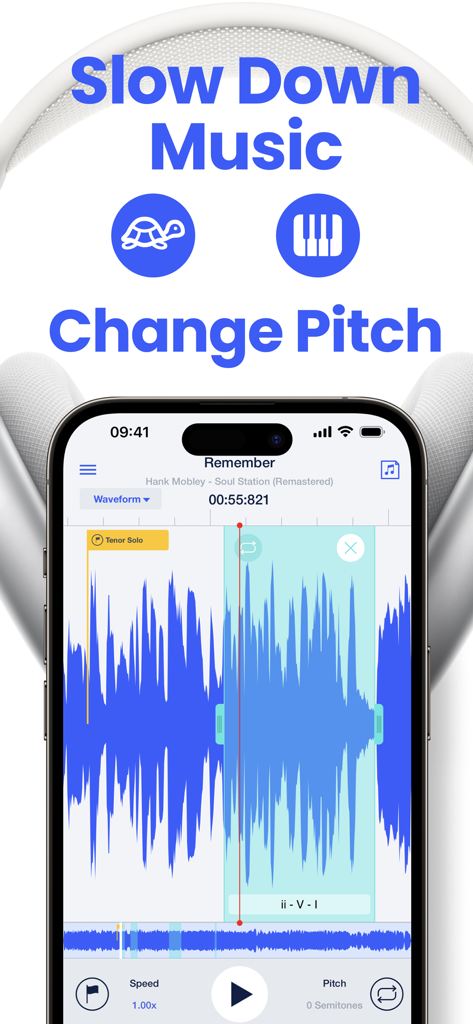
Speed Changer | Transcribe+ - 속도 및 음정 조절 기능과 음악 파형이 표시된 스마트폰 화면의 Transcribe+ 앱 인터페이스
속도 및 음정 조절 기능과 음악 파형이 표시된 스마트폰 화면의 Transcribe+ 앱 인터페이스

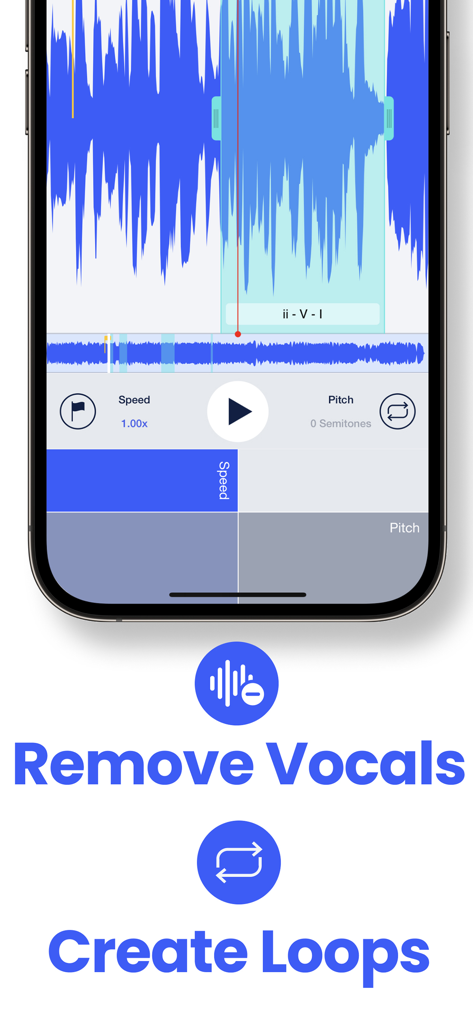
Speed Changer | Transcribe+ - 오디오 파형과 보컬 제거 및 루프 생성 도구가 표시된 Transcribe+ 앱 인터페이스
오디오 파형과 보컬 제거 및 루프 생성 도구가 표시된 Transcribe+ 앱 인터페이스

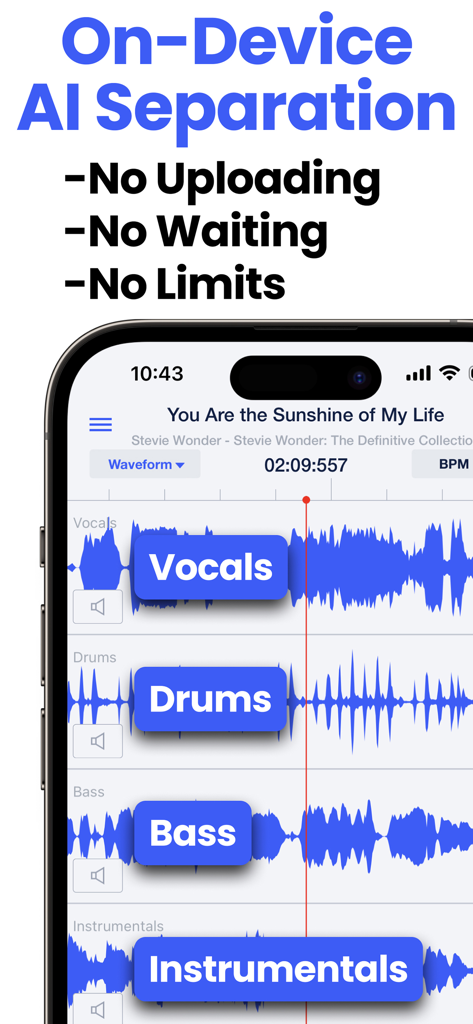
Speed Changer | Transcribe+ - 보컬, 드럼, 베이스에 대한 AI 스템 분리를 보여주는 Speed Changer Transcribe+ 앱
보컬, 드럼, 베이스에 대한 AI 스템 분리를 보여주는 Speed Changer Transcribe+ 앱

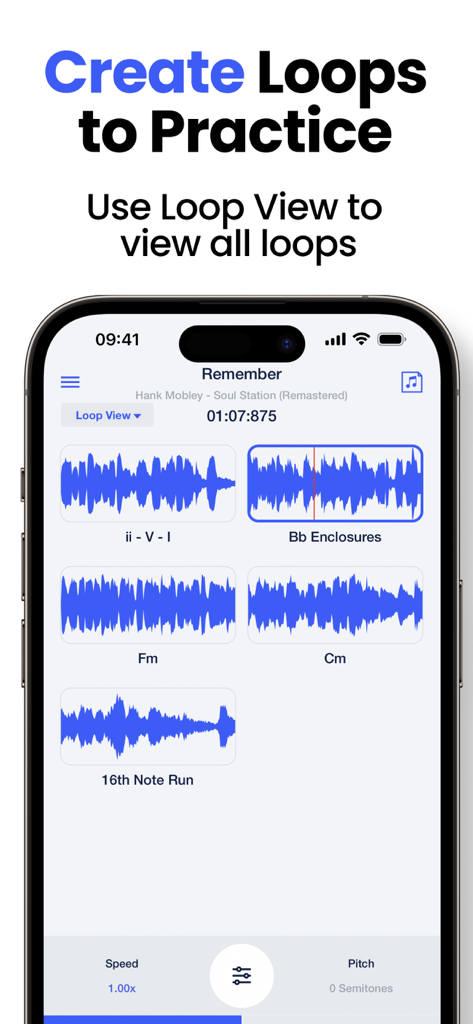
Speed Changer | Transcribe+ - 연습용으로 저장된 음악 루프가 표시된 Transcribe+ 앱 인터페이스
연습용으로 저장된 음악 루프가 표시된 Transcribe+ 앱 인터페이스

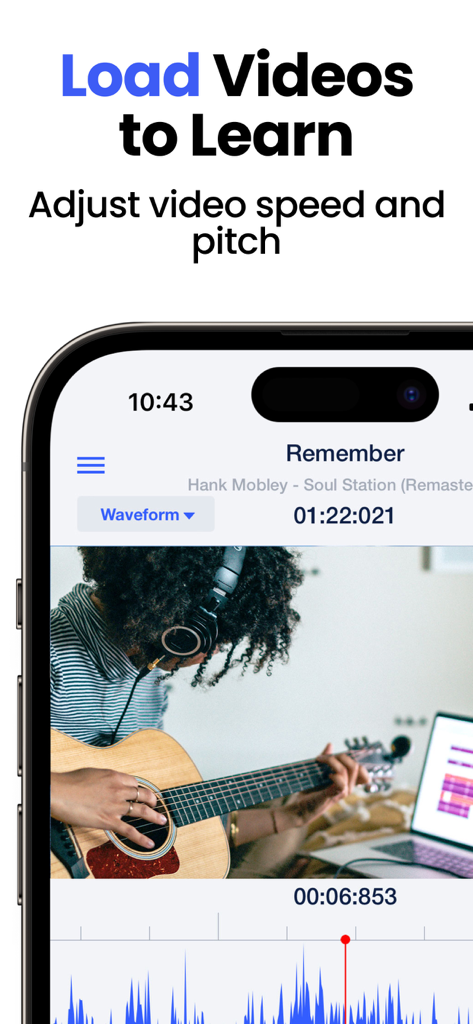
Speed Changer | Transcribe+ - 오디오 파형 디스플레이와 함께 비디오 속도 및 음정을 조절하여 기타를 배우는 뮤지션의 Transcribe+ 앱 사용 모습
오디오 파형 디스플레이와 함께 비디오 속도 및 음정을 조절하여 기타를 배우는 뮤지션의 Transcribe+ 앱 사용 모습

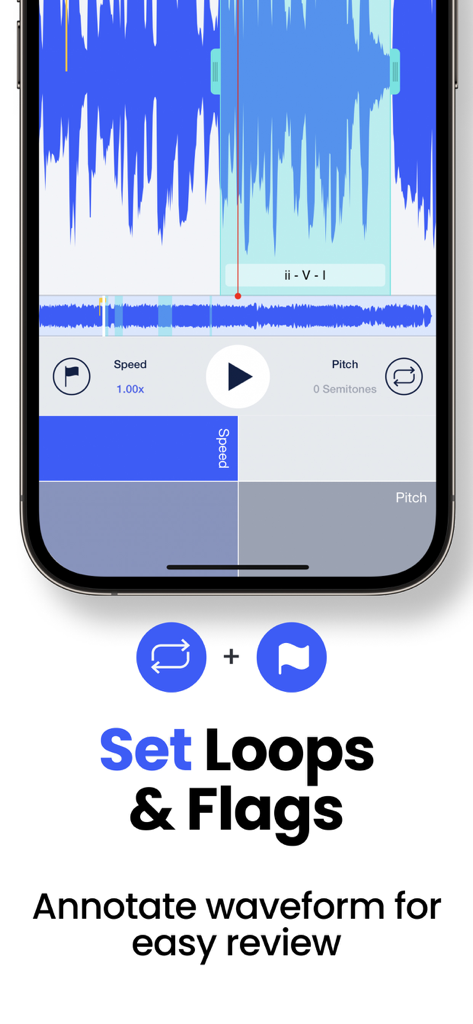
Speed Changer | Transcribe+ - 음악 연습을 위해 오디오 파형에 설정된 루프와 플래그가 표시된 Transcribe+ 앱 인터페이스
음악 연습을 위해 오디오 파형에 설정된 루프와 플래그가 표시된 Transcribe+ 앱 인터페이스

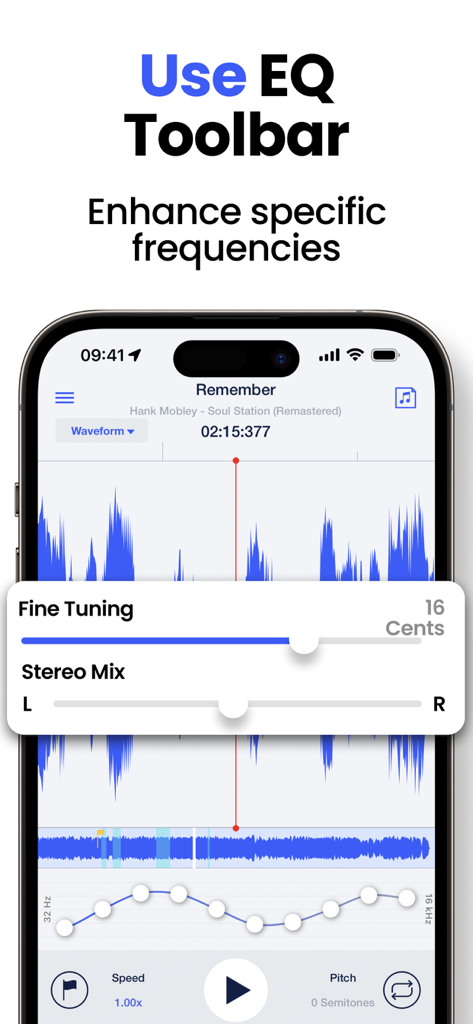
Speed Changer | Transcribe+ - 주파수 강화 및 미세 조정 설정을 위한 EQ 툴바가 표시된 Transcribe+ 앱 인터페이스
주파수 강화 및 미세 조정 설정을 위한 EQ 툴바가 표시된 Transcribe+ 앱 인터페이스

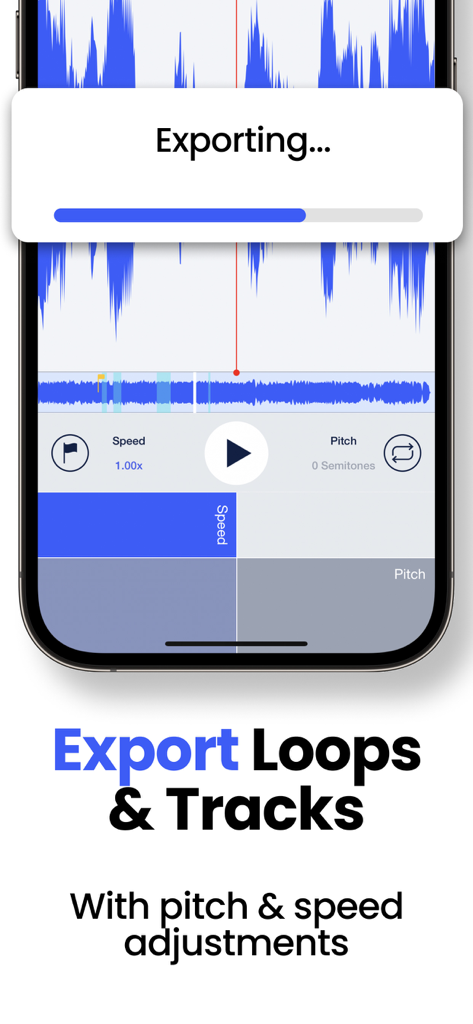
Speed Changer | Transcribe+ - 음정 및 속도 조절이 적용된 루프와 트랙의 내보내기 프로세스를 표시하는 Transcribe+ 앱 인터페이스
음정 및 속도 조절이 적용된 루프와 트랙의 내보내기 프로세스를 표시하는 Transcribe+ 앱 인터페이스

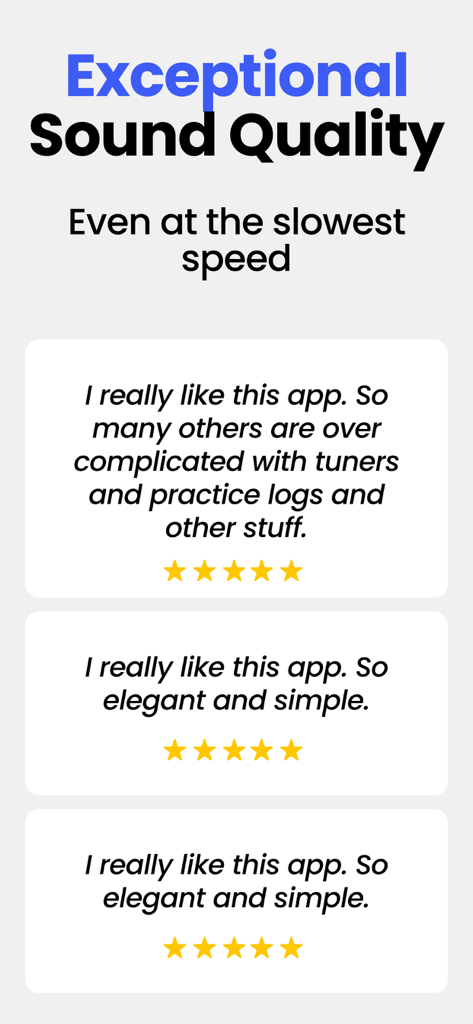
Speed Changer | Transcribe+ - 뛰어난 음질과 심플한 앱 디자인을 강조하는 Transcribe+의 별점 5점 사용자 리뷰

뛰어난 음질과 심플한 앱 디자인을 강조하는 Transcribe+의 별점 5점 사용자 리뷰

설명

Transcribe+ combines high quality tempo and pitch-shifting with on-device AI that isolates vocals, drums, bass, and other instruments to allow you to isolate and hear EXACTLY what you are transcribing by ear. Adjust speed and pitch effortlessly with simple swipe gestures. Tap the waveform to pause the track, then drag to listen at your chosen pace, even one note at a time! Mark song structures or add personal notes using customizable flags on the waveform. Practice specific sections repeatedly by defining looped areas. Key Features: ● Speed adjustable from 0.25x to 2x without affecting pitch. ● Split tracks into 2 or 4 stems (vocals, bass, drums, instrumentals). ● Easy pitch modification by ±12 semitones. ● Fine-tune pitch adjustment slider with 0.01 semitone increments. ● Interactive waveform interface for real-time scrubbing and listening note by note. ● Consolidate and practice loops in a single location with Loop View. ● Smart Loops can automatically increase speed or shift pitch with each loop. ● Load videos for enhanced visual understanding. ● Intuitive EQ toolbar for refined frequency adjustment and additional isolation possibilities. ● Mark and annotate waveforms for efficient review. ● BPM is automatically detected on most tracks. ● Easily export loops or entire tracks. ● Split-screen multitasking for efficient iPad use. ● 11 attractive themes with elegant icons. ● Keyboard shortcuts compatible with foot pedals for easier control during practice. ● Integration with popular cloud storage services. AI Vocal Removal & Stems Separation: Remove or isolate vocals, bass, drums, or instrumentals on ANY track (without DRM). Use this feature to focus on the instruments you're interested in, or create a play-along track. Export any combinations of stems and remix them as you like! Loop View with “Smart Loops”: View all your loops in the loop view. Simply tap the loop icon to start or stop a loop. You can set parameters for a metronome count-in before each loop or auto-increase speed or shift pitch with each repetition. EQ ToolBar, Channel Mixer, and Fine Tuning Slider: Further isolate or enhance the part you're listening to with the EQ toolbar or the Stereo Channel mixer. You can also finely adjust the overall pitch of the track in increments of 1 cent. Apple Music Support: Transcribe+ integrates with Apple Music, letting you adjust the tempo and add flags and loops to any song in your Apple Music library. Please note, due to DRM music streaming limitations, some features are unavailable on Apple Music tracks. iCloud Sync: All of your flags, loops, and settings for each track you load are automatically saved to iCloud. These settings also sync automatically across all your devices. Terms of Use: https://dynamicappdesign.com/tos.html

Download

다운로드: App Store

이 페이지는 앱이나 개발자의 공식 페이지가 아니며, 정보 제공 및 논평을 목적으로 작성된 독립 편집 간행물입니다. 명시적으로 달리 언급되지 않는 한, 해당 앱이나 개발자는 MWM, Apple, Google Play, 앱 퍼블리셔 또는 앱 개발자와 제휴, 보증, 후원, 승인 또는 공식적으로 연결되어 있지 않으며, 이 페이지의 어떤 내용도 해당 앱이 MWM의 서비스를 사용하여 개발되었음을 의미하지 않습니다. 모든 상표, 로고, 스크린샷 및 기타 콘텐츠는 해당 소유자의 자산입니다.








