Speed Dash
Speed Dash
다운로드: App Store

이 페이지는 앱이나 개발자의 공식 페이지가 아니며, 정보 제공 및 논평을 목적으로 작성된 독립 편집 간행물입니다. 명시적으로 달리 언급되지 않는 한, 해당 앱이나 개발자는 MWM, Apple, Google Play, 앱 퍼블리셔 또는 앱 개발자와 제휴, 보증, 후원, 승인 또는 공식적으로 연결되어 있지 않으며, 이 페이지의 어떤 내용도 해당 앱이 MWM의 서비스를 사용하여 개발되었음을 의미하지 않습니다. 모든 상표, 로고, 스크린샷 및 기타 콘텐츠는 해당 소유자의 자산입니다.


로고: Speed Dash
다운로드: App Store

Speed Dash

고정밀 GPS 추적으로 공장 속도계 오류를 우회하세요. 도로에 최적화된 다크 모드 인터페이스에서 고도, 속도 기록 및 좌표를 시각화하세요.

주요 수치

다운로드

100

사용자 평점

1.0/5

총 평가 수

0

개발사

martin dabolins

카테고리

Utilities

지원 언어

1

최신 버전

1.1

크기

0.7 MB

출시일

2025년 3월 27일
기능

정밀 운전자를 위해 설계됨

대부분의 차량 속도계는 의도적으로 더 높은 속도를 표시하도록 보정됩니다. Speed Dash는 고급 GPS 원격 측정 및 실시간 데이터 시각화를 사용하여 객관적인 진실을 제공합니다.

위성 검증 정확도

공장 계기판에서 발견되는 5-10%의 오차 범위를 제거하고 초당 여러 번 업데이트되는 정밀 GPS 핑으로 실제 속도를 제공합니다.

동적 성능 매핑

자동차 데이터 애호가를 위해 설계된 고해상도 그래프로 실시간으로 속도 변동 및 고도 변화를 추적하세요.

다음 스크린샷과 설명은 앱의 공식 스토어 목록에서 직접 가져온 것이며 앱 개발자의 자산입니다.

앱 스토어

스크린샷
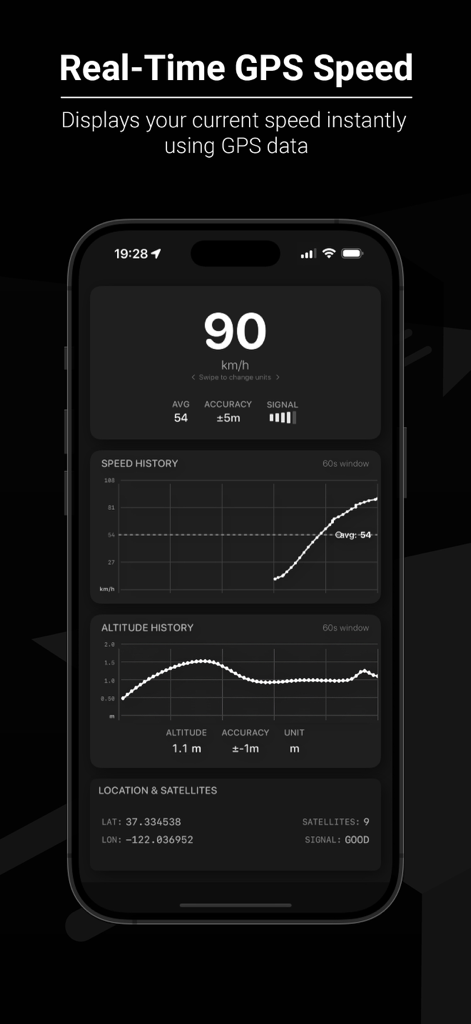
Speed Dash - Speed Dash 앱 화면에 실시간 GPS 속도와 속도 기록 그래프가 표시됩니다.
Speed Dash 앱 화면에 실시간 GPS 속도와 속도 기록 그래프가 표시됩니다.

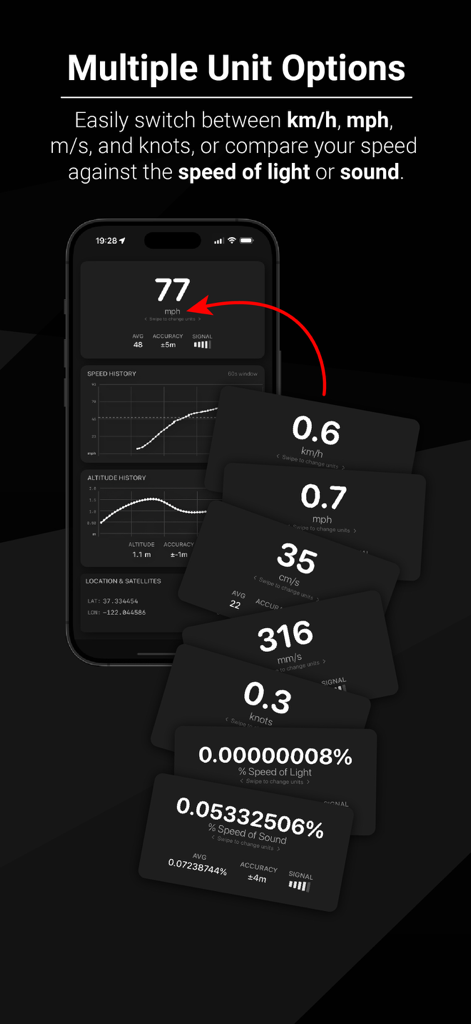
Speed Dash - Speed Dash 앱 화면에 mph, knots 및 빛의 속도 백분율을 포함한 여러 단위 옵션이 표시됩니다.
Speed Dash 앱 화면에 mph, knots 및 빛의 속도 백분율을 포함한 여러 단위 옵션이 표시됩니다.

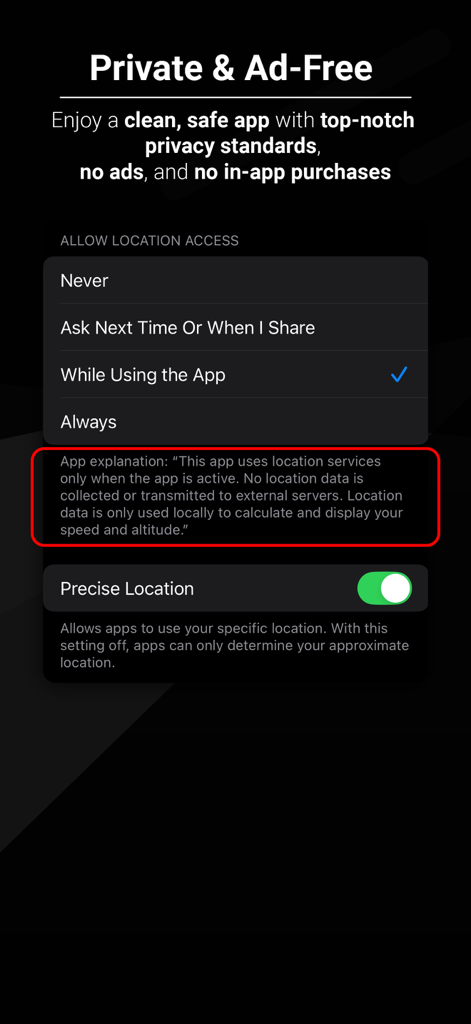
Speed Dash - Speed Dash 앱 인터페이스에 개인 정보 보호 약속과 iOS 위치 권한 설정이 표시됩니다.
Speed Dash 앱 인터페이스에 개인 정보 보호 약속과 iOS 위치 권한 설정이 표시됩니다.

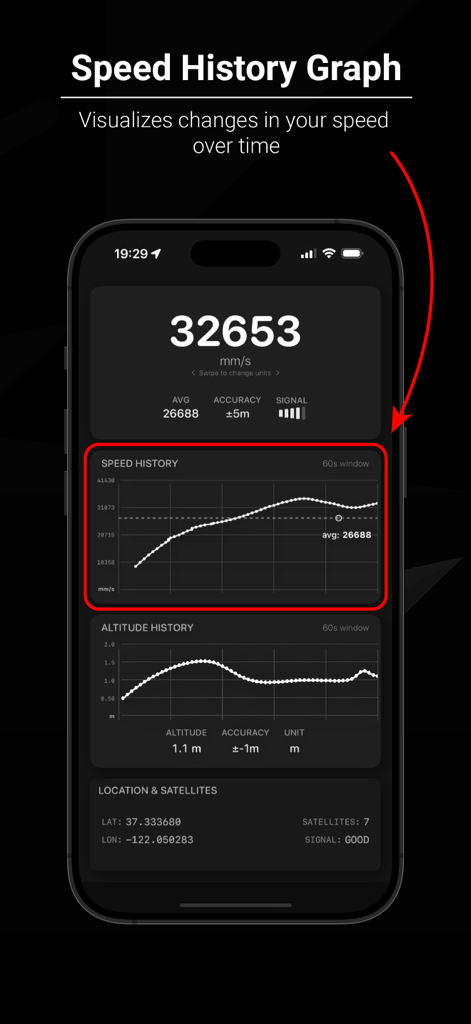
Speed Dash - Speed Dash 앱 인터페이스에 시간 경과에 따른 속도 변화를 시각화하는 속도 기록 그래프 기능이 표시됩니다.
Speed Dash 앱 인터페이스에 시간 경과에 따른 속도 변화를 시각화하는 속도 기록 그래프 기능이 표시됩니다.

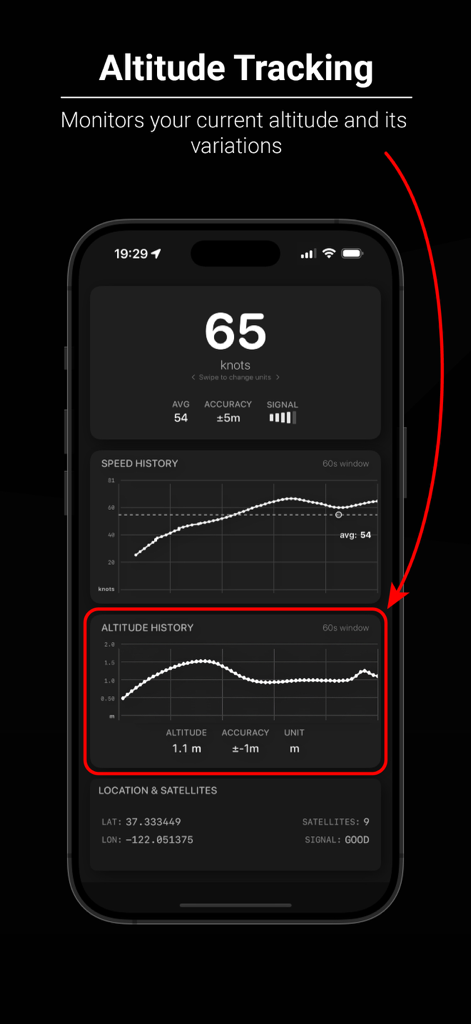
Speed Dash - Speed Dash 앱 인터페이스에 고도 추적 및 기록 그래프가 표시됩니다.
Speed Dash 앱 인터페이스에 고도 추적 및 기록 그래프가 표시됩니다.

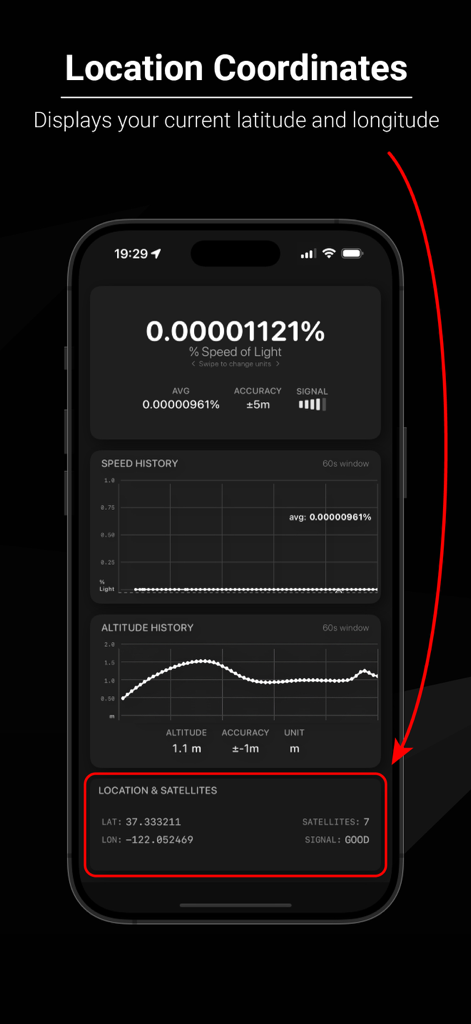
Speed Dash - Speed Dash 앱에 위도, 경도 및 GPS 위성 신호 강도가 표시됩니다.
Speed Dash 앱에 위도, 경도 및 GPS 위성 신호 강도가 표시됩니다.

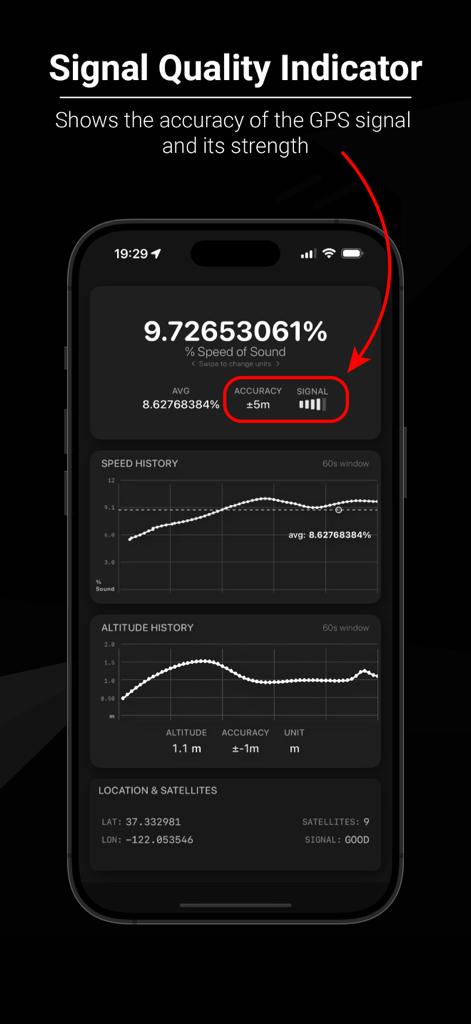
Speed Dash - Speed Dash 앱 인터페이스에 GPS 신호 강도 및 정확도 표시기가 강조 표시됩니다.
Speed Dash 앱 인터페이스에 GPS 신호 강도 및 정확도 표시기가 강조 표시됩니다.

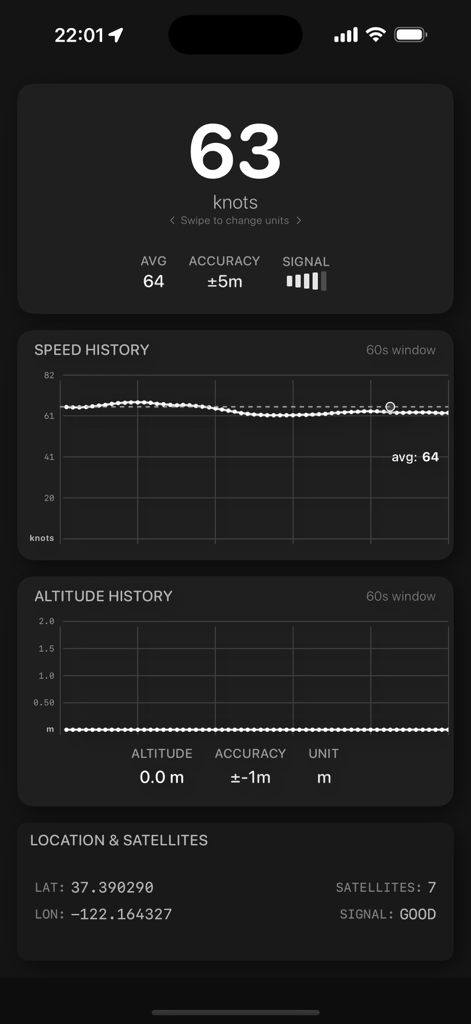
Speed Dash - Speed Dash 앱의 인터페이스에 다크 모드의 속도 기록 및 고도 추적 그래프와 함께 실시간 속도가 knots로 표시됩니다.
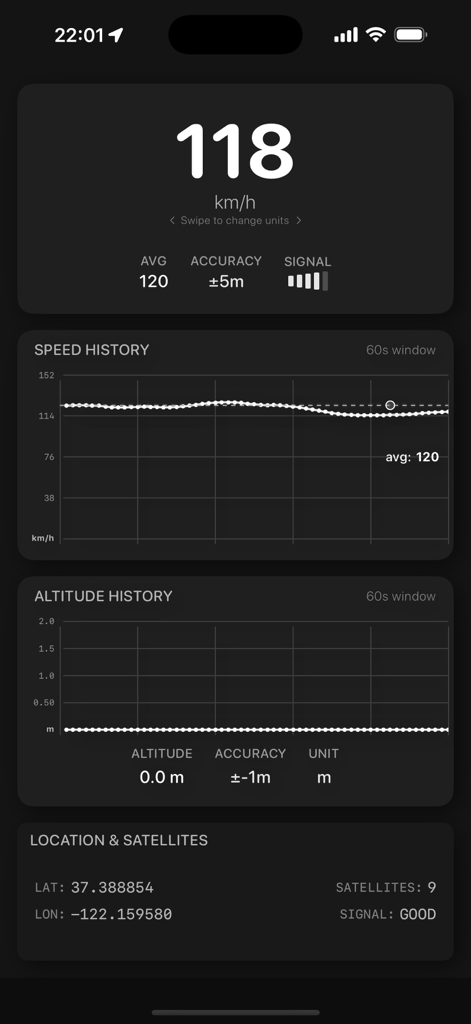
Speed Dash 앱의 인터페이스에 다크 모드의 속도 기록 및 고도 추적 그래프와 함께 실시간 속도가 knots로 표시됩니다.

Speed Dash - Speed Dash 앱 인터페이스에 실시간 GPS 속도 기록 및 고도 추적이 표시됩니다.
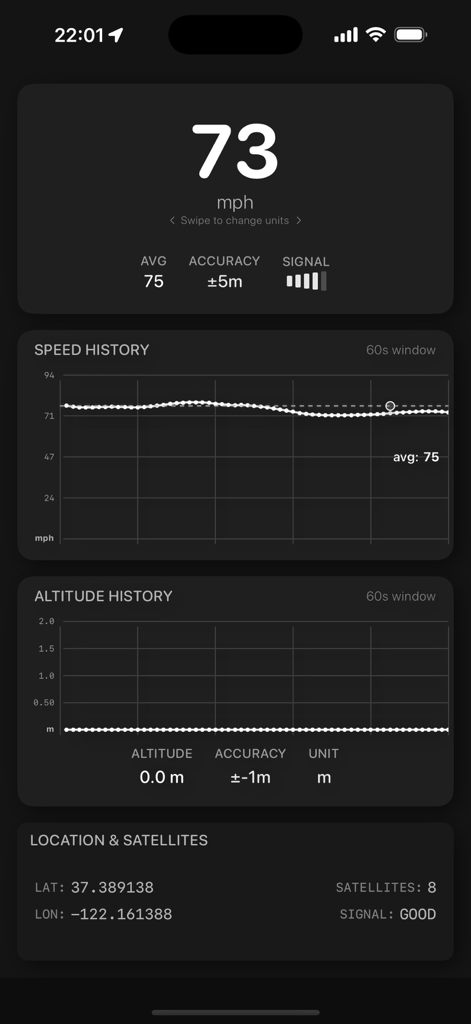
Speed Dash 앱 인터페이스에 실시간 GPS 속도 기록 및 고도 추적이 표시됩니다.

Speed Dash - Speed Dash 앱 인터페이스에 실시간 GPS 속도, 속도 기록 그래프 및 고도 데이터가 다크 모드로 표시됩니다.

Speed Dash 앱 인터페이스에 실시간 GPS 속도, 속도 기록 그래프 및 고도 데이터가 다크 모드로 표시됩니다.

설명

Speed Dash - Accurate GPS Speedometer Purpose Speed Dash is designed to help users verify the accuracy of their vehicle's speedometer by comparing it with GPS-based speed measurements. Most vehicle speedometers have a built-in margin of error (typically showing 5-10% higher than actual speed), and this app allows you to see the difference in real-time. Key Features Real-Time GPS Speed: Displays your current speed based on GPS data Multiple Units: Switch between km/h, mph, m/s, and knots Speed History Graph: Visualizes speed changes over time Altitude Tracking: Shows your current altitude and changes over time Signal Quality Indicator: Displays GPS accuracy and signal strength Location Coordinates: Shows your current latitude and longitude Dark Mode Optimized: Clean interface that works well in all lighting conditions How to Use Open the app and grant location permissions when prompted Mount your device securely in your vehicle Start driving and observe both your vehicle's speedometer and the GPS speed Toggle between different speed units using the unit indicator View your speed history in the graph at the bottom of the screen Compare altitude changes as you drive through varying elevations Technical Details: GPS Speed vs. Vehicle Speedometer Vehicle Speedometer Accuracy Most vehicle speedometers are designed to display a speed that is slightly higher (typically 5-10%) than your actual speed. This is intentional and serves several purposes: Legal protection: Manufacturers avoid liability from drivers inadvertently speeding Tire wear: As tires wear down, speedometer readings can change Safety margin: Encourages drivers to drive slightly under the speed limit GPS Speed Measurement GPS speed is calculated by measuring the distance traveled between satellite pings and is generally more accurate than mechanical speedometers: Accuracy: Typically within 0.1-0.2 km/h (0.06-0.12 mph) when good signal is available No mechanical variables: Not affected by tire size, wear, or pressure Signal-dependent: Requires good satellite visibility for optimal accuracy Factors Affecting Accuracy GPS signal quality: Accuracy decreases in tunnels, dense urban areas, or heavy tree cover Device position: Best results when device has clear view of the sky Update frequency: The app updates speed multiple times per second for smooth readings Requirements iOS 18.3 or later iPhone or iPad with GPS capability Location Services enabled Privacy This app uses location services only when the app is active. No location data is collected or transmitted to external servers. Location data is only used locally to calculate and display your speed and altitude.

Download

다운로드: App Store

이 페이지는 앱이나 개발자의 공식 페이지가 아니며, 정보 제공 및 논평을 목적으로 작성된 독립 편집 간행물입니다. 명시적으로 달리 언급되지 않는 한, 해당 앱이나 개발자는 MWM, Apple, Google Play, 앱 퍼블리셔 또는 앱 개발자와 제휴, 보증, 후원, 승인 또는 공식적으로 연결되어 있지 않으며, 이 페이지의 어떤 내용도 해당 앱이 MWM의 서비스를 사용하여 개발되었음을 의미하지 않습니다. 모든 상표, 로고, 스크린샷 및 기타 콘텐츠는 해당 소유자의 자산입니다.








