Speed Tracker. Pro

Speed Tracker. Pro

다운로드: App Store다운로드: Google Play
로고: Speed Tracker. Pro

Speed Tracker. Pro: 궁극의 GPS 속도계 및 여행 컴퓨터

자동차, 보트, 자전거를 위해 설계된 전문적인 정밀도, 미래 지향적인 헤드업 디스플레이, 포괄적인 여행 기록으로 여정을 향상시키세요.

개발사

Oxagile LLC

카테고리

Navigation

다운로드

455K+

사용자 평점

4.2/5

총 평가 수

400

지원 언어

11

궁극의 대시보드 경험

이 인터페이스를 사용하는 455K+ 명의 사용자.

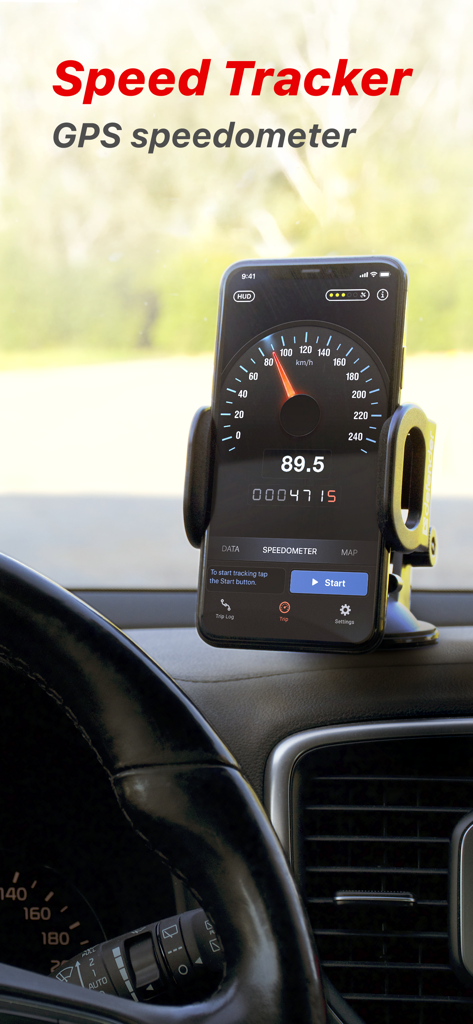
자동차 대시보드에 장착된 iPhone에 표시된 Speed Tracker Pro GPS 속도계 앱
자동차 대시보드에 장착된 iPhone에 표시된 Speed Tracker Pro GPS 속도계 앱

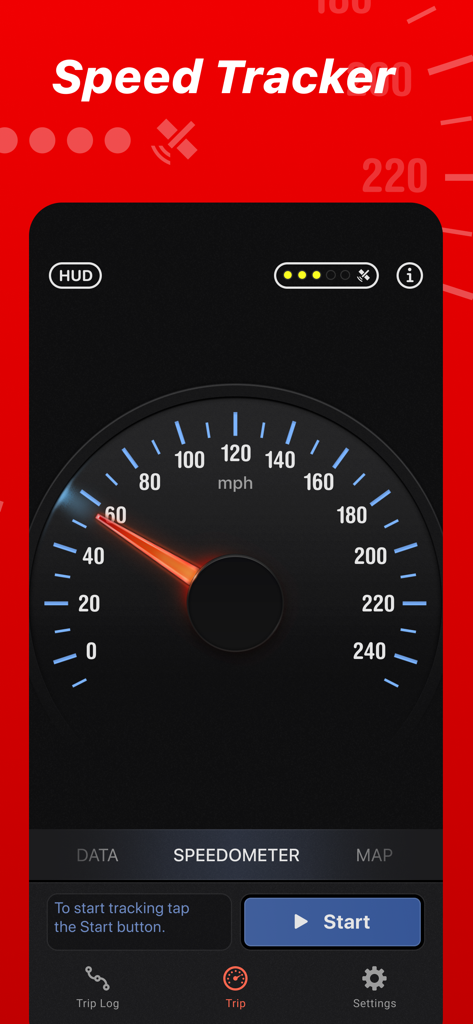
클래식 아날로그 GPS 속도계 다이얼을 특징으로 하는 Speed Tracker Pro 앱 인터페이스
클래식 아날로그 GPS 속도계 다이얼을 특징으로 하는 Speed Tracker Pro 앱 인터페이스

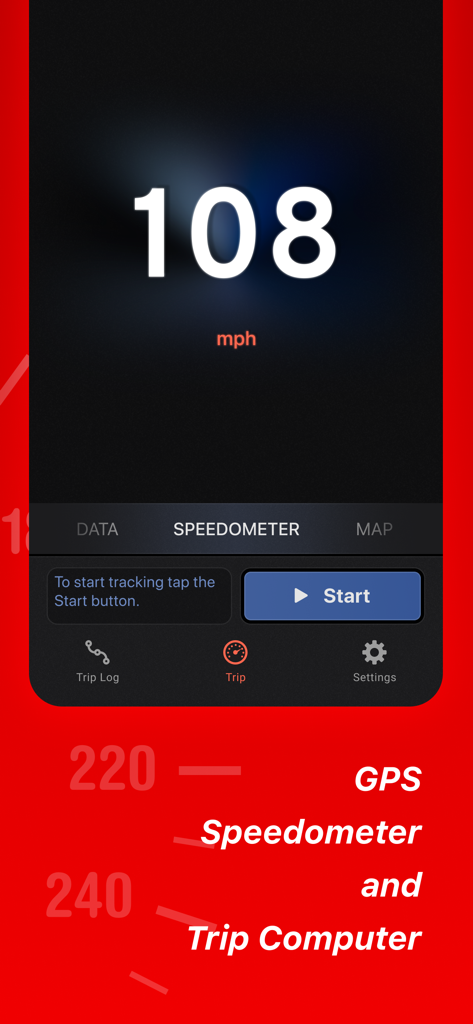
Speed Tracker Pro 모바일 앱의 디지털 속도계 디스플레이
Speed Tracker Pro 모바일 앱의 디지털 속도계 디스플레이

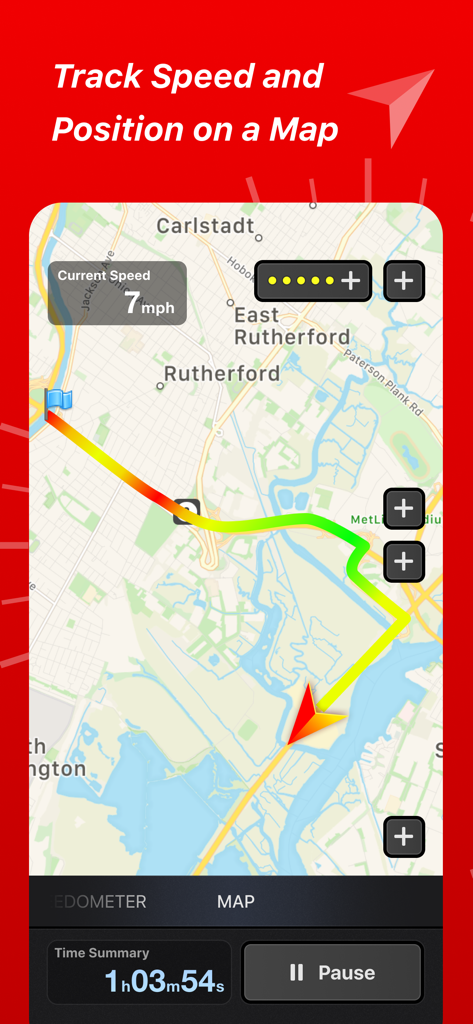
속도 및 시간 통계와 함께 GPS 지도에서 색상으로 구분된 여행 경로를 보여주는 Speed Tracker Pro 앱 인터페이스
속도 및 시간 통계와 함께 GPS 지도에서 색상으로 구분된 여행 경로를 보여주는 Speed Tracker Pro 앱 인터페이스

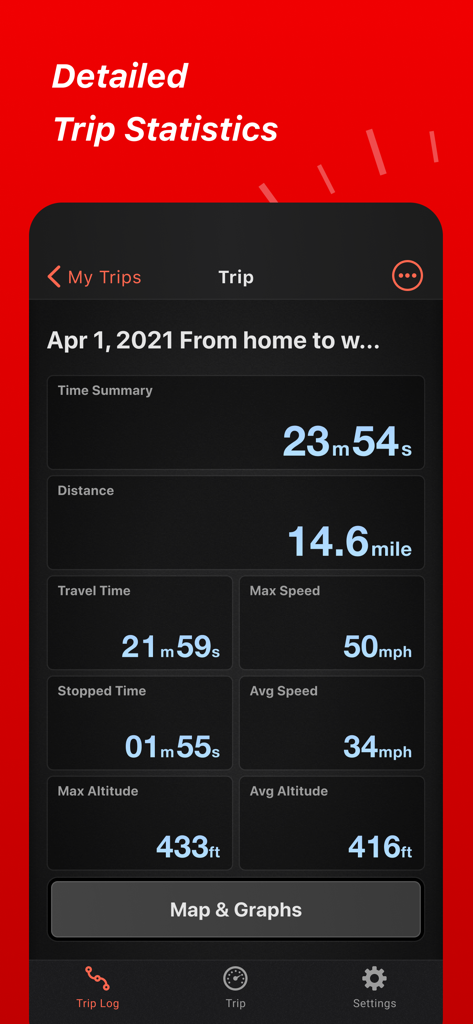
거리, 속도, 고도를 포함한 상세한 여행 통계를 보여주는 Speed Tracker Pro 앱 인터페이스
거리, 속도, 고도를 포함한 상세한 여행 통계를 보여주는 Speed Tracker Pro 앱 인터페이스

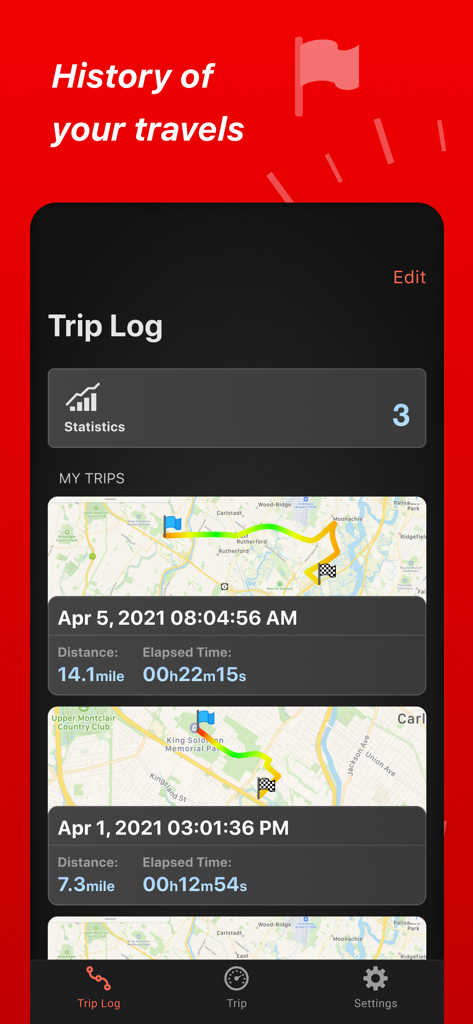
지도 및 여행 통계가 있는 과거 여행 목록을 보여주는 Speed Tracker Pro의 여행 기록 인터페이스
지도 및 여행 통계가 있는 과거 여행 목록을 보여주는 Speed Tracker Pro의 여행 기록 인터페이스

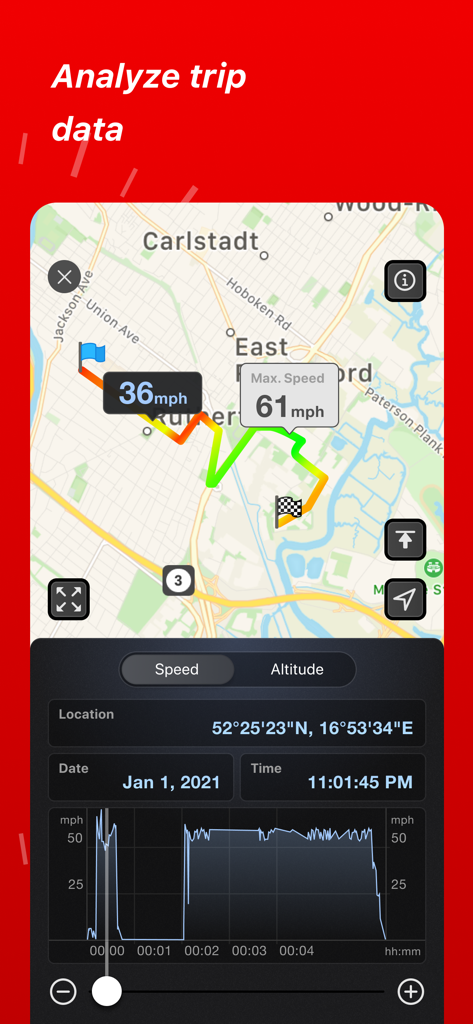
지도 경로 및 속도 그래프를 보여주는 Speed Tracker Pro 여행 분석
지도 경로 및 속도 그래프를 보여주는 Speed Tracker Pro 여행 분석

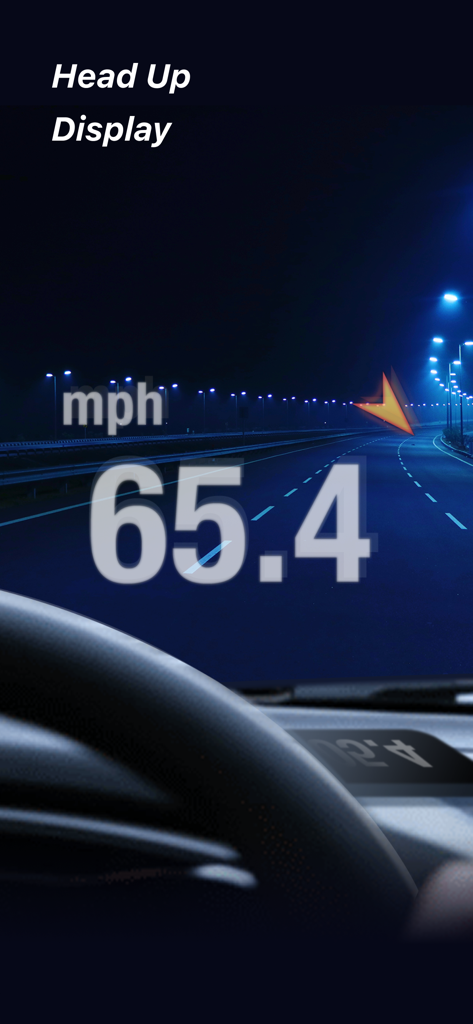
야간에 자동차 앞유리에 반사되는 차량 속도를 보여주는 Speed Tracker Pro 헤드업 디스플레이
야간에 자동차 앞유리에 반사되는 차량 속도를 보여주는 Speed Tracker Pro 헤드업 디스플레이

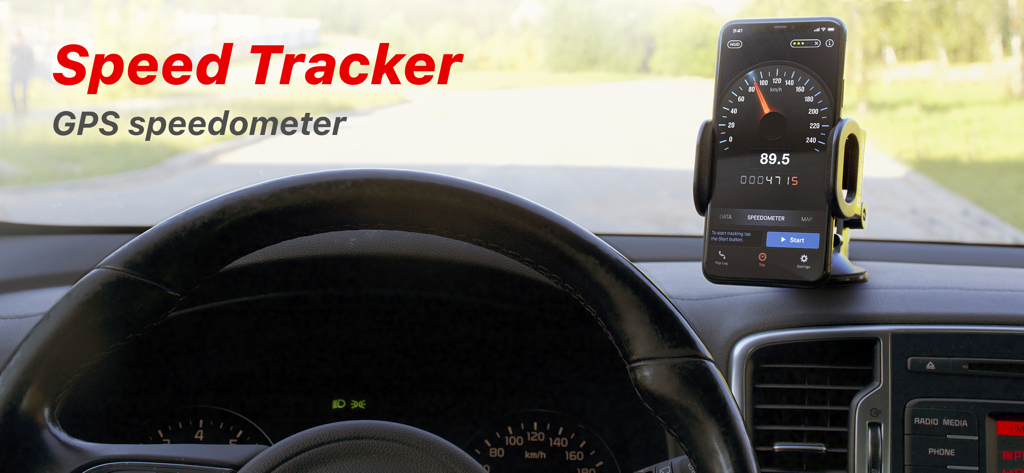
Speed Tracker Pro GPS 속도계 앱을 실행하는 자동차 대시보드에 장착된 스마트폰
Speed Tracker Pro GPS 속도계 앱을 실행하는 자동차 대시보드에 장착된 스마트폰

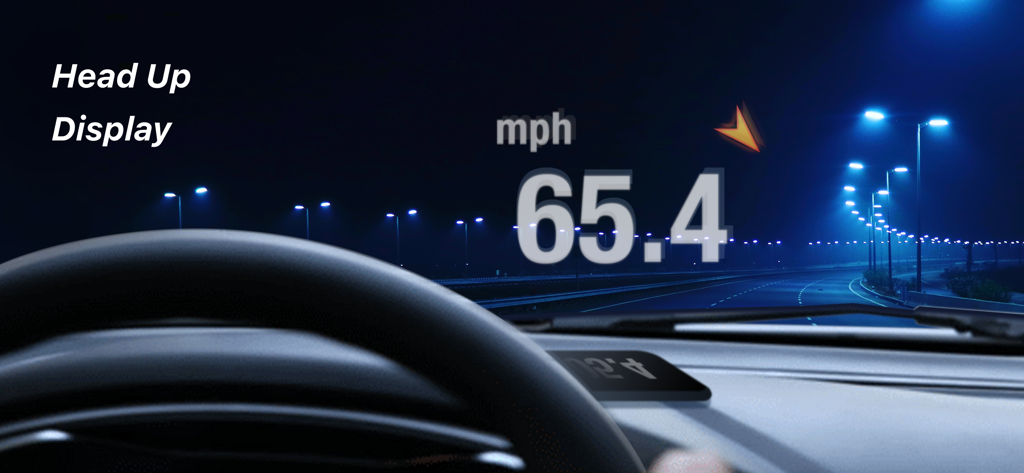
야간에 자동차 앞유리에 현재 주행 속도를 반사하는 헤드업 디스플레이

야간에 자동차 앞유리에 현재 주행 속도를 반사하는 헤드업 디스플레이

전문가 수준의 정밀도로 더 스마트하게 운전하세요

이 앱을 돋보이게 하는 도구, 455K+ 명의 사용자가 선택.

🚀

차세대 헤드업 디스플레이

앞유리를 디지털 대시보드로 바꾸세요. 더 안전하고 미래 지향적인 야간 운전 경험을 위해 속도를 시선에 직접 투사하세요.

📈

상세한 여행 정보

자동 정지 감지, 속도 그래프, 마일리지 추적 및 취미 기록을 위한 CSV 또는 GPX 형식의 쉬운 데이터 내보내기를 통해 기본 이상을 경험하세요.

🚤

다양한 차량 지원

라이프스타일에 맞게 사용자 정의하세요. 클래식 자동차, 산악 자전거, 보트 또는 RV에 대한 확장 가능한 속도계 및 전용 대시보드 레이아웃을 사용하세요.

앱 소개

에 대해 알아야 할 모든 것 Speed Tracker. Pro.

설명

Speed Tracker is the most elegant and unique combination of GPS speedometer and Trip computer in just one application. Speed Tracker is YOUR answer to the eternal questions: What is my speed? What distance have I covered? How much time did I spend from work to home? How to share my trips with friends and relatives? With lot of features built-in, Speed Tracker will help you to gather all the necessary trip statistics. Just start the application and it will let you record your speed, time, distance, heading, elevation and many more. HUD Head-up display – outstanding feature available ONLY in Speed Tracker application. Just enable HUD and put your iPhone or iPad under the windshield. Specially designed HUD interface will display the most accurate speed right on the windshield. Map your trip. Built-in GPS tracker will help you not to get lost. You can always switch to navigation mode and check your current position on the map together with the track you’ve already traveled in Satellite or Hybrid view. Trip Log You don’t remember the trip or how much time does it take to visit your friends or the distance to your office? - Trip Log will help you! Trip Log records and saves the information within the application. You can easily have the access to ALL the trips with just one click. Inside the Trip Log you can check the trip on the map, see the speed, average speed, maximum speed, distance, total time and the detailed speed graph. Don't want to get lost in all the trips you have? Just name them the way you like. Want to share your driving experience or just compare your every day trips? With Trip Computer it’s easy as A, B, C. Export all the trips in available formats (CSV, KML, GPX) or even share with your friends on Facebook, Twitter or via email. Trip Computer Track important trip statistics in real time. Average and Maximum speed, distance covered, moving and stopped time. Dashboard Display Layout Designed exclusively for iPad big screen it shows all the important trip information at a glance on a single screen and supports both portrait and landscape orientation. Full screen GPS Navigator Map mode is also available. Landscape mode allows you to mount your device horizontally on your car dashboard. If you prefer seeing things at wider angle then you find new landscape mode especially useful and practical. Scalable Speedometer Dial Speed Tracker features unique scalable speedometer dial. Select the maximum possible speed for you vehicle and watch your speed with greater precision either your are on a plain, train, car, bike, boat or bicycle Statistics All the aggregated data from the very first trip will be saved in one single place. Automatic Stop Detection Automatically identify either you are moving or standing and calculate your average speed basing on that. Generate trip report showing travel and stoppage time separately. Support for Apple Watch. Start and stop tracking and see your trip data on your wrist. NOTE: Speed Tracker is not compatible with WiFi only iPad or iPod touch. Continued use of GPS running in the background can decrease battery life. Data connection is required to see map. Make sure that you have location services enabled for the application. To enable - Settings> General> Location Services Privacy Policy: http://appannex.com/privacy-policy/ Terms of Use: https://www.apple.com/legal/internet-services/itunes/dev/stdeula/

최신 버전

6.9.6

크기

117.2 MB

출시일

2011년 1월 13일

프로 성능으로 대시보드를 업그레이드하세요

정밀도를 요구하는 455,000명 이상의 운전자 및 데이터 애호가와 함께하세요. 오늘날 궁극의 GPS 여행 컴퓨터, 전문가 수준의 기록, 미래 지향적인 HUD를 경험해 보세요.

다운로드: App Store다운로드: Google Play

App information, icons, screenshots, and descriptions displayed on this page are sourced from the Apple App Store and are the property of their respective developers. Download estimates and rankings are based on MWM's proprietary models and may not reflect actual figures. This page is provided for informational and analytical purposes only.

Believe this page infringes your intellectual property? File a dispute