Speedometer 55 Pro. GPS kit.
다운로드: App Store

이 페이지는 앱이나 개발자의 공식 페이지가 아니며, 정보 제공 및 논평을 목적으로 작성된 독립 편집 간행물입니다. 명시적으로 달리 언급되지 않는 한, 해당 앱이나 개발자는 MWM, Apple, Google Play, 앱 퍼블리셔 또는 앱 개발자와 제휴, 보증, 후원, 승인 또는 공식적으로 연결되어 있지 않으며, 이 페이지의 어떤 내용도 해당 앱이 MWM의 서비스를 사용하여 개발되었음을 의미하지 않습니다. 모든 상표, 로고, 스크린샷 및 기타 콘텐츠는 해당 소유자의 자산입니다.

로고: Speedometer 55 Pro. GPS kit.
다운로드: App Store

Speedometer 55 Pro. GPS kit.

스마트 경고로 비싼 과속 티켓을 피하고, 세금 공제를 위한 주행 거리 보고서를 자동화하고, 실시간으로 여행 비용을 모니터링하세요. 통근자, 긱 워커 및 탐험가를 위해 설계된 정밀 대시보드입니다.

주요 수치

다운로드

391K+

사용자 평점

4.8/5

총 평가 수

400

개발사

Stanislav Dvoychenko

카테고리

Navigation

지원 언어

7

최신 버전

5.7.3

크기

70.6 MB

출시일

2012년 6월 10일
기능

정밀 주행. 전문가 추적.

세계에서 가장 포괄적인 GPS 도구로 차량을 업그레이드하세요. 비싼 과속 벌금을 피하는 것부터 IRS 규정 준수 세금 보고서 생성까지, 이동하는 모든 마일에 대한 완전한 제어를 유지하세요.

제로 티켓 속도 모니터링

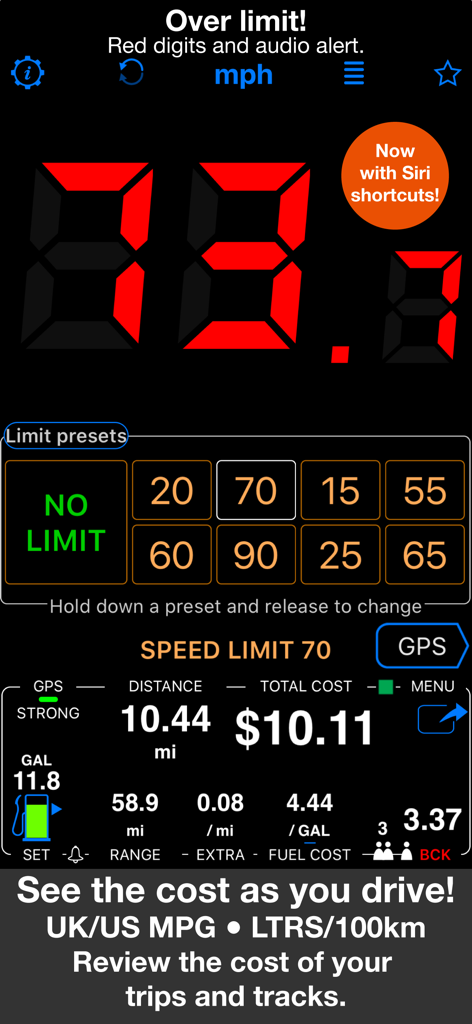
면허와 지갑을 보호하세요. 사용자 지정 속도 제한을 설정하고 즉각적인 시각 및 오디오 경고를 통해 표시등이 초과되는 순간 녹색에서 빨간색으로 바뀌도록 하세요.

세금 준비 주행 거리 보고서

청구되지 않은 마일에 대한 손실을 멈추세요. 모든 비즈니스 여행을 자동으로 기록하고 고용주 또는 IRS를 위한 전문 PDF 환급 보고서를 생성하세요.

다음 스크린샷과 설명은 앱의 공식 스토어 목록에서 직접 가져온 것이며 앱 개발자의 자산입니다.

앱 스토어

스크린샷
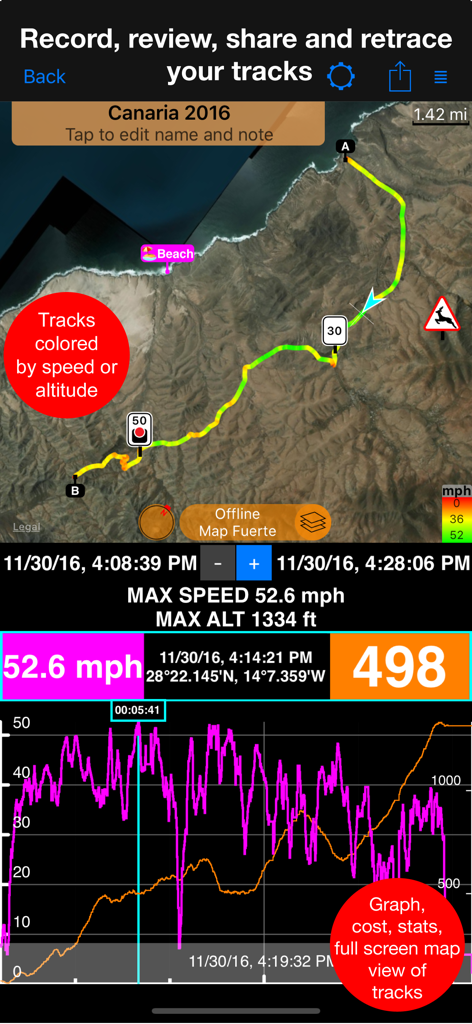
Speedometer 55 Pro. GPS kit. - 지도와 그래프에 속도 및 고도 데이터 시각화가 있는 Speedometer 55 Pro의 GPS 트랙 기록
지도와 그래프에 속도 및 고도 데이터 시각화가 있는 Speedometer 55 Pro의 GPS 트랙 기록

Speedometer 55 Pro. GPS kit. - 속도 제한 경고 및 여행 비용 추적기를 보여주는 Speedometer 55 Pro 인터페이스
속도 제한 경고 및 여행 비용 추적기를 보여주는 Speedometer 55 Pro 인터페이스

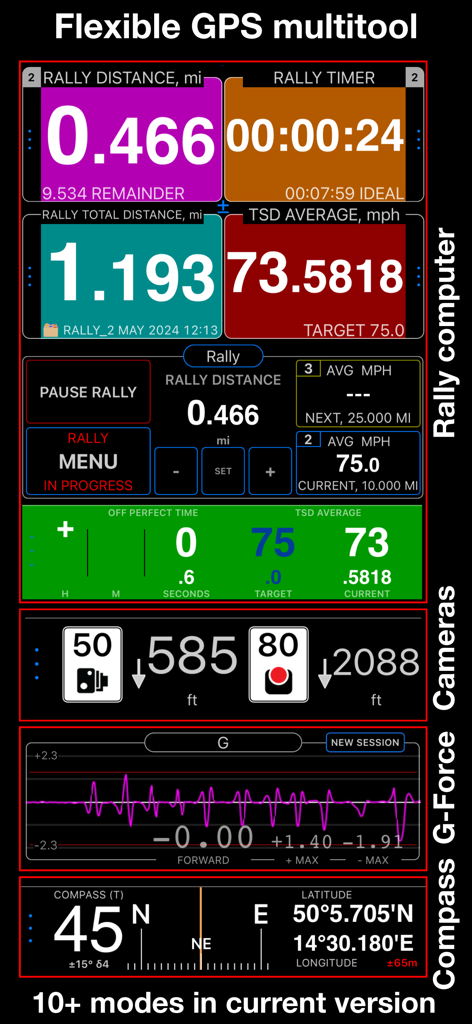
Speedometer 55 Pro. GPS kit. - Speedometer 55 Pro의 랠리 컴퓨터, 속도 카메라, G-포스 모니터 및 나침반 모드를 보여주는 인터페이스
Speedometer 55 Pro의 랠리 컴퓨터, 속도 카메라, G-포스 모니터 및 나침반 모드를 보여주는 인터페이스

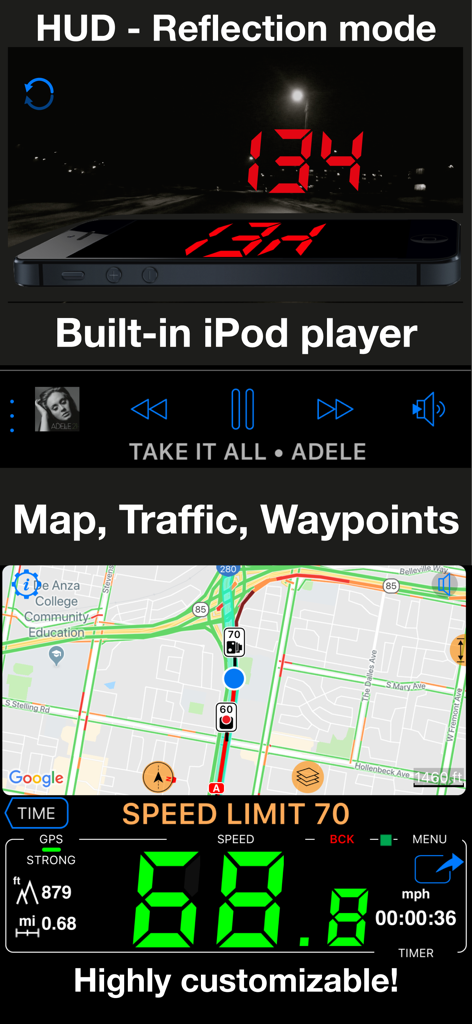
Speedometer 55 Pro. GPS kit. - Speedometer 55 Pro 앱에서 HUD 모드, 통합 음악 플레이어, 교통 정보가 포함된 지도 및 대형 디지털 속도 표시 표시
Speedometer 55 Pro 앱에서 HUD 모드, 통합 음악 플레이어, 교통 정보가 포함된 지도 및 대형 디지털 속도 표시 표시

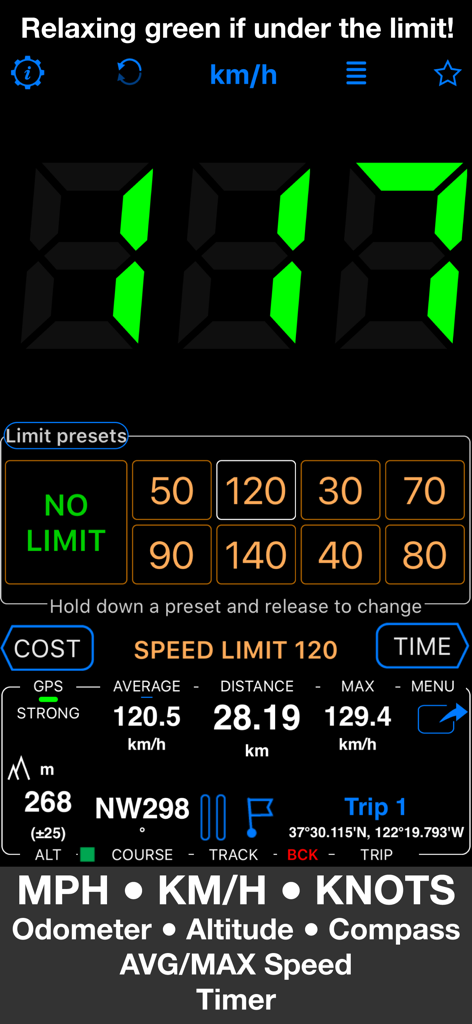
Speedometer 55 Pro. GPS kit. - Speedometer 55 Pro 앱 인터페이스에 속도 제한 사전 설정 및 여행 데이터와 함께 녹색 디지털 속도 표시 표시
Speedometer 55 Pro 앱 인터페이스에 속도 제한 사전 설정 및 여행 데이터와 함께 녹색 디지털 속도 표시 표시

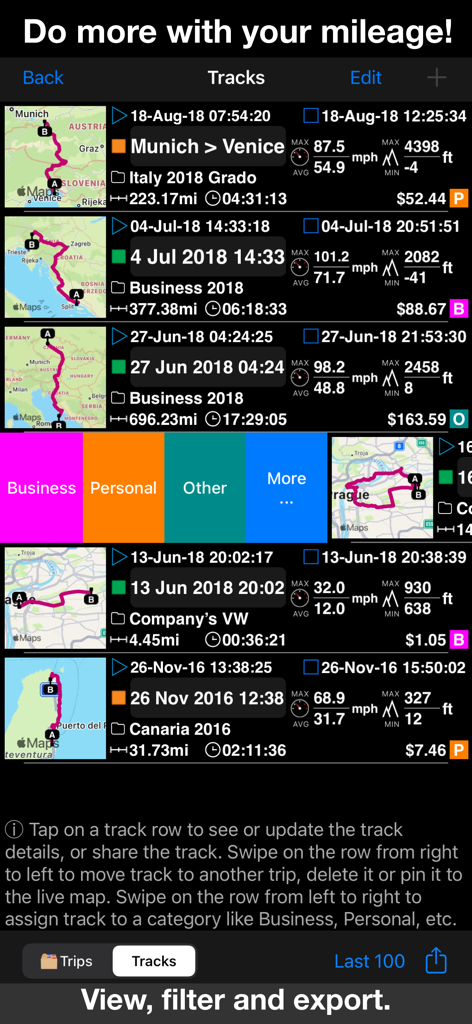
Speedometer 55 Pro. GPS kit. - Speedometer 55 Pro 앱에 비즈니스 또는 개인 용도로 분류된 지도, 주행 거리 및 여행 비용이 있는 기록된 GPS 트랙 목록 표시
Speedometer 55 Pro 앱에 비즈니스 또는 개인 용도로 분류된 지도, 주행 거리 및 여행 비용이 있는 기록된 GPS 트랙 목록 표시

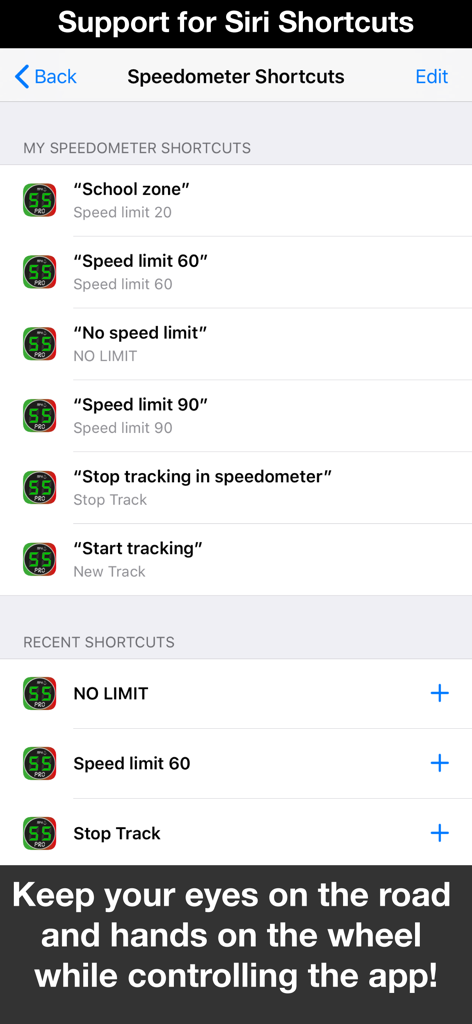
Speedometer 55 Pro. GPS kit. - Speedometer 55 Pro 인터페이스에 속도 제한 및 여행 추적에 대한 핸즈프리 음성 제어를 위한 Siri 바로 가기 표시
Speedometer 55 Pro 인터페이스에 속도 제한 및 여행 추적에 대한 핸즈프리 음성 제어를 위한 Siri 바로 가기 표시

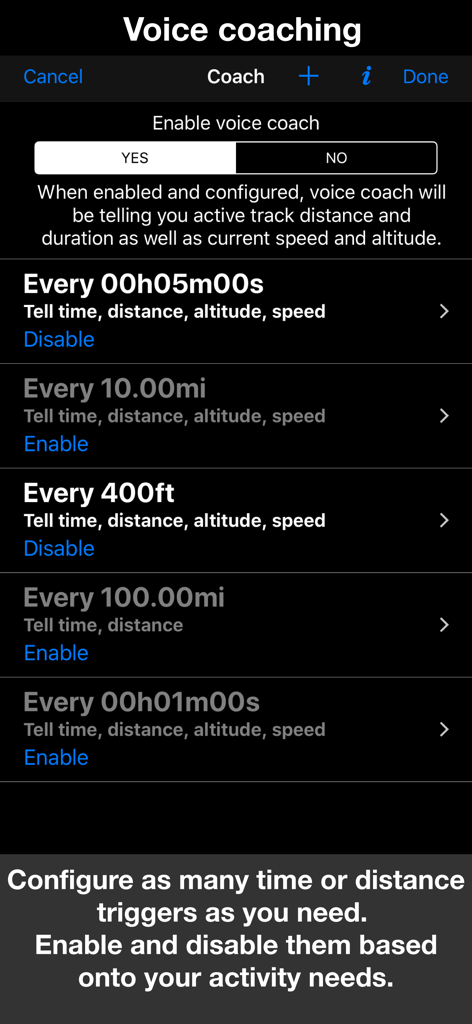
Speedometer 55 Pro. GPS kit. - Speedometer 55 Pro에서 시간, 거리 및 고도에 대한 사용자 지정 가능한 음성 코칭 트리거를 보여주는 인터페이스
Speedometer 55 Pro에서 시간, 거리 및 고도에 대한 사용자 지정 가능한 음성 코칭 트리거를 보여주는 인터페이스

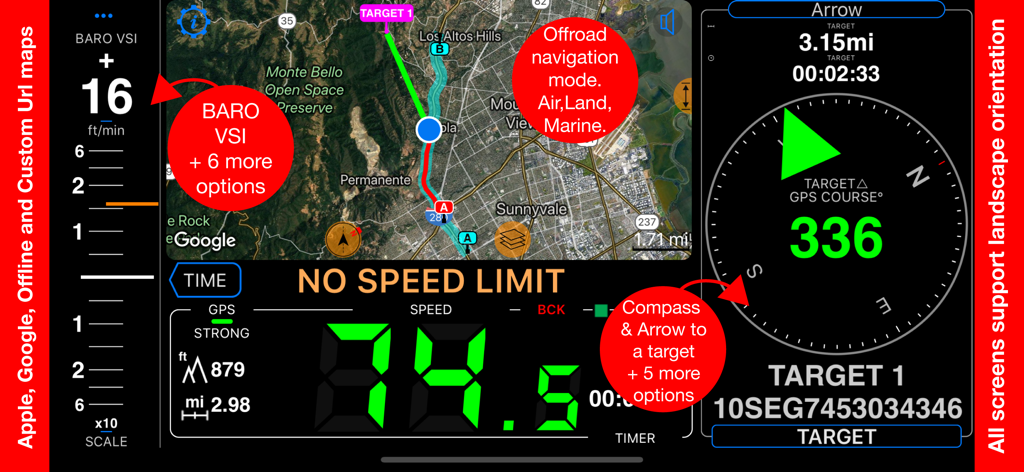
Speedometer 55 Pro. GPS kit. - GPS 지도, 디지털 속도 및 탐색 나침반이 있는 Speedometer 55 Pro 대시보드
GPS 지도, 디지털 속도 및 탐색 나침반이 있는 Speedometer 55 Pro 대시보드

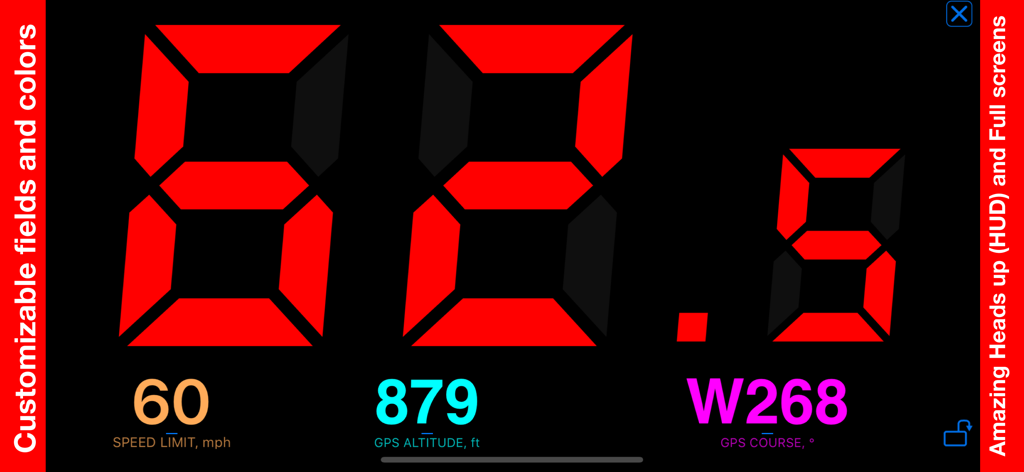
Speedometer 55 Pro. GPS kit. - 속도 제한 및 고도 데이터와 함께 큰 빨간색 숫자로 62.5mph의 속도를 보여주는 고대비 디지털 속도계 인터페이스

속도 제한 및 고도 데이터와 함께 큰 빨간색 숫자로 62.5mph의 속도를 보여주는 고대비 디지털 속도계 인터페이스

설명

A premium speedometer, GPS tracker, and trip cost monitor for iPhone and cellular iPad. Stay informed and in control while you drive. When you exceed a preset speed limit, the large digits turn from green to red with a sound alert. Track trip costs in real-time and split expenses with passengers. Record your trips for easy review, analysis, or sharing. Features: ■ Cost & Fuel Monitor Monitor your driving costs in real-time. Enter fuel price and efficiency (US/UK MPG or L/100 km), plus optional extra charges per mile or kilometer. Ideal for cost-conscious drivers and fare splitting. Includes a fuel monitor and range alerts — helpful if your fuel gauge is unreliable. ■ GPS Tracking Keep detailed track of your mileage! Start GPS track recording via MENU > NEW TRACK and stop it with MENU > STOP TRACK. You can re-trace previously recorded tracks by adding them back to the map. Export/import tracks in GPX, KML, or KMZ formats. ■ Mileage Calculator Pre-calculate distance, fuel costs, and mileage between addresses. Save the route as a track or a set of trips for specific days and times. Useful for filling gaps in mileage logs. ■ PDF Mileage Reports Convert mileage and trip data into customizable, professional reimbursement reports. ■ Speed Limits & Memory Set speed limits with 4 or 8 one-tap presets. The app can optionally remember where each limit was used and re-apply them automatically. ■ Modes (MENU > MODES) • Default (speed + trip computer) • Full-screen speed display (huge digits in landscape) • Mirrored heads-up display (HUD) for windshield reflection • Rally computer • G-Force monitor • Camera and waypoint alerter • Taximeter • Map display and full-screen map • Water sports mode (includes sunset countdown and alert) • Idle timer mode (alerts when idling) • Paragliding mode (barometric speed and altitude) • Land, air, and marine navigation (with directional arrow to a target waypoint or along route) ■ Waypoints With optional photo or audio recording. Alert on approach or apply speed limit. Export/import in CSV, GPX, KML, KMZ formats. ■ Red Light & Speed Cameras Import camera data or use the built-in library. Alerts you on camera approach and auto-sets speed limits. ■ Barometric VSI Displays real-time vertical speed based on barometric data. ■ Barometric Altimeter Supports QFE/QNH settings. ■ Voice Coach Hear distance, duration, speed, and altitude updates at set intervals. ■ Maps Choose Google, Apple, blank, or offline maps (road, satellite, topographic). Import maps in MBTiles or SQLiteDB formats, or download offline maps within the app. Add ground overlays from KMZ files or create your own within the app, annotate and share. ■ Siri Shortcuts Control the app with voice commands. Start or stop tracking, set speed limits. ■ Speed & Distance Information Displays speed range from 0 to 999. Supports MPH, km/h, and knots. Shows max/average speed, distance, altitude, and sunrise/sunset times. ■ Background Mode Runs in the background (if enabled or when GPS tracking is active). You can use other apps while Speedometer 55 PRO runs. ■ Auto-Recording (Optional) Automatically logs driving activities without manual start or stop. No need to keep the app open. Configure once to track mileage for tax or reimbursement purposes. Includes 50 free auto-tracks per month. Upgrade for unlimited auto-tracking. ■ Privacy Your location data stays private. It is used only for speed monitoring and trip recording within the app—never shared with third parties. ■ Compatibility Works on iPhone and cellular iPad. Not compatible with iPods or Wi-Fi-only (non-cellular) iPads. As with any GPS app, background usage may lead to faster battery consumption. Drive smarter and safer. Track your trips, calculate costs, and avoid speeding fines. The perfect companion for commuting, travel, or business. Terms of Use: https://www.apple.com/legal/internet-services/itunes/dev/stdeula/

Download

다운로드: App Store

이 페이지는 앱이나 개발자의 공식 페이지가 아니며, 정보 제공 및 논평을 목적으로 작성된 독립 편집 간행물입니다. 명시적으로 달리 언급되지 않는 한, 해당 앱이나 개발자는 MWM, Apple, Google Play, 앱 퍼블리셔 또는 앱 개발자와 제휴, 보증, 후원, 승인 또는 공식적으로 연결되어 있지 않으며, 이 페이지의 어떤 내용도 해당 앱이 MWM의 서비스를 사용하여 개발되었음을 의미하지 않습니다. 모든 상표, 로고, 스크린샷 및 기타 콘텐츠는 해당 소유자의 자산입니다.