SpeedPro Slow speed video edit

SpeedPro Slow speed video edit

다운로드: App Store
로고: SpeedPro Slow speed video edit

SpeedPro: 바이럴 릴스 및 틱톡을 위한 시네마틱 속도 램핑

정확한 속도 조절로 전문적인 슬로우 모션 또는 패스트 모션 효과를 쉽게 만드세요. 특정 구간을 선택하여 속도를 조절하고, 좋아하는 음악을 추가하고, 몇 초 안에 피드로 바로 공유하세요.

개발사

pixel force private limited

카테고리

Photo & Video

다운로드

1M+

사용자 평점

4.1/5

총 평가 수

139K+

지원 언어

1

움직이는 창의성

이 인터페이스를 사용하는 1M+ 명의 사용자.

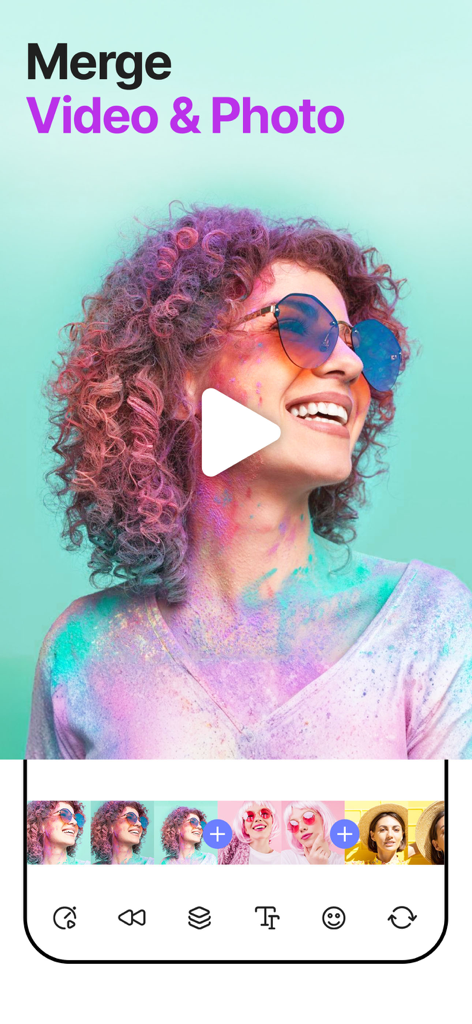
SpeedPro 모바일 앱 인터페이스에서 비디오 및 사진 클립을 병합하는 방법을 보여주며, 다채로운 비디오 미리 보기와 편집 타임라인이 표시됩니다.
SpeedPro 모바일 앱 인터페이스에서 비디오 및 사진 클립을 병합하는 방법을 보여주며, 다채로운 비디오 미리 보기와 편집 타임라인이 표시됩니다.

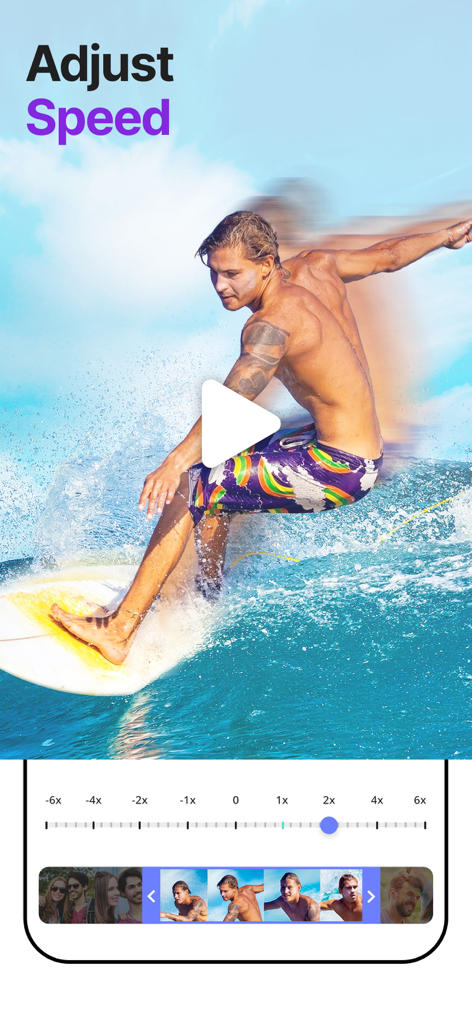
SpeedPro 앱의 모바일 인터페이스에서 속도 조절 슬라이더와 서퍼의 비디오 미리 보기가 표시됩니다.
SpeedPro 앱의 모바일 인터페이스에서 속도 조절 슬라이더와 서퍼의 비디오 미리 보기가 표시됩니다.

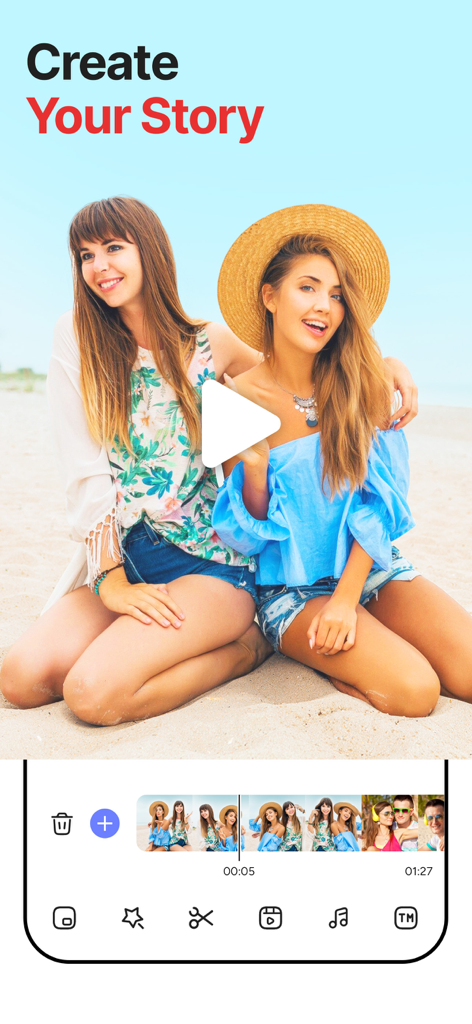
SpeedPro 모바일 앱의 비디오 편집 인터페이스에서 '스토리 만들기' 헤드라인과 해변 비디오 미리 보기가 표시됩니다.

SpeedPro 모바일 앱의 비디오 편집 인터페이스에서 '스토리 만들기' 헤드라인과 해변 비디오 미리 보기가 표시됩니다.

SpeedPro 앱 인터페이스에서 트렌디한 비디오 마케팅 스타일과 패션 템플릿이 표시됩니다.
SpeedPro 앱 인터페이스에서 트렌디한 비디오 마케팅 스타일과 패션 템플릿이 표시됩니다.

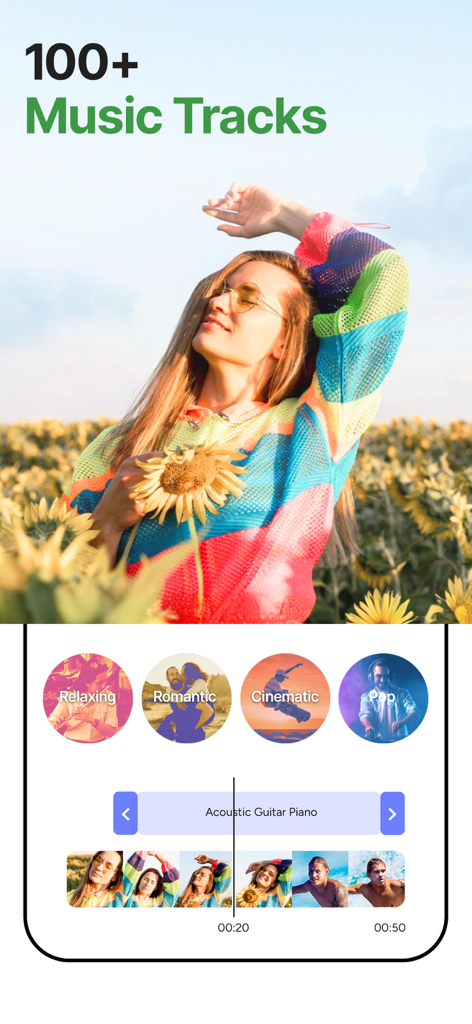
SpeedPro 앱 인터페이스에서 100개 이상의 트랙과 릴랙싱, 시네마틱과 같은 장르의 음악 라이브러리가 비디오 편집용으로 표시됩니다.
SpeedPro 앱 인터페이스에서 100개 이상의 트랙과 릴랙싱, 시네마틱과 같은 장르의 음악 라이브러리가 비디오 편집용으로 표시됩니다.

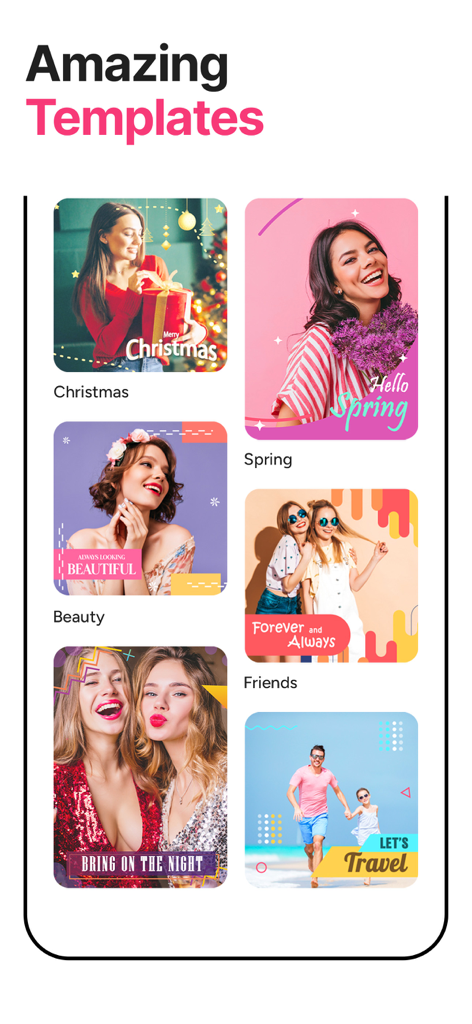
SpeedPro의 다양한 비디오 템플릿 미리 보기 (크리스마스, 봄, 여행 테마 포함)
SpeedPro의 다양한 비디오 템플릿 미리 보기 (크리스마스, 봄, 여행 테마 포함)

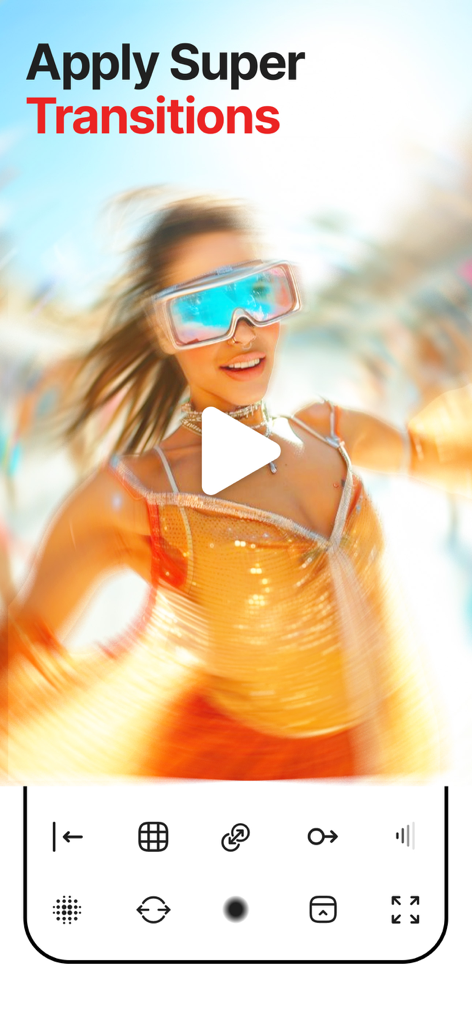
SpeedPro 비디오 편집 앱에서 모션 블러 전환 효과가 적용된 미래형 안경을 쓴 여성.
SpeedPro 비디오 편집 앱에서 모션 블러 전환 효과가 적용된 미래형 안경을 쓴 여성.

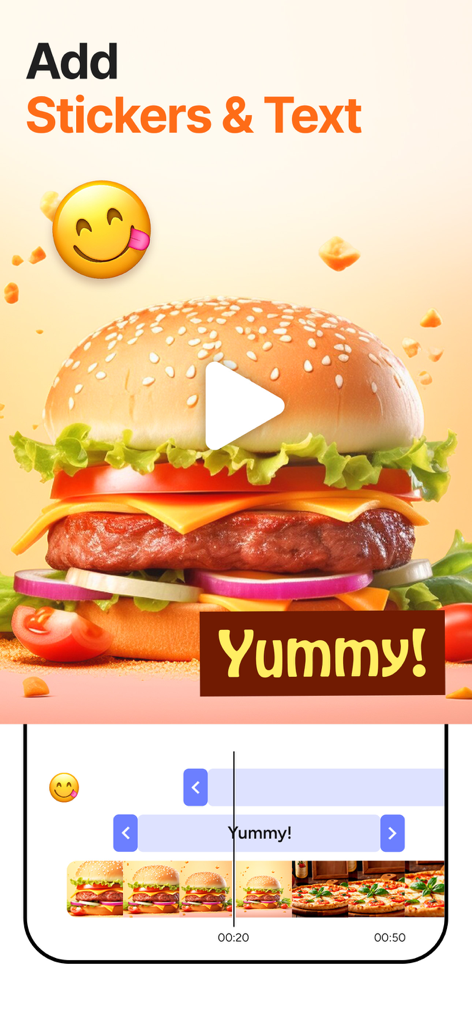
SpeedPro 비디오 편집 앱 인터페이스에서 음식 비디오에 스티커와 텍스트를 추가하는 방법.

SpeedPro 비디오 편집 앱 인터페이스에서 음식 비디오에 스티커와 텍스트를 추가하는 방법.

SpeedPro 앱의 공유 화면에서 Instagram, Facebook, WhatsApp 아이콘과 함께 해변에 있는 소년의 비디오가 표시됩니다.
SpeedPro 앱의 공유 화면에서 Instagram, Facebook, WhatsApp 아이콘과 함께 해변에 있는 소년의 비디오가 표시됩니다.

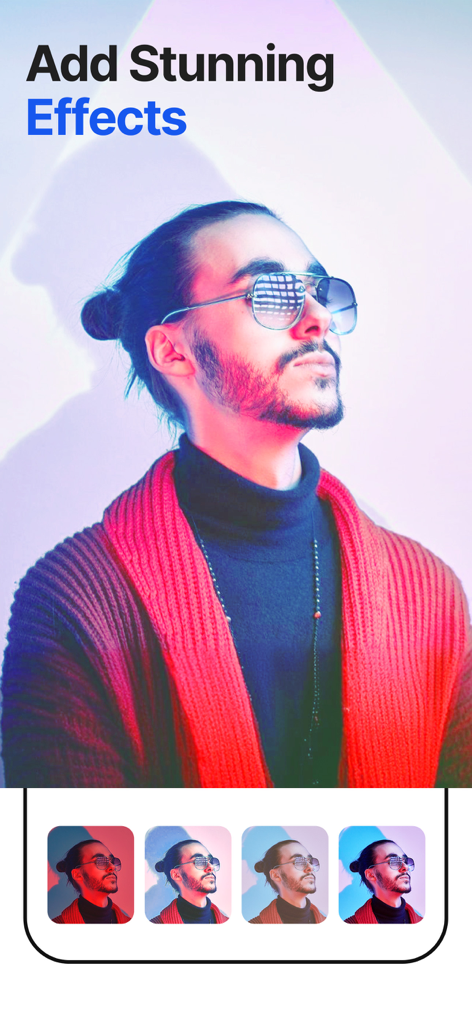
SpeedPro 앱 인터페이스에서 다양한 시네마틱 색상 필터가 적용된 선글라스를 낀 남성.

SpeedPro 앱 인터페이스에서 다양한 시네마틱 색상 필터가 적용된 선글라스를 낀 남성.

모든 순간을 마스터하세요

이 앱을 돋보이게 하는 도구, 1M+ 명의 사용자가 선택.

프로 속도 램핑

동영상의 특정 부분을 느리거나 빠르게 만들어 액션을 강조하여 진정한 영화 같은 효과를 연출하세요.

🎵

통합 사운드트랙

새로운 비디오 템포에 완벽하게 동기화되는 음악을 추가하여 에너지를 유지하세요.

📲

즉시 소셜 공유

Instagram 및 TikTok에 직접 공유하여 번거로움 없이 더 빠르게 게시하고 트렌드를 선도하세요.

앱 소개

에 대해 알아야 할 모든 것 SpeedPro Slow speed video edit.

설명

SpeedPro, A Free app to increase or decrease video speed easily on your iPhone,iPod or iPad. If you are looking for an app to make your video in slow motion or in fast motion, then download our free SpeedPro app to your iOS device. In this app you can also add audio, edit video, add effects to your video clip. This app is exclusively designed to do only two task- to slow video and to fasten your video. If you are researching for what is the best slow motion app? then why don’t to try this app once? with our free SpeedPro app you can easily adjust the speed of the video with video editing, Video Effects and Video Themes. ================================== Key Features of SpeedPro app : ================================== 1. SpeedPro app is exclusively designed to make slow motion video or fast motion video easily 2. Simple user interface 3. You can select the particular region of video clip to increase or decrease video speed 4. Add music to your video 4. Save to camera roll, upload to instagram, mail, upload to youtube, upload to viddy from app itself. ======================================================= Steps to Slow down video or speed up video with SpeedPro App: ======================================================= 1. Select the video clip that you want to increase or decrease video speed. 2. In the next screen you can increase or decrease the speed of the video. By default complete video is selected, but you can choose only particular portion of that video by using selecting scroll bar at the bottom of Adjust speed window. Once you select the particular video position that you want to increase or decrease the video speed, next you decide whether you need to make slow motion video or fast motion video of the selected video clip. If you wish to make Fast Motion video, then drag the Video Speed controlling slider towards right side, if you wish to slow down the video then drag the video speed controller slider towards left side. click on the Tick mark icon on the top right corner to generate new video clip. You can save generated video clip to your Camera roll, upload to instagram, you can mail that clip, upload to youtube or share it on viddy with our built-in social sharing option. 3. If you wish to add music to your video then click on Music icon on Adjust speed screen and choose the audio file that you need to add to your video If you are searching for best slow motion video app or fast motion video app then download our SpeedPro app to your device. RESTORE: You can restore your paid in app purchases without paying again. Follow these steps 1. Open the app 2. Click on Top Right to open the Premium window 3. Click on RESTORE to re-activate your in app purchases again 4. DONE SpeedPro Premium Subscription ========================== 1. Enjoy professional video editing tools with Pro-Level Features & Amazing Members-Only Benefits. 2. Get unlimited access to all premium Video Themes. 3. Get unlimited access to all premium filters and tools 4. Get access to multiple speed controls, Stickers and Fonts 5. Get rid of ads and watermark • Subscriptions may be managed by the user and auto-renewal may be turned off by going to the user's Account Settings after purchase • Any unused portion of a free trial period, if offered, will be forfeited when the user purchases a subscription to that publication, where applicable Subscription plans: 1. USD $30.99/Year with 1 Week Free Trial 2. USD $20.99/6 Months 3. USD $6.99/Month Subscriptions automatically renew unless they are turned off at least 24 hours before the end of the current period in account settings. Renewals are charged within 24-hours preceding the end of the current period. Payment is charged to iTunes Account at confirmation of purchase. Subscriptions are managed by the user. Terms of Service: http://206.189.130.170/ps_tc.html Privacy: http://206.189.130.170/ps_privacy.html

최신 버전

2.1.22

크기

96.0 MB

출시일

2014년 11월 18일

속도 램핑의 기술을 마스터하세요

100만 명 이상의 크리에이터와 함께 동영상을 영화 같은 걸작으로 바꿔보세요. 지금 SpeedPro를 다운로드하고 다음 릴스나 틱톡을 바이럴로 만드세요.

다운로드: App Store
FAQ

자주 묻는 질문

에 대해 알아야 할 모든 것 SpeedPro Slow speed video edit

SpeedPro 앱은 무엇인가요?

SpeedPro는 iPhone, iPod 또는 iPad 장치에서 슬로우 모션 또는 패스트 모션 비디오를 쉽게 만들 수 있도록 설계된 무료 iOS 애플리케이션입니다.

SpeedPro 앱에서 비디오 속도를 조절할 수 있나요?

네, SpeedPro 앱을 사용하면 비디오 속도를 높이거나 낮출 수 있습니다. 사용자는 비디오 클립의 특정 영역을 선택하여 속도 조정을 적용할 수 있습니다.

SpeedPro 앱에서 비디오에 음악을 추가할 수 있나요?

네, SpeedPro 앱에서 비디오에 음악을 추가할 수 있습니다. 이 기능은 '속도 조절' 화면에서 액세스할 수 있습니다.

SpeedPro 앱으로 슬로우 모션 비디오를 어떻게 만드나요?

SpeedPro에서 슬로우 모션 비디오를 만들려면 비디오 클립을 선택한 다음 '속도 조절' 창에서 '비디오 속도' 조절 슬라이더를 왼쪽으로 드래그합니다.

SpeedPro 앱으로 패스트 모션 비디오를 어떻게 만드나요?

SpeedPro에서 패스트 모션 비디오를 만들려면 비디오 클립을 선택한 다음 '속도 조절' 창에서 '비디오 속도' 조절 슬라이더를 오른쪽으로 드래그합니다.

SpeedPro 앱으로 비디오를 카메라 롤에 저장할 수 있나요?

네, SpeedPro 앱을 사용하면 생성된 비디오 클립을 카메라 롤에 직접 저장할 수 있습니다. 이는 내장된 공유 옵션입니다.

SpeedPro 앱은 어떤 소셜 미디어 플랫폼에서 공유를 지원하나요?

SpeedPro 앱은 Instagram, YouTube 및 Viddy와 같은 플랫폼으로 앱에서 직접 공유를 지원합니다. 사용자는 비디오 클립을 메일로 보낼 수도 있습니다.

SpeedPro 앱은 무료로 다운로드할 수 있나요?

네, SpeedPro 앱은 iOS 장치에서 무료로 다운로드할 수 있습니다. 프리미엄 기능을 위한 인앱 구매를 제공합니다.

SpeedPro 프리미엄 구독에는 어떤 기능이 포함되나요?

SpeedPro 프리미엄에는 전문가 수준의 비디오 편집 도구, 프리미엄 비디오 테마, 필터, 도구에 대한 무제한 액세스, 여러 속도 컨트롤, 스티커, 폰트가 포함되며 광고 및 워터마크가 제거됩니다.

SpeedPro 프리미엄 구독 비용은 얼마인가요?

SpeedPro 프리미엄 구독 플랜은 연간 $30.99 USD (1주일 무료 체험 포함), 6개월 $20.99 USD, 월 $6.99 USD입니다.

SpeedPro 프리미엄에서 무료 체험을 제공하나요?

네, SpeedPro 프리미엄은 연간 구독 플랜($30.99 USD/년)과 함께 1주일 무료 체험을 제공합니다.

SpeedPro 앱에서 인앱 구매를 복원하려면 어떻게 해야 하나요?

SpeedPro에서 인앱 구매를 복원하려면 앱을 열고 오른쪽 상단을 클릭하여 프리미엄 창을 연 다음 '복원'을 클릭하여 다시 활성화합니다.

SpeedPro 앱으로 비디오에 효과를 추가할 수 있나요?

네, 사용자는 SpeedPro 앱으로 비디오 클립에 효과를 추가할 수 있습니다. 프리미엄 구독은 프리미엄 필터 및 도구에 대한 무제한 액세스를 제공합니다.

SpeedPro 앱으로 비디오와 사진을 병합할 수 있나요?

네, SpeedPro 앱에는 비디오와 사진을 병합하는 기능이 포함되어 있습니다. 이를 통해 포괄적인 콘텐츠 제작이 가능합니다.

SpeedPro 앱은 비디오 템플릿을 제공하나요?

네, SpeedPro 앱은 비디오 제작을 위한 멋진 템플릿을 제공합니다. 프리미엄 사용자는 모든 프리미엄 비디오 테마에 무제한으로 액세스할 수 있습니다.

SpeedPro 앱은 비디오 전환을 지원하나요?

네, SpeedPro 앱을 사용하면 비디오에 슈퍼 전환 효과를 적용하여 클립 간의 시각적 흐름을 향상시킬 수 있습니다.

SpeedPro 앱에서 스티커와 텍스트 오버레이를 추가할 수 있나요?

네, SpeedPro 앱을 사용하면 비디오에 스티커와 텍스트 오버레이를 추가할 수 있습니다. 프리미엄 버전에서는 여러 속도 컨트롤, 스티커 및 폰트를 사용할 수 있습니다.

App information, icons, screenshots, and descriptions displayed on this page are sourced from the Apple App Store and are the property of their respective developers. Download estimates and rankings are based on MWM's proprietary models and may not reflect actual figures. This page is provided for informational and analytical purposes only.

Believe this page infringes your intellectual property? File a dispute