
이 페이지는 앱이나 개발자의 공식 페이지가 아니며, 정보 제공 및 논평을 목적으로 작성된 독립 편집 간행물입니다. 명시적으로 달리 언급되지 않는 한, 해당 앱이나 개발자는 MWM, Apple, Google Play, 앱 퍼블리셔 또는 앱 개발자와 제휴, 보증, 후원, 승인 또는 공식적으로 연결되어 있지 않으며, 이 페이지의 어떤 내용도 해당 앱이 MWM의 서비스를 사용하여 개발되었음을 의미하지 않습니다. 모든 상표, 로고, 스크린샷 및 기타 콘텐츠는 해당 소유자의 자산입니다.

SpeedX: Speedometer, Altimeter
휴대폰을 고성능 조종석으로 바꾸세요. 오프라인에서도 데이터가 필요한 탐험가를 위해 설계된 정밀 도구로 속도, 고도, G-포스 및 방향을 추적하세요.
다운로드
700사용자 평점
총 평가 수
0개발사
카테고리
Navigation지원 언어
11최신 버전
2.4.0크기
33.0 MB출시일
2024년 8월 23일정밀도로 모든 지형을 마스터하세요
인터넷 연결 없이도 어디서든 작동하도록 설계된 속도, 고도 및 환경 데이터용 올인원 디지털 대시보드입니다.
전문 조종석 측정값
실시간 속도, G-포스 및 자세를 정밀하게 모니터링합니다. 고충실도 데이터를 요구하는 자동차 애호가 및 조종사에게 이상적입니다.
오프라인 탐험가를 위한 제작
신호가 없어도 문제없습니다. 가장 깊은 산속에서도 정확한 기압계 및 고도계 판독을 위해 기기의 내장 센서를 활용하세요.
자주 묻는 질문
에 대해 알아야 할 모든 것 SpeedX: Speedometer, Altimeter
SpeedX는 무엇인가요?
SpeedX는 휴대폰 센서를 활용하여 속도, 압력, 고도에 대한 자세한 데이터를 제공하는 앱입니다. 운동, 환경 변화 및 일상 여행을 추적하기 위한 나침반, 자세 표시기 및 GPS 기능이 포함되어 있습니다.
SpeedX를 사용하려면 인터넷 연결이 필요합니까?
아니요, SpeedX는 인터넷 연결이 필요하지 않습니다. 모바일 장치 센서 기술을 활용하여 오프라인에서 정확하고 신뢰할 수 있는 데이터를 제공하므로 다양한 환경에 적합합니다.
SpeedX는 어떤 속도 단위를 지원하나요?
SpeedX는 m/s, km/h, mph, 노트, min/km 페이스, min/mile 페이스를 포함한 여러 속도 단위를 지원합니다. 또한 미터, 킬로미터, 피트, 마일, 해리를 포함한 거리 단위를 지원합니다.
SpeedX는 이전 여행을 기록하고 검토할 수 있나요?
예, SpeedX는 여행을 기록하여 최대 속도 및 최고/최저 고도와 같은 데이터를 보여줍니다. 사용자는 여행의 모든 지점에 대한 자세한 속도 및 고도 정보를 검토할 수 있습니다.
SpeedX는 무료 버전을 제공하나요?
예, SpeedX는 기능을 갖춘 무료 기본 버전을 제공합니다. 사용자는 추가 기능을 위해 PRO 버전으로 업그레이드하여 앱의 기능을 향상시킬 수 있습니다.
SpeedX는 어떤 환경 데이터를 제공하나요?
SpeedX는 정확한 기압 및 고도 데이터를 제공합니다. GPS 고도 및 압력 고도를 포함하며, 압력 단위는 atm, hPa, inHg, PSI, Bar를 지원합니다.
SpeedX에서 여행 데이터를 어떻게 공유할 수 있나요?
SpeedX를 사용하면 사용자는 멋진 여행 카드를 만들어 속도와 모험의 순간을 강조할 수 있습니다. 이 카드들은 여행이 기록된 후 공유할 수 있습니다.
SpeedX의 자세 표시기의 용도는 무엇인가요?
SpeedX의 자세 표시기는 휴대폰의 자세를 정확하게 보여줍니다. 이 기능은 항공 또는 정밀한 자세 제어가 필요한 기타 시나리오에 유용합니다.
SpeedX는 현재 위치 지도를 표시할 수 있나요?
예, SpeedX에는 통합 지도 기능이 포함되어 있습니다. 이를 통해 사용자는 앱 내에서 현재 위치와 주변을 쉽게 볼 수 있어 탐색을 향상시킵니다.
SpeedX의 개인정보 처리방침은 어디서 찾을 수 있나요?
SpeedX의 개인정보 처리방침은 온라인에서 확인할 수 있습니다. 사용자는 앱 설명에 제공된 링크: https://floatmaze.com/speedx/privacy-policy.html 를 통해 액세스할 수 있습니다.
SpeedX에는 나침반 기능이 포함되어 있나요?
예, SpeedX에는 간단하고 직관적인 나침반 인터페이스가 포함되어 있습니다. 이를 통해 사용자는 탐색 및 방향 지정에 항상 올바른 방향을 알 수 있습니다.
SpeedX는 G-Force 가속도 데이터를 제공하나요?
예, SpeedX는 가속도 G-Force 데이터를 제공합니다. 사용자는 앱 인터페이스에 표시되는 간단한 가속도 게이지를 통해 현재 가속도를 확인할 수 있습니다.
SpeedX 사용의 주요 이점은 무엇인가요?
SpeedX는 실시간 운동 데이터, 환경 정보 및 정확한 위치 세부 정보를 제공합니다. 직관적인 인터페이스와 오프라인 기능은 피트니스, 야외 모험 및 일상 여행을 향상시킵니다.
SpeedX에서 속도 경고를 활성화하거나 비활성화하는 방법은 무엇인가요?
SpeedX를 사용하면 사용자가 속도 경고를 활성화하거나 비활성화할 수 있습니다. 이 설정은 앱 설정 메뉴에서 액세스할 수 있으며, "속도 경고 활성화" 옵션을 토글로 제어합니다.
다음 스크린샷과 설명은 앱의 공식 스토어 목록에서 직접 가져온 것이며 앱 개발자의 자산입니다.
앱 스토어
스크린샷
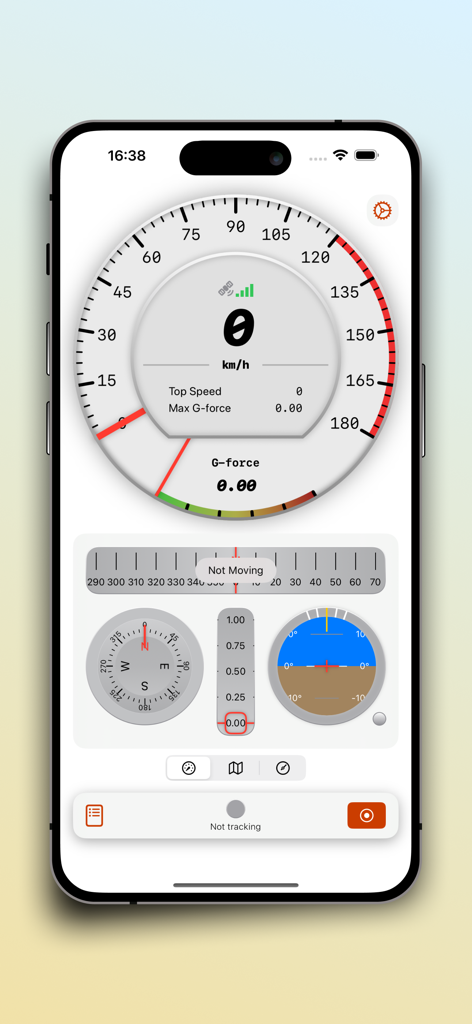
SpeedX 앱 대시보드에 속도계, 나침반, 자세 표시기가 표시됩니다
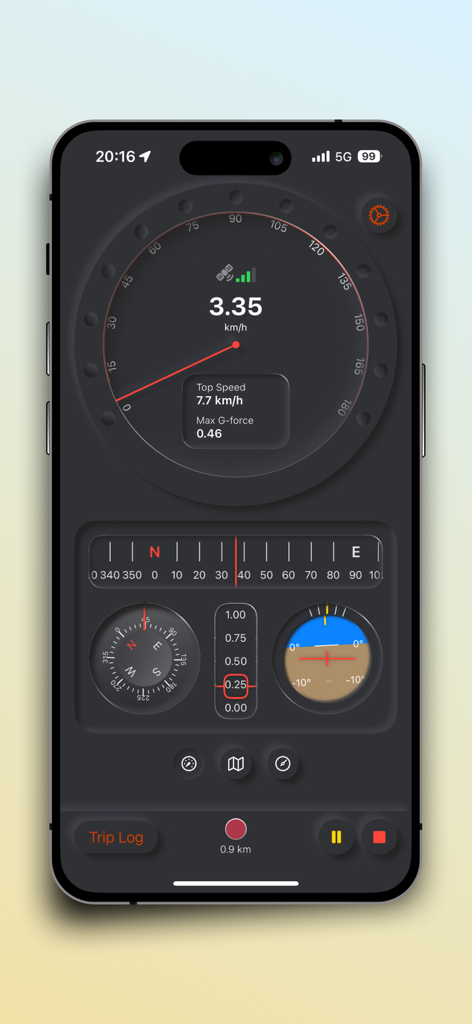
SpeedX 앱 인터페이스에 실시간 속도계, 나침반, 자세 표시기가 표시됩니다
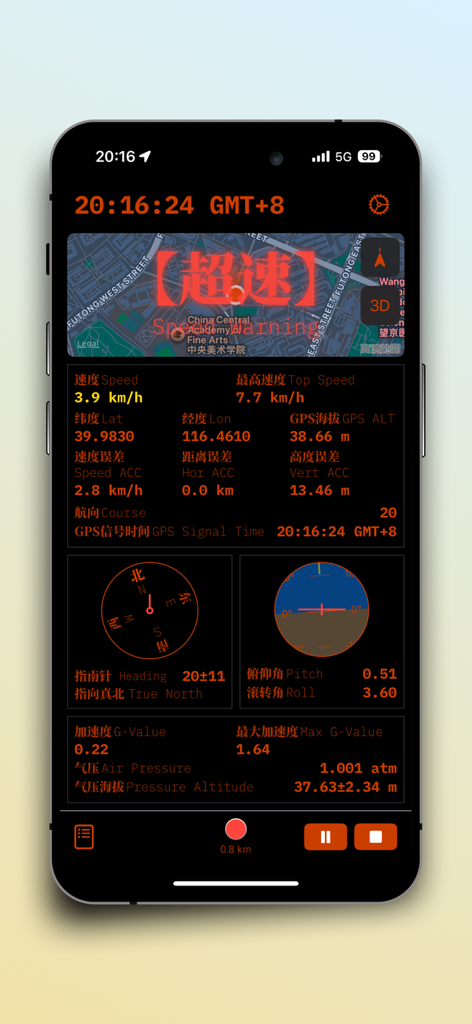
SpeedX 앱 인터페이스에 속도, 고도, 나침반, 자세 표시기, G-포스 데이터가 포함된 대시보드가 표시됩니다
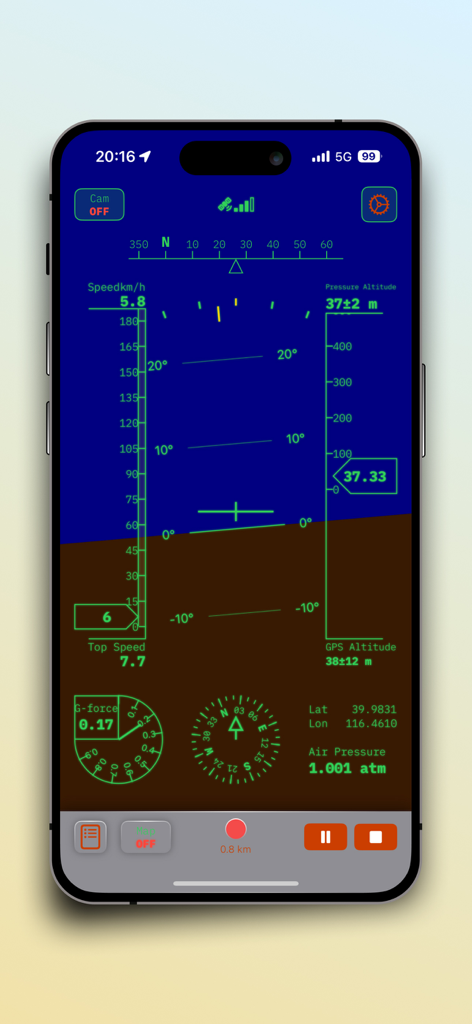
SpeedX 앱 인터페이스에 자세 표시기, 속도계, 고도계 대시보드가 표시됩니다
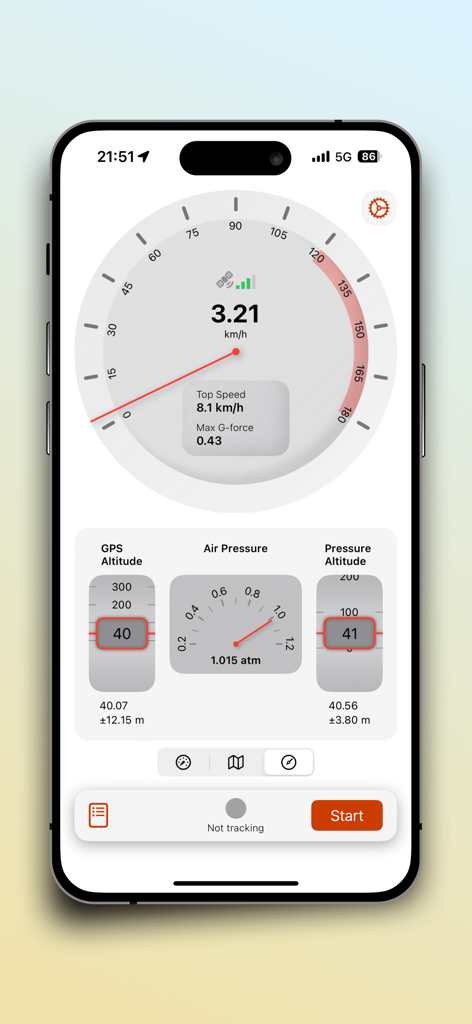
SpeedX 앱 대시보드에 실시간 속도계, 고도, 기압계 데이터가 표시됩니다
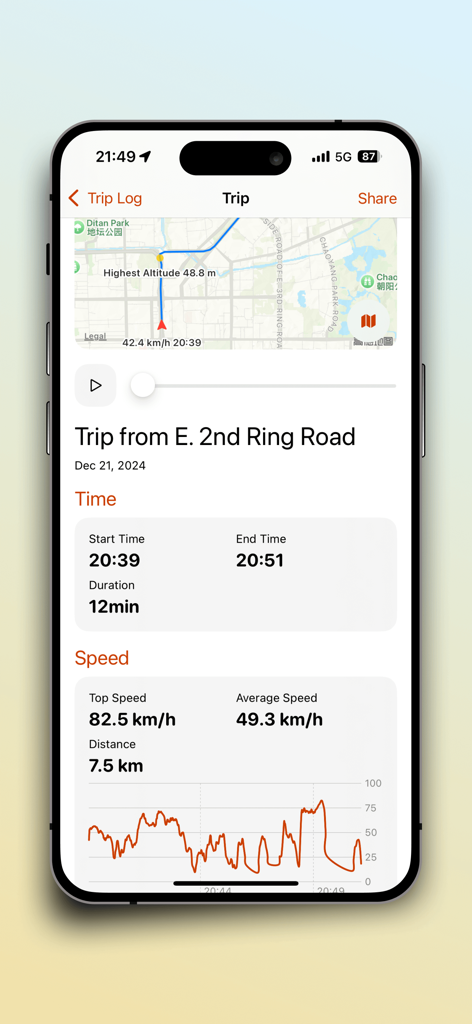
SpeedX 앱의 상세 여행 로그 요약에 경로 지도와 속도 통계가 표시됩니다
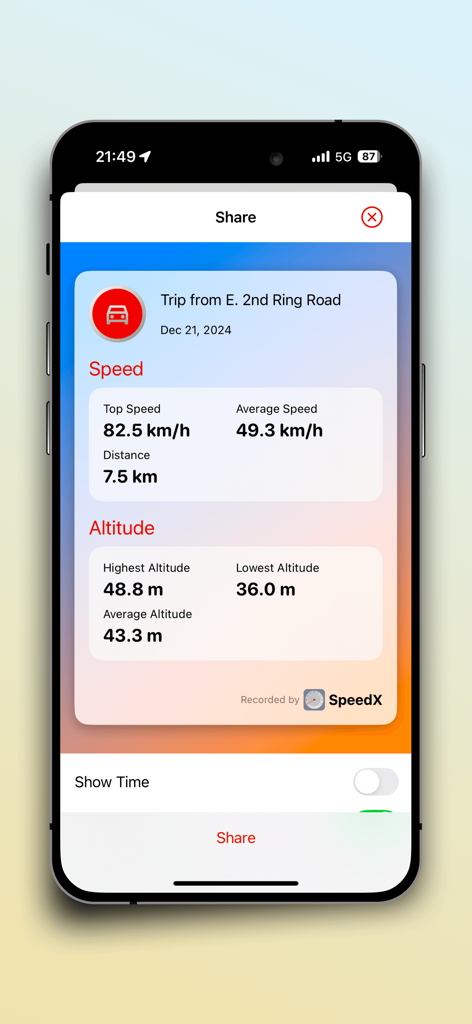
SpeedX 여행 카드에 공유할 준비가 된 기록된 속도 및 고도 통계가 표시됩니다
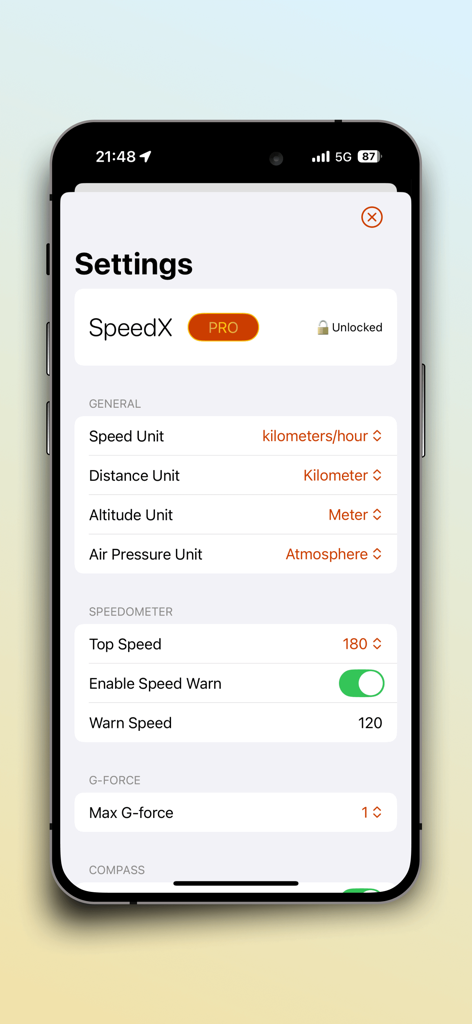
SpeedX 앱의 설정 화면에 측정 단위 및 속도계 경고 옵션이 표시됩니다
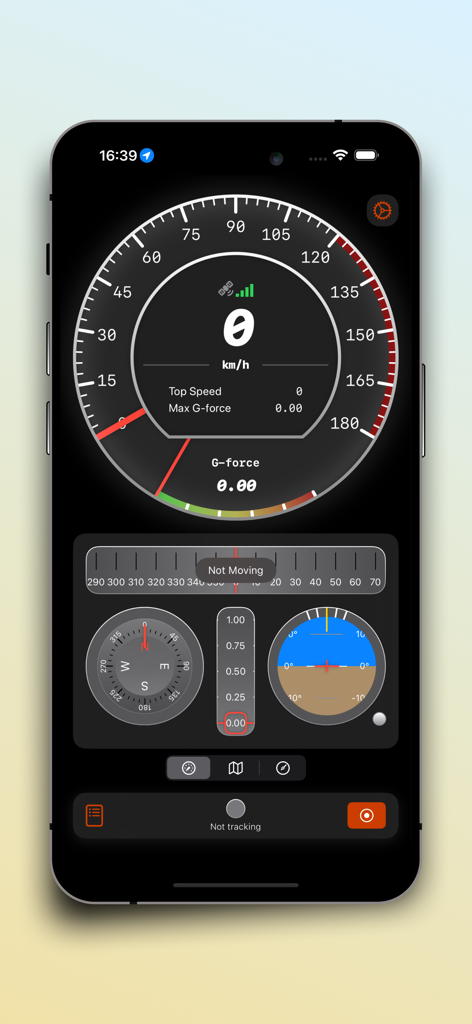
SpeedX 앱의 디지털 대시보드에 속도계, G-포스 측정기, 나침반, 자세 표시기가 표시됩니다
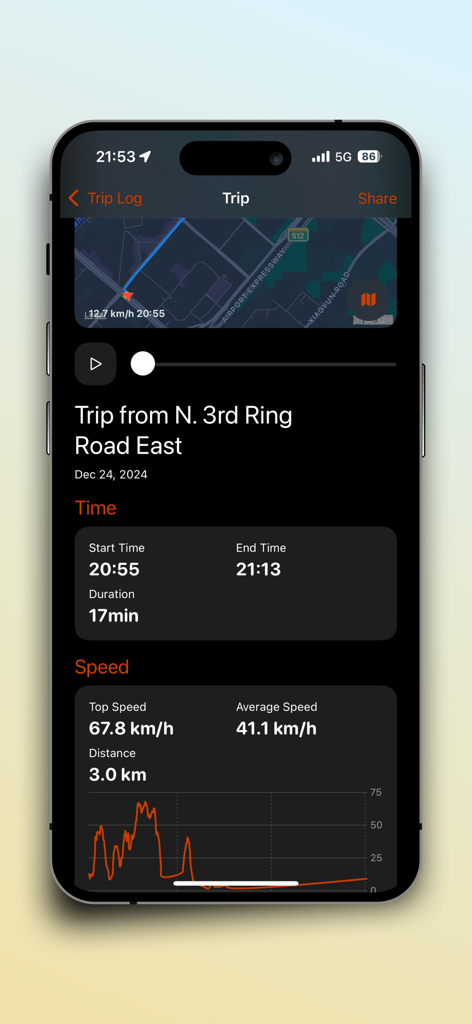
SpeedX 앱 여행 요약 인터페이스에 지속 시간, 속도 통계, 경로 지도가 표시됩니다
설명
Download
비슷한 앱
같은 카테고리의 상위 앱

Google Maps
Google LLC

Waze Navigation & Live Traffic
waze

AMap Global
AutoNavi Information Technology Co. Ltd.

百度地图-路线规划,出行必备
Beijing Baidu Netcom Science & Technology Co.,Ltd

Moovit: Bus & Transit Tracker
Moovit App Global LTD

Transit • Subway & Bus Times
9280-0366 Quebec inc.

ParkMobile: Park. Pay. Go.
Parkmobile USA, Inc

腾讯地图-路线规划,导航地铁打车出行
Shenzhen Tencent Computer Systems Company Limited

Île-de-France Mobilités
Ile de France Mobilites
이 페이지는 앱이나 개발자의 공식 페이지가 아니며, 정보 제공 및 논평을 목적으로 작성된 독립 편집 간행물입니다. 명시적으로 달리 언급되지 않는 한, 해당 앱이나 개발자는 MWM, Apple, Google Play, 앱 퍼블리셔 또는 앱 개발자와 제휴, 보증, 후원, 승인 또는 공식적으로 연결되어 있지 않으며, 이 페이지의 어떤 내용도 해당 앱이 MWM의 서비스를 사용하여 개발되었음을 의미하지 않습니다. 모든 상표, 로고, 스크린샷 및 기타 콘텐츠는 해당 소유자의 자산입니다.