Split Screen & Dual Browser

Split Screen & Dual Browser

다운로드: App Store
로고: Split Screen & Dual Browser

분할 화면 및 듀얼 브라우저: iOS용 전문가 멀티태스킹 파워하우스

끊임없는 탭 전환은 그만. 전문가급 효율성으로 두 개의 웹사이트를 나란히 브라우징, 연구, 스트리밍하여 기기의 잠재력을 최대한 발휘하세요.

개발사

Ngo Tien

카테고리

Utilities

다운로드

1K+

사용자 평점

1.0/5

총 평가 수

0

지원 언어

1

시야 두 배로 넓히기

이 인터페이스를 사용하는 1K+ 명의 사용자.

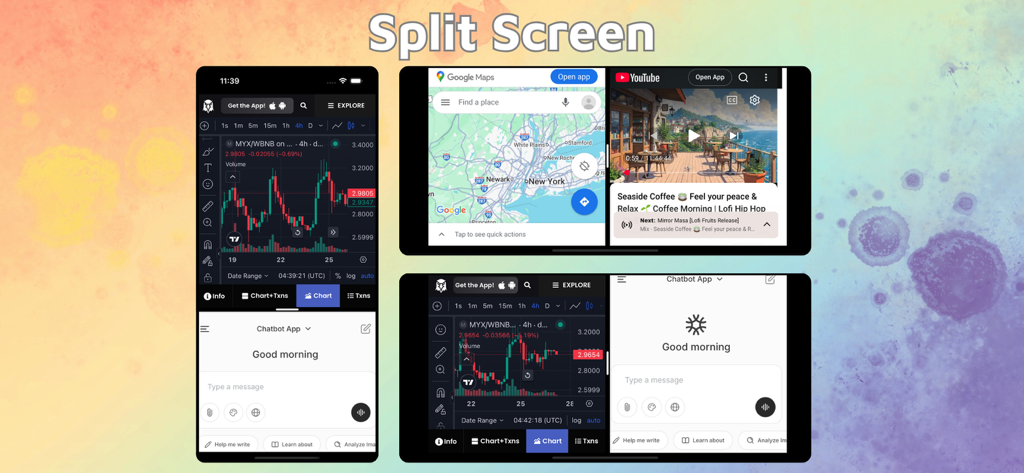
iPhone 및 iPad 멀티태스킹을 위한 듀얼 브라우저 창을 보여주는 분할 화면 인터페이스.
iPhone 및 iPad 멀티태스킹을 위한 듀얼 브라우저 창을 보여주는 분할 화면 인터페이스.

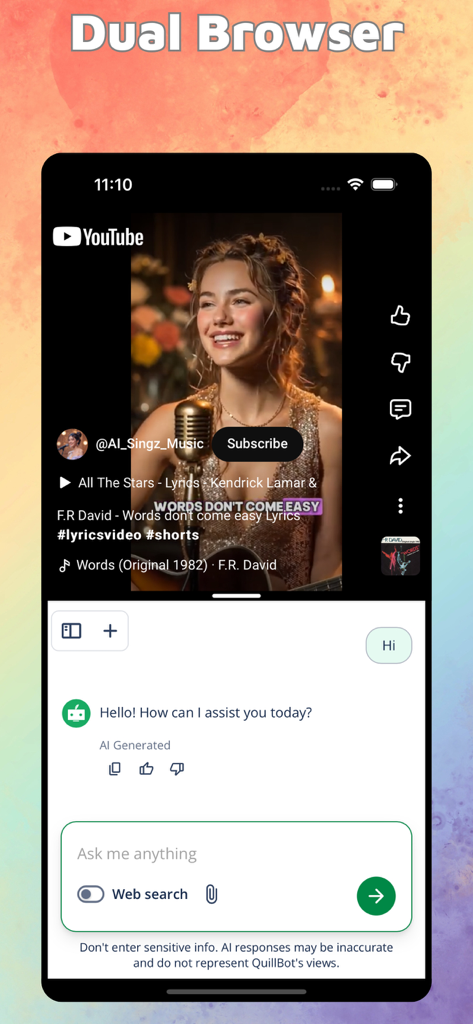
iPhone 화면에서 분할 화면 모드를 사용하여 YouTube 동영상과 AI 채팅 인터페이스를 동시에 표시합니다.
iPhone 화면에서 분할 화면 모드를 사용하여 YouTube 동영상과 AI 채팅 인터페이스를 동시에 표시합니다.

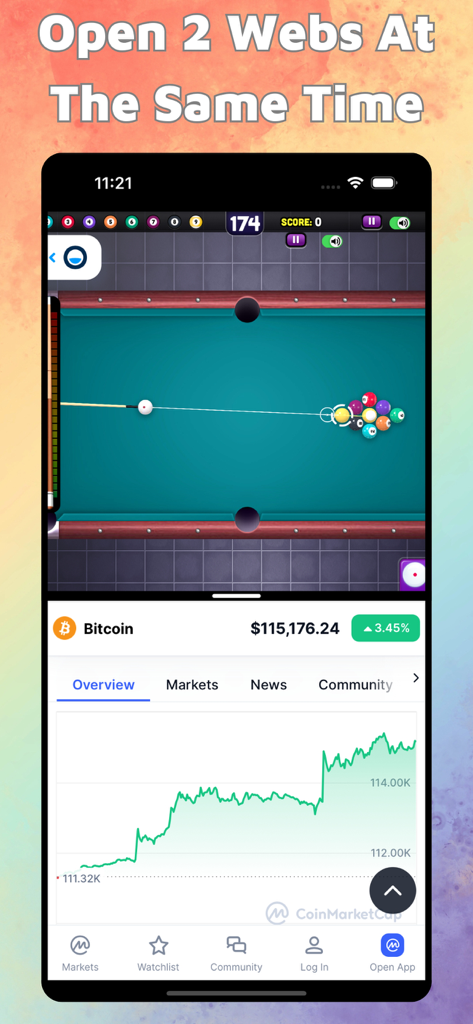
iPhone 분할 화면 인터페이스에 풀 게임과 비트코인 ​​가격 차트를 동시에 표시합니다.

iPhone 분할 화면 인터페이스에 풀 게임과 비트코인 ​​가격 차트를 동시에 표시합니다.

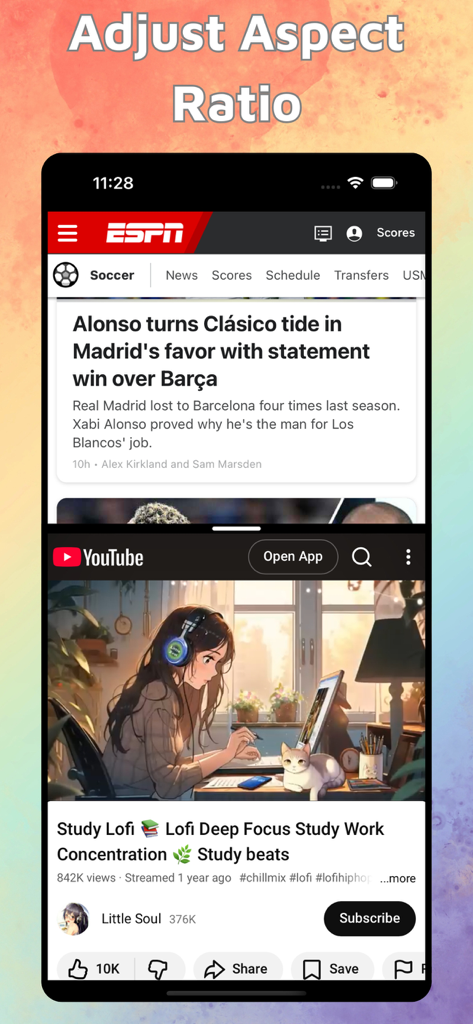
ESPN 뉴스 및 YouTube 로파이 공부 동영상을 동시에 보여주는 iPhone 분할 화면

ESPN 뉴스 및 YouTube 로파이 공부 동영상을 동시에 보여주는 iPhone 분할 화면

모바일 멀티태스킹 마스터하기

이 앱을 돋보이게 하는 도구, 1K+ 명의 사용자가 선택.

병렬 브라우징 효율성

두 개의 다른 웹사이트에서 동시에 연구, 공부 또는 쇼핑하세요. 앱 전환의 인지적 부담을 없애고 워크플로우를 유연하게 유지하세요.

↔️

정밀 작업 공간 제어

크기 조절 가능한 듀얼 창으로 보기를 맞춤 설정하세요. 동영상 튜토리얼이든 복잡한 데이터 시트이든 가장 중요한 것에 집중하기 위해 중앙 구분선을 드래그하세요.

🚀

데스크톱급 파워 도구

각 창은 독립적인 기록, 북마크 및 탭 관리를 갖춘 완전한 독립형 브라우저로 작동하여 모바일 장치를 전문 워크스테이션으로 변환합니다.

앱 소개

에 대해 알아야 할 모든 것 Split Screen & Dual Browser.

설명

With Split Screen & Dual Browser, you can effortlessly view and interact with two different websites at the same time — right on your iPhone or iPad. Perfect for multitasking, research, studying, or simply browsing more efficiently. Key Features: Split Screen Mode: Open and use two web pages side by side. Read an article on one side while taking notes on Google Docs, watch YouTube while browsing social media, or compare information between two sites — all without switching tabs. Resizable Dual Windows: Adjust the size of each window freely with a simple drag. Focus on what matters most while keeping the second site visible for reference or updates. Smart and Intuitive Interface: Designed for smooth navigation and control. Swap windows with a tap, drag edges to resize instantly, and enjoy a clean, distraction-free browsing experience. Landscape & Portrait Support: Seamlessly adapts to your device orientation. Whether in portrait or landscape, your split layout stays fluid and responsive. Full Browser Features: Each window includes independent browsing, history, bookmarks, and tab management — just like a real browser, times two! Why You’ll Love It: Maximize your productivity and make full use of your screen space. Whether you’re working, learning, or simply browsing smarter, Split Screen & Dual Browser helps you do more — faster and easier. Download now and experience true multitasking on iOS! Split Screen & Dual Browser Premium Plans: • 3-day free trial then $9.99/month Information about the auto-renewal of subscription: • Payment will be charged to iTunes Account at confirmation of purchase. • Subscription automatically renews unless auto-renew is turned off at least 24-hours before the end of the current period. • Account will be charged for renewal within 24-hours prior to the end of the current period, and identify the cost of the renewal. The cost depends on the selected plan. • Subscriptions may be managed by the user and auto-renewal may be turned off by going to the user's Account Settings after purchase. • Any unused portion of the free trial will be forfeited when the user purchases a subscription. Privacy Policy: https://ngotienmobile.blogspot.com/2024/03/privacy-policy.html Terms of Use: https://ngotienmobile.blogspot.com/2024/03/terms-of-use.html

최신 버전

1.0

크기

5.6 MB

출시일

2025년 10월 29일

탭 전환은 멈추고, 실행은 시작하세요.

iPhone 또는 iPad의 전문가 멀티태스킹 파워를 잠금 해제하세요. 3일 무료 체험을 시작하고 화면을 최대한 활용하세요.

다운로드: App Store

App information, icons, screenshots, and descriptions displayed on this page are sourced from the Apple App Store and are the property of their respective developers. Download estimates and rankings are based on MWM's proprietary models and may not reflect actual figures. This page is provided for informational and analytical purposes only.

Believe this page infringes your intellectual property? File a dispute