Split Video For Long Story
다운로드: App Store

이 페이지는 앱이나 개발자의 공식 페이지가 아니며, 정보 제공 및 논평을 목적으로 작성된 독립 편집 간행물입니다. 명시적으로 달리 언급되지 않는 한, 해당 앱이나 개발자는 MWM, Apple, Google Play, 앱 퍼블리셔 또는 앱 개발자와 제휴, 보증, 후원, 승인 또는 공식적으로 연결되어 있지 않으며, 이 페이지의 어떤 내용도 해당 앱이 MWM의 서비스를 사용하여 개발되었음을 의미하지 않습니다. 모든 상표, 로고, 스크린샷 및 기타 콘텐츠는 해당 소유자의 자산입니다.


로고: Split Video For Long Story
다운로드: App Store

Split Video For Long Story

긴 비디오를 인스타그램, WhatsApp, TikTok을 위한 완벽하고 고품질의 세그먼트로 변환하세요. 수동 트리밍은 그만두고 몇 초 만에 전문적인 스토리를 공유하세요.

주요 수치

다운로드

400

사용자 평점

1.0/5

총 평가 수

0

개발사

Amal Paul

카테고리

Photo & Video

지원 언어

1

최신 버전

3.3.1

크기

45.5 MB

출시일

2021년 2월 10일
기능

몇 초 만에 완벽한 스토리 만들기

수동 트리밍의 어려움은 그만두세요. 긴 비디오를 인스타그램, TikTok, WhatsApp을 위한 완벽하게 타이밍이 맞춰진 고품질 클립으로 자동 분할하세요.

원탭 자동 분할

긴 푸티지를 각 소셜 플랫폼의 특정 제한에 최적화된 완벽하게 타이밍이 맞춰진 세그먼트로 즉시 변환하세요.

프로 수준의 4K 품질

자신 있게 게시하세요. 원본 비디오 해상도를 손상 없이 유지하며 압축이나 디테일 손실이 전혀 없습니다.

다음 스크린샷과 설명은 앱의 공식 스토어 목록에서 직접 가져온 것이며 앱 개발자의 자산입니다.

앱 스토어

스크린샷
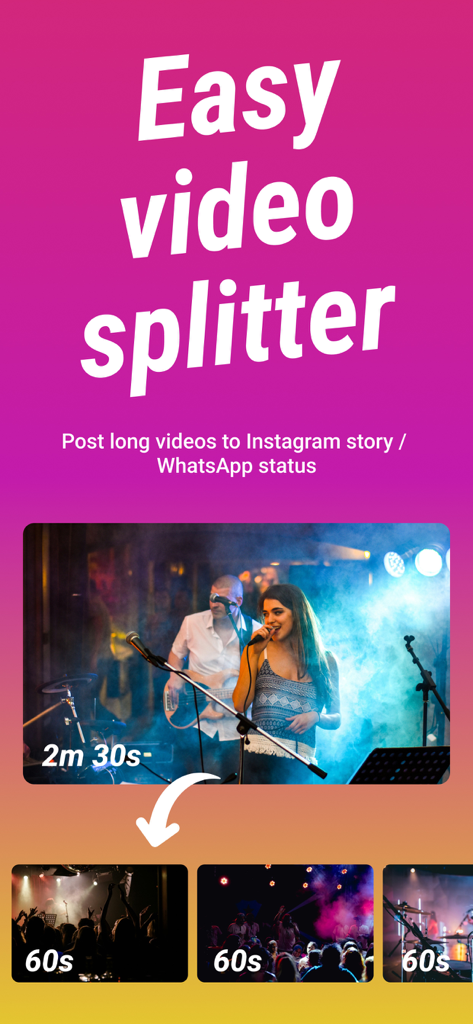
Split Video For Long Story - Split Video 앱 인터페이스로, 2분 30초짜리 비디오가 소셜 미디어 스토리를 위해 여러 개의 60초 클립으로 분할되는 것을 보여줍니다.
Split Video 앱 인터페이스로, 2분 30초짜리 비디오가 소셜 미디어 스토리를 위해 여러 개의 60초 클립으로 분할되는 것을 보여줍니다.

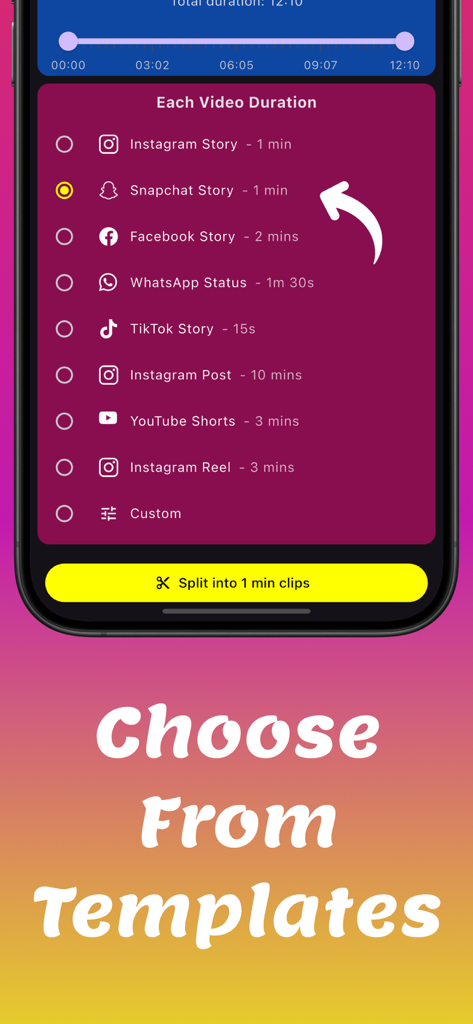
Split Video For Long Story - 소셜 미디어 스토리 및 게시물용 비디오 분할 기간 템플릿 및 사전 설정을 보여주는 인터페이스
소셜 미디어 스토리 및 게시물용 비디오 분할 기간 템플릿 및 사전 설정을 보여주는 인터페이스

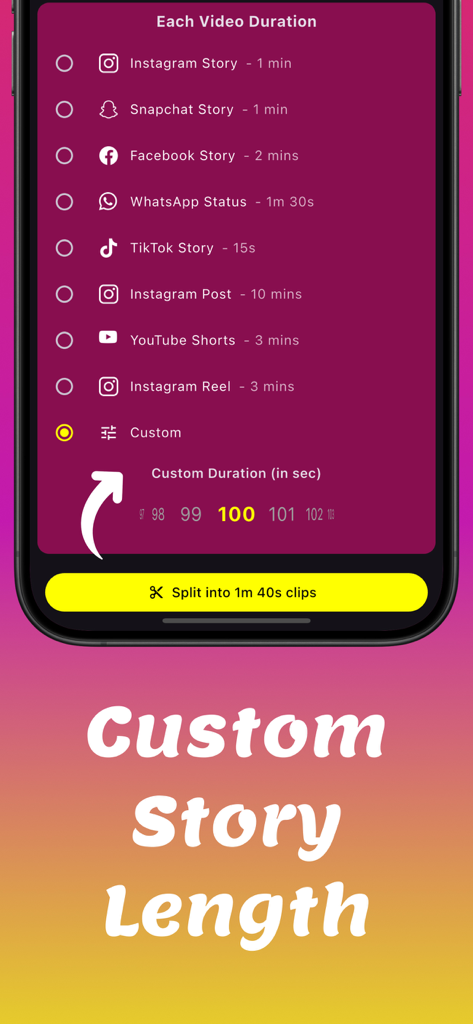
Split Video For Long Story - 인스타그램 스냅챗 및 사용자 지정 스토리 길이에 대한 비디오 분할 옵션을 보여주는 모바일 앱 인터페이스
인스타그램 스냅챗 및 사용자 지정 스토리 길이에 대한 비디오 분할 옵션을 보여주는 모바일 앱 인터페이스

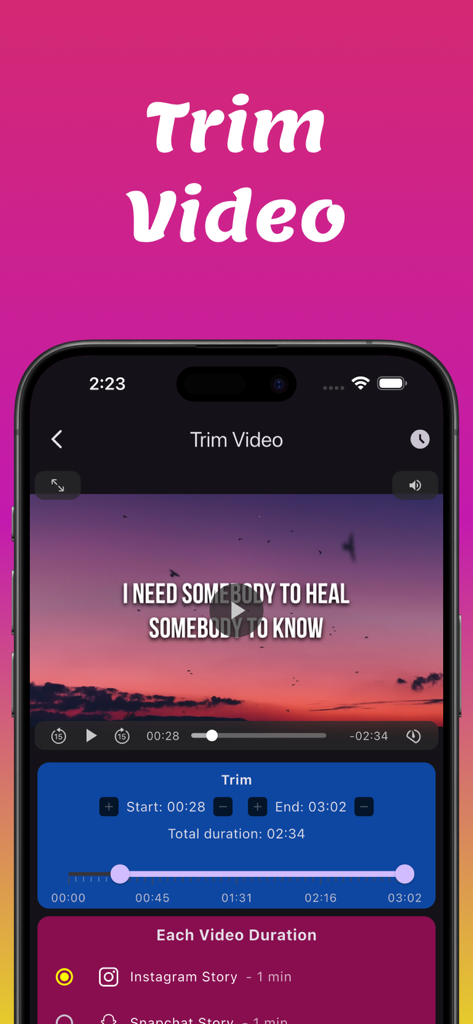
Split Video For Long Story - Instagram 스토리에 대한 시작 및 종료 시간 컨트롤과 함께 트리밍 기능을 보여주는 Split Video 앱의 스크린샷.
Instagram 스토리에 대한 시작 및 종료 시간 컨트롤과 함께 트리밍 기능을 보여주는 Split Video 앱의 스크린샷.

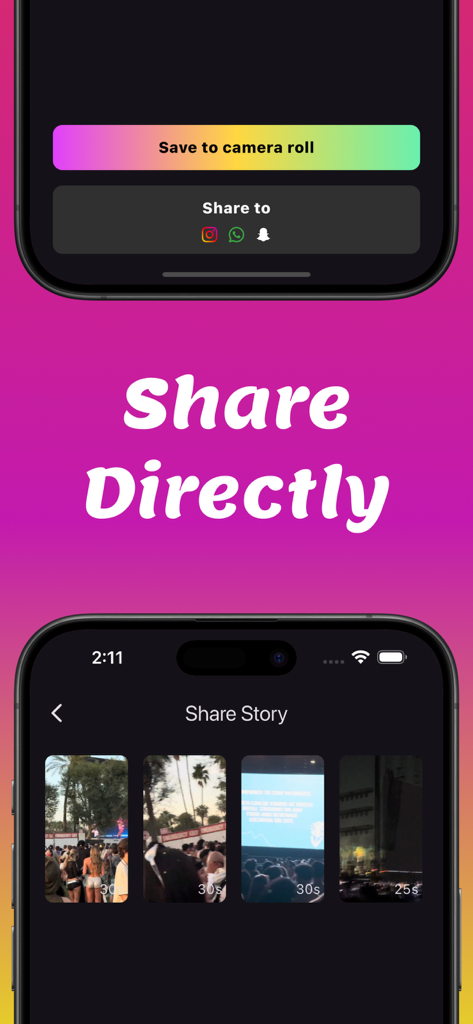
Split Video For Long Story - 인스타그램 WhatsApp 및 스냅챗으로 분할된 비디오 클립을 직접 공유하는 인터페이스

인스타그램 WhatsApp 및 스냅챗으로 분할된 비디오 클립을 직접 공유하는 인터페이스

설명

Looking for a fast and easy way to split long videos into short, shareable clips? Split Video is the ultimate tool to cut videos into perfect segments for social media stories. No need for manual editing—simply select your video, set the duration, and let the app do the work. Best Video Splitter for Social Media Automatic Video Splitter – Instantly splits long videos into smaller clips based on your selected duration. Adjustable clip duration - You control the split duration. You can keep either keep the default 60 seconds or keep a shorter duration which can be especially handy when creating Insta highlights for easy fast forwarding. Precise Video Trimmer – Cut and adjust videos to keep only the best parts before splitting. High-Quality Output – Maintains original video resolution with no compression or loss. Seamless Playback – Ensures smooth transitions between clips for a professional, uninterrupted viewing experience. Fast Processing – Quickly splits and exports videos without lag or long wait times. Simple and User-Friendly – Easy-to-use video splitter with a clean, intuitive interface. Multi-Platform Compatibility – Perfect for Instagram Stories, WhatsApp Status, Facebook Reels, YouTube Shorts, TikTok, and Snapchat. Why Use Split Video? Save Time – No more manually cutting videos—just upload and split instantly. Perfect for Content Creators – Make engaging social media clips without complex editing. Ideal for Businesses and Marketers – Quickly create promotional content that fits social media story limits. Great for Personal Use – Split travel vlogs, event recordings, and personal videos with ease. If you are looking for a fast, high-quality video splitter, this is the perfect tool for you. Split Video makes video cutting effortless, allowing you to share long videos in short, seamless clips. Download Split Video today and create perfect story clips in seconds. Privacy Policy - https://basastudios.com/storysplitter/privacy/ Terms of service - https://basastudios.com/storysplitter/terms-of-service/

Download

다운로드: App Store

이 페이지는 앱이나 개발자의 공식 페이지가 아니며, 정보 제공 및 논평을 목적으로 작성된 독립 편집 간행물입니다. 명시적으로 달리 언급되지 않는 한, 해당 앱이나 개발자는 MWM, Apple, Google Play, 앱 퍼블리셔 또는 앱 개발자와 제휴, 보증, 후원, 승인 또는 공식적으로 연결되어 있지 않으며, 이 페이지의 어떤 내용도 해당 앱이 MWM의 서비스를 사용하여 개발되었음을 의미하지 않습니다. 모든 상표, 로고, 스크린샷 및 기타 콘텐츠는 해당 소유자의 자산입니다.