
이 페이지는 앱이나 개발자의 공식 페이지가 아니며, 정보 제공 및 논평을 목적으로 작성된 독립 편집 간행물입니다. 명시적으로 달리 언급되지 않는 한, 해당 앱이나 개발자는 MWM, Apple, Google Play, 앱 퍼블리셔 또는 앱 개발자와 제휴, 보증, 후원, 승인 또는 공식적으로 연결되어 있지 않으며, 이 페이지의 어떤 내용도 해당 앱이 MWM의 서비스를 사용하여 개발되었음을 의미하지 않습니다. 모든 상표, 로고, 스크린샷 및 기타 콘텐츠는 해당 소유자의 자산입니다.


Splitter AI - Vocal Remover
스튜디오급 AI로 보컬, 악기, 코드를 즉시 분리하세요. 맞춤형 반주 트랙을 만들고, 까다로운 솔로를 느리게 하고, 모든 노래의 키를 몇 초 만에 변환하여 사운드를 마스터하세요.
다운로드
48K+사용자 평점
총 평가 수
100개발사
카테고리
Music지원 언어
1최신 버전
1.0.4크기
85.4 MB출시일
2024년 10월 9일창의적 잠재력 발휘
스튜디오급 보컬 제거부터 실시간 코드 감지까지, Splitter AI는 몇 초 만에 모든 노래를 분석, 학습, 리믹스하는 데 필요한 전문가 도구를 제공합니다.
즉각적인 스템 분리
고품질 AI로 보컬, 드럼, 베이스, 악기를 분리하세요. 맞춤형 반주 트랙 또는 다음 리믹스를 위한 깔끔한 아카펠라 제작에 완벽합니다.
어떤 노래든 더 빠르게 마스터
자동 코드 감지, 즉각적인 키 변환, 정확한 템포 제어를 통해 학습 속도를 높여 자신의 페이스대로 연습하세요.
자주 묻는 질문
에 대해 알아야 할 모든 것 Splitter AI - Vocal Remover
Splitter AI란 무엇인가요?
Splitter AI는 AI 기반의 음악 분리 및 반주 트랙 생성 도구입니다. 어떤 노래에서든 보컬이나 악기를 제거하고, 키 또는 템포를 조절하며, 전문적인 품질의 반주 트랙을 생성할 수 있습니다.
Splitter AI로 어떤 노래에서든 보컬을 제거할 수 있나요?
네, Splitter AI는 AI를 사용하여 어떤 노래에서든 보컬이나 악기를 제거할 수 있습니다. 사용자는 키 또는 템포를 즉시 조절하고 맞춤형 반주 트랙을 만들 수 있습니다.
Splitter AI는 어떤 악기를 분리할 수 있나요?
Splitter AI는 보컬, 드럼, 기타, 베이스, 피아노, 현악기 등을 분리합니다. 보컬 제거 또는 다양한 악기를 위한 맞춤형 반주 트랙 생성에 완벽합니다.
Splitter AI는 무료 체험을 제공하나요?
네, Splitter AI는 주간 구독 플랜에 대해 3일 무료 체험을 제공합니다. 체험 후 구매 확인 시 iTunes 계정으로 요금이 청구됩니다.
Splitter AI의 가격은 얼마인가요?
Splitter AI는 3일 무료 체험 후 주간 구독 시 9.99달러, 연간 구독 시 39.90달러입니다. 구독은 취소하지 않으면 자동으로 갱신됩니다.
Splitter AI는 어떻게 코드를 감지하나요?
Splitter AI는 실시간 AI를 사용하여 노래 코드를 자동으로 감지합니다. 이 기능은 초보자부터 고급 수준까지 코드를 표시하여 사용자가 쉽게 연주를 배울 수 있도록 돕습니다.
Splitter AI에서 노래의 템포를 변경할 수 있나요?
네, Splitter AI를 사용하면 자동 BPM 감지를 통해 까다로운 부분의 속도를 쉽게 변경할 수 있습니다. 어떤 노래든 느리게 또는 빠르게 조절할 수 있습니다.
Splitter AI는 업로드 시 어떤 파일 형식을 지원하나요?
Splitter AI는 MP3, WAV, FLAC, OGG, AIFF, AU, CAF, OPUS와 같은 다양한 오디오 형식을 지원합니다. 또한 MP4, M4A, MOV, MKV와 같은 비디오 형식도 지원합니다.
Splitter AI로 노래방 버전을 만들 수 있나요?
네, Splitter AI를 사용하면 몇 초 안에 아카펠라, 노래방 버전 또는 악기만 있는 버전을 포함한 맞춤형 믹스를 만들 수 있습니다. 이를 통해 다재다능한 음악 제작이 가능합니다.
Splitter AI는 누구를 위해 설계되었나요?
Splitter AI는 음악가, 가수, 음악 프로듀서, 연주자(기타리스트, 드러머, 베이시스트, 피아니스트), 음악 학생, 교사, 소셜 미디어 콘텐츠 제작자를 위해 설계되었습니다.
다음 스크린샷과 설명은 앱의 공식 스토어 목록에서 직접 가져온 것이며 앱 개발자의 자산입니다.
앱 스토어
스크린샷
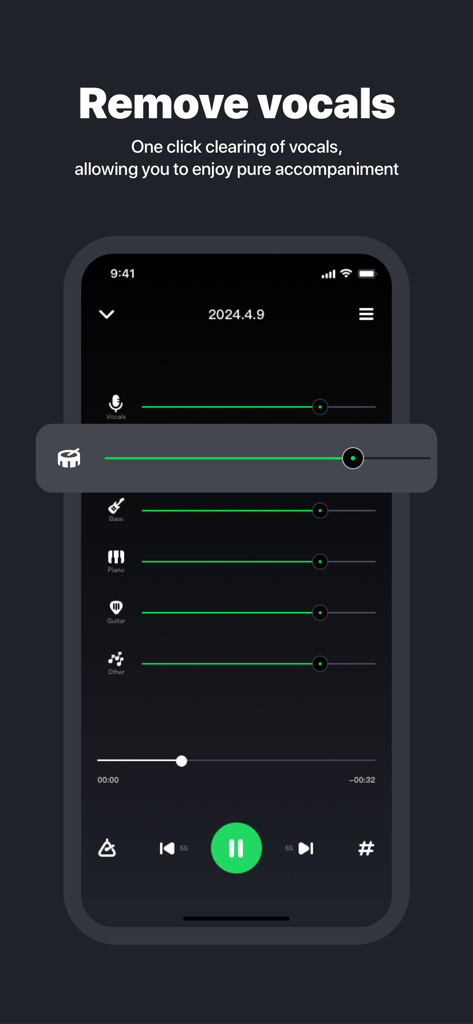
AI 보컬 제거 및 드럼, 베이스, 기타의 개별 오디오 트랙 볼륨 슬라이더를 보여주는 모바일 앱 인터페이스
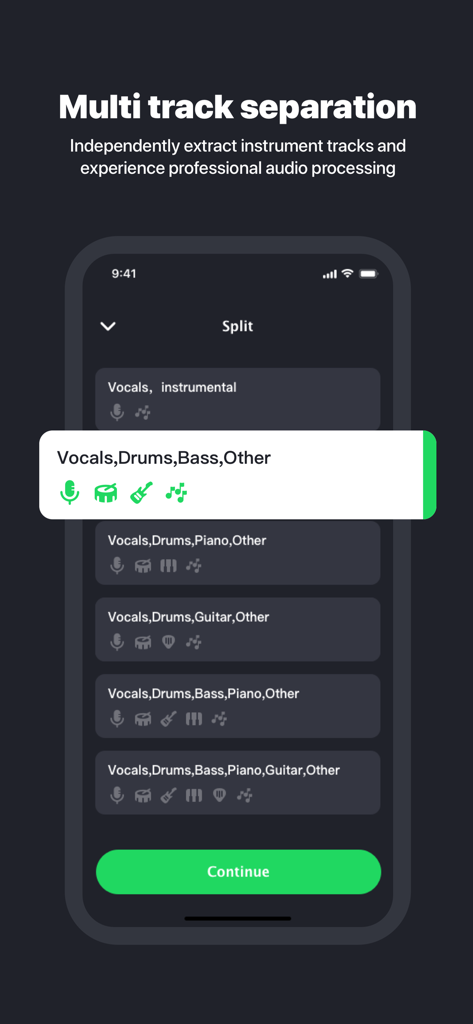
보컬, 드럼, 베이스를 포함한 멀티 트랙 분리 옵션을 보여주는 Splitter AI의 모바일 앱 인터페이스
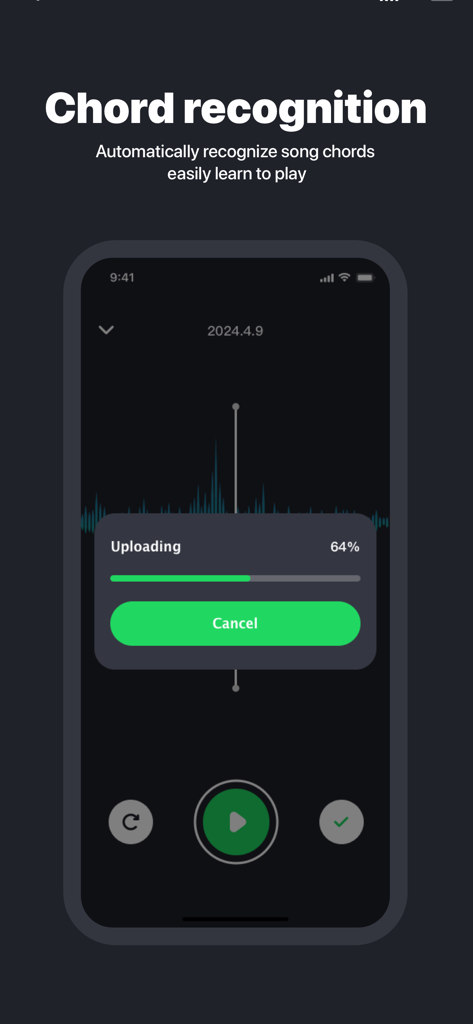
파일 업로드 진행률 표시줄과 함께 코드 인식 기능을 보여주는 Splitter AI 앱 인터페이스
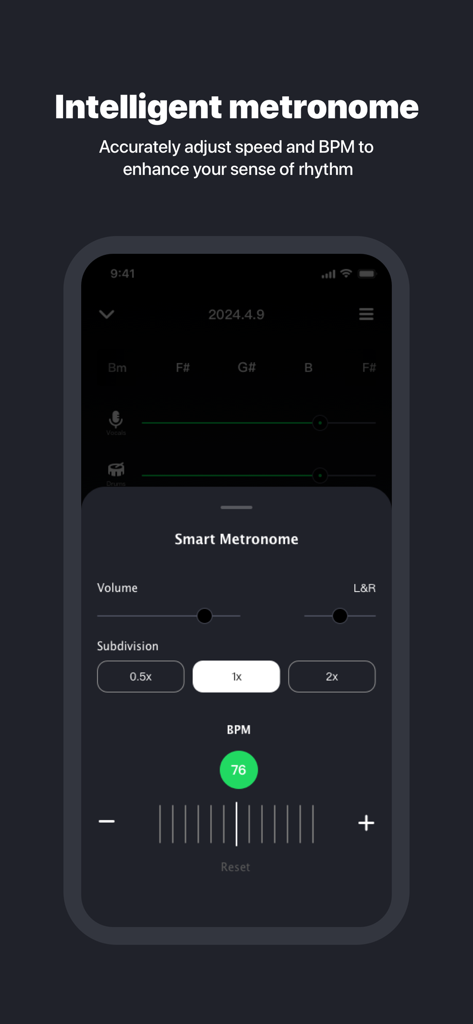
BPM 및 분할 제어가 있는 지능형 메트로놈 기능을 보여주는 Splitter AI 앱 인터페이스
설명
Download
비슷한 앱
유사한 기능과 사용자 경험을 가진 앱

Music Speed Changer ▶▶▶
Single Minded Productions, LLC

Vocal Remover - Musiclab
CHENGDU Yiwo Tech Development Co., Ltd

Audio Fusion
景睿 文

Audio Jam: AI for musicians
Kiraku Tech Co., Ltd.

Anytune Pro+: Studio Tools
Anytune Inc.

Moises: The Musician's App
Moises Systems Inc

Strum - Play Guitar
W185 Holdings LLC

Chordify: Songs, Chords, Tuner
Chordify BV

Chord ai - Play any song!
Nomad AI OU
이 페이지는 앱이나 개발자의 공식 페이지가 아니며, 정보 제공 및 논평을 목적으로 작성된 독립 편집 간행물입니다. 명시적으로 달리 언급되지 않는 한, 해당 앱이나 개발자는 MWM, Apple, Google Play, 앱 퍼블리셔 또는 앱 개발자와 제휴, 보증, 후원, 승인 또는 공식적으로 연결되어 있지 않으며, 이 페이지의 어떤 내용도 해당 앱이 MWM의 서비스를 사용하여 개발되었음을 의미하지 않습니다. 모든 상표, 로고, 스크린샷 및 기타 콘텐츠는 해당 소유자의 자산입니다.