
이 페이지는 앱이나 개발자의 공식 페이지가 아니며, 정보 제공 및 논평을 목적으로 작성된 독립 편집 간행물입니다. 명시적으로 달리 언급되지 않는 한, 해당 앱이나 개발자는 MWM, Apple, Google Play, 앱 퍼블리셔 또는 앱 개발자와 제휴, 보증, 후원, 승인 또는 공식적으로 연결되어 있지 않으며, 이 페이지의 어떤 내용도 해당 앱이 MWM의 서비스를 사용하여 개발되었음을 의미하지 않습니다. 모든 상표, 로고, 스크린샷 및 기타 콘텐츠는 해당 소유자의 자산입니다.

Spreadsheets
책상을 떠난 2백만 명 이상의 전문가들과 함께하세요. 모바일 우선 인터페이스에서 강력한 수식, 멋진 차트, 안전한 데이터 관리를 이용하세요. 민첩한 라이프스타일에 맞춰 디자인되었습니다.
다운로드
2M+사용자 평점
총 평가 수
12K+개발사
카테고리
Business지원 언어
23최신 버전
2.0.13크기
150.8 MB출시일
2023년 10월 17일이동 중에도 데이터를 마스터하세요
iPhone을 위해 제작된 전문가급 스프레드시트 도구입니다. 모바일 우선 전문가를 위해 설계된 완벽한 Excel 호환성, 강력한 수식, 멋진 시각화를 경험하세요.
완벽한 Excel 호환성
작업 흐름을 계속 유지하세요. 서식 손실 없이 전체 수식 지원과 함께 .xlsx 파일을 열고 편집하여 데이터가 전문가 수준을 유지하도록 하세요.
모바일 생산성을 위한 제작
데스크톱의 번거로움을 피하세요. 직관적인 터치 우선 인터페이스를 통해 이동 중에 몇 초 만에 숫자를 계산하고 복잡한 데이터를 관리할 수 있습니다.
자주 묻는 질문
에 대해 알아야 할 모든 것 Spreadsheets
Spreadsheets 7은(는) Microsoft Excel 파일과 호환됩니까?
예, Spreadsheets 7은(는) Excel 파일과 완벽하게 호환됩니다. iOS에서 스프레드시트의 원래 서식과 기능을 그대로 유지합니다.
Spreadsheets 7은(는) Excel 수식을 지원합니까?
예, Spreadsheets 7은(는) 강력한 Excel 수식과 함수를 지원합니다. 사용자는 앱 내에서 직접 숫자를 계산하고 데이터를 분석하며 복잡한 계산을 해결할 수 있습니다.
Spreadsheets 7은(는) 데이터로 차트와 그래프를 만들 수 있습니까?
예, Spreadsheets 7은(는) 멋진 차트와 그래프를 만듭니다. 사용자는 iPhone의 애플리케이션 내에서 데이터를 효과적으로 시각화하여 정보에 입각한 결정을 내릴 수 있습니다.
Spreadsheets 7으로 이동 중에 스프레드시트를 편집할 수 있습니까?
예, Spreadsheets 7을(를) 사용하면 사용자는 iPhone에서 언제 어디서나 스프레드시트에 액세스하고 편집할 수 있습니다. 사용자는 사무실에 있든 원격으로 있든 효율적으로 작업을 관리할 수 있습니다.
Spreadsheets 7은(는) iPhone에서 사용하기 쉽습니까?
예, Spreadsheets 7은(는) 직관적인 사용자 인터페이스를 제공합니다. 이 디자인은 iPhone에서 스프레드시트 작업을 쉽게 만들어 빠르고 효율적인 작업 완료를 보장합니다.
Spreadsheets 7은(는) 사용자 데이터를 안전하게 보호합니까?
예, Spreadsheets 7은(는) 사용자 개인 정보 보호와 데이터 보안을 우선시합니다. 이 앱은 사용자 정보를 보호하여 모든 사용자에게 마음의 평화를 제공합니다.
Spreadsheets 7은(는) 파일을 PDF로 변환할 수 있습니까?
예, Spreadsheets 7은(는) 스프레드시트를 PDF로 변환합니다. 또한 XLS를 Word로, Word를 XLS로, XLS를 이미지로, 텍스트를 XLS 형식으로 변환하는 것도 지원합니다.
Spreadsheets 7은(는) 어떤 파일 형식을 지원합니까?
Spreadsheets 7은(는) XLSX를 포함한 모든 Excel 형식을 지원합니다. 이를 통해 완벽한 호환성을 보장하고 데이터의 원래 서식과 기능을 유지합니다.
Spreadsheets 7의 고객 지원팀에 어떻게 연락할 수 있습니까?
사용자는 https://www.team2swift.com/에서 제공되는 고객 지원 양식을 통해 Spreadsheets 7의 고객 지원팀에 연락할 수 있습니다.
다음 스크린샷과 설명은 앱의 공식 스토어 목록에서 직접 가져온 것이며 앱 개발자의 자산입니다.
앱 스토어
스크린샷
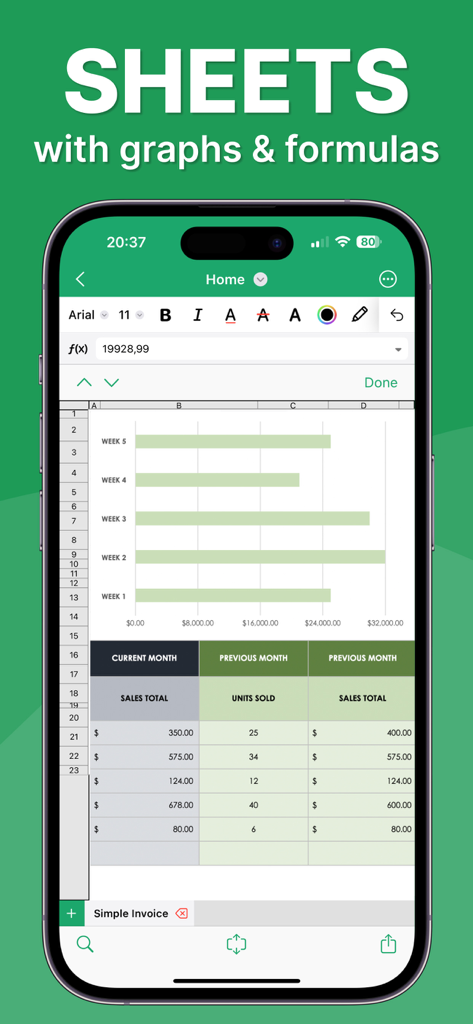
가로 막대 차트와 판매 데이터 테이블을 표시하는 iPhone의 모바일 스프레드시트 인터페이스
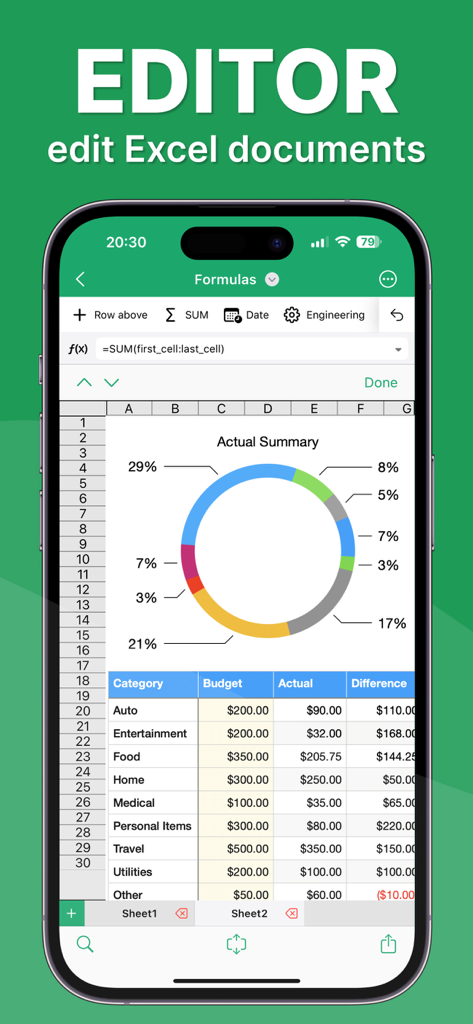
다채로운 도넛 차트와 상세한 예산 테이블이 있는 스프레드시트 편집기를 표시하는 iPhone 화면
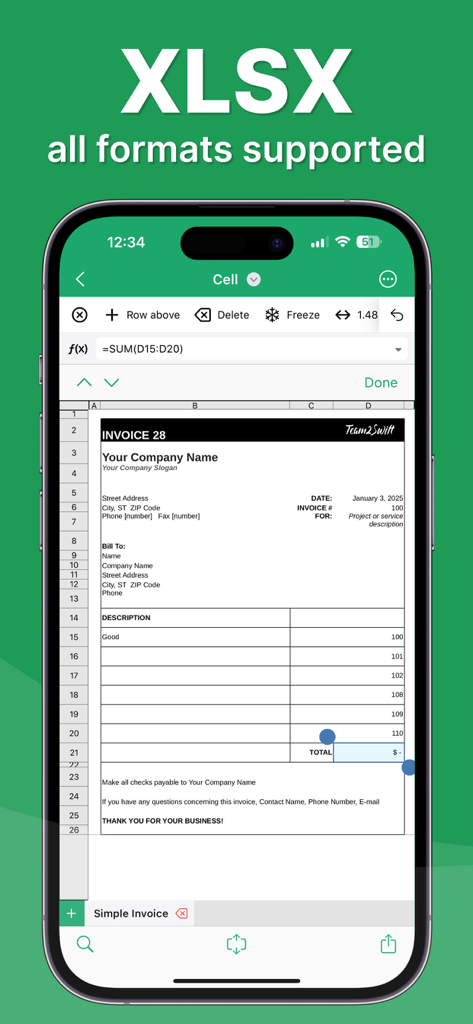
XLSX 형식 지원이 있는 모바일 스프레드시트 앱에서 전문적인 송장 템플릿을 보여주는 iPhone 화면
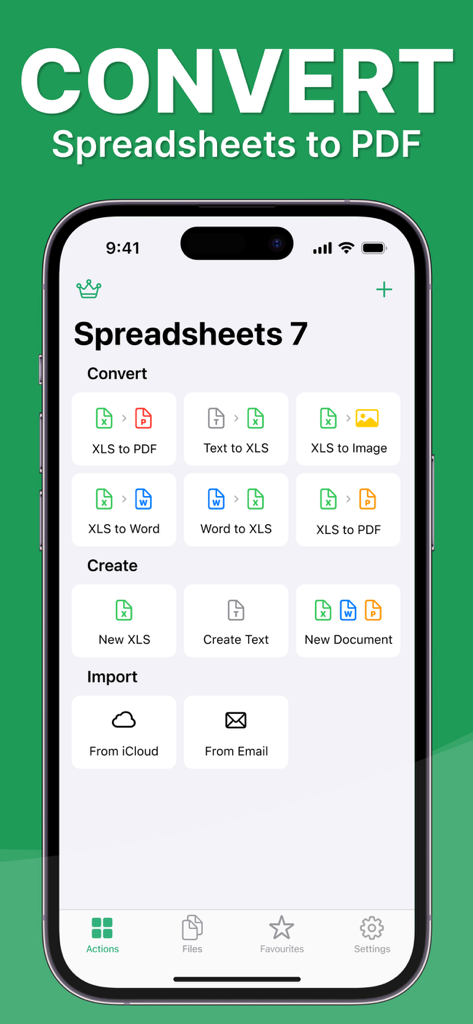
XLS PDF 및 Word 문서에 대한 파일 변환 및 생성 도구를 표시하는 Spreadsheets 7 앱 인터페이스
설명
Download
비슷한 앱
유사한 기능과 사용자 경험을 가진 앱

Google Sheets
Google LLC

Table Notes Spreadsheet Excel
Vivek Agarwal

Microsoft Excel
Microsoft Corporation

Spreadsheet-xlsx&csv editor
BEST MUSIC VIDEO & IMAGE MAKER LIMITED

XLSX Sheets: Edit Spreadsheet
Rhophi Analytics LLP

Sheets - Spreadsheet
CODE HARMONY LIMITED

Simple Spreadsheet:view & edit
WEN WU LI

Zoho Sheet: Spreadsheet App
Zoho Corporation

Numbers: Make Spreadsheets
Apple Inc.
이 페이지는 앱이나 개발자의 공식 페이지가 아니며, 정보 제공 및 논평을 목적으로 작성된 독립 편집 간행물입니다. 명시적으로 달리 언급되지 않는 한, 해당 앱이나 개발자는 MWM, Apple, Google Play, 앱 퍼블리셔 또는 앱 개발자와 제휴, 보증, 후원, 승인 또는 공식적으로 연결되어 있지 않으며, 이 페이지의 어떤 내용도 해당 앱이 MWM의 서비스를 사용하여 개발되었음을 의미하지 않습니다. 모든 상표, 로고, 스크린샷 및 기타 콘텐츠는 해당 소유자의 자산입니다.