SQLPro Studio database client
다운로드: App Store

이 페이지는 앱이나 개발자의 공식 페이지가 아니며, 정보 제공 및 논평을 목적으로 작성된 독립 편집 간행물입니다. 명시적으로 달리 언급되지 않는 한, 해당 앱이나 개발자는 MWM, Apple, Google Play, 앱 퍼블리셔 또는 앱 개발자와 제휴, 보증, 후원, 승인 또는 공식적으로 연결되어 있지 않으며, 이 페이지의 어떤 내용도 해당 앱이 MWM의 서비스를 사용하여 개발되었음을 의미하지 않습니다. 모든 상표, 로고, 스크린샷 및 기타 콘텐츠는 해당 소유자의 자산입니다.

로고: SQLPro Studio database client
다운로드: App Store

SQLPro Studio database client

Postgres, MySQL 및 Snowflake를 위한 프리미엄 모바일 IDE입니다. Intellisense, SSH 터널링 및 기본 iPad 멀티태스킹 인터페이스를 통해 스키마를 안전하게 관리하고 쿼리를 실행하세요.

주요 수치

다운로드

65K+

사용자 평점

4.4/5

총 평가 수

100

개발사

Hankinsoft Development Inc

카테고리

Developer Tools

지원 언어

1

최신 버전

2025.58

크기

54.1 MB

출시일

2017년 11월 8일
기능

이동 중에도 데스크톱급 데이터베이스 관리

SQLPro Studio는 iOS 장치에 전문가급 성능을 제공하여 노트북 없이도 데이터베이스를 관리, 쿼리 및 보호할 수 있도록 합니다.

스마트 Intellisense 및 자동 완성

모바일 정밀도를 위해 설계된 상황 인식 SQL 완성 및 사용자 지정 가능한 구문 강조 표시로 오타를 줄이고 작업 흐름 속도를 높이세요.

안전한 기업 연결성

SSH 터널링, NTLMv2 및 Netbios에 대한 기본 지원을 통해 프로덕션 환경에 안전하게 액세스하고, 어디서든 전문 보안 표준을 유지하세요.

다음 스크린샷과 설명은 앱의 공식 스토어 목록에서 직접 가져온 것이며 앱 개발자의 자산입니다.

앱 스토어

스크린샷
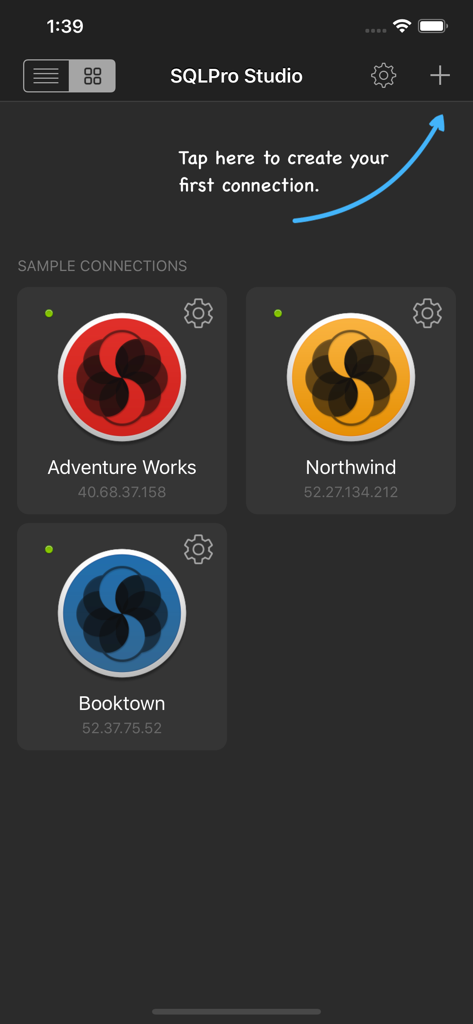
SQLPro Studio database client - 여러 데이터베이스 연결과 새 연결 추가 버튼을 표시하는 SQLPro Studio의 메인 대시보드
여러 데이터베이스 연결과 새 연결 추가 버튼을 표시하는 SQLPro Studio의 메인 대시보드

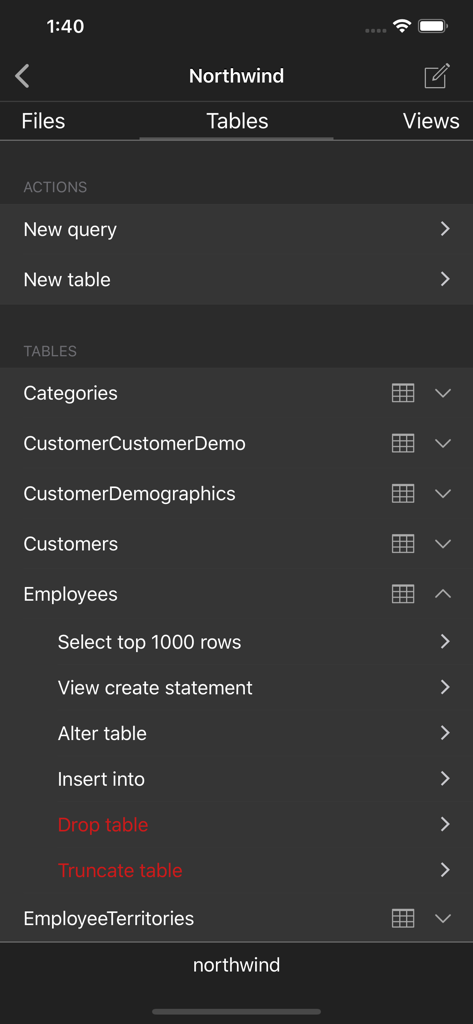
SQLPro Studio database client - SQLPro Studio 데이터베이스 테이블 탐색 및 관리 화면

SQLPro Studio 데이터베이스 테이블 탐색 및 관리 화면

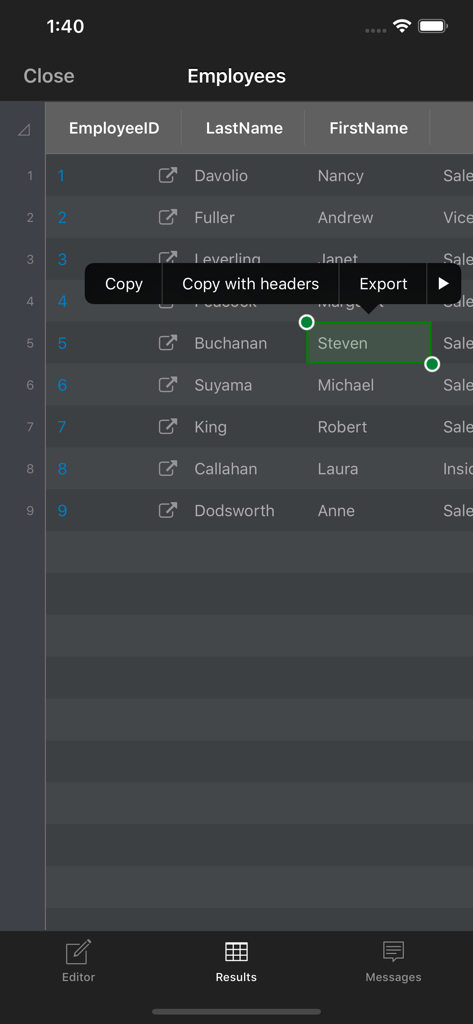
SQLPro Studio database client - 복사 및 내보내기 옵션이 있는 테이블에 데이터베이스 쿼리 결과를 표시하는 SQLPro Studio 인터페이스.
복사 및 내보내기 옵션이 있는 테이블에 데이터베이스 쿼리 결과를 표시하는 SQLPro Studio 인터페이스.

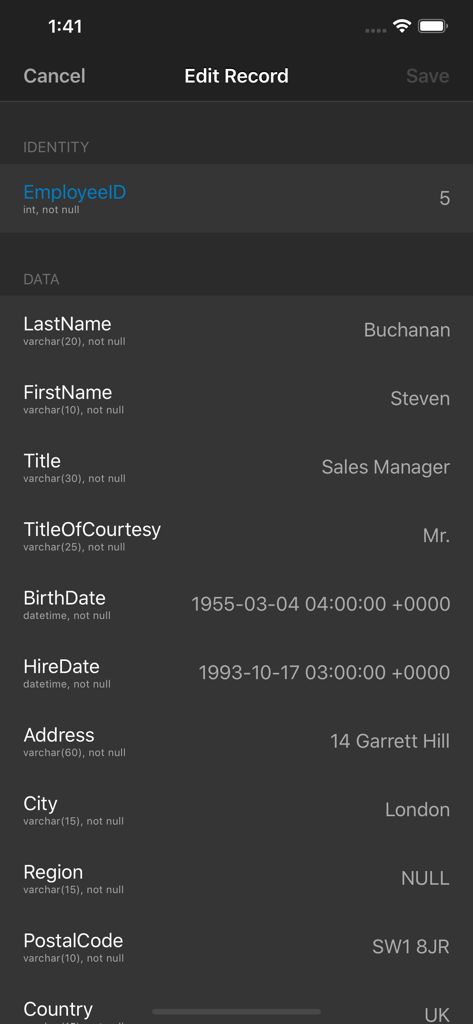
SQLPro Studio database client - 데이터베이스 항목에 대한 레코드 편집 화면을 표시하는 SQLPro Studio 인터페이스.
데이터베이스 항목에 대한 레코드 편집 화면을 표시하는 SQLPro Studio 인터페이스.

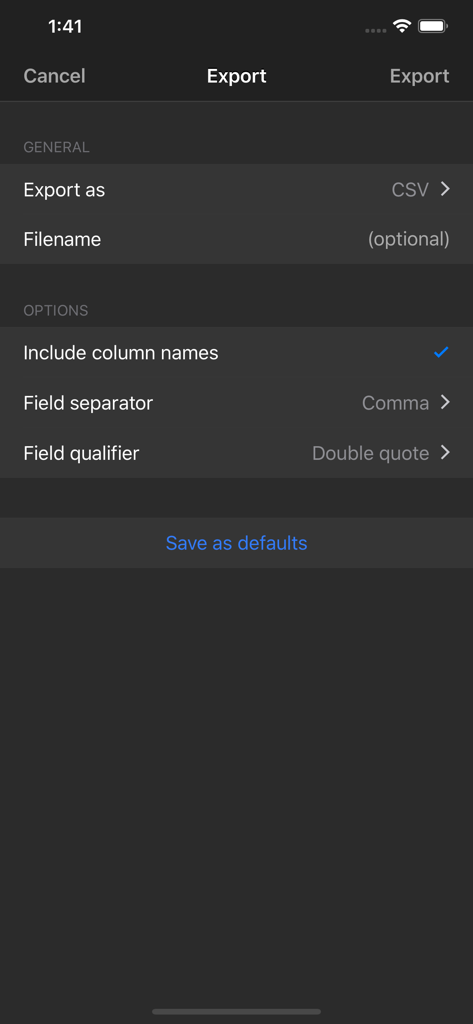
SQLPro Studio database client - SQLPro Studio 데이터베이스 관리 앱에서 CSV 내보내기 설정을 표시하는 인터페이스.

SQLPro Studio 데이터베이스 관리 앱에서 CSV 내보내기 설정을 표시하는 인터페이스.

설명

SQLPro Studio is the premium database client and management tool for Postgres, MySQL, Microsoft SQL Server and Snowflake databases. Some of the great features include: + Intellisense/SQL autocompletion. + Syntax highlighting with customizable themes (including dark). + Tabbed based interface for an optimal user experience (iPad). + Context aware database tree navigation, including quick access to tables, views, columns, indexes and much more! + NTLMv2 supported (but not required). + Netbios support. + SSH Tunnelling (password and private key authentication). SQLPro Studio supports the following database servers: + MySQL & MariaDB + PostgreSQL + Microsoft SQL Server (2005 and above) + Snowflake Privacy Policy: https://hankinsoft.com/privacypolicy.html Terms of Use: https://hankinsoft.com/termsofuse.html Price: SQLPro requires a Premium upgrade in order to interact with database result sets. Premium is available as either a Lifetime Purchase or through a Subscription with Monthly and Yearly options. Subscriptions auto-renew within 24 hours of the expiration date unless auto-renewal is turned off in the iTunes account settings. Your Account will be charged for renewal (based on your selected plan) within 24-hours prior to the end of the current period. Any unused portion of a free trial period, if offered, will be forfeited when the user purchases a subscription to that publication, where applicable. Payment will be charged to your iTunes Account at confirmation of purchase.

Download

다운로드: App Store

이 페이지는 앱이나 개발자의 공식 페이지가 아니며, 정보 제공 및 논평을 목적으로 작성된 독립 편집 간행물입니다. 명시적으로 달리 언급되지 않는 한, 해당 앱이나 개발자는 MWM, Apple, Google Play, 앱 퍼블리셔 또는 앱 개발자와 제휴, 보증, 후원, 승인 또는 공식적으로 연결되어 있지 않으며, 이 페이지의 어떤 내용도 해당 앱이 MWM의 서비스를 사용하여 개발되었음을 의미하지 않습니다. 모든 상표, 로고, 스크린샷 및 기타 콘텐츠는 해당 소유자의 자산입니다.