Steve AI: AI Video Generator
다운로드: App Store

이 페이지는 앱이나 개발자의 공식 페이지가 아니며, 정보 제공 및 논평을 목적으로 작성된 독립 편집 간행물입니다. 명시적으로 달리 언급되지 않는 한, 해당 앱이나 개발자는 MWM, Apple, Google Play, 앱 퍼블리셔 또는 앱 개발자와 제휴, 보증, 후원, 승인 또는 공식적으로 연결되어 있지 않으며, 이 페이지의 어떤 내용도 해당 앱이 MWM의 서비스를 사용하여 개발되었음을 의미하지 않습니다. 모든 상표, 로고, 스크린샷 및 기타 콘텐츠는 해당 소유자의 자산입니다.

로고: Steve AI: AI Video Generator
다운로드: App Store

Steve AI: AI Video Generator

아이디어를 YouTube, TikTok, Reels용 영향력 있는 동영상으로 몇 초 만에 전환하세요. 편집 기술 없이 콘텐츠를 자동화하고 수익을 극대화하려는 크리에이터를 위한 궁극의 도구입니다.

주요 수치

다운로드

6K+

사용자 평점

5.0/5

총 평가 수

0

개발사

Animaker Inc

카테고리

Photo & Video

지원 언어

2

최신 버전

1.8

크기

60.7 MB

출시일

2025년 8월 11일
기능

아이디어를 수입으로 전환하세요

차세대 디지털 기업가 및 얼굴 없는 콘텐츠 크리에이터를 위해 제작된 올인원 AI 동영상 엔진입니다.

프롬프트-동영상 마법

아이디어를 입력하면 AI가 즉시 스튜디오 품질의 영상과 오디오를 생성합니다. 편집 기술이나 기술 경험이 필요 없습니다.

수익 창출을 위한 제작

YouTube 자동화, 제휴 마케팅, Reels를 위한 영향력 있는 콘텐츠를 제작하여 부업 및 광고 수익을 확장하세요.

다음 스크린샷과 설명은 앱의 공식 스토어 목록에서 직접 가져온 것이며 앱 개발자의 자산입니다.

앱 스토어

스크린샷
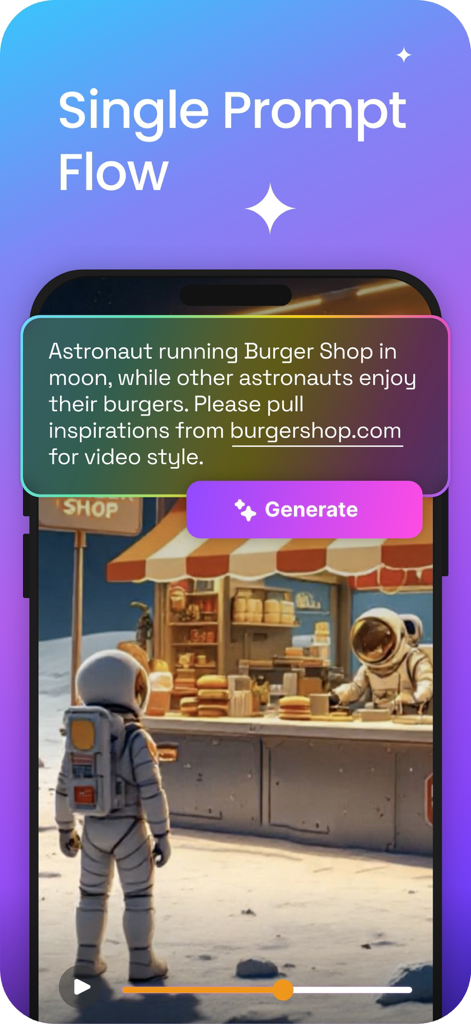
Steve AI: AI Video Generator - Steve AI 앱 인터페이스는 텍스트 설명을 AI 생성 동영상으로 변환하는 단일 프롬프트 흐름을 보여줍니다.
Steve AI 앱 인터페이스는 텍스트 설명을 AI 생성 동영상으로 변환하는 단일 프롬프트 흐름을 보여줍니다.

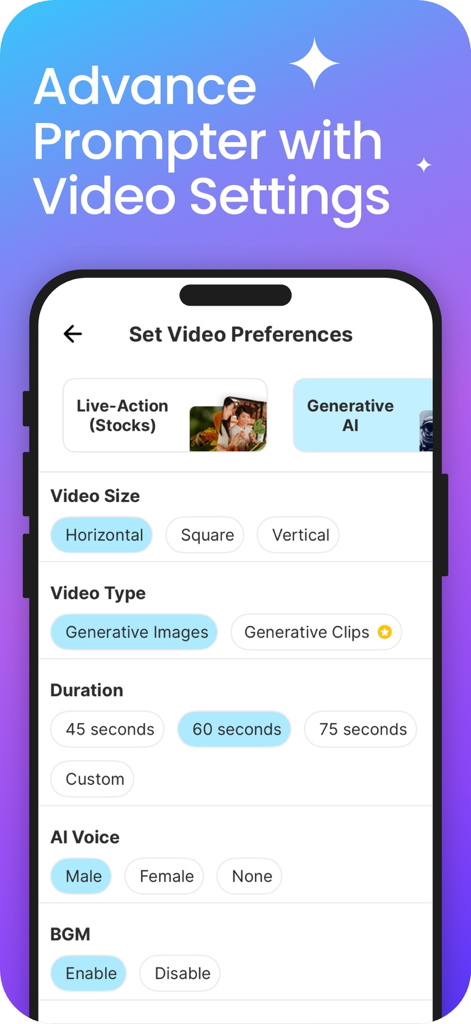
Steve AI: AI Video Generator - Steve AI 앱 인터페이스는 크기, 길이, AI 음성 옵션 등 동영상 기본 설정을 위한 것입니다.
Steve AI 앱 인터페이스는 크기, 길이, AI 음성 옵션 등 동영상 기본 설정을 위한 것입니다.

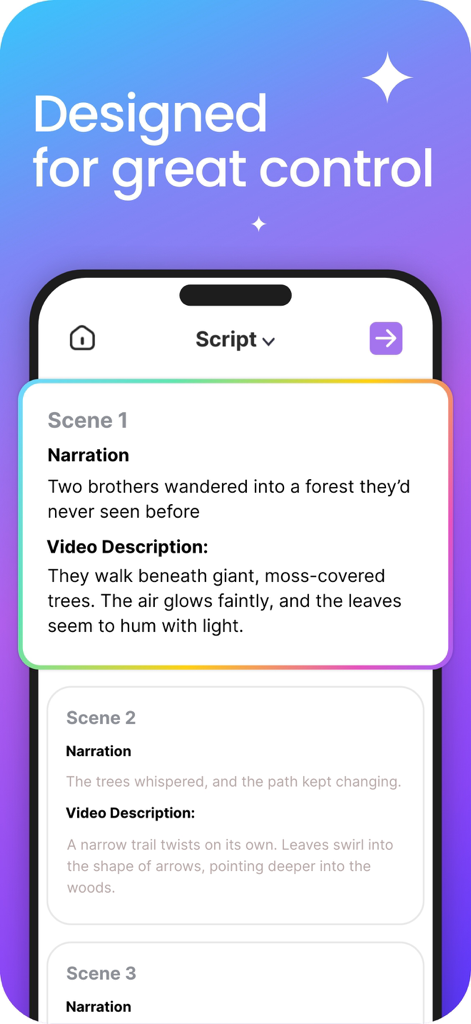
Steve AI: AI Video Generator - 정확한 콘텐츠 제어를 위해 AI 동영상 스크립트 편집, 장면 설명 및 내레이션을 보여주는 모바일 인터페이스.
정확한 콘텐츠 제어를 위해 AI 동영상 스크립트 편집, 장면 설명 및 내레이션을 보여주는 모바일 인터페이스.

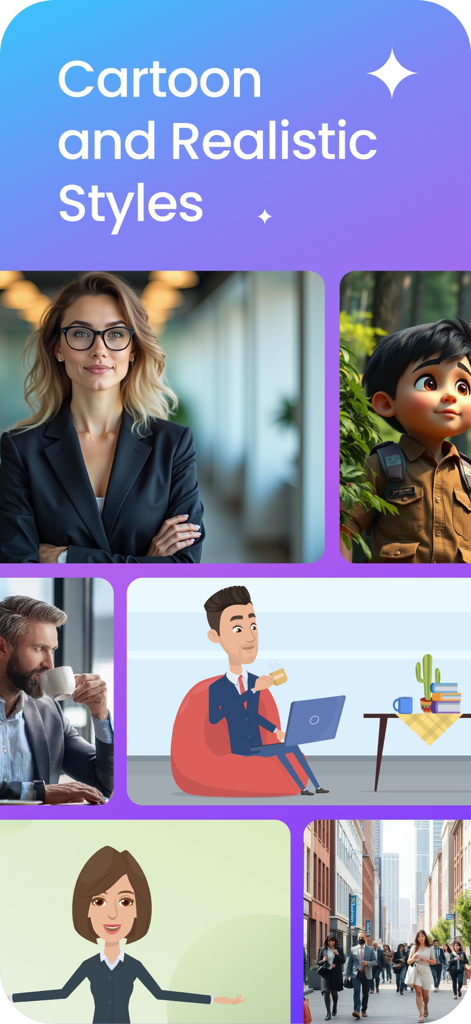
Steve AI: AI Video Generator - AI 동영상 제작을 위한 만화 및 사실적인 시각 스타일 디스플레이.
AI 동영상 제작을 위한 만화 및 사실적인 시각 스타일 디스플레이.

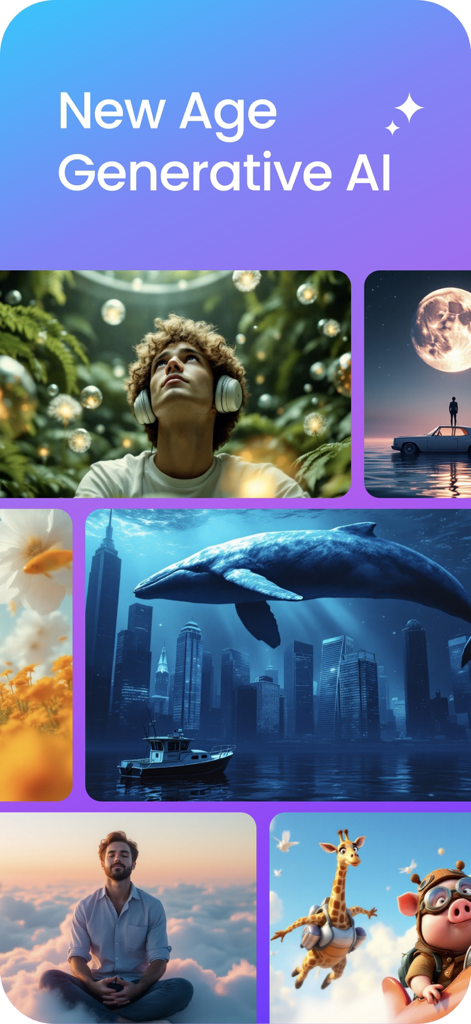
Steve AI: AI Video Generator - 초현실적인 도시 풍경, 애니메이션, 영화 같은 초상화를 포함한 다양한 고품질 AI 생성 동영상 스타일 콜라주.
초현실적인 도시 풍경, 애니메이션, 영화 같은 초상화를 포함한 다양한 고품질 AI 생성 동영상 스타일 콜라주.

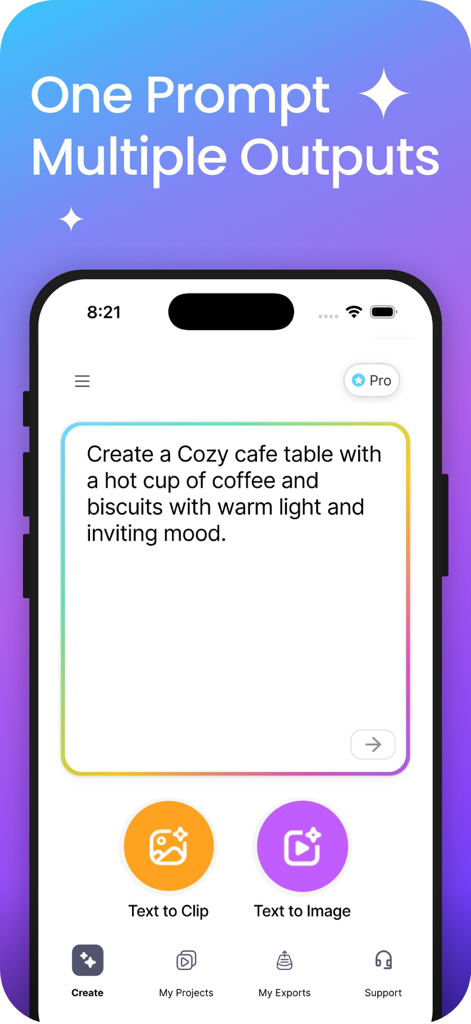
Steve AI: AI Video Generator - Steve AI 앱 인터페이스는 AI 동영상 클립 및 이미지를 생성하기 위한 텍스트 프롬프트 입력 필드를 보여줍니다.
Steve AI 앱 인터페이스는 AI 동영상 클립 및 이미지를 생성하기 위한 텍스트 프롬프트 입력 필드를 보여줍니다.

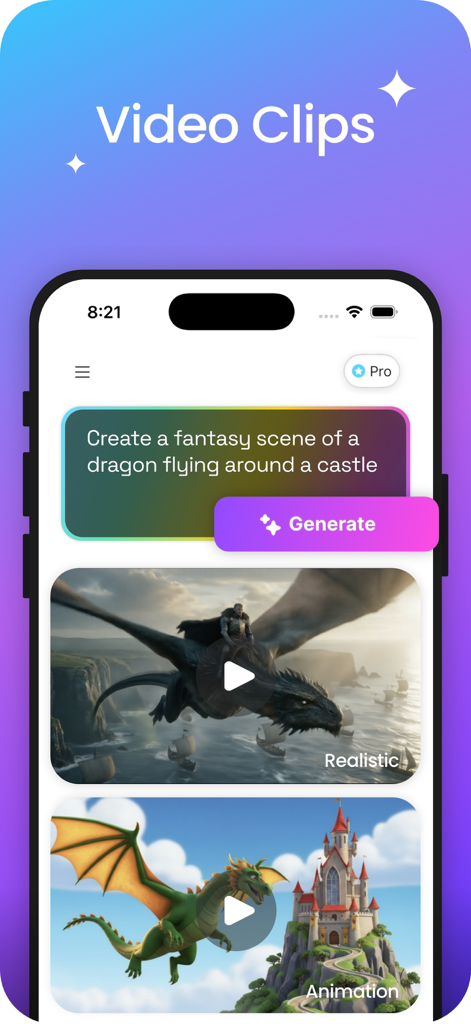
Steve AI: AI Video Generator - Steve AI 앱 화면은 사실적이고 애니메이션화된 용 동영상 클립을 생성하는 텍스트 프롬프트를 보여줍니다.
Steve AI 앱 화면은 사실적이고 애니메이션화된 용 동영상 클립을 생성하는 텍스트 프롬프트를 보여줍니다.

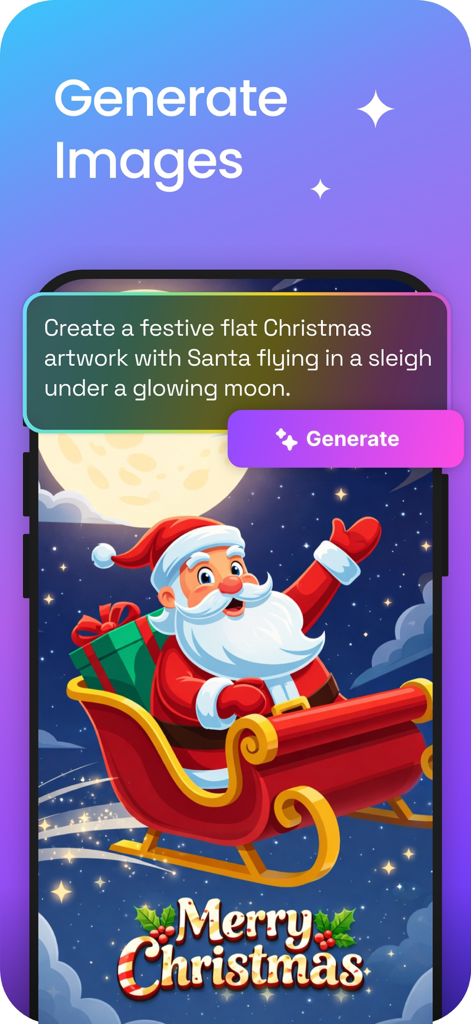
Steve AI: AI Video Generator - 텍스트 프롬프트와 산타클로스가 썰매를 타고 있는 AI 생성 예술 작품이 있는 이미지 생성 기능을 보여주는 Steve AI 앱 스크린샷입니다.
텍스트 프롬프트와 산타클로스가 썰매를 타고 있는 AI 생성 예술 작품이 있는 이미지 생성 기능을 보여주는 Steve AI 앱 스크린샷입니다.

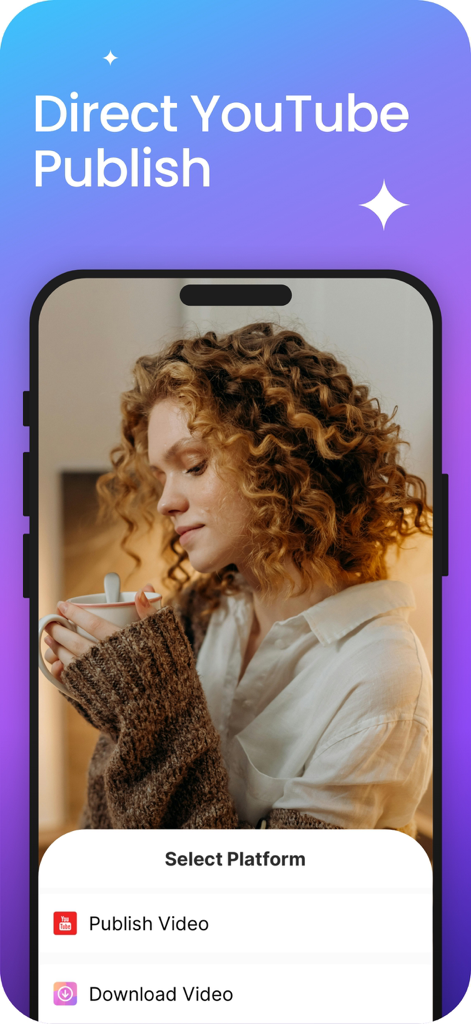
Steve AI: AI Video Generator - Steve AI 앱 인터페이스는 영화 같은 동영상 미리 보기 아래에 직접 YouTube 게시 및 동영상 다운로드 메뉴를 보여줍니다.

Steve AI 앱 인터페이스는 영화 같은 동영상 미리 보기 아래에 직접 YouTube 게시 및 동영상 다운로드 메뉴를 보여줍니다.

설명

Steve AI delivers 10x quality with cutting-edge Gen AI. Create stunning, high-impact videos in seconds—no editing required. Limitless possibilities, effortless creation! AI-powered video creation that keeps up with your ideas. Just Add Prompts & Create • Turn ideas into videos instantly—no juggling between multiple editing apps. • Intelligent scene selection for visuals that match your story. • Studio-quality audio—crisp, clear, and confident. • No buffering, no delays—just instant video generation. No Learning Curve • User-friendly and intuitive—get started instantly. • No prior experience is needed—just type, customize, and publish. Smarter Videos, Stronger reach • Crisp visuals, smooth animations, and natural AI motion. • No awkward transitions—just polished, pro-quality videos. • AI-enhanced storytelling that captivates and converts. • Perfect for explainer videos, social media content, and YouTube automation. One-Click YouTube Upload • Download or directly publish to YouTube without hassle. • Optimized for social media—export-ready videos for Instagram, TikTok, shorts & more. • Unlimited publishing to grow your reach. • Get your videos in front of more people, faster. Turn Views Into Revenue: Smart AI content is booming, and Steve AI helps you cash in. • YouTube Monetization – Earn ad revenue without ever showing your face. • TikTok & Instagram Reels – Leverage short-form videos for massive reach. • Affiliate Marketing – Create videos to promote brands & get commissions. • Sell Digital Products – Use videos to market eBooks, courses & more. FAQs Is Steve AI beginner-friendly? Totally! No video editing skills needed—just type, customize, and hit publish. Is there a free trial? Yep! You can create videos for free, and you get three free YouTube uploads before upgrading. Do I own the videos I create? Absolutely! Once you export them, they’re yours to share, monetize, and use however you want. Create better, hustle less—start making pro-quality videos today with Steve AI! STEVE SUBSCRIPTION Steve Mobile offers 5 subscription options - iStock Monthly, Mobile Pro Monthly, Generative AI Monthly, iStock Yearly and Mobile Pro Yearly. With a Steve Mobile subscription, you'll gain access to advanced features, including the ability to create animations and Generative AI video. Subscriptions are charged to your iTunes account at the time of purchase. They automatically renew unless cancelled at least 24 hours before the end of the current billing period. Your account will be charged for renewal within 24 hours prior to the end of the current period, at the same price and for the same duration as the original subscription. You can manage or cancel your subscription at any time through your iTunes account settings. Please note that cancellations are not allowed during an active subscription period. Do you have any app issues or would you like to share ideas? Go to the Menu section in the app and connect with the Support team by clicking on "Ask a Question?" or Please write to us at team@steve.ai Terms of Service, Privacy Policy and Data Policy: https://www.steve.ai/privacy-policy Terms of Use: https://www.apple.com/legal/internet-services/itunes/dev/stdeula/

Download

다운로드: App Store

이 페이지는 앱이나 개발자의 공식 페이지가 아니며, 정보 제공 및 논평을 목적으로 작성된 독립 편집 간행물입니다. 명시적으로 달리 언급되지 않는 한, 해당 앱이나 개발자는 MWM, Apple, Google Play, 앱 퍼블리셔 또는 앱 개발자와 제휴, 보증, 후원, 승인 또는 공식적으로 연결되어 있지 않으며, 이 페이지의 어떤 내용도 해당 앱이 MWM의 서비스를 사용하여 개발되었음을 의미하지 않습니다. 모든 상표, 로고, 스크린샷 및 기타 콘텐츠는 해당 소유자의 자산입니다.








