Sticker Maker Hub - WASticker
다운로드: App Store

이 페이지는 앱이나 개발자의 공식 페이지가 아니며, 정보 제공 및 논평을 목적으로 작성된 독립 편집 간행물입니다. 명시적으로 달리 언급되지 않는 한, 해당 앱이나 개발자는 MWM, Apple, Google Play, 앱 퍼블리셔 또는 앱 개발자와 제휴, 보증, 후원, 승인 또는 공식적으로 연결되어 있지 않으며, 이 페이지의 어떤 내용도 해당 앱이 MWM의 서비스를 사용하여 개발되었음을 의미하지 않습니다. 모든 상표, 로고, 스크린샷 및 기타 콘텐츠는 해당 소유자의 자산입니다.


로고: Sticker Maker Hub - WASticker
다운로드: App Store

Sticker Maker Hub - WASticker

친구, 반려동물, 좋아하는 밈 사진을 즉시 WhatsApp 및 iMessage용 독특한 스티커로 만드세요. AI 기반 자동 누끼 따기를 사용하여 몇 초 만에 나만의 디지털 정체성을 만들고, 애니메이션화하고, 공유하세요.

주요 수치

다운로드

1M+

사용자 평점

4.8/5

총 평가 수

21K+

개발사

Dream Downloader Infotech Ltd.

카테고리

Utilities

지원 언어

16

최신 버전

1.4.7

크기

80.5 MB

출시일

2022년 3월 1일
기능

그룹 채팅을 한 단계 업그레이드하세요

모든 대화를 걸작으로 만드세요. 사진으로 맞춤 스티커를 만들거나 WhatsApp 및 iMessage용으로 준비된 수천 가지의 인기 애니메이션 디자인을 탐색하세요.

즉각적인 AI 누끼 따기

반려동물, 친구, 밈을 마법처럼 스티커로 만드세요. 전문적인 편집 기술이 필요 없습니다. 탭하고, 자르고, 나만의 시각적 슬랭을 만드세요.

방대한 애니메이션 라이브러리

수천 개의 인기 있는 정적 및 동영상 스티커를 찾아보세요. 애니메이션부터 재미있는 동물까지, 모든 분위기에 완벽한 반응을 찾을 수 있습니다.

FAQ

자주 묻는 질문

에 대해 알아야 할 모든 것 Sticker Maker Hub - WASticker

iPhone용 스티커 메이커 허브 - WASticker는 무엇인가요?

Sticker Maker Hub - WASticker는 무료 iPhone 앱으로, 사용자가 무제한의 맞춤 스티커를 만들고 방대한 정적 및 애니메이션 스티커 컬렉션을 이용할 수 있도록 합니다. 사용자는 이러한 스티커 팩을 WhatsApp 및 iMessage로 내보낼 수 있습니다.

Sticker Maker Hub 앱으로 사용자 지정 스티커를 어떻게 만드나요?

사용자 지정 스티커를 만들려면 Sticker Maker Hub를 열고 '+'를 누르세요. 이미지를 선택하고 자르거나 모양을 지정하세요. 텍스트, 이모티콘, 테두리 또는 배경을 추가하세요. 마지막으로 새 스티커 팩 또는 기존 스티커 팩에 저장하세요.

Sticker Maker Hub는 WhatsApp 및 iMessage로 스티커를 내보낼 수 있나요?

네, Sticker Maker Hub는 스티커를 WhatsApp 및 iMessage로 내보냅니다. 사용자는 기존의 정적 또는 사용자 지정 스티커 팩을 WhatsApp 토론을 위한 애니메이션 스티커 팩을 포함하여 이러한 메시징 앱에 직접 추가할 수 있습니다.

다음 스크린샷과 설명은 앱의 공식 스토어 목록에서 직접 가져온 것이며 앱 개발자의 자산입니다.

앱 스토어

스크린샷
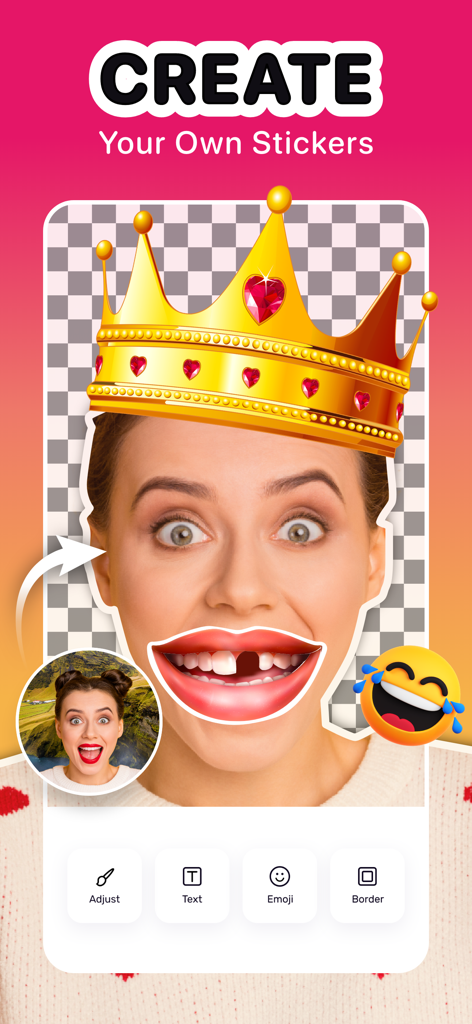
Sticker Maker Hub - WASticker - 왕관과 재미있는 입 모양 오버레이로 맞춤 스티커를 만드는 모습을 보여주는 스티커 제작 허브 앱 인터페이스.
왕관과 재미있는 입 모양 오버레이로 맞춤 스티커를 만드는 모습을 보여주는 스티커 제작 허브 앱 인터페이스.

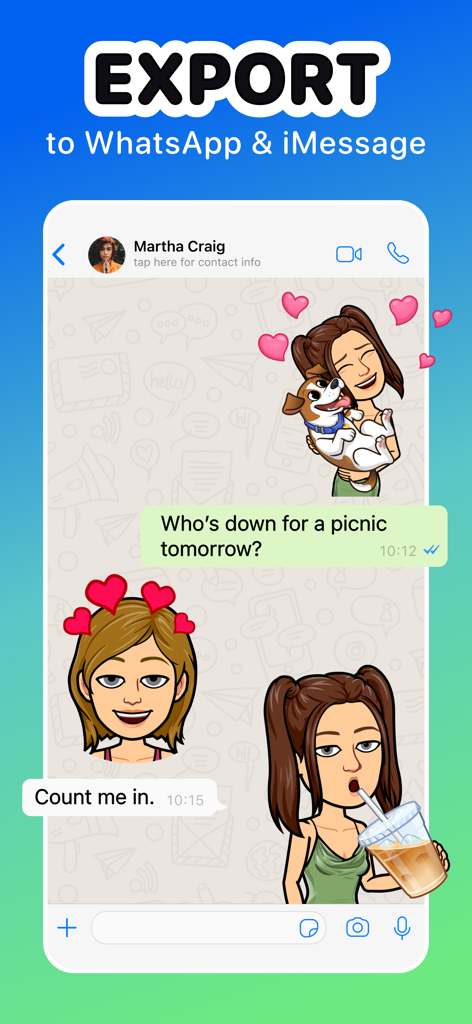
Sticker Maker Hub - WASticker - WhatsApp 및 iMessage 채팅으로 맞춤 스티커 내보내기

WhatsApp 및 iMessage 채팅으로 맞춤 스티커 내보내기

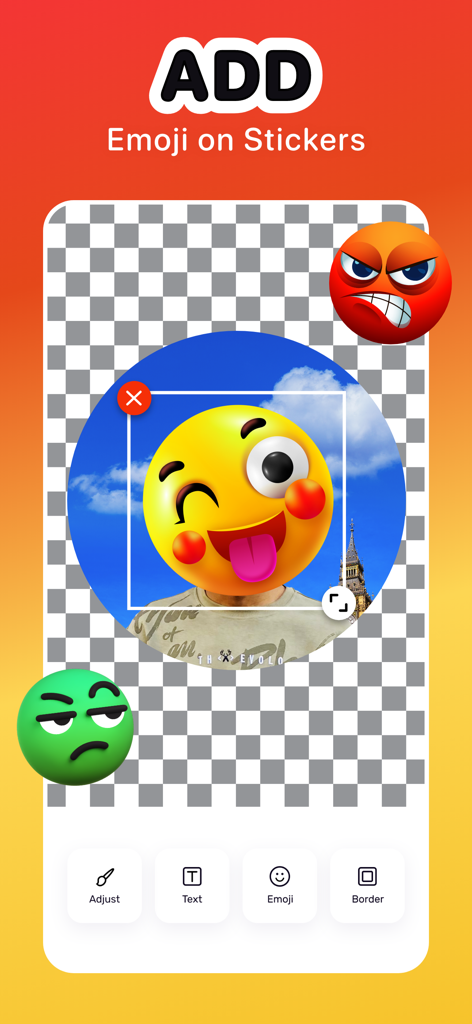
Sticker Maker Hub - WASticker - 텍스트 및 테두리와 같은 편집 도구를 사용하여 맞춤 스티커에 이모티콘을 추가하기 위한 모바일 인터페이스
텍스트 및 테두리와 같은 편집 도구를 사용하여 맞춤 스티커에 이모티콘을 추가하기 위한 모바일 인터페이스

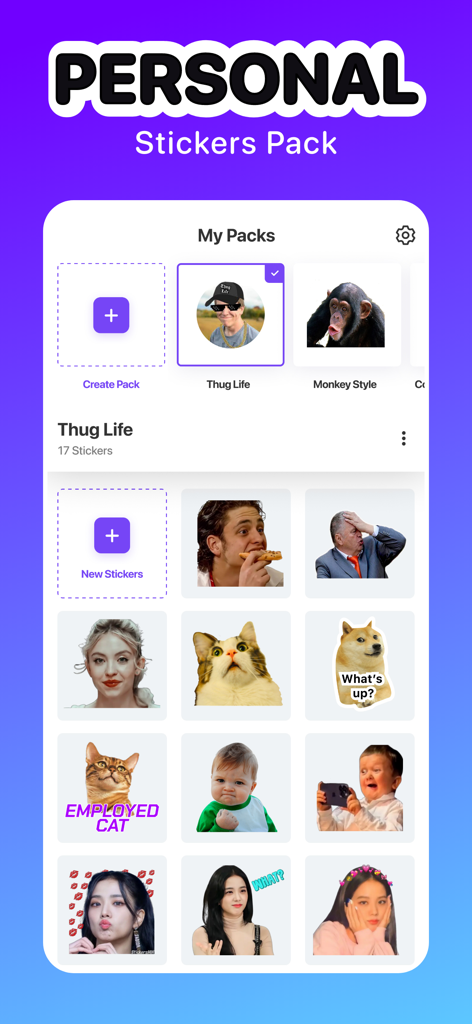
Sticker Maker Hub - WASticker - 개인 맞춤 스티커 및 밈 팩 컬렉션을 보여주는 스티커 제작 허브 앱 인터페이스
개인 맞춤 스티커 및 밈 팩 컬렉션을 보여주는 스티커 제작 허브 앱 인터페이스

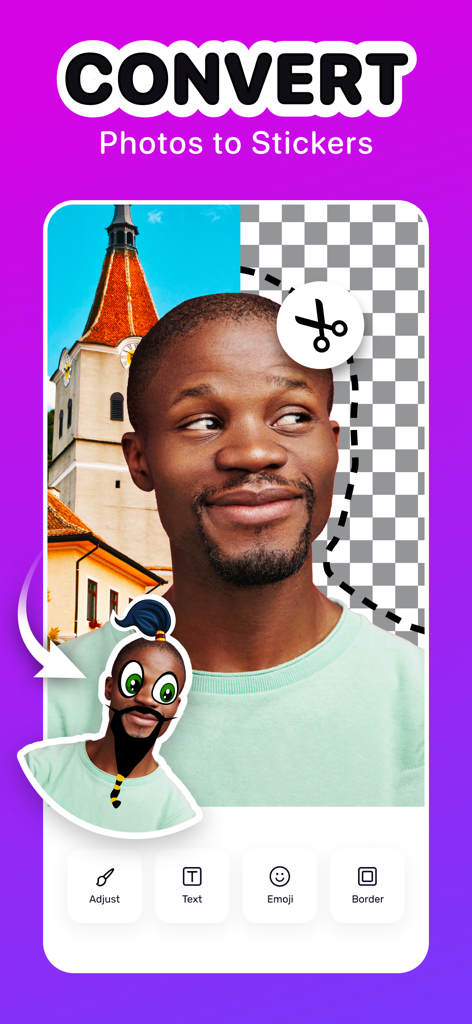
Sticker Maker Hub - WASticker - 누끼 따기 및 편집 도구를 사용하여 인물 사진을 맞춤 디지털 스티커로 변환하는 모습을 보여주는 스티커 제작 허브 앱 인터페이스.
누끼 따기 및 편집 도구를 사용하여 인물 사진을 맞춤 디지털 스티커로 변환하는 모습을 보여주는 스티커 제작 허브 앱 인터페이스.

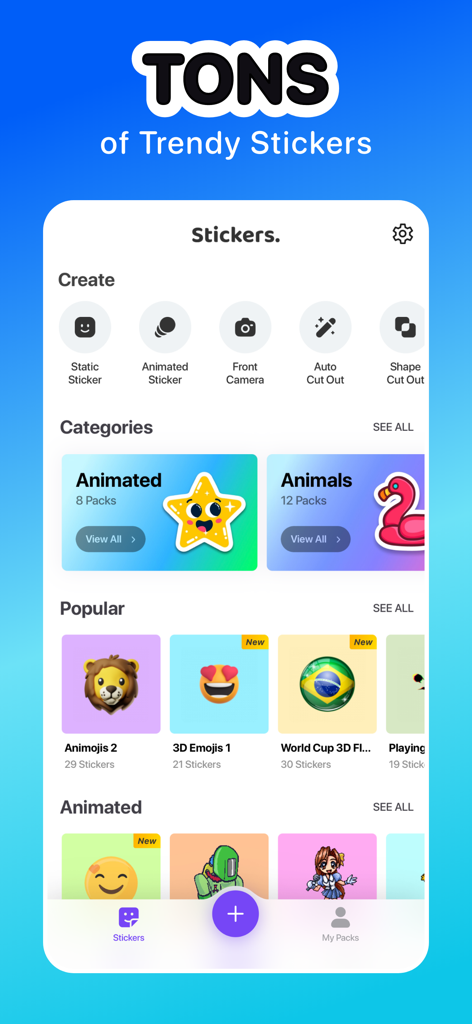
Sticker Maker Hub - WASticker - 다양한 인기 스티커 카테고리와 자동 누끼 따기 및 애니메이션 스티커와 같은 맞춤 제작 도구를 보여주는 모바일 앱 인터페이스
다양한 인기 스티커 카테고리와 자동 누끼 따기 및 애니메이션 스티커와 같은 맞춤 제작 도구를 보여주는 모바일 앱 인터페이스

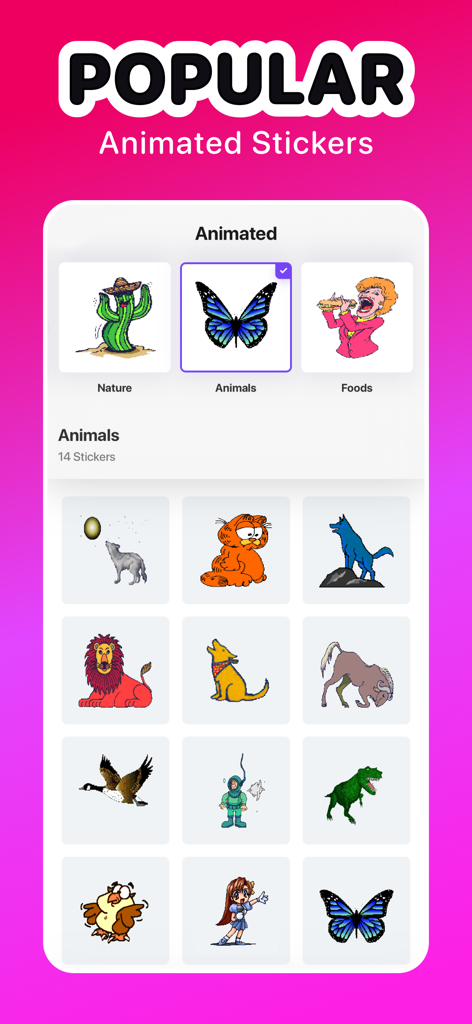
Sticker Maker Hub - WASticker - 나비와 공룡을 포함한 인기 있는 애니메이션 동물 스티커 컬렉션을 표시하는 스티커 제작 허브 앱 인터페이스.
나비와 공룡을 포함한 인기 있는 애니메이션 동물 스티커 컬렉션을 표시하는 스티커 제작 허브 앱 인터페이스.

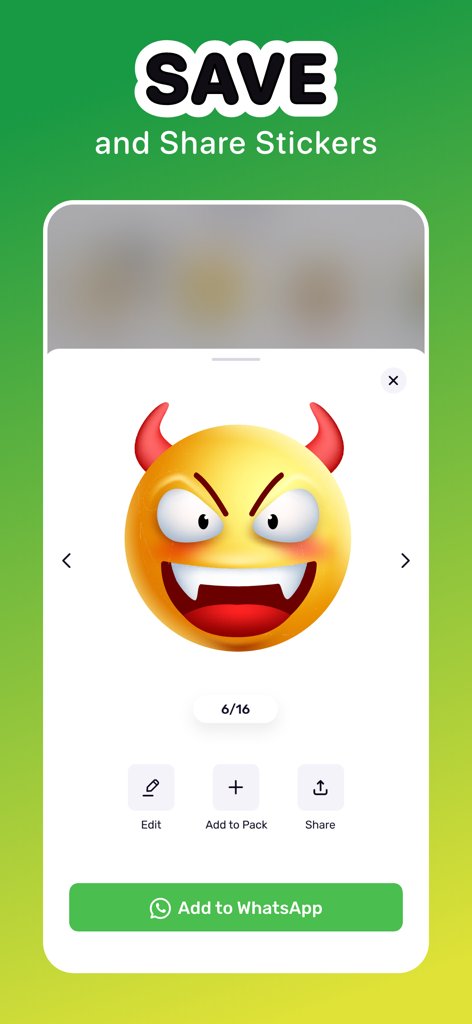
Sticker Maker Hub - WASticker - 저장 및 WhatsApp으로 공유 옵션이 있는 악마 이모티콘 스티커를 보여주는 인터페이스

저장 및 WhatsApp으로 공유 옵션이 있는 악마 이모티콘 스티커를 보여주는 인터페이스

설명

Discover vast numbers of cool stickers to use or create unlimited custom stickers with this free Sticker Maker app for iPhone. Easily cut pictures, reshape them and add iPhone emojis and texts to make unique sticker packs. You can also add stickers to WhatsApp and iMessage anytime. Key Features of Sticker Maker: • Make your own pack of stickers for WhatsApp and iMessage • Auto and manual cut-out feature for creating custom stickers • Free collection of static & animated stickers from various categories • Create stickers by using the camera, from Photos, or built-in templates • Crop, Rotate and Shape photos to make stickers • Add cool emojis, text, borders, and background to your stickers • Export sticker packs Collection of static and animated iPhone Stickers Make funny conversations with friends by sending stickers from a fancy catalog of sticker packs. Explore hundreds of cute and funny stickers from different categories like animals, food, music, holidays, etc. You can impress everyone using different animated stickers like Cartoons, Anime, Sports, Animals, etc. Sticker Maker, the best free sticker app on iPhone, will make your chatting engrossing and fun. Custom Sticker Maker Take a snap from your camera or turn any photos from your iPhone into stickers within a moment. You can also use the free sticker templates to make something hilarious. This app offers an auto or manual cut-out tool that helps to keep the portion you want. Use different shapes like Cat, Egg, Fire, etc., for making various customization. Show your creativity by adding text, backgrounds, emojis, and borders. iMessage and WhatsApp Stickers Adding existing static or custom sticker packs to WhatsApp and iMessage is as simple as it can get. Select the sticker pack you want to add and export the pack directly to the apps. You can also add the animated sticker packs to WhatsApp and make discussions with friends more fun. Sticker Maker for iPhone helps you spice up the chats between your friends or loved ones and create memorable memories. Share Stickers with Anyone This free Sticker Maker app lets you share stickers with your friends for them to use. Whether it is an integrated sticker pack or stickers that you've created yourself, share with your loved ones to enrich the whole chatting experience. How to make stickers on iPhone using the Sticker Maker app? Sticker Maker is one of the most powerful apps to make stickers in just a few steps. Just go through the following steps to know how to create it. - Open the app and tap on the "+" button - Choose an image from the album, or use pre-loaded templates. You can also click a picture to start with - Cut out, crop, and give shapes to the photo as you see fit and press "Next" - Touch "Text" to type funny captions - Alternatively, press the "Emoji," “Border,” and “Background” sections to make necessary adjustments - After pressing "Save," either choose "Create New Pack" or save to an existing pack Auto-Renewable Subscription Terms: Subscribe to get unrestricted access to all the features outlined above. - Subscription Length: Weekly, Yearly - Subscription with a free trial period will automatically renew to a paid subscription unless it is canceled at least 24 hours before the end of the trial period. - Payment will be charged to iTunes Account at confirmation of purchase. - Your Apple ID account will be charged for renewal within 24 hours before the end of the trial period. - You can manage and cancel your subscriptions by going to your account settings on the App Store. - Any unused portion of a free trial period, if offered, will be forfeited when the user purchases a subscription to that publication, where applicable. - By signing up for this subscription, you agree to our Terms of Use and Privacy Policy. Terms of Use: https://dreamdownloader.net/legal/stickermaker/terms.html Privacy Policy: https://dreamdownloader.net/legal/stickermaker/privacy.html

Download

다운로드: App Store

이 페이지는 앱이나 개발자의 공식 페이지가 아니며, 정보 제공 및 논평을 목적으로 작성된 독립 편집 간행물입니다. 명시적으로 달리 언급되지 않는 한, 해당 앱이나 개발자는 MWM, Apple, Google Play, 앱 퍼블리셔 또는 앱 개발자와 제휴, 보증, 후원, 승인 또는 공식적으로 연결되어 있지 않으며, 이 페이지의 어떤 내용도 해당 앱이 MWM의 서비스를 사용하여 개발되었음을 의미하지 않습니다. 모든 상표, 로고, 스크린샷 및 기타 콘텐츠는 해당 소유자의 자산입니다.