소설가, 시나리오 작가, 세계관 구축자를 위한 최고의 구독 없는 도구로, 모든 Apple 기기에서 캐릭터, 장면, 복잡한 구조를 정리할 수 있습니다.
개발사
Bartolome Masco Lopez
카테고리
Productivity
다운로드
343K+
사용자 평점
4.6/5
총 평가 수
2K+
지원 언어
7
당신의 걸작을 한눈에
이 인터페이스를 사용하는 343K+ 명의 사용자.
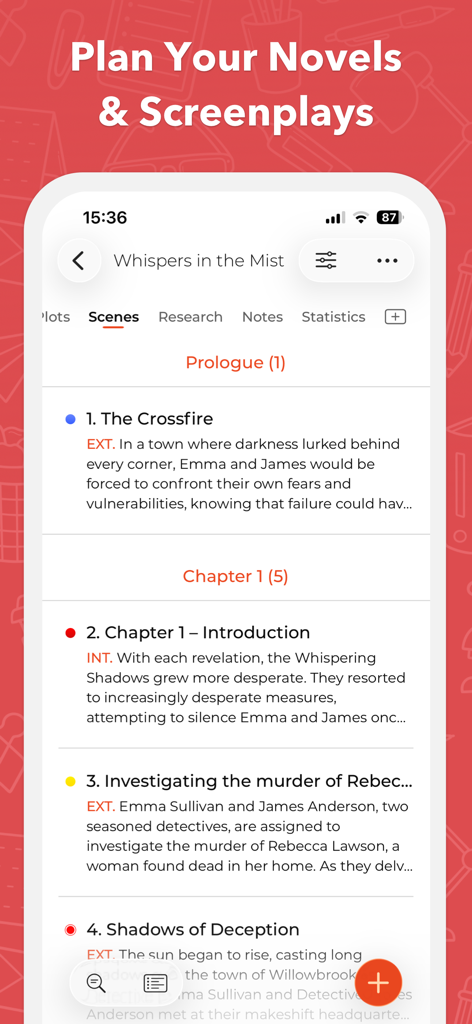
소설을 위한 장면과 챕터의 구조화된 목록을 보여주는 스토리 플래너 앱 인터페이스
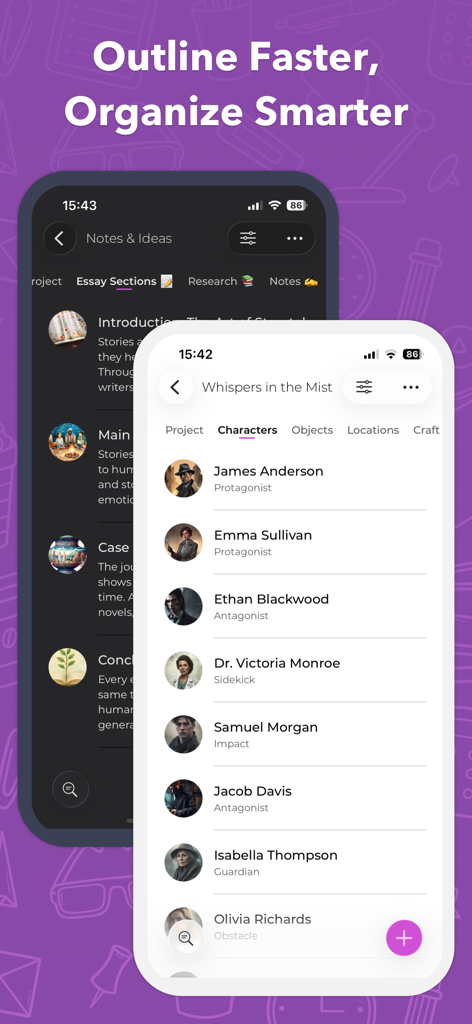
두 개의 iPhone 화면에 캐릭터 목록과 스토리 프로젝트 메모를 보여주는 스토리 플래너 for Writers 앱 인터페이스.
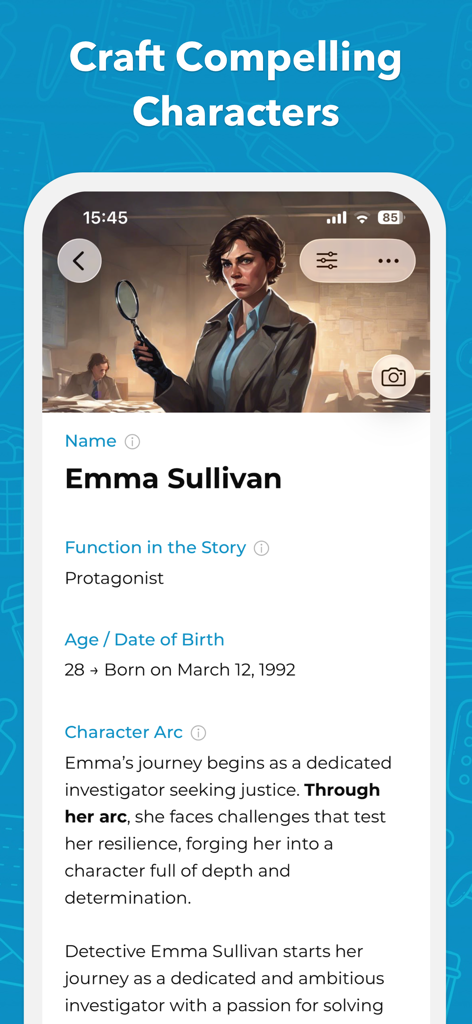
스토리 플래너 앱에서 주인공 엠마 설리번의 이름, 역할, 캐릭터 아크와 같은 세부 정보를 보여주는 캐릭터 프로필 화면.
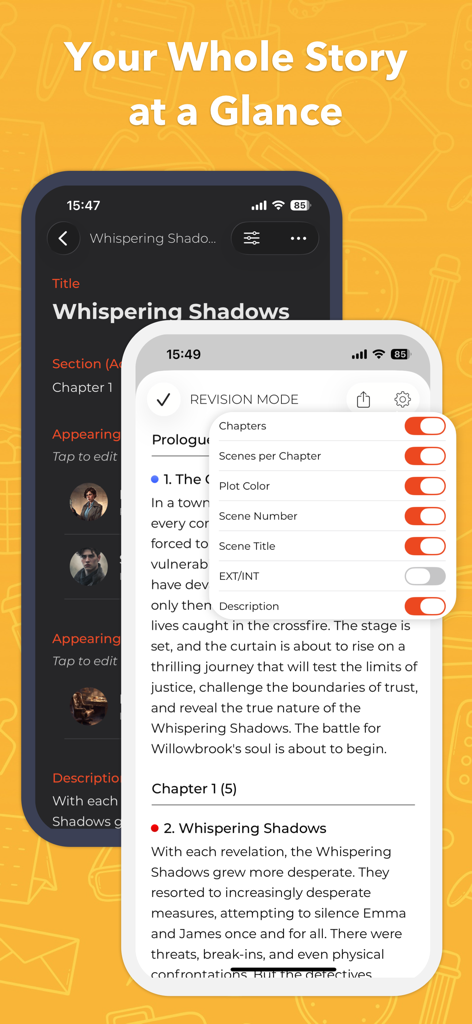
구조화된 플롯 개요와 개정 모드 설정을 보여주는 스토리 플래너 for Writers 앱 스크린샷
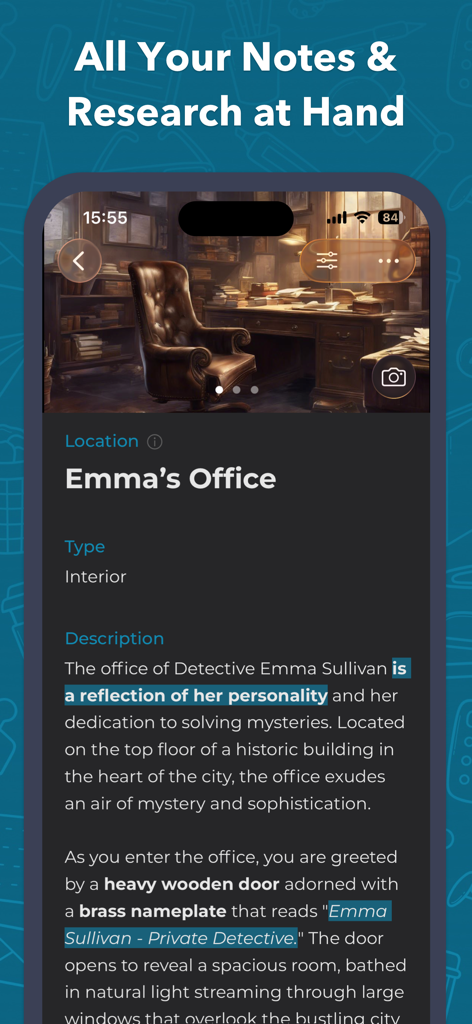
글쓰기 프로젝트를 위한 사무실 설정을 보여주는 스토리 플래너 앱의 상세 위치 프로필.
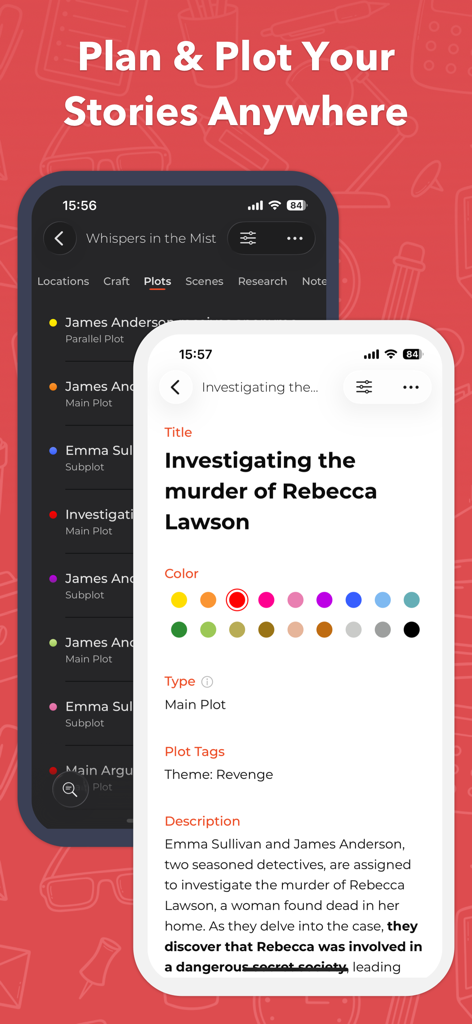
iPhone에서 스토리 플롯 세부 정보 및 구성을 보여주는 스토리 플래너 앱 인터페이스
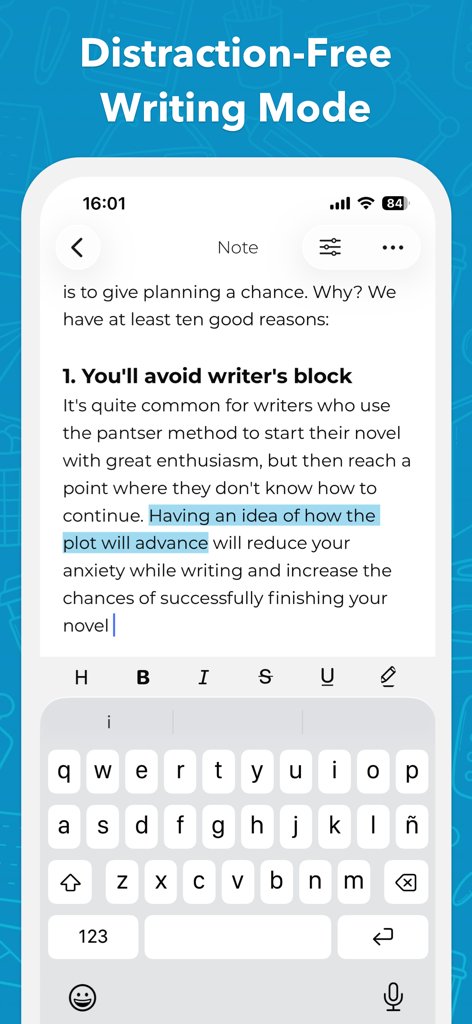
iPhone에서 방해받지 않는 글쓰기 모드를 표시하는 스토리 플래너 앱 인터페이스
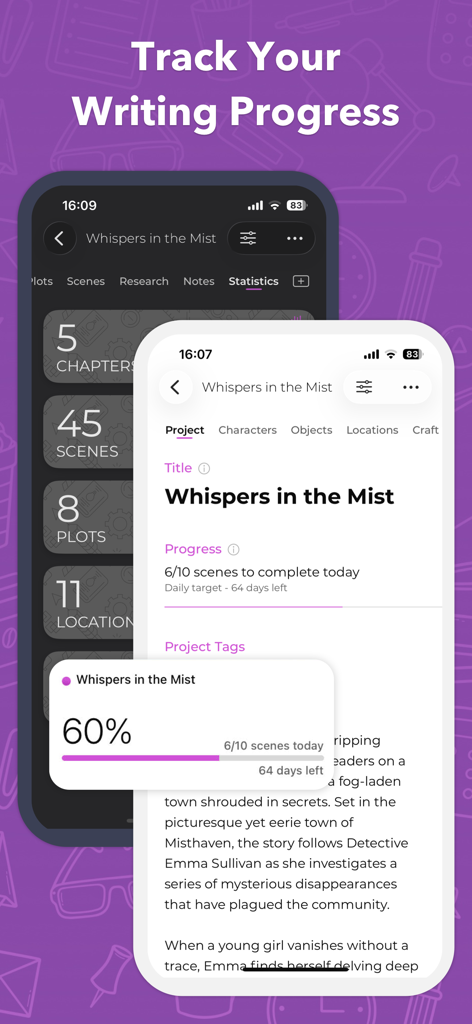
작가들을 위한 글쓰기 진행 상황 및 프로젝트 통계를 표시하는 스토리 플래너 앱 인터페이스
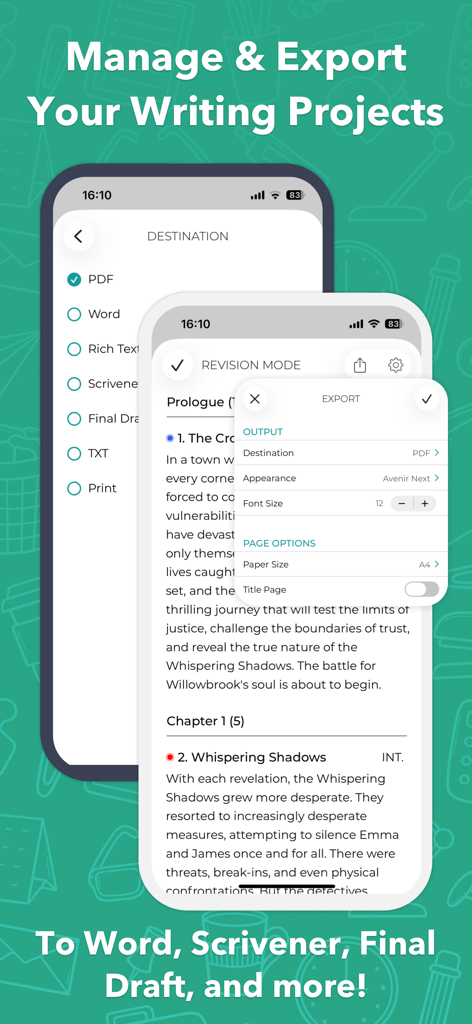
Word, Scrivener, PDF와 같은 형식으로 내보내기 설정을 보여주는 스토리 플래너 for Writers 앱 인터페이스
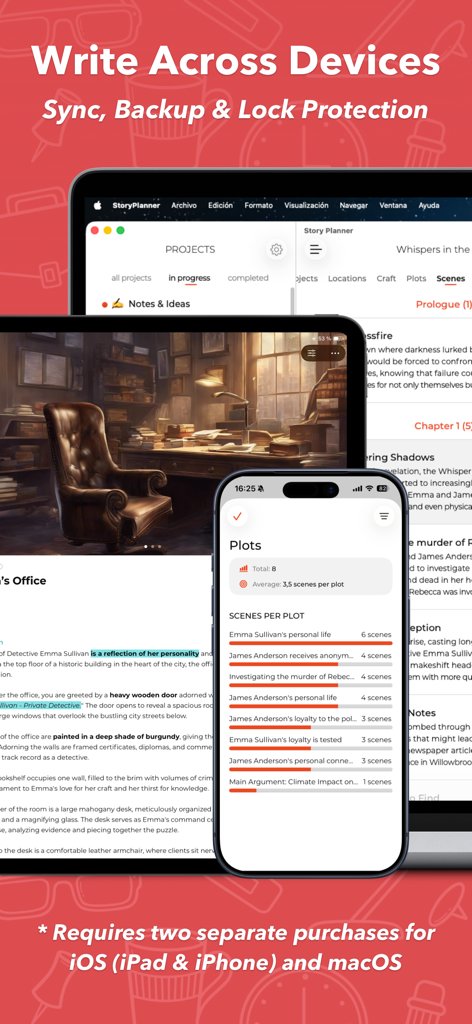
동기화 및 백업 기능을 갖춘 iPhone, iPad, Mac에서 표시되는 스토리 플래너 for Writers 앱 인터페이스
내러티브 아키텍처 마스터하기
이 앱을 돋보이게 하는 도구, 343K+ 명의 사용자가 선택.
🧩
빈틈없는 플롯 구축
직관적인 드래그 앤 드롭 인터페이스를 사용하여 스토리를 액트, 챕터 또는 에피소드로 구성하세요. 플롯 라인을 색상으로 구분하고 개정 모드를 사용하여 내러티브 아크를 한눈에 시각화하세요.
🎭
깊이 있는 캐릭터 및 세계관 구축
특성, 두려움, 배경 설정을 위한 사용자 지정 필드를 사용하여 잊을 수 없는 캐릭터를 개발하세요. 스토리의 세계관을 일관되고 생생하게 유지하기 위해 캐릭터와 장소에 참조 이미지를 첨부하세요.
📤
원활한 전문가 워크플로우
iCloud 동기화를 통해 iPhone, iPad, Mac 전반에서 생산성을 유지하세요. 글쓰기를 시작할 준비가 되면 구조화된 개요를 Scrivener, Final Draft, Word 또는 PDF로 직접 내보낼 수 있습니다.
앱 소개
에 대해 알아야 할 모든 것 Story Planner for Writers.
설명
Story Planner is an easy-to-use and yet powerful tool that helps for plotting novels, screenplays, RPG games, essays, and any kind of writing project. Whether you’re outlining a new idea or organizing a complex fantasy novel, Story Planner makes the writing process clear, flexible, and fun.
Writers, screenwriters, producers, directors, RPG masters—every kind of storyteller will find a powerful ally in Story Planner. No matter if you’re a professional writer or just starting your first draft, Story Planner helps you focus on what really matters: your stories. Create projects your way, keep your notes and research at hand, and stay in control with quick and intuitive organization. Sync across all your devices and export to your favorite formats—so you can keep writing wherever you are.
OUTLINE AND ORGANIZE YOUR WRITING
• Create custom projects for novels, screenplays, essays, research and more.
• Add your own sections to any project: characters, plots, scenes, objects, worldbuilding, notes—whatever your story needs.
• Customize each card: choose which fields appear, reorder them, and add new ones for the details you care about.
• Attach images everywhere: characters, locations, scenes, notes... Even in your custom tabs!
• Organize projects with tags and archive what you don’t need right now
• Take notes of your ideas within each project
• Easily switch between the different parts of your project
BRING YOUR STORIES TO LIFE
• Get the main elements of your stories linked to the story structure
• Develop characters with depth, tracking traits, fears, favorite foods, or magical items.
• Create detailed locations and attach reference images
• Organize the plot lines of your stories and assign them a color
• Divide your structure into acts, parts, chapters, or episodes
• Develop the structure scene by scene
• Write your scenes in any order and reorganize later with Drag & Drop
• Assign tags to any element in the story for a better organization
STAY IN CONTROL
• See the big picture with Revision Mode
• Track different threads with colors and tags
• Set goals and follow your writing progress
• Understand your story better with detailed stats
• Widgets and shortcuts on iOS and Mac to boost your productivity
• Work distraction-free with Light or Dark Mode
• Personalize the app with your favorite color theme
• Sync your projects via iCloud across iPhone, iPad, and Mac
EXPORT YOUR WORK
• Export to Word, Scrivener, Final Draft, Ulysses, and more
• Print or create PDF files for sharing
• Choose what to export and customize the style of your files
PRIVACY FIRST
• Story Planner respects your privacy—we don’t collect or see your data
• All your work stays on your device, synced only through your iCloud account
• Protect your projects with Face/Touch ID and automatic backups
ONE PURCHASE, A LIFETIME OF WRITING
• Buy once, enjoy forever—no subscriptions, no in-app purchases
• One purchase for iPhone & iPad, a separate purchase for Mac
THANK YOU!
We’ve spent thousands of hours building Story Planner, and we keep improving it thanks to your feedback. If you enjoy the app, please take a moment to leave us a review—it really helps. And if you have ideas for new features, we’d love to hear from you.
최신 버전
6.1.1
크기
28.8 MB
출시일
2014년 4월 20일
아이디어를 걸작으로 만들 준비가 되셨나요?
343,000명 이상의 작가 및 세계관 구축자들과 함께하세요. 오늘 평생 액세스 권한을 받으세요. 한 번의 구매, 구독 없음, 스토리의 완전한 개인 정보 보호.
App information, icons, screenshots, and descriptions displayed on this page are sourced from the Apple App Store and are the property of their respective developers. Download estimates and rankings are based on MWM's proprietary models and may not reflect actual figures. This page is provided for informational and analytical purposes only.
Believe this page infringes your intellectual property? File a dispute