Sublimation Designer Printer !
다운로드: App Store

이 페이지는 앱이나 개발자의 공식 페이지가 아니며, 정보 제공 및 논평을 목적으로 작성된 독립 편집 간행물입니다. 명시적으로 달리 언급되지 않는 한, 해당 앱이나 개발자는 MWM, Apple, Google Play, 앱 퍼블리셔 또는 앱 개발자와 제휴, 보증, 후원, 승인 또는 공식적으로 연결되어 있지 않으며, 이 페이지의 어떤 내용도 해당 앱이 MWM의 서비스를 사용하여 개발되었음을 의미하지 않습니다. 모든 상표, 로고, 스크린샷 및 기타 콘텐츠는 해당 소유자의 자산입니다.

로고: Sublimation Designer Printer !
다운로드: App Store

Sublimation Designer Printer !

공예가 및 Etsy 기업가를 위한 최고의 디자인 도구입니다. 모바일 장치에서 바로 전문적인 품질의 티셔츠, 머그잔, 개인 맞춤 선물을 만들고 프린터와 완벽하게 통합하여 창의적인 비전을 실현하세요.

주요 수치

다운로드

3K+

사용자 평점

2.8/5

총 평가 수

0

개발사

Kiran Madad

카테고리

Graphics & Design

지원 언어

1

최신 버전

4.0

크기

11.3 MB

출시일

2023년 11월 27일
기능

만들고 확장하는 데 필요한 모든 것

공예가 및 소규모 비즈니스 소유자가 전문적인 방식으로 멋진 승화 프로젝트를 만들고, 시각화하고, 인쇄할 수 있도록 특별히 제작된 올인원 디자인 스위트입니다.

쉬운 드래그 앤 드롭 디자인

복잡한 소프트웨어는 잊으세요. 직관적인 도구와 프리미엄 글꼴 및 그래픽 라이브러리를 사용하여 몇 분 안에 전문적인 디자인을 만드세요.

위험 부담 없는 실시간 미리 보기

비싼 재료 낭비를 멈추세요. 인쇄하기 전에 즉석 제품 템플릿을 사용하여 머그잔, 셔츠 등에 디자인이 어떻게 보일지 정확하게 시각화하세요.

다음 스크린샷과 설명은 앱의 공식 스토어 목록에서 직접 가져온 것이며 앱 개발자의 자산입니다.

앱 스토어

스크린샷
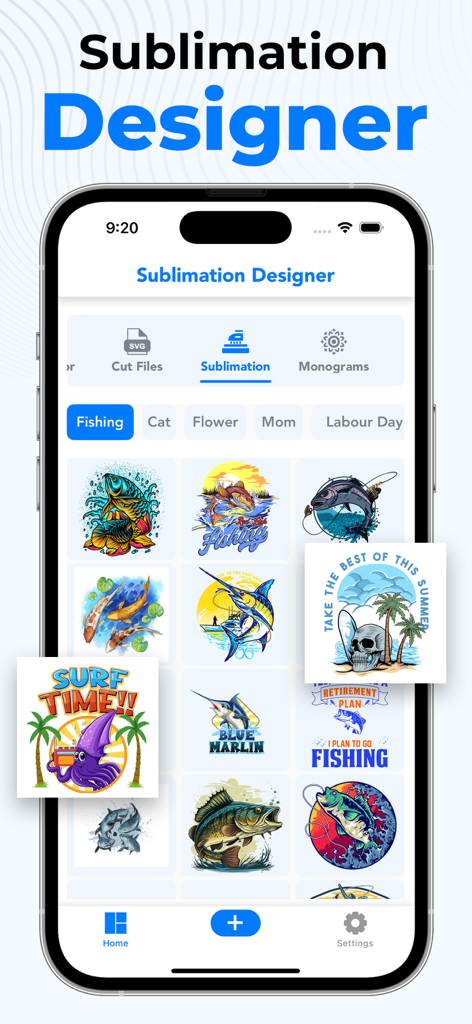
Sublimation Designer Printer ! - 다양한 낚시 및 서핑 디자인 템플릿을 표시하는 승화 디자이너 앱 인터페이스
다양한 낚시 및 서핑 디자인 템플릿을 표시하는 승화 디자이너 앱 인터페이스

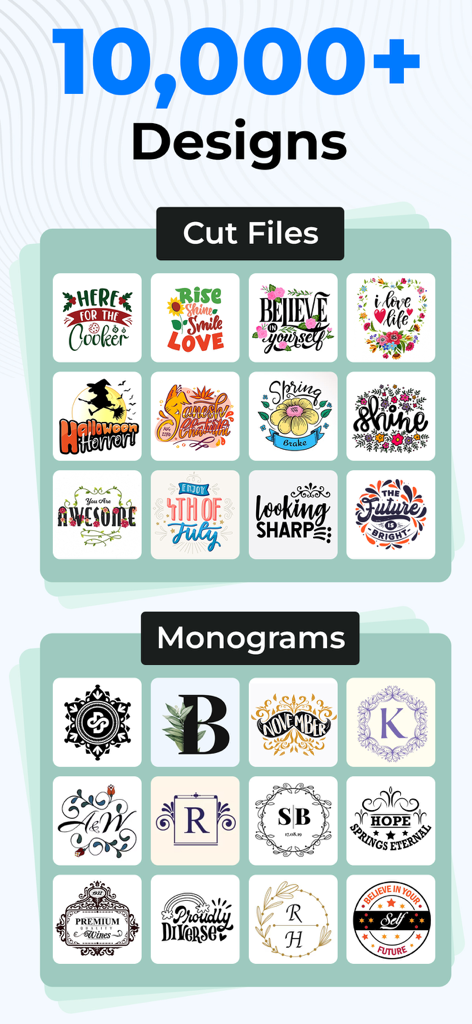
Sublimation Designer Printer ! - 맞춤형 승화 공예 프로젝트를 위한 잘라내기 파일 및 모노그램 모음.
맞춤형 승화 공예 프로젝트를 위한 잘라내기 파일 및 모노그램 모음.

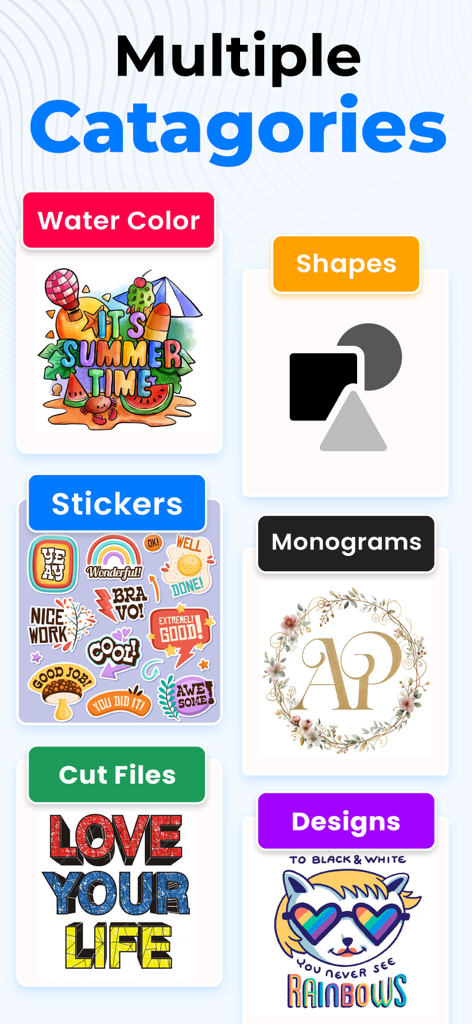
Sublimation Designer Printer ! - 수채화, 스티커, 모노그램, 잘라내기 파일 등 승화를 위한 다양한 디자인 카테고리.
수채화, 스티커, 모노그램, 잘라내기 파일 등 승화를 위한 다양한 디자인 카테고리.

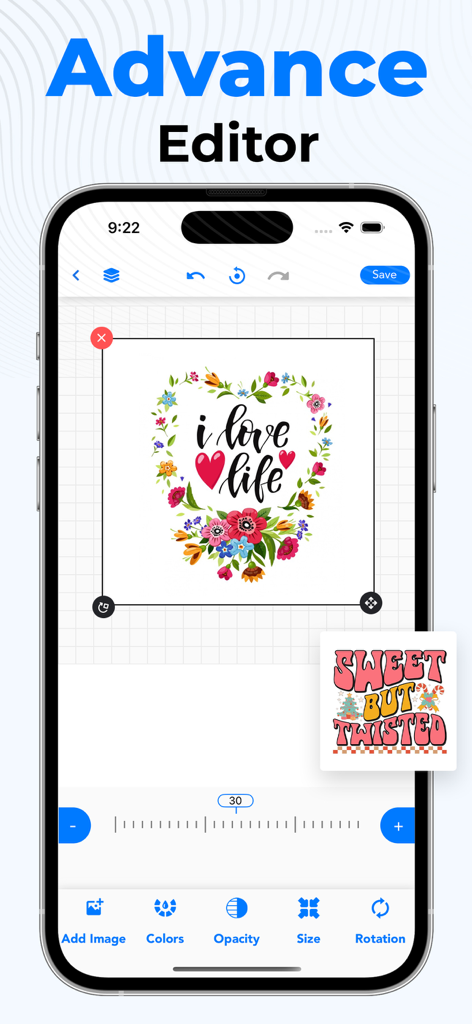
Sublimation Designer Printer ! - 꽃 하트 그래픽 및 사용자 정의 도구가 특징인 승화 디자이너 앱의 고급 편집기 화면.
꽃 하트 그래픽 및 사용자 정의 도구가 특징인 승화 디자이너 앱의 고급 편집기 화면.

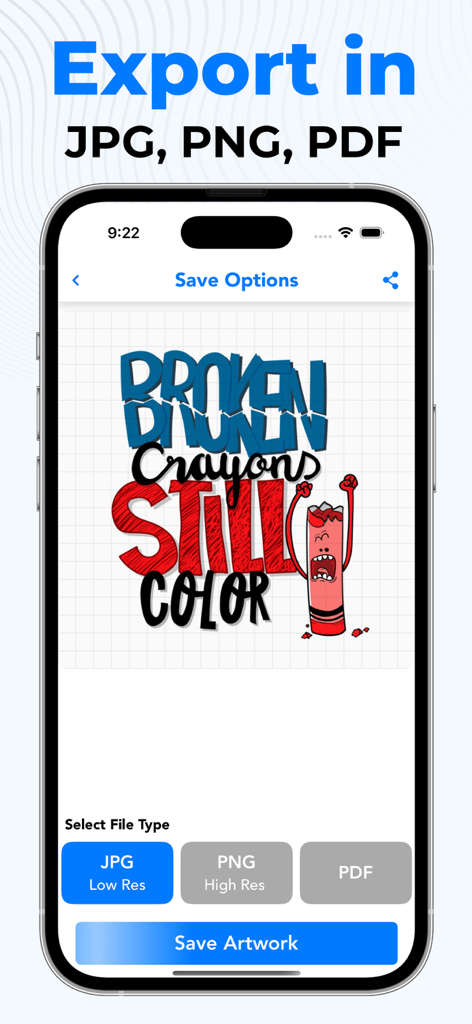
Sublimation Designer Printer ! - 맞춤 디자인을 위한 JPG PNG 및 PDF 저장 옵션을 보여주는 승화 앱 내보내기 화면

맞춤 디자인을 위한 JPG PNG 및 PDF 저장 옵션을 보여주는 승화 앱 내보내기 화면

설명

In the world of customization and personalized creations, the Sublimation Designer app emerges as a powerful tool for designers, artists, and crafting enthusiasts alike. This versatile app empowers users to transform their creative visions into tangible masterpieces, effortlessly designing stunning graphics for a wide range of sublimated products. Unleash Your Inner Designer With a user-friendly interface and an intuitive design process, the Sublimation Designer app caters to both novice designers and experienced professionals. Its extensive library of design elements, including high-quality images, graphics, and fonts, provides a rich source of inspiration, allowing users to create unique and personalized designs. Effortless Design with Drag-and-Drop Functionality The app's seamless drag-and-drop functionality simplifies the design process, enabling users to effortlessly position, resize, and arrange design elements with precision. Whether crafting a personalized mug, designing a captivating T-shirt, or creating eye-catching promotional materials, the Sublimation Designer app streamlines the design process. Real-time Preview for Perfection To ensure that every design meets the user's vision, the app features a real-time preview function. This allows users to visualize their creations on various product templates, ensuring that the final product matches their expectations. Seamless Integration with Sublimation Printers For those seeking to directly print their designs, the Sublimation Designer app seamlessly integrates with sublimation printers. Users can effortlessly connect their app to their printer and send their designs directly for printing, eliminating the need for manual file transfers. A World of Possibilities at Your Fingertips The Sublimation Designer app empowers users to explore a world of creative possibilities, transforming their ideas into tangible realities. Whether you're a seasoned designer or a budding artist, this app provides the tools and resources to unleash your creativity and bring your visions to life. https://sites.google.com/view/sublimationtermofuse/home https://sites.google.com/view/sublimationprivacypolicy/home

Download

다운로드: App Store

이 페이지는 앱이나 개발자의 공식 페이지가 아니며, 정보 제공 및 논평을 목적으로 작성된 독립 편집 간행물입니다. 명시적으로 달리 언급되지 않는 한, 해당 앱이나 개발자는 MWM, Apple, Google Play, 앱 퍼블리셔 또는 앱 개발자와 제휴, 보증, 후원, 승인 또는 공식적으로 연결되어 있지 않으며, 이 페이지의 어떤 내용도 해당 앱이 MWM의 서비스를 사용하여 개발되었음을 의미하지 않습니다. 모든 상표, 로고, 스크린샷 및 기타 콘텐츠는 해당 소유자의 자산입니다.







