Superimpose

Superimpose

다운로드: App Store다운로드: Google Play
로고: Superimpose

Superimpose: 전문 사진 합성 및 블렌딩

모바일에서 데스크톱급 도구로 창의력을 발휘하세요. 정밀한 헤어 마스킹부터 복잡한 멀티 레이어 아트까지, 몇 분 안에 멋진 초현실적인 비주얼과 전문적인 합성을 만드세요.

개발사

Pankaj Goswami

카테고리

Photo & Video

다운로드

755K+

사용자 평점

4.5/5

총 평가 수

9K+

지원 언어

9

실제 예술 작품

이 인터페이스를 사용하는 755K+ 명의 사용자.

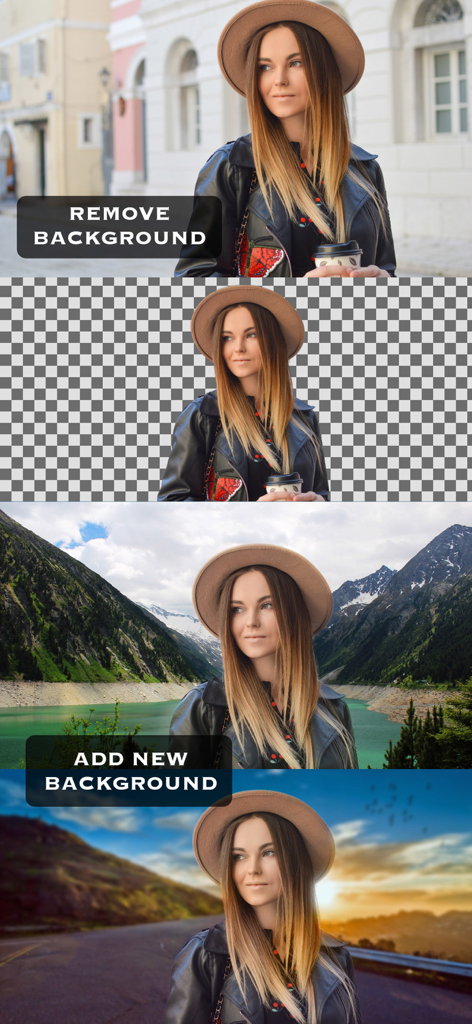
Superimpose 앱을 사용하여 사진 배경을 제거하고 다른 풍경으로 바꾸는 과정을 보여주는 데모.
Superimpose 앱을 사용하여 사진 배경을 제거하고 다른 풍경으로 바꾸는 과정을 보여주는 데모.

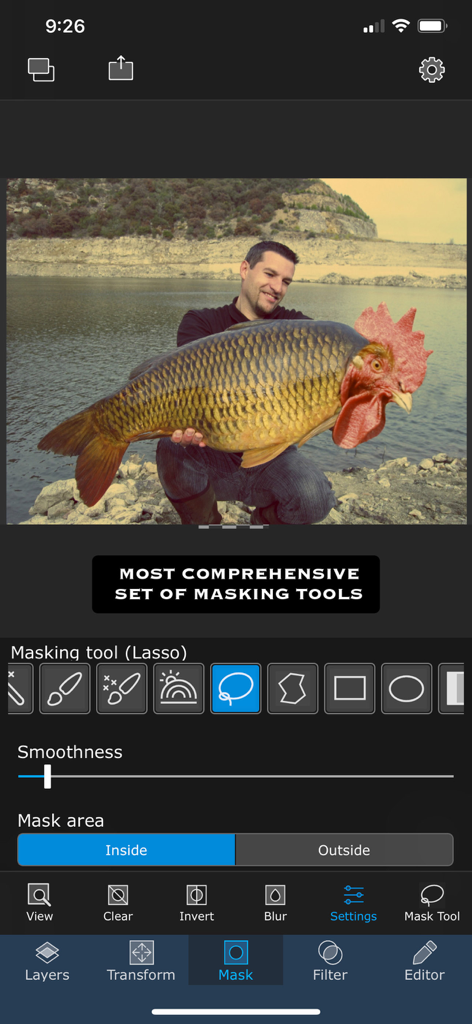
전문 마스킹 도구와 물고기 머리에 수탉 머리가 있는 초현실적인 사진 합성을 보여주는 Superimpose 앱 인터페이스.
전문 마스킹 도구와 물고기 머리에 수탉 머리가 있는 초현실적인 사진 합성을 보여주는 Superimpose 앱 인터페이스.

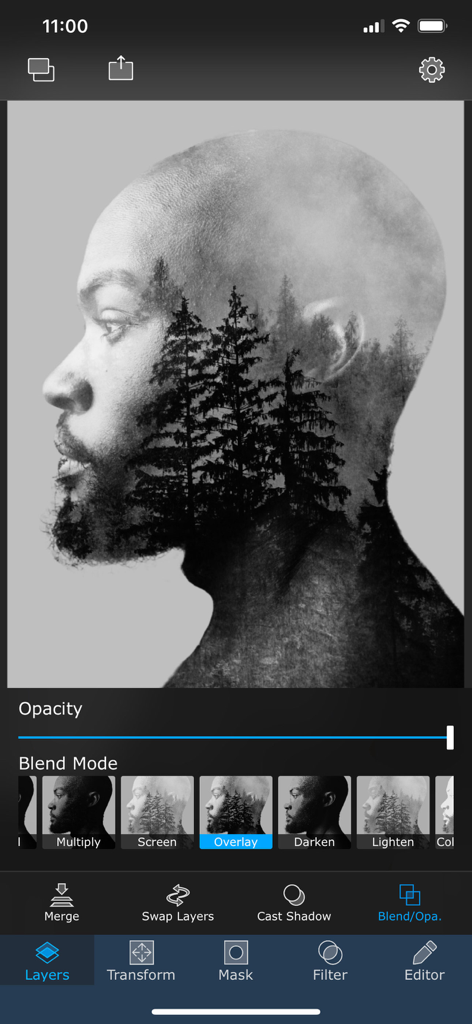
남자의 옆모습에 겹쳐진 숲 나무가 있는 더블 익스포저 효과를 보여주는 모바일 앱 인터페이스.
남자의 옆모습에 겹쳐진 숲 나무가 있는 더블 익스포저 효과를 보여주는 모바일 앱 인터페이스.

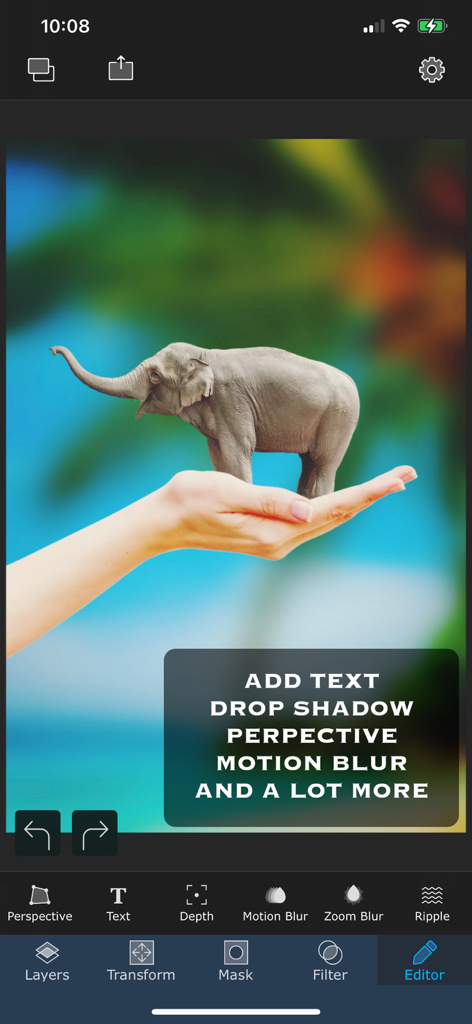
Superimpose 앱에서 만들어진 사람 손 위에 서 있는 작은 코끼리의 초현실적인 사진 합성.
Superimpose 앱에서 만들어진 사람 손 위에 서 있는 작은 코끼리의 초현실적인 사진 합성.

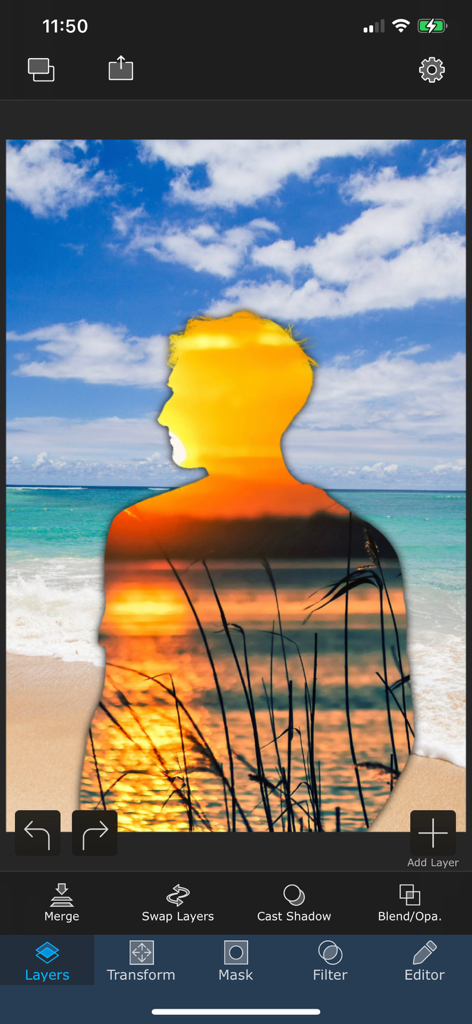
해변 장면 위에 겹쳐진 일몰 더블 익스포저 효과가 있는 사람 실루엣을 보여주는 Superimpose 앱의 모바일 인터페이스
해변 장면 위에 겹쳐진 일몰 더블 익스포저 효과가 있는 사람 실루엣을 보여주는 Superimpose 앱의 모바일 인터페이스

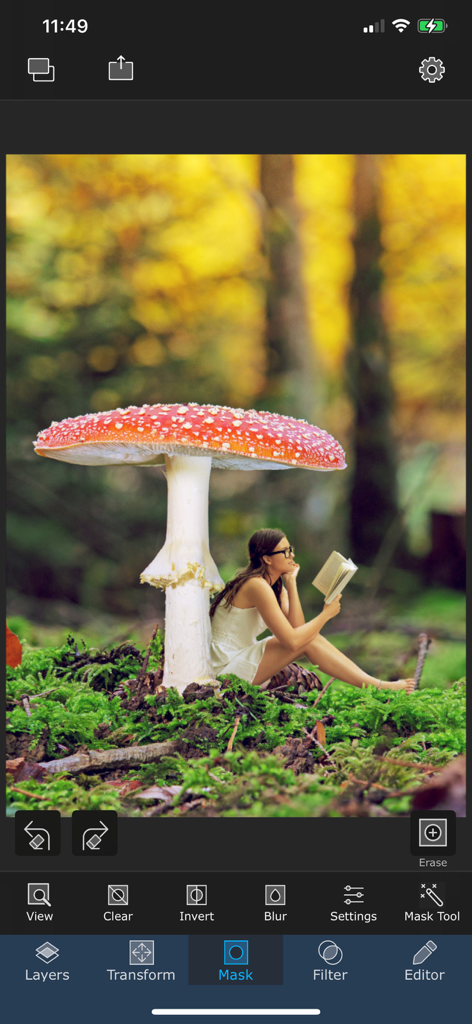
Superimpose 앱에서 마스킹 도구를 사용한 초현실적인 사진 편집.
Superimpose 앱에서 마스킹 도구를 사용한 초현실적인 사진 편집.

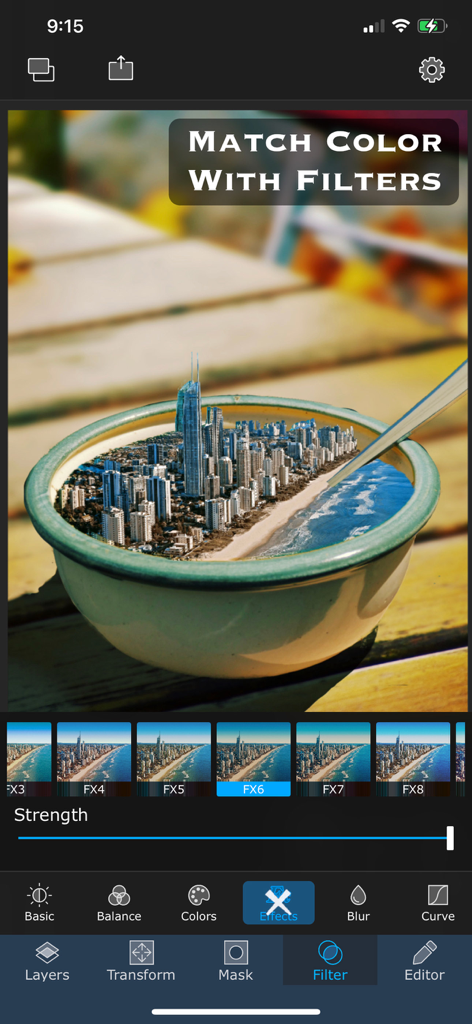
그릇 속 초현실적인 도시 이미지 합성에 색상 일치 필터를 적용한 Superimpose 앱 화면
그릇 속 초현실적인 도시 이미지 합성에 색상 일치 필터를 적용한 Superimpose 앱 화면

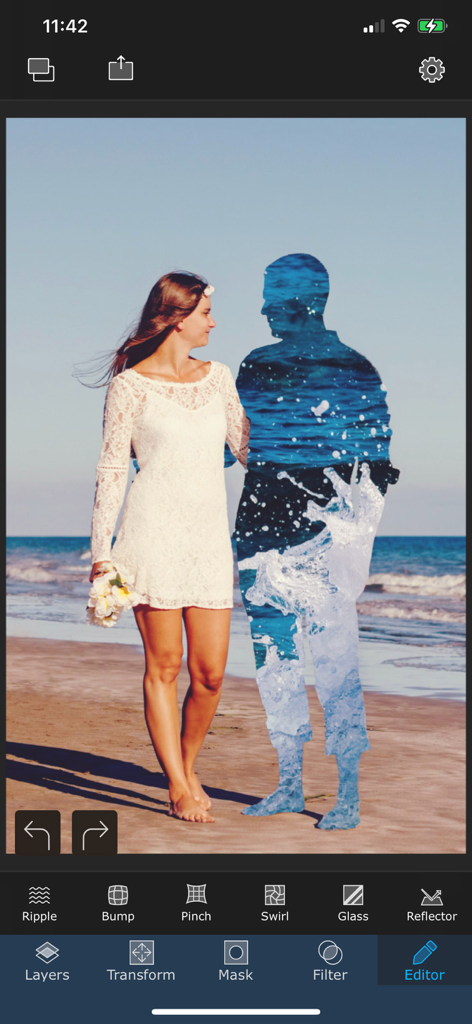
Superimpose 앱에서 물 질감으로 채워진 남자 실루엣 옆 해변을 걷는 여성의 초현실적인 더블 익스포저 사진 편집.
Superimpose 앱에서 물 질감으로 채워진 남자 실루엣 옆 해변을 걷는 여성의 초현실적인 더블 익스포저 사진 편집.

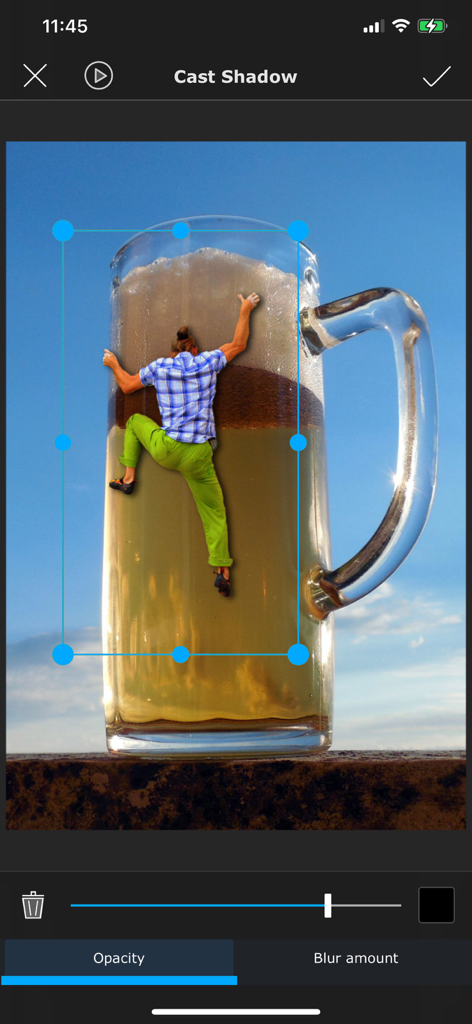
Superimpose 그림자 도구를 사용하여 편집 중인 거대한 맥주잔을 오르는 사람의 초현실적인 사진 합성.
Superimpose 그림자 도구를 사용하여 편집 중인 거대한 맥주잔을 오르는 사람의 초현실적인 사진 합성.

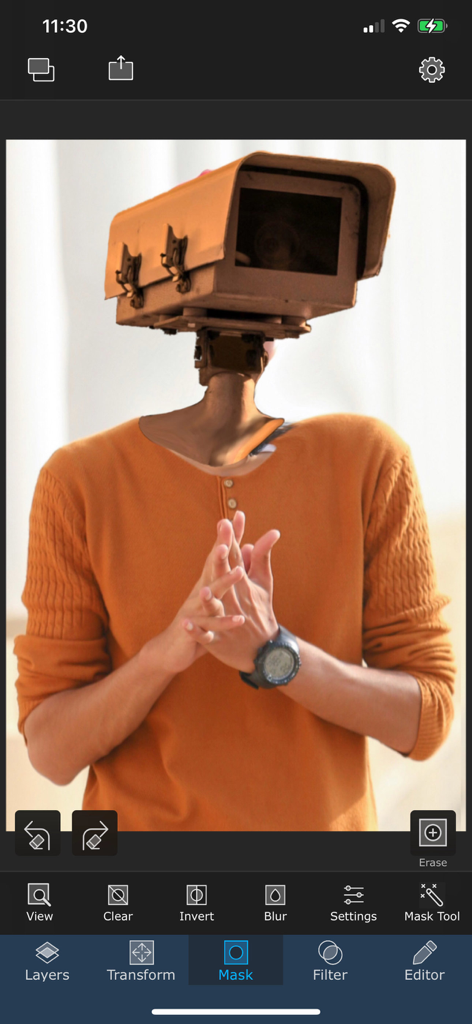
Superimpose 앱 인터페이스에서 만들어진 카메라 머리를 가진 남자의 초현실적인 사진 편집

Superimpose 앱 인터페이스에서 만들어진 카메라 머리를 가진 남자의 초현실적인 사진 편집

모바일 합성 기술 마스터하기

이 앱을 돋보이게 하는 도구, 755K+ 명의 사용자가 선택.

🖌️

정밀 마스킹 및 누끼 따기

스마트 마스킹 도구, 매직 올가미, 색상 범위 선택기를 사용하여 머리카락부터 복잡한 가장자리까지 가장 어려운 디테일을 처리하세요.

🎭

전문가 수준의 레이어링 및 블렌딩

데스크톱급 블렌딩 모드, 원근 보정 및 자연스러운 그림자 효과로 여러 이미지를 레이어링하여 복잡한 장면을 구성하세요.

📦

스마트 에셋 라이브러리

자신만의 라이브러리에 좋아하는 누끼 따기 이미지를 사용자 정의 스티커로 저장하여 소셜 미디어 및 브랜드 마케팅 워크플로우를 간소화하세요.

앱 소개

에 대해 알아야 할 모든 것 Superimpose.

설명

Superimpose lets you unleash your creativity with your photo editing skills. Combine multiple photos to create artistic double exposure, surreal or just fun juxtaposed photo. Superimpose provides a very simple workflow, which almost anyone can follow. Yet, it provides a wide range of tools suitable even for advanced users, to create complex compositions. Blend/mix/combine/cut/copy and paste one photo on another. Creating double exposure photo is as easy as loading two photos and then choosing opacity and blending modes. With advanced masking tools, you can manually or semi-automatically erase portions from one image and then blend that with another photo. From magic lasso, that cuts out an image from a roughly painted boundary to a simple brush masking tool, you can use wide range of masking tools to create all sorts of masking, using this app. The app has tons of masking tools like brush, smart brush, magic wand, magic lasso, lasso, polygon, rectangle, ellipse, linear and radial gradient and color range. Text masking tool and you can even create a mask from an image. And how do you cut out hair or fur of your pet? You can create fine mask of hair, using hair masking tool even to cut out hair! To keep the flow simple, Superimpose works with two photos at a time. But you can keep merging and keep adding more and more layers of photos to create complex compositions. To blend two photos even better, the app supports a set of adjustment tools like exposure, saturation, hue, color balance, curve etc. Apart from blending, advanced masking and filters, Superimpose comes equipped with assorted set of editing tools like perspective correction, adding text with extensive text settings and tools like motion blur, zoom blur etc. Creating a natural shadow of objects that you blend with a photo is easier than ever. A dedicated tool just to create a shadow. Store all your cut outs, stickers or masks in a built-in mask library. For example, you can take photo of your products, mask them and then save them in the mask library. You can later add those cut outs on a background you want to add it to. Create a fun photo by adding one part of the photo as a foreground and another photo as a background. Save images in high resolution either in JPEG, PNG or HEIC format. Terms of use: https://www.superimposeapp.com/terms-of-use--superimpose-classic-.html Privacy Policy: https://www.superimposeapp.com/privacy2.html

최신 버전

9.3.1

크기

298.0 MB

출시일

2011년 6월 17일

디지털 아트를 향상시킬 준비가 되셨나요?

755,000명 이상의 크리에이터와 함께 휴대폰에서 바로 전문적인 걸작으로 사진을 변환하세요.

다운로드: App Store다운로드: Google Play

App information, icons, screenshots, and descriptions displayed on this page are sourced from the Apple App Store and are the property of their respective developers. Download estimates and rankings are based on MWM's proprietary models and may not reflect actual figures. This page is provided for informational and analytical purposes only.

Believe this page infringes your intellectual property? File a dispute