SVG Vector Editor Sketch Maker
다운로드: App Store

이 페이지는 앱이나 개발자의 공식 페이지가 아니며, 정보 제공 및 논평을 목적으로 작성된 독립 편집 간행물입니다. 명시적으로 달리 언급되지 않는 한, 해당 앱이나 개발자는 MWM, Apple, Google Play, 앱 퍼블리셔 또는 앱 개발자와 제휴, 보증, 후원, 승인 또는 공식적으로 연결되어 있지 않으며, 이 페이지의 어떤 내용도 해당 앱이 MWM의 서비스를 사용하여 개발되었음을 의미하지 않습니다. 모든 상표, 로고, 스크린샷 및 기타 콘텐츠는 해당 소유자의 자산입니다.


로고: SVG Vector Editor Sketch Maker
다운로드: App Store

SVG Vector Editor Sketch Maker

픽셀 단위로 완벽한 디자인에 아이디어를 담으세요. 정밀 앵커 포인트 편집과 원활한 iPad 최적화를 제공합니다. 디자이너, Etsy 창작자, 디지털 아티스트가 어디서든 확장 가능한 SVG 걸작을 만들 수 있는 최고의 도구입니다.

주요 수치

다운로드

29K+

사용자 평점

4.1/5

총 평가 수

100

개발사

RainbowFactory LTD

카테고리

Graphics & Design

지원 언어

12

최신 버전

2.0.5

크기

7.5 MB

출시일

2023년 5월 25일
기능

전문 벡터 디자인. 어디에서든.

모바일 장치에서 데스크톱급 벡터 편집의 강력한 기능을 활용하세요. 프리랜서 디자이너든 DIY 공예가든, 저희 도구를 사용하여 쉽고 정밀하게 확장 가능한 아트를 만들 수 있습니다.

정밀 경로 제어

앵커 포인트 편집 및 경로 조작으로 아트에 대한 완벽한 제어권을 확보하세요. 어떤 크기에서도 선명하게 유지되는 전문적인 로고와 사용자 정의 아이콘을 만드세요.

메이커를 위한 최적화

Etsy 쇼핑몰을 위한 완벽한 동반자입니다. Cricut, Silhouette 및 기타 비닐 절단기와 완벽하게 호환되는 SVG 파일을 원활하게 내보내세요.

다음 스크린샷과 설명은 앱의 공식 스토어 목록에서 직접 가져온 것이며 앱 개발자의 자산입니다.

앱 스토어

스크린샷
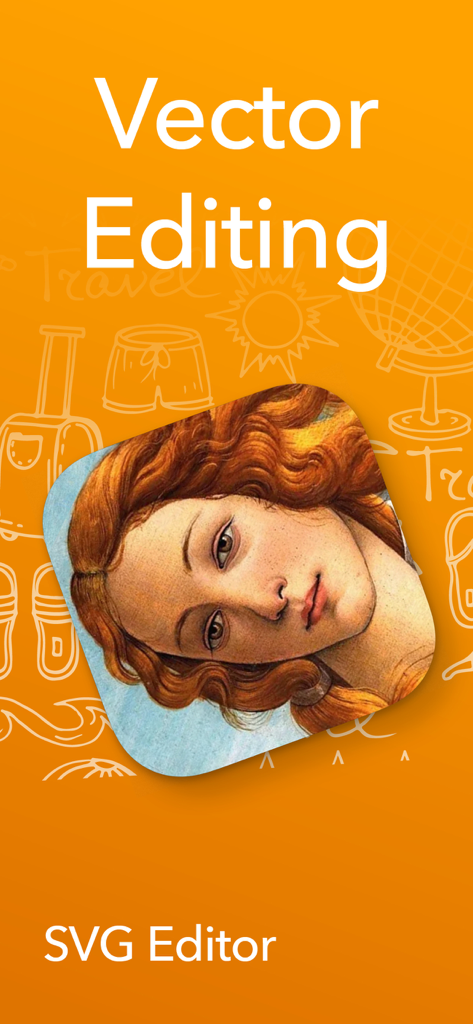
SVG Vector Editor Sketch Maker - 예술적인 초상화를 특징으로 하는 벡터 그래픽 디자인을 위한 SVG 편집기 앱 화면.
예술적인 초상화를 특징으로 하는 벡터 그래픽 디자인을 위한 SVG 편집기 앱 화면.

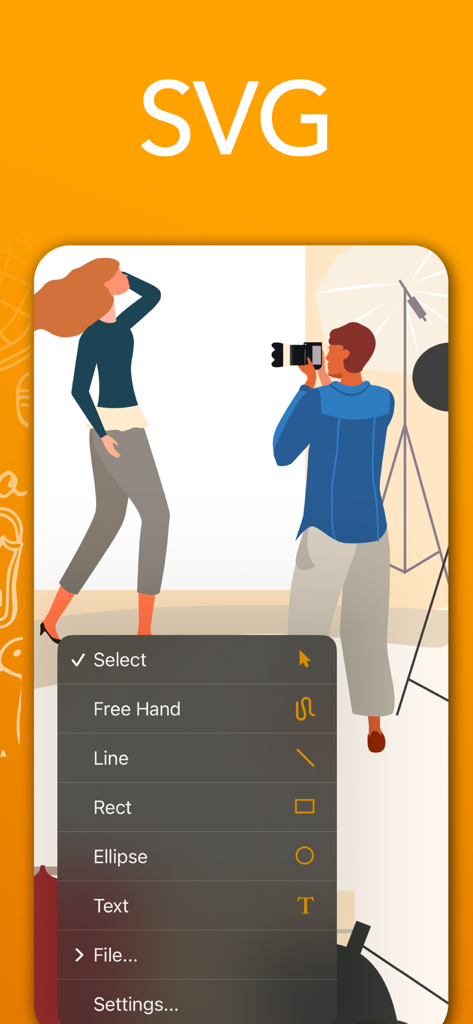
SVG Vector Editor Sketch Maker - 벡터 일러스트레이션 위에 그림 도구가 포함된 메뉴를 보여주는 SVG 벡터 편집기 앱의 인터페이스.
벡터 일러스트레이션 위에 그림 도구가 포함된 메뉴를 보여주는 SVG 벡터 편집기 앱의 인터페이스.

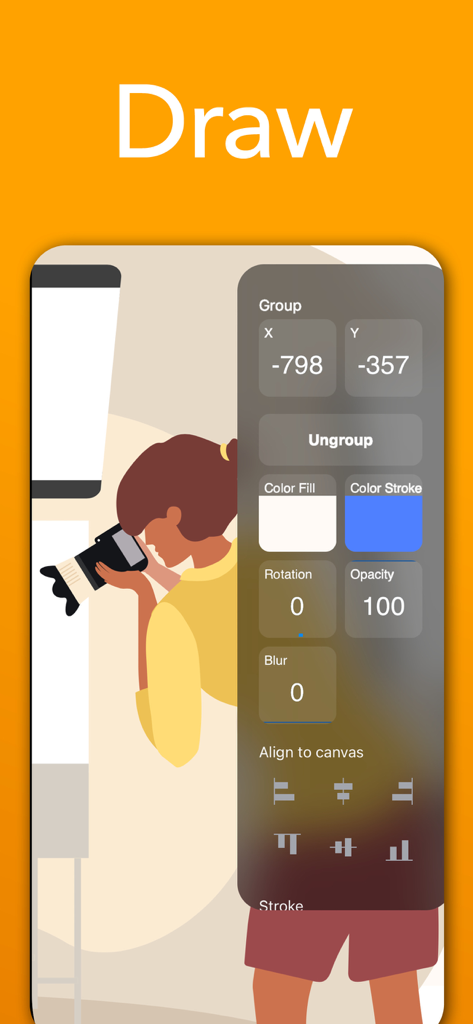
SVG Vector Editor Sketch Maker - SVG 벡터 편집기 인터페이스에 벡터 일러스트레이션을 위한 디자인 도구 및 정렬 옵션이 표시됩니다.

SVG 벡터 편집기 인터페이스에 벡터 일러스트레이션을 위한 디자인 도구 및 정렬 옵션이 표시됩니다.

설명

Introducing SVG Editor: The Ultimate Vector Graphics Design and Editing App for iPhone and iPad Unleash your creativity and transform your ideas into stunning visual masterpieces with SVG Editor, the premier vector graphics design and editing app built specifically for iPhone and iPad. With its exceptional performance and intuitive interface, SVG Editor empowers you to bring your imagination to life with precision and speed. Powerful Vector Editing Tools: Dive into a rich array of professional-grade tools and unleash your artistic potential. Create and manipulate vector shapes, lines, curves, and paths with ease. Perfect your designs with advanced features such as anchor point editing, grouping, layer management, and more. Seamless iOS and iPad Integration: Enjoy the benefits of a native iOS app that takes full advantage of the platform's capabilities. SVG Editor seamlessly integrates with the iOS ecosystem, enabling you to effortlessly import and export your projects across multiple devices and apps. Lightning-Fast Performance: Experience unrivaled speed and responsiveness while working on your vector graphics projects. SVG Editor is optimized to deliver lightning-fast performance, ensuring smooth rendering, editing, and real-time previews, even with complex designs. Precision and Accuracy: Achieve pixel-perfect precision in your designs. SVG Editor provides a robust set of tools for precise alignment, resizing, scaling, and positioning of elements. Grids, rulers, and guides further assist you in maintaining accuracy throughout your creative process. Versatile Export Options: Share your creations with the world effortlessly. SVG Editor supports a wide range of export formats, including SVG, PNG . Whether you need graphics for web design, print media, or social media, SVG Editor has you covered. User-Friendly Interface: Designed with simplicity and usability in mind, SVG Editor offers an intuitive interface that caters to both beginners and professionals.  Get started quickly, navigate effortlessly, and access the powerful editing tools right at your fingertips. Smart Undo/Redo: Mistakes happen, but with SVG Editor, they're easily rectified.  The app's smart undo/redo feature lets you step back and forth through your editing history, giving you the freedom to experiment and refine your designs without limitations. Unleash your creative prowess and revolutionize vector graphics editing on iPhoneand iPad. Download SVG Editor now and let your imagination soar to new heights!

Download

다운로드: App Store

이 페이지는 앱이나 개발자의 공식 페이지가 아니며, 정보 제공 및 논평을 목적으로 작성된 독립 편집 간행물입니다. 명시적으로 달리 언급되지 않는 한, 해당 앱이나 개발자는 MWM, Apple, Google Play, 앱 퍼블리셔 또는 앱 개발자와 제휴, 보증, 후원, 승인 또는 공식적으로 연결되어 있지 않으며, 이 페이지의 어떤 내용도 해당 앱이 MWM의 서비스를 사용하여 개발되었음을 의미하지 않습니다. 모든 상표, 로고, 스크린샷 및 기타 콘텐츠는 해당 소유자의 자산입니다.







