Symmetry Drawing App
다운로드: App Store

이 페이지는 앱이나 개발자의 공식 페이지가 아니며, 정보 제공 및 논평을 목적으로 작성된 독립 편집 간행물입니다. 명시적으로 달리 언급되지 않는 한, 해당 앱이나 개발자는 MWM, Apple, Google Play, 앱 퍼블리셔 또는 앱 개발자와 제휴, 보증, 후원, 승인 또는 공식적으로 연결되어 있지 않으며, 이 페이지의 어떤 내용도 해당 앱이 MWM의 서비스를 사용하여 개발되었음을 의미하지 않습니다. 모든 상표, 로고, 스크린샷 및 기타 콘텐츠는 해당 소유자의 자산입니다.


로고: Symmetry Drawing App
다운로드: App Store

Symmetry Drawing App

실시간 미러링의 마법으로 내면의 예술가를 깨워보세요. 간단한 선을 즉시 눈길을 사로잡는 만다라와 전문적인 디자인으로 바꾸세요. 스트레스 해소와 손쉬운 창의성을 위한 완벽한 도구입니다.

주요 수치

다운로드

100

사용자 평점

1.0/5

총 평가 수

0

개발사

Beanca Lian Anyayahan

카테고리

Utilities

지원 언어

1

최신 버전

1.0

크기

2.6 MB

출시일

2024년 12월 18일
기능

무한한 창의성을 발휘하세요

명상적인 만다라부터 소셜 미디어용 패턴까지, iPad를 전문가 수준의 대칭 스튜디오로 바꿔보세요. 모든 스트로크가 걸작이 됩니다.

즉각적인 미러링 마법

최대 6개의 축에서 실시간 대칭으로 아이디어가 즉시 확장되는 것을 지켜보세요. 단 한 번의 스트로크로 복잡하고 전문적인 디자인을 만드세요.

스트레스 없는 창의성

궁극의 디지털 젠 도구입니다. 완벽한 균형과 시각적 조화를 이루며, 스트레스를 해소하고 몰입하는 데 도움이 되도록 특별히 설계되었습니다.

다음 스크린샷과 설명은 앱의 공식 스토어 목록에서 직접 가져온 것이며 앱 개발자의 자산입니다.

앱 스토어

스크린샷
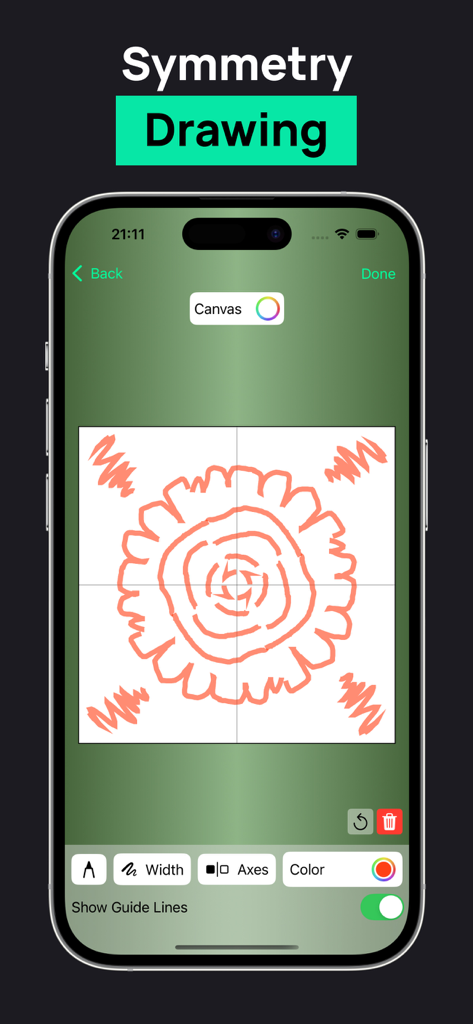
Symmetry Drawing App - 대칭 드로잉 앱 인터페이스가 표시된 iPhone 화면, 캔버스에 4방향으로 미러링된 주황색 꽃 디자인 표시
대칭 드로잉 앱 인터페이스가 표시된 iPhone 화면, 캔버스에 4방향으로 미러링된 주황색 꽃 디자인 표시

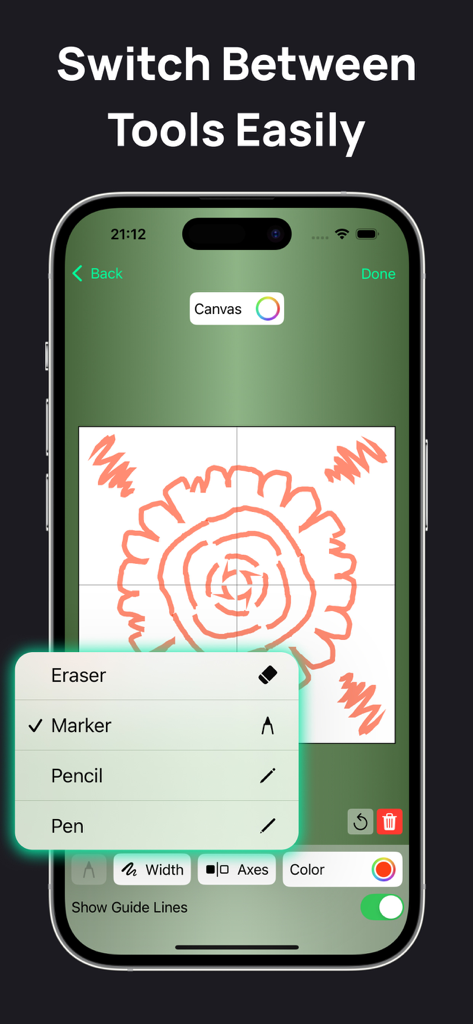
Symmetry Drawing App - 대칭 드로잉 앱 인터페이스에 마커, 연필, 펜 옵션이 있는 브러시 선택 메뉴 표시
대칭 드로잉 앱 인터페이스에 마커, 연필, 펜 옵션이 있는 브러시 선택 메뉴 표시

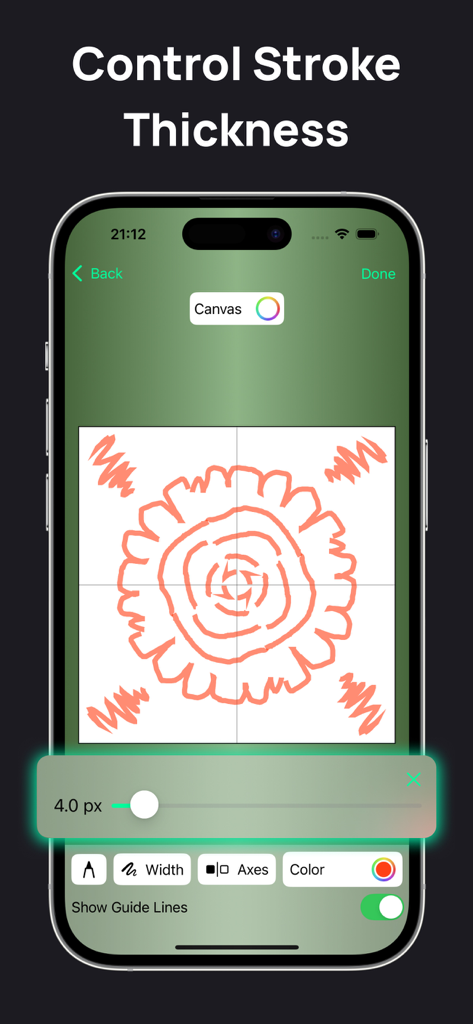
Symmetry Drawing App - 대칭 드로잉 앱에서 스트로크 두께 컨트롤을 보여주는 사용자 인터페이스
대칭 드로잉 앱에서 스트로크 두께 컨트롤을 보여주는 사용자 인터페이스

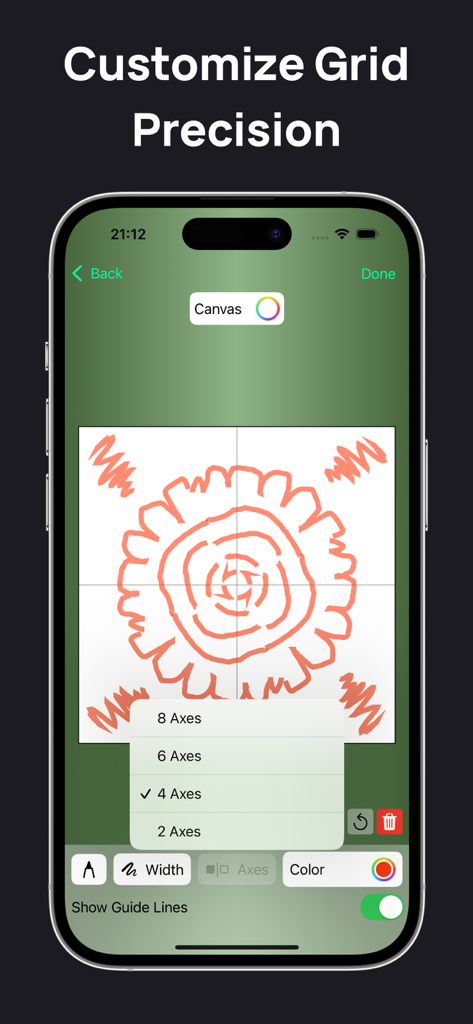
Symmetry Drawing App - 대칭 축 선택 메뉴가 있는 만다라 패턴을 보여주는 대칭 드로잉 앱 인터페이스
대칭 축 선택 메뉴가 있는 만다라 패턴을 보여주는 대칭 드로잉 앱 인터페이스

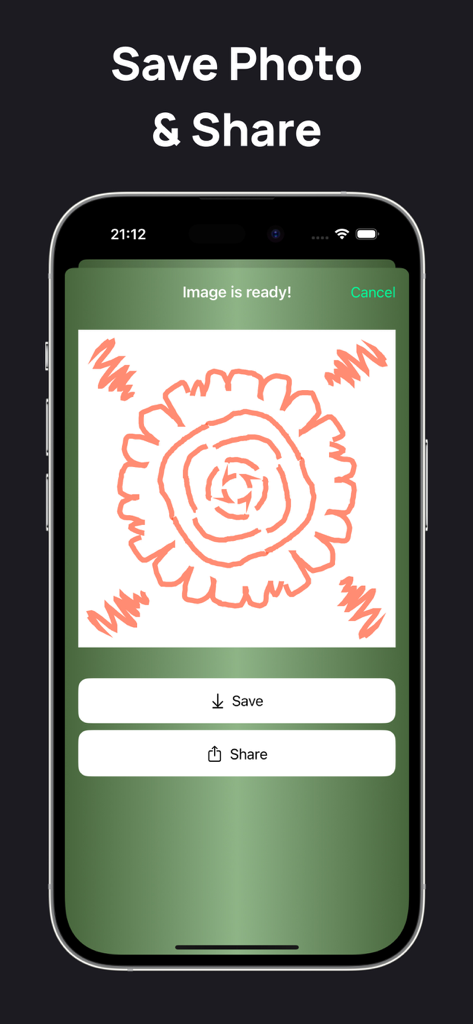
Symmetry Drawing App - 스마트폰 화면에 대칭 만다라 그림을 저장하고 공유하는 옵션 표시

스마트폰 화면에 대칭 만다라 그림을 저장하고 공유하는 옵션 표시

설명

Symmetry Drawing is a fun and easy-to-use iOS app for creating beautiful symmetrical designs. Just draw one part of the figure, and the app instantly mirrors it to create intricate patterns. Key Features 1. Real-Time Symmetry Drawing ◦ Draw one side of a figure, and the app mirrors it instantly to create a complete symmetrical design. ◦ Choose the number of symmetry axes: single, double, or multiple (e.g., six axes). 2. Customizable Brushes ◦ Adjust brush size, color, and style to match your creative vision. ◦ Choose from various brush types like pencil, marker, or calligraphy pen. 3. Drawing History ◦ Automatically save all your designs in the History section for easy access. ◦ Reopen and edit any saved drawings anytime. 4. Helpful Tips ◦ Learn to enhance your designs with 10 simple and effective tips: 1. What is a symmetry axis? A line that creates mirrored patterns on both sides. 2. How to choose symmetry axes? More axes create more detailed patterns. 3. Can I use multiple colors? Yes, select different brush colors for each stroke. 4. How to create complex designs? Use thicker brushes and more symmetry axes. 5. How to erase part of a drawing? Use the eraser tool to remove specific areas. 6. How are drawings saved? The app saves them automatically in History. 7. Can I combine different brush styles? Yes, mix and match brushes for unique effects. 8. How to start with complex patterns? Begin with simple shapes and build up details. 9. How does mirroring work? The app reflects your strokes in real time. 10. What is layered drawing? Use layers to add depth and switch elements on or off. Symmetry Drawing makes creating mesmerizing designs easy, whether you're a beginner or a professional. Let your creativity shine! Subscribe to get full access: $4.99 per week, cancel anytime Terms of Use: https://www.apple.com/legal/internet-services/itunes/dev/stdeula/ Privacy Policy: https://sites.google.com/view/kloos2010202-policy/?v=1

Download

다운로드: App Store

이 페이지는 앱이나 개발자의 공식 페이지가 아니며, 정보 제공 및 논평을 목적으로 작성된 독립 편집 간행물입니다. 명시적으로 달리 언급되지 않는 한, 해당 앱이나 개발자는 MWM, Apple, Google Play, 앱 퍼블리셔 또는 앱 개발자와 제휴, 보증, 후원, 승인 또는 공식적으로 연결되어 있지 않으며, 이 페이지의 어떤 내용도 해당 앱이 MWM의 서비스를 사용하여 개발되었음을 의미하지 않습니다. 모든 상표, 로고, 스크린샷 및 기타 콘텐츠는 해당 소유자의 자산입니다.








