SymPlayer - Master Movement -
다운로드: App Store

이 페이지는 앱이나 개발자의 공식 페이지가 아니며, 정보 제공 및 논평을 목적으로 작성된 독립 편집 간행물입니다. 명시적으로 달리 언급되지 않는 한, 해당 앱이나 개발자는 MWM, Apple, Google Play, 앱 퍼블리셔 또는 앱 개발자와 제휴, 보증, 후원, 승인 또는 공식적으로 연결되어 있지 않으며, 이 페이지의 어떤 내용도 해당 앱이 MWM의 서비스를 사용하여 개발되었음을 의미하지 않습니다. 모든 상표, 로고, 스크린샷 및 기타 콘텐츠는 해당 소유자의 자산입니다.

로고: SymPlayer - Master Movement -
다운로드: App Store

SymPlayer - Master Movement -

댄서, 운동선수, 크리에이터를 위한 최고의 비디오 도구입니다. 튜토리얼을 반전, 반복, 속도 조절하여 모든 동작을 완벽하게 따라 하고 그 어느 때보다 빠르게 익히세요.

주요 수치

다운로드

537K+

사용자 평점

4.5/5

총 평가 수

3K+

개발사

Masakiyo Tachikawa

카테고리

Photo & Video

지원 언어

2

최신 버전

3.14.3

크기

67.9 MB

출시일

2015년 11월 13일
기능

모든 움직임을 정밀하게 마스터하세요

유행하는 댄스 루틴부터 전문적인 스포츠 자세까지, SymPlayer는 어떤 기술이든 쉽게 따라 하고 분석하며 완성할 수 있도록 필수적인 도구를 제공합니다.

자연스러운 미러 재생

왼쪽과 오른쪽 때문에 헷갈려 하지 마세요. 연습용 거울을 보는 것처럼 모든 비디오를 가로로 반전시켜 동작을 따라 할 수 있습니다.

정밀한 구간 반복 및 슬로우 모션

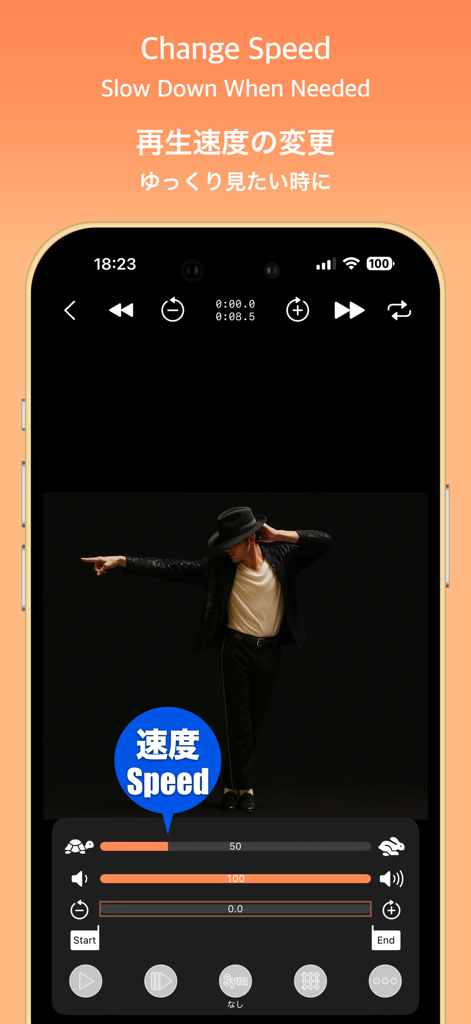
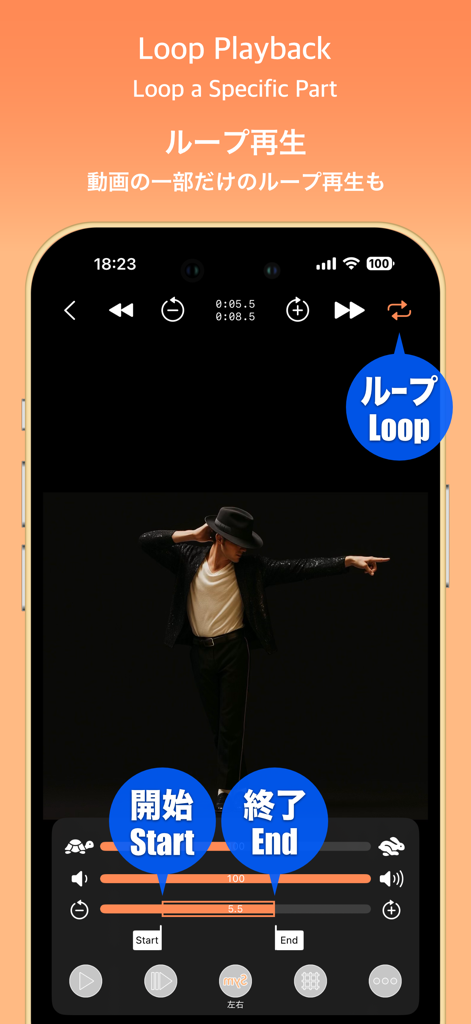
템포를 늦추고 맞춤형 구간 반복을 설정하여 까다로운 발동작이 몸에 익을 때까지 반복함으로써 가장 어려운 부분을 마스터하세요.

다음 스크린샷과 설명은 앱의 공식 스토어 목록에서 직접 가져온 것이며 앱 개발자의 자산입니다.

앱 스토어

스크린샷
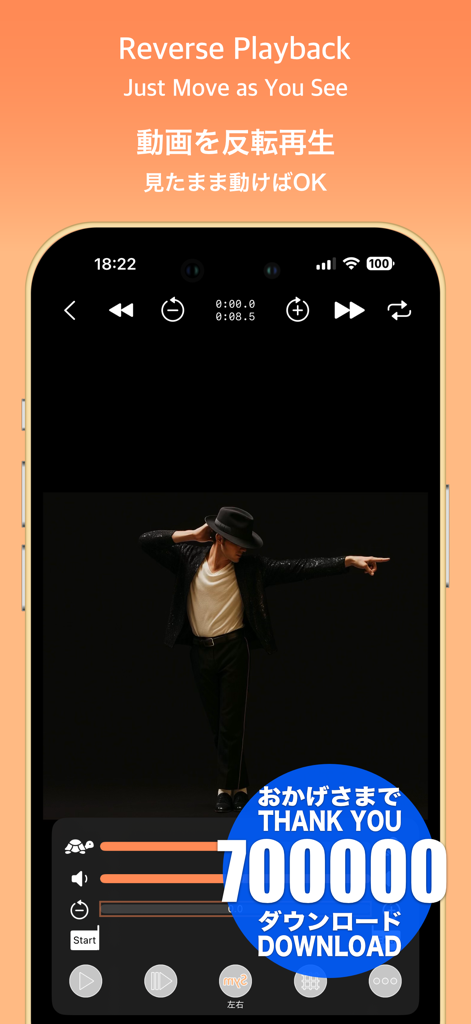
SymPlayer - Master Movement - - 속도 및 미러링 제어 기능과 함께 댄서의 역방향 비디오 재생을 보여주는 SymPlayer 앱 인터페이스
속도 및 미러링 제어 기능과 함께 댄서의 역방향 비디오 재생을 보여주는 SymPlayer 앱 인터페이스

SymPlayer - Master Movement - - 슬로우 모션 연습을 위한 재생 속도 조절 슬라이더와 함께 댄서를 보여주는 SymPlayer 앱 인터페이스
슬로우 모션 연습을 위한 재생 속도 조절 슬라이더와 함께 댄서를 보여주는 SymPlayer 앱 인터페이스

SymPlayer - Master Movement - - 댄스 동작 연습을 위해 시작 및 종료 마커가 있는 구간 반복 재생 제어 기능을 보여주는 SymPlayer 앱 인터페이스
댄스 동작 연습을 위해 시작 및 종료 마커가 있는 구간 반복 재생 제어 기능을 보여주는 SymPlayer 앱 인터페이스

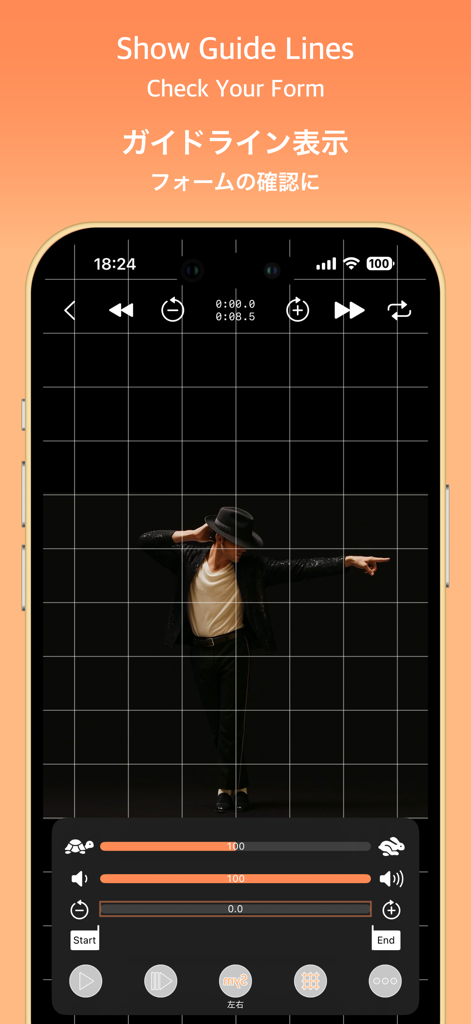
SymPlayer - Master Movement - - 자세 및 움직임 분석을 위해 댄서 위에 그리드 라인이 겹쳐진 SymPlayer 앱 스크린샷
자세 및 움직임 분석을 위해 댄서 위에 그리드 라인이 겹쳐진 SymPlayer 앱 스크린샷

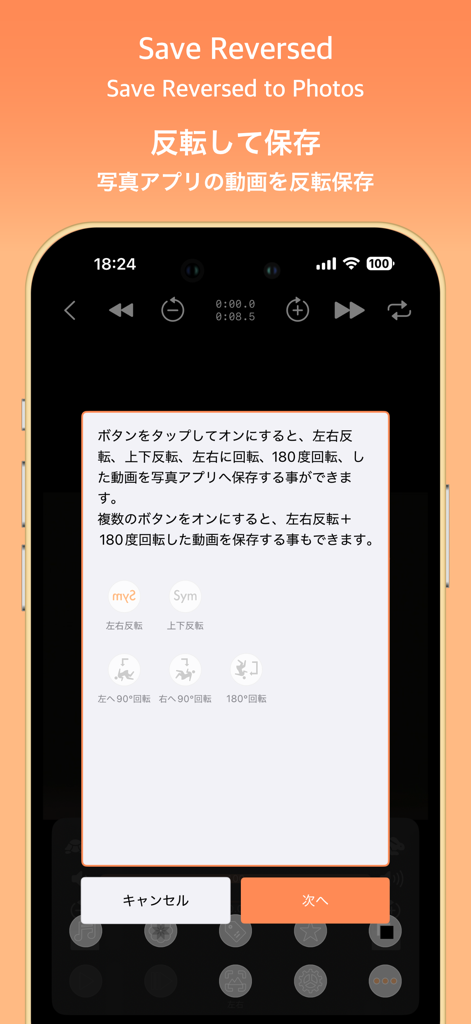
SymPlayer - Master Movement - - 사진 앱에 저장하기 위한 비디오 반전 및 회전 옵션을 보여주는 SymPlayer 앱 인터페이스
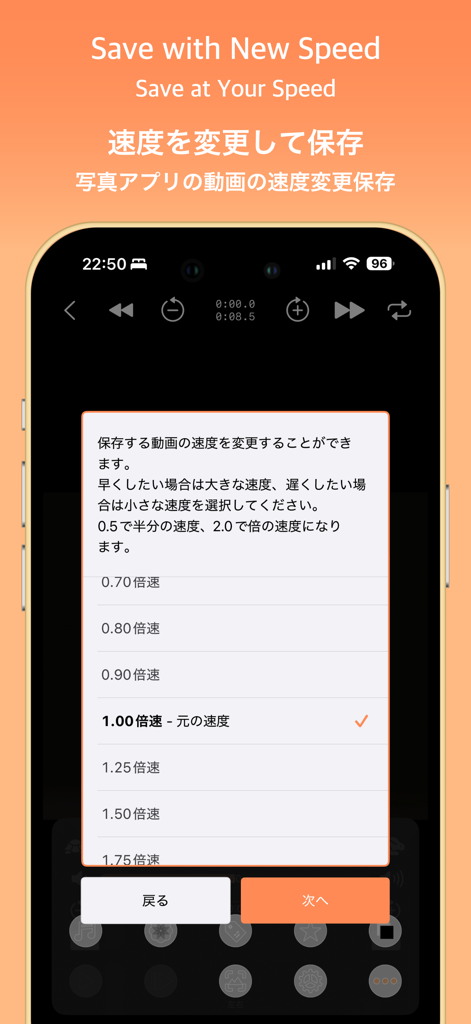
사진 앱에 저장하기 위한 비디오 반전 및 회전 옵션을 보여주는 SymPlayer 앱 인터페이스

SymPlayer - Master Movement - - 비디오 재생 속도를 변경하고 저장하는 옵션을 보여주는 SymPlayer 모바일 앱 화면
비디오 재생 속도를 변경하고 저장하는 옵션을 보여주는 SymPlayer 모바일 앱 화면

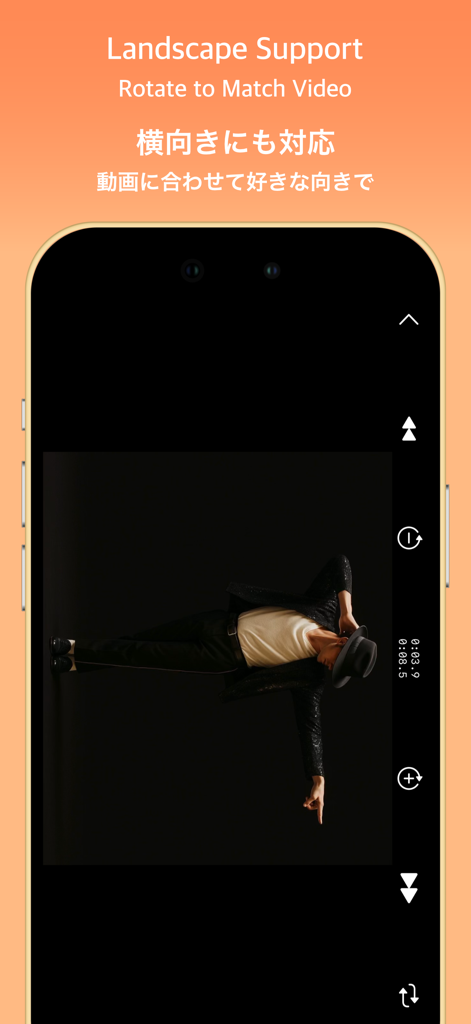
SymPlayer - Master Movement - - 댄스 연습을 위한 가로 비디오 지원 및 회전을 보여주는 SymPlayer 앱
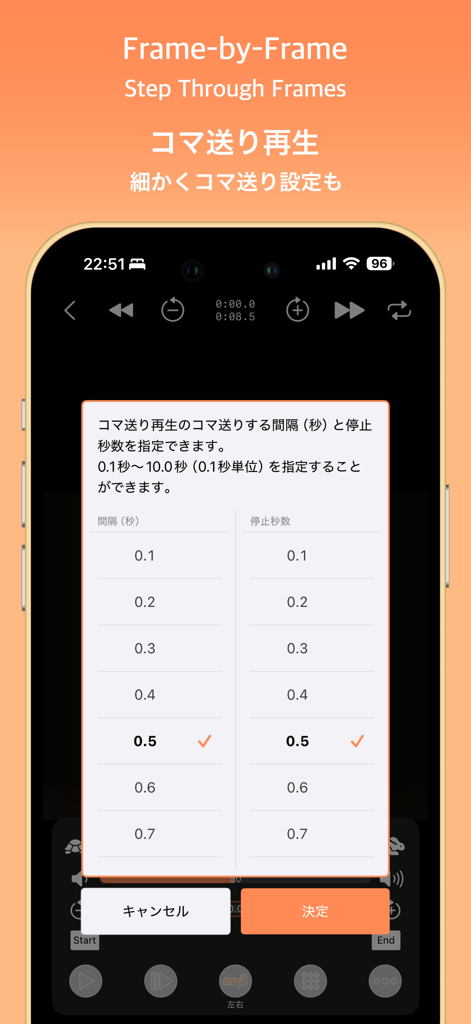
댄스 연습을 위한 가로 비디오 지원 및 회전을 보여주는 SymPlayer 앱

SymPlayer - Master Movement - - 프레임별 재생 설정 메뉴가 있는 SymPlayer 앱을 보여주는 스마트폰 화면
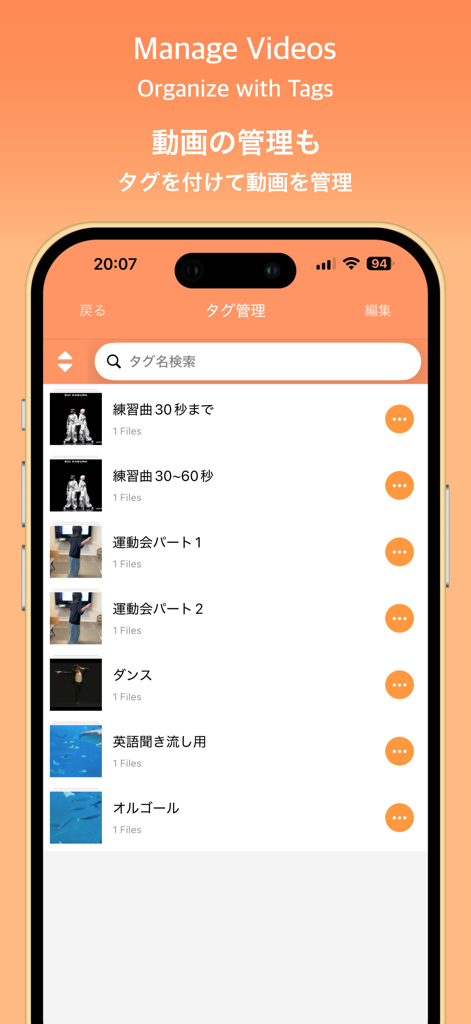
프레임별 재생 설정 메뉴가 있는 SymPlayer 앱을 보여주는 스마트폰 화면

SymPlayer - Master Movement - - 사용자 정의 태그로 구성된 비디오 목록을 보여주는 SymPlayer 앱 인터페이스
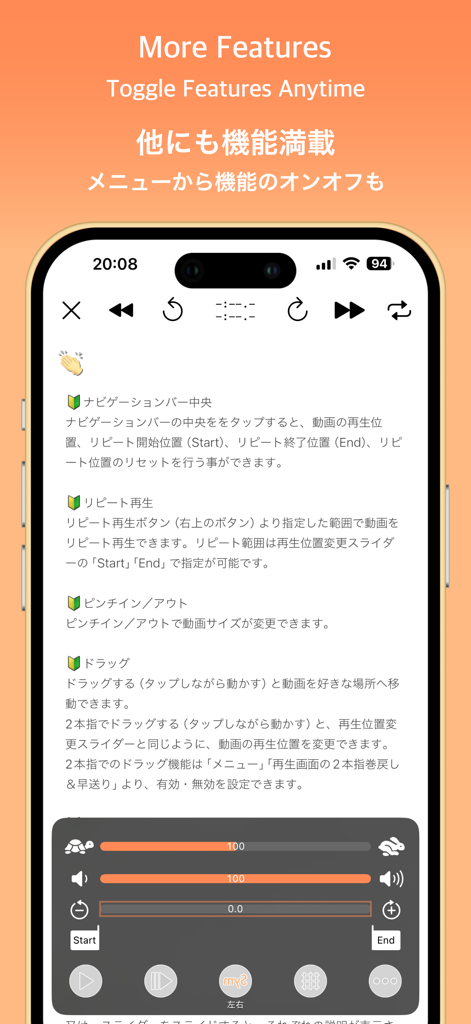
사용자 정의 태그로 구성된 비디오 목록을 보여주는 SymPlayer 앱 인터페이스

SymPlayer - Master Movement - - 속도 조절 및 구간 반복을 위한 비디오 재생 제어 기능을 보여주는 SymPlayer 앱 인터페이스

속도 조절 및 구간 반복을 위한 비디오 재생 제어 기능을 보여주는 SymPlayer 앱 인터페이스

설명

Master Professional Moves with Mirrored Playback! This app lets you play videos flipped left-to-right, making it easier to mimic movements without getting confused about direction. Just follow what you see as if looking in a mirror! You can also flip or rotate videos from your camera roll and save them as new files. Perfect for people who: - Need to learn idol group dances for a wedding or performance - Want to copy professional dance moves - Want to study a pro athlete’s form (like pitching) This app is made for anyone who wants to learn by watching and repeating. Give it a try — it’s free! [Features] ■ Adjustable Playback Speed Freely change video speed — slow motion or double speed are both supported. You can also adjust speed in 5-step increments, as requested by users. Perfect for dance practice, form checks, and more. Caution: Due to iOS limitations, available speeds are limited to 0.5, 0.666..., 0.8, 1.0, 1.25, 1.5, and 2.0. SymPlayer’s speed display is approximate and for reference only. ■ Loop Specific Ranges Set custom start and end points to loop only the section you want to repeat. Ideal for practicing tricky parts like guitar fingering or a swing. ■ Show/Hide Guide Lines Display vertical and horizontal guides over the video. Useful for checking positions in formation dances or comparing symmetry. ■ Zoom & Fit Screen Pinch to zoom in/out. Double-tap to fit the video to your screen. Watch movements in detail or full view — your choice. ■ Play from Google Drive & Dropbox Play videos stored in Google Drive or Dropbox. Mark favorites for offline playback (requires ad viewing). You can also play from a shared video URL. Note: Long videos may take time to load. A shared link is required for access. ■ Tag Your Videos Organize your videos with tags. You can assign multiple tags to a single video for better group management. [About in-app purchases] Please read before purchasing in-app purchases. After purchase, no matter what reason, refund can not be canceled. If you purchase, please confirm the above contents and purchase only if agreed. [About purchasing automatic subscription] As with music players, sound will be able to play even in the background. Also, all ads will be removed during the automatic subscription period. When purchasing, please confirm the following "Terms of service" and "Privacy policy" and purchase only if you agree. Terms of service) https://faboll.tattin.com/terms/symplayer/terms.html Privacy policy) https://faboll.tattin.com/terms/symplayer/privacy.html [Duration and amount of automatic subscription] - Extension 1 month ¥100(JPY) - Extension 3 month ¥280(JPY) - Extension 12 months ¥1000(JPY) [About auto-renewable] Subscription automatically renews unless auto-renew is turned off at least 24-hours before the end of the current period. Account will be charged for renewal within 24-hours prior to the end of the current period, and identify the cost of the renewal. Payment will be charged to iTunes Account at confirmation of purchase. Subscriptions may be managed by the user and auto-renewal may be turned off by going to the user's Account Settings after purchase. Any unused portion of a free trial period, if offered, will be forfeited when the user purchases a subscription to that publication, where applicable. [About the Dance Video] The dance video featured in the App Store preview was graciously provided by SUI Kagura. SUI Kagura — A Super Synchronized Dance Duo with Sincerity to Music — Formed in 2022 by choreographer Upolu and former idol Sayakichi Hanashiro, SUI Kagura is dedicated to their motto: “Sincere to the music.” They create performances that amplify sound and lyrics, shared seamlessly through stage and video. https://www.dignitive.jp/suikagura

Download

다운로드: App Store

이 페이지는 앱이나 개발자의 공식 페이지가 아니며, 정보 제공 및 논평을 목적으로 작성된 독립 편집 간행물입니다. 명시적으로 달리 언급되지 않는 한, 해당 앱이나 개발자는 MWM, Apple, Google Play, 앱 퍼블리셔 또는 앱 개발자와 제휴, 보증, 후원, 승인 또는 공식적으로 연결되어 있지 않으며, 이 페이지의 어떤 내용도 해당 앱이 MWM의 서비스를 사용하여 개발되었음을 의미하지 않습니다. 모든 상표, 로고, 스크린샷 및 기타 콘텐츠는 해당 소유자의 자산입니다.








