Tally: Counter & Score Tracker

Tally: Counter & Score Tracker

다운로드: App Store
로고: Tally: Counter & Score Tracker

Tally: 정밀하게 어디서든 무엇이든 세세요

iPhone, Watch 및 Mac을 위해 디자인된 강력하면서도 미니멀한 추적기. 인터랙티브 위젯과 원활한 iCloud 동기화로 습관, 피트니스 횟수 및 전문 프로젝트를 마스터하세요.

다운로드: App Store

개발사

Volodymyr Yahenskyi

카테고리

Productivity

다운로드

33K+

사용자 평점

4.6/5

총 평가 수

1K+

지원 언어

2

모든 탭의 단순함

이 인터페이스를 사용하는 33K+ 명의 사용자.

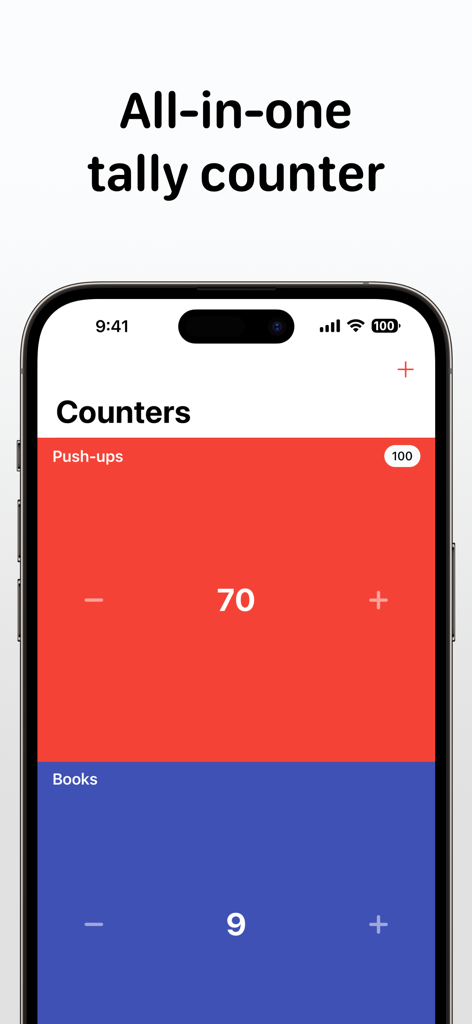
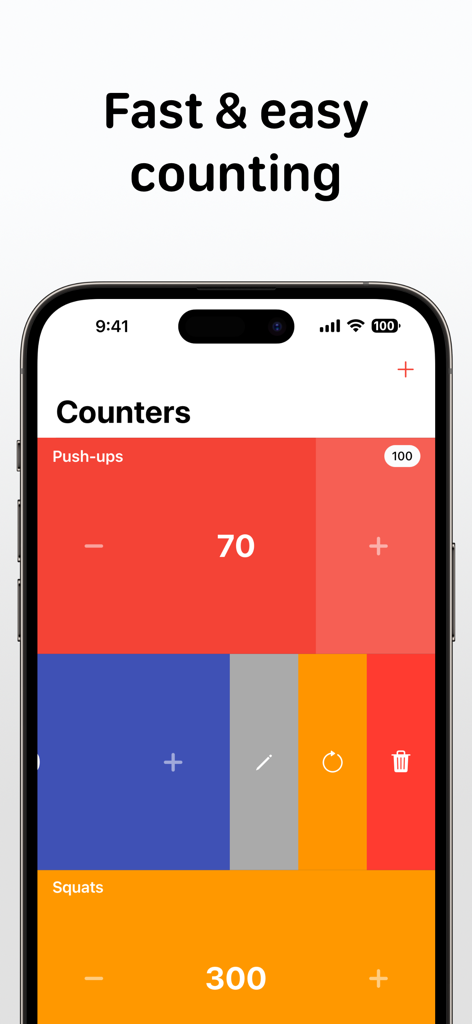
Tally 앱 인터페이스가 푸시업과 책을 위한 색상 코딩 카운터를 보여주는 iPhone에서 실행됩니다.

Tally 앱 인터페이스가 푸시업과 책을 위한 색상 코딩 카운터를 보여주는 iPhone에서 실행됩니다.

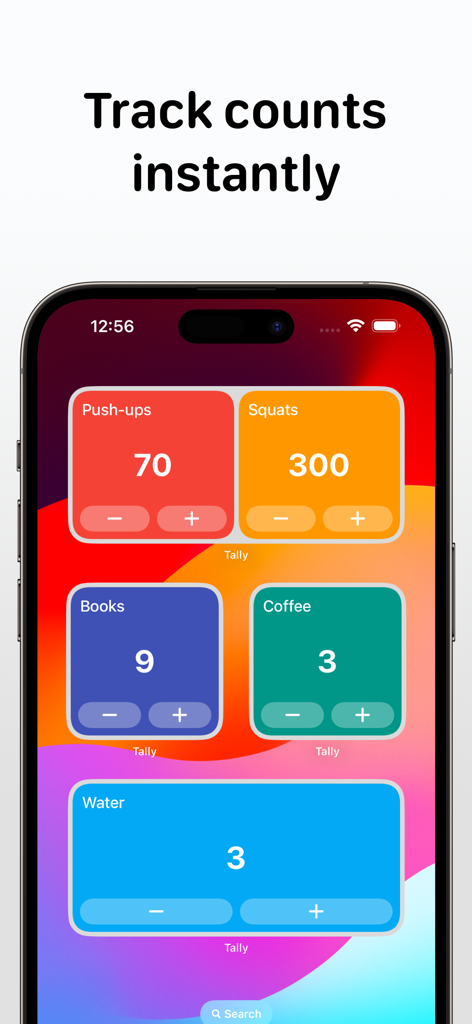
푸시업, 스쿼트, 물 섭취와 같은 피트니스 및 일일 습관을 추적하기 위한 iPhone의 Tally 앱 인터랙티브 홈 화면 위젯

푸시업, 스쿼트, 물 섭취와 같은 피트니스 및 일일 습관을 추적하기 위한 iPhone의 Tally 앱 인터랙티브 홈 화면 위젯

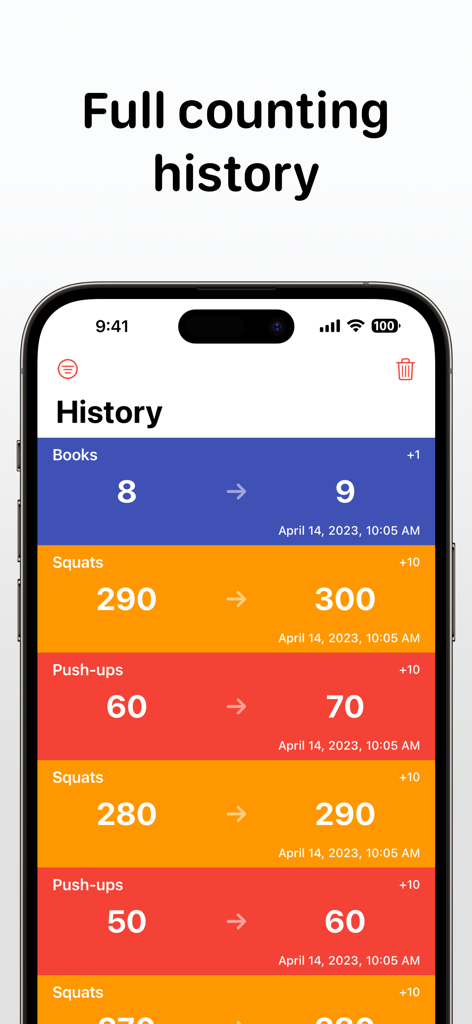
Tally 앱 기록 화면으로 시간 표시가 있는 책 및 피트니스 활동에 대한 카운팅 로그를 보여줍니다.

Tally 앱 기록 화면으로 시간 표시가 있는 책 및 피트니스 활동에 대한 카운팅 로그를 보여줍니다.

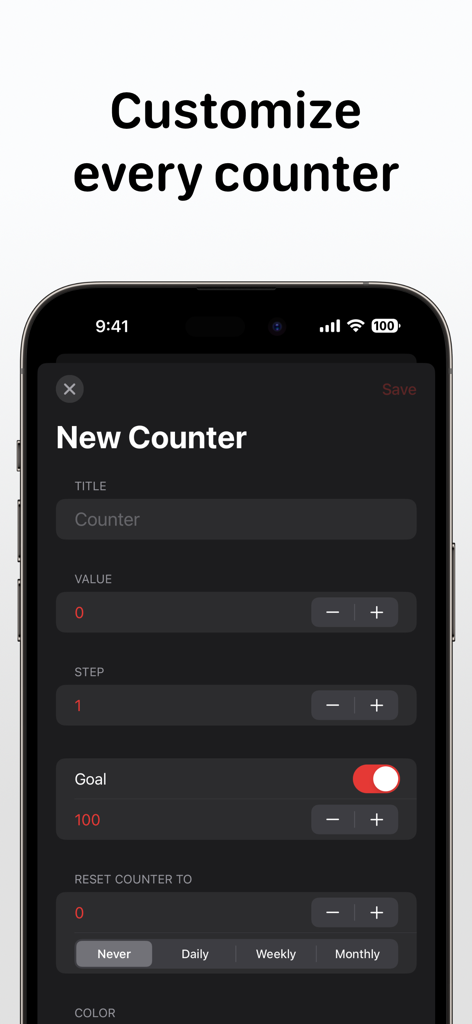
목표 설정 및 재설정 옵션을 특징으로 하는 새 카운터 생성 및 사용자 지정용 Tally 앱 인터페이스.

목표 설정 및 재설정 옵션을 특징으로 하는 새 카운터 생성 및 사용자 지정용 Tally 앱 인터페이스.

푸시업 및 스쿼트 추적을 위한 다채로운 카운터를 보여주는 iPhone의 Tally 앱 인터페이스.

푸시업 및 스쿼트 추적을 위한 다채로운 카운터를 보여주는 iPhone의 Tally 앱 인터페이스.

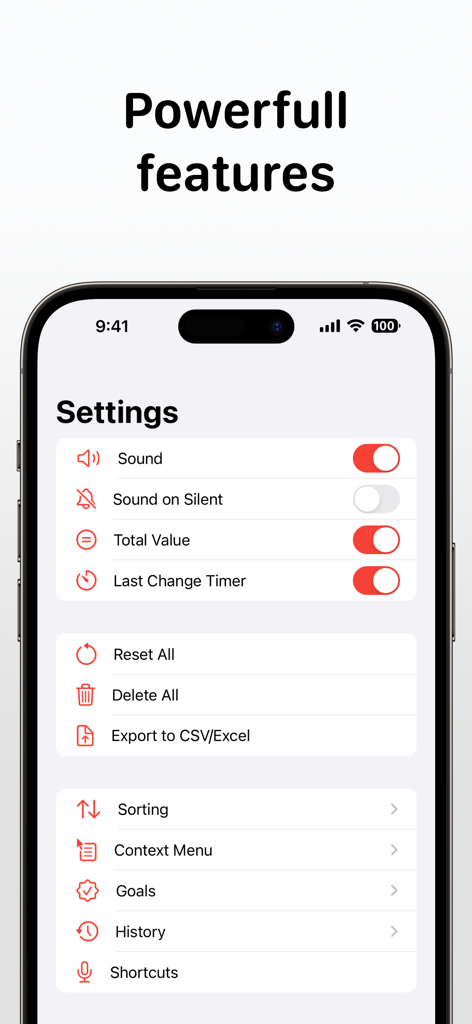
Tally 카운터 앱 설정 화면으로 사운드 토글, CSV로 데이터 내보내기, 목표 및 기록과 같은 기능이 표시됩니다.

Tally 카운터 앱 설정 화면으로 사운드 토글, CSV로 데이터 내보내기, 목표 및 기록과 같은 기능이 표시됩니다.

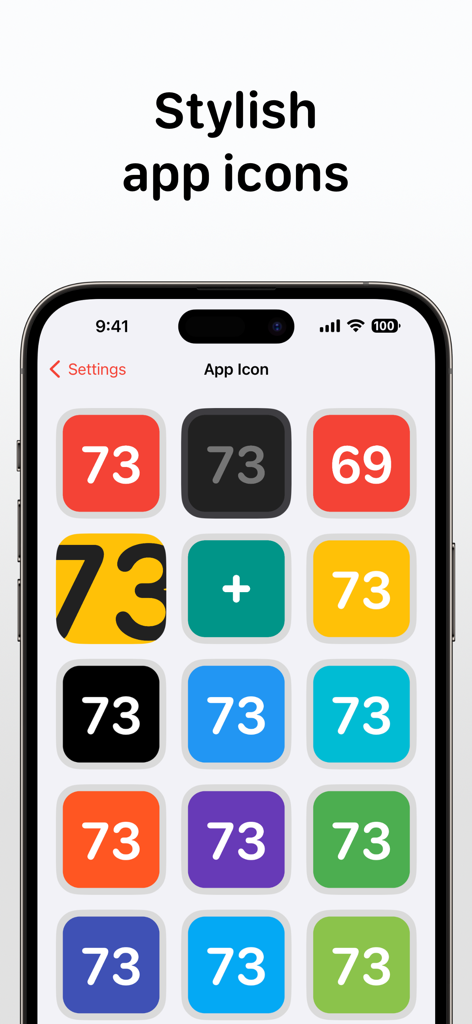
다양한 색상과 미니멀한 앱 아이콘 옵션을 보여주는 Tally 앱 설정 화면.

다양한 색상과 미니멀한 앱 아이콘 옵션을 보여주는 Tally 앱 설정 화면.

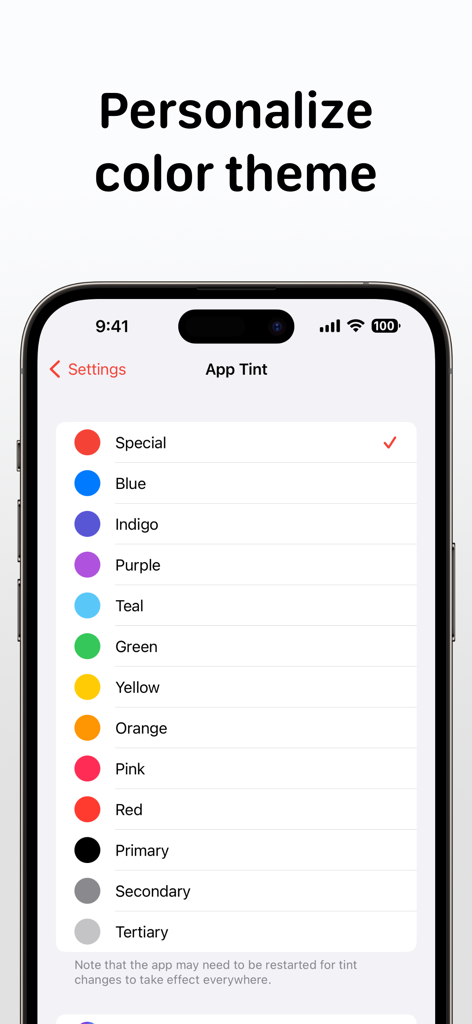
iPhone 스크린샷으로 Tally 앱 설정 페이지에서 사용자 인터페이스 개인화를 위한 다양한 색상 틴 옵션 목록을 보여줍니다.

iPhone 스크린샷으로 Tally 앱 설정 페이지에서 사용자 인터페이스 개인화를 위한 다양한 색상 틴 옵션 목록을 보여줍니다.

중요한 것을 손쉽게 측정하세요

이 앱을 돋보이게 하는 도구, 33K+ 명의 사용자가 선택.

제로 마찰 로깅

기기를 잠금 해제하지 않고도 홈 화면 위젯, Apple Watch 컴플리케이션 또는 Siri 바로 가기를 사용하여 순식간에 계산하세요.

☁️

원활한 Apple 동기화

iCloud를 통해 iPhone, iPad 및 Mac 전반에 걸쳐 데이터를 조화롭게 유지하세요. 전문적인 분석을 위해 기록을 CSV 또는 Excel로 내보내세요.

🎯

촉각적 개인화

모든 카운트에 대한 물리적 확인을 제공하는 맞춤 색상, 상세한 메모 및 만족스러운 햅틱 피드백으로 워크플로우를 정리하세요.

앱 소개

에 대해 알아야 할 모든 것 Tally: Counter & Score Tracker.

설명

Tally: Clicker & Score Counter is simple enough to pick up and use immediately, and powerful enough to tweak it just as you want. Key Features: - Simple interface - Home Screen interactive widgets - Lock Screen widgets - Siri Shortcuts - Dark mode - Notes - Auto-reset - Counting history - Context menu for counters - Hotkeys for external keyboard - Mouse right-click support - Total counters value - Last change timer - A lot of sorting options - Assigning different colors to counters - Sound confirmation of counts - Haptic feedback on supported devices Multiple counters, as many as you need. To delete, reset, or edit the counter, swipe left on it. Swipe right or use touch and hold gestures in the middle of the counter to add/edit a note or open a quick change popup. Notes can also be added/edited in the History tab like in the Counters tab. To increase or decrease the counter value, tap at any point on the ​left or right side. Use touch and hold gestures in the middle of the counter to reveal the context menu. Long press on the sides of the counter to reorder. Tally Premium benefits: - Unlimited counters - iCloud sync - Export to CSV/Excel - Support Indie Development If you decide to get a Tally Premium subscription, your purchase will be charged to your iTunes account. One month costs $4.99 and 1 year costs $29.99. Active subscriptions will be auto-renewed 24 hours before the expiry date. You can manage subscriptions from an Account in iTunes after subscribing, and you’ll also be able to cancel the auto-renewing subscription from there at any time. Any unused portion of the free trial period will be forfeited if you purchase a subscription to Tally Premium before your trial expires. Terms & Conditions: https://yahenskyi.dev/terms-conditions/ Privacy Policy: https://yahenskyi.dev/privacy-policy/

최신 버전

3.2.12

크기

14.7 MB

출시일

2018년 9월 8일

모든 카운트를 중요하게 만드세요

Apple 생태계 전반에 걸쳐 습관과 목표를 최적화하는 33,000명 이상의 사용자와 함께하세요. 지금 Tally를 다운로드하고 성공을 측정하세요.

다운로드: App Store

App information, icons, screenshots, and descriptions displayed on this page are sourced from the Apple App Store and are the property of their respective developers. Download estimates and rankings are based on MWM's proprietary models and may not reflect actual figures. This page is provided for informational and analytical purposes only.

Believe this page infringes your intellectual property? File a dispute