이 페이지는 앱이나 개발자의 공식 페이지가 아니며, 정보 제공 및 논평을 목적으로 작성된 독립 편집 간행물입니다. 명시적으로 달리 언급되지 않는 한, 해당 앱이나 개발자는 MWM, Apple, Google Play, 앱 퍼블리셔 또는 앱 개발자와 제휴, 보증, 후원, 승인 또는 공식적으로 연결되어 있지 않으며, 이 페이지의 어떤 내용도 해당 앱이 MWM의 서비스를 사용하여 개발되었음을 의미하지 않습니다. 모든 상표, 로고, 스크린샷 및 기타 콘텐츠는 해당 소유자의 자산입니다.
TapMark: One-Tap Word Marking
AI 시대를 위한 미니멀리스트 리더. 한 번의 탭으로 익숙하지 않은 단어를 표시한 다음, 즐겨 사용하는 AI로 직접 내보내 사전 피로 없이 즉각적이고 문맥에 맞는 설명을 얻으세요.
주요 수치
다운로드
0
사용자 평점
1.0/5
총 평가 수
0
개발사
鹏 王
카테고리
Education
지원 언어
25
최신 버전
1.0.1
크기
34.6 MB
출시일
2024년 7월 25일
기능
마찰 없이 원본 텍스트 마스터하기
흐름 상태를 유지하세요. TapMark는 원본 콘텐츠 읽기와 개인화된 어휘 마스터를 위한 생성 AI 활용 사이의 격차를 해소합니다.
원탭 문맥 표시
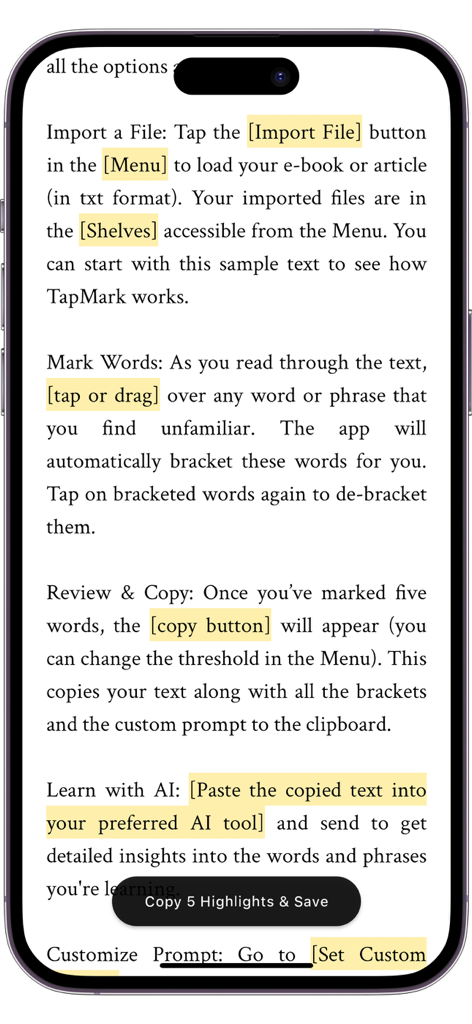
간단한 클릭으로 익숙하지 않은 단어를 강조 표시하세요. 나중에 정확한 AI 분석을 위해 앱이 용어를 자동으로 괄호 안에 넣는 동안 읽기 속도를 유지하세요.
AI 준비 워크플로우
ChatGPT 또는 Claude에 대한 사용자 정의 프롬프트로 표시된 구절을 원활하게 내보냅니다. 기사의 특정 문맥에 맞는 정의를 얻으세요.
다음 스크린샷과 설명은 앱의 공식 스토어 목록에서 직접 가져온 것이며 앱 개발자의 자산입니다.
앱 스토어
스크린샷
언어 학습을 위해 텍스트와 강조 표시된 단어가 있는 TapMark 앱 튜토리얼을 보여주는 스마트폰 화면.
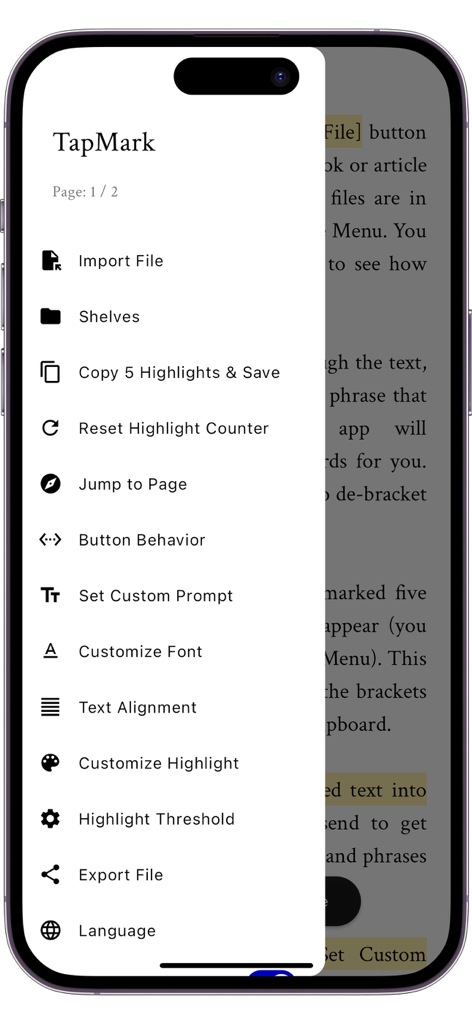
TapMark 앱 사이드 메뉴에 파일 가져오기 및 사용자 정의 AI 프롬프트와 같은 기능 표시
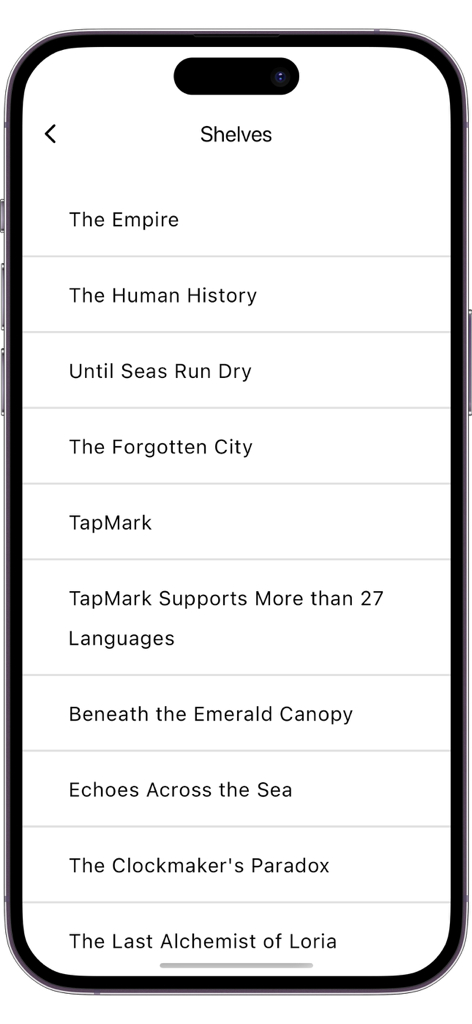
TapMark 앱 책장 인터페이스 내에서 가져온 TXT 파일 및 책의 미니멀리스트 목록
설명
TapMark: Easy Foreign Language Reading with One-Click Word Marking
Introduction
TapMark is an innovative language learning tool designed for learners who want to improve their foreign language skills through reading original texts. This app makes learning new vocabulary from texts smooth and efficient. With just a click or a drag, you can mark unfamiliar words or phrases. The app automatically brackets the marked text and offers a one-click copy function, allowing you to paste the content into any generative AI platform for precise explanations and detailed descriptions.
Main Features
- Import TXT Files: Directly import your e-books or articles.
- Click to Mark Words: Highlight and bracket unfamiliar words with a touch.
- One-Click Copy: After accumulating a number of marks, easily copy the complete paragraph with marked words and preset prompts to the clipboard.
- Simplified AI Queries: The copied text is ready to be used for requesting AI explanations, no manual sorting needed.
- Extensive Language Support: English, Chinese, Arabic, Spanish, French, German, Bengali, Japanese, Thai, Vietnamese, Hindi, Russian, Italian, Indonesian, Polish, Korean, Portuguese, Dutch, Swedish, Turkish, Hebrew, Pashto, Persian, Urdu, and more.
- Elegant Reading Interface: No distractions, adjustable fonts, highlight colors and more.
Why Choose TapMark?
Traditional dictionary lookup methods often disrupt reading flow, requiring guesses among multiple meanings of a word, leading to a fragmented and strenuous experience. TapMark aims to change this by allowing you to mark unfamiliar words directly during reading. These marked words are bracketed, and after accumulating enough, you can copy the text with contextual information and preset prompts, and send it directly to a third-party AI for precise explanations. This innovative reading method not only improves learning efficiency but also enhances the reading experience by avoiding the interruptions and friction typically associated with language learning through reading, eliminating the need to constantly refer to a dictionary or switch contexts. TapMark streamlines the learning-through-reading process, making it straightforward, linear, and coherent, helping maintain enthusiasm and motivation for learning, turning foreign language learning into a pleasurable and painless experience.
Recommended Reading Workflow
1. Import the book or article of interest (in TXT format).
2. Open the AI webpage in your browser or AI app, ready for use.
3. Read in TapMark, marking unfamiliar words with a click or drag gesture, and continue until enough marks accumulate.
4. Copy the text with one click and paste it into the AI dialogue page to get detailed and accurate explanations of the words.
5. Read the AI responses to understand the meanings of the words (and ask follow-up questions if needed).
6. Continue reading and marking in TapMark, repeating the steps above to gradually expand your vocabulary.
TapMark is dedicated to making reading foreign language texts a smooth and enjoyable learning experience, effectively expanding your vocabulary without the interruptions of dictionary lookups. Try TapMark and enjoy the ease of reading foreign languages!
Note
TapMark is dedicated to streamlining the reading and marking process and does not include built-in AI capabilities. You can utilize the app’s customizable prompts in conjunction with various generative AI platforms available out there to obtain explanations of the words.
이 페이지는 앱이나 개발자의 공식 페이지가 아니며, 정보 제공 및 논평을 목적으로 작성된 독립 편집 간행물입니다. 명시적으로 달리 언급되지 않는 한, 해당 앱이나 개발자는 MWM, Apple, Google Play, 앱 퍼블리셔 또는 앱 개발자와 제휴, 보증, 후원, 승인 또는 공식적으로 연결되어 있지 않으며, 이 페이지의 어떤 내용도 해당 앱이 MWM의 서비스를 사용하여 개발되었음을 의미하지 않습니다. 모든 상표, 로고, 스크린샷 및 기타 콘텐츠는 해당 소유자의 자산입니다.