Teaching Graphs
Teaching Graphs
다운로드: App Store

이 페이지는 앱이나 개발자의 공식 페이지가 아니며, 정보 제공 및 논평을 목적으로 작성된 독립 편집 간행물입니다. 명시적으로 달리 언급되지 않는 한, 해당 앱이나 개발자는 MWM, Apple, Google Play, 앱 퍼블리셔 또는 앱 개발자와 제휴, 보증, 후원, 승인 또는 공식적으로 연결되어 있지 않으며, 이 페이지의 어떤 내용도 해당 앱이 MWM의 서비스를 사용하여 개발되었음을 의미하지 않습니다. 모든 상표, 로고, 스크린샷 및 기타 콘텐츠는 해당 소유자의 자산입니다.

로고: Teaching Graphs
다운로드: App Store

Teaching Graphs

학생들이 자신의 세계를 시각화하도록 힘을 실어주세요. 벤 다이어그램부터 파이 차트까지, Teaching Graphs는 스프레드시트의 복잡성 없이 어린 학습자들에게 데이터 이해를 재미있고 쉽게 만듭니다.

주요 수치

다운로드

87K+

사용자 평점

3.2/5

총 평가 수

0

개발사

Aleesha Kondys

카테고리

Education

지원 언어

1

최신 버전

1.43

크기

18.4 MB

출시일

2012년 8월 23일
기능

데이터 이해력으로 어린 마음을 키우세요

학생들이 전문 소프트웨어의 복잡성 대신 그래프의 논리에 집중할 수 있는 방해 없는 환경입니다.

손쉬운 그래프 만들기

스프레드시트는 건너뛰세요. 학생들은 직관적인 드래그 앤 드롭 도구를 사용하여 다채로운 벤, 캐럴, 파이 차트를 만듭니다.

실제 데이터 읽기

실시간 날씨 데이터와 어린 학습자에게 적합한 관련성 있는 데이터 세트를 해석하여 비판적 사고 능력을 개발하세요.

다음 스크린샷과 설명은 앱의 공식 스토어 목록에서 직접 가져온 것이며 앱 개발자의 자산입니다.

앱 스토어

스크린샷
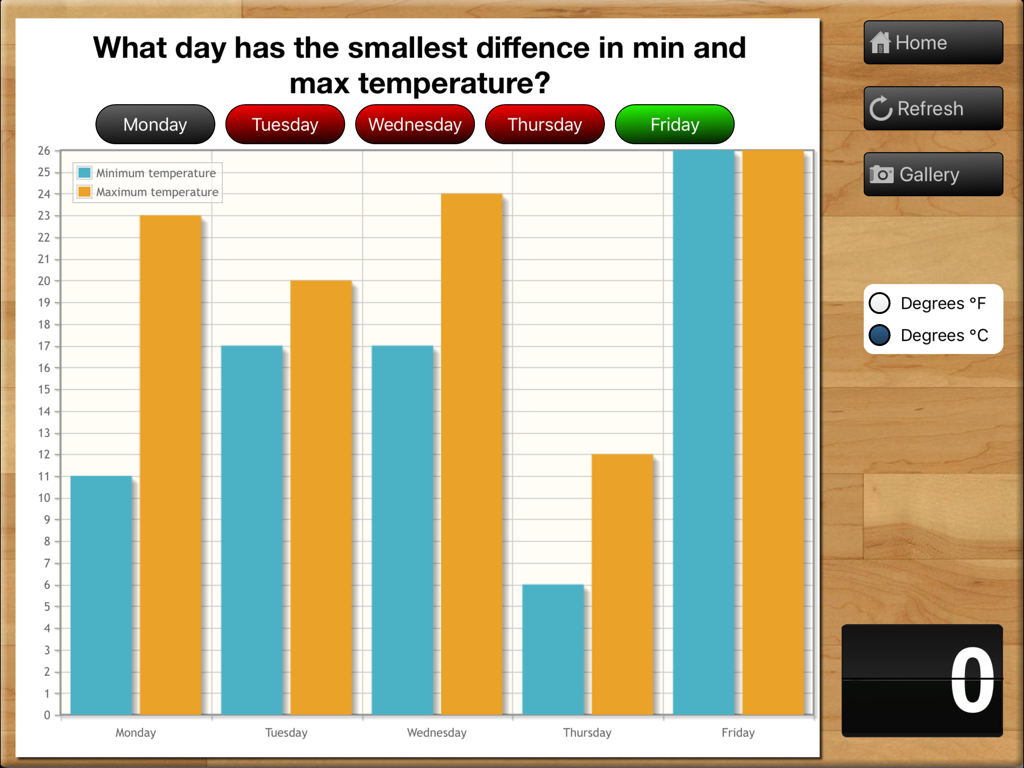
Teaching Graphs - 5일간의 학교 주간에 대한 최저 및 최고 기온 비교를 보여주는 교육용 막대 그래프입니다.
5일간의 학교 주간에 대한 최저 및 최고 기온 비교를 보여주는 교육용 막대 그래프입니다.

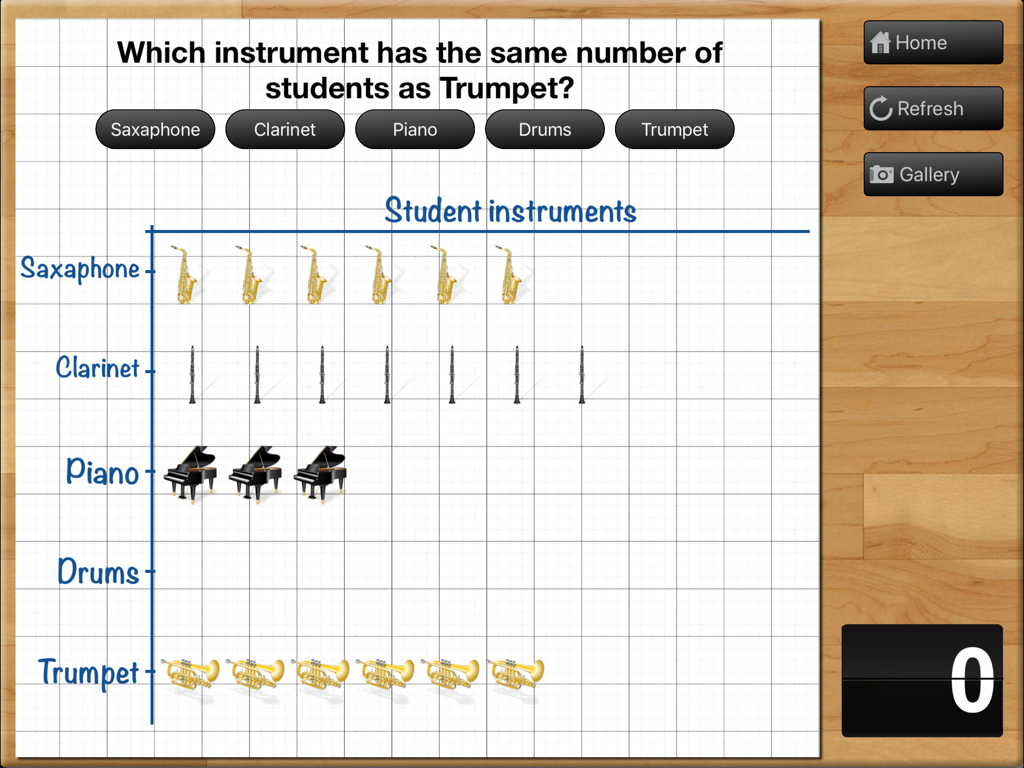
Teaching Graphs - Teaching Graphs iPad 앱 내 그리드에 학생 악기 데이터를 보여주는 그림 그래프입니다.
Teaching Graphs iPad 앱 내 그리드에 학생 악기 데이터를 보여주는 그림 그래프입니다.

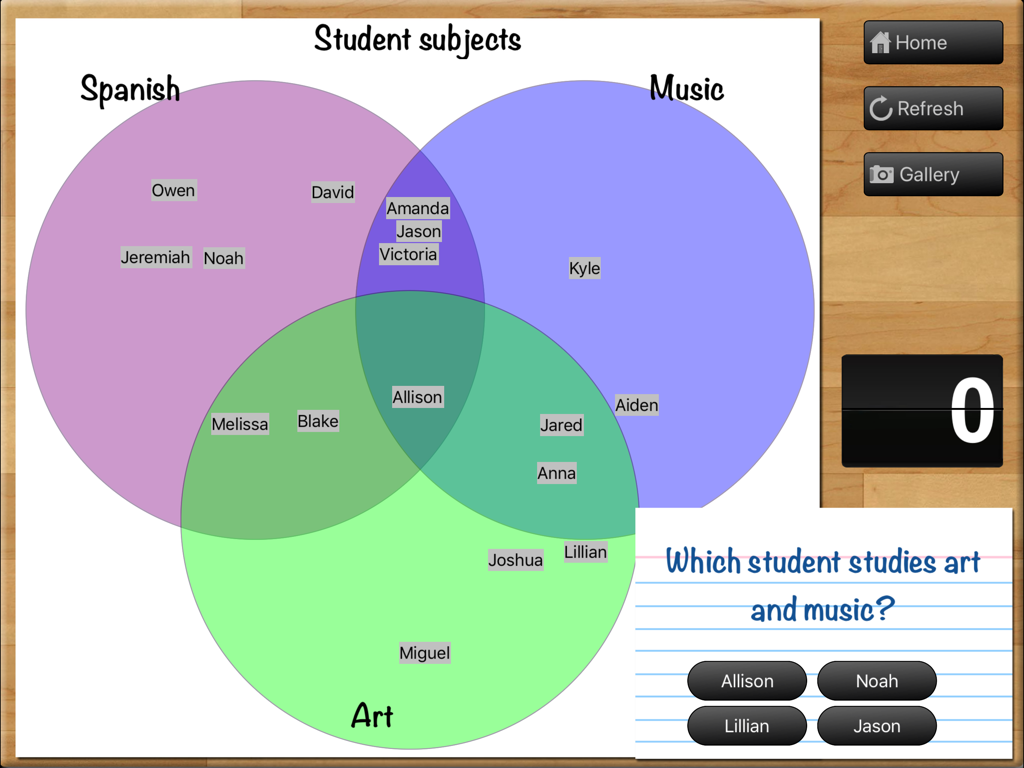
Teaching Graphs - 스페인어, 음악, 미술의 중복 카테고리에 대한 학생 퀴즈에 사용되는 Teaching Graphs 앱의 3개 원 벤 다이어그램입니다.
스페인어, 음악, 미술의 중복 카테고리에 대한 학생 퀴즈에 사용되는 Teaching Graphs 앱의 3개 원 벤 다이어그램입니다.

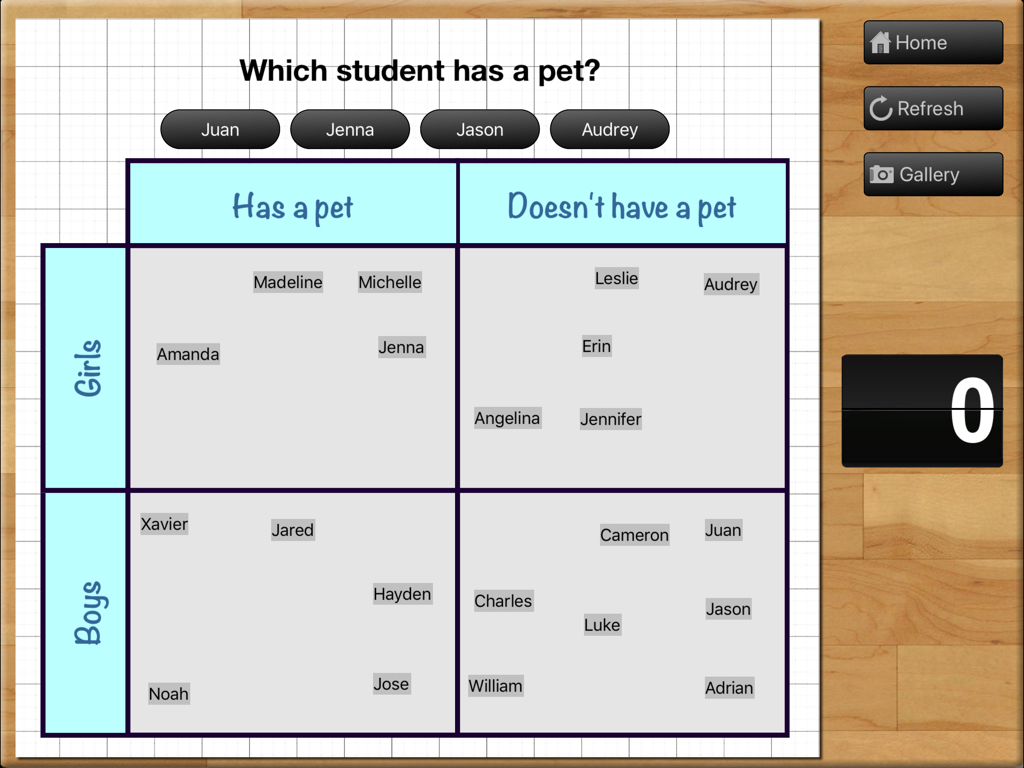
Teaching Graphs - 반려동물 소유 여부에 따라 소년과 소녀를 분류하는 그리드를 보여주는 Teaching Graphs 앱의 캐럴 다이어그램 활동입니다.
반려동물 소유 여부에 따라 소년과 소녀를 분류하는 그리드를 보여주는 Teaching Graphs 앱의 캐럴 다이어그램 활동입니다.

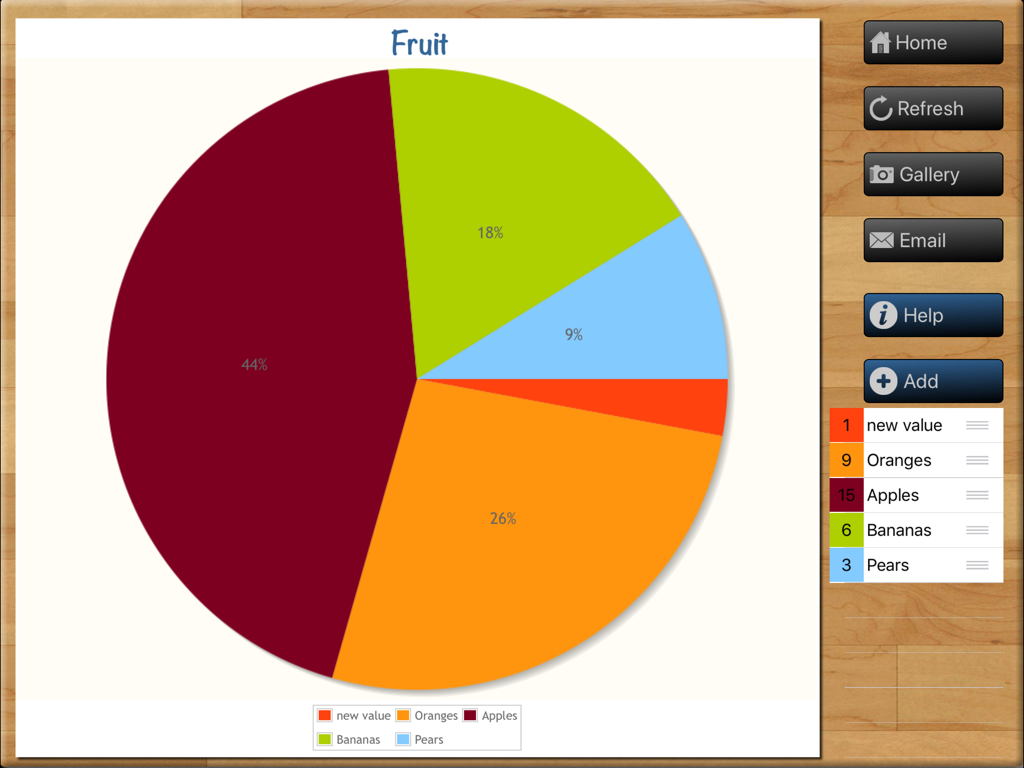
Teaching Graphs - Teaching Graphs 교육용 iPad 앱에서 사과, 오렌지, 바나나 데이터를 보여주는 과일 테마 파이 차트가 만들어지고 있습니다.
Teaching Graphs 교육용 iPad 앱에서 사과, 오렌지, 바나나 데이터를 보여주는 과일 테마 파이 차트가 만들어지고 있습니다.

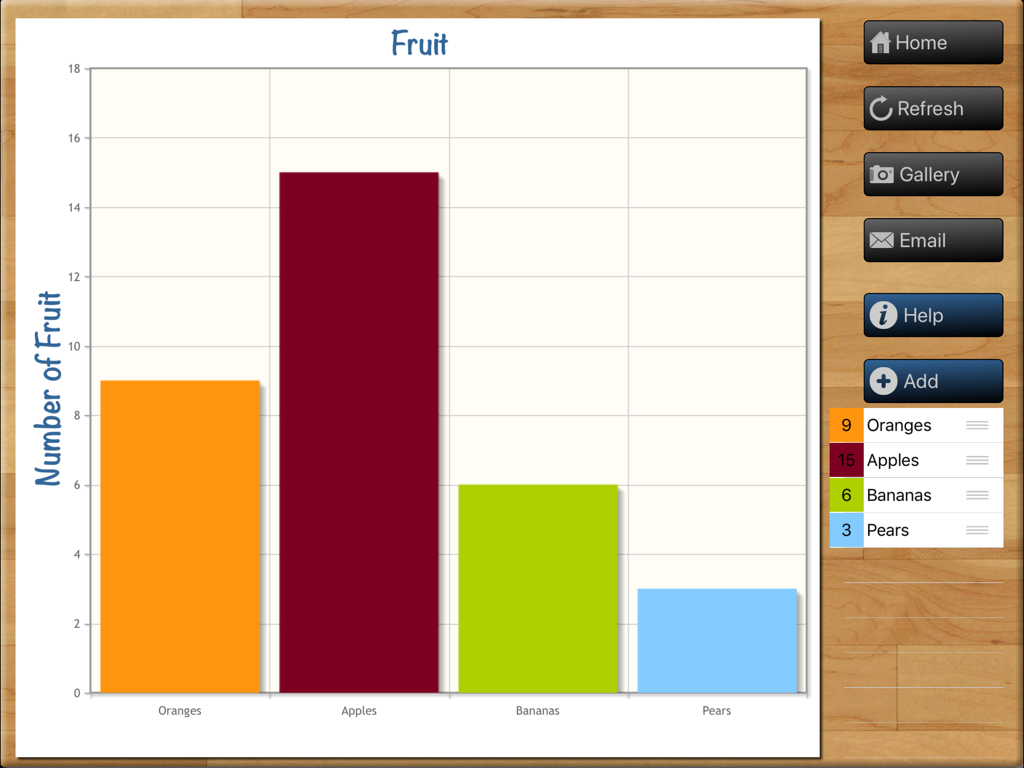
Teaching Graphs - iPad의 Teaching Graphs 앱 인터페이스에서 '과일'이라는 제목의 다채로운 막대 그래프입니다.
iPad의 Teaching Graphs 앱 인터페이스에서 '과일'이라는 제목의 다채로운 막대 그래프입니다.

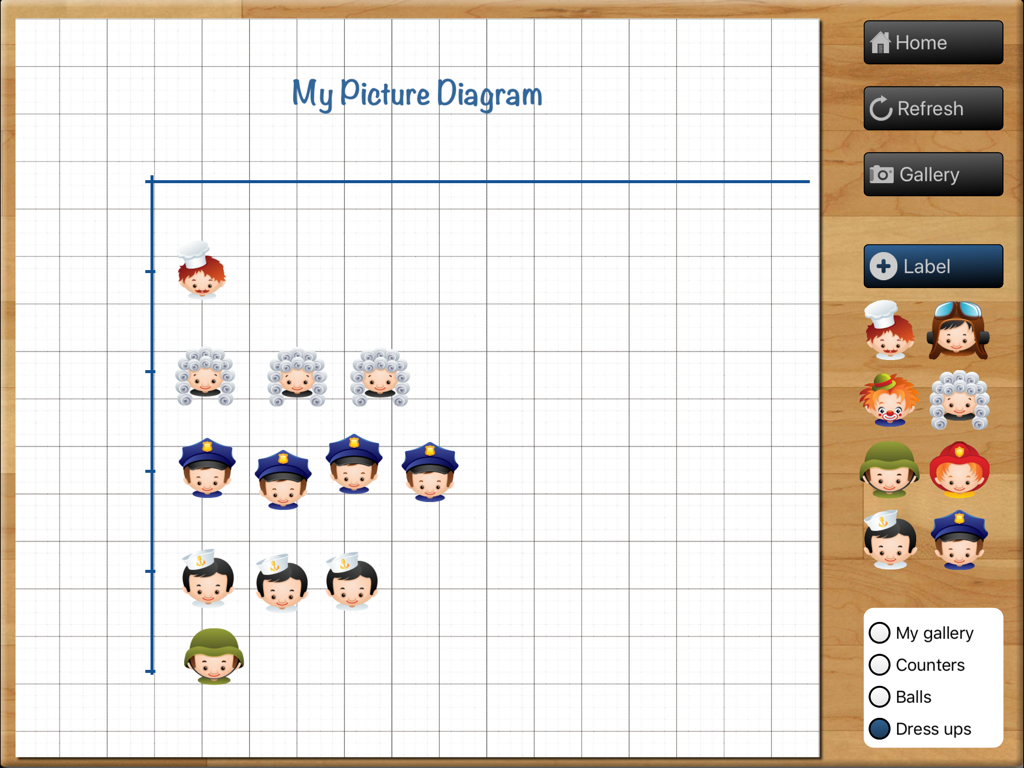
Teaching Graphs - 그리드에 캐릭터 아이콘이 있는 그림 다이어그램 작성기를 보여주는 Teaching Graphs 앱의 인터페이스입니다.
그리드에 캐릭터 아이콘이 있는 그림 다이어그램 작성기를 보여주는 Teaching Graphs 앱의 인터페이스입니다.

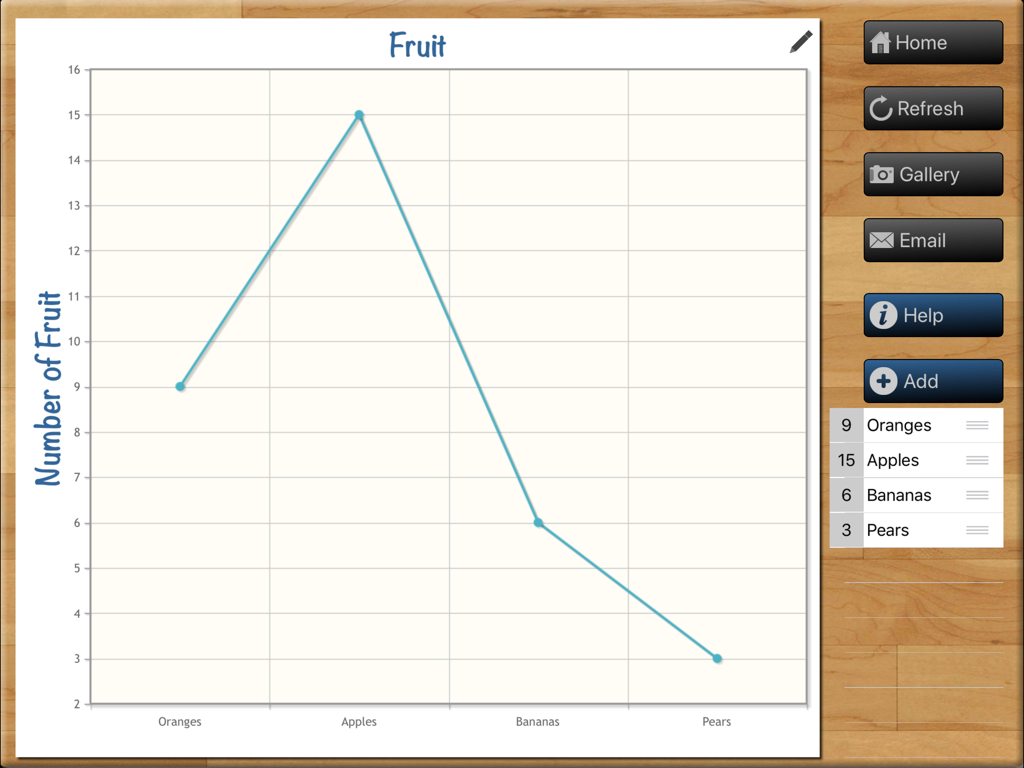
Teaching Graphs - Teaching Graphs iPad 앱 인터페이스에서 과일 개수를 보여주는 꺾은선 그래프입니다.
Teaching Graphs iPad 앱 인터페이스에서 과일 개수를 보여주는 꺾은선 그래프입니다.

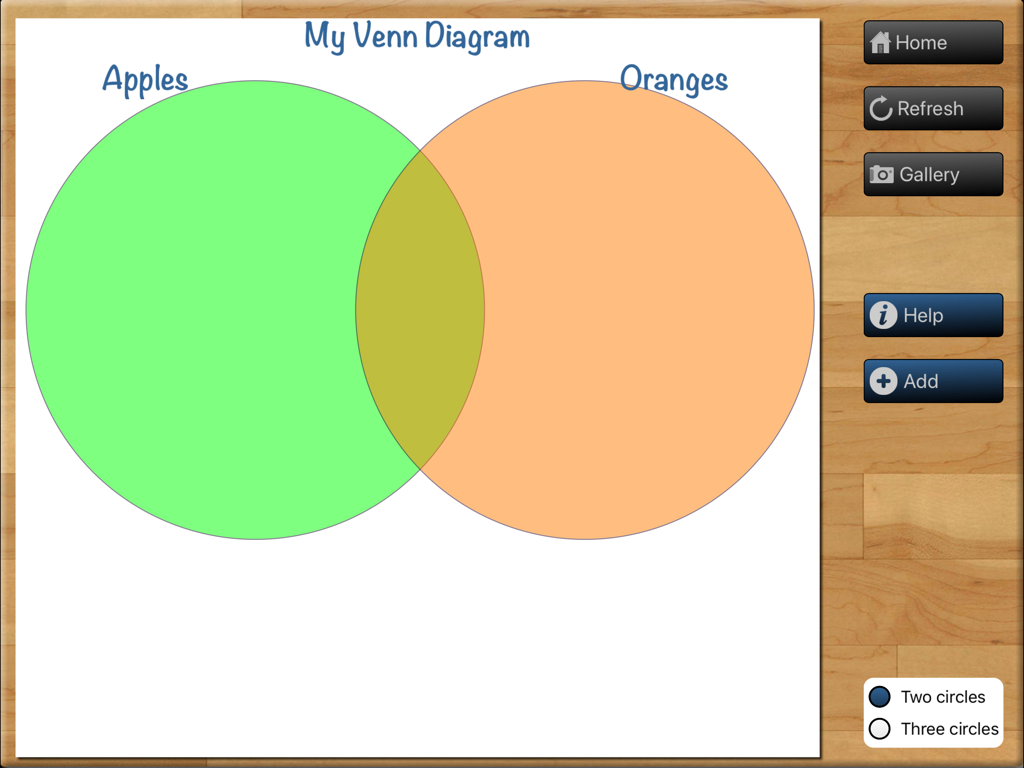
Teaching Graphs - 사과와 오렌지라는 레이블이 붙은 두 개의 겹치는 원을 사용하여 벤 다이어그램을 만드는 Teaching Graphs 앱 인터페이스입니다.
사과와 오렌지라는 레이블이 붙은 두 개의 겹치는 원을 사용하여 벤 다이어그램을 만드는 Teaching Graphs 앱 인터페이스입니다.

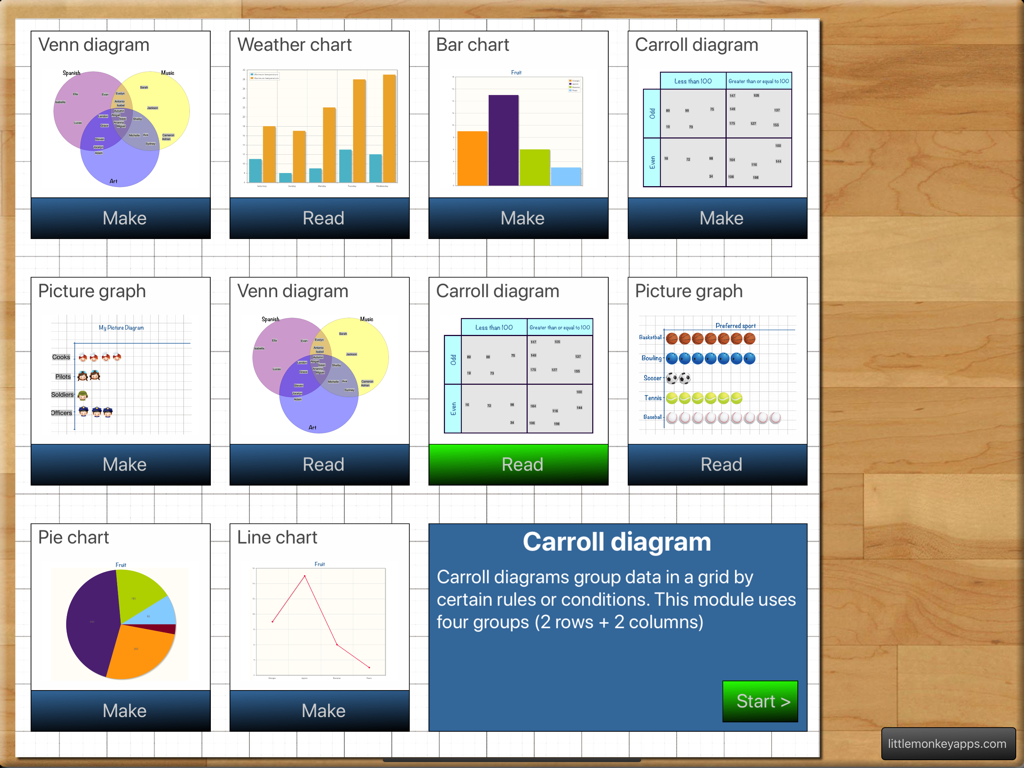
Teaching Graphs - 학생들이 읽거나 만들 수 있는 다양한 유형의 차트와 다이어그램이 포함된 Teaching Graphs 앱의 메인 메뉴입니다.

학생들이 읽거나 만들 수 있는 다양한 유형의 차트와 다이어그램이 포함된 Teaching Graphs 앱의 메인 메뉴입니다.

설명

Don't know the difference between a Venn and a Carroll Diagram? Don't know how to use one? Find that using Spreadsheet programs to be a lesson in everything but Graphs and interpretation? Spreadsheet Programs can be complex and distracting with too many features.... Teaching graphs is a simple introduction to basic graphs and interpretation of data. Teaching graphs includes two types of activities, 'Read' and 'Make' including picture graphs, Venn & Carroll diagrams, bar, pie and line charts. Students are asked to read and interpret data from four types of graphs, coming to recognise the features and purposes of each graph type. Students are also able to collect their own data and create their own graphs (4 different types of graphs) They can set labels, colours and adding values. Students can email a graph or save the graph to photo gallery. READ GRAPHS There are four types of graphs that have various questions asked. =Venn diagram= The most overused type of diagram in early years education! Little Johnny likes apples and pears, but Sara likes apples and bananas! Although we have included that type of question in the App, this is just the beginning of what a Venn diagram is REALLY used for. Once students have the basics, a Venn diagram can also be used to show more complex ideas in a visual and logical manner, helping children to make links between the similarities and differences of a particular set one example is comparing sets (or traits) such as motorbikes vs bicycles. =Carroll diagram= A Carroll diagram is used to sort information in a 'Yes / No' manner . This type of diagram aids students to organise information in a systematic manner. In the App, we have used two attributes (a 2 x 2 grid). =Weather graph (bar chart)= This module creates a minimum and maximum bar chart for the next five days of weather in your location. You can switch between Fahrenheit and Celsius. The module asks recall questions about the weather, I.e. 'What is the hottest day?' =Picture graph= Picture graphs are often the first introduction to graphing. It is important to note that the pictures are the SAME size and spaced evenly. Instead of traditional bar shapes each value is incremented using pictures. We've included marbles, sports balls, musical instruments and student dress-ups. MAKE GRAPHS There are 4 types of graphs that can be created. Students can email or save graphs to the photo gallery which allows record keeping for later instruction or comparison between appropriate graph types for a particular purpose. (You probably wouldn't use a venn diagram to show temperature across a week, a bar or line graph is more suited...but what a good teaching point.) =Venn diagram= Create a Venn diagram with 2 or 3 intersecting circles. Students can label each circle and set the colour. Items can be added and dragged in to place. =Line/bar graph maker= Create a single series bar or line graph. Switch between the two types of graph depending on the type of data. The line colour and bar colour can be set and items can be labelled. Line graphs are more appropriate for accumulative data sets such as temperature over one day whereas bar graphs can be used for temperature across a week. =Carroll diagram= A 2 row by 2 column Carroll diagram can be created. Labels and items can be customised. =Pie chart maker= Pie chart creation can be difficult without the assistance of IT devices as young children aren't able to understand the mathematics behind its creation (angles, using a protractor,) Students are able to create their pie chart by inputting data sets, change the colour and value for each slice. Great introduction to percentages for more advanced students..work backwards and complete the task on the App and (oh my goodness, yes, I'll say it...) by HAND!

Download

다운로드: App Store

이 페이지는 앱이나 개발자의 공식 페이지가 아니며, 정보 제공 및 논평을 목적으로 작성된 독립 편집 간행물입니다. 명시적으로 달리 언급되지 않는 한, 해당 앱이나 개발자는 MWM, Apple, Google Play, 앱 퍼블리셔 또는 앱 개발자와 제휴, 보증, 후원, 승인 또는 공식적으로 연결되어 있지 않으며, 이 페이지의 어떤 내용도 해당 앱이 MWM의 서비스를 사용하여 개발되었음을 의미하지 않습니다. 모든 상표, 로고, 스크린샷 및 기타 콘텐츠는 해당 소유자의 자산입니다.








