TEDICT

TEDICT

다운로드: App Store
로고: TEDICT

TEDICT: 적극적인 듣기를 통해 전문 영어를 마스터하세요

중급 수준의 이해와 전문적인 유창함 사이의 격차를 해소하세요. TED 강연의 힘을 활용하여 받아쓰기 능력을 향상시키고, 다양한 억양을 마스터하며, 중요한 모든 대화에서 뛰어난 성과를 거두세요.

개발사

CoCO SWING

카테고리

Education

다운로드

242K+

사용자 평점

4.7/5

총 평가 수

15K+

지원 언어

19

마스터를 엿보다

이 인터페이스를 사용하는 242K+ 명의 사용자.

언어 학습을 위한 TEDICT 앱의 최신 TED 강연 목록, 언어 주제 및 기간별 필터 포함
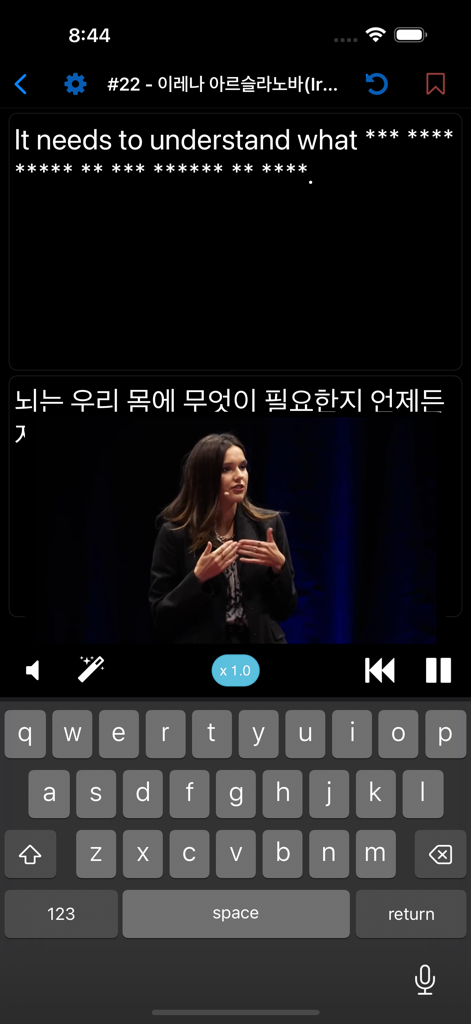
언어 학습을 위한 TEDICT 앱의 최신 TED 강연 목록, 언어 주제 및 기간별 필터 포함

TEDICT 앱 인터페이스, TED 강연 영상 및 화면 키보드를 사용한 받아쓰기 연습 표시
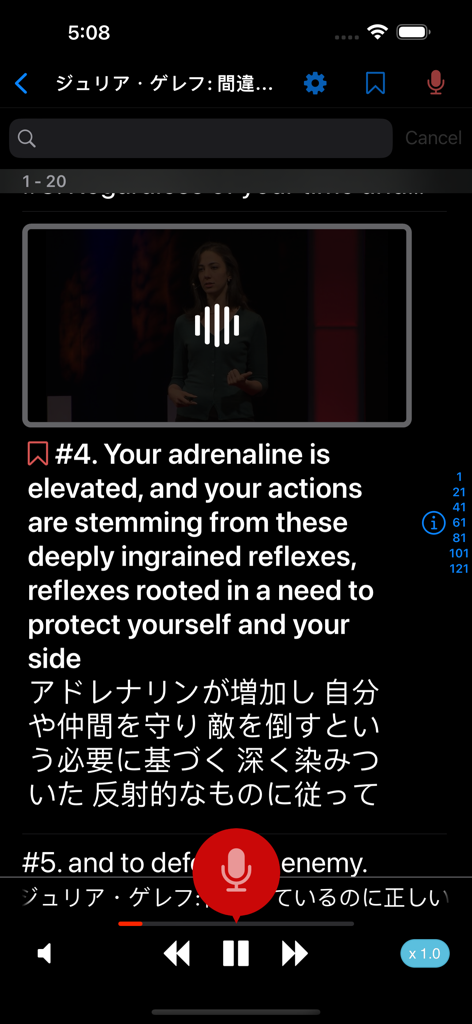
TEDICT 앱 인터페이스, TED 강연 영상 및 화면 키보드를 사용한 받아쓰기 연습 표시

TEDICT 앱 비디오 플레이어, 일본어 번역 및 받아쓰기 컨트롤이 포함된 영어 연설 표시
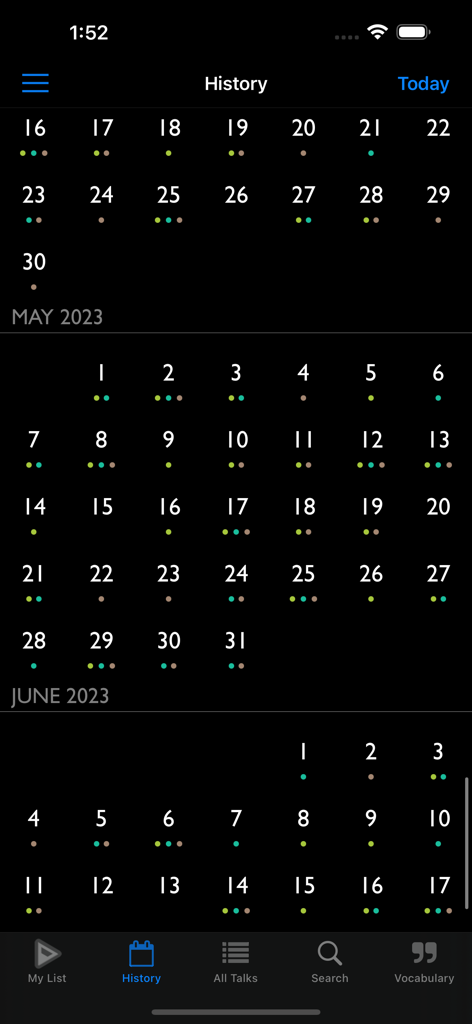
TEDICT 앱 비디오 플레이어, 일본어 번역 및 받아쓰기 컨트롤이 포함된 영어 연설 표시

TEDICT 앱 기록 화면, 일일 학습 진행 상황 점이 있는 월간 캘린더 표시
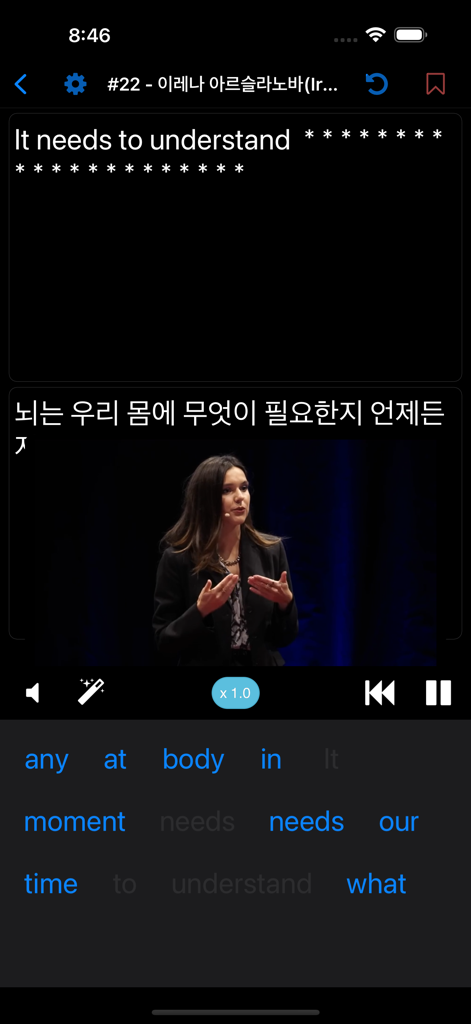
TEDICT 앱 기록 화면, 일일 학습 진행 상황 점이 있는 월간 캘린더 표시

TEDICT 앱 스크린샷, TED 강연 영상 및 단어 선택 타일이 있는 받아쓰기 연습 표시
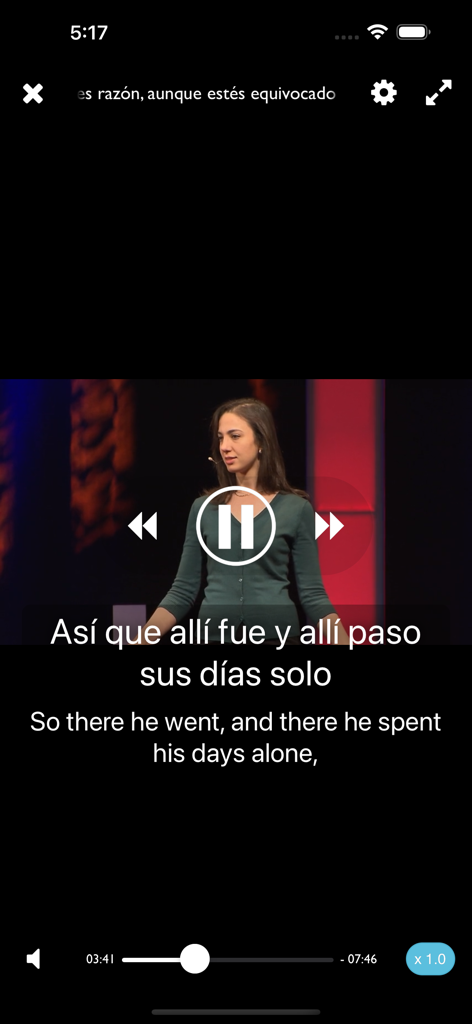
TEDICT 앱 스크린샷, TED 강연 영상 및 단어 선택 타일이 있는 받아쓰기 연습 표시

TEDICT 앱, 언어 학습을 위한 영어 및 스페인어 이중 자막이 있는 비디오 플레이어 표시
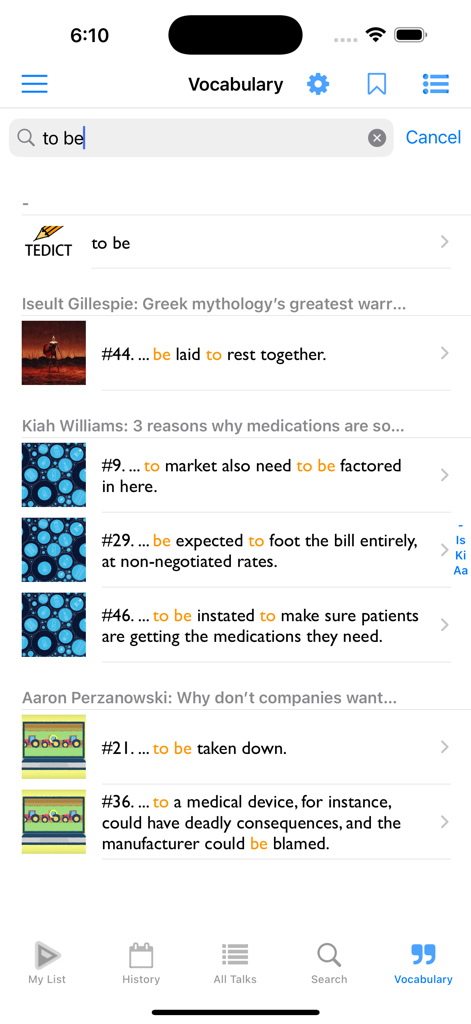
TEDICT 앱, 언어 학습을 위한 영어 및 스페인어 이중 자막이 있는 비디오 플레이어 표시

TEDICT 앱 어휘 검색 화면, 다양한 TED 강연의 예시 단어 표시
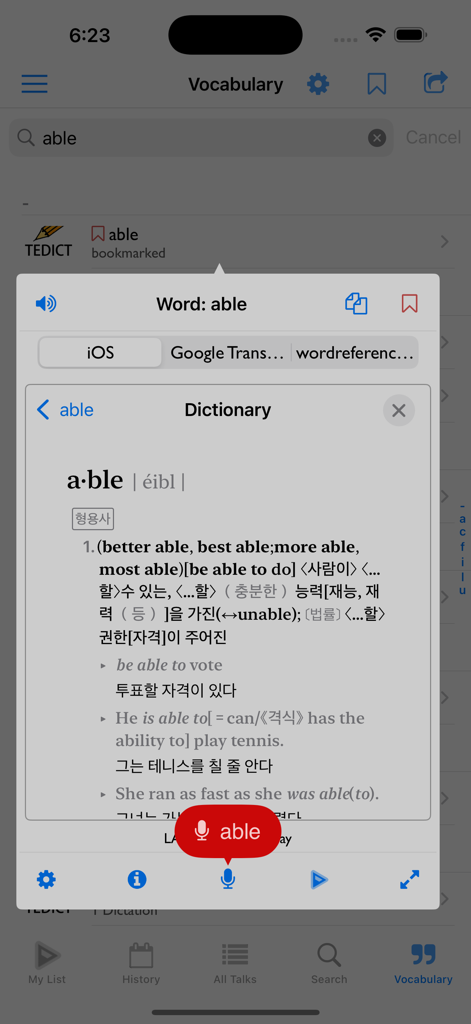
TEDICT 앱 어휘 검색 화면, 다양한 TED 강연의 예시 단어 표시

TEDICT 모바일 앱 어휘 검색, 영어-한국어 사전 팝업 포함
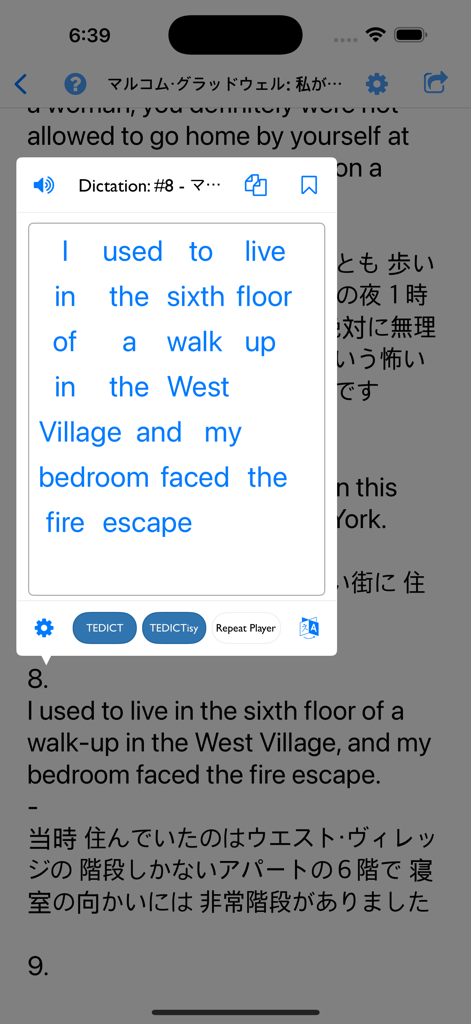
TEDICT 모바일 앱 어휘 검색, 영어-한국어 사전 팝업 포함

TEDICT 앱 인터페이스, 일본어 번역 자막이 포함된 영어 받아쓰기 연습 표시
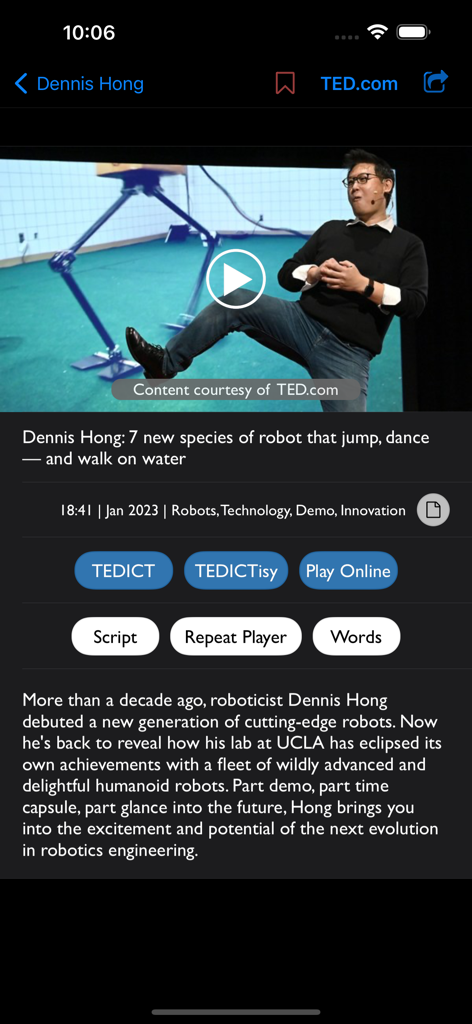
TEDICT 앱 인터페이스, 일본어 번역 자막이 포함된 영어 받아쓰기 연습 표시

TEDICT 앱 인터페이스, 영어 학습을 위한 로봇 공학에 관한 TED 강연 영상 표시

TEDICT 앱 인터페이스, 영어 학습을 위한 로봇 공학에 관한 TED 강연 영상 표시

전문적인 유창함 레벨 업

이 앱을 돋보이게 하는 도구, 242K+ 명의 사용자가 선택.

⌨️

정확한 받아쓰기

빠르게 말하는 원어민을 해독하세요. 단어 하나하나 타이핑하여 일반적인 앱에서 놓치는 미묘한 시제와 전치사를 잡아내도록 뇌를 훈련하세요.

🌍

글로벌 억양 및 아이디어

다양한 미국 직장 환경에 대비하세요. 전 세계 전문가들의 이야기를 듣고 최첨단 개념을 배우면서 전문 어휘를 확장하세요.

☁️

원활한 학습 흐름

생산성을 극대화하세요. 이동 중에도 '섀도잉'을 사용하여 말하기를 다듬고, 모든 진행 상황은 장치 간에 자동으로 동기화되어 언제 어디서든 심층적인 학습이 가능합니다.

앱 소개

에 대해 알아야 할 모든 것 TEDICT.

설명

* This App is not affiliated with, sponsored by or endorsed by TED in any way * LITE (FREE) version -> Search "TEDICT" To become good at English, you need to listen to it often, but simply listening to English is not enough. Just like other languages in the world, English has many similar words that are difficult to distinguish by listening. That’s why you need to be able to confirm whether you heard them right. The key to gaining expertise is in mastering dictation! When you listen to the speaker and type in the words, the program will check them, letter by letter. Because it only takes a short period of time, you can use it on the bus or subway. You can also use it as a TED viewer through the video function with the subtitles activated. The notable feature is that a huge number of TED lectures are constantly added, which means an unlimited amount of available learning materials for you. TEDICT allows you to download as many TED lectures as you want, so you’ll always get new learning materials. The World’s Best Intellectual Archive, TED High-level TED speeches This program even features various kinds of English pronunciations from all over the world. Use TEDICT to listen to cool ideas from TED and improve your English skills! * TEDICT differs from TEDICT LITE in the following ways: - No ads - iCloud Support – Save your study history by date, bookmarks, and learning progress to the cloud and sync your learning seamlessly between iPhone and iPad. - Unlimited dictation - Unlimited shadowing - RewindSub - Feature to assess your listening skills in the ‘Video Player’ * More Information -> https://cocoswing.com/tedict/ * All TED Talks subject to the creative commons license found at ted.com

최신 버전

9.7

크기

13.1 MB

출시일

2012년 8월 14일

경력에 필요한 유창함을 달성하세요

242,000명 이상의 야심찬 전문가 및 학생들과 함께 중급 영어와 전문 영어 사이의 격차를 해소하세요. 완벽한 듣기 및 말하기를 향한 여정을 오늘 시작하세요.

다운로드: App Store

App information, icons, screenshots, and descriptions displayed on this page are sourced from the Apple App Store and are the property of their respective developers. Download estimates and rankings are based on MWM's proprietary models and may not reflect actual figures. This page is provided for informational and analytical purposes only.

Believe this page infringes your intellectual property? File a dispute