Teleprompter for Video ۬
다운로드: App Store

이 페이지는 앱이나 개발자의 공식 페이지가 아니며, 정보 제공 및 논평을 목적으로 작성된 독립 편집 간행물입니다. 명시적으로 달리 언급되지 않는 한, 해당 앱이나 개발자는 MWM, Apple, Google Play, 앱 퍼블리셔 또는 앱 개발자와 제휴, 보증, 후원, 승인 또는 공식적으로 연결되어 있지 않으며, 이 페이지의 어떤 내용도 해당 앱이 MWM의 서비스를 사용하여 개발되었음을 의미하지 않습니다. 모든 상표, 로고, 스크린샷 및 기타 콘텐츠는 해당 소유자의 자산입니다.

로고: Teleprompter for Video ۬
다운로드: App Store

Teleprompter for Video ۬

크리에이터와 전문가를 위한 올인원 스튜디오. 화면에 스크립트가 표시된 상태로 녹화하고, 완벽한 아이 컨택을 유지하고, 모바일 기기에서 자막으로 편집하세요.

주요 수치

다운로드

32K+

사용자 평점

4.4/5

총 평가 수

100

개발사

AppQ Technology

카테고리

Photo & Video

지원 언어

1

최신 버전

1.1.0

크기

37.3 MB

출시일

2023년 7월 26일
기능

카메라 앞에서의 존재감 마스터하기

완벽한 프레젠테이션을 매번 제공하는 데 도움이 되도록 설계된 도구를 사용하여 재촬영에 몇 시간을 절약하고 전문가처럼 보이세요.

완벽한 아이 컨택 유지

카메라 렌즈 바로 옆에서 스크립트를 읽어, 시청자가 시선을 돌리지 않고도 직접적이고 전문적인 연결을 느끼게 합니다.

모든 플랫폼에 최적화

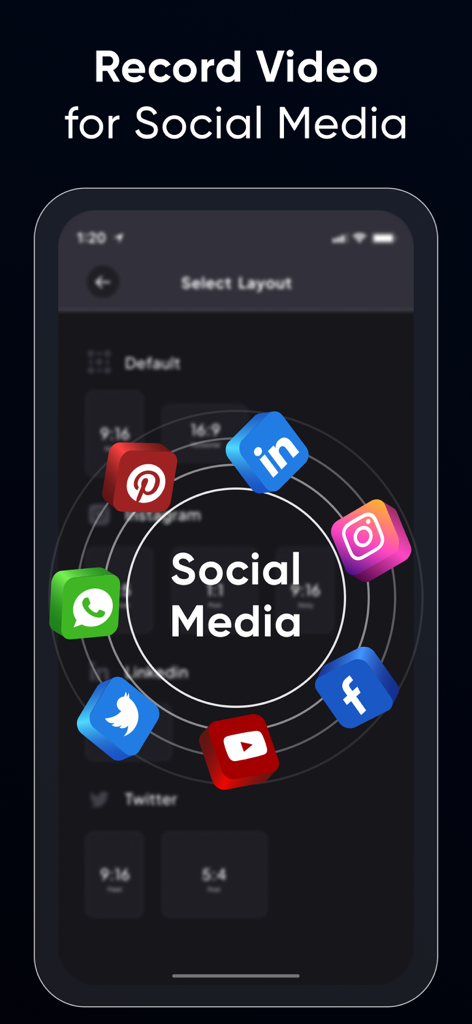
TikTok용 9:16, LinkedIn용 1:1, YouTube용 16:9 중에서 선택하여 모든 소셜 피드에서 콘텐츠가 네이티브처럼 보이도록 하세요.

다음 스크린샷과 설명은 앱의 공식 스토어 목록에서 직접 가져온 것이며 앱 개발자의 자산입니다.

앱 스토어

스크린샷
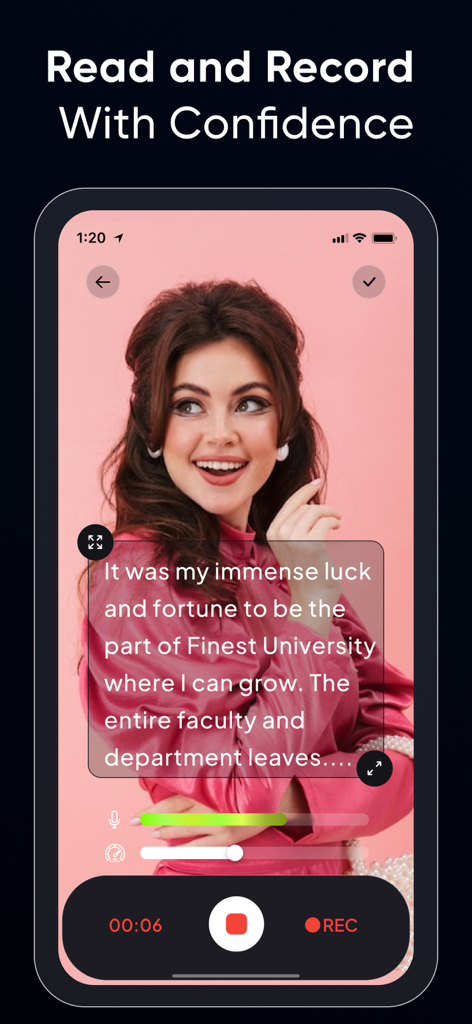
Teleprompter for Video ۬ - 여성의 라이브 동영상 녹화 위에 스크립트가 표시되는 프롬프터 앱의 인터페이스
여성의 라이브 동영상 녹화 위에 스크립트가 표시되는 프롬프터 앱의 인터페이스

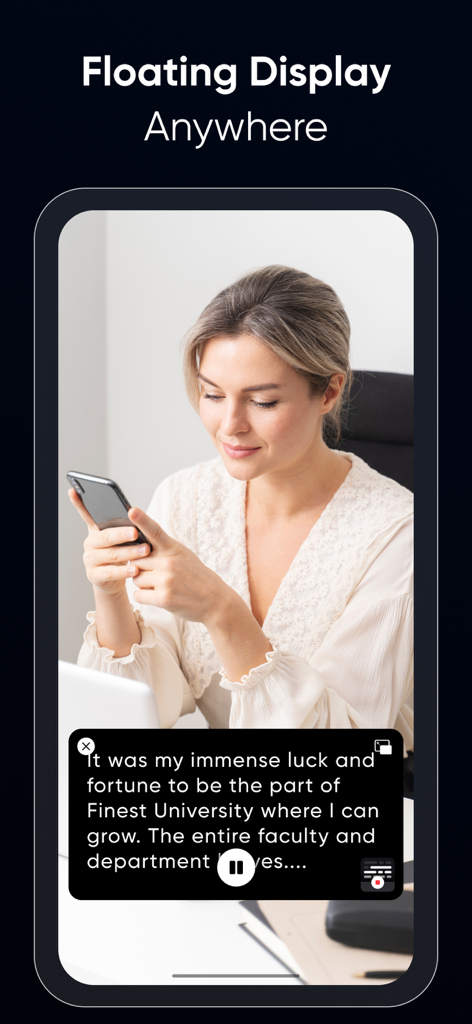
Teleprompter for Video ۬ - 스마트폰에서 스크립트를 읽기 위해 프롬프터 앱의 플로팅 디스플레이 기능을 사용하는 여성
스마트폰에서 스크립트를 읽기 위해 프롬프터 앱의 플로팅 디스플레이 기능을 사용하는 여성

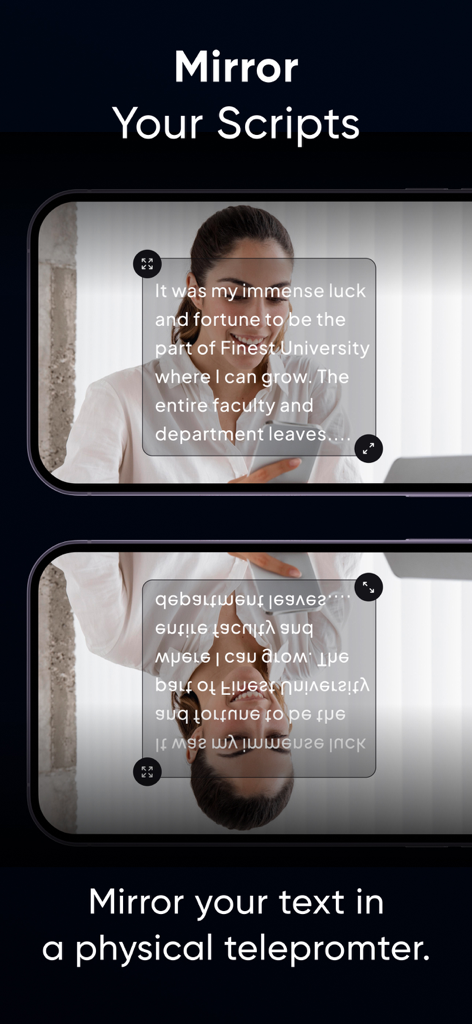
Teleprompter for Video ۬ - 실제 프롬프터 장치와 함께 앱을 사용하기 위한 미러 스크립트 기능 시연.
실제 프롬프터 장치와 함께 앱을 사용하기 위한 미러 스크립트 기능 시연.

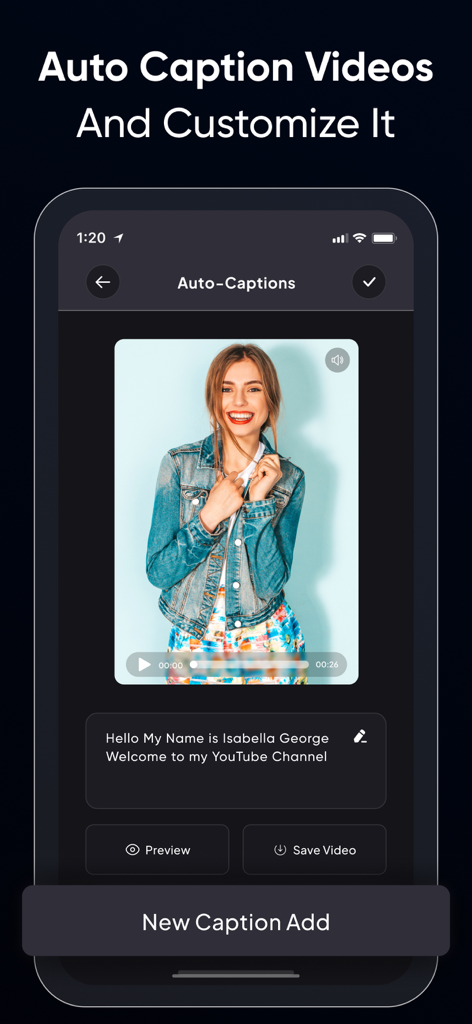
Teleprompter for Video ۬ - 동영상 미리 보기와 편집 가능한 텍스트 상자가 있는 자동 자막 기능이 표시된 동영상용 프롬프터 앱의 인터페이스.
동영상 미리 보기와 편집 가능한 텍스트 상자가 있는 자동 자막 기능이 표시된 동영상용 프롬프터 앱의 인터페이스.

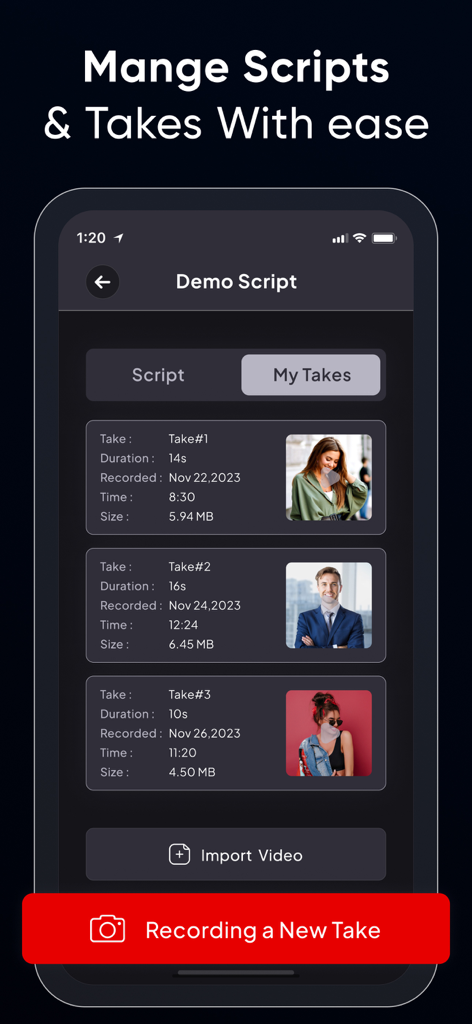
Teleprompter for Video ۬ - 재생 시간 및 파일 크기와 같은 세부 정보와 함께 스크립트에 대한 녹화된 동영상 촬영 목록을 표시하는 모바일 앱 인터페이스.
재생 시간 및 파일 크기와 같은 세부 정보와 함께 스크립트에 대한 녹화된 동영상 촬영 목록을 표시하는 모바일 앱 인터페이스.

Teleprompter for Video ۬ - Instagram, TikTok, LinkedIn과 같은 플랫폼의 다양한 동영상 종횡비 및 소셜 미디어 아이콘을 보여주는 화면.
Instagram, TikTok, LinkedIn과 같은 플랫폼의 다양한 동영상 종횡비 및 소셜 미디어 아이콘을 보여주는 화면.

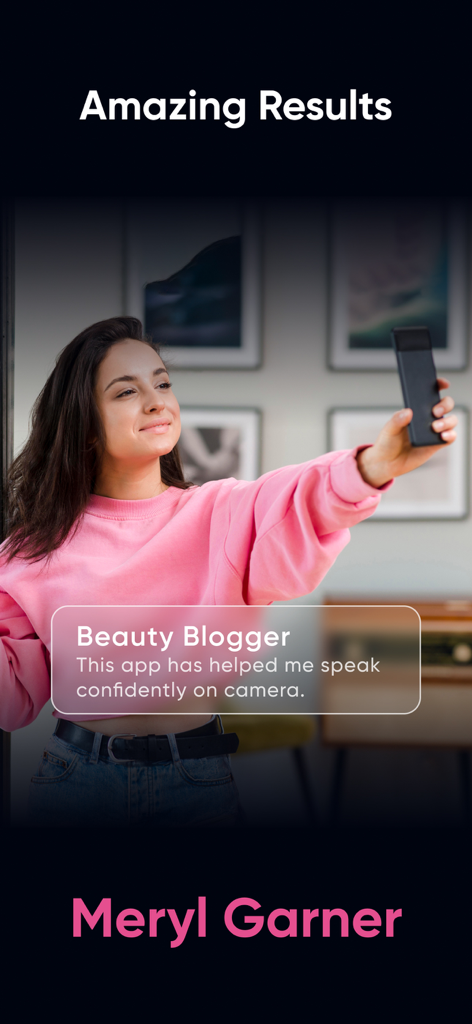
Teleprompter for Video ۬ - 뷰티 블로거 Meryl Garner가 동영상용 프롬프터 앱을 사용하여 자신감 있게 말하는 것에 대한 후기

뷰티 블로거 Meryl Garner가 동영상용 프롬프터 앱을 사용하여 자신감 있게 말하는 것에 대한 후기

설명

Teleprompter Pro is yet another video teleprompter app that allows you to display your text script on your phone’s video recording screen, so you can always be sure of what you’re going to say. Whether you’re an influencer who wants to share your trip journey or makeup routine with your followers or are a teacher who is recording lessons for their students or needs a prompter for your public speaking sessions. The Teleprompter Pro app helps you look more confident and professional in your videos. Some salient features of Teleprompter Pro: • Record videos in multiple sizes: Teleprompter Pro supports the following aspect ratios: 16:9, 9:6, 4:5, 1:1, 9:4 which almost work for different social media platforms. • Optimize Teleprompt Text: Unlike other Teleprompter apps that just display the text on the recording screen, Teleprompter Pro actually allows you to change text alignment, style (bold, italic, underline) & increase/decrease font-size as per requirements. • Trim video: No video is perfect, in case you’ve made a blunder at a certain part, then you can actually trim your video and remove the unwanted part. • Multiple scripts: You can as many scripts as you want. However, adding more than 1 script is available for the Teleprompter Premium subscribers only. • Add Captions: Once your video is recorded and is finally ready, you can add captions for users who have hearing issues or anyone who prefers captions. Benefits of using Teleprompter Pro: • You’ll look more confident and your videos will feel professional. • You’ll know what you’re going to say. • People won’t feel like you’re reading text from elsewhere (which shall make you feel even more trustworthy and knowledgeable) • You’ll be able to avoid mistakes. • Your video will look live and engaging. • You'll be able to speak clearly and articulately. • You’ll be able to add captions to your videos and even optimize them as per the timing. If you're looking to improve your video presentations, a teleprompter for video is a great option. It's easy to use and can make a big difference in the quality of your videos. Here are some tips for using a teleprompter app: • Practice reading from the teleprompter before you record your video. • Make sure the text is large enough for you to read easily. • Use a slow and steady pace. • Look directly into the camera. • Keep practicing until you get it all right. With a little practice, you'll be able to use a Teleprompter app like a pro. And your videos will look and sound great! Here are some examples of how you can use a teleprompter app: • For business presentations: Use a teleprompter app to give presentations that are clear, concise, and professional. • For educational videos: Use a teleprompter app to create engaging and informative videos for your students. • For product demonstrations: Use a teleprompter app to create videos that show off your products in a clear and concise way. • For interviews: Use a teleprompter app to give interviews that are well-prepared and polished. • For vlogs: Use a teleprompter app to create vlogs that are interesting and engaging. No matter what you use it for, a Teleprompter Pro is a great way to improve the quality of your videos. The app is compatible with iPhone as well as iPad. So what are you waiting for? Start using one today. Privacy Policy : https://teleprompter.appstraw.com/privacy-policy Terms of Use : https://teleprompter.appstraw.com/terms-conditions

Download

다운로드: App Store

이 페이지는 앱이나 개발자의 공식 페이지가 아니며, 정보 제공 및 논평을 목적으로 작성된 독립 편집 간행물입니다. 명시적으로 달리 언급되지 않는 한, 해당 앱이나 개발자는 MWM, Apple, Google Play, 앱 퍼블리셔 또는 앱 개발자와 제휴, 보증, 후원, 승인 또는 공식적으로 연결되어 있지 않으며, 이 페이지의 어떤 내용도 해당 앱이 MWM의 서비스를 사용하여 개발되었음을 의미하지 않습니다. 모든 상표, 로고, 스크린샷 및 기타 콘텐츠는 해당 소유자의 자산입니다.








