Termux Pro
Termux Pro
다운로드: App Store

이 페이지는 앱이나 개발자의 공식 페이지가 아니며, 정보 제공 및 논평을 목적으로 작성된 독립 편집 간행물입니다. 명시적으로 달리 언급되지 않는 한, 해당 앱이나 개발자는 MWM, Apple, Google Play, 앱 퍼블리셔 또는 앱 개발자와 제휴, 보증, 후원, 승인 또는 공식적으로 연결되어 있지 않으며, 이 페이지의 어떤 내용도 해당 앱이 MWM의 서비스를 사용하여 개발되었음을 의미하지 않습니다. 모든 상표, 로고, 스크린샷 및 기타 콘텐츠는 해당 소유자의 자산입니다.


로고: Termux Pro
다운로드: App Store

Termux Pro

DevOps 및 파워 유저를 위해 설계된 데스크톱급 터미널, 다중 서버 스니펫 실행 및 안전한 파일 관리 기능으로 이동 중에 서버를 마스터하세요.

주요 수치

다운로드

12K+

사용자 평점

4.4/5

총 평가 수

0

개발사

志鹏 潘

카테고리

Developer Tools

지원 언어

1

최신 버전

4.5

크기

99.2 MB

출시일

2021년 2월 19일
기능

어디서든 인프라를 마스터하세요

Termux Pro는 DevOps 엔지니어 및 시스템 관리자를 위해 특별히 제작된 Linux 터미널과 안전한 파일 관리의 모든 기능을 iOS 장치로 제공합니다.

전문가급 연결성

중요 업무를 위해 SOCKS5 프록시, 점프 호스트 및 키 기반 인증을 지원하여 SSH 및 SFTP 세션을 안전하게 관리하세요.

다중 서버 자동화

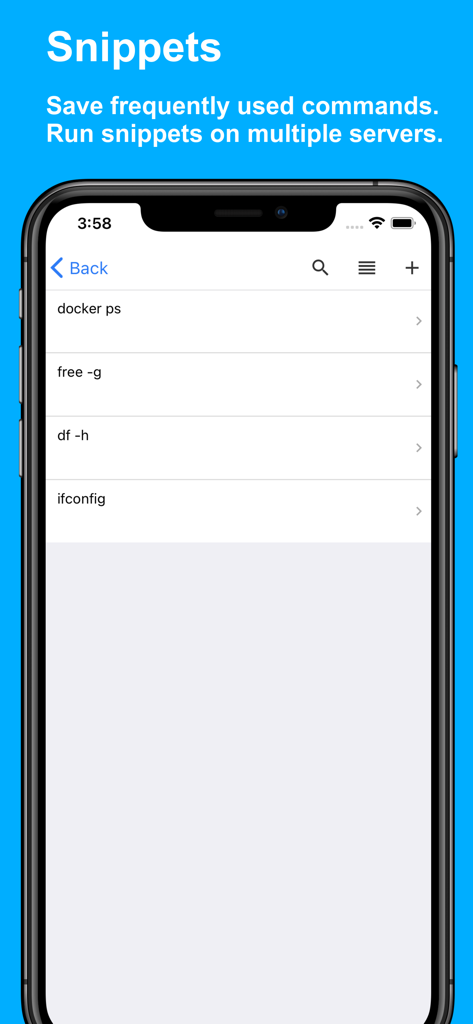
자주 사용하는 명령을 스니펫으로 저장하고 탭 한 번으로 여러 서버 클러스터에서 실행하여 효율성을 높이세요.

다음 스크린샷과 설명은 앱의 공식 스토어 목록에서 직접 가져온 것이며 앱 개발자의 자산입니다.

앱 스토어

스크린샷
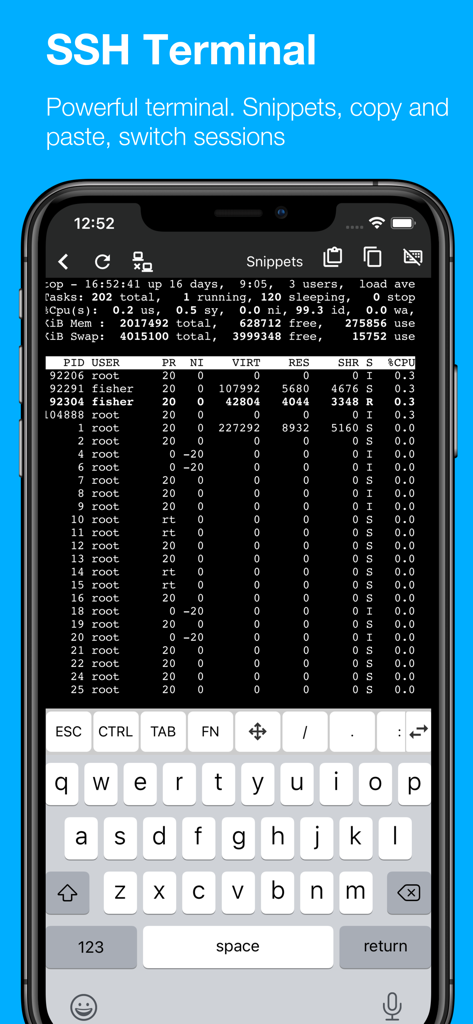
Termux Pro - Termux Pro 모바일 앱에 iPhone에서 시스템 프로세스 모니터가 있는 기능적인 SSH 터미널이 표시됨
Termux Pro 모바일 앱에 iPhone에서 시스템 프로세스 모니터가 있는 기능적인 SSH 터미널이 표시됨

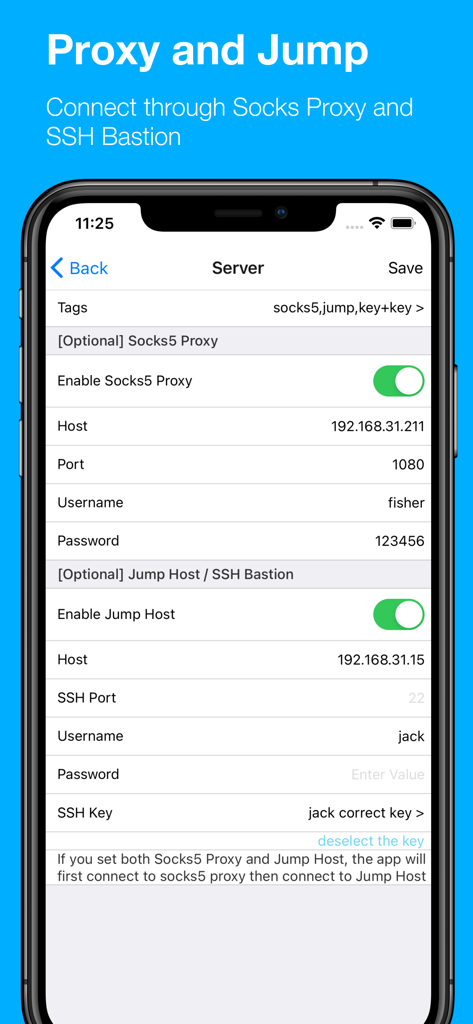
Termux Pro - Socks5 프록시 및 SSH 점프 호스트 서버 설정을 구성하기 위한 Termux Pro 앱 인터페이스
Socks5 프록시 및 SSH 점프 호스트 서버 설정을 구성하기 위한 Termux Pro 앱 인터페이스

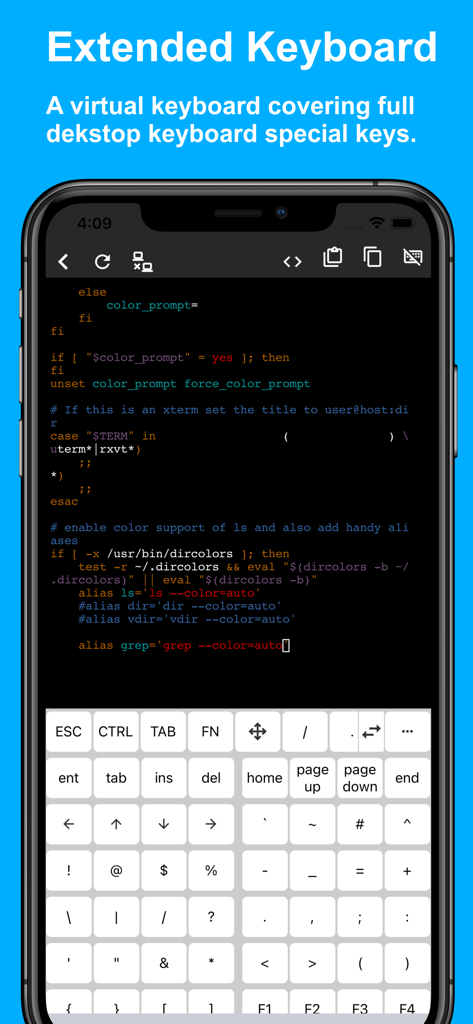
Termux Pro - 데스크톱 특수 키를 포함한 확장 가상 키보드와 터미널 인터페이스가 있는 Termux Pro 앱을 보여주는 iPhone 화면
데스크톱 특수 키를 포함한 확장 가상 키보드와 터미널 인터페이스가 있는 Termux Pro 앱을 보여주는 iPhone 화면

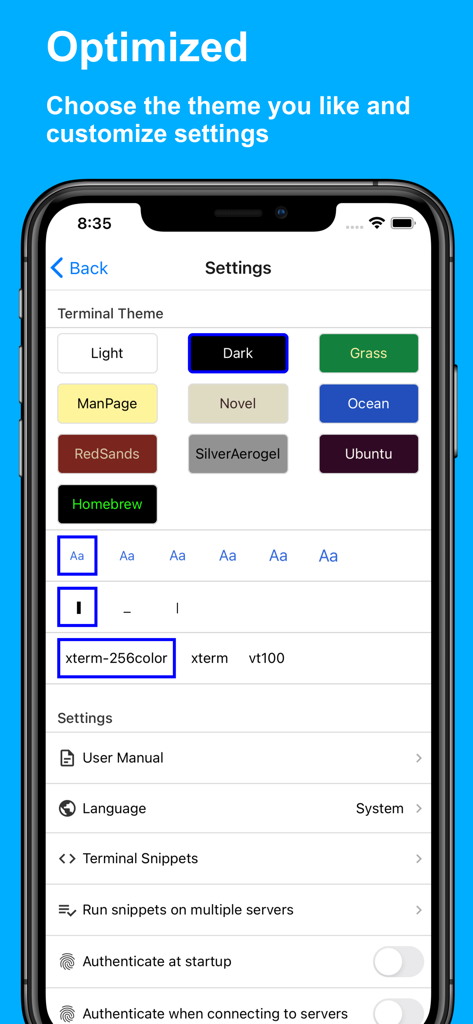
Termux Pro - 다양한 색상 구성표와 터미널 구성을 보여주는 Termux Pro의 터미널 테마 및 설정 인터페이스.
다양한 색상 구성표와 터미널 구성을 보여주는 Termux Pro의 터미널 테마 및 설정 인터페이스.

Termux Pro - iPhone에서 SSH 서버 관리를 위한 저장된 명령 스니펫 목록을 보여주는 Termux Pro 앱 인터페이스 스크린샷
iPhone에서 SSH 서버 관리를 위한 저장된 명령 스니펫 목록을 보여주는 Termux Pro 앱 인터페이스 스크린샷

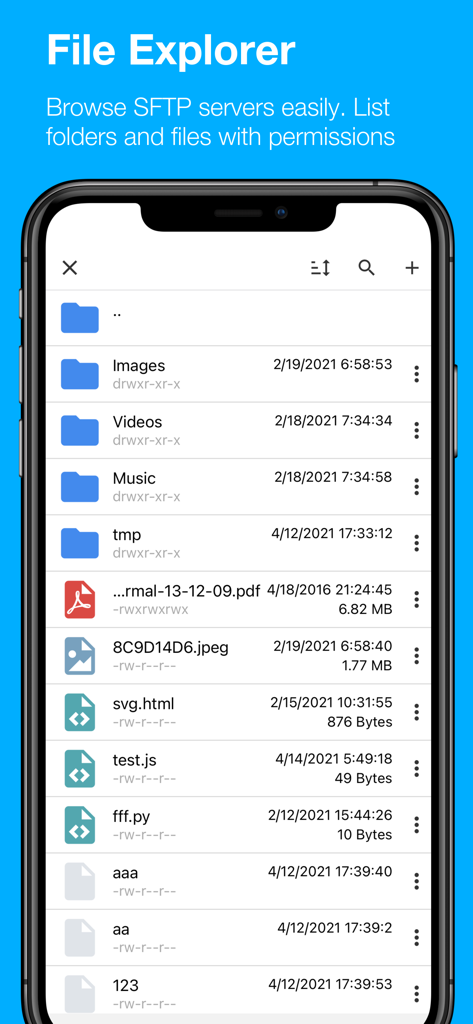
Termux Pro - 폴더와 파일 권한을 표시하는 Termux Pro 모바일 SFTP 파일 탐색기

폴더와 파일 권한을 표시하는 Termux Pro 모바일 SFTP 파일 탐색기

설명

Termux Pro - Fully Featured SSH & SFTP Client for iOS Manage your servers effortlessly with Termux Pro, an all-in-one SSH and SFTP client that empowers you to access server files, open interactive terminals, and complete tasks on the go. Key Features: * Comprehensive Server Access: Connect to SSH and SFTP servers with support for SOCKS5 proxy and jump host functionality, ensuring secure and versatile connections. * File Management: Seamlessly copy, move, rename, and delete files on your servers. Directly manage remote files, and easily edit text files. * Effortless File Transfers: Import and export files between SFTP servers, iPhones, and iPads. Copy files across servers or your devices without hassle. * Customizable Themes: Switch between Dark and Light Themes to match your environment and preference. * Secure SSH Connections: Connect to SSH servers using passwords or secure key-based authentication. * Interactive SSH Terminal: Access your SSH terminal on the go, continuing your work from any location with full functionality. * Code Snippet Management: Save frequently used commands and scripts as snippets for quick execution with a single tap. * Multi-Server Snippet Execution: Run saved snippets on multiple servers at once, enhancing your productivity. * Text Editor Support: Use popular terminal-based text editors like Nano or Vim for seamless file editing directly from the terminal. * Full Keyboard Support: A complete virtual keyboard with all the special keys you need, mirroring the experience of a desktop keyboard. * iOS Integration: Upload photos and videos from photo library to your SFTP servers. * HTML Code Preview: Write and preview HTML, with support for HTML and SVG rendering, perfect for web development tasks. * Document Preview: View a variety of files, including images, PDFs, Word documents, Excel sheets, and PowerPoint presentations right within the app. Termux Pro is designed to bring the power of server management and file transfers right to your mobile device, combining security, flexibility, and ease of use. Take your server tasks with you, wherever you go.

Download

다운로드: App Store

이 페이지는 앱이나 개발자의 공식 페이지가 아니며, 정보 제공 및 논평을 목적으로 작성된 독립 편집 간행물입니다. 명시적으로 달리 언급되지 않는 한, 해당 앱이나 개발자는 MWM, Apple, Google Play, 앱 퍼블리셔 또는 앱 개발자와 제휴, 보증, 후원, 승인 또는 공식적으로 연결되어 있지 않으며, 이 페이지의 어떤 내용도 해당 앱이 MWM의 서비스를 사용하여 개발되었음을 의미하지 않습니다. 모든 상표, 로고, 스크린샷 및 기타 콘텐츠는 해당 소유자의 자산입니다.








