Text Editor - Document Editor
다운로드: App Store

이 페이지는 앱이나 개발자의 공식 페이지가 아니며, 정보 제공 및 논평을 목적으로 작성된 독립 편집 간행물입니다. 명시적으로 달리 언급되지 않는 한, 해당 앱이나 개발자는 MWM, Apple, Google Play, 앱 퍼블리셔 또는 앱 개발자와 제휴, 보증, 후원, 승인 또는 공식적으로 연결되어 있지 않으며, 이 페이지의 어떤 내용도 해당 앱이 MWM의 서비스를 사용하여 개발되었음을 의미하지 않습니다. 모든 상표, 로고, 스크린샷 및 기타 콘텐츠는 해당 소유자의 자산입니다.


로고: Text Editor - Document Editor
다운로드: App Store

Text Editor - Document Editor

개발자와 작가를 위한 궁극의 모바일 우선 도구입니다. 일괄 검색 및 바꾸기, 사용자 지정 가능한 테마, 원활한 iCloud 동기화와 같은 데스크톱 수준의 기능으로 JSON, Markdown 및 스토리를 편집하세요.

주요 수치

다운로드

35K+

사용자 평점

4.4/5

총 평가 수

300

개발사

Supagarn Pattananuchart

카테고리

Developer Tools

지원 언어

1

최신 버전

2.1

크기

3.3 MB

출시일

2021년 5월 12일
기능

주머니 속 프로급 편집

가벼운 메모장과 강력한 문서 처리기 사이의 완벽한 균형입니다. 코드 조각을 편집하거나, 스토리를 작성하거나, 번거로움 없이 파일을 관리해야 하는 사용자를 위해 디자인되었습니다.

스마트 일괄 편집

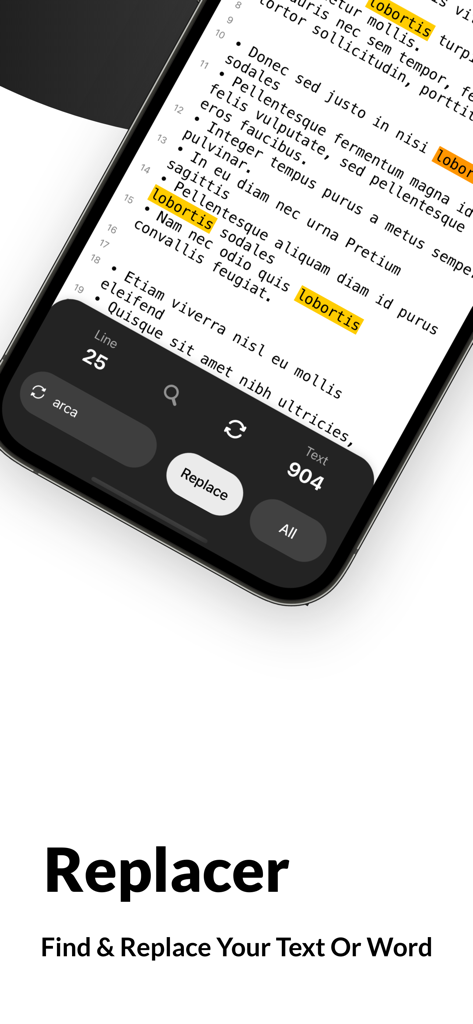
강력한 검색 및 바꾸기 도구로 시간을 절약하세요. 코드를 즉시 편집하거나 전체 스토리에서 캐릭터 이름을 변경하세요.

개발자 친화적인 도구

당신을 제대로 이해하는 모바일 편집기입니다. 깔끔하고 구문 친화적인 인터페이스로 JSON 파일, Markdown 및 기술 문서를 쉽게 편집하세요.

다음 스크린샷과 설명은 앱의 공식 스토어 목록에서 직접 가져온 것이며 앱 개발자의 자산입니다.

앱 스토어

스크린샷
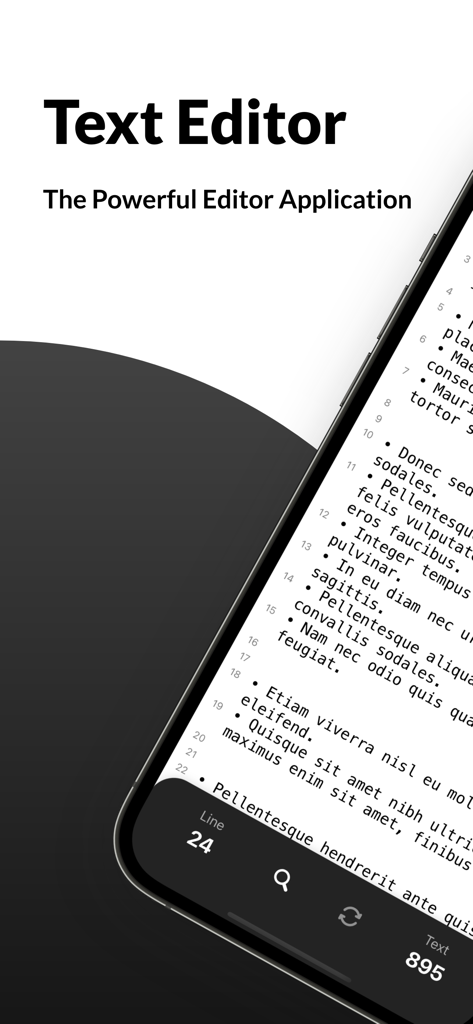
Text Editor - Document Editor - 줄 번호와 단어 수를 보여주는 문서가 있는 iPhone의 텍스트 편집기 앱 인터페이스
줄 번호와 단어 수를 보여주는 문서가 있는 iPhone의 텍스트 편집기 앱 인터페이스

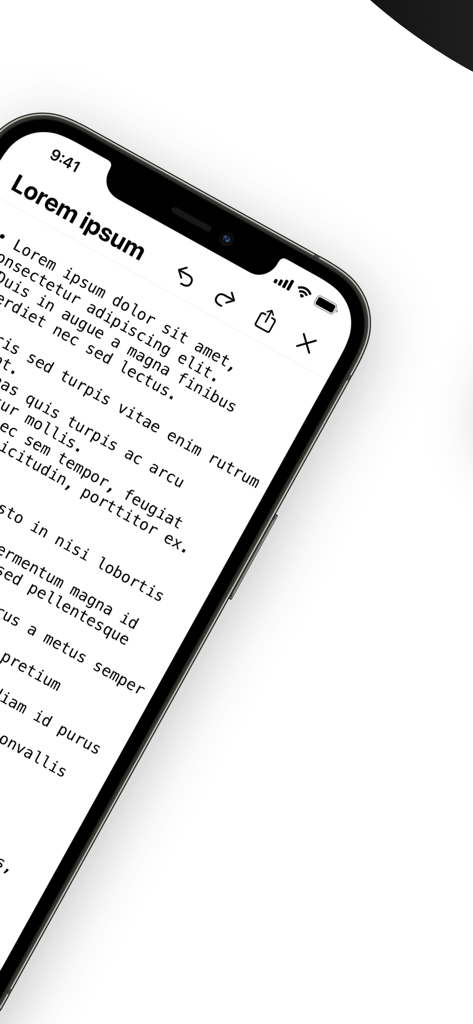
Text Editor - Document Editor - iPhone에서 자리 표시자 텍스트 및 편집 도구를 표시하는 모바일 텍스트 편집기 인터페이스.
iPhone에서 자리 표시자 텍스트 및 편집 도구를 표시하는 모바일 텍스트 편집기 인터페이스.

Text Editor - Document Editor - 다크 모드에서 강조 표시된 텍스트와 함께 검색 및 바꾸기 도구를 보여주는 모바일 앱 인터페이스
다크 모드에서 강조 표시된 텍스트와 함께 검색 및 바꾸기 도구를 보여주는 모바일 앱 인터페이스

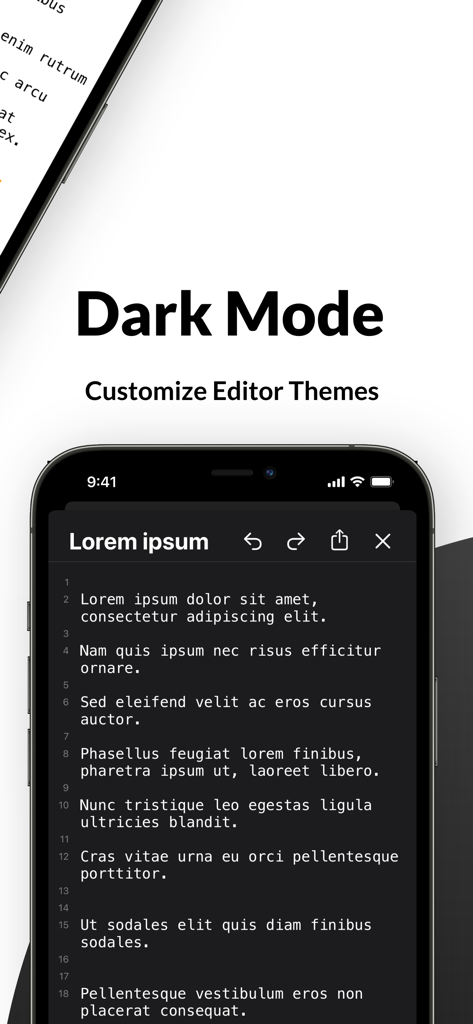
Text Editor - Document Editor - iPhone 화면에서 줄 번호가 있는 다크 모드 테마를 보여주는 텍스트 편집기 모바일 앱 인터페이스.
iPhone 화면에서 줄 번호가 있는 다크 모드 테마를 보여주는 텍스트 편집기 모바일 앱 인터페이스.

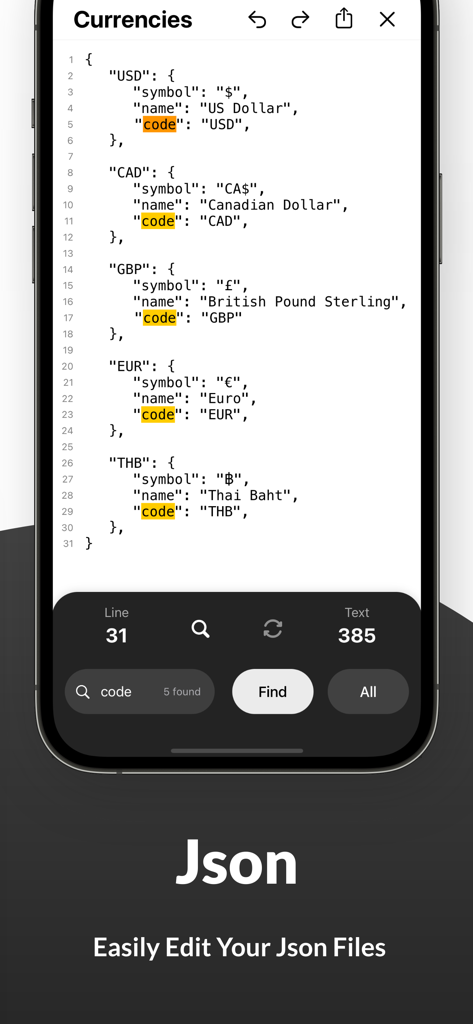
Text Editor - Document Editor - 코드 단어에 대한 검색 결과가 강조 표시된 JSON 파일을 편집하는 iPhone 앱 화면
코드 단어에 대한 검색 결과가 강조 표시된 JSON 파일을 편집하는 iPhone 앱 화면

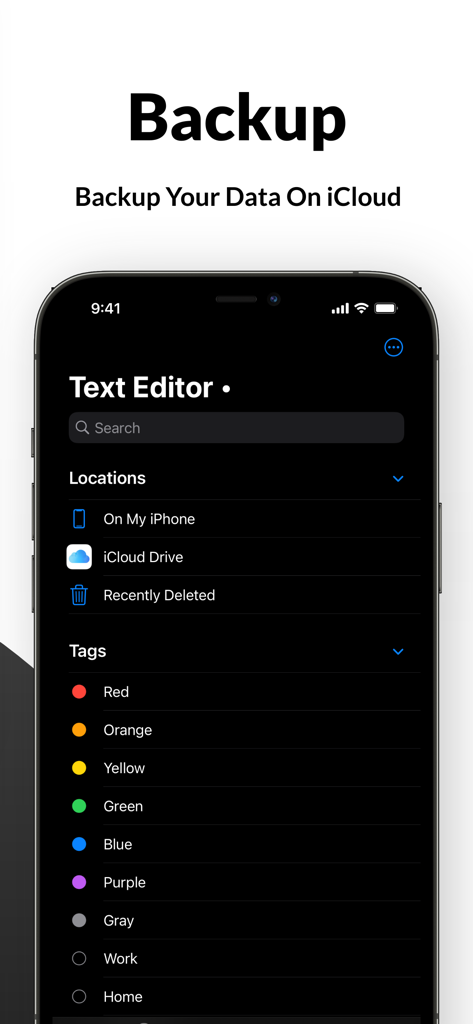
Text Editor - Document Editor - 다크 모드에서 iCloud 백업 및 파일 태그를 보여주는 텍스트 편집기 앱 인터페이스

다크 모드에서 iCloud 백업 및 파일 태그를 보여주는 텍스트 편집기 앱 인터페이스

설명

Looking for powerful editing apps to write your story, files and make corrections whenever needed? Install Text Editor - Document Editor Pro on your iOS device and edit your texts anytime, anywhere easily. We have brought you a fantastic and easy text editor app that will allow you to write and record your story, draft writings, search words or letters and replace multiple words at once. You don’t need several file editors to get different jobs done; this texting editor will provide you with everything. Whether you are looking for a free document editor or a font editing app, our words editor or text document editing app will delight you big time. What can you do with Text Editor- Document Editor app? This powerful editing app allows you to edit word files anywhere, anytime. While using this file editor to rewrite your texts, you can find a new word and replace your text with it. Our app works as a text changer, so you can change any word instantly right in the app. You can replace multiple words and search for new words in this word editor app. You can also customize editor themes such as a dark mode for the night or light mode for the day. Also, back up your files and documents on the cloud with one click. So, if you are searching for a word editor to edit google documents or a text edit app for customizing your notebook word writings, this editing app is always here to help. Take a look at the key features of the Text Editor- Document Editor Pro app: • Whether you are looking for editing apps to make corrections to your word docs or to write a story on your iOS device, this text edit app works effectively and efficiently. The simple and easy user interface of this app editor allows you to edit texts quickly and flawlessly. Install the app on your iPhone and start editing texts instantly without going through any complicated settings. • In the setting, you can customize the text as per your will. There are hundreds of font sizes available in our markdown app, and you can select the one you require. You can keep auto-correction on so the app can correct if you make a mistake. This docs and notes editor allows you to write and read texts in fullscreen mode. • Your recent activities are also saved in the history so you can find previous documents in one tap. If you are looking for an easy, simple yet elegant text editing tool that contains all necessary functions, your search ends with our quick edit app. • You can find words or texts and replace them easily in this texteditor app. This text changer allows you to change words anytime you want. Select the word you want to change, find the alternative in the app, and replace it. You can also edit your Json file effortlessly with this quickedit app. • This texting editor allows you to customize the theme. You can switch into the dark mode or light mode according to your need. • Keep a backup of your edited word doc or google-docs into the cloud, so you never lose them. Find the right tags for your file in the app and upload them directly on iCloud. • If you are searching for a document editor free to edit documents like word files or Json, our simple texting-file editor is the right one. In-app purchases are also available if you want to access more unique features. So, what are you waiting for? Install Text Editor- Document Editor on your iOS device and start editing texts like a pro.

Download

다운로드: App Store

이 페이지는 앱이나 개발자의 공식 페이지가 아니며, 정보 제공 및 논평을 목적으로 작성된 독립 편집 간행물입니다. 명시적으로 달리 언급되지 않는 한, 해당 앱이나 개발자는 MWM, Apple, Google Play, 앱 퍼블리셔 또는 앱 개발자와 제휴, 보증, 후원, 승인 또는 공식적으로 연결되어 있지 않으며, 이 페이지의 어떤 내용도 해당 앱이 MWM의 서비스를 사용하여 개발되었음을 의미하지 않습니다. 모든 상표, 로고, 스크린샷 및 기타 콘텐츠는 해당 소유자의 자산입니다.








