
이 페이지는 앱이나 개발자의 공식 페이지가 아니며, 정보 제공 및 논평을 목적으로 작성된 독립 편집 간행물입니다. 명시적으로 달리 언급되지 않는 한, 해당 앱이나 개발자는 MWM, Apple, Google Play, 앱 퍼블리셔 또는 앱 개발자와 제휴, 보증, 후원, 승인 또는 공식적으로 연결되어 있지 않으며, 이 페이지의 어떤 내용도 해당 앱이 MWM의 서비스를 사용하여 개발되었음을 의미하지 않습니다. 모든 상표, 로고, 스크린샷 및 기타 콘텐츠는 해당 소유자의 자산입니다.


Text Reader - Text to Speech
당신은 읽는 것에 속박되지 않습니다. 이 앱은 당신의 모든 텍스트를 오디오로 변환하여, 눈으로만 보던 정보를 귀로 듣는 초능력을 부여합니다.
다운로드
100k+사용자 평점
총 평가 수
483개발사
카테고리
Productivity지원 언어
33최신 버전
1.3.31크기
125.8 MB출시일
2022년 8월 8일생산성 향상, 학습 효율 증대 및 접근성 개선을 위한 핵심 기능
'Text Reader - Text to Speech' 앱 주요 기능 분석
고급 화면 판독기
이 앱은 온라인 텍스트 콘텐츠에 대한 고급 화면 판독기 기능을 제공하여 사용자가 디지털 피로를 줄이고 접근성을 향상시킬 수 있도록 돕습니다.
자연스러운 음성 합성
이 도구는 자연스러운 리듬, 속도 및 어조를 갖춘 음성 합성을 통해 사용자가 더욱 몰입감 있고 편안한 청취 경험을 할 수 있도록 지원합니다.
40개 이상 언어 지원
이 앱은 영어 외에 40개 이상의 언어를 지원하여 다양한 언어의 콘텐츠를 오디오로 변환할 수 있는 폭넓은 접근성을 제공합니다.
물리적 문서 스캔 및 음성 변환
사용자는 책이나 문서의 사진을 찍어 스캔한 후 몇 분 내에 오디오로 들을 수 있어 물리적 자료에도 쉽게 접근할 수 있습니다.
생산성 및 멀티태스킹 최적화
이 앱은 사용자가 웹사이트를 더 빠르게 음성으로 변환하고, 이동 중에도 콘텐츠를 들으며 학습 및 업무 효율성을 높일 수 있도록 돕습니다.
다양한 콘텐츠 유형 음성 변환
이 도구는 기사, 수업 자료, 책, 문서 등 모든 종류의 텍스트 콘텐츠를 음성으로 변환하여 사용자가 폭넓은 자료를 오디오 형식으로 접할 수 있게 합니다.
자주 묻는 질문
에 대해 알아야 할 모든 것 Text Reader - Text to Speech
What is SPEAKTOR, the Text Reader - Text to Speech app?
SPEAKTOR is an AI-powered text-to-speech converter that transforms any text file into spoken audio. It reads aloud written words, making content consumable through listening, and serves as a natural reader and screen reader.
What types of content can SPEAKTOR convert to speech?
SPEAKTOR can convert any text file, written words, stories, articles, documents, and books into speech. It also includes a screen reader feature for online text and can scan physical books to read them aloud.
Does SPEAKTOR support multiple languages and accents?
Yes, SPEAKTOR supports converting text to speech in English and over 40 other languages. It also offers a selection of more than 100 accents for the audio output.
Can users adjust the reading speed in the SPEAKTOR app?
Yes, SPEAKTOR provides reading speed control. Users can adjust the audio speed to listen at their own pace, with available options ranging from 0.6x to 2.4x.
Can SPEAKTOR scan and read physical books or documents?
Yes, SPEAKTOR can scan physical books and documents to read them aloud. This feature allows users to convert printed materials into spoken audio for listening.
Does the SPEAKTOR app provide different speaker voices?
Yes, SPEAKTOR offers a choice of over 15 different speaker personas. Users can select from various voices to personalize their listening experience.
Can users export and save audio files generated by SPEAKTOR?
Yes, SPEAKTOR allows users to export and save their generated audio files. The app supports exporting the audio in common formats such as MP3 and MP4.
Does SPEAKTOR sync content and progress across devices?
Yes, SPEAKTOR offers a feature to sync listening progress and content across multiple devices. This ensures a continuous and seamless experience for users across different platforms.
Can I use SPEAKTOR to listen to content offline?
Yes, SPEAKTOR allows users to listen to books, documents, and other content even when offline. This feature ensures accessibility without an internet connection.
Is SPEAKTOR suitable for business and organizational use?
Yes, SPEAKTOR has introduced text-to-speech solutions specifically for businesses and organizations. This aims to enhance information accessibility for a broader audience.
다음 스크린샷과 설명은 앱의 공식 스토어 목록에서 직접 가져온 것이며 앱 개발자의 자산입니다.
앱 스토어
스크린샷
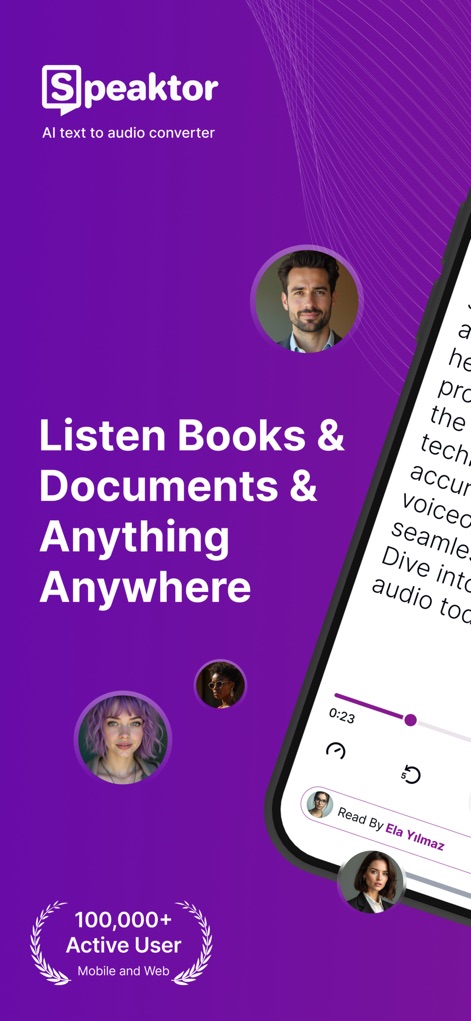
이 앱은 텍스트를 음성으로 변환하여 사용자가 책과 문서 등 원하는 콘텐츠를 오디오 플레이어로 재생하며 들을 수 있도록 합니다.
어디서든 듣기
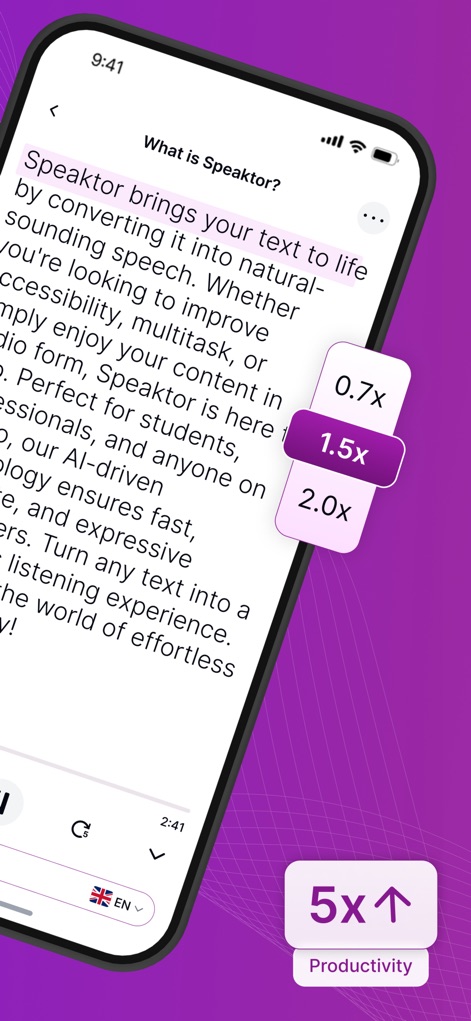
이 앱은 하이라이트된 텍스트와 함께 가변 재생 속도 조절 기능을 제공하여 사용자가 선호하는 속도로 콘텐츠를 소비하며 생산성을 5배 높일 수 있습니다.
읽기 속도 조절

사용자는 다양한 직업과 개성을 가진 15개 이상의 화자 페르소나 목록에서 선택하여 청취 경험을 개인화하고 몰입감을 높일 수 있습니다.
맞춤형 음성 선택
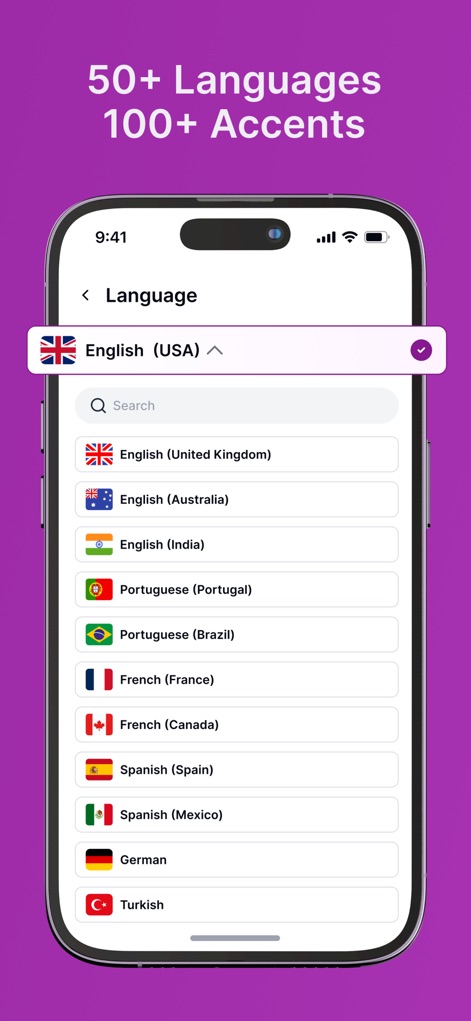
이 앱은 English (USA)를 포함한 50개 이상의 언어와 100개 이상의 억양을 지원하여 사용자가 광범위한 언어 옵션 중에서 선택할 수 있게 합니다.
다국어 지원
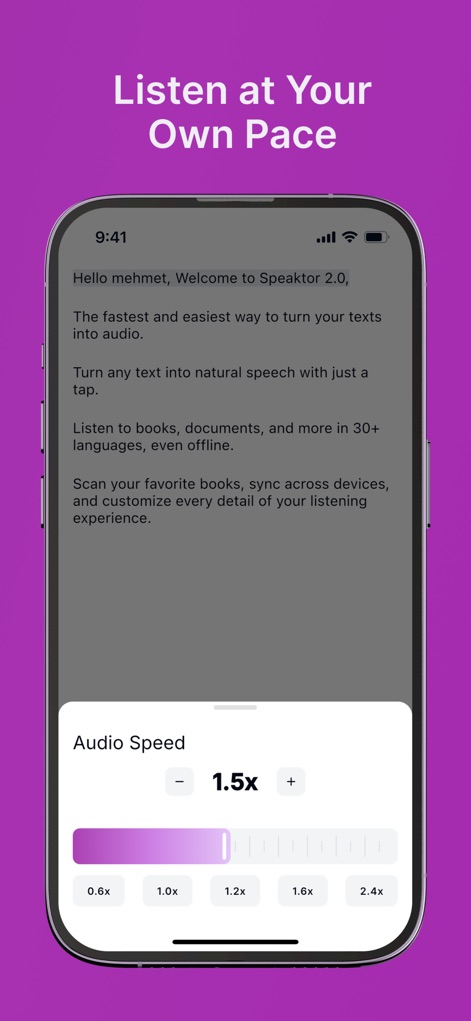
사용자는 오디오 속도 슬라이더를 통해 재생 속도를 0.6x에서 2.4x 사이로 조절하여 자신의 학습 속도에 맞춰 콘텐츠를 들을 수 있습니다.
나만의 속도로
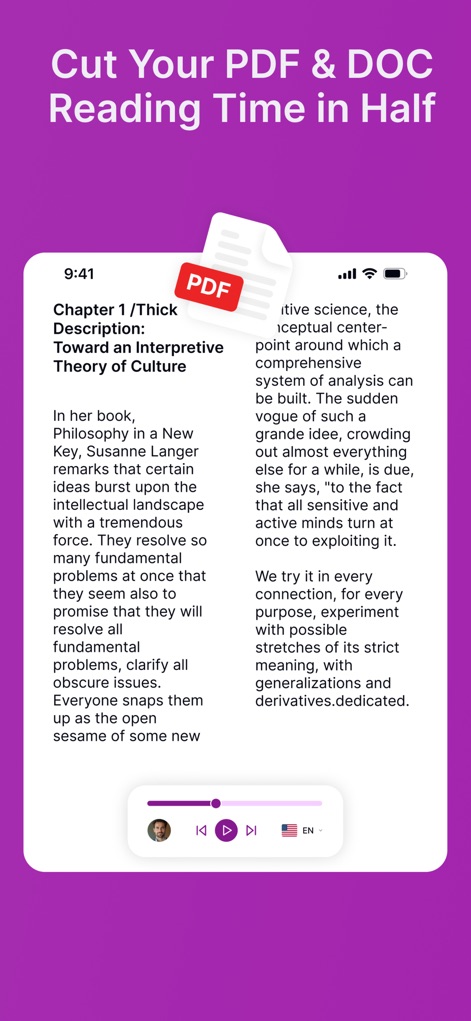
이 도구는 PDF 문서를 음성으로 변환하고 오디오 플레이어 인터페이스를 제공하여 사용자가 읽기 시간을 절반으로 단축하고 눈의 피로를 줄일 수 있도록 돕습니다.
문서 읽기 단축
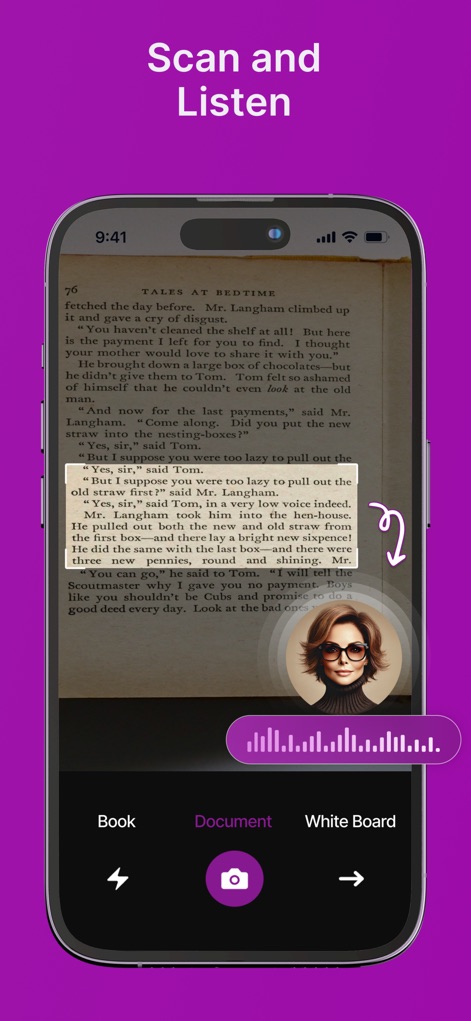
사용자는 앱의 내장 카메라 기능을 활용하여 실제 책 페이지에서 텍스트를 스캔하고, 강조된 섹션과 오디오 파형이 표시되는 플레이어를 통해 즉시 음성으로 들을 수 있습니다.
스캔하여 듣기
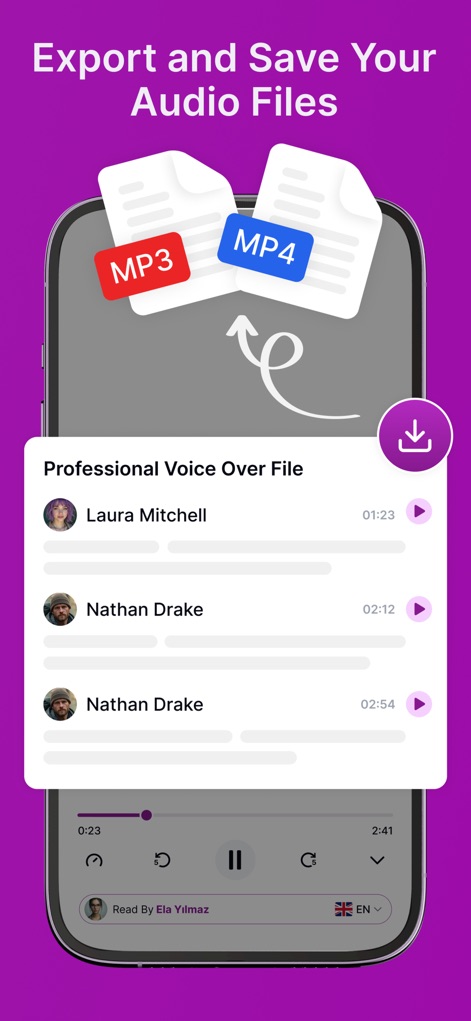
이 앱은 생성된 음성 파일을 MP3 또는 MP4 형식으로 내보내고 다운로드할 수 있는 기능을 제공하여 사용자가 언제든지 오디오 콘텐츠를 저장하고 접근할 수 있게 합니다.
오디오 파일 저장
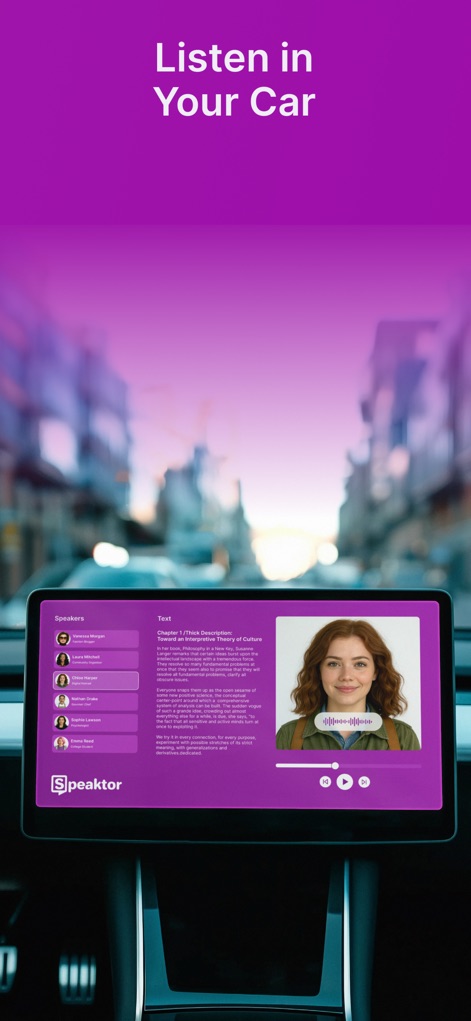
이 앱은 차량 내 디스플레이에 최적화된 인터페이스를 제공하여 사용자가 운전 중에도 손쉽게 텍스트 콘텐츠를 듣고 이동 중에도 학습이나 엔터테인먼트를 즐길 수 있도록 합니다.
차량 내 청취
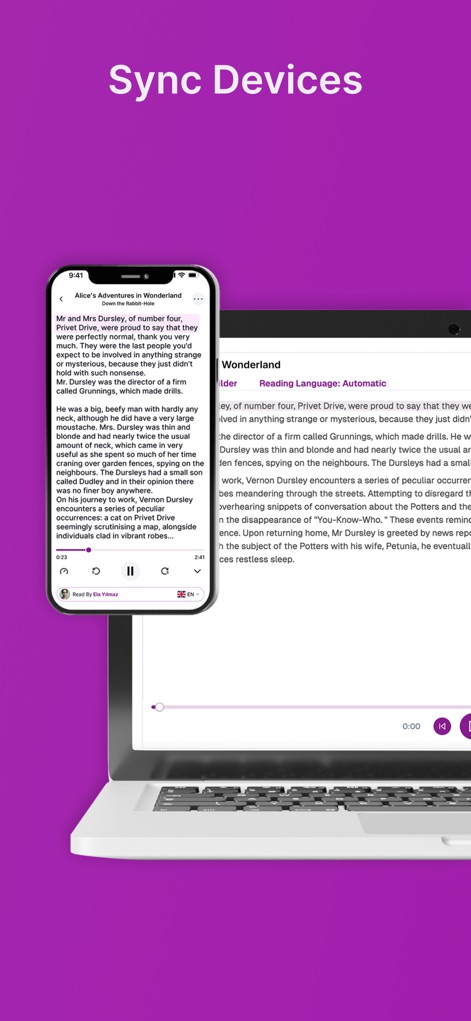
사용자는 모바일과 데스크톱 기기 간에 청취 진행 상황을 원활하게 동기화할 수 있어, 어떤 장치에서든 텍스트 콘텐츠를 이어서 듣고 효율적으로 학습할 수 있습니다.
기기 간 동기화
설명
Download
비슷한 앱
유사한 기능과 사용자 경험을 가진 앱

Speechify – Voice AI Assistant
Speechify Inc.

NaturalReader - Text To Speech
NaturalSoft

ElevenReader - Read Text Aloud
Eleven Labs Inc.

Voice Aloud Reader
Marcin Olawski
Peech: Text to Speech Reader
Dopefin Limited

Text to Speech!
Gwyn Durbridge
ListenMe - Text to Speech
SCALEUP YAZILIM HIZMETLERI ANONIM SIRKETI

Readify: AI Natural Read Aloud
New Port LLC

Labs AI : Text to Speech
James Carter
이 페이지는 앱이나 개발자의 공식 페이지가 아니며, 정보 제공 및 논평을 목적으로 작성된 독립 편집 간행물입니다. 명시적으로 달리 언급되지 않는 한, 해당 앱이나 개발자는 MWM, Apple, Google Play, 앱 퍼블리셔 또는 앱 개발자와 제휴, 보증, 후원, 승인 또는 공식적으로 연결되어 있지 않으며, 이 페이지의 어떤 내용도 해당 앱이 MWM의 서비스를 사용하여 개발되었음을 의미하지 않습니다. 모든 상표, 로고, 스크린샷 및 기타 콘텐츠는 해당 소유자의 자산입니다.