이 페이지는 앱이나 개발자의 공식 페이지가 아니며, 정보 제공 및 논평을 목적으로 작성된 독립 편집 간행물입니다. 명시적으로 달리 언급되지 않는 한, 해당 앱이나 개발자는 MWM, Apple, Google Play, 앱 퍼블리셔 또는 앱 개발자와 제휴, 보증, 후원, 승인 또는 공식적으로 연결되어 있지 않으며, 이 페이지의 어떤 내용도 해당 앱이 MWM의 서비스를 사용하여 개발되었음을 의미하지 않습니다. 모든 상표, 로고, 스크린샷 및 기타 콘텐츠는 해당 소유자의 자산입니다.
Time Squared: Hours Tracker
시간 추적이 가능한 시간, 급여 데이터 자동화, 현장에서 사무실까지 전문적인 보고서 생성을 위한 프리랜서 및 소기업을 위한 최고의 올인원 솔루션입니다.
서류 작업 없이 시간 추적, 팀 관리 및 급여 처리를 위한 전문가를 위한 올인원 툴킷입니다.
작업 증명 추적
고객과의 신뢰를 구축하고 청구 분쟁을 없애는 원터치 출퇴근 기록 및 GPS 위치 스탬프로 총 정확성을 보장합니다.
원활한 팀 동기화
팀을 손쉽게 조정하세요. 프로젝트를 할당하고, 실시간 상태를 모니터링하고, 주머니나 책상에서 노무비를 관리하세요.
다음 스크린샷과 설명은 앱의 공식 스토어 목록에서 직접 가져온 것이며 앱 개발자의 자산입니다.
앱 스토어
스크린샷
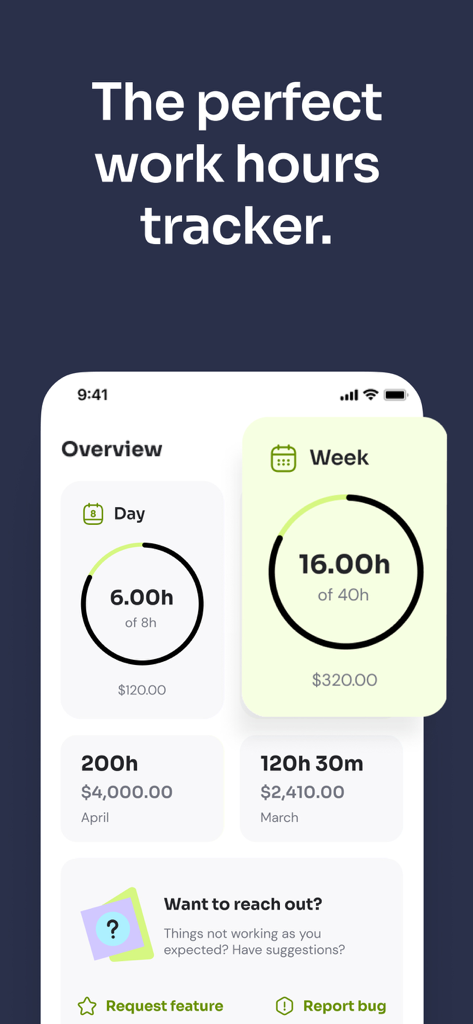
Time Squared 앱 개요 화면으로 일일 및 주간 업무 시간 요약 및 수입 추적을 보여줍니다.
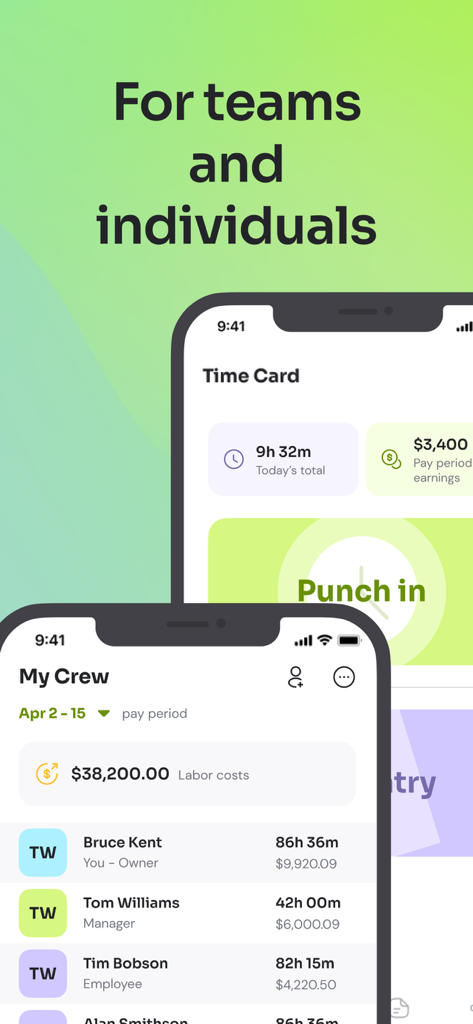
Time Squared 앱 인터페이스로 개인 타임카드 및 직원 시간 및 노무비 추적을 위한 팀 관리 대시보드를 보여줍니다.
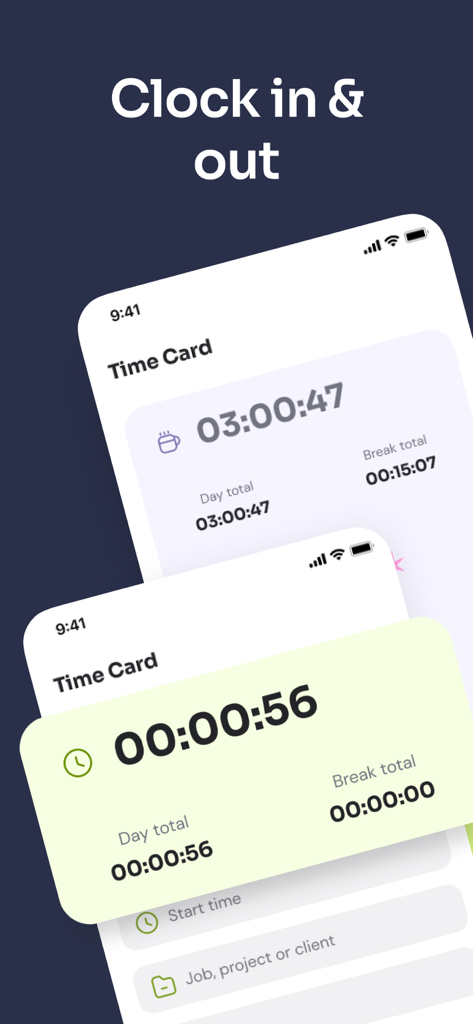
출퇴근 타이머로 업무 시간을 추적하는 모바일 앱 인터페이스
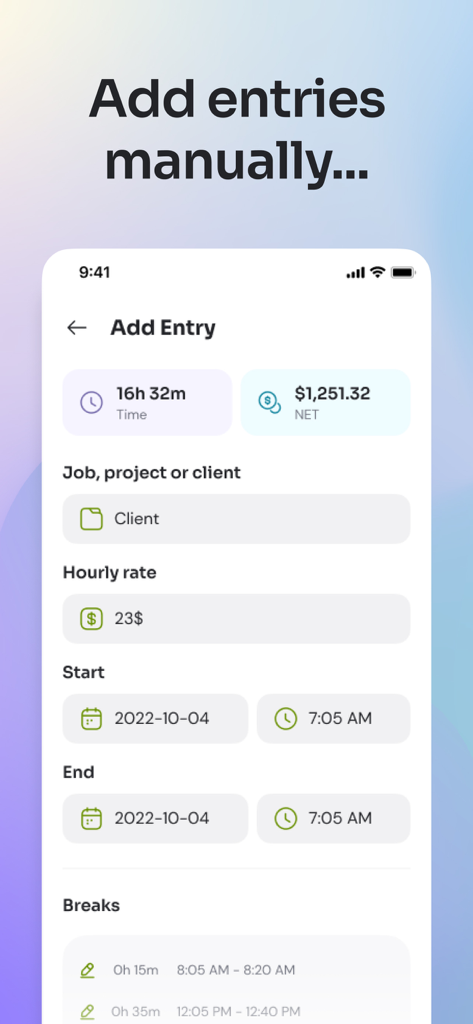
업무 시간 및 수입 추적을 위한 Time Squared 앱의 수동 입력 화면 스크린샷.
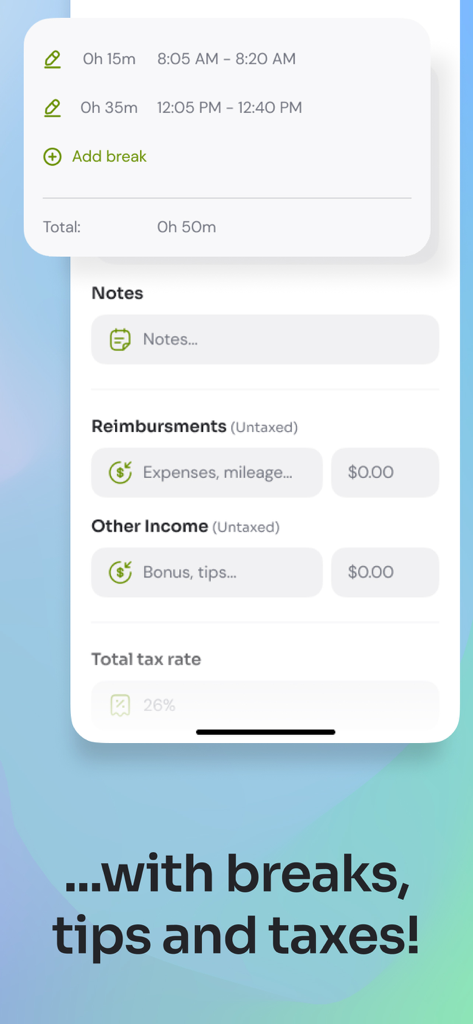
휴식, 경비, 팁 및 세금 섹션을 보여주는 Time Squared 앱 인터페이스
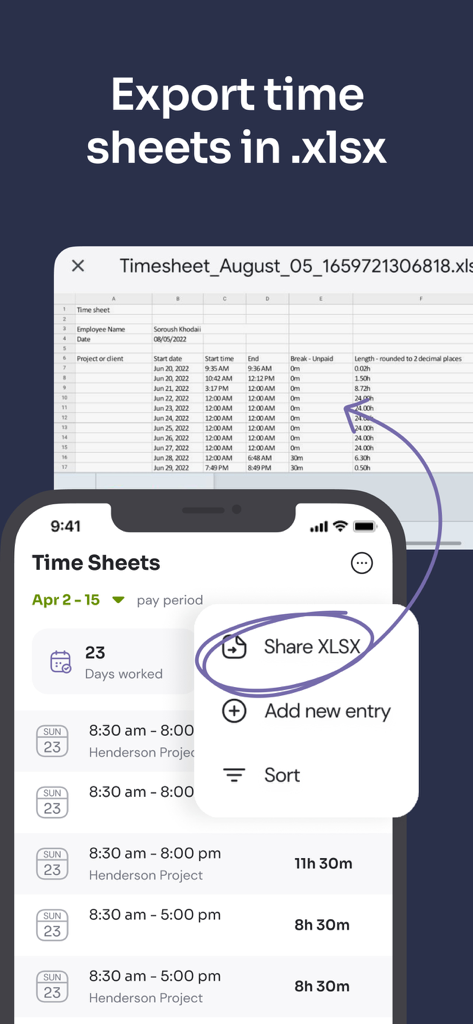
Excel용 XLSX 형식으로 작업 타임시트를 내보내는 옵션을 보여주는 모바일 앱 인터페이스.
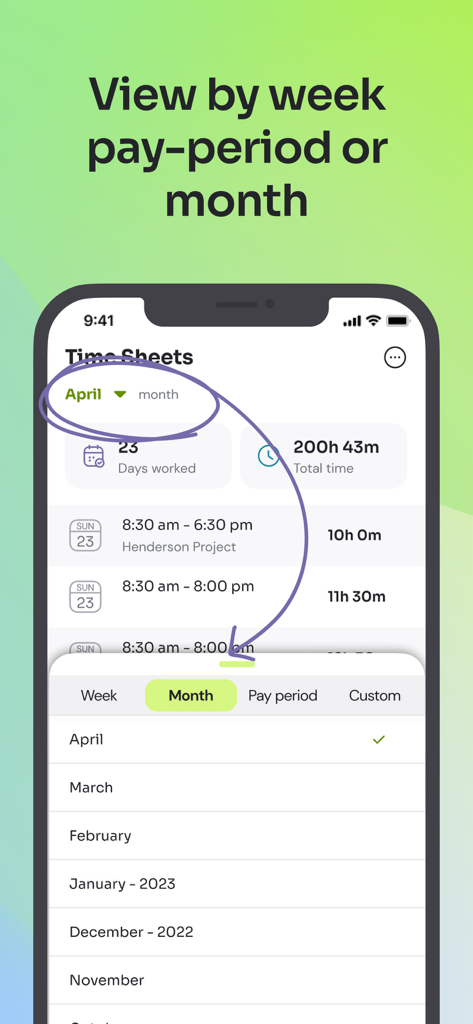
주, 월 또는 급여 기간별 타임시트를 보는 Time Squared 앱 화면
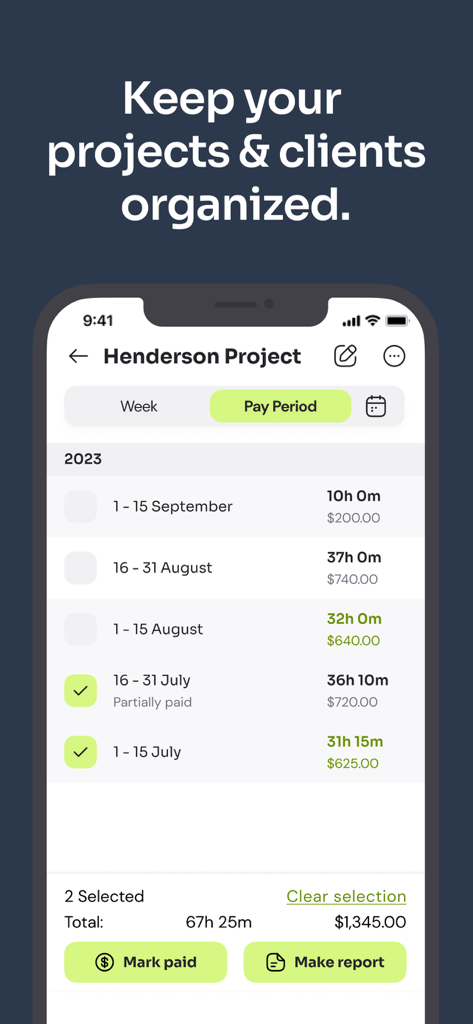
프로젝트 시간 및 고객 결제를 보여주는 모바일 앱 인터페이스
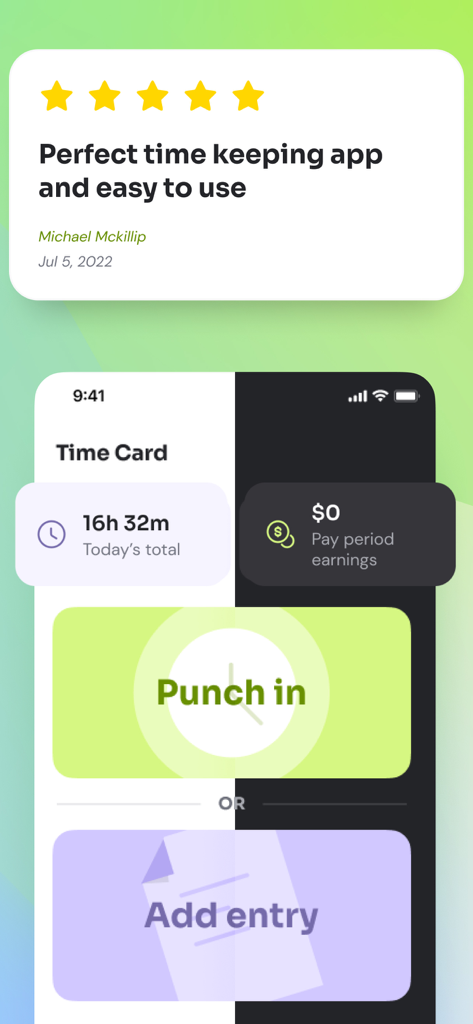
별점 5개 리뷰와 시간 추적을 위한 출퇴근 버튼을 보여주는 Time Squared 앱 화면
설명
Effortlessly track work hours, manage projects, and handle data collection for payroll and invoices with Time Squared—the all-in-one solution that turns time management into a walk in the park. Designed for employees, freelancers, business owners, and managers, Time Squared is packed with features to keep your workday organized and efficient.
[TRACK TIME ACCURATELY]
• Clock in and out with a tap, track breaks, and log time on tasks with built-in GPS location tracking, and set up automatic breaks for manual time entries.
[JOB & PROJECT MANAGEMENT]
• Create and manage projects with detailed entries, notes, and photos, categorizing by job type, clients, or location for seamless organization.
[EFFICIENT CREW MANAGEMENT]
• Assign roles, send invites, monitor activities, and manage clock-ins/outs, keeping tabs on your crew with real-time status updates.
[INSIGHTFUL DASHBOARD]
• View total tracked time, billable hours, and labor costs at a glance, with summaries of active projects, hours worked, and earnings.
[COMPREHENSIVE TIMESHEETS]
• Easily create and export timesheets with detailed logs of daily activities including start/end times and breaks, with manual entry options ensuring accurate logging with adjustable break times.
[EXPORT TIMESHEETS OPTIONS]
• Export work hour timesheets as spreadsheets to Excel, Sheets, OpenOffice, and more through email, text, or messaging apps.
[EASY PROJECT MANAGEMENT]
• Select projects or create new ones, reuse details for future logs, and archive completed projects for a clutter-free workspace.
[COLLECT PAYROLL DATA]
• Automatically calculate hours worked and earnings, supporting different rates and configuring overtime rules with multipliers for extra pay.
[DETAILED EARNINGS INTERFACE]
• Breakdown of hours worked, earnings, and labor costs per employee, with reports and editable employee rates and fees.
[GENERATE DATA FOR INVOICES & TRACK EXPENSES]
• Easily track time, expenses, mileage, tax rates, withholdings, and reimbursements with our project reports to simplify your invoice creation process outside the software.
[POWERFUL REPORTING & ANALYTICS]
• Generate custom reports to analyze earnings and hours, with detailed analysis by day, week, month, or custom periods for informed decision-making.
[DESKTOP WEB APP]
• Seamlessly transition from mobile to desktop to view and edit employee times, download reports, and customize columns with our new desktop web app.
[DATA SECURITY & AUTOMATION]
• Automatic cloud backups ensure data security, with continuous time tracking even during device failures.
[NOTIFICATIONS AND ALERTS]
• Reminders for punch-out times and when timers go into overtime.
[PREMIUM SUBSCRIPTION PLANS]
• Company accounts include team syncing, a 30-entry trial before requiring a subscription, and access to all advanced features such as priority support, location tracking on punch in/out, marking times as paid/unpaid, mileage tracking, and photo attachments.
• Individual accounts offer a freemium tier with ads and a premium plan that includes the same advanced features: priority support, location tracking on punch in/out, marking times as paid/unpaid, mileage tracking, photo attachments, and an ad-free experience.
▶ GET STARTED ◀
1. Download Time Squared and use it across your iPhone, iPad, other mobile and desktop devices.
2. Set up your profile and start tracking time, managing projects, and collecting payroll and invoice data..
3. Invite crew members and assign roles to streamline team management.
4. Use project reports to track expenses with ease.
5. Use detailed reporting and analytics to monitor performance and make informed decisions.
Download Time Squared today and revolutionize your time, project, and payroll management! Visit https://timesquared.co for more information.
--
Terms of us: https://timesquared.co/terms-of-use
Privacy policy: https://timesquared.co/privacy-policy
이 페이지는 앱이나 개발자의 공식 페이지가 아니며, 정보 제공 및 논평을 목적으로 작성된 독립 편집 간행물입니다. 명시적으로 달리 언급되지 않는 한, 해당 앱이나 개발자는 MWM, Apple, Google Play, 앱 퍼블리셔 또는 앱 개발자와 제휴, 보증, 후원, 승인 또는 공식적으로 연결되어 있지 않으며, 이 페이지의 어떤 내용도 해당 앱이 MWM의 서비스를 사용하여 개발되었음을 의미하지 않습니다. 모든 상표, 로고, 스크린샷 및 기타 콘텐츠는 해당 소유자의 자산입니다.