
이 페이지는 앱이나 개발자의 공식 페이지가 아니며, 정보 제공 및 논평을 목적으로 작성된 독립 편집 간행물입니다. 명시적으로 달리 언급되지 않는 한, 해당 앱이나 개발자는 MWM, Apple, Google Play, 앱 퍼블리셔 또는 앱 개발자와 제휴, 보증, 후원, 승인 또는 공식적으로 연결되어 있지 않으며, 이 페이지의 어떤 내용도 해당 앱이 MWM의 서비스를 사용하여 개발되었음을 의미하지 않습니다. 모든 상표, 로고, 스크린샷 및 기타 콘텐츠는 해당 소유자의 자산입니다.


TimeMan
자동 일정 예약 및 전체적인 라이프 추적 기능으로 향상된 종이 플래너의 친숙함을 경험해 보세요. 명확성, 균형 및 데이터 기반 결과를 요구하는 전문가를 위해 설계되었습니다.
다운로드
77K+사용자 평점
총 평가 수
100개발사
카테고리
Business지원 언어
21최신 버전
1.14크기
6.6 MB출시일
2012년 3월 30일전문가의 정확성으로 하루를 마스터하세요
TimeMan은 클래식 종이 오거나이저의 직관적인 느낌과 Apple 생태계를 위해 특별히 설계된 현대 자동화의 고출력 파워를 결합합니다.
지능형 자동 일정 예약
계획에 시간을 낭비하지 말고 실행에 집중하세요. 당사의 스마트 엔진은 수동적인 번거로움 없이 프로젝트 완료를 보장하기 위해 작업을 자동으로 할당합니다.
전체적인 라이프 휠 및 분석
진정한 워라밸을 달성하세요. 삶의 모든 영역에서의 진행 상황을 추적하고 데이터 기반 통찰력을 사용하여 일상 행동을 장기적인 목표와 일치시키세요.
다음 스크린샷과 설명은 앱의 공식 스토어 목록에서 직접 가져온 것이며 앱 개발자의 자산입니다.
앱 스토어
스크린샷
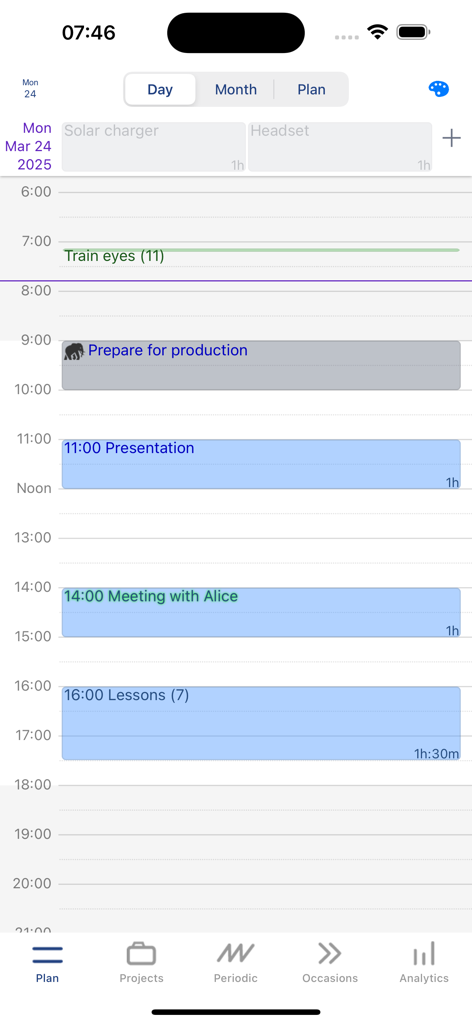
TimeMan 앱 인터페이스, 작업과 약속이 있는 일일 시간 블록 일정 표시
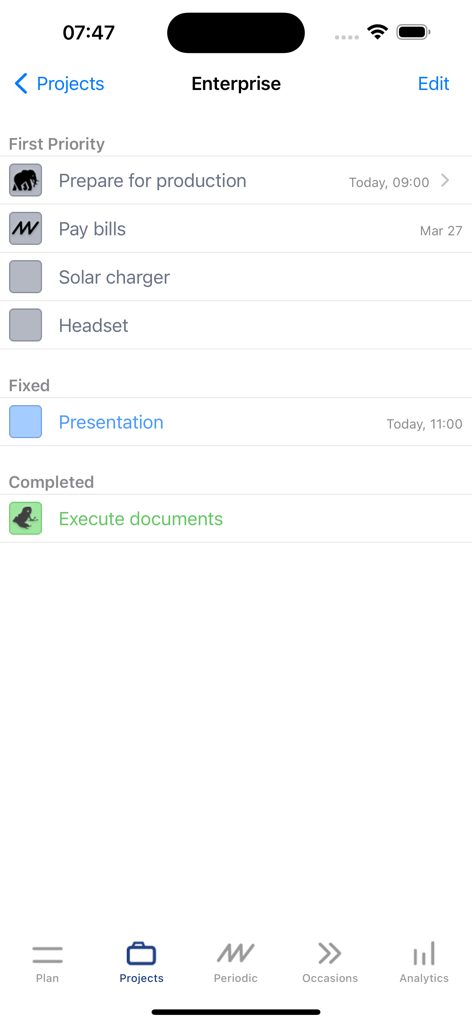
TimeMan의 작업 관리 화면, 첫 번째 우선 순위와 고정 작업이 있는 엔터프라이즈 프로젝트 표시
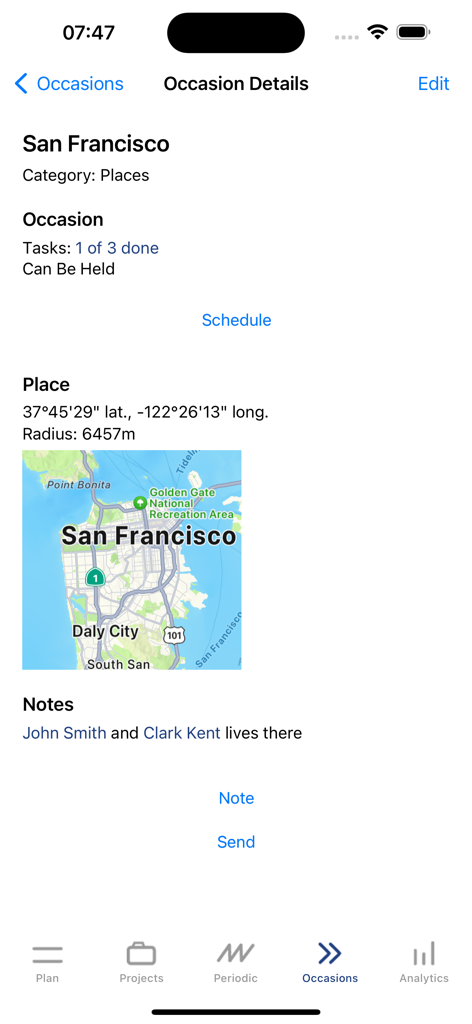
산프란시스코 지도가 있는 위치 기반 작업 표시 모바일 앱 화면
설명
Download
비슷한 앱
같은 카테고리의 상위 앱

Microsoft Teams
Microsoft Corporation

Zoom Workplace
Zoom Communications, Inc.

WhatsApp Business
WhatsApp Inc.

Indeed Job Search
Indeed Inc.

LinkedIn: Network & Job Finder
LinkedIn Corporation

Adobe Acrobat Reader: Sign PDF
Adobe Inc.

WeCom-Work Communication&Tools
Tencent Technology (Shenzhen) Company Limited

BOSS直聘-招聘求职找工作神器
Beijing China Product Bo Farce Network Technology Co., Ltd.

DingDing - Redefine Work in AI
DingTalk Technology Co., Ltd.
이 페이지는 앱이나 개발자의 공식 페이지가 아니며, 정보 제공 및 논평을 목적으로 작성된 독립 편집 간행물입니다. 명시적으로 달리 언급되지 않는 한, 해당 앱이나 개발자는 MWM, Apple, Google Play, 앱 퍼블리셔 또는 앱 개발자와 제휴, 보증, 후원, 승인 또는 공식적으로 연결되어 있지 않으며, 이 페이지의 어떤 내용도 해당 앱이 MWM의 서비스를 사용하여 개발되었음을 의미하지 않습니다. 모든 상표, 로고, 스크린샷 및 기타 콘텐츠는 해당 소유자의 자산입니다.