Timesheet IO - Time Tracker

Timesheet IO - Time Tracker

다운로드: App Store
로고: Timesheet IO - Time Tracker

Timesheet IO - 시간 추적기: 전문적인 시간 추적을 손쉽게

관리 작업에 시간을 낭비하지 마세요. 탭 한 번으로 청구 가능한 시간을 자동으로 추적하고, 프로젝트를 관리하고, 전문적인 보고서를 내보내세요. 프리랜서, 계약자 및 현대 직장인을 위해 제작되었습니다.

다운로드: App Store

개발사

Timesheet - Mobile Time Tracking OG

카테고리

Productivity

다운로드

7K+

사용자 평점

4.4/5

총 평가 수

100

지원 언어

40

한눈에 보는 효율성

이 인터페이스를 사용하는 7K+ 명의 사용자.

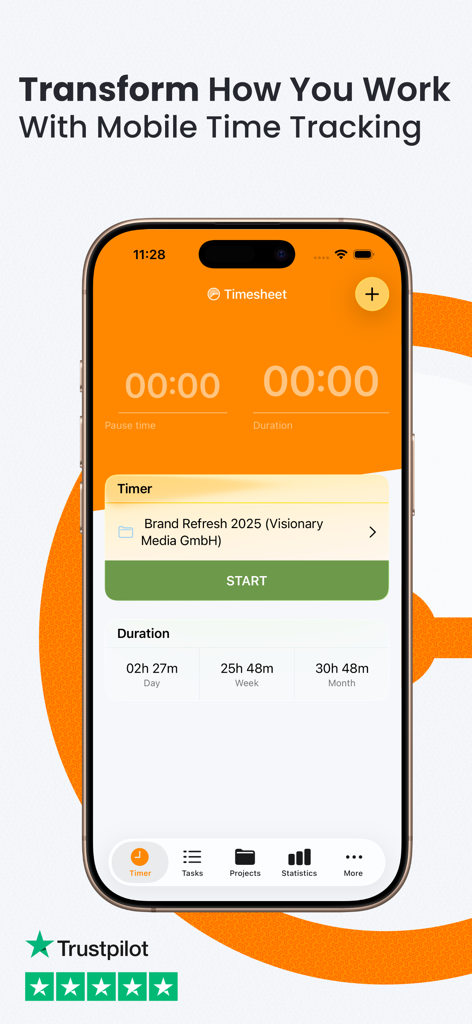
전문적인 근무 시간 추적을 위한 Timesheet IO 앱 타이머 인터페이스를 보여주는 iPhone 화면
전문적인 근무 시간 추적을 위한 Timesheet IO 앱 타이머 인터페이스를 보여주는 iPhone 화면

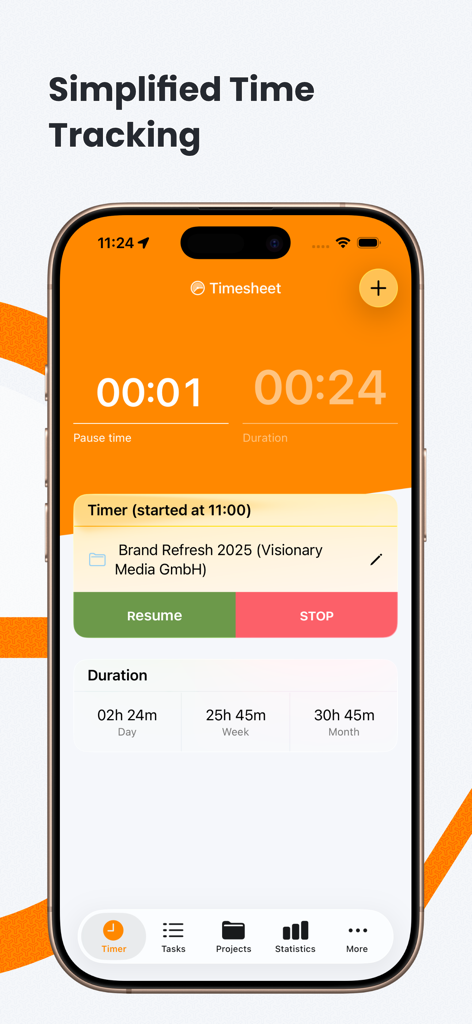
Timesheet IO 앱의 프로젝트 타이머 및 작업 시간 통계를 보여주는 iPhone 화면
Timesheet IO 앱의 프로젝트 타이머 및 작업 시간 통계를 보여주는 iPhone 화면

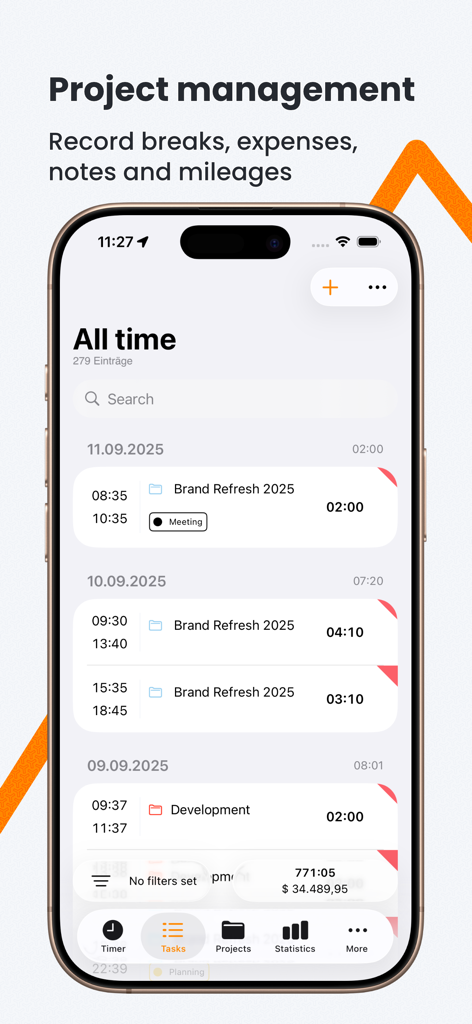
프로젝트 관리를 위한 일일 시간 항목 세부 정보가 포함된 Timesheet IO 앱 작업 목록을 표시하는 iPhone 화면
프로젝트 관리를 위한 일일 시간 항목 세부 정보가 포함된 Timesheet IO 앱 작업 목록을 표시하는 iPhone 화면

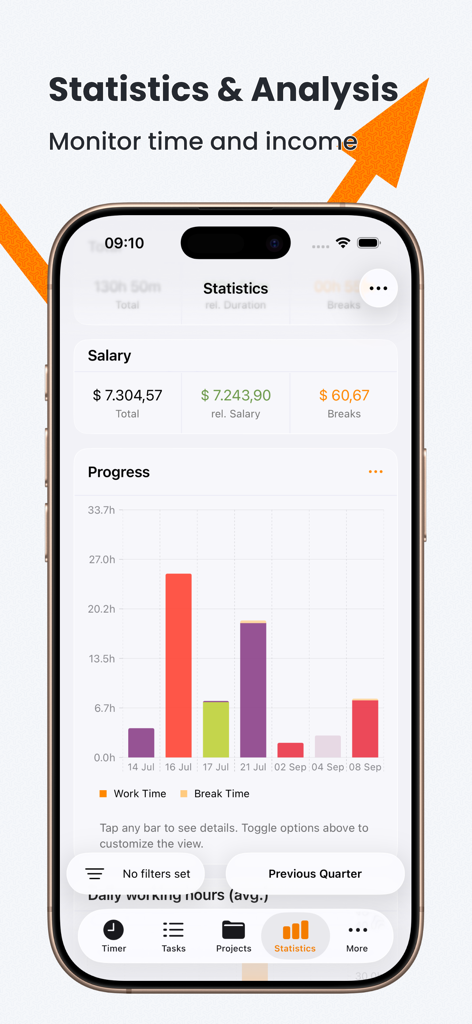
근무 시간 진행 상황 및 수입 모니터링을 보여주는 Timesheet IO의 통계 및 분석 화면
근무 시간 진행 상황 및 수입 모니터링을 보여주는 Timesheet IO의 통계 및 분석 화면

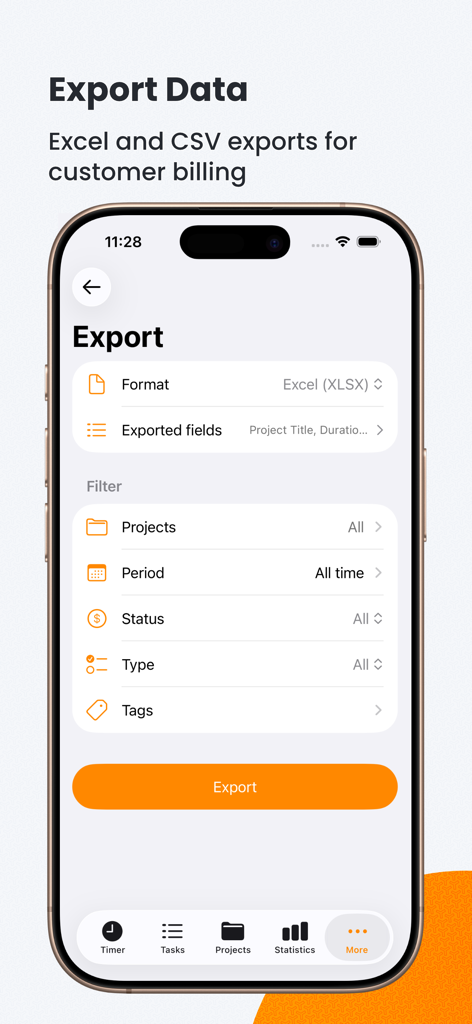
Excel 및 CSV 청구를 위한 데이터 내보내기 옵션을 보여주는 Timesheet IO 앱 인터페이스
Excel 및 CSV 청구를 위한 데이터 내보내기 옵션을 보여주는 Timesheet IO 앱 인터페이스

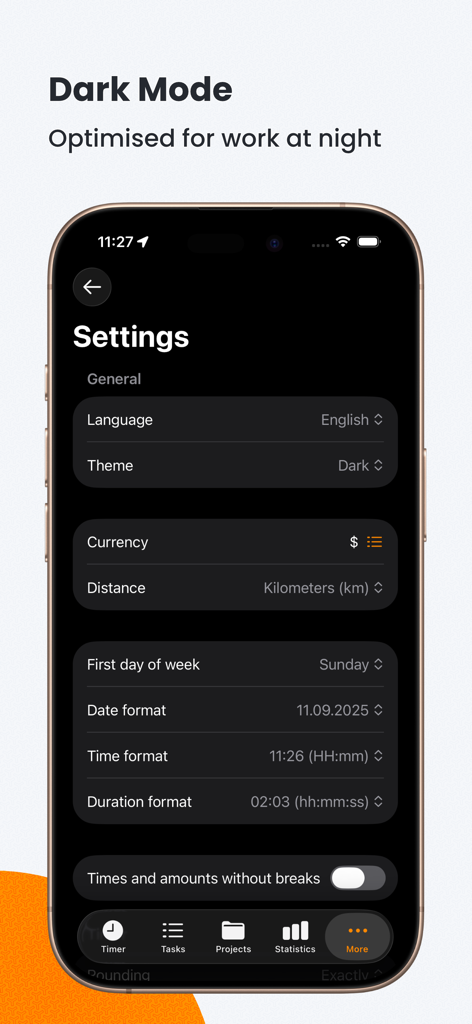
iPhone에서 다크 모드로 표시되는 Timesheet IO 앱 설정 메뉴

iPhone에서 다크 모드로 표시되는 Timesheet IO 앱 설정 메뉴

더 스마트하게 일하고, 더 빨리 받으세요

이 앱을 돋보이게 하는 도구, 7K+ 명의 사용자가 선택.

마찰 없는 원탭 추적

시간 추측은 이제 그만. iPhone 또는 Apple Watch를 통해 즉시 타이머를 시작하고 중지하여 모든 분이 정확하게 기록되도록 하세요.

📍

스마트 지오펜스 자동화

현장 방문 및 고객 회의에 완벽합니다. 위치 기반 추적으로 작업 현장에 도착하는 순간 자동으로 근무 시간을 기록하세요.

📊

세금 준비 완료 전문 보고서

1099 보고를 간소화하세요. Excel 또는 CSV로 정확한 데이터를 내보내고 추적된 시간을 전문적이고 송장 준비가 된 문서로 고객에게 제공하세요.

앱 소개

에 대해 알아야 할 모든 것 Timesheet IO - Time Tracker.

설명

Timesheet – Smart Time Tracking & Timesheets Track your working hours in seconds. Timesheet makes time tracking, timesheets, and invoicing simple — so you can focus on real work, not admin. Built for freelancers, self-employed professionals, contractors, and teams. Automatically record work hours, breaks, notes, and project details with full transparency and reliable data for billable hours, invoices, and tax reporting. Understand how you work with clear statistics, detailed reports, and powerful export options. Timesheet helps you stay organised, productive, and in control of your time. Key Features • One-tap, precise time tracking • Timesheets for projects & tasks • Track billable hours, breaks & notes • Expense tracking • Detailed reports & statistics • Export to Excel & CSV • Automatic, location-based tracking • Backup & restore • Apple Watch support • Universal Links • Dark Mode Unlock More with Timesheet Pro Upgrade to Timesheet Pro and access advanced tools designed for professionals: Advanced reports & insights Analyse your work patterns and performance in detail. Invoice-ready time tracking Turn tracked hours into clean, professional invoicing data. Cloud sync across all devices Use Timesheet seamlessly on iOS, Android, and the Web. Priority support Get fast, reliable help whenever you need it. Monthly and yearly subscriptions available. We continuously improve Timesheet to make your workday easier. Questions or feedback? Contact us anytime: office@timesheet.io Download Timesheet today and take control of your time. Privacy Policy: https://timesheet.io/en/privacy Terms of Use: https://www.apple.com/legal/internet-services/itunes/dev/stdeula/

최신 버전

26.1.16

크기

71.9 MB

출시일

2020년 7월 8일

매 순간을 청구 가능한 시간으로 전환할 준비가 되셨나요?

관리 작업 피로를 손쉬운 전문 시간 추적으로 바꾼 수천 명의 프리랜서 및 계약자와 함께하세요. 지금 Timesheet IO를 다운로드하고 사랑하는 업무에 복귀하세요.

다운로드: App Store

App information, icons, screenshots, and descriptions displayed on this page are sourced from the Apple App Store and are the property of their respective developers. Download estimates and rankings are based on MWM's proprietary models and may not reflect actual figures. This page is provided for informational and analytical purposes only.

Believe this page infringes your intellectual property? File a dispute