Timestamp Camera - Date Stamp

Timestamp Camera - Date Stamp

다운로드: App Store
로고: Timestamp Camera - Date Stamp

타임스탬프 카메라 - 날짜 스탬프: 모든 순간을 소중하게, 모든 진행 상황을 영구적으로

피트니스 목표 및 아기의 성장 기록부터 전문적인 프로젝트 로그까지, 당신의 이야기를 정밀하게 전달하는 맞춤형 스타일리시 스탬프로 고해상도 사진을 캡처하세요.

개발사

Artify Inc.

카테고리

Photo & Video

다운로드

2M+

사용자 평점

4.8/5

총 평가 수

155K+

지원 언어

11

모든 픽셀에 담긴 증거

이 인터페이스를 사용하는 2M+ 명의 사용자.

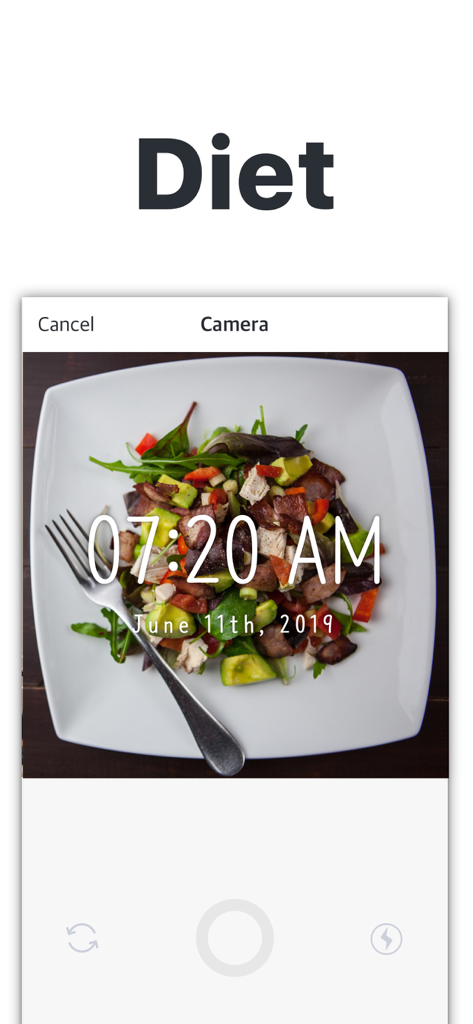
앱에서 식단 추적을 위해 사용된 샐러드의 타임스탬프 사진

앱에서 식단 추적을 위해 사용된 샐러드의 타임스탬프 사진

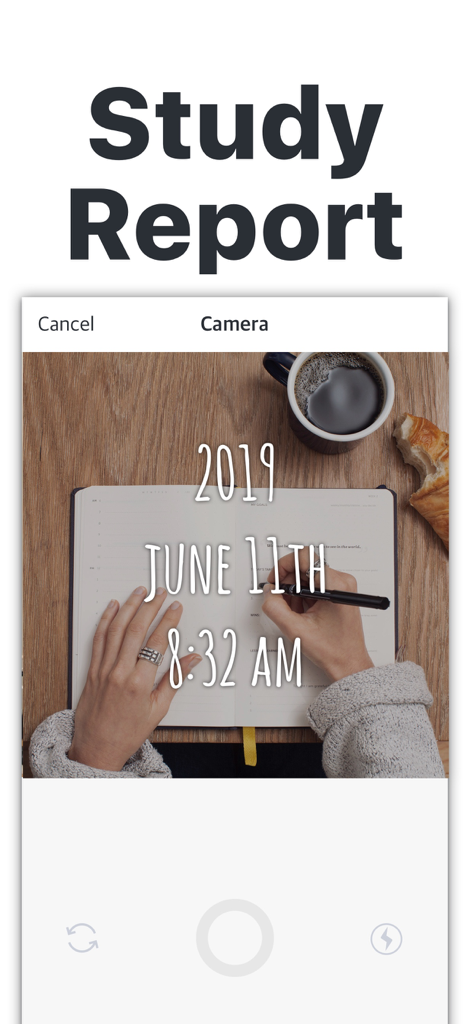
공부 시간 사진에 날짜와 시간 스탬프가 표시된 타임스탬프 카메라 앱을 보여주는 스마트폰 화면

공부 시간 사진에 날짜와 시간 스탬프가 표시된 타임스탬프 카메라 앱을 보여주는 스마트폰 화면

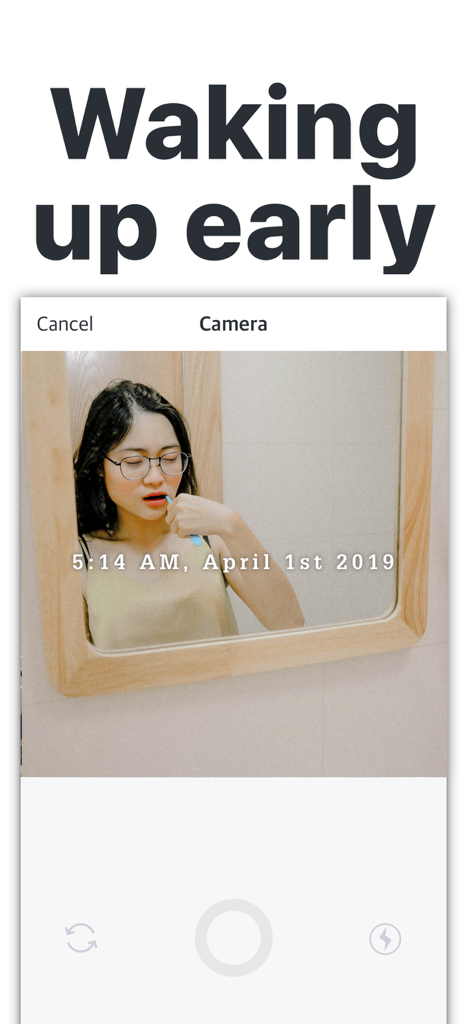
날짜와 시간 스탬프가 겹쳐진 채로 양치질하는 여성을 보여주는 타임스탬프 카메라 앱 스크린샷

날짜와 시간 스탬프가 겹쳐진 채로 양치질하는 여성을 보여주는 타임스탬프 카메라 앱 스크린샷

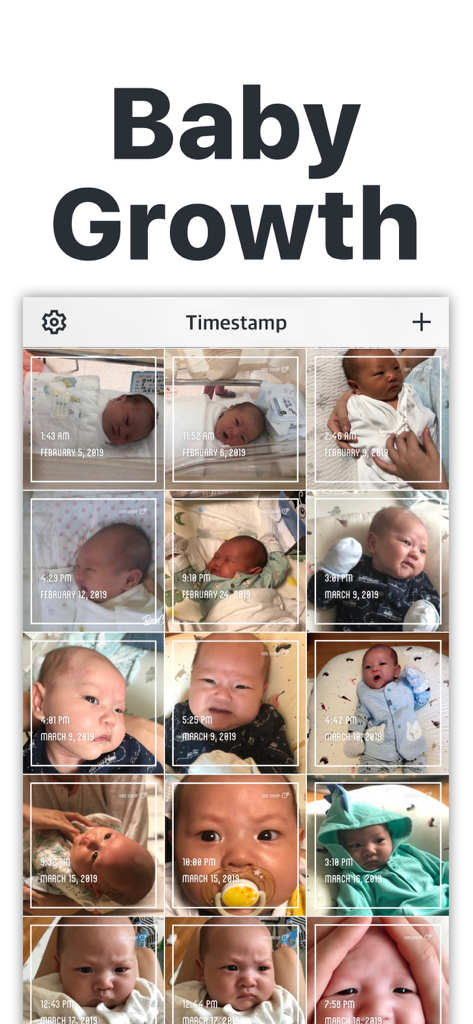
성장 추적을 위해 개별 날짜와 시간 스탬프가 찍힌 아기 사진 모음을 보여주는 앱 인터페이스

성장 추적을 위해 개별 날짜와 시간 스탬프가 찍힌 아기 사진 모음을 보여주는 앱 인터페이스

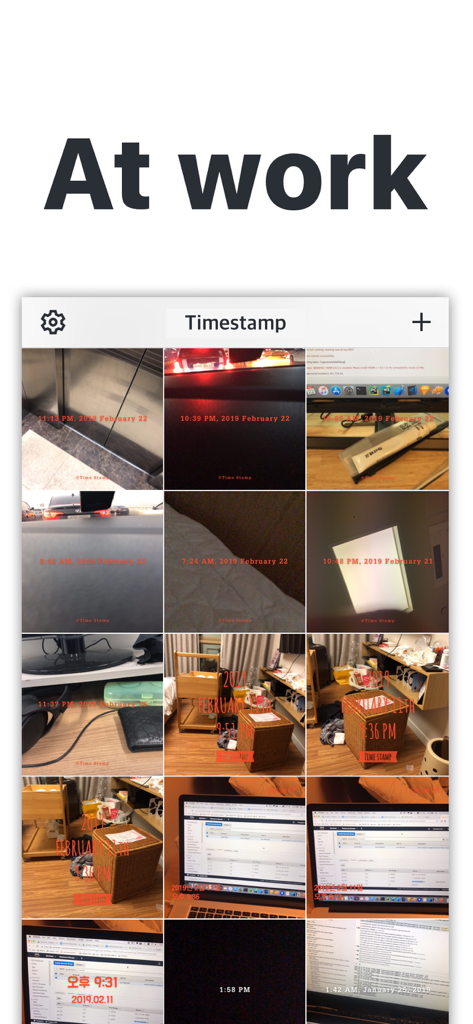
업무 기록을 위해 날짜와 시간 스탬프가 찍힌 사진 그리드를 보여주는 타임스탬프 카메라 앱 스크린샷

업무 기록을 위해 날짜와 시간 스탬프가 찍힌 사진 그리드를 보여주는 타임스탬프 카메라 앱 스크린샷

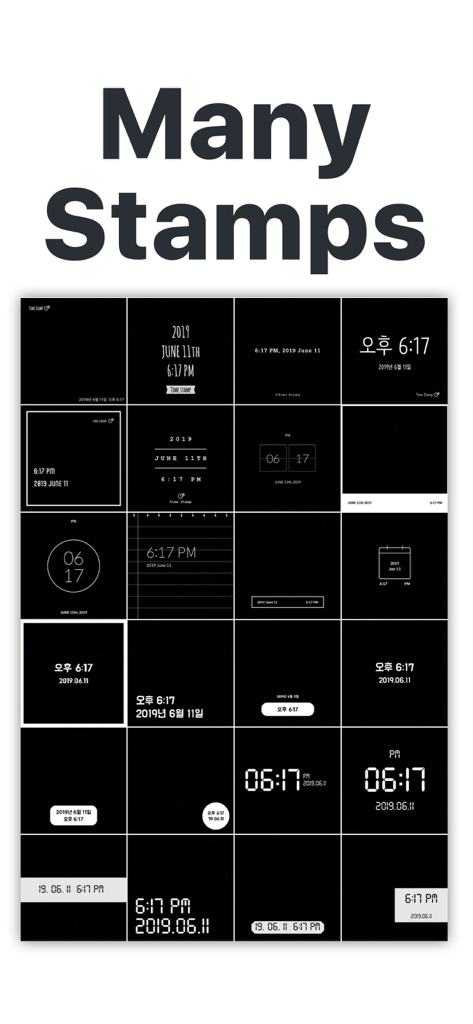
사진을 위한 다양한 날짜 및 시간 스탬프 템플릿을 보여주는 그리드

사진을 위한 다양한 날짜 및 시간 스탬프 템플릿을 보여주는 그리드

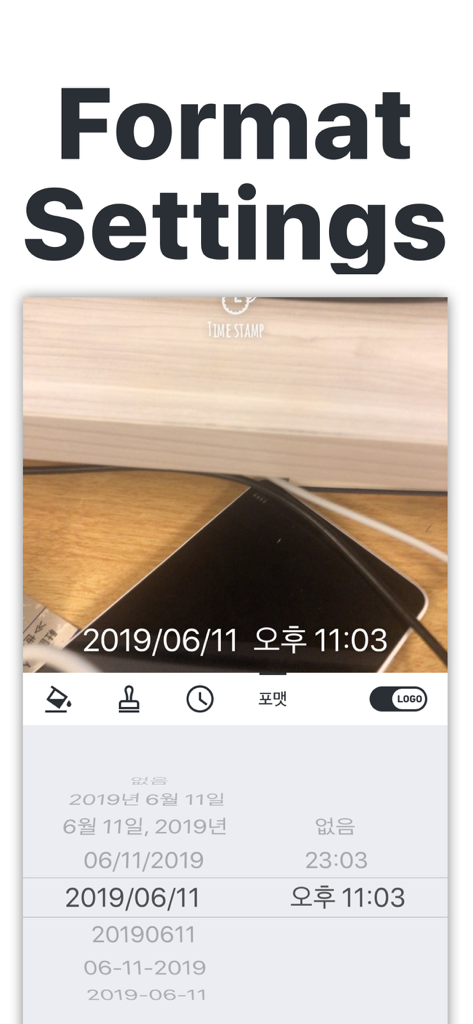
사진 스탬프를 위한 다양한 날짜 및 시간 형식 설정을 보여주는 타임스탬프 카메라 앱 인터페이스

사진 스탬프를 위한 다양한 날짜 및 시간 형식 설정을 보여주는 타임스탬프 카메라 앱 인터페이스

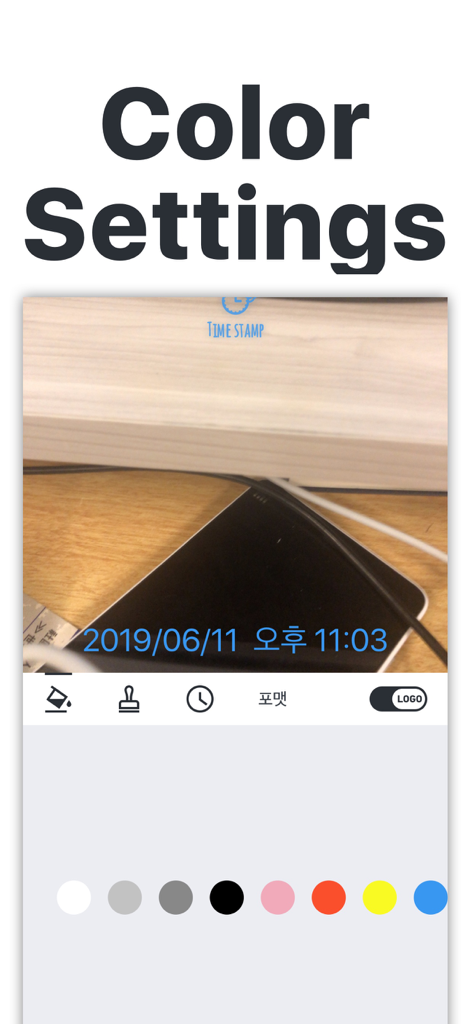
사진의 날짜 및 시간 스탬프 색상을 사용자 정의하기 위한 색상 설정 화면을 보여주는 타임스탬프 카메라 앱 인터페이스

사진의 날짜 및 시간 스탬프 색상을 사용자 정의하기 위한 색상 설정 화면을 보여주는 타임스탬프 카메라 앱 인터페이스

모든 이정표를 정밀하게 추적하세요

이 앱을 돋보이게 하는 도구, 2M+ 명의 사용자가 선택.

📈

진행 상황을 시각화하세요

피트니스 여정과 성장 추적에 완벽합니다. 당신의 헌신과 노력을 증명하는 고정된 타임스탬프와 함께 변화 과정을 나란히 캡처하세요.

🛡️

검증된 작업 증명

전문적인 책임감으로 신뢰를 쌓으세요. 현장 방문, 배송 또는 프로젝트 이정표에 수정 불가능한 날짜 스탬프를 추가하여 고객에게 확실한 증거를 제공하세요.

맞춤형 미학

글꼴 스타일, 색상, 위치를 조정하여 추억을 나만의 방식으로 꾸며보세요. 저희 스탬프는 고해상도 이미지와 완벽하게 어우러져 당신만의 독특한 스타일에 맞게 적용됩니다.

앱 소개

에 대해 알아야 할 모든 것 Timestamp Camera - Date Stamp.

설명

Capture iconic moments and place a timestamp on your photos. Timestamp Camera is perfect for those dieting, reading, working out, memorizing and much more. Capture your baby growth as a mother and watch as they turn from a toddler to an adult with Timestamp. Change the type of your timestamp to blend with the color of your image background while you make it stand out. Change the color of your font to make it more stylish and beautiful in the background. It delivers the current date and times for any image background you may find yourself. It also integrates with other third party apps in terms of uploading contents that is to be shared with the public. Features • Change the position of the time and date • Import images from gallery and timestamp • Watermark your photos with a unique logo. • Save and share on social media. How to use the app? 1. Choose or take a photo. 2. Choose the date stamp type you want. 3. Customize the color of your stamp. 4. Save it! 5. Share on social media! Timestamp camera offers you an app with few ads and no distorted images in case you think this application reduces the quality of your pictures - it doesn't. It is FREE to use for the most part and doesn't freeze when called upon to carry out its function. It has become quite useful for a lot of purposes. For example, Timestamp Camera allows you to save and share this content with family and friends all over the internet without hitches. Browse pics from your gallery and place a timestamp on them too, this will ensure you know the right moment and time each a photo was shot. Camera Features • It offers you clear and bright pictures that can be used at any point in time. • Images found on Timestamp camera accommodates zooming in high resolution. • Great picture resolution with bright lightning • Use front and back end cameras to capture any photo. • Use the flash on the camera to brighten up the place. • Control the white balance on the app from time to time whenever you use it. Keeping hold of cherished moments on a photo can be a difficult task these days. The constant transfer of data means a photo's detail could be reading 2018 when you exactly took it in 2015. Timestamp camera doesn't work that way. Immediately you timestamp a photo, only serious editing can remove the date and time on it. For that reason, TimeStamp camera photos go on for many years, leaving its continuous mark on that particular photo for a long time. When the progress of your work needs highlights for reference purposes, Timestamp is the only app that can capture the moments with a clear and neat stamp. Users of Timestamp Camera • Dieters find it motivating when they timestamp a weight or size they use to be and their current shape. • Using Timestamp Camera allows different meals that have led to this day by day transformation in size and weight to be stamped for reference purposes. • Workout involving different workout sessions can be time stamped as well. • Mothers can use the app to capture baby growth moments and share to family and friends. They can also create an album for such a child. • Reading a particular set of note each day can be time-stamped for easy memorizing. • Event organizers can capture various sections and times of their project and use them to build a brochure that can pitch to clients who want to see the progress of their work. • Seasonal photographers can always create unique photos at different seasons in a particular area and timestamp them. That way they can always show tourist what it looks like at different periods at a specific place. What's more? • Timestamp Camera is carefully designed to cater for a simple outlay and incredible design. • No hitches during navigation and capturing monuments on the app. • The app has a user interface that is appealing to a lot of people. Download today and enjoy. Terms of Use: https://www.apple.com/legal/internet-services/itunes/dev/stdeula/ Privacy Policy: https://timestamp.camera/privacy.html

최신 버전

1.18.1

크기

74.4 MB

출시일

2016년 5월 25일

오늘부터 당신의 이정표를 기록해 보세요

피트니스 여정, 아기의 성장, 전문적인 진행 상황을 기록하고 있는 200만 명 이상의 사용자와 함께하세요. 지금 다운로드하여 모든 사진을 성취에 대한 영구적이고 스타일리시한 기록으로 바꿔보세요.

다운로드: App Store
FAQ

자주 묻는 질문

에 대해 알아야 할 모든 것 Timestamp Camera - Date Stamp

Timestamp Camera - Date Stamp 앱이란 무엇인가요?

Timestamp Camera - Date Stamp는 상징적인 순간을 포착하고 사진에 타임스탬프를 찍습니다. 다양한 목적을 위해 모든 이미지 배경에 현재 날짜와 시간을 표시합니다.

Timestamp Camera를 사용하여 기존 사진에 날짜와 시간 스탬프를 추가할 수 있나요?

네, Timestamp Camera를 사용하면 갤러리에서 기존 이미지를 가져와 날짜와 시간 스탬프를 추가할 수 있습니다. 이렇게 하면 각 사진이 캡처된 정확한 순간을 알 수 있습니다.

Timestamp Camera 앱은 어떻게 사용하나요?

Timestamp Camera를 사용하려면 사진을 선택하거나 찍고, 원하는 날짜 스탬프 유형을 선택하고, 스탬프의 색상을 사용자 지정한 다음 소셜 미디어 플랫폼에 저장하고 공유합니다.

사용자는 Timestamp Camera 앱에서 타임스탬프의 모양을 변경할 수 있나요?

네, 사용자는 이미지 배경과 조화되도록 타임스탬프 유형을 변경하고, 글꼴 색상을 사용자 지정하고, 사진의 시간과 날짜 위치를 조정할 수 있습니다.

Timestamp Camera 앱은 무료로 사용할 수 있나요?

네, Timestamp Camera 앱은 대부분 무료로 사용할 수 있습니다. 또한 광고가 적도록 설계되었으며 멈춤 없이 최적의 성능을 유지합니다.

Timestamp Camera가 제 사진의 품질을 저하시키나요?

아니요, Timestamp Camera는 사진의 품질을 저하시키지 않습니다. 이 앱은 원본 해상도를 유지하면서 왜곡 없는 이미지를 제공한다고 명시적으로 명시합니다.

Timestamp Camera를 사용하여 사진에 워터마크를 추가할 수 있나요?

네, Timestamp Camera를 사용하면 사진에 워터마크를 추가할 수 있습니다. 이 기능을 통해 사용자는 이미지에 고유한 로고를 추가하여 브랜드 또는 개인 식별을 보장할 수 있습니다.

Timestamp Camera 앱의 실용적인 용도는 무엇인가요?

Timestamp Camera는 다이어터의 진행 상황 추적, 아기의 성장 기록을 캡처하는 엄마, 메모를 암기하는 학생, 이벤트 주최자, 참조 및 기록 보관을 위한 계절 사진 작가에게 유용합니다.

Timestamp Camera로 찍은 사진을 소셜 미디어에 공유할 수 있나요?

네, Timestamp Camera를 사용하면 사용자는 타임스탬프가 찍힌 사진을 다양한 소셜 미디어 플랫폼에 저장하고 공유할 수 있습니다. 또한 공개 콘텐츠 공유를 위해 다른 타사 앱과 통합됩니다.

Timestamp Camera 앱은 좋은 사진 해상도를 제공하나요?

네, Timestamp Camera는 훌륭한 해상도의 선명하고 밝은 사진을 제공합니다. 이미지는 고해상도에서 확대해도 선명하며, 카메라는 밝은 조명 제어 및 화이트 밸런스 조정과 같은 기능을 포함합니다.

App information, icons, screenshots, and descriptions displayed on this page are sourced from the Apple App Store and are the property of their respective developers. Download estimates and rankings are based on MWM's proprietary models and may not reflect actual figures. This page is provided for informational and analytical purposes only.

Believe this page infringes your intellectual property? File a dispute