
이 페이지는 앱이나 개발자의 공식 페이지가 아니며, 정보 제공 및 논평을 목적으로 작성된 독립 편집 간행물입니다. 명시적으로 달리 언급되지 않는 한, 해당 앱이나 개발자는 MWM, Apple, Google Play, 앱 퍼블리셔 또는 앱 개발자와 제휴, 보증, 후원, 승인 또는 공식적으로 연결되어 있지 않으며, 이 페이지의 어떤 내용도 해당 앱이 MWM의 서비스를 사용하여 개발되었음을 의미하지 않습니다. 모든 상표, 로고, 스크린샷 및 기타 콘텐츠는 해당 소유자의 자산입니다.

DateStamper
사진에 시대를 초월한 모습이나 전문적인 감각을 더하세요. 비파괴 일괄 편집과 추적 없음으로 사용자 정의 가능한 날짜, 시간 및 GPS 스탬프를 전체 라이브러리에 추가하세요.
다운로드
588K+사용자 평점
총 평가 수
12K+개발사
카테고리
Photo & Video지원 언어
1최신 버전
1.0.3크기
10.6 MB출시일
2014년 9월 25일모든 사진 뒤의 스토리를 보존하세요
이미지에 아름답고 사용자 정의 가능한 날짜 스탬프 및 위치 데이터를 추가하세요. 정밀성과 개인 정보를 중요하게 생각하는 메모리 보관자 및 전문가를 위해 설계되었습니다.
클래식 레트로 미학
스크랩북 및 가족 앨범에 완벽한 사용자 정의 디지털 글꼴과 생생한 스타일로 향수를 불러일으키는 필름 카메라 감성을 되살리세요.
비파괴 일괄 처리
전체 앨범에 즉시 스탬프를 찍으세요. 편집 내용은 Apple 기기 전체에서 동기화되며 원본 파일을 변경하지 않고 언제든지 제거하거나 조정할 수 있습니다.
자주 묻는 질문
에 대해 알아야 할 모든 것 DateStamper
DateStamper는 사진 스탬핑을 위해 어떤 기능을 제공하나요?
DateStamper는 사용자가 사진에 사용자 정의 가능한 날짜, 시간, GPS 위치 및 사용자 정의 텍스트 스탬프를 직접 적용할 수 있는 애플리케이션입니다. Apple의 Photos 앱과 통합되며 iPhone, iPad 및 Mac을 지원합니다.
DateStamper는 한 번에 여러 사진에 스탬프를 적용할 수 있나요?
네, DateStamper는 여러 사진에 동시에 스탬프를 적용하는 것을 지원합니다. 한 번에 10장 이상의 사진에 스탬프를 적용하려면 '무제한 배치' 앱 내 구매를 통해 워크플로 효율성을 높일 수 있습니다.
DateStamper에서 날짜 스탬프의 스타일을 사용자 정의할 수 있나요?
네, DateStamper는 스탬프 스타일에 대한 강력한 사용자 정의 기능을 제공합니다. 사용자는 글꼴, 색상, 크기, 배경, 획, 그림자 및 불투명도를 조정할 수 있습니다. '프리미엄 스타일'은 모든 스타일 옵션에 대한 액세스를 제공합니다.
DateStamper는 편집을 위해 Apple의 Photos 앱과 통합되나요?
네, DateStamper는 Apple의 Photos 앱과 원활하게 통합됩니다. 사용자는 DateStamper 편집 확장을 사용하여 사진을 복제하지 않고도 라이브러리 내에서 사진에 직접 스탬프를 적용하거나 수정할 수 있습니다.
DateStamper를 사용하여 사진에서 스탬프를 제거할 수 있나요?
네, DateStamper 편집은 완전히 비파괴적입니다. 사용자는 언제든지 적용된 날짜 스탬프를 쉽게 제거하거나 변경할 수 있습니다. 변경 사항은 연결된 모든 iCloud Photos 기기에서 자동으로 동기화됩니다.
DateStamper 앱은 어떤 기기와 호환되나요?
DateStamper는 Apple 생태계 전반에 걸쳐 호환되는 범용 앱입니다. iPhone, iPad 및 Mac 기기에서 네이티브로 실행되어 사용자에게 일관된 경험을 제공합니다.
다음 스크린샷과 설명은 앱의 공식 스토어 목록에서 직접 가져온 것이며 앱 개발자의 자산입니다.
앱 스토어
스크린샷
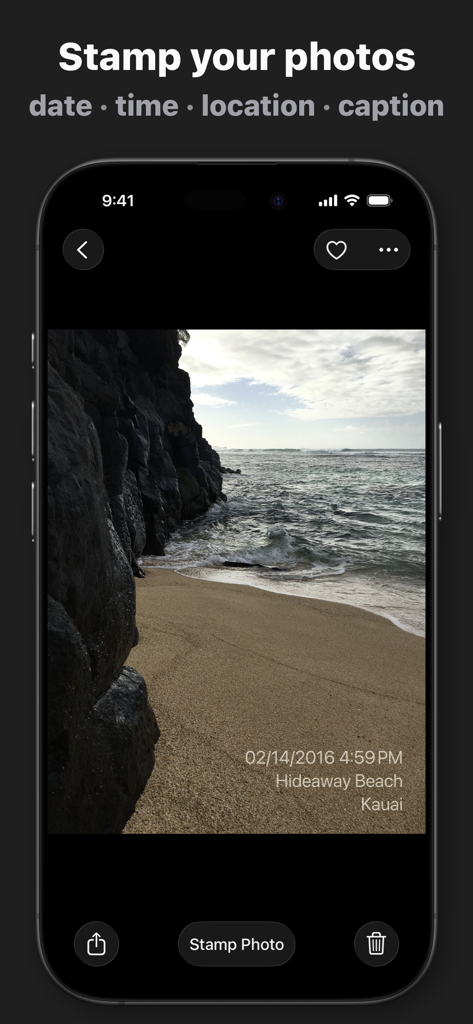
DateStamper 앱으로 사용자 정의된 날짜, 시간 및 위치 스탬프가 적용된 해변 사진을 보여주는 iPhone
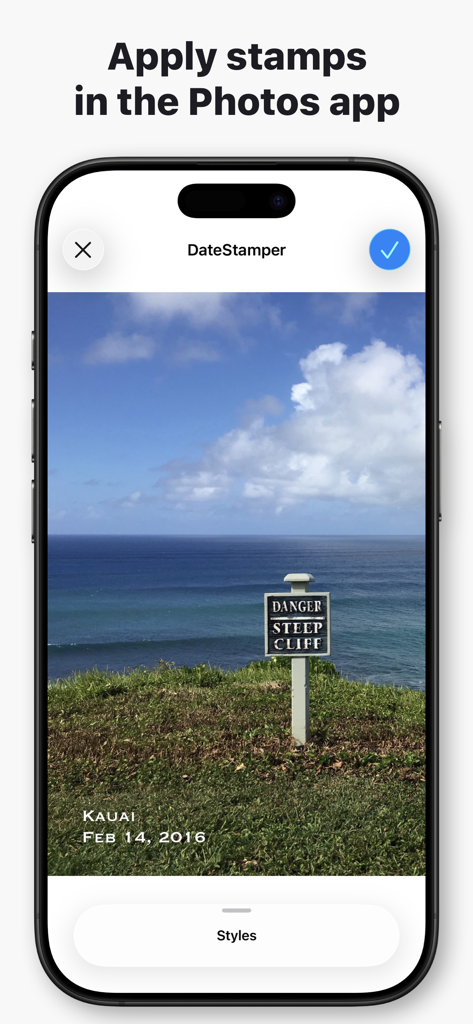
해안 절벽 사진에 날짜 및 위치 스탬프가 적용된 것을 보여주는 iPhone의 DateStamper 앱 인터페이스
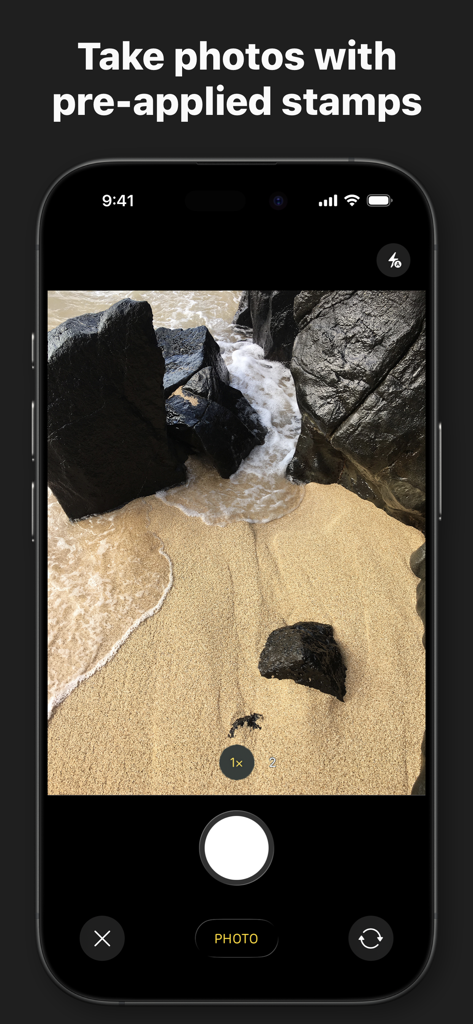
미리 적용된 스탬프가 있는 사진 촬영 기능이 있는 DateStamper 앱 인터페이스를 보여주는 iPhone 화면
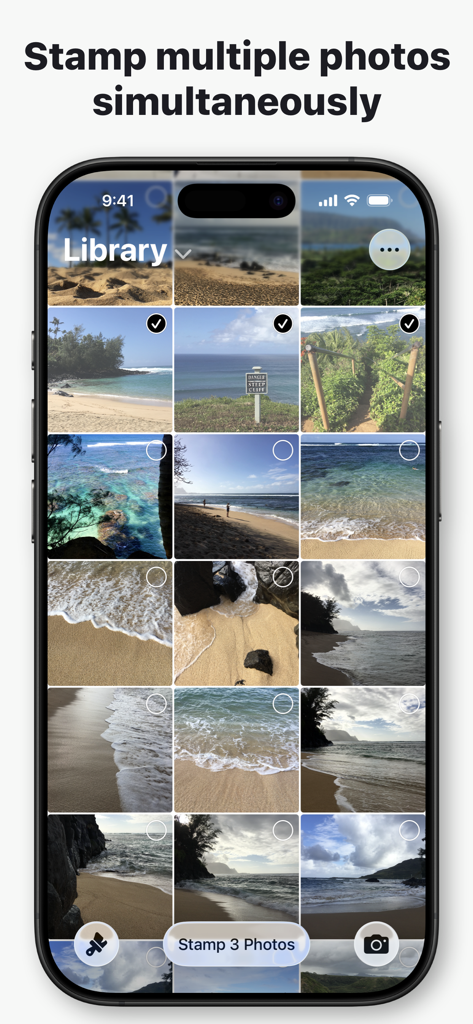
동시에 날짜 스탬프를 찍기 위해 여러 사진을 선택하는 것을 보여주는 DateStamper 앱 인터페이스
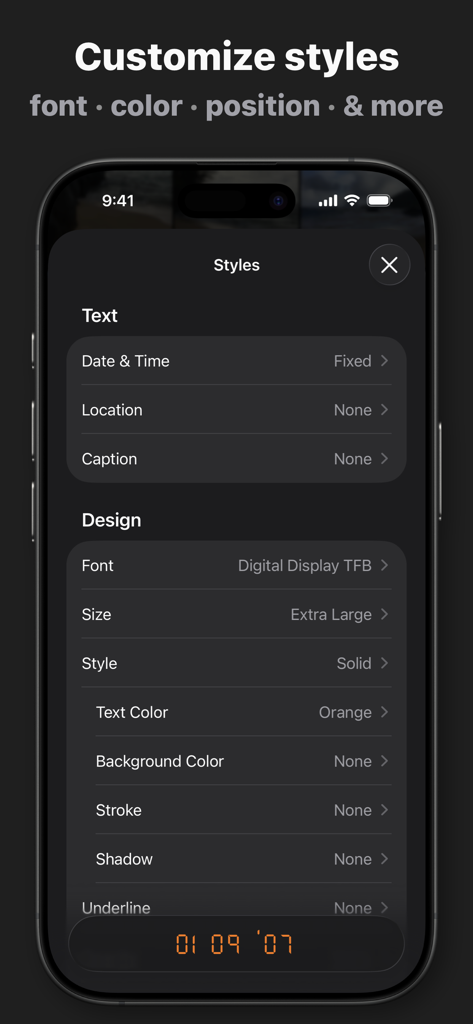
사진 타임스탬프의 글꼴 색상 및 스타일을 사용자 정의하는 옵션을 보여주는 DateStamper 앱의 인터페이스
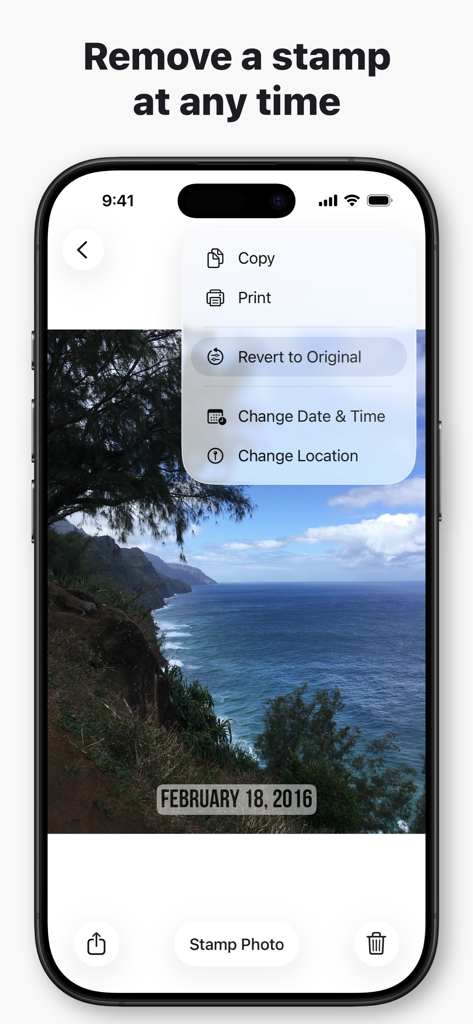
사진을 원본 상태로 되돌리는 옵션이 있는 DateStamper 앱 메뉴를 보여주는 iPhone 화면
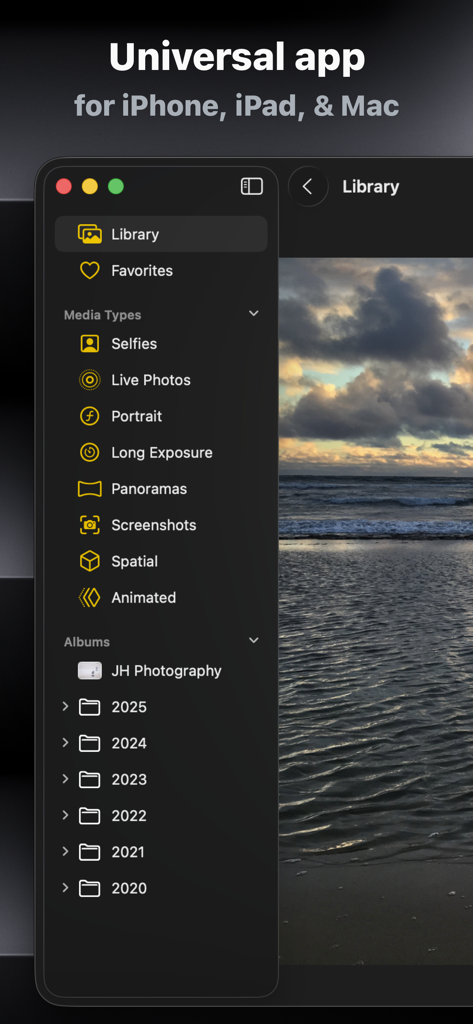
사진 라이브러리 정리를 보여주는 iPhone, iPad 및 Mac용 DateStamper 유니버설 앱의 인터페이스
설명
Download
비슷한 앱
유사한 기능과 사용자 경험을 가진 앱

Timestamp Camera -AI Timestamp
Shanghai Zongchong Information Technology Co., Ltd

Timestamp Camera - Date Stamp
Artify Inc.

Timestamp Camera: Time & GPS
Practical Apps from Sweden AB

Timestamp camera - gps cam
Guangzhou Siyue Network Technology Co., Ltd.

Timestamp Camera Basic
玉彬 陈

GPS Map Camera : Geo Photos
Chirag Gabani

Timestamp Camera: Time stamp
燕倩 费

Timestamp Camera - Time & GPS
Shaanxi Ruidebao Technology Co.,Ltd

Timestamp Camera - Aio GPS Cam
周萍 黄
이 페이지는 앱이나 개발자의 공식 페이지가 아니며, 정보 제공 및 논평을 목적으로 작성된 독립 편집 간행물입니다. 명시적으로 달리 언급되지 않는 한, 해당 앱이나 개발자는 MWM, Apple, Google Play, 앱 퍼블리셔 또는 앱 개발자와 제휴, 보증, 후원, 승인 또는 공식적으로 연결되어 있지 않으며, 이 페이지의 어떤 내용도 해당 앱이 MWM의 서비스를 사용하여 개발되었음을 의미하지 않습니다. 모든 상표, 로고, 스크린샷 및 기타 콘텐츠는 해당 소유자의 자산입니다.