TouchRetouch

TouchRetouch

다운로드: App Store다운로드: Google Play
로고: TouchRetouch

TouchRetouch: 완벽하고 방해 없는 사진을 위한 주머니 속 AI

전문가 수준의 AI로 사진 촬영 방해꾼, 전선, 원치 않는 개체를 즉시 제거하세요. 단 한 번의 터치로 피드에 어울리는 깔끔하고 미적인 모습을 연출하세요.

개발사

ADVA Soft GmbH

카테고리

Photo & Video

다운로드

8M+

사용자 평점

4.7/5

총 평가 수

177K+

지원 언어

17

마법을 목격하세요

이 인터페이스를 사용하는 8M+ 명의 사용자.

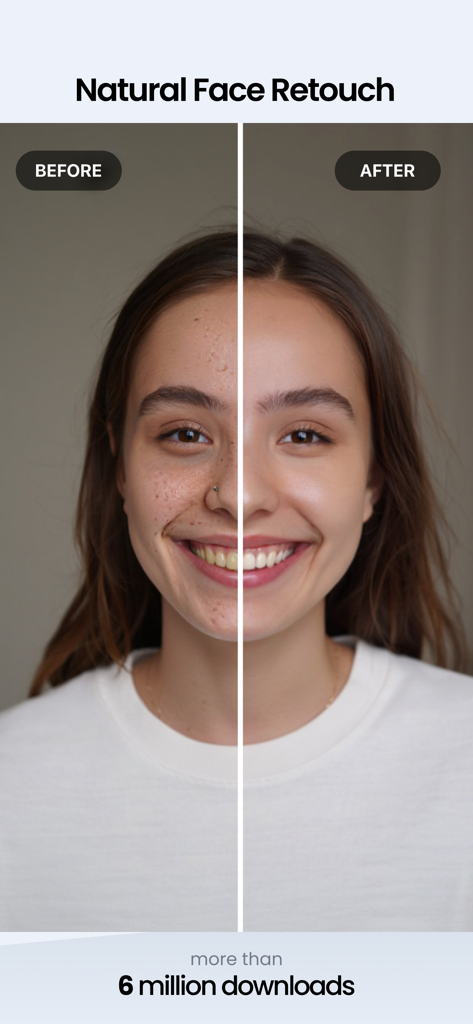
TouchRetouch 앱을 사용하여 피부 결점과 여드름을 제거하기 전후 여성 얼굴 사진 비교
TouchRetouch 앱을 사용하여 피부 결점과 여드름을 제거하기 전후 여성 얼굴 사진 비교

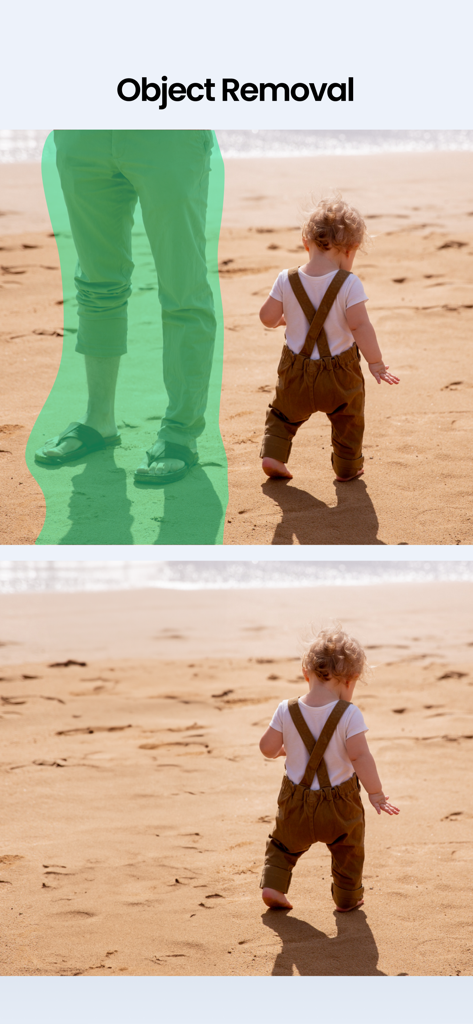
TouchRetouch를 사용하여 해변 사진에서 사람을 제거하기 전후 비교
TouchRetouch를 사용하여 해변 사진에서 사람을 제거하기 전후 비교

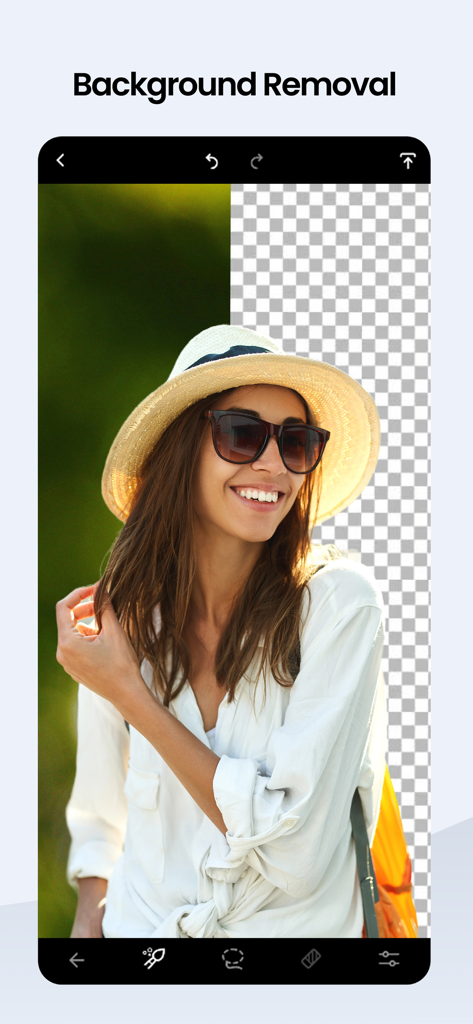
햇볕 가리개 모자를 쓴 여성 사진의 배경 제거 도구 시연 화면 전환
햇볕 가리개 모자를 쓴 여성 사진의 배경 제거 도구 시연 화면 전환

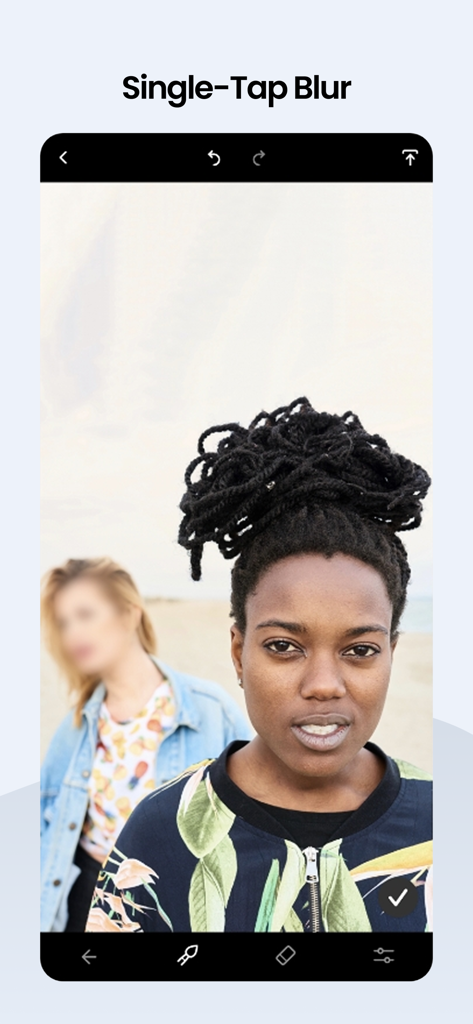
TouchRetouch 앱 인터페이스에서 배경 사람에게 적용된 원탭 블러 기능 표시
TouchRetouch 앱 인터페이스에서 배경 사람에게 적용된 원탭 블러 기능 표시

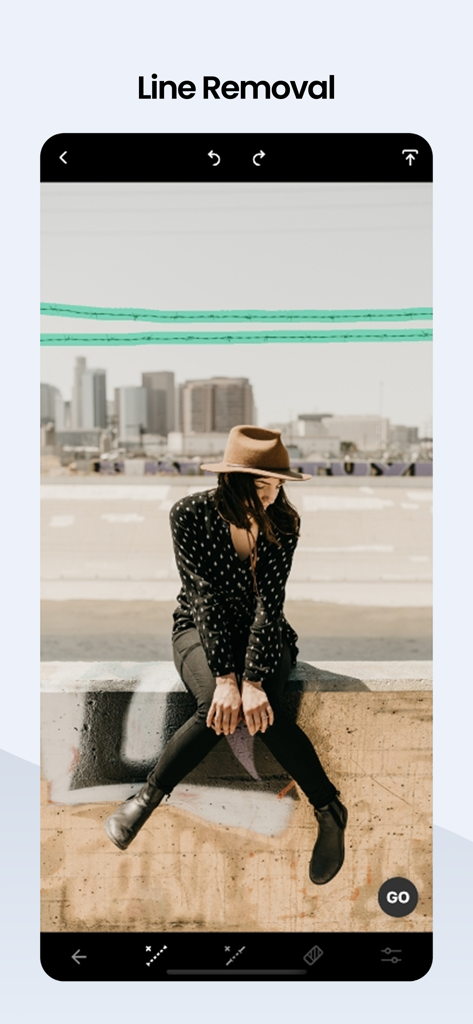
도시 풍경 사진에서 삭제할 전선을 강조 표시하는 TouchRetouch 선 제거 도구를 보여주는 모바일 화면
도시 풍경 사진에서 삭제할 전선을 강조 표시하는 TouchRetouch 선 제거 도구를 보여주는 모바일 화면

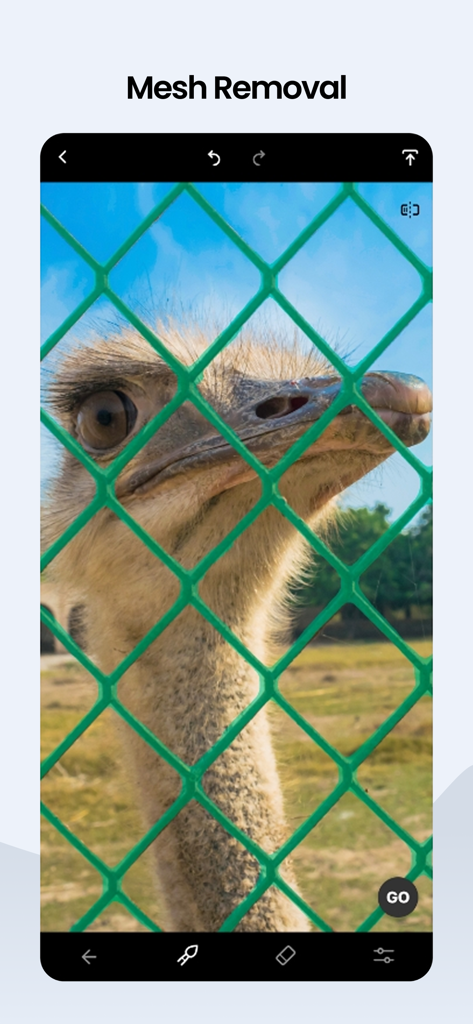
녹색 철망 뒤에 있는 타조 사진과 메쉬 제거 도구가 활성화된 TouchRetouch 앱 인터페이스
녹색 철망 뒤에 있는 타조 사진과 메쉬 제거 도구가 활성화된 TouchRetouch 앱 인터페이스

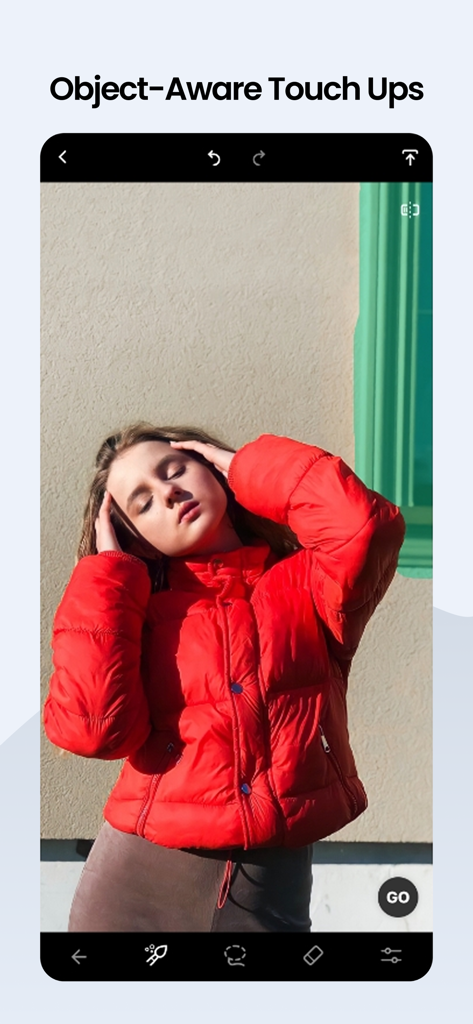
여성 사진에서 제거할 배경 개체를 선택하는 사용자를 보여주는 TouchRetouch 모바일 앱 인터페이스
여성 사진에서 제거할 배경 개체를 선택하는 사용자를 보여주는 TouchRetouch 모바일 앱 인터페이스

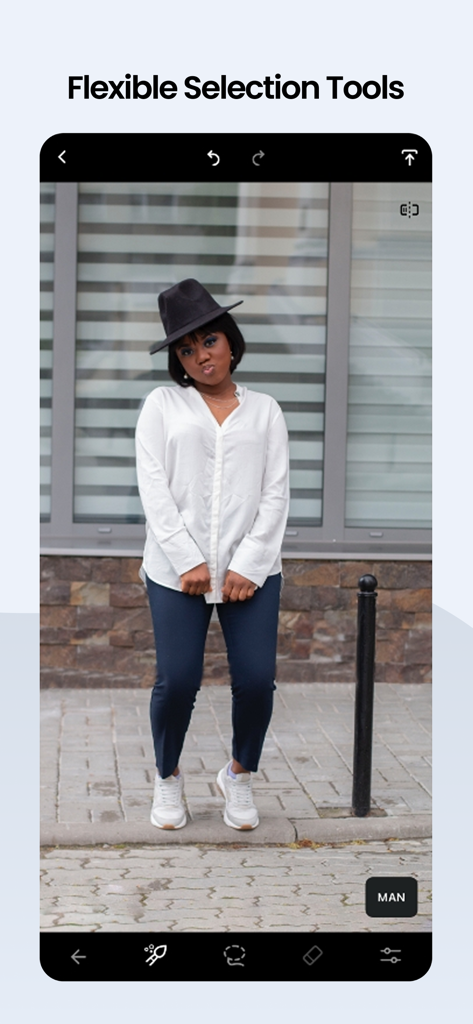
사진 편집을 위한 유연한 선택 도구를 보여주는 TouchRetouch 앱 화면
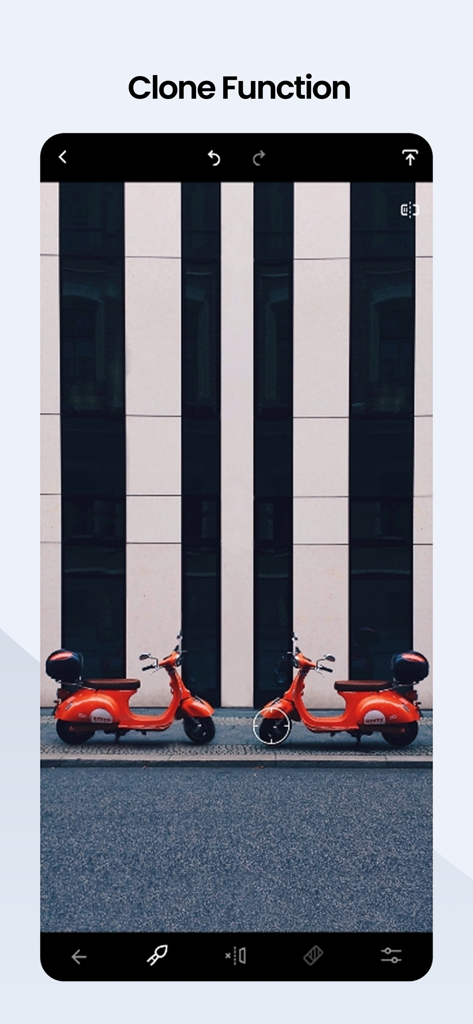
사진 편집을 위한 유연한 선택 도구를 보여주는 TouchRetouch 앱 화면

사진 속 빨간 스쿠터를 복제하기 위해 클론 기능을 사용하는 TouchRetouch 앱 인터페이스 스크린샷.
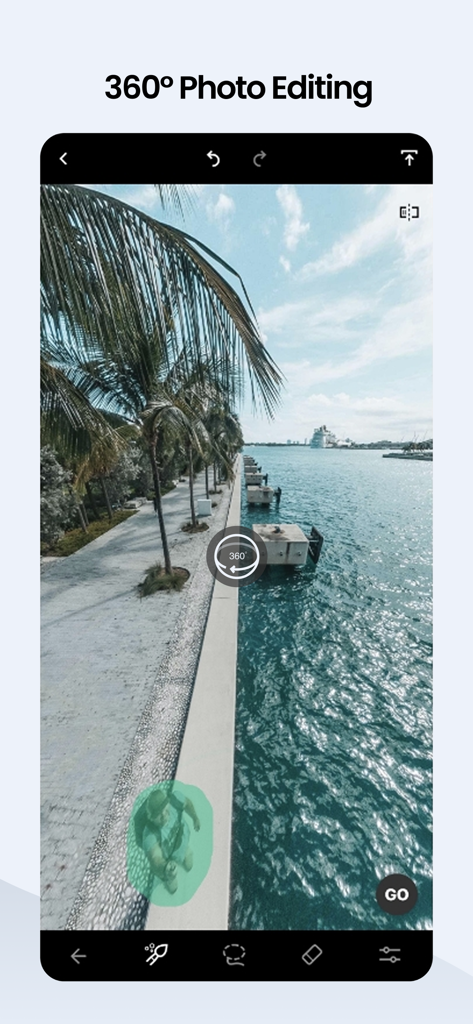
사진 속 빨간 스쿠터를 복제하기 위해 클론 기능을 사용하는 TouchRetouch 앱 인터페이스 스크린샷.

열대 풍경 사진에서 사람을 제거하기 위해 360도 사진 편집 기능을 사용하는 TouchRetouch 앱 인터페이스 스크린샷.

열대 풍경 사진에서 사람을 제거하기 위해 360도 사진 편집 기능을 사용하는 TouchRetouch 앱 인터페이스 스크린샷.

모든 샷을 걸작으로 변환하세요

이 앱을 돋보이게 하는 도구, 8M+ 명의 사용자가 선택.

🪄

AI 기반 제거 기능

배경과 완벽하게 어우러지는 맥락 인식 AI로 사진 촬영 방해꾼, 간판, 쓰레기통 등을 즉시 제거하세요.

원탭 선 및 철망 삭제

복잡한 수동 편집 없이 전선과 철망을 마법처럼 제거하여 풍경의 아름다움을 드러내세요.

전문가 수준의 원터치 보정

피부 결점, 흠집, 방해되는 빛 반사 등을 이미지 해상도 및 EXIF 데이터 손상 없이 손쉽게 제거하세요.

앱 소개

에 대해 알아야 할 모든 것 TouchRetouch.

설명

Your pocket app for removing unwanted stuff from photos on the go. It gives your photos a clean look while saving you valuable time. An accidental object, even though it may look tiny and harmless, can completely ruin the entire composition of a photo and make it worthless. However, it’s not a pain if you have your favorite TouchRetouch at hand. At ADVA Soft, we're always innovating. Our latest updates, including the Erase AI feature, the background eraser and changer, and features like Meshes and AI edge-aware object removal, were designed with your feedback in mind. ADVANTAGES: No quality and EXIF data loss Professional AI photo edits with ease NOTE: The automatic object removal algorithm works best on uniform backgrounds. WHAT MAGIC CAN YOU DO WITH TOUCHRETOUCH? Erase AI-Powered Object Removal: Automatically detect and remove background objects like street signs, trash cans, and stop lights with Erase AI Effortlessly remove wires, power lines, and other linear objects Eliminate foreground meshes for a cleaner background Remove background people and shadows Naturally erase pimples, acne, glare, tattoos, skin blemishes, and wrinkles Clean up travel photos Remove text from Instagram and Snapchat posts Restore old photos Background Removal & Replacement: Erase backgrounds and replace them with your own or stock photos Use the background editor to achieve a transparent background Blur backgrounds SINGLE-TOUCH AI RETOUCH The app works great for quick retouches. Make minor imperfections disappear just by marking them. It takes seconds for the app to remove small details that ruin your photos. If the task is to erase a line from your pic, mark only a section of the line or just tap it to remove it completely; no need to be precise — the app will find the line! In the manual retouch mode, all lines have control points, thus giving you more control and flexibility over adjusting curved segments. OBJECT REMOVAL LIKE MAGIC The app declutters your images in a matter of seconds. That could be people or other background details you may need to erase. Use automatic content removal with the Brush tool or, when the result is not that perfect, manual retouching with the Clone Stamp tool to repair a photo. AUTOMATIC MESH DETECTION AND REMOVAL If you think that "getting past the mesh netting" is quite a challenging task, you probably haven’t tried using TouchRetouch yet. The app offers a way to deal with the problem in two simple steps. Select the tool from the main menu and tap the Go button to have a mesh removed just like magic. The algorithm does the whole detection and selection work between these two steps; no action is required on your part. HELPFUL TUTORIALS Explore in-app tutorials to master TouchRetouch quickly. Little effort and experience are needed to become a pro in using TouchRetouch. The interface and layout are clear and intuitive enough to make you feel comfortable the very first time you use it. Download TouchRetouch now to harness photo magic from your pocket. TouchRetouch is brought to you by ADVA Soft — a team of like-minded professionals and enthusiastic innovators committed to designing intelligent yet simple apps that create magic in your photos and save you time. Visit our website at www.adva-soft.com to learn more about the company and the apps it develops. For any assistance with TouchRetouch, contact ADVA Soft Support at touchretouch@adva-soft.com. We welcome all your inquiries, comments, and suggestions about the app. Love TouchRetouch? Would you like to join our huge community of beta testers already involved in helping us make our products better? Let us know by sending your feedback to touchretouch@adva-soft.com. Terms of Use: https://www.apple.com/legal/internet-services/itunes/dev/stdeula/ Privacy Policy: https://adva-soft.com/privacy-policy-tr.html

최신 버전

5.5.7

크기

875.5 MB

출시일

2010년 6월 8일

완벽한 사진을 만들 준비가 되셨나요?

이미지를 순식간에 변환하는 8백만 명 이상의 크리에이터들과 함께하세요. 지금 TouchRetouch를 다운로드하고 주머니 속에서 간편하게 전문가 수준의 편집 마법을 경험하세요.

다운로드: App Store다운로드: Google Play
FAQ

자주 묻는 질문

에 대해 알아야 할 모든 것 TouchRetouch

TouchRetouch는 무엇인가요?

TouchRetouch는 사진에서 원치 않는 개체와 요소를 제거하여 깔끔한 이미지를 연출하고 시간을 절약할 수 있는 포켓 앱입니다. 사람, 선, 그물망, 잡티 등을 제거할 수 있습니다.

TouchRetouch로 사진에서 사람을 제거할 수 있나요?

네, TouchRetouch로 사진에서 사람을 제거할 수 있습니다. 개체 제거 기능을 사용하면 브러시 도구로 자동 콘텐츠 제거를 적용하거나 수동으로 정밀하게 편집할 수 있습니다.

TouchRetouch는 배경 교체를 지원하나요?

네, TouchRetouch는 사용자가 배경을 지우고 자신만의 사진이나 스톡 사진으로 교체할 수 있게 해줍니다. 또한 배경 편집기를 제공하여 투명한 배경을 만들거나 흐리게 처리할 수도 있습니다.

TouchRetouch는 사진에서 선을 어떻게 제거하나요?

TouchRetouch는 사용자가 섹션을 표시하거나 선을 탭하면 앱이 자동으로 감지하여 제거하는 방식으로 선을 제거합니다. 수동 모드는 곡선 세그먼트에 대한 제어 포인트를 제공합니다.

TouchRetouch로 사진에서 그물망이나 울타리를 제거할 수 있나요?

네, TouchRetouch로 사진에서 그물망이나 울타리를 제거할 수 있습니다. 이 앱은 간단한 두 단계 프로세스로 그물망을 자동으로 감지하고 제거하는 전용 도구를 제공합니다.

TouchRetouch는 편집 후에도 사진 품질을 유지하나요?

네, TouchRetouch는 사진 편집 과정에서 품질이나 EXIF 데이터 손실이 없도록 보장합니다. 원본 이미지 무결성을 유지하면서 전문적인 AI 사진 편집 기능을 제공합니다.

TouchRetouch는 신규 사용자를 위한 튜토리얼을 제공하나요?

네, TouchRetouch는 사용자가 앱을 빠르게 익힐 수 있도록 유용한 인앱 튜토리얼을 제공합니다. 인터페이스와 레이아웃이 명확하고 직관적이어서 편안한 사용자 경험을 제공합니다.

TouchRetouch 지원팀에 어떻게 연락하나요?

TouchRetouch 지원팀에 연락하려면 touchretouch@adva-soft.com으로 ADVA Soft Support에 이메일을 보내세요. 앱에 대한 모든 문의, 의견 및 제안을 환영합니다.

TouchRetouch는 얼굴의 어떤 종류의 잡티를 제거할 수 있나요?

TouchRetouch는 AI 기반 개체 제거 기능을 사용하여 뾰루지, 여드름, 광택, 문신, 피부 잡티, 주름 등 다양한 얼굴 잡티를 자연스럽게 지울 수 있습니다.

TouchRetouch는 360도 사진 편집을 지원하나요?

네, TouchRetouch는 360도 사진 편집을 지원합니다. 사용자는 파노라마 이미지를 편집하여 원치 않는 요소를 제거하거나 정밀한 조정을 할 수 있습니다.

App information, icons, screenshots, and descriptions displayed on this page are sourced from the Apple App Store and are the property of their respective developers. Download estimates and rankings are based on MWM's proprietary models and may not reflect actual figures. This page is provided for informational and analytical purposes only.

Believe this page infringes your intellectual property? File a dispute