ToyCAD: Easiest 3D Drawing App
다운로드: App Store

이 페이지는 앱이나 개발자의 공식 페이지가 아니며, 정보 제공 및 논평을 목적으로 작성된 독립 편집 간행물입니다. 명시적으로 달리 언급되지 않는 한, 해당 앱이나 개발자는 MWM, Apple, Google Play, 앱 퍼블리셔 또는 앱 개발자와 제휴, 보증, 후원, 승인 또는 공식적으로 연결되어 있지 않으며, 이 페이지의 어떤 내용도 해당 앱이 MWM의 서비스를 사용하여 개발되었음을 의미하지 않습니다. 모든 상표, 로고, 스크린샷 및 기타 콘텐츠는 해당 소유자의 자산입니다.

로고: ToyCAD: Easiest 3D Drawing App
다운로드: App Store

ToyCAD: Easiest 3D Drawing App

모두를 위해 만들어진 최초의 3D 디자인 앱으로 가족의 창의력을 발휘하세요. 복잡한 CAD 경험 없이 간단한 그림을 관절이 움직이는 액션 피규어와 맞춤형 창작물로 변환하세요.

주요 수치

다운로드

800

사용자 평점

3.7/5

총 평가 수

0

개발사

ToyCAD LLC

카테고리

Graphics & Design

지원 언어

1

최신 버전

2.1.1

크기

31.8 MB

출시일

2025년 1월 24일
기능

상상력에서 현실로 3D로

아이들과 메이커를 위한 가장 직관적인 디자인 도구입니다. 전문 소프트웨어의 가파른 학습 곡선 없이 간단한 스케치를 인쇄 가능한 장난감으로 변환하세요.

스케치를 3D로 마법처럼

여러 각도에서 그림을 그리고 2D 낙서가 상세한 자유형 3D 모델로 즉시 변환되는 것을 지켜보세요.

자신만의 장난감 인쇄

디자인을 모든 3D 프린터로 내보내세요. 아이디어를 현실로 가져와 화면 시간과 실제 놀이의 간극을 좁히세요.

다음 스크린샷과 설명은 앱의 공식 스토어 목록에서 직접 가져온 것이며 앱 개발자의 자산입니다.

앱 스토어

스크린샷
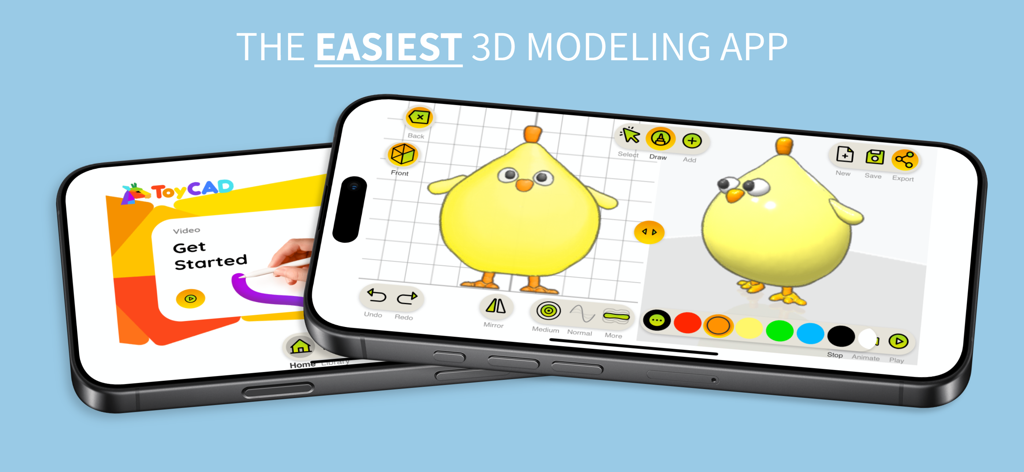
ToyCAD: Easiest 3D Drawing App - 3D 노란 병아리 모델과 시작하기 튜토리얼 화면이 있는 ToyCAD 앱 인터페이스를 표시하는 두 개의 스마트폰
3D 노란 병아리 모델과 시작하기 튜토리얼 화면이 있는 ToyCAD 앱 인터페이스를 표시하는 두 개의 스마트폰

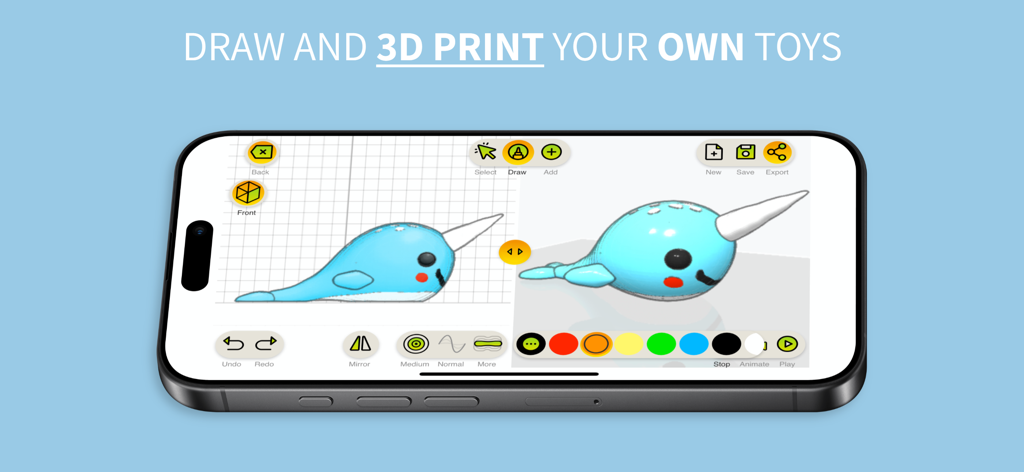
ToyCAD: Easiest 3D Drawing App - 3D 물개 모델과 그리기 도구가 있는 ToyCAD 앱 인터페이스를 보여주는 스마트폰 화면
3D 물개 모델과 그리기 도구가 있는 ToyCAD 앱 인터페이스를 보여주는 스마트폰 화면

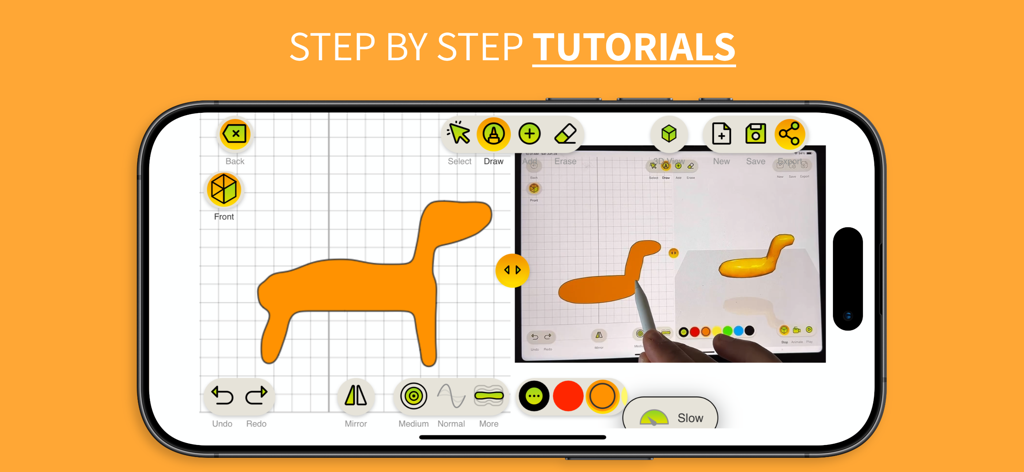
ToyCAD: Easiest 3D Drawing App - 태블릿에서 단계별 3D 그리기 튜토리얼을 보여주는 ToyCAD 앱 인터페이스
태블릿에서 단계별 3D 그리기 튜토리얼을 보여주는 ToyCAD 앱 인터페이스

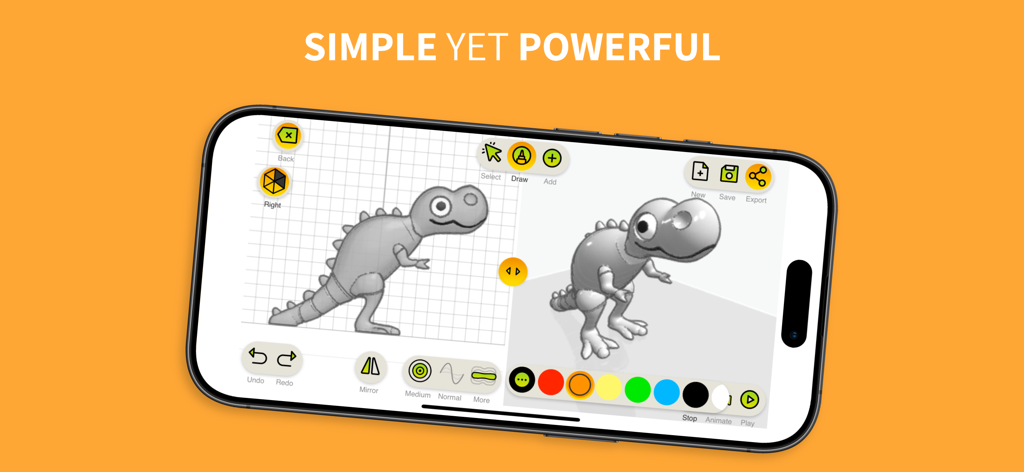
ToyCAD: Easiest 3D Drawing App - ToyCAD 앱 인터페이스에서 2D 공룡 스케치가 3D 모델로 변환되는 것을 보여주는 분할 화면
ToyCAD 앱 인터페이스에서 2D 공룡 스케치가 3D 모델로 변환되는 것을 보여주는 분할 화면

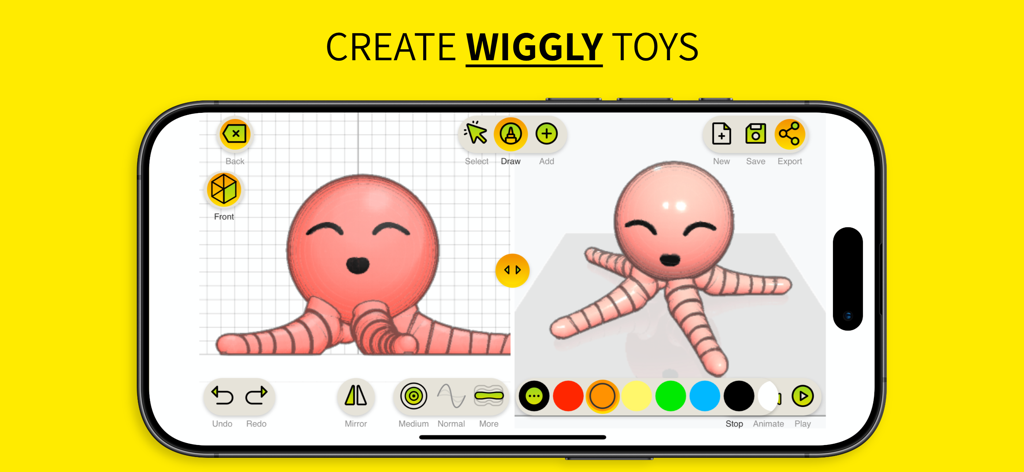
ToyCAD: Easiest 3D Drawing App - 2D 스케치에서 핑크색 꿈틀이 문어 장난감의 3D 생성을 보여주는 ToyCAD 앱 인터페이스
2D 스케치에서 핑크색 꿈틀이 문어 장난감의 3D 생성을 보여주는 ToyCAD 앱 인터페이스

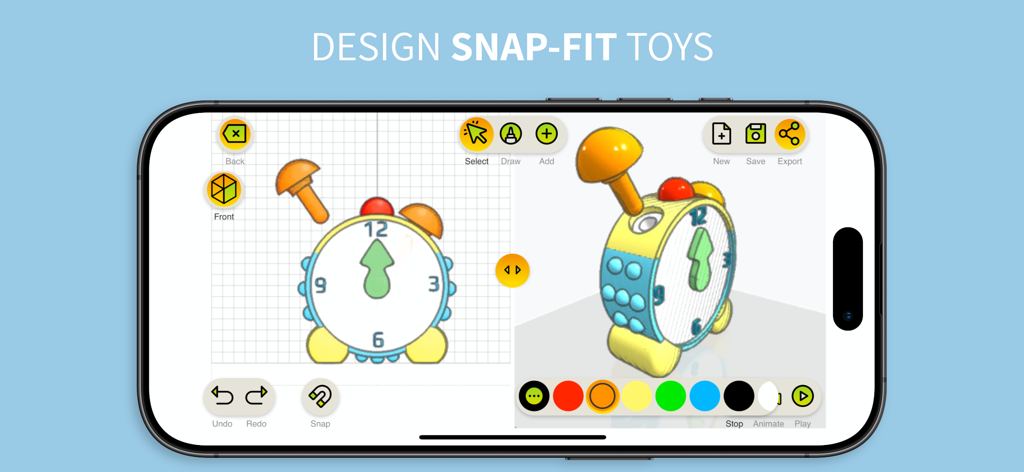
ToyCAD: Easiest 3D Drawing App - 모바일 장치에서 스냅 피트 장난감 시계의 3D 디자인을 보여주는 ToyCAD 앱 인터페이스
모바일 장치에서 스냅 피트 장난감 시계의 3D 디자인을 보여주는 ToyCAD 앱 인터페이스

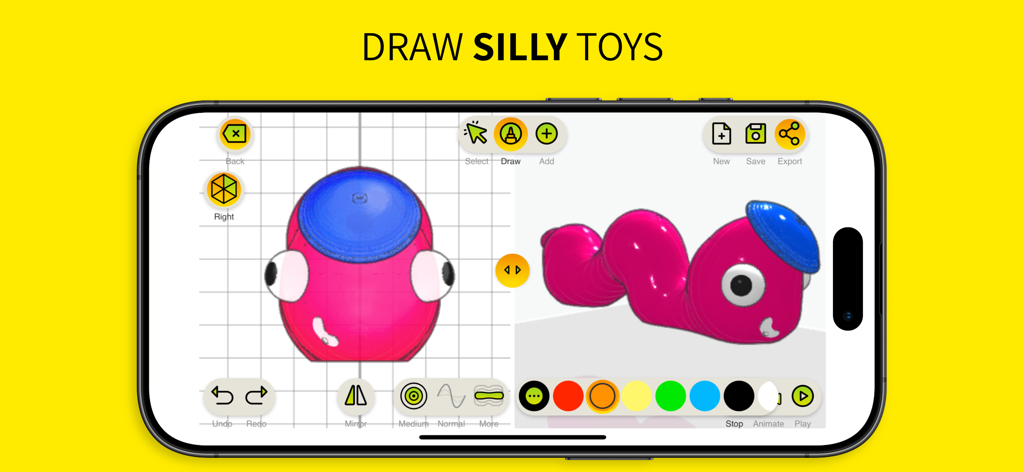
ToyCAD: Easiest 3D Drawing App - 3D 핑크 애벌레 장난감 디자인이 있는 ToyCAD 앱 인터페이스를 보여주는 스마트폰 화면
3D 핑크 애벌레 장난감 디자인이 있는 ToyCAD 앱 인터페이스를 보여주는 스마트폰 화면

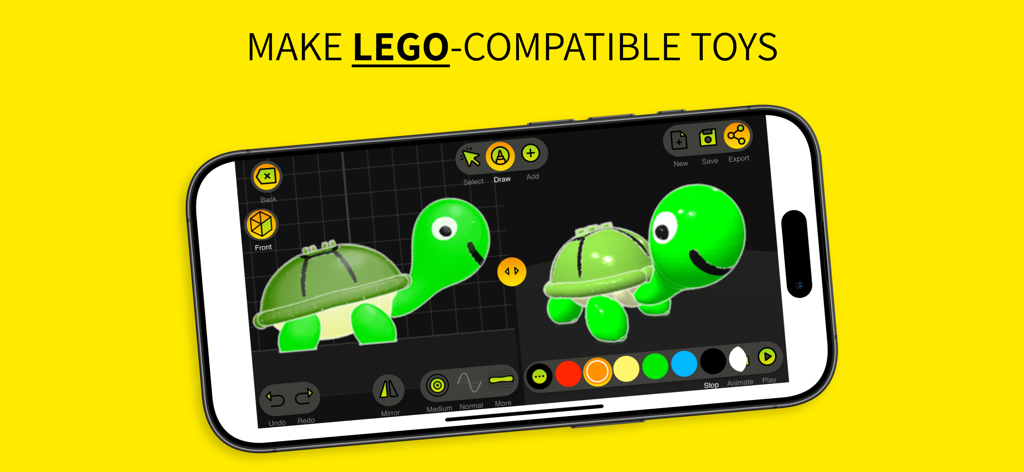
ToyCAD: Easiest 3D Drawing App - 등에 레고 호환 스터드가 있는 3D 거북이 장난감을 만들기 위해 ToyCAD 인터페이스를 사용하는 스마트폰 화면.
등에 레고 호환 스터드가 있는 3D 거북이 장난감을 만들기 위해 ToyCAD 인터페이스를 사용하는 스마트폰 화면.

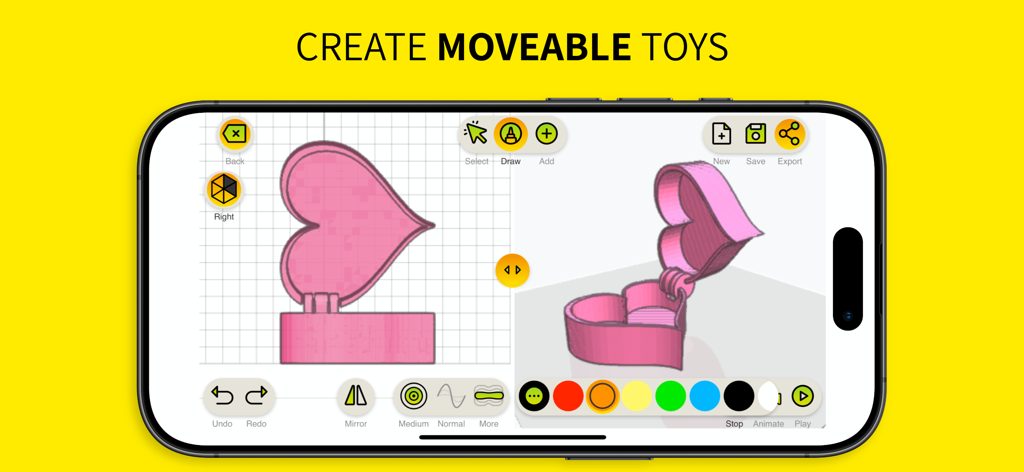
ToyCAD: Easiest 3D Drawing App - 움직이는 하트 모양 상자의 3D 디자인을 보여주는 ToyCAD 앱 인터페이스
움직이는 하트 모양 상자의 3D 디자인을 보여주는 ToyCAD 앱 인터페이스

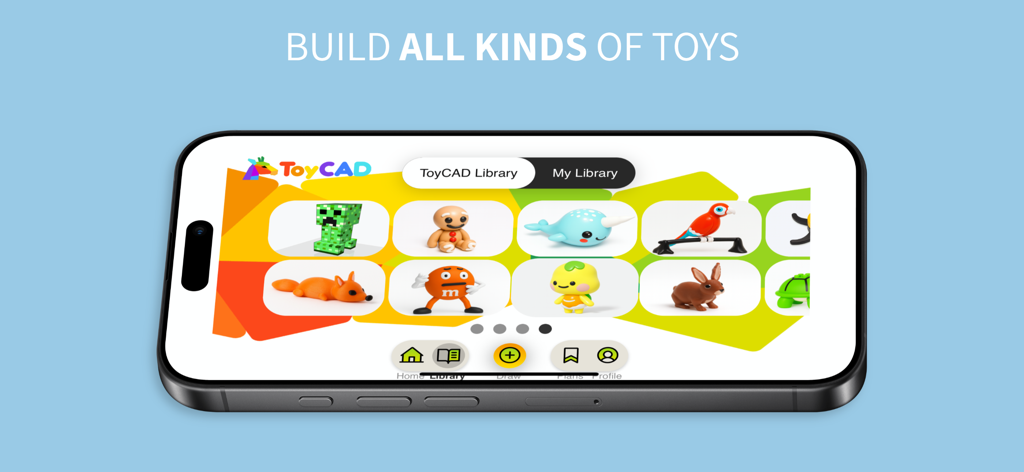
ToyCAD: Easiest 3D Drawing App - 여우, 토끼, 앵무새와 같은 다양한 3D 장난감 모델이 있는 ToyCAD 라이브러리를 보여주는 스마트폰 화면.

여우, 토끼, 앵무새와 같은 다양한 3D 장난감 모델이 있는 ToyCAD 라이브러리를 보여주는 스마트폰 화면.

설명

ToyCAD is the ultimate tool for unleashing creativity and bringing your ideas to life in 3D. Designed for beginners of all ages—whether you're a curious kid, a parent, an educator, or a hobbyist—ToyCAD makes the complex world of 3D design and printing fun, accessible, and exciting. With ToyCAD, anyone can build intricate 3D toys from simple sketches. By drawing from multiple angles, you can create freeform shapes and turn imaginative ideas into tangible designs. The app is packed with user-friendly features like step-by-step tutorials, a vast and growing library of ready-to-print designs, and easy-to-use editing tools that make the process seamless, even for those new to 3D modeling. Key Features of ToyCAD: - Easy 3D Design: Transform your 2D sketches into detailed 3D models with an intuitive interface designed for simplicity and creativity. - Interactive Tutorials: Learn the basics of 3D design and printing through engaging, step-by-step guides. Perfect for beginners of any age. - 3D Printer Support: Export designs to work with any 3D printer. - Advanced Features for Complex Toys: - Interlocking parts that snap together seamlessly. - Articulated designs for movable action figures, robots, and more. - Replaceable parts for endless customization. Subscription Levels: ToyCAD offers flexible subscription options to suit your needs: - **Free Access**: Try ToyCAD for free to explore its features and try all the drawing tools. Then subscribe to save and download your creations, and to access tutorials and toys library. - **Monthly Subscription**: Perfect for short-term projects or trying out the app. - **Yearly Subscription**: Enjoy significant savings with an annual plan, along with all the benefits of subscription. - **Lifetime License**: A one-time payment gives you unlimited access to ToyCAD forever, with all subscription features included. Subscription Features: - Save and download your drawings to keep your creations secure and accessible. - Access an expanding collection of tutorials and a growing library of ready-to-print toys. A Shared Experience for Everyone: ToyCAD isn’t just a design tool—it’s a platform for connection and collaboration. Families can bond by designing and creating toys together. Educators can inspire their students to explore STEM concepts through hands-on learning. Friends can team up to build something amazing. ToyCAD encourages creativity, fosters problem-solving, and turns 3D design into an enjoyable group activity. Why ToyCAD? Traditional 3D design software can feel intimidating, especially for beginners. ToyCAD bridges this gap with an approachable, beginner-friendly interface that doesn’t compromise on capability. It’s the perfect starting point for anyone curious about 3D design and printing, empowering users to explore their imaginations without the steep learning curve of professional tools. Whether you’re designing your first toy or looking to dive deeper into the world of 3D printing, ToyCAD provides the tools, tutorials, and inspiration you need to succeed. Let your creativity take shape with ToyCAD—the easiest way to design and 3D print your own toys. Privacy Policy: https://toycad.app/privacyPolicy.html Terms of Use: https://toycad.app/appTerms.html

Download

다운로드: App Store

이 페이지는 앱이나 개발자의 공식 페이지가 아니며, 정보 제공 및 논평을 목적으로 작성된 독립 편집 간행물입니다. 명시적으로 달리 언급되지 않는 한, 해당 앱이나 개발자는 MWM, Apple, Google Play, 앱 퍼블리셔 또는 앱 개발자와 제휴, 보증, 후원, 승인 또는 공식적으로 연결되어 있지 않으며, 이 페이지의 어떤 내용도 해당 앱이 MWM의 서비스를 사용하여 개발되었음을 의미하지 않습니다. 모든 상표, 로고, 스크린샷 및 기타 콘텐츠는 해당 소유자의 자산입니다.







