Trace and Sketch -Easy Drawing
다운로드: App Store

이 페이지는 앱이나 개발자의 공식 페이지가 아니며, 정보 제공 및 논평을 목적으로 작성된 독립 편집 간행물입니다. 명시적으로 달리 언급되지 않는 한, 해당 앱이나 개발자는 MWM, Apple, Google Play, 앱 퍼블리셔 또는 앱 개발자와 제휴, 보증, 후원, 승인 또는 공식적으로 연결되어 있지 않으며, 이 페이지의 어떤 내용도 해당 앱이 MWM의 서비스를 사용하여 개발되었음을 의미하지 않습니다. 모든 상표, 로고, 스크린샷 및 기타 콘텐츠는 해당 소유자의 자산입니다.

로고: Trace and Sketch -Easy Drawing
다운로드: App Store

Trace and Sketch -Easy Drawing

학습 과정을 건너뛰고 어떤 사진이든 멋진 스케치로 바꿔보세요. 커스텀 스티커를 만들고 바이럴 타임랩스 재생으로 창작의 여정을 공유하세요. 종이나 AR은 필요 없습니다.

주요 수치

다운로드

4K+

사용자 평점

4.3/5

총 평가 수

200

개발사

Shajir Kalady

카테고리

Graphics & Design

지원 언어

2

최신 버전

4.2

크기

16.5 MB

출시일

2015년 10월 10일
기능

노력 없이 드로잉 예술을 마스터하세요

화면을 디지털 라이트박스로 바꿔보세요. 자신감을 쌓으려는 초보자이든 콘텐츠를 제작하는 크리에이터이든, 트레이스 및 스케치는 영감과 완성된 걸작 사이의 장벽을 없애줍니다.

원활한 디지털 트레이싱

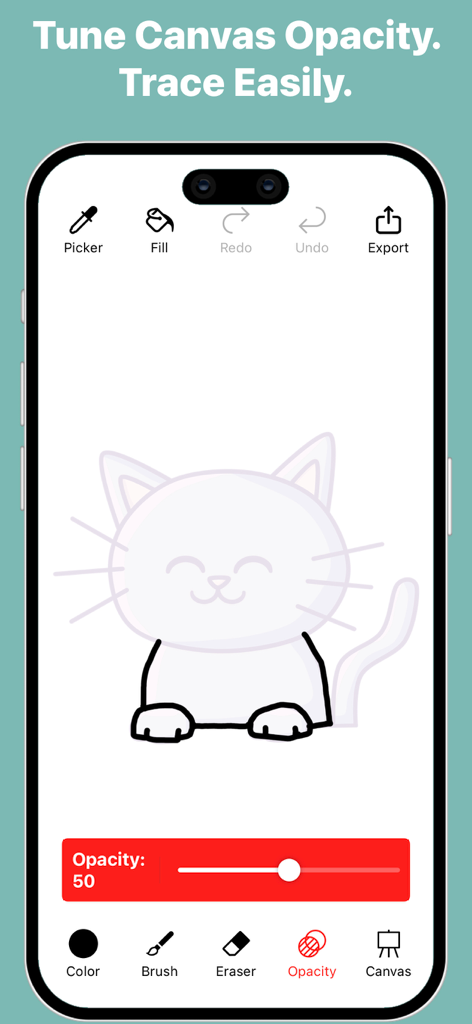
투명도 조절 기능으로 어떤 사진이든 가이드로 변환하세요. 빈 캔버스에 대한 좌절감 없이 비율과 윤곽선을 즉석에서 마스터할 수 있습니다.

프로 수준의 스티커 제작기

투명한 배경으로 그림을 내보내세요. iMessage, 디지털 플래너 또는 소셜 미디어 오버레이를 위한 커스텀 디지털 스티커 제작에 적합합니다.

다음 스크린샷과 설명은 앱의 공식 스토어 목록에서 직접 가져온 것이며 앱 개발자의 자산입니다.

앱 스토어

스크린샷
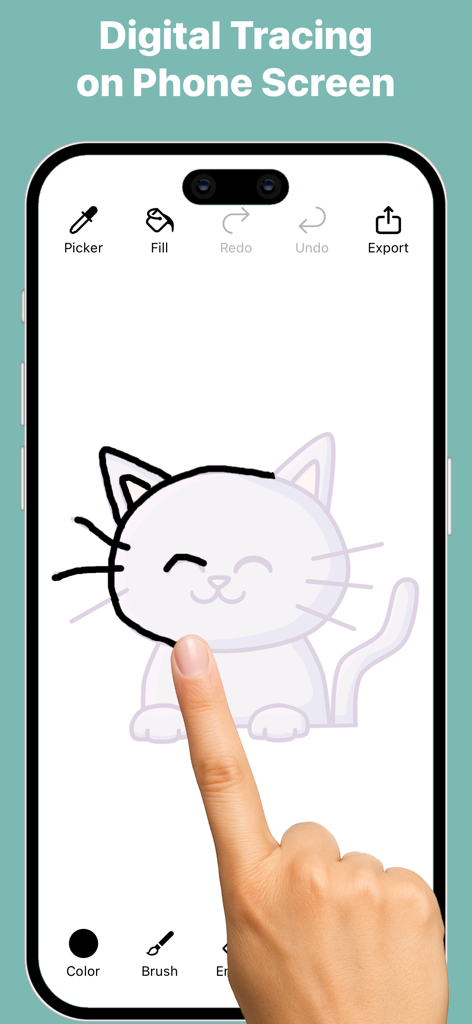
Trace and Sketch -Easy Drawing - 트레이스 및 스케치 앱 인터페이스를 사용하여 스마트폰 화면에서 고양이 일러스트를 따라 그리는 사용자
트레이스 및 스케치 앱 인터페이스를 사용하여 스마트폰 화면에서 고양이 일러스트를 따라 그리는 사용자

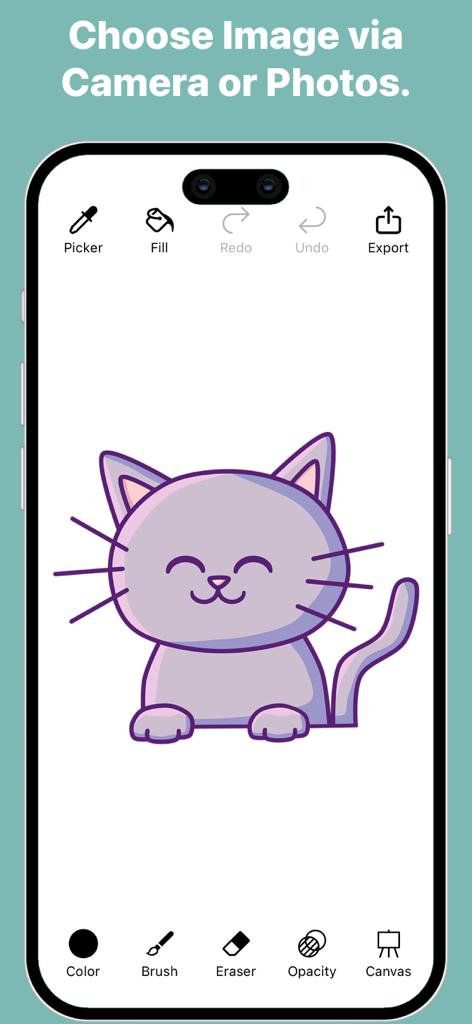
Trace and Sketch -Easy Drawing - 보라색 만화 고양이 일러스트와 디지털 드로잉 도구가 포함된 트레이스 및 스케치 앱의 인터페이스.
보라색 만화 고양이 일러스트와 디지털 드로잉 도구가 포함된 트레이스 및 스케치 앱의 인터페이스.

Trace and Sketch -Easy Drawing - 조절 가능한 불투명도 슬라이더로 고양이 그림을 따라 그리는 모습을 보여주는 트레이스 및 스케치 앱 인터페이스
조절 가능한 불투명도 슬라이더로 고양이 그림을 따라 그리는 모습을 보여주는 트레이스 및 스케치 앱 인터페이스

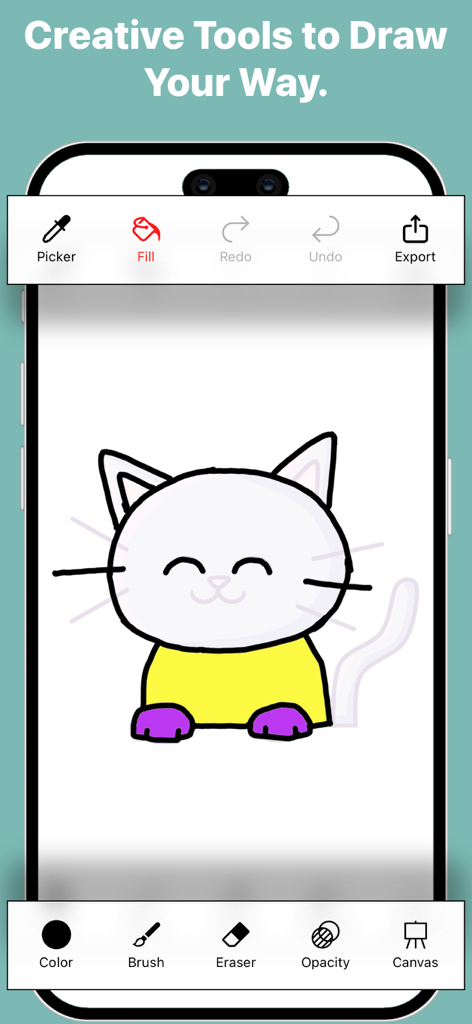
Trace and Sketch -Easy Drawing - 고양이 그림과 브러시, 채우기, 색상 선택기와 같은 다양한 창작 도구를 보여주는 트레이스 및 스케치 모바일 인터페이스
고양이 그림과 브러시, 채우기, 색상 선택기와 같은 다양한 창작 도구를 보여주는 트레이스 및 스케치 모바일 인터페이스

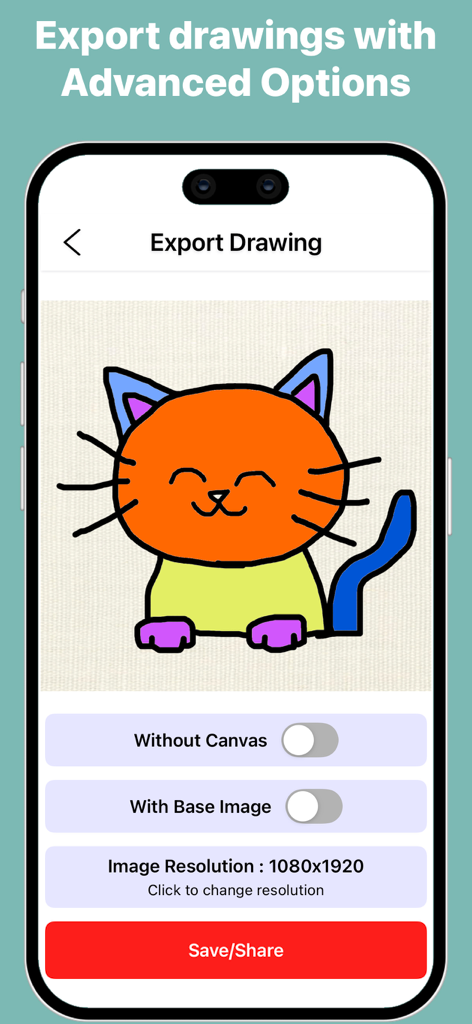
Trace and Sketch -Easy Drawing - 트레이스 및 스케치에서 화려한 고양이 그림에 대한 내보내기 옵션을 보여주는 모바일 앱 화면
트레이스 및 스케치에서 화려한 고양이 그림에 대한 내보내기 옵션을 보여주는 모바일 앱 화면

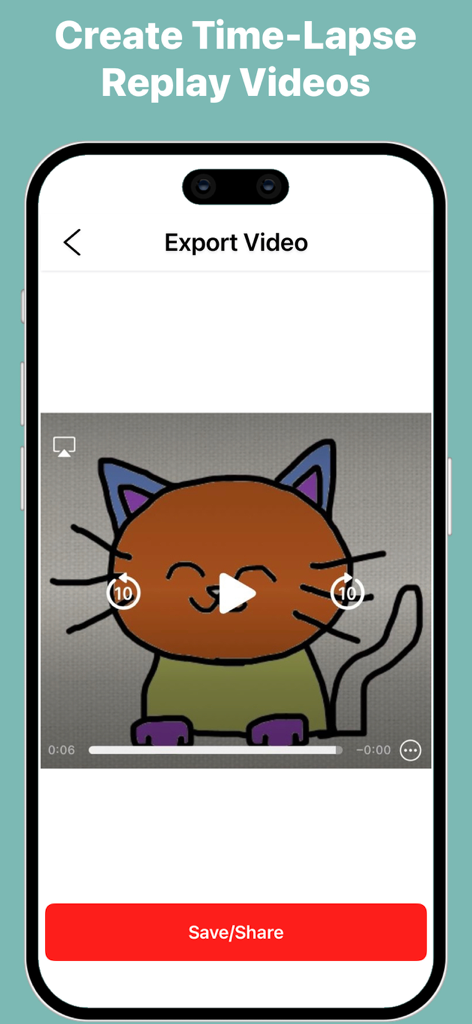
Trace and Sketch -Easy Drawing - 손으로 그린 고양이 일러스트의 타임랩스 재생 비디오를 내보내기 위한 모바일 인터페이스.

손으로 그린 고양이 일러스트의 타임랩스 재생 비디오를 내보내기 위한 모바일 인터페이스.

설명

Turn any photo into a sketch with Trace and Sketch – Easy Drawing. Your screen becomes a digital tracing paper — select an image, adjust the transparency, and start drawing directly with your finger or stylus. Simple, smooth, and perfect for beginners, hobby artists, and anyone who wants to practice drawing. How it works: Pick an image from your gallery or camera. Adjust the transparency to see your image clearly under the tracing layer. Draw freely on the screen — all strokes are saved automatically. Choose a canvas or plain background to finish your artwork. Export your drawing in multiple formats, with or without background. Features: Adjustable Transparency – Control how much of the base image is visible. Natural Drawing Tools – Brush with adjustable stroke size, opacity, and pattern styles. Eraser & Undo/Redo – Erase strokes with adjustable width and fix mistakes using undo and redo. Color Picker – Choose colors easily or pick colors directly from your image or drawing. Fill Tool (Pot Fill) – Tap a closed area to fill it instantly with the selected color. Zoom, Drag, Rotate – Zoom, drag, and rotate the canvas for precise tracing. Multiple Canvases – Use built-in canvases or create a plain colored background. Automatic Save – Every stroke is saved instantly. Gallery Management – View all your sketches, open them for editing, export them, duplicate sketches, or delete sketches you no longer need. Export Drawing Options- Export Without Canvas – Save the pure drawing with no background; perfect for stickers, collages, and overlays. Export With Base Image – Save your drawing directly on the original photo for photo-based artwork. Export With Canvas – Save your artwork as a drawing on a selected canvas. Select Dimensions – Choose from multiple image resolution options before exporting. Quick Share – Use the iOS share sheet to save or send your artwork anywhere. Export Video (Time-Lapse)- Time-Lapse Replay – Export a replay video that shows the entire drawing process from start to finish. Multiple Video Resolutions – Choose the video quality before exporting. Whether you’re tracing portraits, practicing outlines, creating digital art, or simply sketching for fun, Trace and Sketch makes it easy and enjoyable — no paper, no setup, no AR required.

Download

다운로드: App Store

이 페이지는 앱이나 개발자의 공식 페이지가 아니며, 정보 제공 및 논평을 목적으로 작성된 독립 편집 간행물입니다. 명시적으로 달리 언급되지 않는 한, 해당 앱이나 개발자는 MWM, Apple, Google Play, 앱 퍼블리셔 또는 앱 개발자와 제휴, 보증, 후원, 승인 또는 공식적으로 연결되어 있지 않으며, 이 페이지의 어떤 내용도 해당 앱이 MWM의 서비스를 사용하여 개발되었음을 의미하지 않습니다. 모든 상표, 로고, 스크린샷 및 기타 콘텐츠는 해당 소유자의 자산입니다.







