Tracing Buddy: Drawing Grid
다운로드: App Store

이 페이지는 앱이나 개발자의 공식 페이지가 아니며, 정보 제공 및 논평을 목적으로 작성된 독립 편집 간행물입니다. 명시적으로 달리 언급되지 않는 한, 해당 앱이나 개발자는 MWM, Apple, Google Play, 앱 퍼블리셔 또는 앱 개발자와 제휴, 보증, 후원, 승인 또는 공식적으로 연결되어 있지 않으며, 이 페이지의 어떤 내용도 해당 앱이 MWM의 서비스를 사용하여 개발되었음을 의미하지 않습니다. 모든 상표, 로고, 스크린샷 및 기타 콘텐츠는 해당 소유자의 자산입니다.

로고: Tracing Buddy: Drawing Grid
다운로드: App Store

Tracing Buddy: Drawing Grid

정밀함을 요구하는 아티스트를 위해 설계된 올인원 디지털 격자 및 등각 투영 도구. 이미지를 어떤 표면에든 쉽게 옮기고, 명암 값을 분석하고, AR 안내를 통해 정신을 사로잡는 원근법 아트를 만드세요.

주요 수치

다운로드

218K+

사용자 평점

4.6/5

총 평가 수

1K+

개발사

La Fappbrica S.A.S. de C.V.

카테고리

Graphics & Design

지원 언어

2

최신 버전

3.8.1

크기

28.4 MB

출시일

2019년 8월 9일
기능

전문적인 정밀함으로 모든 세부 사항 마스터하기

전통적인 아티스트를 위한 궁극의 툴킷. 사용자 지정 가능한 격자부터 정신을 사로잡는 3D 일루전까지, Tracing Buddy는 어떤 비전이든 완벽한 정확도로 종이나 캔버스에 옮길 수 있도록 도와줍니다.

스마트 드로잉 격자

측정 오류를 제거하세요. 비율, 투명도 및 분할 스타일을 사용자 지정하여 스케치를 위한 완벽한 청사진을 만드세요.

3D 광학 일루전

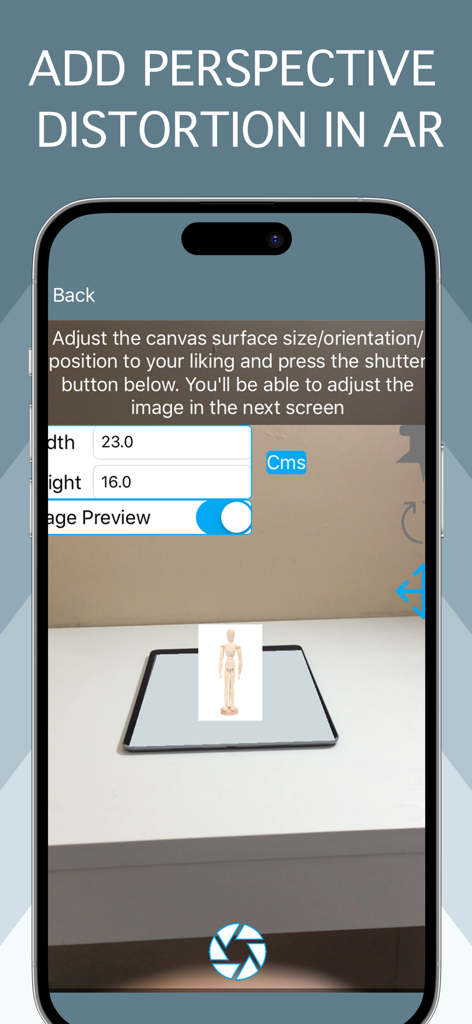
등각 투영 아트를 쉽게 만드세요. AR 안내 왜곡 도구를 사용하여 평면 이미지를 놀라운 3D 원근법 드로잉으로 변환하세요.

다음 스크린샷과 설명은 앱의 공식 스토어 목록에서 직접 가져온 것이며 앱 개발자의 자산입니다.

앱 스토어

스크린샷
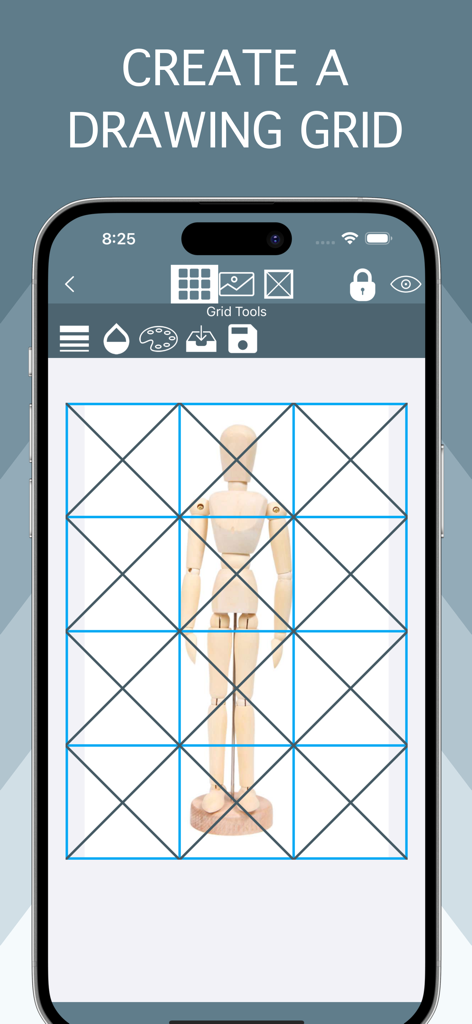
Tracing Buddy: Drawing Grid - Tracing Buddy 앱의 나무 마네킹 위에 겹쳐진 파란색 드로잉 격자
Tracing Buddy 앱의 나무 마네킹 위에 겹쳐진 파란색 드로잉 격자

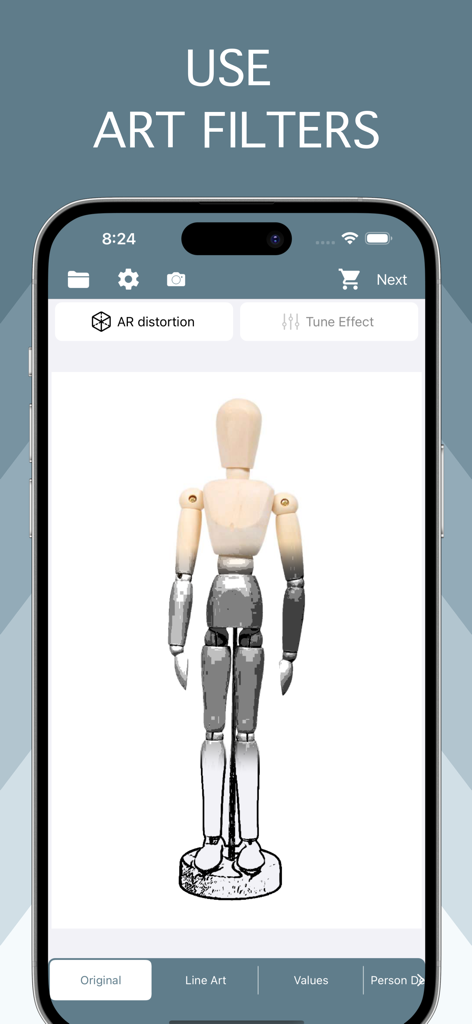
Tracing Buddy: Drawing Grid - 나무 드로잉 마네킹에 적용된 아트 필터를 표시하는 Tracing Buddy 모바일 앱 인터페이스
나무 드로잉 마네킹에 적용된 아트 필터를 표시하는 Tracing Buddy 모바일 앱 인터페이스

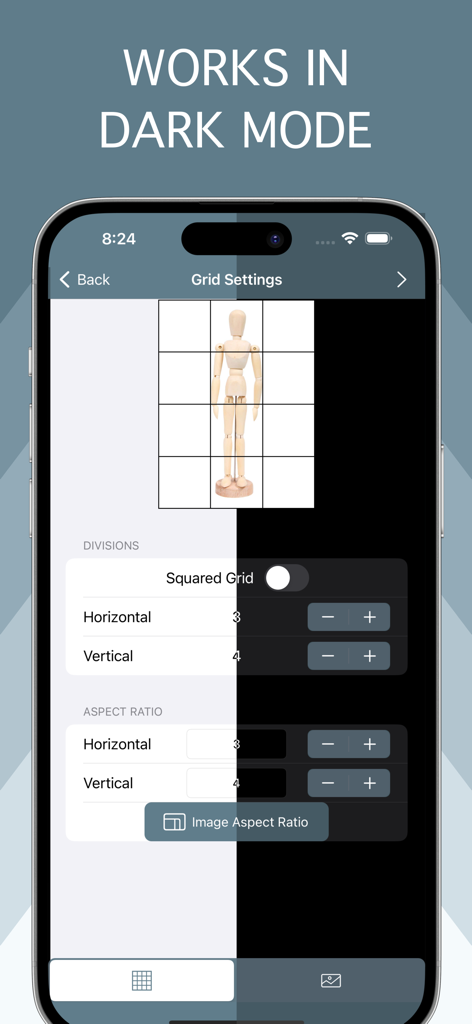
Tracing Buddy: Drawing Grid - 밝고 어두운 모드에서 격자 구성 옵션을 표시하는 Tracing Buddy 앱 인터페이스
밝고 어두운 모드에서 격자 구성 옵션을 표시하는 Tracing Buddy 앱 인터페이스

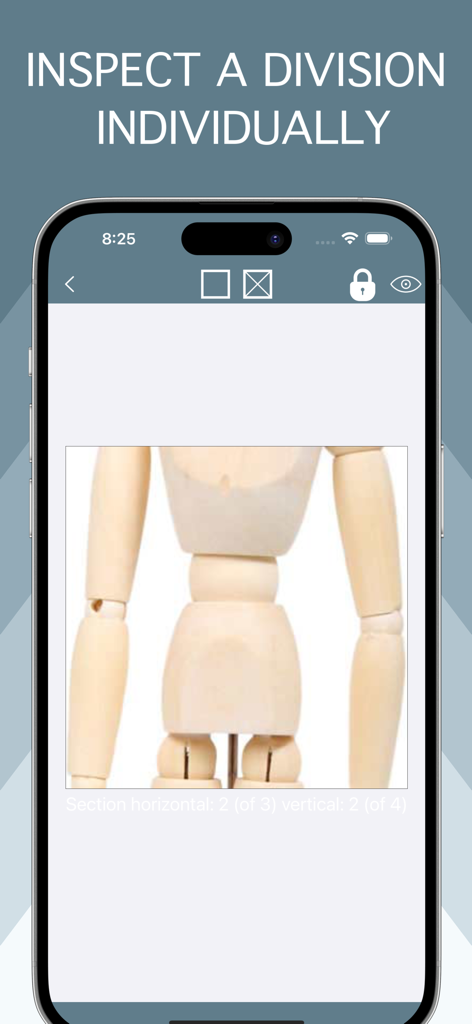
Tracing Buddy: Drawing Grid - 정밀 드로잉을 위해 아티스트 마네킹의 확대된 격자 셀을 보여주는 Tracing Buddy 앱
정밀 드로잉을 위해 아티스트 마네킹의 확대된 격자 셀을 보여주는 Tracing Buddy 앱

Tracing Buddy: Drawing Grid - AR에서 원근 왜곡을 추가하기 위한 Tracing Buddy 앱 인터페이스

AR에서 원근 왜곡을 추가하기 위한 Tracing Buddy 앱 인터페이스

설명

Tracing Buddy is a drawing grid and anamorphic images creation tool. Built for simplicity, Tracing Buddy allows you to easily transfer pictures to a drawing surface Using the perspective distortion functionality, now you can enter the world of drawing illusions. First, apply the distortion to your images and then transfer them to a drawing surface with a grid The app is optimized for both iPhone and iPad use, including Dark Mode support Grid Features: - Square divisions or choose the preferred aspect ratio - Change color and transparency of grid lines - Choose from four subdivision styles and change color and transparency as you wish - Change the grid background color and the transparency of your image - Change the scale and position of your image relative to the whole grid - Save grid settings in projects Image Features: - Choose from a regular image, line art style, black & white values, or remove backgrounds with the person detection filter -With the B&W and values filter you change your image to black & white, adjust shadows and highlights to you liking with the included tone curve and reduce the number of values in the picture to a more manageable amount. With the value selection tool you can inspect where values are placed in your image - Use the person detection filter to remove the backgrounds of pictures with people in them, change to a transparent or solid color background instead Anamorphic images: - Add perspective distortion to your images choosing from two method: AR or using a picture - In AR method let Tracing Buddy guide you through the whole process, you only need an iOS device equipped with AR capabilities - If you need more control about the distortion, you can take a picture from your phone or with external camera and apply the distortion manually, for this method to be effective, you need to know the dimensions of the surface you want to transfer your picture to Premium Features Add-on (either by subscription or lifetime purchase) required for: - Ad removal - Premium Image filters - Multiple Project management - PNG type export Privacy Policy: https://lafappbrica.com/tracing-buddy-privacy-policy Terms of use https://lafappbrica.com/tracing-buddy-terms/

Download

다운로드: App Store

이 페이지는 앱이나 개발자의 공식 페이지가 아니며, 정보 제공 및 논평을 목적으로 작성된 독립 편집 간행물입니다. 명시적으로 달리 언급되지 않는 한, 해당 앱이나 개발자는 MWM, Apple, Google Play, 앱 퍼블리셔 또는 앱 개발자와 제휴, 보증, 후원, 승인 또는 공식적으로 연결되어 있지 않으며, 이 페이지의 어떤 내용도 해당 앱이 MWM의 서비스를 사용하여 개발되었음을 의미하지 않습니다. 모든 상표, 로고, 스크린샷 및 기타 콘텐츠는 해당 소유자의 자산입니다.







