Tracing projector & Lightbox

Tracing projector & Lightbox

다운로드: App Store
로고: Tracing projector & Lightbox

추적 프로젝터 & 라이트박스: AR로 그림 그리기 기술 마스터하기

스마트폰을 디지털 카메라 루시다로 바꾸세요. 완벽하고 전문적인 스케치를 만들기 위해 카메라에 모든 이미지를 오버레이하세요. 그림 경험이 필요하지 않습니다.

다운로드: App Store

개발사

Alexey Goryachev

카테고리

Graphics & Design

다운로드

193K+

사용자 평점

2.0/5

총 평가 수

0

지원 언어

11

당신의 걸작을 시각화하세요

이 인터페이스를 사용하는 193K+ 명의 사용자.

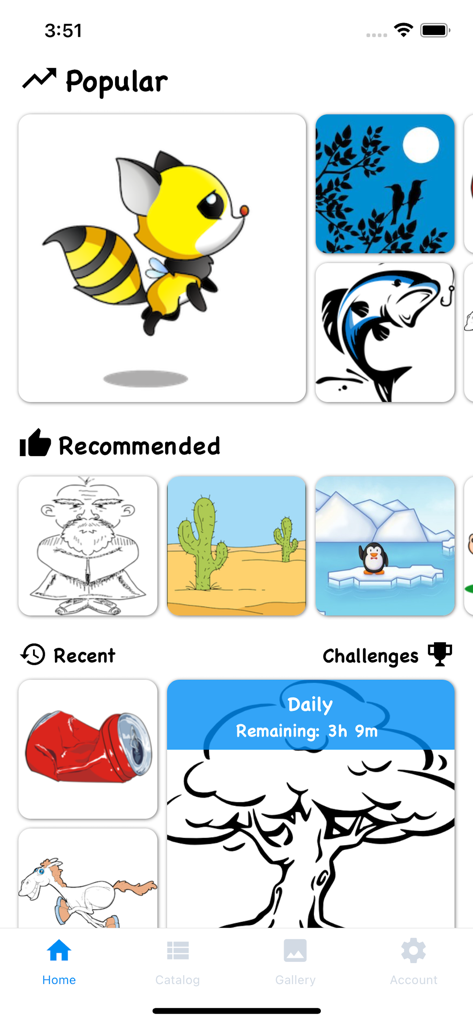
추적 프로젝터 및 라이트박스 앱의 홈 화면으로, 동물과 풍경을 포함한 인기 및 추천 그림 템플릿을 보여줍니다.
추적 프로젝터 및 라이트박스 앱의 홈 화면으로, 동물과 풍경을 포함한 인기 및 추천 그림 템플릿을 보여줍니다.

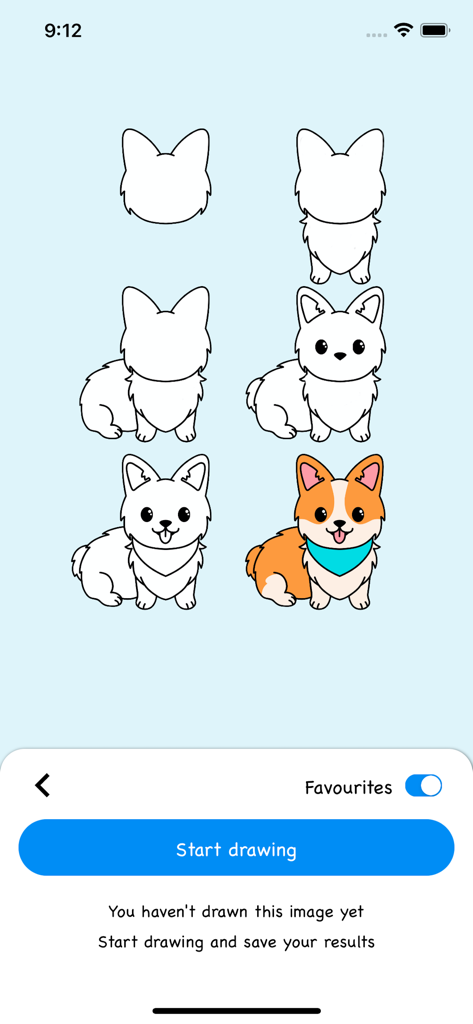
귀여운 코기 강아지를 그리고 색칠하는 방법을 보여주는 단계별 튜토리얼 화면
귀여운 코기 강아지를 그리고 색칠하는 방법을 보여주는 단계별 튜토리얼 화면

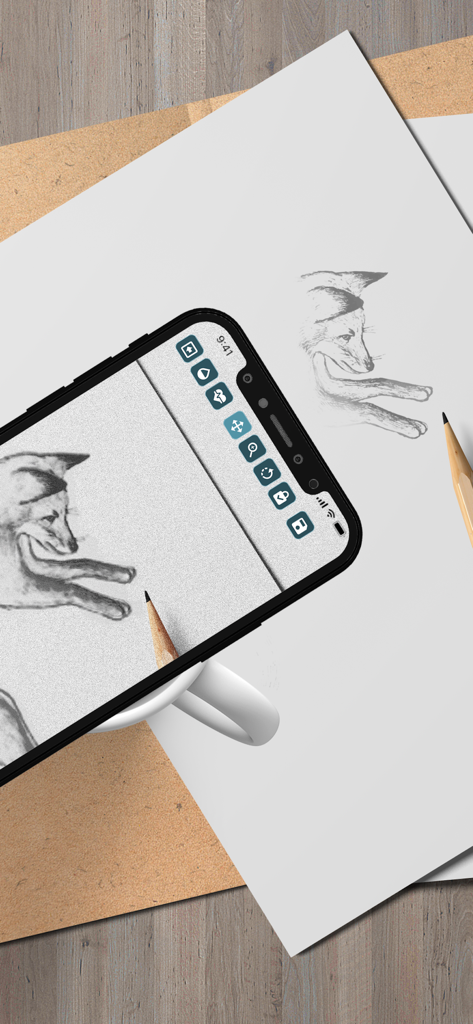
추적을 위해 증강 현실을 사용하여 종이에 여우 그림을 투사하는 스마트폰
추적을 위해 증강 현실을 사용하여 종이에 여우 그림을 투사하는 스마트폰

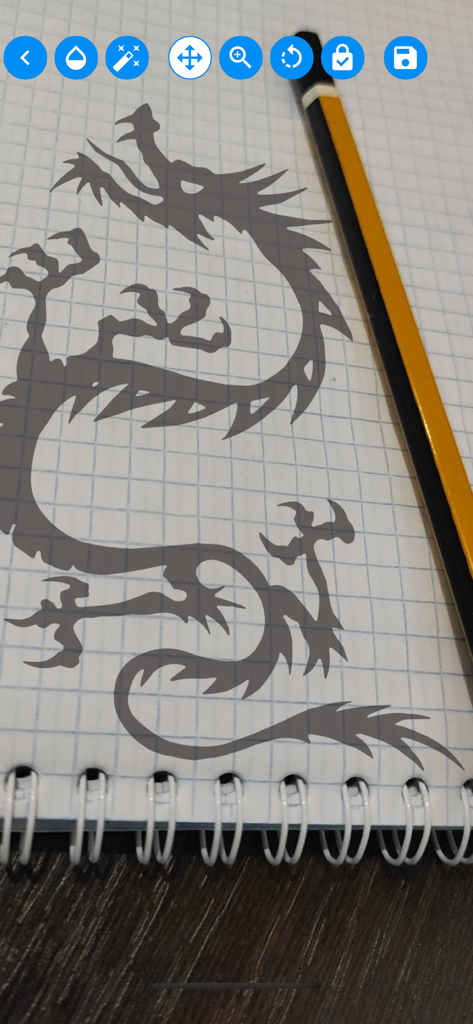
모바일 앱으로 추적하기 위해 노트북에 투사된 용 실루엣
모바일 앱으로 추적하기 위해 노트북에 투사된 용 실루엣

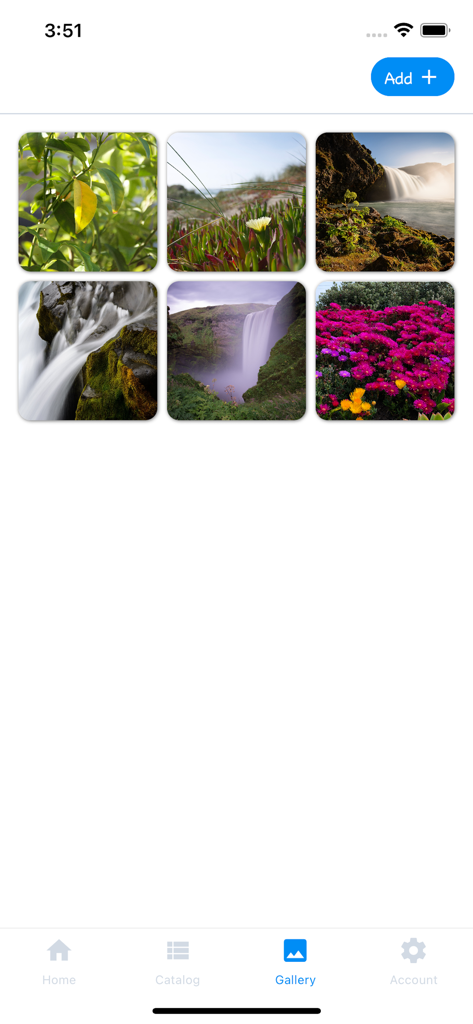
추적을 위해 사용자가 선택할 수 있는 자연 사진을 표시하는 추적 프로젝터 앱 갤러리 화면
추적을 위해 사용자가 선택할 수 있는 자연 사진을 표시하는 추적 프로젝터 앱 갤러리 화면

동물과 자연을 포함한 그림 템플릿을 특징으로 하는 추적을 위한 그림 템플릿의 그리드
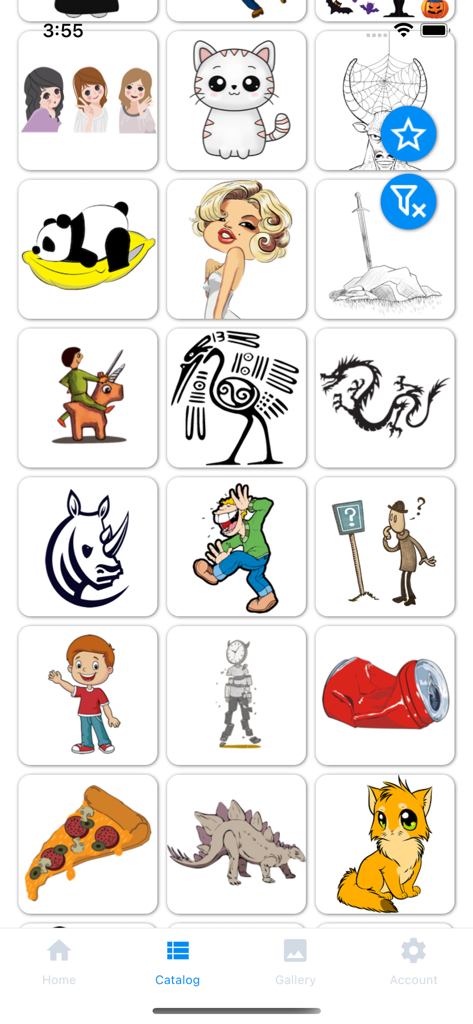
동물과 자연을 포함한 그림 템플릿을 특징으로 하는 추적을 위한 그림 템플릿의 그리드

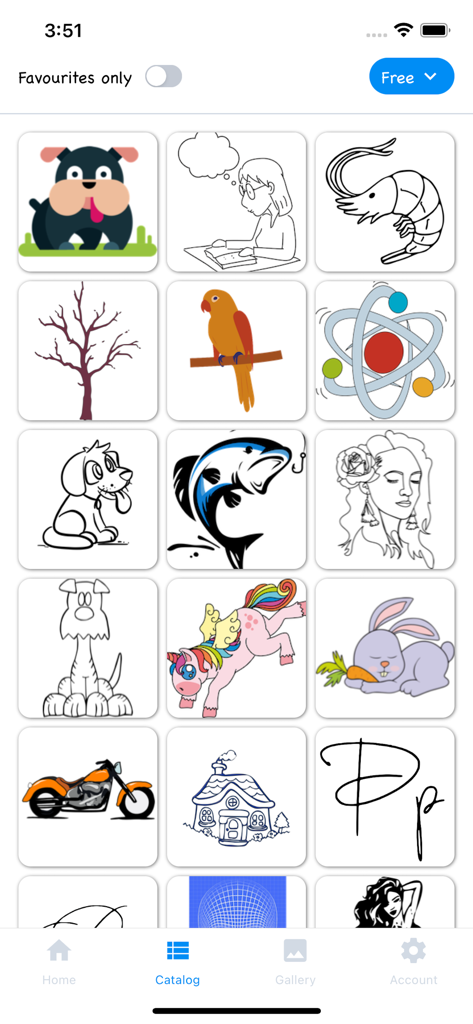
추적을 위해 다양한 그림이 있는 이미지 카탈로그를 보여주는 추적 프로젝터 앱 화면
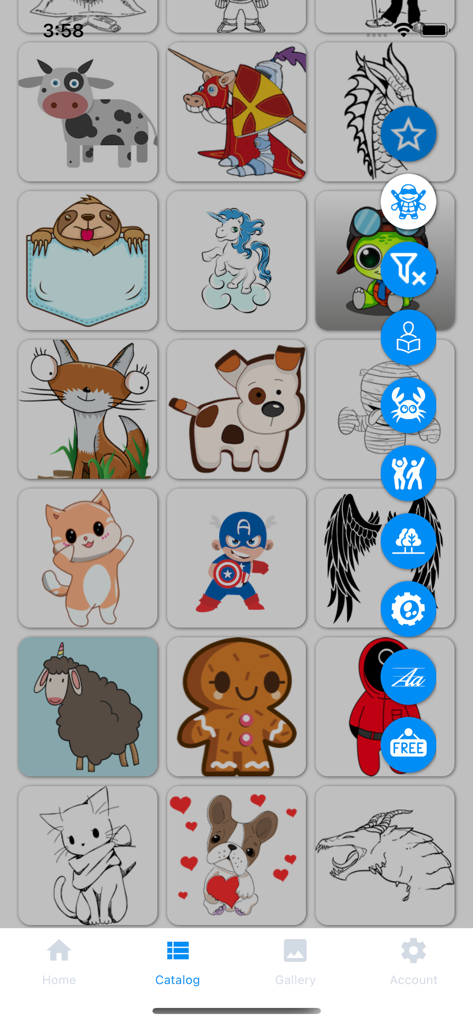
추적을 위해 다양한 그림이 있는 이미지 카탈로그를 보여주는 추적 프로젝터 앱 화면

추적을 위한 다양한 그림 템플릿 그리드를 보여주는 추적 프로젝터 앱의 카탈로그 화면으로, 동물과 슈퍼히어로가 포함됩니다.

추적을 위한 다양한 그림 템플릿 그리드를 보여주는 추적 프로젝터 앱의 카탈로그 화면으로, 동물과 슈퍼히어로가 포함됩니다.

예술적 잠재력 발휘하기

이 앱을 돋보이게 하는 도구, 193K+ 명의 사용자가 선택.

🪄

마법 AR 오버레이

카메라를 통해 모든 이미지를 종이에 직접 오버레이하세요. 수년간의 연습 없이 복잡한 비율과 부드러운 선을 마스터하세요.

📱

나의 세계를 따라 그리세요

갤러리에서 모든 사진을 가져와 좋아하는 추억, 애완동물 또는 유명인을 스케치하세요. 개인 사진을 손으로 그린 걸작으로 바꾸세요.

🎯

전문 정밀 도구

완벽한 가이드를 위해 투명도, 크기 및 회전을 미세 조정하세요. '리플' 모드를 사용하여 절대적인 자신감으로 복잡한 세부 사항을 캡처하세요.

리뷰 분석

사용자 리뷰 인사이트.

감정 점수

23%
부정적

요약

The app receives overwhelmingly negative feedback, primarily due to its aggressive paid content model and high subscription costs, with many features locked behind paywalls after a very limited or non-existent free trial. Users, including parents, are frustrated by the expectation to pay for almost every drawing, with some calling the prices excessive (e.g., 749₽/month or $200). While a few users acknowledge the core drawing concept as "cool" or "excellent," these positive sentiments are often overshadowed by complaints about pricing and occasional app instability. Users also reported issues with unexpected charges during trial periods and difficulty in cancelling subscriptions.

주요 테마

Paid Content Model(33)
Limited Free Trial(5)
Core App Concept(4)
App Stability/Quality(3)
Pricing for Children(3)
Cancellation Issues(2)
Missing Features(1)

앱 소개

에 대해 알아야 할 모든 것 Tracing projector & Lightbox.

설명

Application's functionality resembles transferring an image to paper with the help of tracing paper or carbon paper. We can say that this is a digital carbon copy of the modern world. Camera Lucida and Camera Obscura are also great for explaining the principle of the operation of the application. To start drawing, point your smartphone camera at a piece of paper. Choose a picture you like from the application catalog or your own phone gallery, it will be superimposed on top of the camera image. Set the necessary transparency and get creative! This app is for you if: • You want to learn how to draw as a professional artist, but you have little experience • Just starting the path of creativity and experiencing problems with the proportion of the image • Do not get smooth beautiful lines in the picture • You want to draw something beautiful but there are few ideas for creativity • You want to surprise your friends with a beautiful drawing • You need to copy the image exactly from the original to paper without a printer • You need to redraw the original image at a different scale Everyone will find something to their liking, install the app and start your journey of the artist now! You will be able to learn how to draw by copying any images and achieve really impressive results in a short time. The application catalog has a large selection of the images on various topics: cute animals, beautiful calligraphic fonts, nature, superheroes, comics and much more. You can select your image from the phone gallery. The drawing you want to draw is superimposed on the image coming from the smartphone camera, forming an augmented reality effect. Adjust the parameters of the drawing location, turn on the "ripple" mode of transparency of the original image and start drawing. Save the result, share it with your friends and enjoy the process. Place your smartphone on a mug, a stack of books, or place it on a tripod over a piece of paper or a notepad for a better result. Application functions: • Many categories and a large selection of images in the catalog • Select an image from the catalog or the gallery of your smartphone • Add your favourite images to favourites to hone your skills • When starting to draw, change the size of the image, the angle of rotation and the position of the drawing • Choose a comfortable transparency of the image, for a clearer display on top of the smartphone camera • You can turn on a "ripple" mode of image transparency, this will help to achieve a better result when redrawing • Enjoy the drawing process! • You can combine several images on one canvas by drawing them sequentially, creating unique drawings • When you finish drawing - save the result and share it with your friends Terms of Use (EULA): https://www.apple.com/legal/internet-services/itunes/dev/stdeula/

최신 버전

2.1.12

크기

19.2 MB

출시일

2021년 10월 25일

전문가처럼 그림 그릴 준비가 되셨나요?

AR 프로젝터를 사용하여 상상력과 종이 사이의 간극을 메우는 193,000명 이상의 크리에이터와 함께하세요. 지금 다운로드하고 다음 사진을 걸작으로 만드세요!

다운로드: App Store

App information, icons, screenshots, and descriptions displayed on this page are sourced from the Apple App Store and are the property of their respective developers. Download estimates and rankings are based on MWM's proprietary models and may not reflect actual figures. This page is provided for informational and analytical purposes only.

Believe this page infringes your intellectual property? File a dispute