Track My Asthma
Track My Asthma
다운로드: App Store

이 페이지는 앱이나 개발자의 공식 페이지가 아니며, 정보 제공 및 논평을 목적으로 작성된 독립 편집 간행물입니다. 명시적으로 달리 언급되지 않는 한, 해당 앱이나 개발자는 MWM, Apple, Google Play, 앱 퍼블리셔 또는 앱 개발자와 제휴, 보증, 후원, 승인 또는 공식적으로 연결되어 있지 않으며, 이 페이지의 어떤 내용도 해당 앱이 MWM의 서비스를 사용하여 개발되었음을 의미하지 않습니다. 모든 상표, 로고, 스크린샷 및 기타 콘텐츠는 해당 소유자의 자산입니다.

로고: Track My Asthma
다운로드: App Store

Track My Asthma

궁극의 디지털 일기로 천식 관리에 대한 추측을 없애세요. 약물을 기록하고, 최대 호기 흐름을 모니터링하며, 원활한 Apple Health 통합 및 iCloud 보안으로 의사에게 보고 가능한 보고서를 생성하세요.

주요 수치

다운로드

10K+

사용자 평점

1.0/5

총 평가 수

0

개발사

Will Dale

카테고리

Medical

지원 언어

1

최신 버전

2.4

크기

4.6 MB

출시일

2020년 11월 19일
기능

호흡기 건강을 완전히 통제하세요

자동 약물 알림부터 상세한 폐 건강 차트까지, 증상보다 앞서 나가고 더 쉽게 숨을 쉴 수 있도록 필요한 통찰력을 제공합니다.

의사에게 보고 가능한 데이터 및 차트

최대 호기 흐름 추세를 모니터링하고 전문 CSV 보고서를 내보내 다음 진료 시 의료 전문가에게 객관적인 데이터를 제공하세요.

전 가족 관리

보호자를 위한 궁극의 도구 – 완전한 iCloud 개인 정보 보호 기능으로 단일 장치에서 여러 가족 구성원의 천식 프로필을 원활하게 추적하세요.

다음 스크린샷과 설명은 앱의 공식 스토어 목록에서 직접 가져온 것이며 앱 개발자의 자산입니다.

앱 스토어

스크린샷
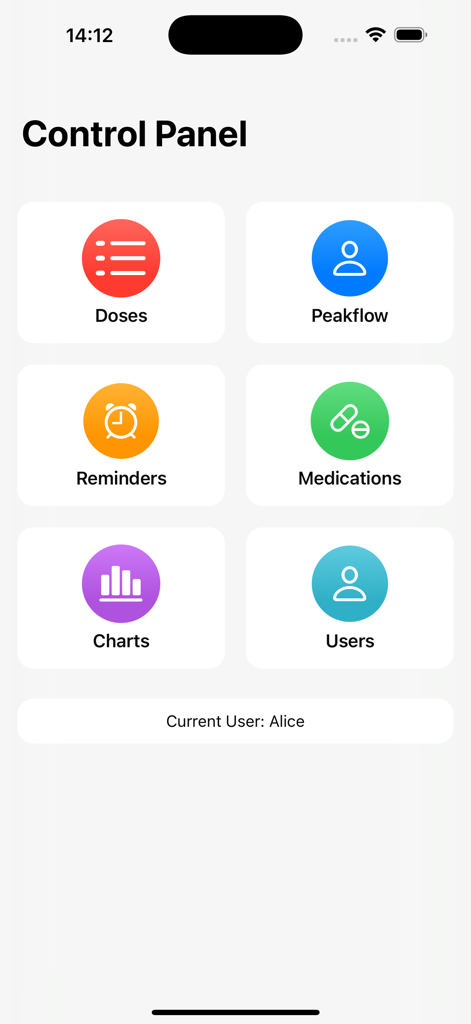
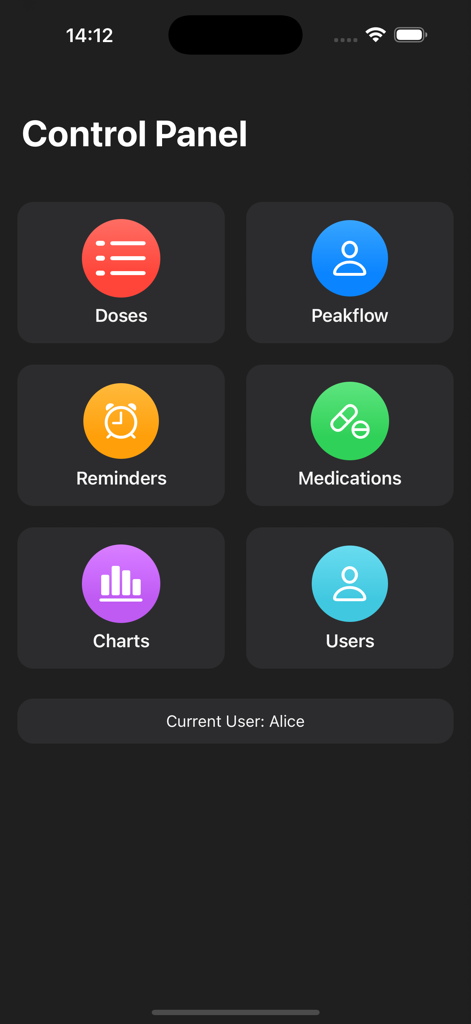
Track My Asthma - 나의 천식 추적 앱의 주요 제어판으로, 복용량, 최대 호기 흐름, 알림, 약물, 차트 및 사용자 아이콘이 표시됩니다.
나의 천식 추적 앱의 주요 제어판으로, 복용량, 최대 호기 흐름, 알림, 약물, 차트 및 사용자 아이콘이 표시됩니다.

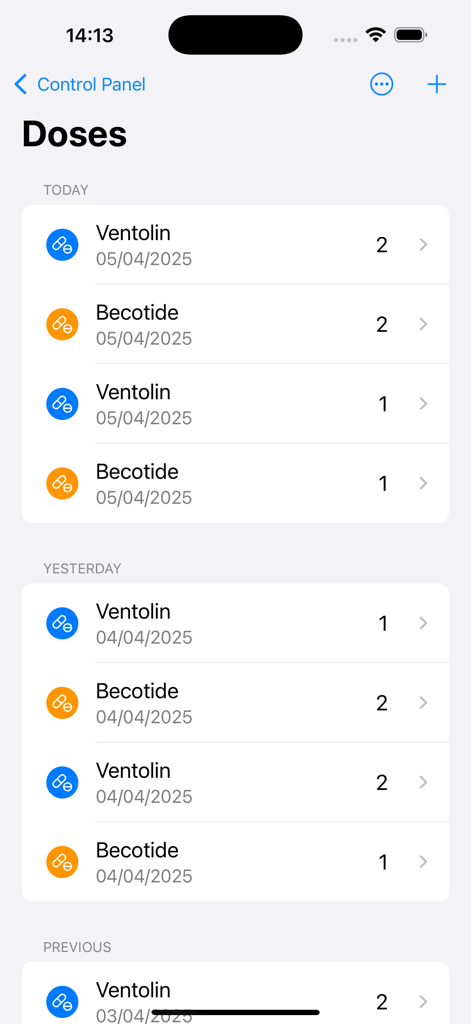
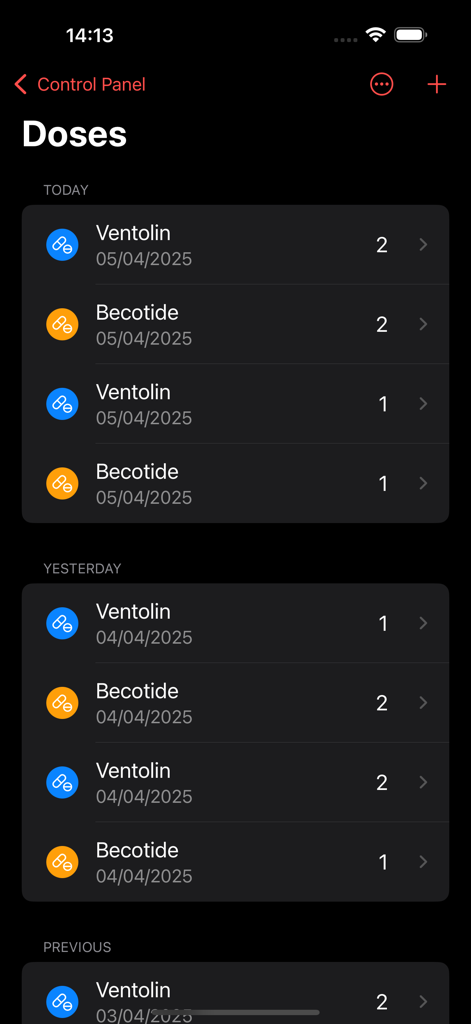
Track My Asthma - 나의 천식 추적 앱에서 날짜별로 정리된 벤토린 및 베코타이드에 대한 천식 약물 복용량 목록입니다.
나의 천식 추적 앱에서 날짜별로 정리된 벤토린 및 베코타이드에 대한 천식 약물 복용량 목록입니다.

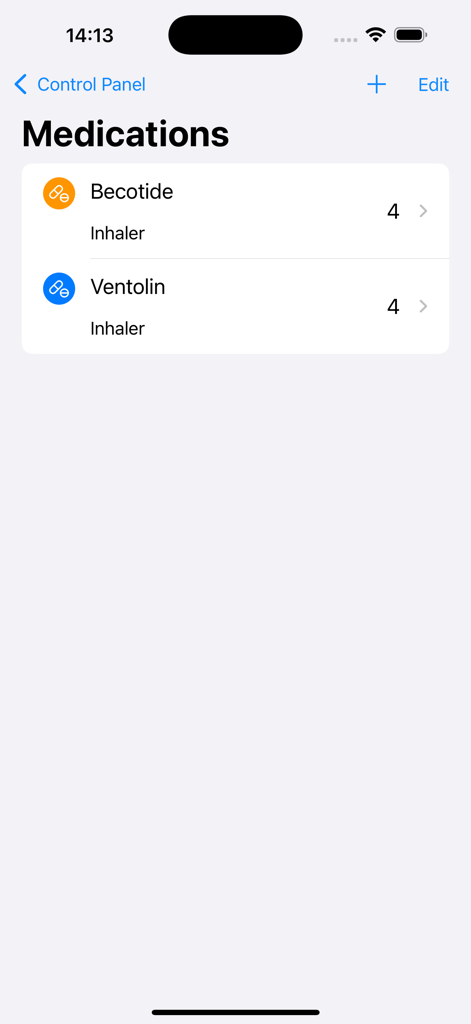
Track My Asthma - 베코타이드 및 벤토린을 포함한 천식 흡입기 목록을 보여주는 약물 화면입니다.
베코타이드 및 벤토린을 포함한 천식 흡입기 목록을 보여주는 약물 화면입니다.

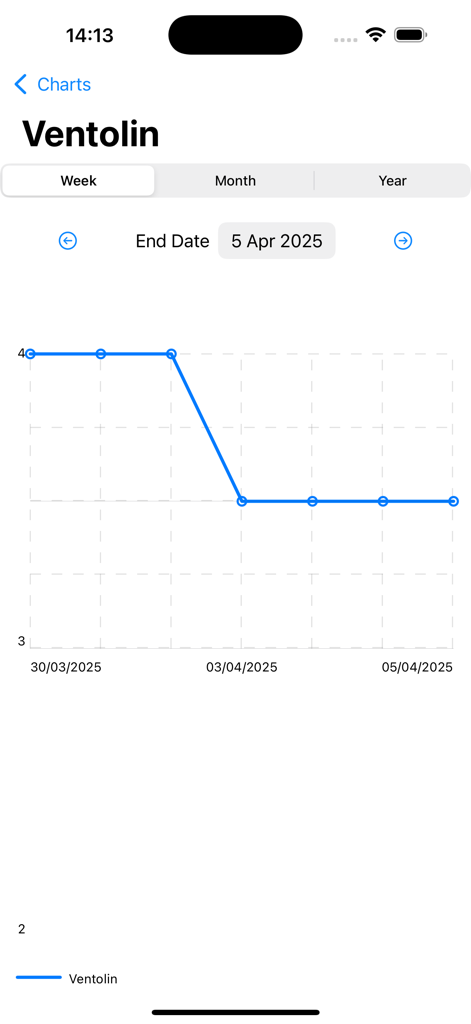
Track My Asthma - 나의 천식 추적 앱에서 벤토린에 대한 주간 약물 사용 차트입니다.

나의 천식 추적 앱에서 벤토린에 대한 주간 약물 사용 차트입니다.
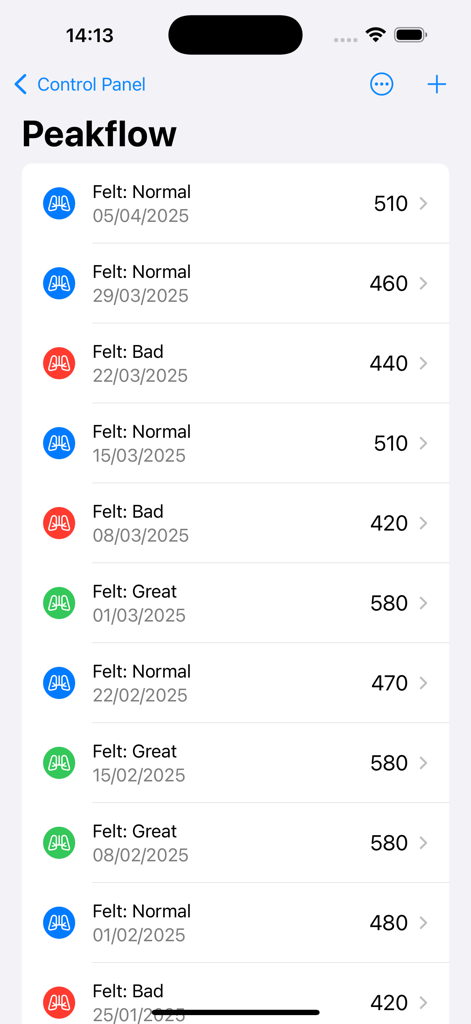
Track My Asthma - 나의 천식 추적 앱에서 최대 호기 흐름 측정값 및 색상으로 구분된 증상 목록입니다.
나의 천식 추적 앱에서 최대 호기 흐름 측정값 및 색상으로 구분된 증상 목록입니다.

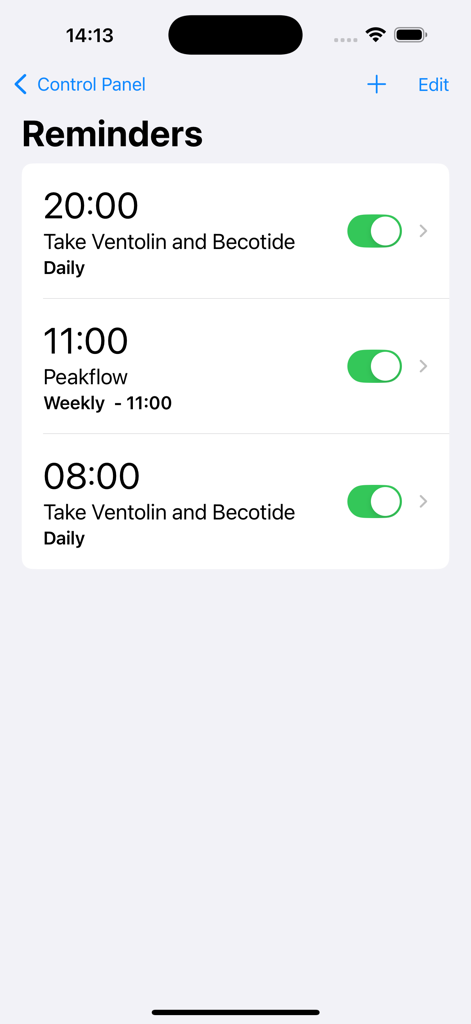
Track My Asthma - 천식 추적 앱에서 일일 약물 및 주간 최대 호기 흐름 알림을 보여주는 인터페이스입니다.
천식 추적 앱에서 일일 약물 및 주간 최대 호기 흐름 알림을 보여주는 인터페이스입니다.

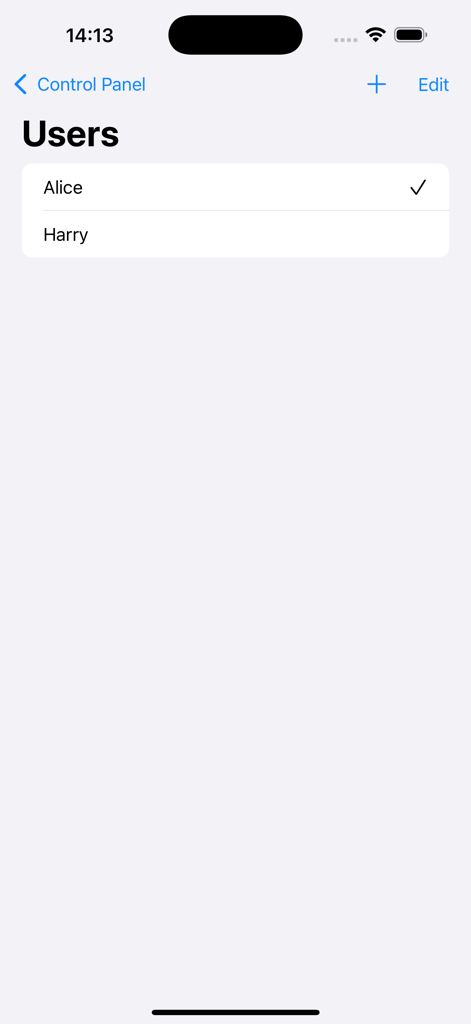
Track My Asthma - 앨리스와 해리의 프로필을 보여주는 나의 천식 추적 앱의 사용자 선택 화면입니다.
앨리스와 해리의 프로필을 보여주는 나의 천식 추적 앱의 사용자 선택 화면입니다.

Track My Asthma - 나의 천식 추적 앱 제어판에 복용량, 최대 호기 흐름, 알림, 약물, 차트 및 다중 사용자에 대한 메뉴 옵션이 표시됩니다.
나의 천식 추적 앱 제어판에 복용량, 최대 호기 흐름, 알림, 약물, 차트 및 다중 사용자에 대한 메뉴 옵션이 표시됩니다.

Track My Asthma - 나의 천식 추적 앱에서 색상으로 구분된 아이콘과 함께 벤토린 및 베코타이드를 포함한 약물 사용의 연대순 목록을 보여주는 복용량 화면입니다.

나의 천식 추적 앱에서 색상으로 구분된 아이콘과 함께 벤토린 및 베코타이드를 포함한 약물 사용의 연대순 목록을 보여주는 복용량 화면입니다.

설명

Track My Asthma is an easy way to track your Asthma. You can use it as a personal Asthma diary or use it to track multiple peoples Asthma. Control panel The control panel gives you a centralised point from which you get easy access to all the functions of Track My Asthma. Doses Taken Track My Asthma makes it super easy to track your medication usage. Every time you take a dose of your medication, add it to the Doses Taken page to get a complete diary of medication usage. The colour coding makes it simple to see if doses are being missed. You can also filter by medication to see just a list of those doses. Your health data is yours so you can export it to CSV at any time. Peakflow Much like in Doses Taken, the peak flow diary is simple to use. When you take a measurement, add it to the tracker to get a full record of your peak flow measurements. Optionally, you can mark how you were feeling at the time to help you keep track of symptoms. You can choose to add your peak flow data to Apple Health. As with the Doses Taken, you can export your peak flow data to CSV at any time. Add Reminders Set reminders in the app to send you notifications when it is time to take medications, do a peak flow reading or book an appointment to see the Doctor or Asthma Nurse. Set the reminders to repeat Daily, Weekly Monthly or just a one-off. Medications In the Medications page, add all the medications you want to track. Add data like its name, the number of doses per day, type of medicine (Inhaler or Tablet), notes about it. If it's your rescue medication, you can choose to add it to Apple Health's Inhaler Usage section. Charts The Charts page allows you to view your progress over time easily and intuitively. For each of the medicines that you are tracking, you can view the doses you have taken. The peak flow chart will help you see changes over time. If need you can export the underlying chart data as CSV. Features: Track usage of multiple medications. Track your peak flow. Export your data for use in other apps. Set reminders. View charts of your progress. Track multiple people on one device. Add measurement to Apple Health. Light and Dark Mode. All backed up in iCloud.

Download

다운로드: App Store

이 페이지는 앱이나 개발자의 공식 페이지가 아니며, 정보 제공 및 논평을 목적으로 작성된 독립 편집 간행물입니다. 명시적으로 달리 언급되지 않는 한, 해당 앱이나 개발자는 MWM, Apple, Google Play, 앱 퍼블리셔 또는 앱 개발자와 제휴, 보증, 후원, 승인 또는 공식적으로 연결되어 있지 않으며, 이 페이지의 어떤 내용도 해당 앱이 MWM의 서비스를 사용하여 개발되었음을 의미하지 않습니다. 모든 상표, 로고, 스크린샷 및 기타 콘텐츠는 해당 소유자의 자산입니다.








