이 페이지는 앱이나 개발자의 공식 페이지가 아니며, 정보 제공 및 논평을 목적으로 작성된 독립 편집 간행물입니다. 명시적으로 달리 언급되지 않는 한, 해당 앱이나 개발자는 MWM, Apple, Google Play, 앱 퍼블리셔 또는 앱 개발자와 제휴, 보증, 후원, 승인 또는 공식적으로 연결되어 있지 않으며, 이 페이지의 어떤 내용도 해당 앱이 MWM의 서비스를 사용하여 개발되었음을 의미하지 않습니다. 모든 상표, 로고, 스크린샷 및 기타 콘텐츠는 해당 소유자의 자산입니다.
Track My Mileage And Time
세금 공제를 극대화하고 비즈니스 여행에 대한 감사 준비를 하세요. 효율성을 중시하는 계약자 및 이동 근무자를 위해 설계된 전문적이고 광고 없는 디지털 원장을 경험하세요.
주요 수치
다운로드
48K+
사용자 평점
1.0/5
총 평가 수
0
개발사
APG Solutions, LLC
카테고리
Business
지원 언어
22
최신 버전
12.5
크기
68.0 MB
출시일
2014년 7월 16일
기능
공제를 극대화하고 시간을 되찾으세요
실용적인 전문가를 위해 설계된 광고 없는 고정밀 디지털 원장입니다. 모든 마일, 시간 및 비용을 기록하여 세금 시즌에 돈을 낭비하지 않도록 하세요.
정밀 GPS 및 시간 추적
백그라운드 GPS와 도착, 출발 및 휴식 시간에 대한 자세한 기록으로 모든 마일과 분을 캡처하세요. 어수선한 종이 기록을 신뢰할 수 있는 디지털 증거로 대체하세요.
감사 대비 전문 보고서
암호로 보호된 PDF 또는 Excel 호환 CSV를 즉시 내보냅니다. IRS 규정을 준수하고 비즈니스에 맞게 조정된 전문 문서로 더 빨리 상환받으세요.
다음 스크린샷과 설명은 앱의 공식 스토어 목록에서 직접 가져온 것이며 앱 개발자의 자산입니다.
앱 스토어
스크린샷
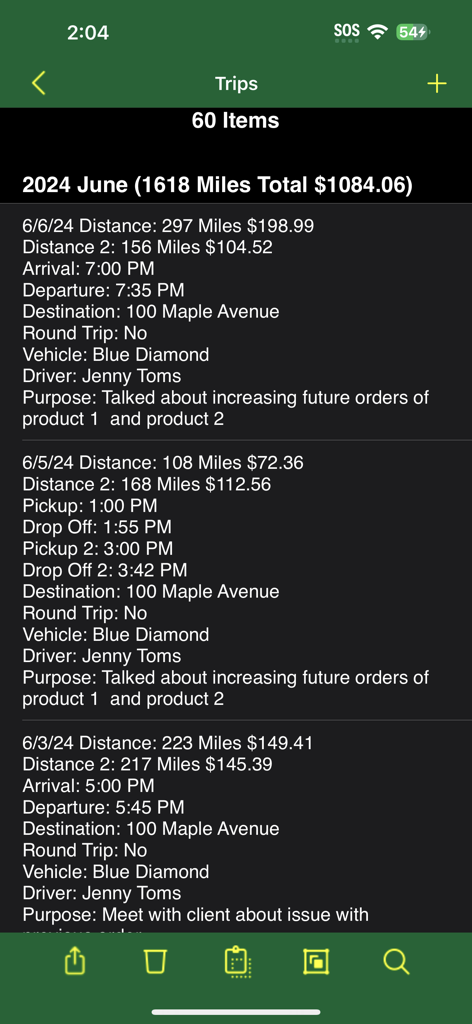
마일리지 및 시간 추적 앱의 스크린샷으로, 거리와 비용이 포함된 상세한 여행 목록을 보여줍니다.
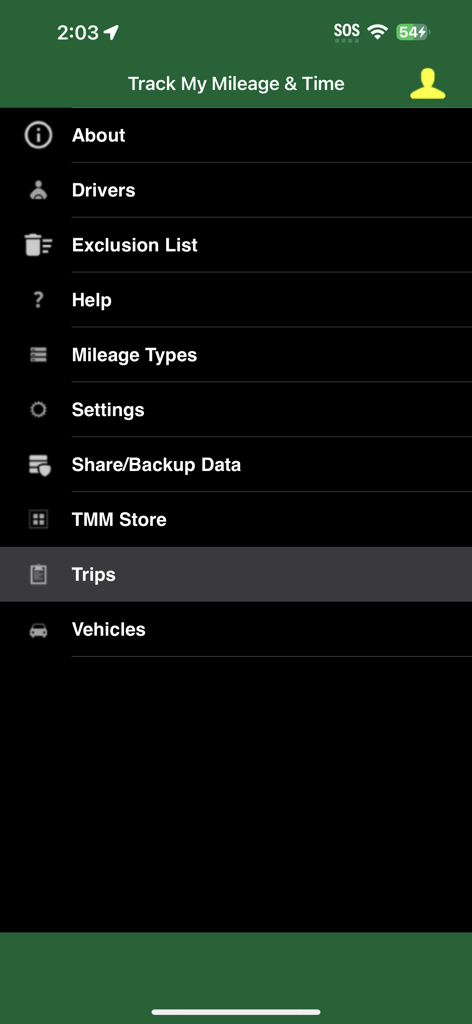
운전자, 마일리지 유형, 여행 및 차량과 같은 범주를 보여주는 Track My Mileage and Time 앱의 기본 탐색 메뉴
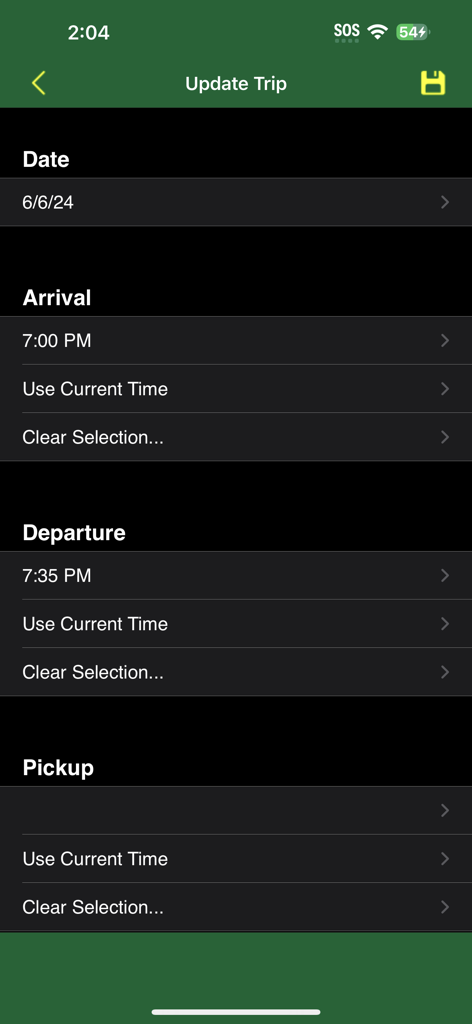
앱의 인터페이스로, 여행 날짜, 도착 및 출발 시간을 업데이트하는 필드를 보여줍니다.
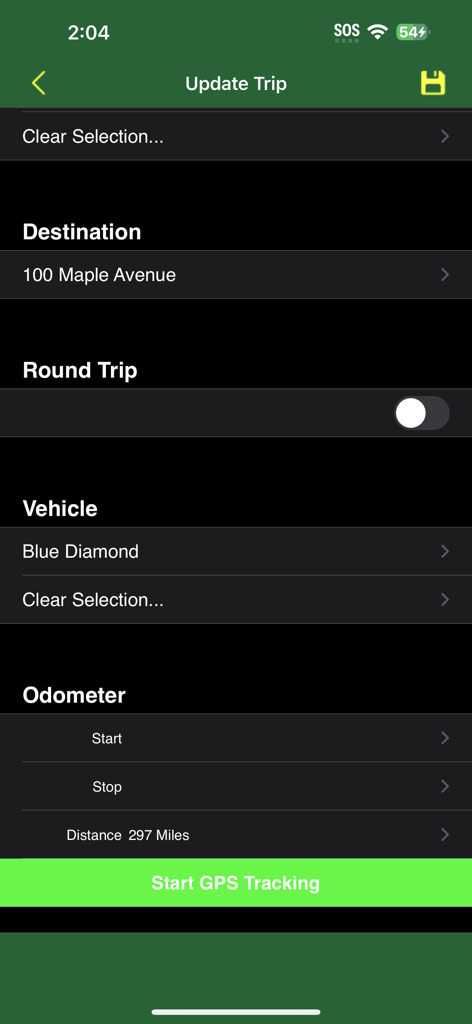
Track My Mileage 앱의 여행 업데이트 화면으로, 목적지, 왕복, 차량 및 주행 거리계 필드를 보여줍니다.
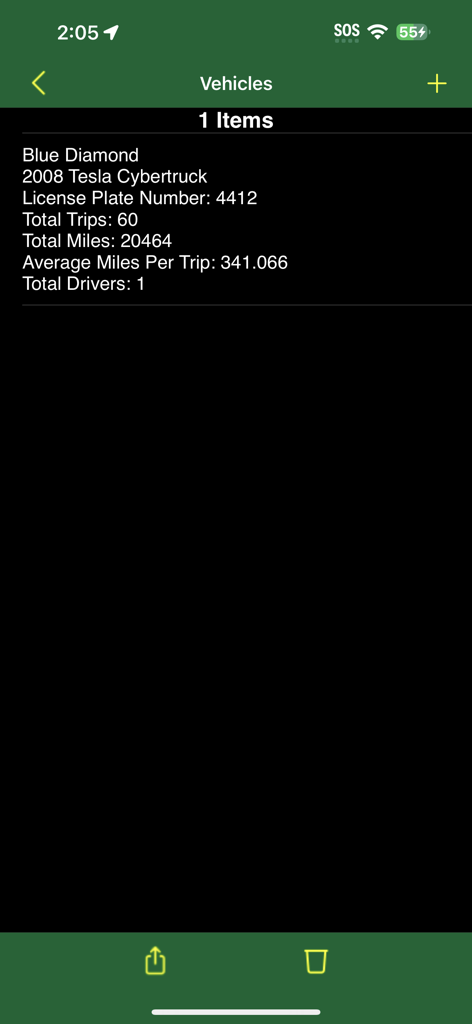
특정 차량에 대한 상세 마일리지 및 여행 통계를 표시하는 모바일 앱 인터페이스.
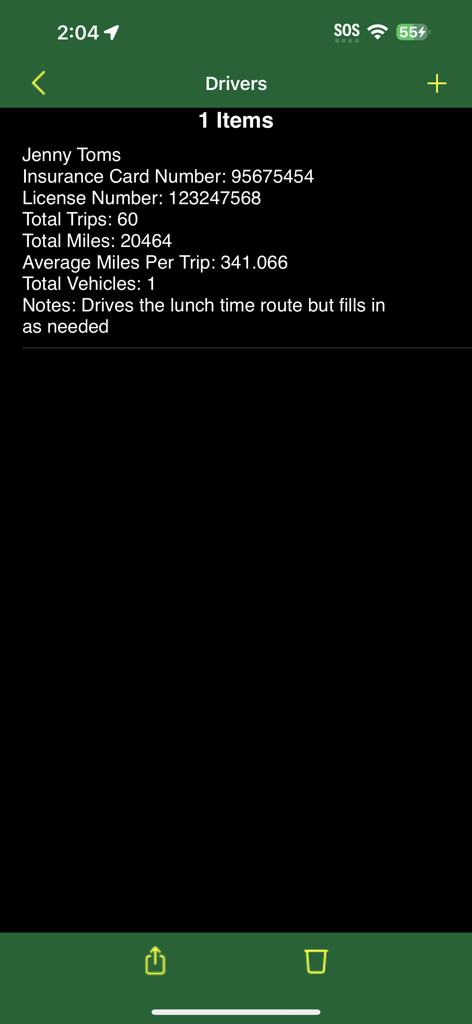
총 여행 횟수와 마일 수를 포함한 운전자 세부 정보를 보여주는 마일리지 추적 앱의 인터페이스
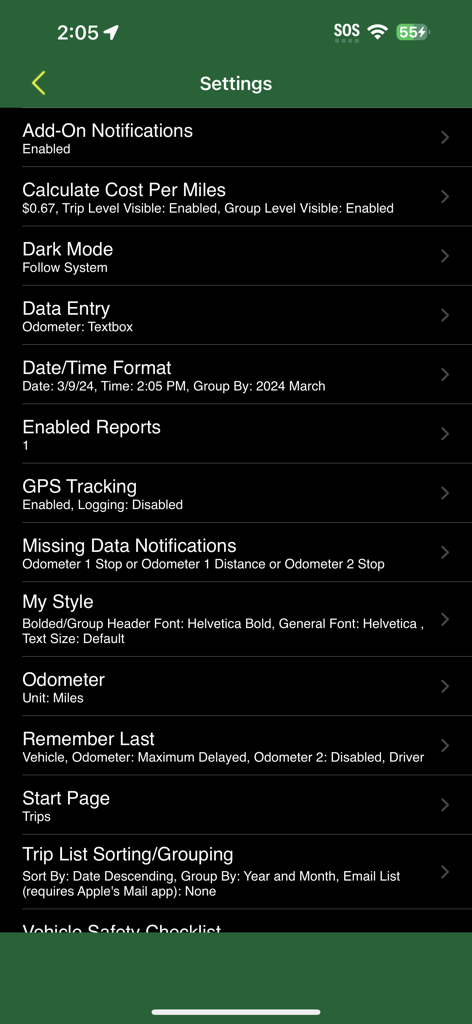
마일리지 비용 계산 및 GPS 추적 옵션이 포함된 Track My Mileage and Time 앱 설정 메뉴
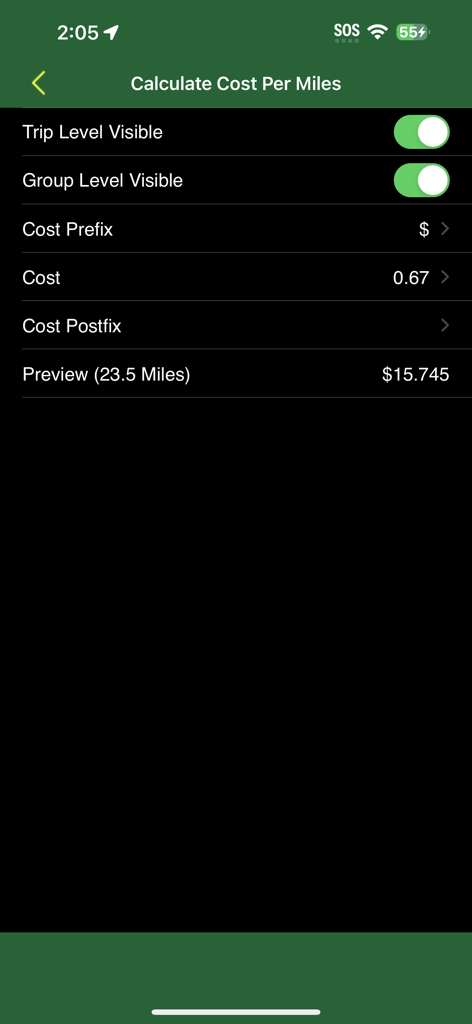
여행 미리보기가 포함된 마일리지 비용 계산 설정 화면
설명
Do you need to keep track of mileage for business, charitable, medical/moving or personal reasons but find paper logs are difficult to maintain? Do you also need to keep track of times? Well, Track My Mileage and Time allows you to record arrival, departure, pickup, drop off, lunch start and lunch end times. You can easily export a report of your trips which can be read by spreadsheet software like Microsoft Excel and Numbers. The app has no advertisement banners and also allows you to track the date, notes for the trip, destination, 1 driver, purpose, 1 vehicle and odometer start/stop with the distance will be calculated automatically, or you can enter only the distance if you choose. You can even customize the text style and size.
Pay once and use purchases across iPhone/iPad and Mac versions.
Add-on's available via in-app purchase in the TMM Store:
Supports tracking these expenses: general, parking, tolls, meals, lodging, business center, conference, telephone, incidentals, other, gas and per diem. You can even provide notes specific to expenses and you can sort your trips by any of the expense columns.
Share your trips with Macs, iPhones, iPads and iPod Touches while keeping a backup of your data for safe keeping.
Supports tracking your mileage using GPS. Note: Continued use of GPS running in the background can dramatically decrease battery life.
Supports receipt tracking
Supports multiple business tracking including trip sorting and total mileage reporting by business
Supports work number field with trip sorting
Supports job numbers field with trip sorting
Choose from 21 different reports, which are convertible to PDF format which can be password protected
Supports filtering of trips which allows you to archive previous mileage and start fresh without losing your current trips. Trips can be filtered by a combination of trip date range, origin, destination, vehicle, driver, client, mileage type, purpose, notes, status and/or business columns. For the date range you can select a start and/or end date or choose from these shortcuts: This Week, Last Week, This Month, Last Month, Month To Date, Year To Date, Last 2 Months, Last 3 Months, Last 6 Months, Last 9 Months, Last 12 Months, This Year or Last Year.
Supports multiple client tracking which includes trip sorting and total mileage reporting for each client
Supports multiple driver tracking and includes trip sorting and total mileage reporting for each driver. Additionally, for all drivers easily export a report of total trips, total miles, average miles per trip and total vehicles driven.
Supports mileage type categorizing and includes trip sorting and total mileage reporting for each mileage type. For convenience, business, charitable, medical/moving and personal mileage types are automatically created but you can customize the list. Additionally, for all mileage types easily export a report of total trips, total miles, average miles per trip, total drivers and total vehicles driven.
Supports multiple vehicle tracking and includes trip sorting and total mileage reporting for each vehicle. Additionally, for all vehicles easily export a report of total trips, total miles, average miles per trip and total drivers. You can also setup your own vehicle safety checklist and be prompted once per day to perform the checks.
Choose the statuses that meet your needs (i.e. Submitted, Claimed, etc.) and sort trips and get total mileage reporting for each status
Additional Features:
Supports AirDrop and AirPrint of total mileage reports
Supports round trip and reimbursement amount doubling
Get reports in CSV format that is compatible with Numbers or Excel
Several user defined preferences available to allow you to customize the app to meet your needs
Customizable calculation of cost per mile or kilometer with support for up to 3 decimal places
TOS: https://trackmymileage.net/tos
이 페이지는 앱이나 개발자의 공식 페이지가 아니며, 정보 제공 및 논평을 목적으로 작성된 독립 편집 간행물입니다. 명시적으로 달리 언급되지 않는 한, 해당 앱이나 개발자는 MWM, Apple, Google Play, 앱 퍼블리셔 또는 앱 개발자와 제휴, 보증, 후원, 승인 또는 공식적으로 연결되어 있지 않으며, 이 페이지의 어떤 내용도 해당 앱이 MWM의 서비스를 사용하여 개발되었음을 의미하지 않습니다. 모든 상표, 로고, 스크린샷 및 기타 콘텐츠는 해당 소유자의 자산입니다.