Transkriptor Voice To Text
다운로드: App Store

이 페이지는 앱이나 개발자의 공식 페이지가 아니며, 정보 제공 및 논평을 목적으로 작성된 독립 편집 간행물입니다. 명시적으로 달리 언급되지 않는 한, 해당 앱이나 개발자는 MWM, Apple, Google Play, 앱 퍼블리셔 또는 앱 개발자와 제휴, 보증, 후원, 승인 또는 공식적으로 연결되어 있지 않으며, 이 페이지의 어떤 내용도 해당 앱이 MWM의 서비스를 사용하여 개발되었음을 의미하지 않습니다. 모든 상표, 로고, 스크린샷 및 기타 콘텐츠는 해당 소유자의 자산입니다.

로고: Transkriptor Voice To Text
다운로드: App Store

Transkriptor Voice To Text

즉각적이고 99% 정확한 음성-텍스트 변환으로 청각 장애인 및 난청인에게 힘을 실어줍니다. 의사 진료, 가족 모임 및 일상 생활 중에 인터넷 연결 없이도 단순함과 독립성을 위해 설계되었습니다.

주요 수치

다운로드

18K+

사용자 평점

3.5/5

총 평가 수

100

개발사

Alexey Beschetnikov

카테고리

Medical

지원 언어

25

최신 버전

1.5

크기

8.2 MB

출시일

2022년 5월 26일
기능

모든 단어와 연결 유지

모든 대화에서 독립성과 명확성을 위해 설계된 실시간 고정확도 음성 인식을 통해 힘을 실어줍니다.

원터치 단순함

탭 한 번으로 즉시 녹취를 시작하세요. 복잡한 메뉴나 기술 피로 없이 — 가장 필요할 때 명확하고 실시간 텍스트만 제공합니다.

자신감 있는 의료 방문

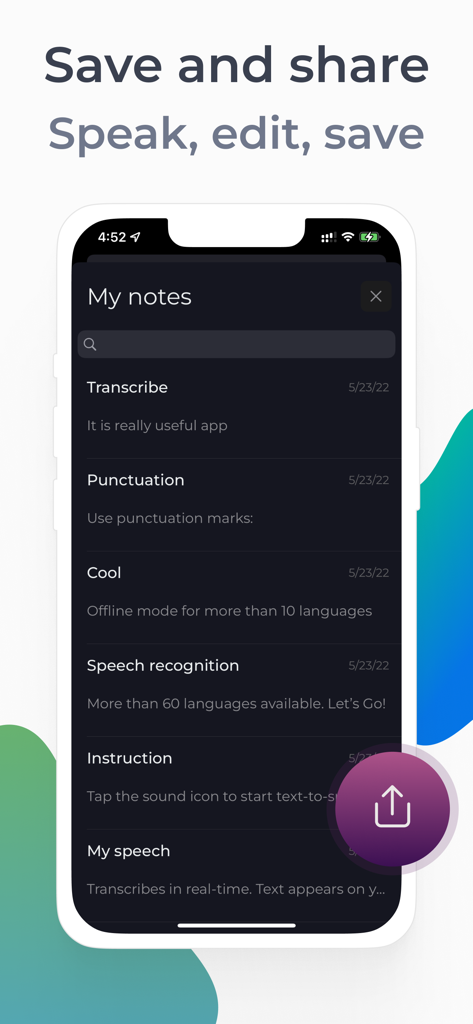
의사 사무실에서 모든 세부 사항을 따라가세요. 나중에 검토하거나 가족과 정확하게 공유하기 위해 녹취를 메모에 직접 저장하세요.

다음 스크린샷과 설명은 앱의 공식 스토어 목록에서 직접 가져온 것이며 앱 개발자의 자산입니다.

앱 스토어

스크린샷
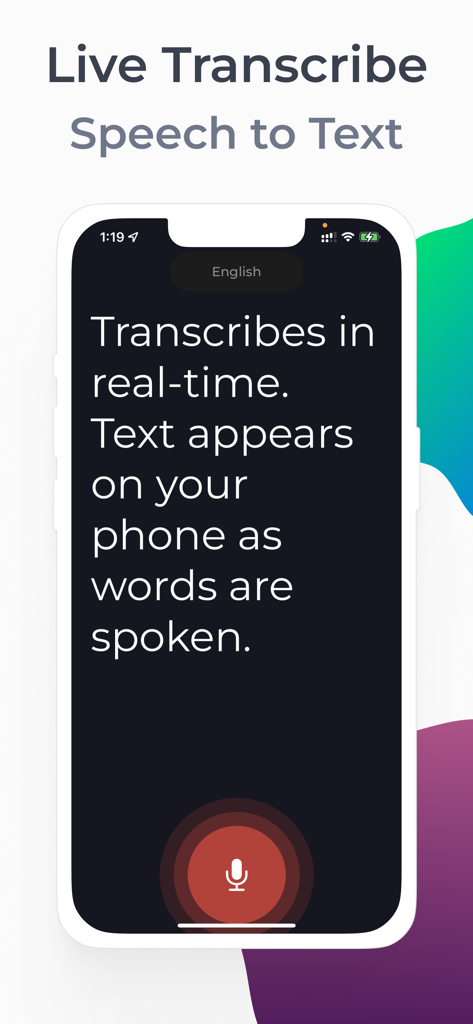
Transkriptor Voice To Text - 아이폰 화면에 접근성을 위한 큰 마이크 버튼과 함께 실시간 음성-텍스트 변환이 표시됨
아이폰 화면에 접근성을 위한 큰 마이크 버튼과 함께 실시간 음성-텍스트 변환이 표시됨

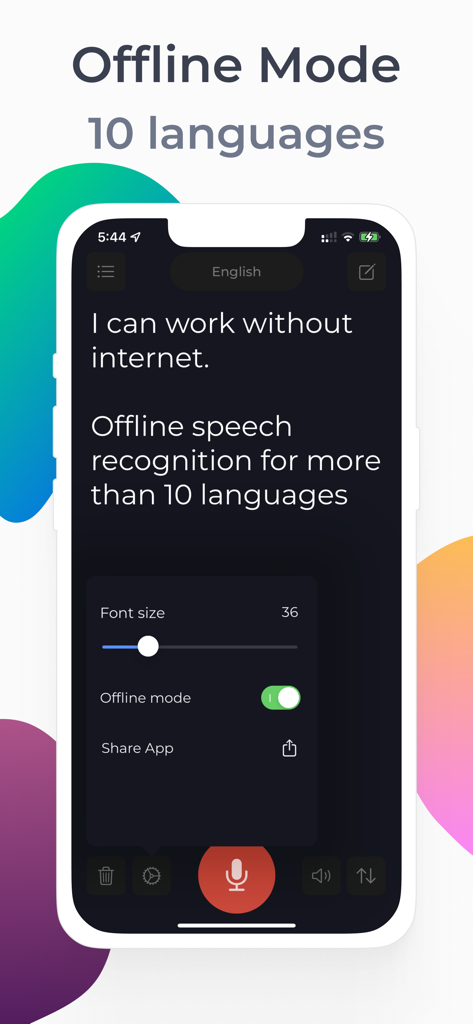
Transkriptor Voice To Text - Transkriptor 앱 인터페이스에 접근성을 위해 오프라인 음성-텍스트 및 조정 가능한 글꼴 크기가 표시됨
Transkriptor 앱 인터페이스에 접근성을 위해 오프라인 음성-텍스트 및 조정 가능한 글꼴 크기가 표시됨

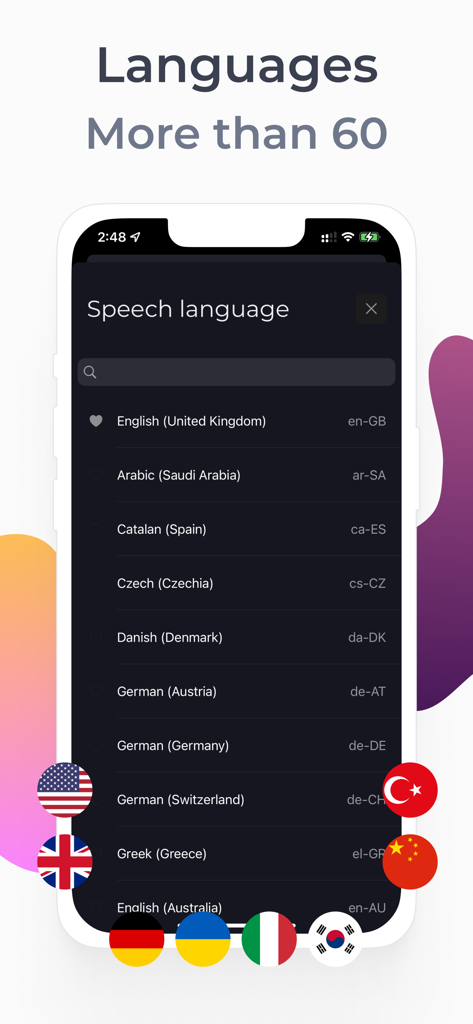
Transkriptor Voice To Text - Transkriptor 앱의 스크린샷으로, 다채로운 국기 아이콘과 함께 60개 이상의 지원 음성 인식 언어 목록 표시
Transkriptor 앱의 스크린샷으로, 다채로운 국기 아이콘과 함께 60개 이상의 지원 음성 인식 언어 목록 표시

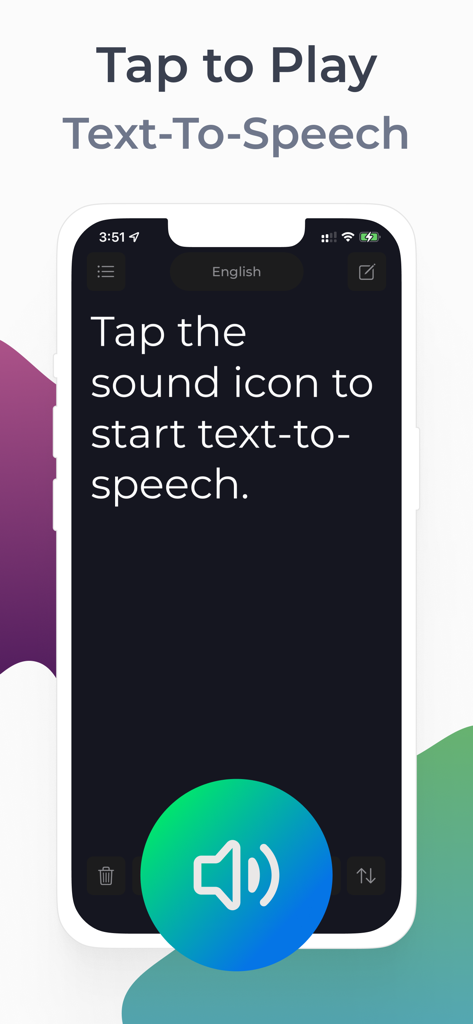
Transkriptor Voice To Text - Transkriptor 앱 인터페이스에 큰 스피커 버튼으로 텍스트 음성 변환 시작 방법 표시
Transkriptor 앱 인터페이스에 큰 스피커 버튼으로 텍스트 음성 변환 시작 방법 표시

Transkriptor Voice To Text - 아이폰 화면에 Transkriptor 앱의 내 메모 섹션에 다양한 저장된 음성-텍스트 항목 및 공유 아이콘 표시
아이폰 화면에 Transkriptor 앱의 내 메모 섹션에 다양한 저장된 음성-텍스트 항목 및 공유 아이콘 표시

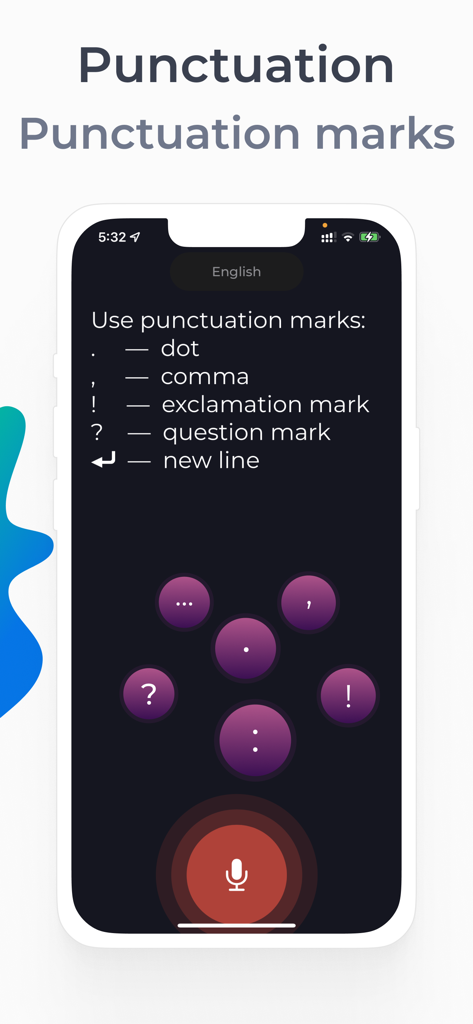
Transkriptor Voice To Text - Transkriptor 앱에서 점 쉼표 느낌표와 같은 구두점 명령을 보여주는 모바일 화면.

Transkriptor 앱에서 점 쉼표 느낌표와 같은 구두점 명령을 보여주는 모바일 화면.

설명

Live Transcribe — live subtitles for the deaf and hard of hearing in 60+ languages ​​and dialects. The application recognizes speech and displays the text on the screen. Very easy to use - just 1 touch. Speech recognition app features: • An indispensable app for deaf or hard of hearing people • More than 60 dictation languages • 99 percent accurate speech recognition • Voice over text at high volume (suitable as a voice volume booster for the hard of hearing) • Audio notes. Saving recognized speech to notes. • Text-to-Speech — Voice over notes • Changing the font size • Offline mode for more than 10 languages • Dictation of punctuation marks • Light and dark theme • Unlimited live captions Easy to use our Transcriber: 1. Click on the Microphone icon 2. Dictate text. Speak your language. The application will recognize your speech and display it in text Tip: Hold the phone with the microphone facing the person who is speaking. This will help the app recognize the text better. Important: The app will ask permission to access the microphone and speech recognition. Please allow the application access. The application can be used at a doctor's appointment. You can save the recognized text in the application notes. It's comfortable. Our technology is not affiliated with Google. Speech recognition can be used in two modes: 1. Online speech recognition - recognition occurs through an Internet connection and is available for all languages ​​that are available in the application 2. Offline mode - speech recognitions at your device. This type of speech recognition is supported by more than 10 languages Terms of Service: https://sites.google.com/view/livetranscribe/terms-of-use Privacy Policy: https://sites.google.com/view/livetranscribe/privacy-policy

Download

다운로드: App Store

이 페이지는 앱이나 개발자의 공식 페이지가 아니며, 정보 제공 및 논평을 목적으로 작성된 독립 편집 간행물입니다. 명시적으로 달리 언급되지 않는 한, 해당 앱이나 개발자는 MWM, Apple, Google Play, 앱 퍼블리셔 또는 앱 개발자와 제휴, 보증, 후원, 승인 또는 공식적으로 연결되어 있지 않으며, 이 페이지의 어떤 내용도 해당 앱이 MWM의 서비스를 사용하여 개발되었음을 의미하지 않습니다. 모든 상표, 로고, 스크린샷 및 기타 콘텐츠는 해당 소유자의 자산입니다.








