TripREC Driving Recorder
다운로드: App Store

이 페이지는 앱이나 개발자의 공식 페이지가 아니며, 정보 제공 및 논평을 목적으로 작성된 독립 편집 간행물입니다. 명시적으로 달리 언급되지 않는 한, 해당 앱이나 개발자는 MWM, Apple, Google Play, 앱 퍼블리셔 또는 앱 개발자와 제휴, 보증, 후원, 승인 또는 공식적으로 연결되어 있지 않으며, 이 페이지의 어떤 내용도 해당 앱이 MWM의 서비스를 사용하여 개발되었음을 의미하지 않습니다. 모든 상표, 로고, 스크린샷 및 기타 콘텐츠는 해당 소유자의 자산입니다.


로고: TripREC Driving Recorder
다운로드: App Store

TripREC Driving Recorder

실시간 GPS 추적, 속도 오버레이, 자동 사고 감지 기능으로 여정을 보호하는 400,000명 이상의 운전자와 함께하세요. 통근자, 장거리 여행자, 배달 기사를 위한 궁극의 올인원 안전 도구입니다.

주요 수치

다운로드

152K+

사용자 평점

4.1/5

총 평가 수

800

개발사

正选 董

카테고리

Navigation

지원 언어

13

최신 버전

2.5.0

크기

20.3 MB

출시일

2012년 5월 24일
기능

모든 여정을 위한 전문적인 보호

iPhone을 고화질 대시보드 카메라로 바꾸는 TripREC을 사용하는 400,000명 이상의 운전자와 함께하세요. 값비싼 하드웨어 없이 마음의 평화, 보험 보안, 상세한 여행 기록을 얻으세요.

스마트 사고 보호

"그랬다더라"를 없애세요. 저희 앱은 비정상적인 주행과 급제동을 자동으로 감지하여 보험 청구를 위한 디지털 증거를 확보하도록 중요한 영상을 잠급니다.

배터리 최적화 녹화

휴대폰 배터리를 소모하지 않고 보호하세요. 화면 꺼짐 녹화 및 백그라운드 모드를 사용하여 배터리 수명을 보존하고 좋아하는 음악을 들으면서 모든 마일을 기록하세요.

다음 스크린샷과 설명은 앱의 공식 스토어 목록에서 직접 가져온 것이며 앱 개발자의 자산입니다.

앱 스토어

스크린샷
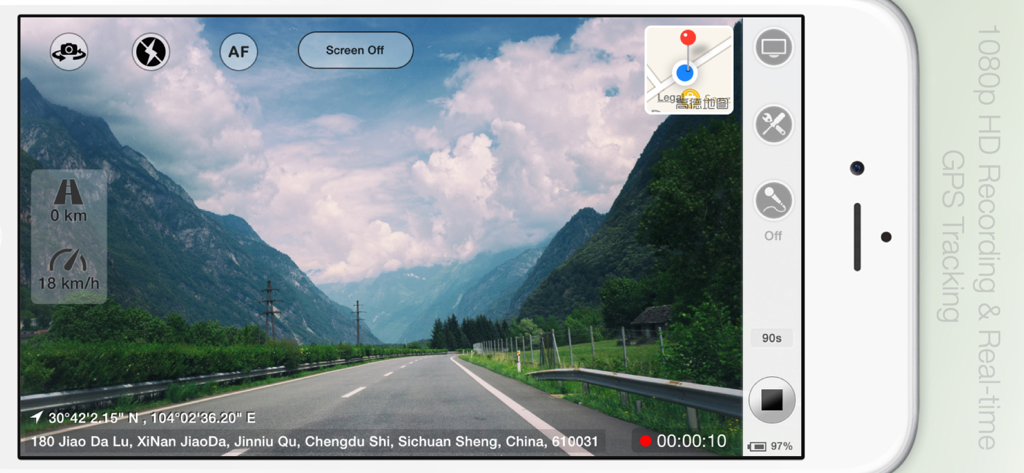
TripREC Driving Recorder - TripREC 대시캠 앱이 iPhone에서 실시간 GPS 추적 및 속도 오버레이와 함께 멋진 드라이브를 녹화하는 모습
TripREC 대시캠 앱이 iPhone에서 실시간 GPS 추적 및 속도 오버레이와 함께 멋진 드라이브를 녹화하는 모습

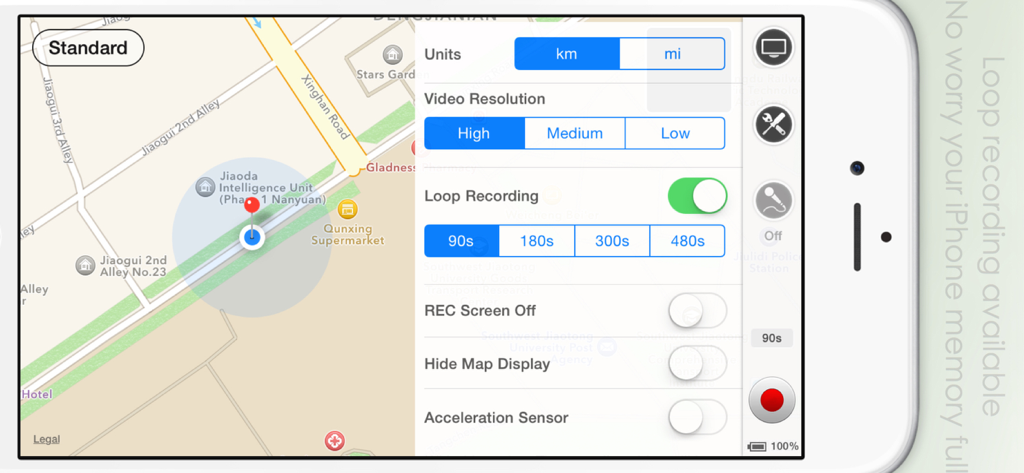
TripREC Driving Recorder - TripREC 대시캠 앱 인터페이스가 iPhone에서 루프 녹화 설정과 지도 보기를 보여주는 모습.
TripREC 대시캠 앱 인터페이스가 iPhone에서 루프 녹화 설정과 지도 보기를 보여주는 모습.

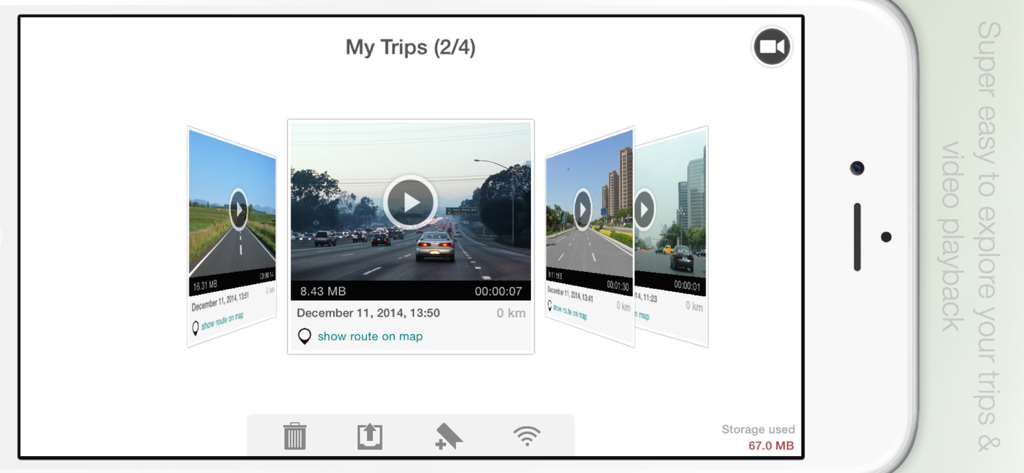
TripREC Driving Recorder - TripREC 앱 갤러리 스크린샷으로, 운행 기록 동영상 캐러셀과 운행 기록 세부 정보 및 경로 옵션이 표시됨
TripREC 앱 갤러리 스크린샷으로, 운행 기록 동영상 캐러셀과 운행 기록 세부 정보 및 경로 옵션이 표시됨

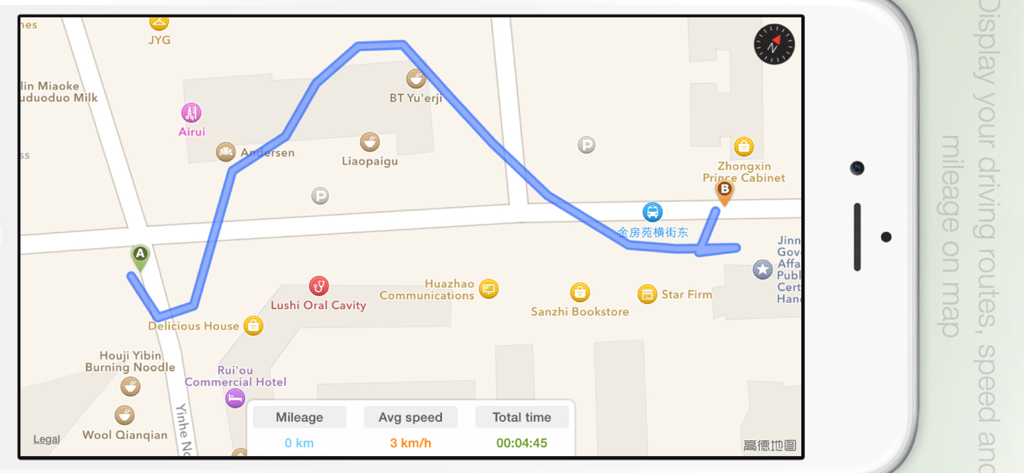
TripREC Driving Recorder - TripREC 앱 인터페이스가 지도에 운행 경로를 표시하고 실시간 주행 거리, 평균 속도 및 이동 시간 데이터를 보여주는 모습

TripREC 앱 인터페이스가 지도에 운행 경로를 표시하고 실시간 주행 거리, 평균 속도 및 이동 시간 데이터를 보여주는 모습

설명

** Over 400,000 users have downloaded TripREC. Try it out today and transform your iPhone into a powerful car recorder! ** Looking for a simple and user-friendly driving recorder app for your iPhone? Look no further than TripREC - the perfect app for drivers and travel enthusiasts alike! With TripREC, you can transform your iPhone into a powerful video recorder that captures all the key information about your journeys, including your route, location, mileage, speed, and more. Here are some of the key features that TripREC offers: Real-time display of maps, tracks, speed, mileage, and other important information. Support for multiple video resolutions to ensure that you can capture the footage you need. Loop recording to ensure that your phone's memory doesn't get filled up. Automatic video saving when you receive a call, with recording resuming automatically once the call is finished. Detection of abnormal vehicle driving conditions, with automatic video saving when abnormal braking is detected. Screen-off recording mode to conserve your phone's battery life. Background music playback during video recording to keep you entertained while you drive. Option to turn the map display on or off as needed. Mute mode for video recording to ensure that you don't distract yourself while driving. Ability to turn on your iPhone's flashlight to capture video in low-light conditions. Option to turn on camera fixed-focus mode to keep your videos sharp and clear. Easy video playback and route viewing to help you review your footage and see where you've been. Multiple video export options, including Camera Roll, Email, Wi-Fi, and iTunes, to make it easy to share your videos with others. Exported videos include time, speed, location, and other important information to help you keep track of your journeys. KML-format route export supported, allowing you to view your routes on Google Maps.

Download

다운로드: App Store

이 페이지는 앱이나 개발자의 공식 페이지가 아니며, 정보 제공 및 논평을 목적으로 작성된 독립 편집 간행물입니다. 명시적으로 달리 언급되지 않는 한, 해당 앱이나 개발자는 MWM, Apple, Google Play, 앱 퍼블리셔 또는 앱 개발자와 제휴, 보증, 후원, 승인 또는 공식적으로 연결되어 있지 않으며, 이 페이지의 어떤 내용도 해당 앱이 MWM의 서비스를 사용하여 개발되었음을 의미하지 않습니다. 모든 상표, 로고, 스크린샷 및 기타 콘텐츠는 해당 소유자의 자산입니다.








