Trustful – Secret Photo Vault
다운로드: App Store

이 페이지는 앱이나 개발자의 공식 페이지가 아니며, 정보 제공 및 논평을 목적으로 작성된 독립 편집 간행물입니다. 명시적으로 달리 언급되지 않는 한, 해당 앱이나 개발자는 MWM, Apple, Google Play, 앱 퍼블리셔 또는 앱 개발자와 제휴, 보증, 후원, 승인 또는 공식적으로 연결되어 있지 않으며, 이 페이지의 어떤 내용도 해당 앱이 MWM의 서비스를 사용하여 개발되었음을 의미하지 않습니다. 모든 상표, 로고, 스크린샷 및 기타 콘텐츠는 해당 소유자의 자산입니다.


로고: Trustful – Secret Photo Vault
다운로드: App Store

Trustful – Secret Photo Vault

제로 지식 암호화로 민감한 문서와 개인적인 추억을 안전하게 보호하세요. 광고, 추적, 데이터 수집 제로—모든 Apple 기기에서 개인 미디어에 대한 완벽한 제어권을 제공합니다.

주요 수치

다운로드

1K+

사용자 평점

4.4/5

총 평가 수

0

개발사

Maulik Sutariya

카테고리

Photo & Video

지원 언어

7

최신 버전

25.8

크기

28.1 MB

출시일

2020년 11월 6일
기능

디지털 개인 정보 보호의 황금 표준

군사 등급 암호화와 데이터 수집 제로로 가장 민감한 사진, 동영상, 문서를 안전하게 보호하세요. 당신의 개인 정보는 기능이 아니라 우리의 기초입니다.

제로 지식 암호화

당신의 데이터는 당신만이 가진 키를 사용하여 로컬 및 iCloud에 암호화됩니다. 우리는 어떠한 데이터도 수집하지 않습니다—광고, 분석, 예외 없음.

가짜 계정 및 침입자 방지

강제 진입을 위한 가짜 계정과 허가 없이 누군가 당신의 보관함에 접근하려 할 경우 즉각적인 사진 알림으로 한 발 앞서나가세요.

다음 스크린샷과 설명은 앱의 공식 스토어 목록에서 직접 가져온 것이며 앱 개발자의 자산입니다.

앱 스토어

스크린샷
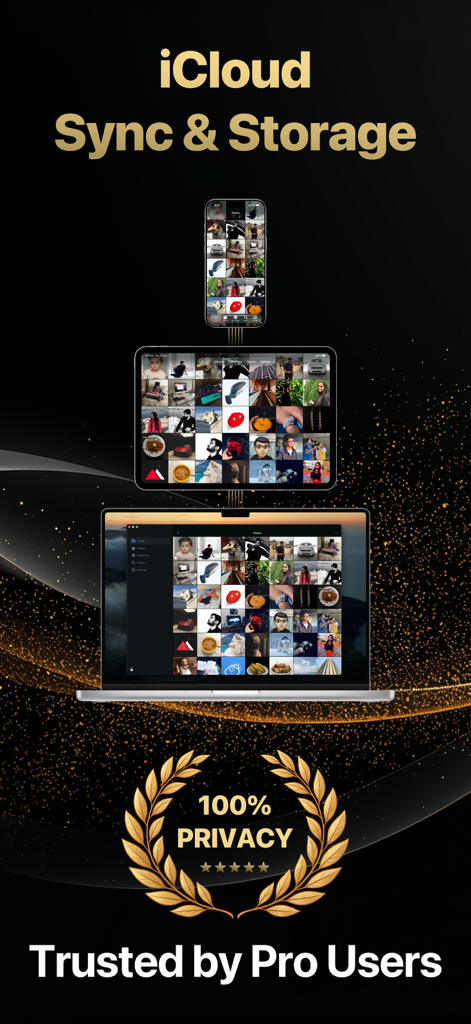
Trustful – Secret Photo Vault - Trustful 앱이 100% 개인 정보 보호 씰과 함께 iPhone, iPad, Mac 전반에 걸쳐 동기화된 사진 보관함을 표시하고 있습니다.
Trustful 앱이 100% 개인 정보 보호 씰과 함께 iPhone, iPad, Mac 전반에 걸쳐 동기화된 사진 보관함을 표시하고 있습니다.

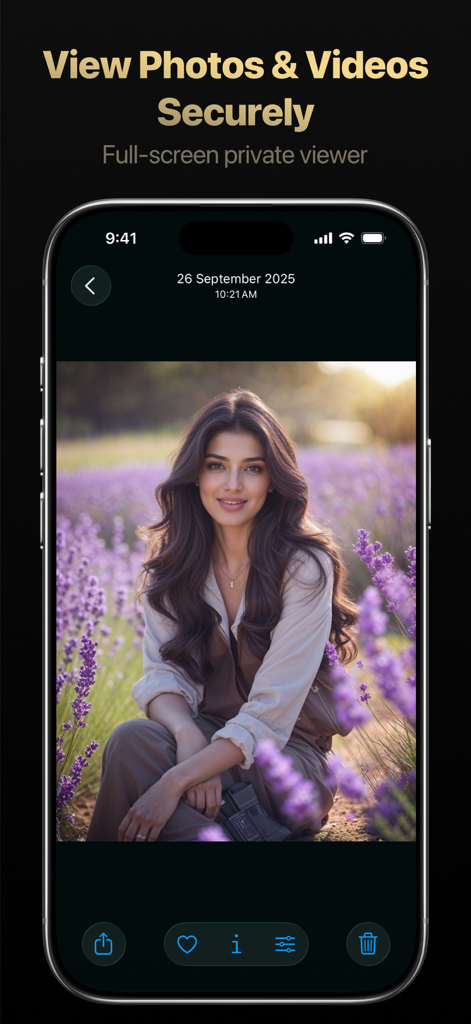
Trustful – Secret Photo Vault - Trustful 앱의 모바일 인터페이스로, 여성 사진이 안전한 공유 및 구성 옵션과 함께 전체 화면 개인 뷰어에 표시됩니다.
Trustful 앱의 모바일 인터페이스로, 여성 사진이 안전한 공유 및 구성 옵션과 함께 전체 화면 개인 뷰어에 표시됩니다.

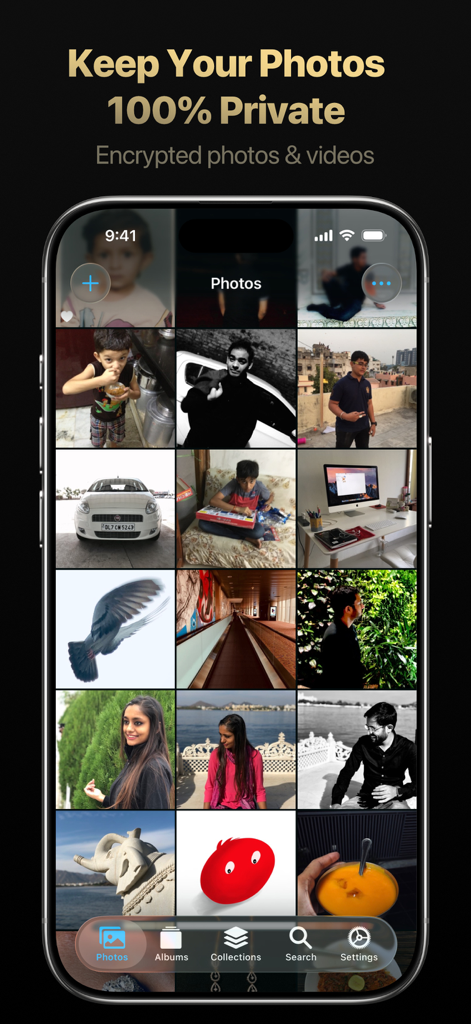
Trustful – Secret Photo Vault - Trustful 앱이 개인 사진 그리드와 '사진을 100% 개인적으로 유지'라는 텍스트와 함께 표시되는 iPhone 화면.
Trustful 앱이 개인 사진 그리드와 '사진을 100% 개인적으로 유지'라는 텍스트와 함께 표시되는 iPhone 화면.

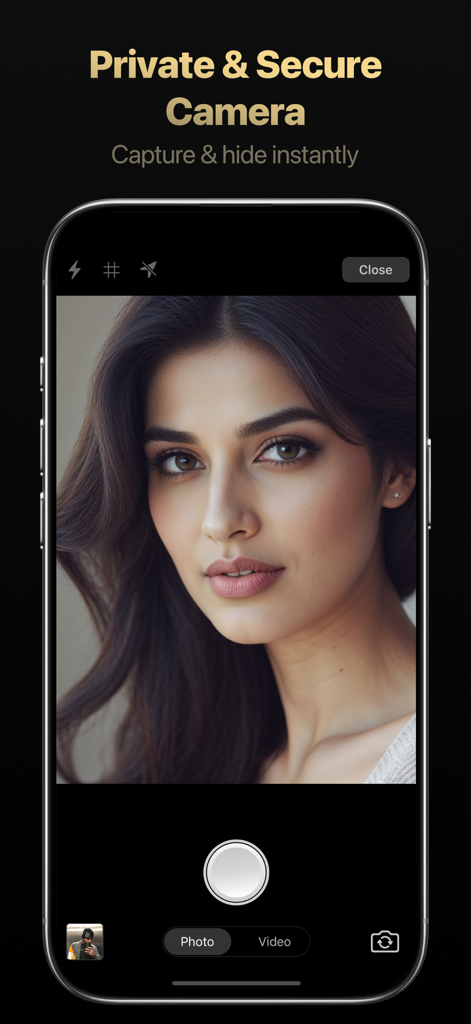
Trustful – Secret Photo Vault - Trustful 앱 내의 개인 및 안전한 카메라 기능을 보여주는 iPhone 화면.
Trustful 앱 내의 개인 및 안전한 카메라 기능을 보여주는 iPhone 화면.

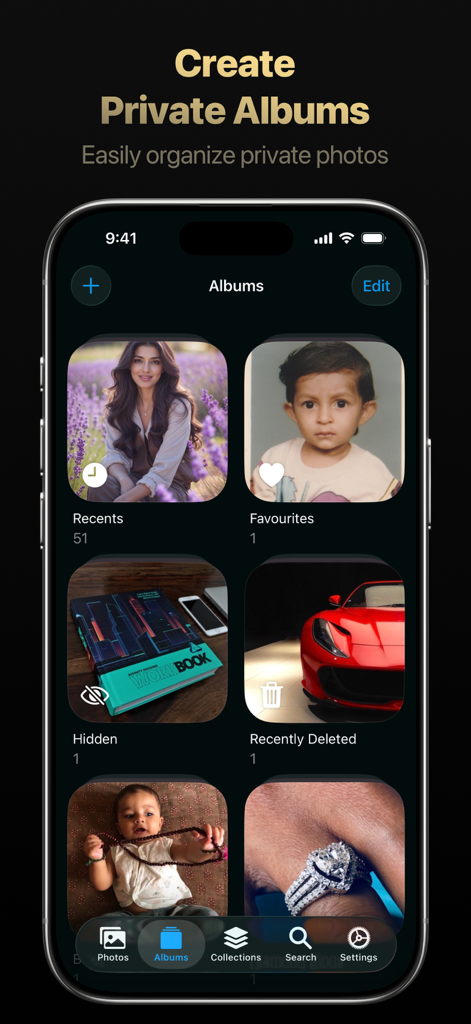
Trustful – Secret Photo Vault - 최근, 즐겨찾기, 숨김, 최근 삭제 사진 카테고리가 포함된 Trustful 앱의 앨범 화면.
최근, 즐겨찾기, 숨김, 최근 삭제 사진 카테고리가 포함된 Trustful 앱의 앨범 화면.

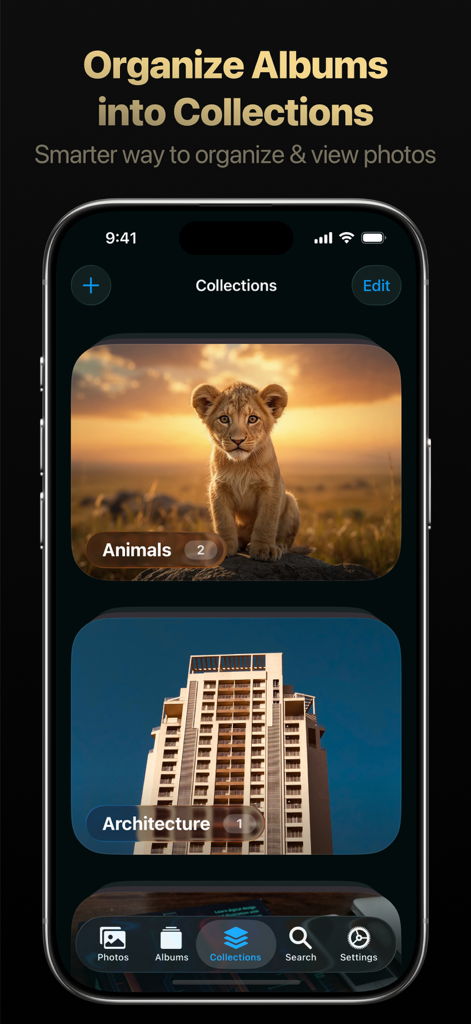
Trustful – Secret Photo Vault - 동물 및 건축과 같은 컬렉션으로 구성된 사진 앨범을 보여주는 Trustful 앱의 인터페이스.
동물 및 건축과 같은 컬렉션으로 구성된 사진 앨범을 보여주는 Trustful 앱의 인터페이스.

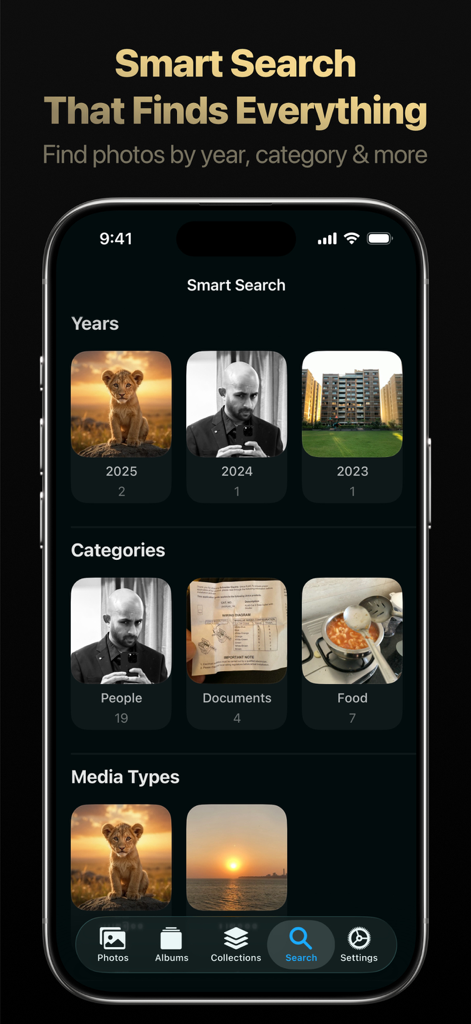
Trustful – Secret Photo Vault - Trustful 앱의 스마트 검색 화면으로, 연도, 사람, 문서와 같은 카테고리 및 미디어 유형별로 사진이 구성되어 있습니다.
Trustful 앱의 스마트 검색 화면으로, 연도, 사람, 문서와 같은 카테고리 및 미디어 유형별로 사진이 구성되어 있습니다.

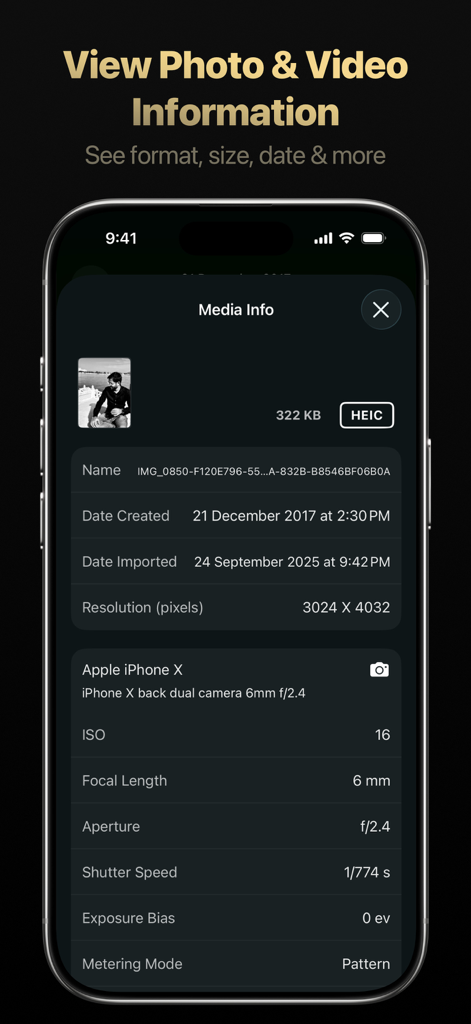
Trustful – Secret Photo Vault - Trustful 보관함 앱의 상세 사진 및 동영상 메타데이터 정보 화면.
Trustful 보관함 앱의 상세 사진 및 동영상 메타데이터 정보 화면.

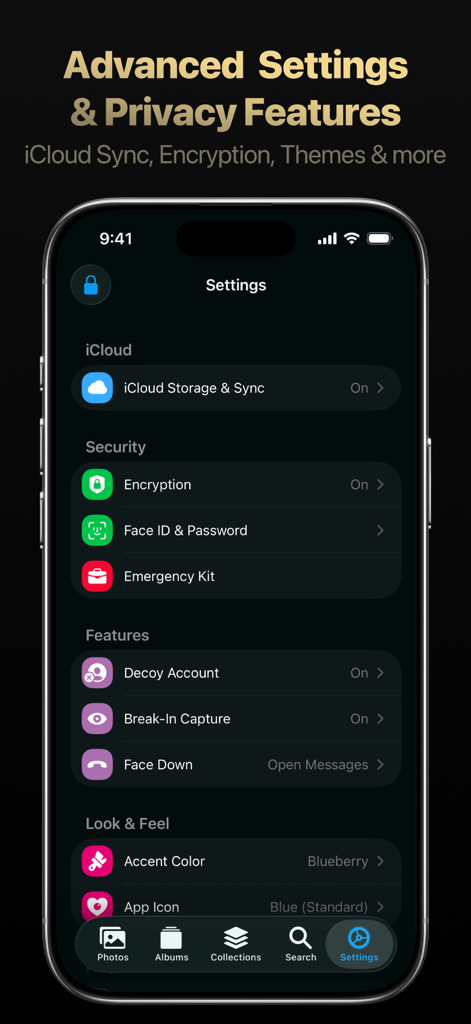
Trustful – Secret Photo Vault - Trustful 비밀 사진 보관함 앱 설정 화면으로 암호화, 가짜 계정 및 생체 인식 보안 옵션을 보여줍니다.
Trustful 비밀 사진 보관함 앱 설정 화면으로 암호화, 가짜 계정 및 생체 인식 보안 옵션을 보여줍니다.

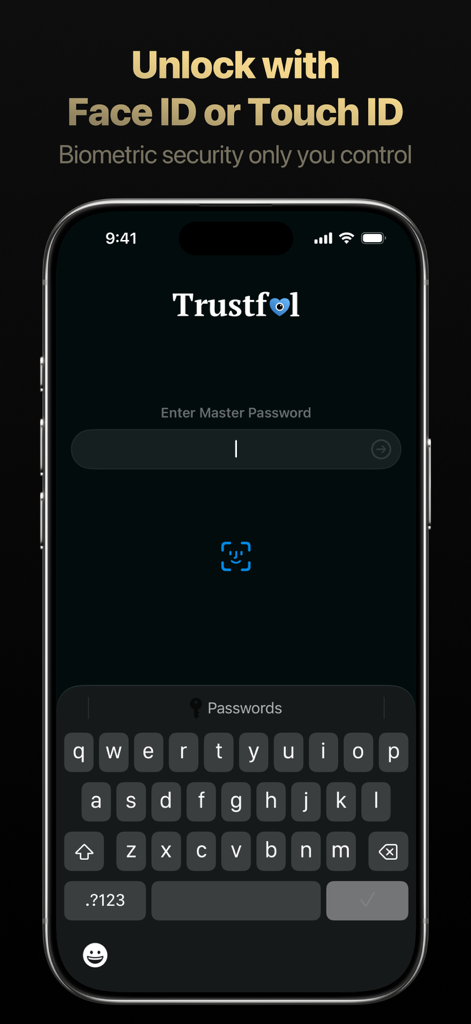
Trustful – Secret Photo Vault - Face ID 및 마스터 비밀번호 옵션이 있는 Trustful 앱 잠금 해제 화면.

Face ID 및 마스터 비밀번호 옵션이 있는 Trustful 앱 잠금 해제 화면.

설명

Trustful lets you secure your photos and videos locally and in iCloud. It’s so secure, you can store photos of confidential or private documents, credit cards, or any kind of personal photos or videos with complete peace of mind. Privacy Trustful does not collect any kind of data, absolutely none. No use of third party SDK’s or frameworks to ensure maximum privacy. There are no ads or analytics in the App. Your data is yours & only yours. No one in this world can see or access your photos or videos stored in the Trustful app (locally or in the cloud). Encryption Every photo and video is encrypted locally and in iCloud using the secret key and master password, which only you know in this entire world. Photos & videos always exist in an encrypted form, they are decrypted live only when you open & unlock the app. As soon as the app goes to background or is closed, no data can be accessed locally since everything is always in encrypted form. Every photo & video that is synced to iCloud, it is always in an encrypted form. Private Camera Trustful's built-in camera helps you capture photos & videos without leaving the app. Design & User Experience Trustful Private Photo Video Vault is designed & developed to create a great experience for you with no compromise on privacy & with advanced features. Everything works buttery smooth and is customizable according to your needs & mood. iCloud Storage & Sync Be at complete peace of mind. Never lose any of your photos or videos. All of your photos & videos are stored in iCloud securely in encrypted form & synced seamlessly across all of your Apple devices (iOS, iPadOS & macOS) Import Photos Import photos and videos from Photo Library, Files, capture using in-built camera or using Share Extension. Trustful supports all the widely used image & video formats (JPG, PNG, HEIC, Live Photo, GIF, TIFF, MOV, HEIF, MP4). Media Metadata You can see all the metadata information (size, camera info, gps & more) of every photo & video right within the Trustful app. Smart Search Trustful automatically categorizes photos using Machine Learning. Search photos by location (country, state, city, region), time, media types and media formats in smart search. Organize Smartly organize photos using Albums & Collections. Quickly set photo as favourite. Add Photos to Albums & organize Albums by adding them to Collections. Lock App You can lock the app by setting the master password to prevent unauthorized access to your photos & videos. You can unlock the app using master password or using biometrics available on your device (Face ID or Touch ID). Decoy Account Create a fake account, so whenever you enter the fake pin the app will show photos of the decoy account instead of photos in your main account. Intruder Break-In Captures & Alerts Keep an eye on people who try to enter wrong password in the app or if someone tries to open the app without you knowing about it. Photo Editor Edit photos directly within the app with built-in photo editor and apply amazing filters. Easily revert edited photos to the original with a single tap. Photo Editor is updated & improved with more amazing features with each update. Customize Set Photos View Mode (Square or Aspect). Customize the number of photo columns. Change cover photo of an Album or a Collection. Customize the look & feel of the entire app by changing themes. Recover Recently Deleted Photos Recover deleted Photos & videos easily for up to 30 days after the date of deletion from the Recently Deleted Album. Family Sharing Trustful Premium subscription supports Family Sharing. Help & Support If you have any questions or need help, feel free to reach out & contact at truemaulik@icloud.com. Committed to help you in every way possible & provide you the best support. And that’s a promise. Privacy Policy: https://truemaulik.com/docs/trustful/privacy-policy.html Terms And Conditions: https://truemaulik.com/docs/trustful/terms-and-conditions.html

Download

다운로드: App Store

이 페이지는 앱이나 개발자의 공식 페이지가 아니며, 정보 제공 및 논평을 목적으로 작성된 독립 편집 간행물입니다. 명시적으로 달리 언급되지 않는 한, 해당 앱이나 개발자는 MWM, Apple, Google Play, 앱 퍼블리셔 또는 앱 개발자와 제휴, 보증, 후원, 승인 또는 공식적으로 연결되어 있지 않으며, 이 페이지의 어떤 내용도 해당 앱이 MWM의 서비스를 사용하여 개발되었음을 의미하지 않습니다. 모든 상표, 로고, 스크린샷 및 기타 콘텐츠는 해당 소유자의 자산입니다.








