
이 페이지는 앱이나 개발자의 공식 페이지가 아니며, 정보 제공 및 논평을 목적으로 작성된 독립 편집 간행물입니다. 명시적으로 달리 언급되지 않는 한, 해당 앱이나 개발자는 MWM, Apple, Google Play, 앱 퍼블리셔 또는 앱 개발자와 제휴, 보증, 후원, 승인 또는 공식적으로 연결되어 있지 않으며, 이 페이지의 어떤 내용도 해당 앱이 MWM의 서비스를 사용하여 개발되었음을 의미하지 않습니다. 모든 상표, 로고, 스크린샷 및 기타 콘텐츠는 해당 소유자의 자산입니다.

TurboWords Spelling
지루한 철자 숙제를 AI 기반의 대화형 모험으로 바꿔보세요. 개인화된 테스트, 재미있는 미니 게임, 학습을 중독성 있게 만드는 즉각적인 피드백으로 자녀의 자신감과 성적을 높여주세요.
다운로드
245K+사용자 평점
총 평가 수
1K+개발사
카테고리
Education지원 언어
2최신 버전
4.0크기
27.6 MB출시일
2015년 10월 17일모든 주간 철자법 테스트 마스터하기
AI 기반 음성 인식 및 흥미로운 게임을 사용하여 자녀의 특정 학교 목록을 대화형 학습 모험으로 바꾸세요.
즉석 음성-목록 설정
입력은 그만, 가르치기를 시작하세요. 주간 학교 단어를 한 번에 녹음하고 즉시 개인화된 디지털 테스트로 변환되는 것을 지켜보세요.
스마트 AI 문맥 문장
Apple Intelligence를 활용하여 모든 단어에 대해 AI 생성 문장을 듣고 아이들이 진정으로 이해하고 기억하는 데 필요한 맥락을 제공하세요.
자주 묻는 질문
에 대해 알아야 할 모든 것 TurboWords Spelling
TurboWords Spelling은 사용자가 맞춤 철자 시험을 만드는 데 어떻게 도움이 되나요?
TurboWords Spelling을 사용하면 음성 인식을 통해 직접 단어를 녹음하여 철자 시험을 빠르게 만들 수 있습니다. 또한 단어를 입력하거나 붙여넣은 다음 순서를 재지정하거나 삭제하거나 편집하여 학습 경험을 맞춤 설정할 수도 있습니다.
TurboWords Spelling 앱에는 어떤 종류의 게임이 있나요?
예, TurboWords Spelling에는 5가지의 흥미로운 교육용 게임이 포함되어 있습니다: Not Hangman, Crossword, Word Search, Charivari, Word Shuffle. 이러한 게임은 사용자가 만든 사용자 지정 단어 목록을 활용하여 학습 과정을 향상시킵니다.
TurboWords Spelling은 철자 시험 중에 즉각적인 피드백을 제공하나요?
예, TurboWords Spelling은 철자 시험 중에 즉각적인 피드백을 제공합니다. 사용자가 각 글자를 입력하면 올바른 글자는 녹색으로, 잘못된 글자는 빨간색으로 표시되어 즉각적인 안내를 제공하고 스스로 수정하는 데 도움이 됩니다.
여러 사용자가 단일 장치에서 TurboWords Spelling에 액세스할 수 있나요?
예, TurboWords Spelling은 인앱 구매로 제공되는 다중 사용자 옵션을 제공합니다. 이 기능을 통해 여러 사용자가 동일한 장치를 사용할 수 있으며, 각 사용자는 고유한 단어 그룹과 개인화된 진행 상황 추적을 유지할 수 있습니다.
TurboWords Spelling 앱에서 몇 개의 단어 그룹을 만들 수 있나요?
기본적으로 TurboWords Spelling은 사용자가 최대 8개의 단어 그룹을 만들 수 있도록 허용합니다. 사용자는 일회성 인앱 구매를 통해 추가 단어 그룹을 무제한으로 구매하여 용량을 확장할 수 있습니다.
TurboWords Spelling은 철자 시험에 AI 기능을 활용하나요?
예, TurboWords Spelling은 Apple Intelligence가 탑재된 장치에서 AI 기능을 통합합니다. 이를 통해 앱에서 철자할 단어에 대한 AI 기반 문장을 생성하여 시험 중에 추가적인 맥락을 제공할 수 있습니다.
다음 스크린샷과 설명은 앱의 공식 스토어 목록에서 직접 가져온 것이며 앱 개발자의 자산입니다.
앱 스토어
스크린샷
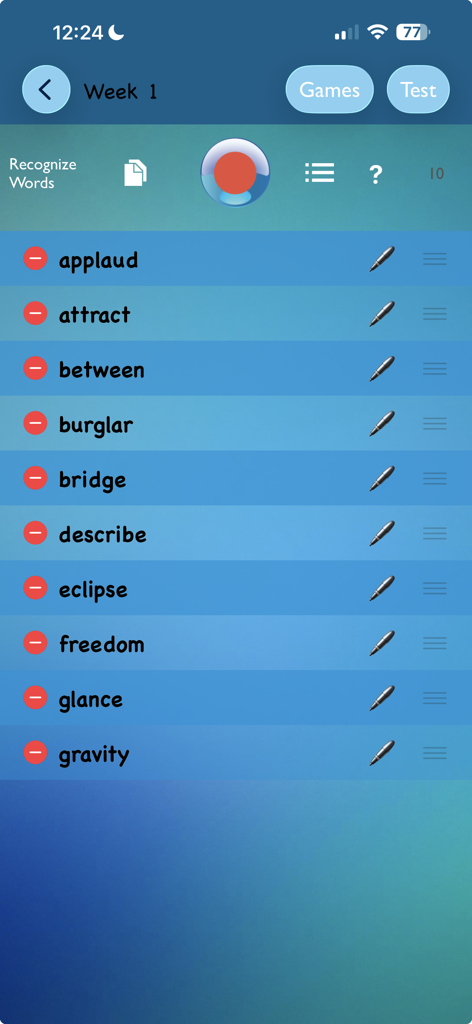
주간 테스트를 위한 맞춤 철자 단어 10개 목록을 보여주는 TurboWords 철자법 앱의 설정 화면.
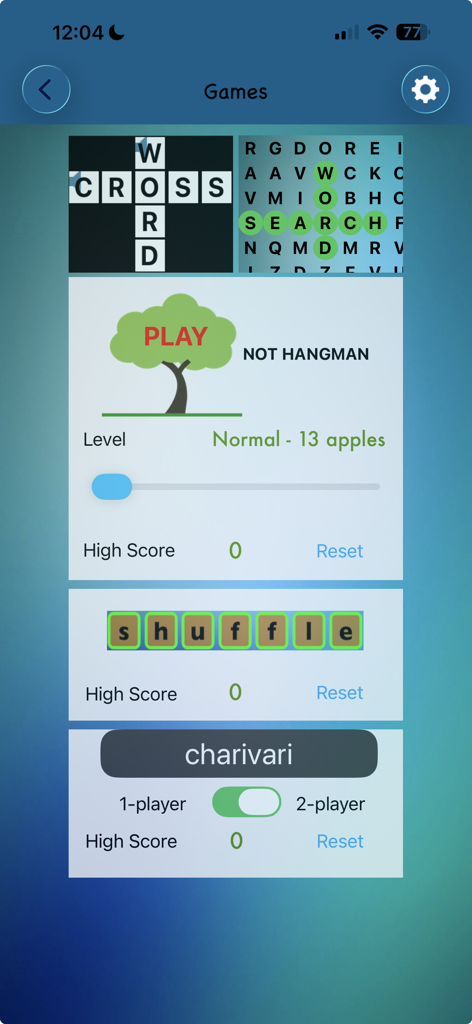
십자말풀이 단어 찾기 및 행맨을 포함한 TurboWords 철자법 앱의 교육용 단어 게임 선택.
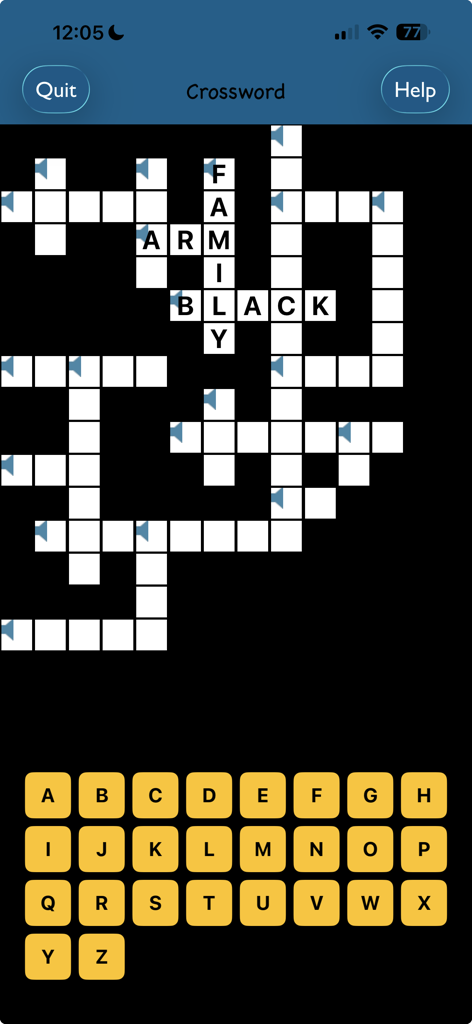
화면상의 알파벳 키보드를 갖춘 TurboWords 철자법 앱의 십자말 풀이 게임 화면
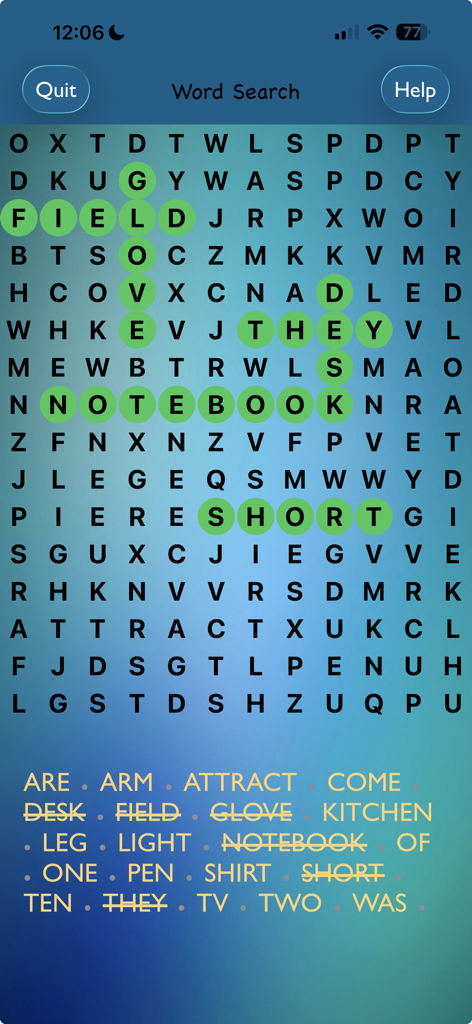
TurboWords 철자법 앱의 단어 찾기 퍼즐로, 여러 단어가 녹색으로 강조 표시됨
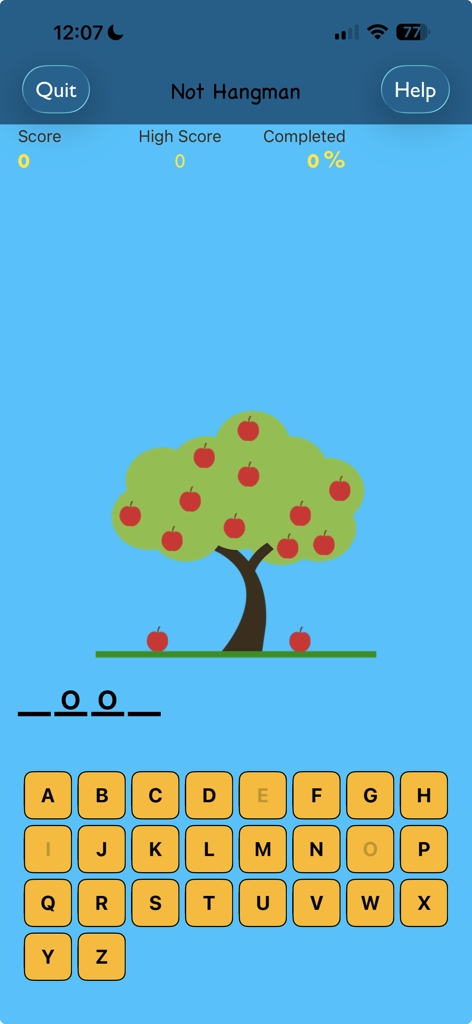
사과 나무와 알파벳 키보드가 특징인 Not Hangman 철자 게임 화면
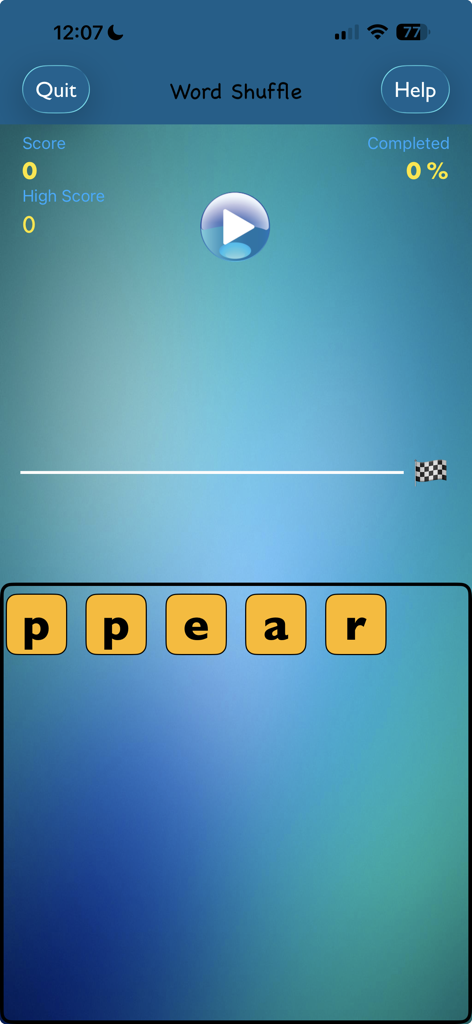
글자 타일과 게임 진행 상황을 보여주는 TurboWords 철자법 앱의 단어 섞기 게임 스크린샷.
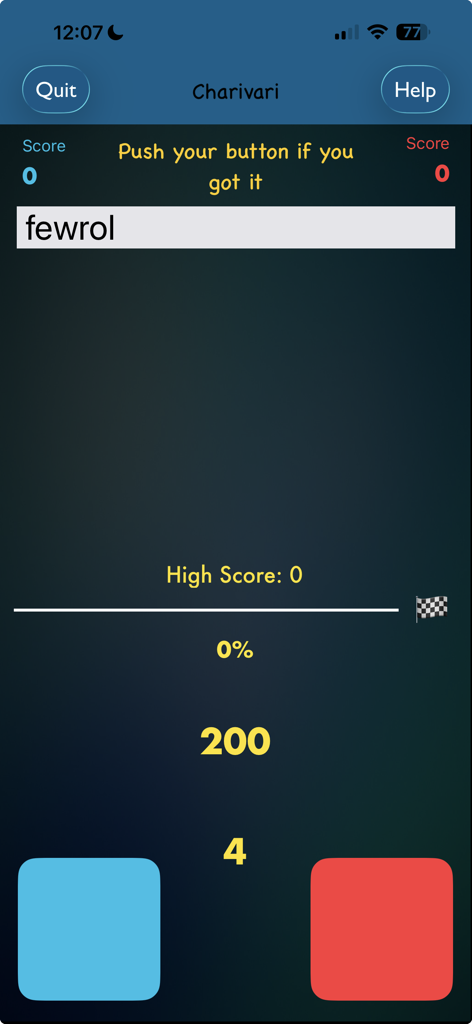
글자가 섞인 단어와 두 개의 플레이어 버튼이 있는 TurboWords 철자법 앱 Charivari 게임 화면
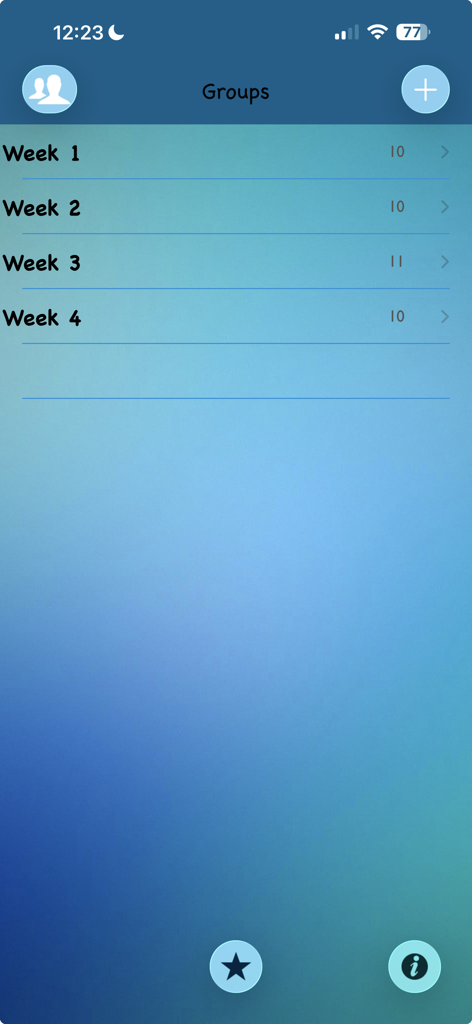
학생 연습을 위해 주별로 구성된 단어 그룹을 보여주는 TurboWords 철자법 앱 스크린샷
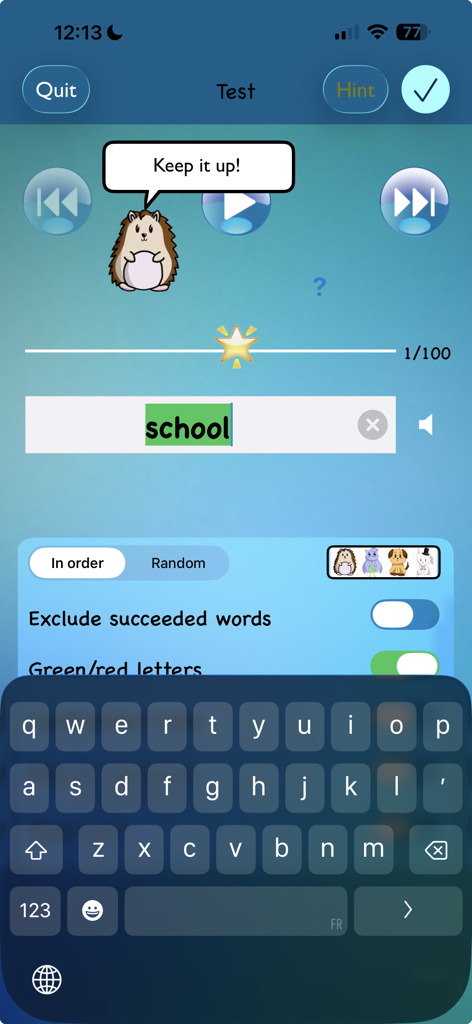
고슴도치 캐릭터가 격려를 하고 'school' 단어가 녹색으로 강조 표시된 TurboWords 철자법 앱 테스트 화면
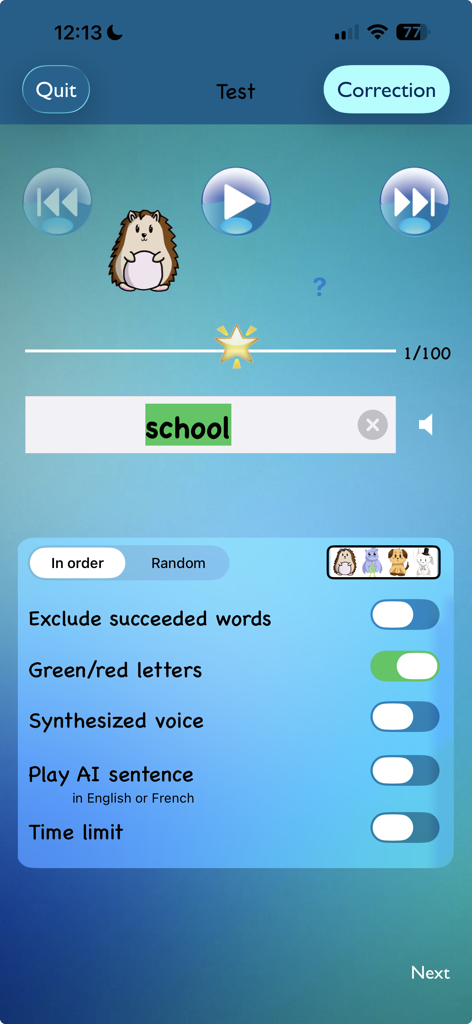
올바르게 입력된 'school' 단어, 피드백 설정 및 만화 마스코트가 표시된 TurboWords 앱 철자법 테스트 화면
설명
Download
비슷한 앱
유사한 기능과 사용자 경험을 가진 앱
Spark Reading for Kids
Peekaboo Studios LLC
默書啦喂 - AI 默書練習助手
Ka Kui SIU

Spelling: Spelling Games
BUCKET LIST LABS S.L.

Learn It - Easier learning
Enhanced Work Nordic AB

Aprender a Leer - Silabario
Edu Apps llc
Teach Monster: Reading for Fun
Teach Your Monster Ltd.

Blitzlesen: Das Original
Simon Storz
Word Tag: Lingo learning game
Mrs Wordsmith Group Limited

天才鸭同步单词
Shanghai Progressive Youth Technology Development Co., Ltd.
이 페이지는 앱이나 개발자의 공식 페이지가 아니며, 정보 제공 및 논평을 목적으로 작성된 독립 편집 간행물입니다. 명시적으로 달리 언급되지 않는 한, 해당 앱이나 개발자는 MWM, Apple, Google Play, 앱 퍼블리셔 또는 앱 개발자와 제휴, 보증, 후원, 승인 또는 공식적으로 연결되어 있지 않으며, 이 페이지의 어떤 내용도 해당 앱이 MWM의 서비스를 사용하여 개발되었음을 의미하지 않습니다. 모든 상표, 로고, 스크린샷 및 기타 콘텐츠는 해당 소유자의 자산입니다.