Turn Photo To Picture Coloring
다운로드: App Store

이 페이지는 앱이나 개발자의 공식 페이지가 아니며, 정보 제공 및 논평을 목적으로 작성된 독립 편집 간행물입니다. 명시적으로 달리 언급되지 않는 한, 해당 앱이나 개발자는 MWM, Apple, Google Play, 앱 퍼블리셔 또는 앱 개발자와 제휴, 보증, 후원, 승인 또는 공식적으로 연결되어 있지 않으며, 이 페이지의 어떤 내용도 해당 앱이 MWM의 서비스를 사용하여 개발되었음을 의미하지 않습니다. 모든 상표, 로고, 스크린샷 및 기타 콘텐츠는 해당 소유자의 자산입니다.

로고: Turn Photo To Picture Coloring
다운로드: App Store

Turn Photo To Picture Coloring

고급 스케치 필터와 맞춤형 컬러링 도구로 내면의 예술성을 깨워보세요. 어떤 사진이든 독특한 카툰이나 디지털 페인팅으로 변환하여 스트레스를 해소하고, 창작하고, 당신의 예술적 비전을 세상과 공유하세요.

주요 수치

다운로드

50K+

사용자 평점

4.5/5

총 평가 수

2K+

개발사

Revosoft Technologies PTY LTD

카테고리

Photo & Video

지원 언어

1

최신 버전

1.7.5

크기

43.6 MB

출시일

2016년 12월 14일
기능

다채롭게 재탄생하는 당신의 세상

현대적인 크리에이터를 위해 설계된 전문가급 스케치 필터와 명상적인 컬러링 도구로 좋아하는 추억을 맞춤형 예술 작품으로 변환하세요.

순식간에 일어나는 스케치 마법

셀카, 반려동물 사진, 휴가 추억 등 무엇이든 터치 한 번으로 고품질 스케치나 카툰 윤곽선으로 바꿔보세요.

전문가 수준의 창작 도구

모든 획과 음영을 완벽하게 제어할 수 있는 맞춤형 텍스처 브러시와 고급 편집 도구로 예술 작품을 완성하세요.

다음 스크린샷과 설명은 앱의 공식 스토어 목록에서 직접 가져온 것이며 앱 개발자의 자산입니다.

앱 스토어

스크린샷
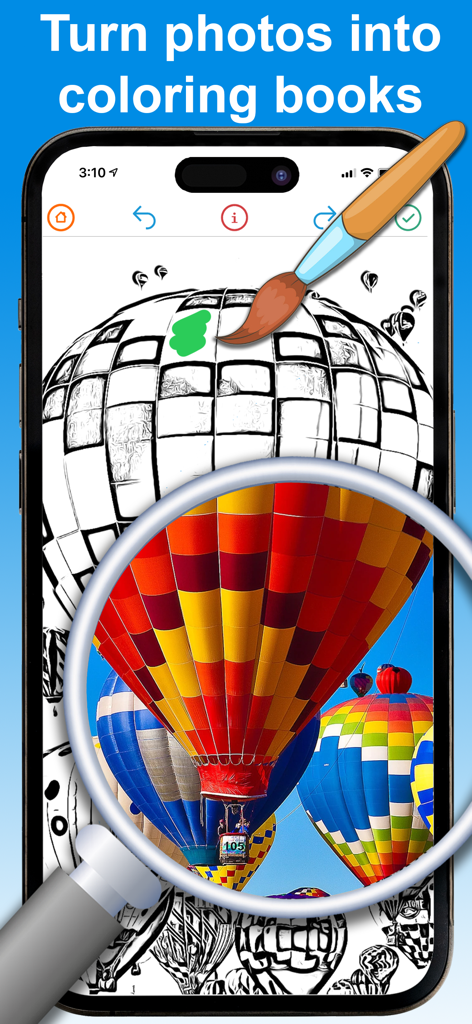
Turn Photo To Picture Coloring - 열기구 사진을 컬러링용 스케치로 변환하는 스마트폰 앱

열기구 사진을 컬러링용 스케치로 변환하는 스마트폰 앱

Turn Photo To Picture Coloring - 실제 사진이 컬러링 도구를 통해 카툰 일러스트로 변환되는 화면을 보여주는 모바일 앱 인터페이스
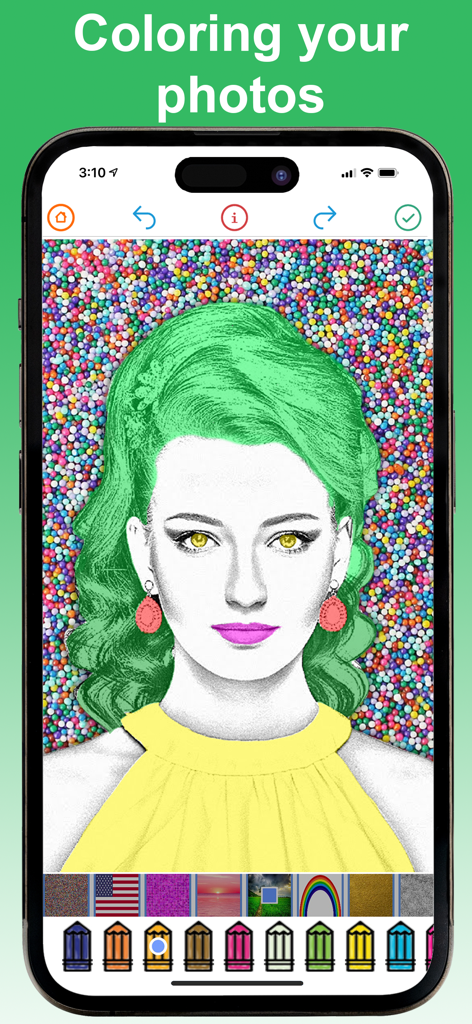
실제 사진이 컬러링 도구를 통해 카툰 일러스트로 변환되는 화면을 보여주는 모바일 앱 인터페이스

Turn Photo To Picture Coloring - 사진이 스케치로 변환되어 디지털 연필과 텍스처로 색칠되는 모습을 보여주는 앱 인터페이스
사진이 스케치로 변환되어 디지털 연필과 텍스처로 색칠되는 모습을 보여주는 앱 인터페이스

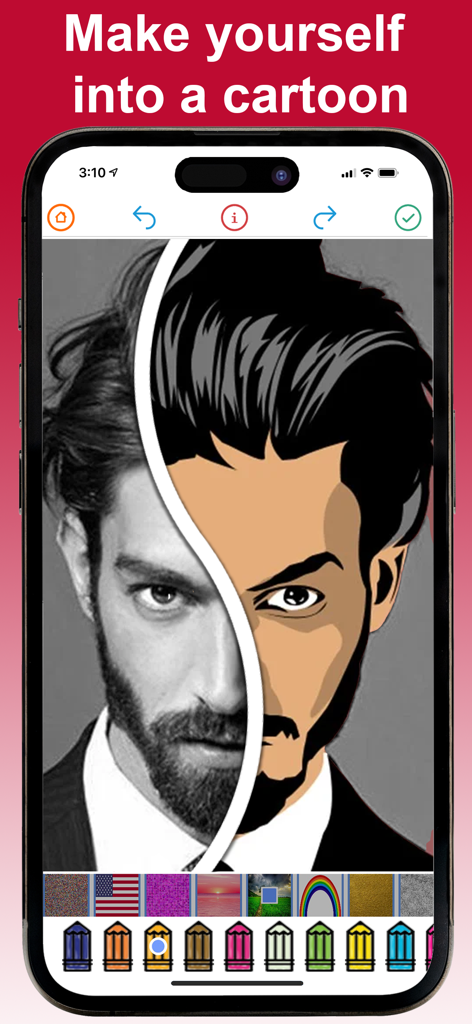
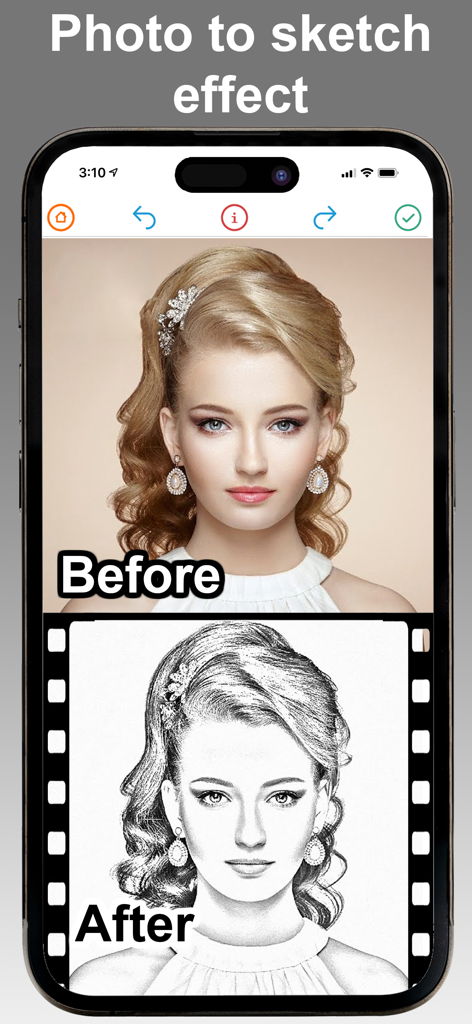
Turn Photo To Picture Coloring - 인물 사진이 연필 스케치로 변환된 전후 비교 사진

인물 사진이 연필 스케치로 변환된 전후 비교 사진

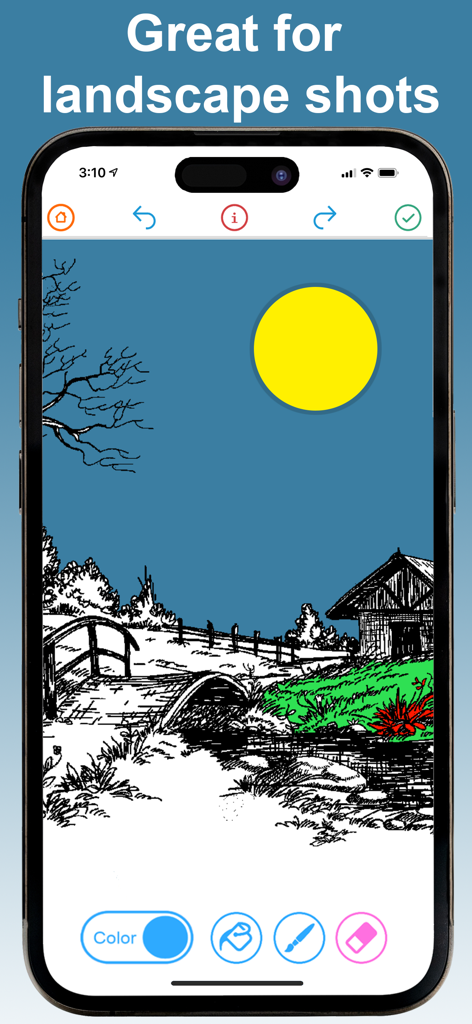
Turn Photo To Picture Coloring - 디지털 도구로 풍경 스케치를 색칠하는 모습을 보여주는 iPhone 화면

디지털 도구로 풍경 스케치를 색칠하는 모습을 보여주는 iPhone 화면

설명

Turn your yourself into a cartoon using our amazing filters and advanced editing tools. You can add color to any photo you like, or choose from heaps of pre-loaded photos then share your amazing creation with your friends and family. Top Free Photo Cartoon Coloring Editor features : ● Real-time sketch filter ● Turn any photo into a sketch ● Take a photo of artwork, and then color it in ● Turn any sketch into a work-of-art ● Custom texture art brushes ● Advanced coloring tools ● Advanced sketch editing tools ● Tones of pre-loaded coloring book pages ● Complete control over how the images is edited Premium Upgrade Features ----------------------- - Unlock all colors - Unlock all filters - Add unlimited texture brushes - Remove ads - Remove watermarks - Save hi-resolution photos * Choose the length of subscription: 1 Month / 3 Months / 1 Year. * Choose from different subscription options. * Subscription with a free trial period will automatically renew to a paid subscription. You can cancel your subscription in the iTunes settings at least 24-hours before the end of the free trial period. Subscription payments will be charged to your iTunes account at confirmation of your purchase and upon commencement of each renewal term. * Please note: any unused portion of a free trial period (if offered) will be forfeited when you purchase a premium subscription during the free trial period. * You can cancel a free trial or subscription anytime by cancelling your subscription through your iTunes account settings. This must be done 24 hours before the end of a free trial or subscription period to avoid being charged. The cancellation will take effect the day after the last day of the current subscription period, and you will be downgraded to the free service. Please read our Privacy Policy here http://www.revosoft.com.au/uploads/8/2/0/2/82026220/2015.10_revosoft_privacy_policy.pdf Please read Terms of Use here http://www.revosoft.com.au/uploads/8/2/0/2/82026220/terms_of_use.pdf

Download

다운로드: App Store

이 페이지는 앱이나 개발자의 공식 페이지가 아니며, 정보 제공 및 논평을 목적으로 작성된 독립 편집 간행물입니다. 명시적으로 달리 언급되지 않는 한, 해당 앱이나 개발자는 MWM, Apple, Google Play, 앱 퍼블리셔 또는 앱 개발자와 제휴, 보증, 후원, 승인 또는 공식적으로 연결되어 있지 않으며, 이 페이지의 어떤 내용도 해당 앱이 MWM의 서비스를 사용하여 개발되었음을 의미하지 않습니다. 모든 상표, 로고, 스크린샷 및 기타 콘텐츠는 해당 소유자의 자산입니다.