이 페이지는 앱이나 개발자의 공식 페이지가 아니며, 정보 제공 및 논평을 목적으로 작성된 독립 편집 간행물입니다. 명시적으로 달리 언급되지 않는 한, 해당 앱이나 개발자는 MWM, Apple, Google Play, 앱 퍼블리셔 또는 앱 개발자와 제휴, 보증, 후원, 승인 또는 공식적으로 연결되어 있지 않으며, 이 페이지의 어떤 내용도 해당 앱이 MWM의 서비스를 사용하여 개발되었음을 의미하지 않습니다. 모든 상표, 로고, 스크린샷 및 기타 콘텐츠는 해당 소유자의 자산입니다.
TV Cast: Nero Streaming Player
iPhone, PC 또는 NAS에서 모든 스마트 TV, Roku 또는 Sonos로 4K 동영상, 고해상도 사진, 음악을 손쉽게 스트리밍하세요. Nero에서 기대하는 전문적인 안정성으로 개인 라이브러리를 큰 화면으로 가져오세요.
주요 수치
다운로드
936K+
사용자 평점
4.0/5
총 평가 수
1K+
개발사
Nero AG
카테고리
Utilities
지원 언어
15
최신 버전
1.11.8
크기
50.9 MB
출시일
2015년 9월 1일
기능
모든 미디어 라이브러리를 해방하세요
모든 가정의 소스에서 모든 스마트 TV 또는 오디오 시스템으로 4K 동영상, 고해상도 사진, 음악을 직접 스트리밍하는 자유를 경험하세요.
범용 스마트 홈 캐스팅
iPhone과 모든 장치 간의 격차를 해소하세요. 하드웨어 제한 없이 Samsung, LG, Sony, Roku, Fire TV 또는 Sonos로 손쉽게 스트리밍하세요.
놀라운 4K 영상
작은 화면에 만족하지 마세요. 개인 동영상과 사진을 크리스탈처럼 선명한 Ultra HD 해상도로 전송하여 TV의 모든 잠재력을 활용하세요.
다음 스크린샷과 설명은 앱의 공식 스토어 목록에서 직접 가져온 것이며 앱 개발자의 자산입니다.
앱 스토어
스크린샷
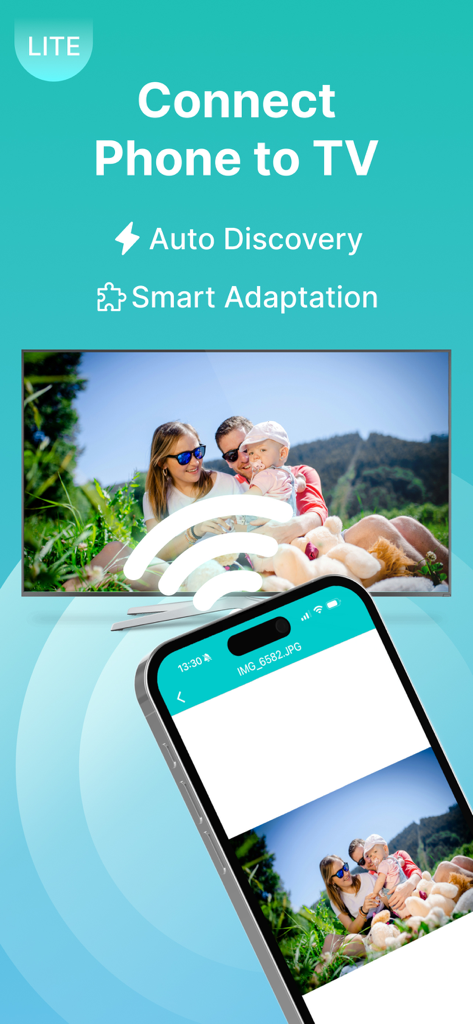
스마트 TV 화면으로 가족 사진을 무선으로 전송하는 스마트폰
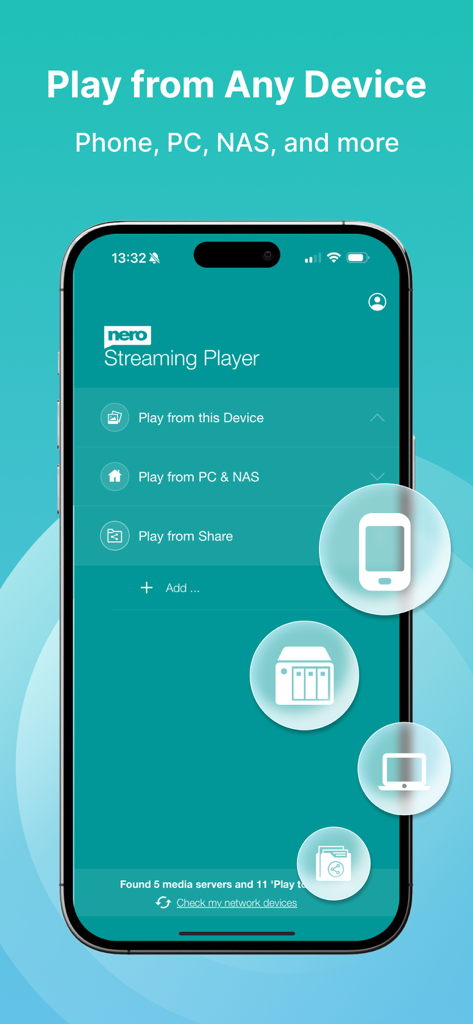
Nero Streaming Player 모바일 앱이 휴대폰, PC 또는 NAS에서 TV로 미디어를 전송하는 방법을 보여줌
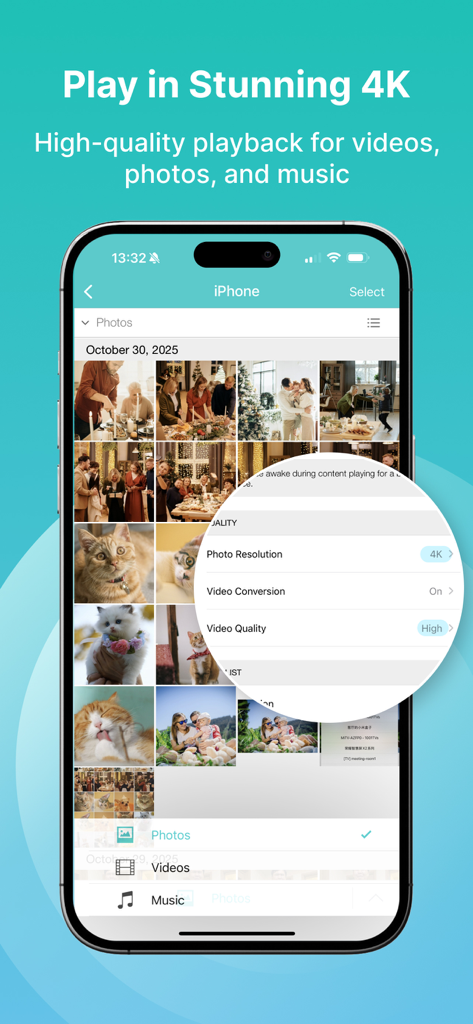
Nero TV Cast 앱 인터페이스가 스트리밍을 위한 4K 사진 해상도 및 고품질 동영상 설정 표시
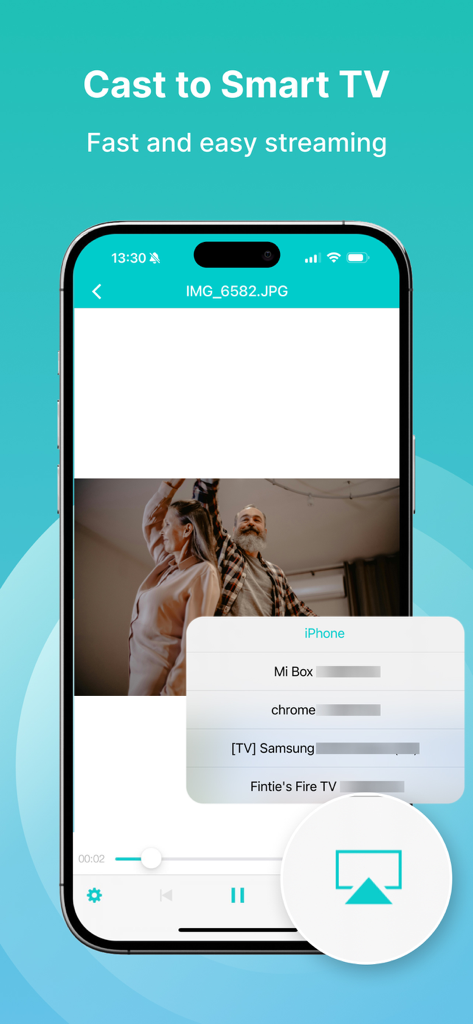
Nero Streaming Player 앱 인터페이스가 iPhone에서 스마트 TV로 동영상을 전송하는 방법을 보여줌
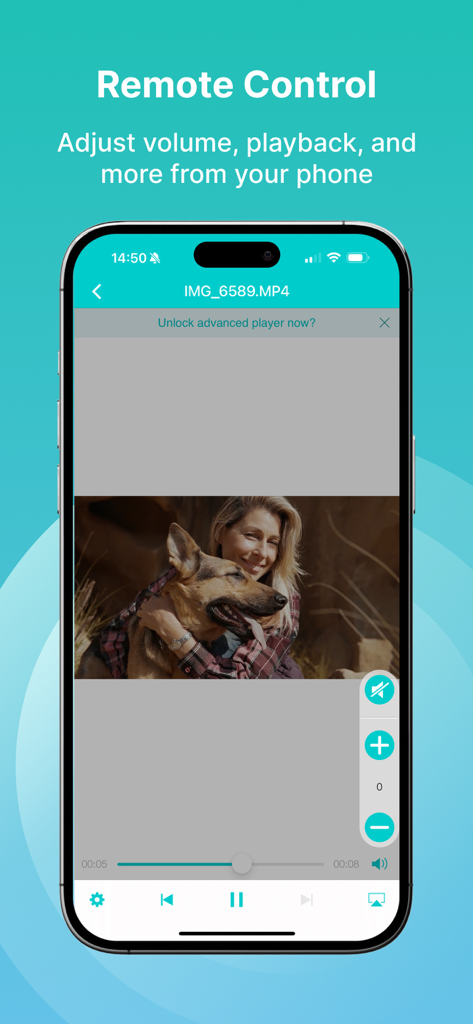
Nero TV Cast 리모컨 인터페이스를 표시하여 동영상 재생 및 볼륨 조절 기능을 보여주는 스마트폰
설명
• Music streaming: play your favorite songs or playlists on your TV or connected speakers via WiFi.
• Photo casting: display your photos on the big TV screen – single or slideshow – with 4K support.
• Video casting: enjoy videos in Full HD & 4K quality on Smart TVs, Chromecast, Roku, Fire TV, and more.
• Stream from PC & NAS: access and play photos, HD movies, and TV shows stored on your computer or NAS – no phone storage used.
• Stream from SMB share: cast network-stored photos, movies, and music from SMB drives – easy setup.
The easiest casting app for your media – music, photos, videos, and more!
• New! SMB Sharing lets you stream files from network folders directly to your Smart TV.
• Supports Chromecast, Chromecast Audio, Sonos, and many more devices.
• Stream by category: select all files from a location or multiple albums at once.
• Cast iCloud media directly to your TV.
• Launch other Nero mobile apps from Nero Streaming Player.
• Send feedback easily for improvements and issues.
• Use your iPhone/iPad as a remote control: play, pause, stop, skip, and adjust volume.
• Zoom & rotate photos with intuitive two-finger gestures while casting.
• Sort your music by artists, songs, albums, or genres and stream to Sonos or supported devices.
Supported devices:
• Smart TVs from Samsung, Sony, LG, TCL, Panasonic, Sharp, and more
• AV devices from Yamaha, Onkyo, Sonos, Bose, Pioneer, and others
• Chromecast and other compatible streaming devices
• Media servers from Plex, Serviio, Subsonic, Twonky, Windows Media Player, and more
• NAS from Western Digital, Netgear, Synology, QNAP, Seagate, and more
How it works:
Install Nero Streaming Player to cast photos, videos & music from your iPhone/iPad to your Smart TV. No HDMI cable, cast hardware, or additional apps required. Connect your iPhone, PC/NAS, and Smart TV to the same WiFi network. Open the app, select media, tap the TV icon, and choose a target device to enjoy content on the big screen or audio system.
PC & NAS streaming:
Launch your media server on PC/NAS. Nero Streaming Player displays all available servers. Select one and stream all your media to your TV.
No media server yet?
Download and install Nero MediaHome (2016 or later) on PC. With one touch in Nero Streaming Player, access the timeline of your photos & videos. Enhanced features include:
• Face recognition for viewing family & friends
• Explore places you’ve visited
• Browse your personal movie & TV show collection with poster thumbnails
• Listen to favorite songs & playlists
Note: Your mobile device, PC/NAS, and Smart TV must be on the same WiFi network. Use only in private, secure networks.
이 페이지는 앱이나 개발자의 공식 페이지가 아니며, 정보 제공 및 논평을 목적으로 작성된 독립 편집 간행물입니다. 명시적으로 달리 언급되지 않는 한, 해당 앱이나 개발자는 MWM, Apple, Google Play, 앱 퍼블리셔 또는 앱 개발자와 제휴, 보증, 후원, 승인 또는 공식적으로 연결되어 있지 않으며, 이 페이지의 어떤 내용도 해당 앱이 MWM의 서비스를 사용하여 개발되었음을 의미하지 않습니다. 모든 상표, 로고, 스크린샷 및 기타 콘텐츠는 해당 소유자의 자산입니다.