TV Widget +
TV Widget +
다운로드: App Store

이 페이지는 앱이나 개발자의 공식 페이지가 아니며, 정보 제공 및 논평을 목적으로 작성된 독립 편집 간행물입니다. 명시적으로 달리 언급되지 않는 한, 해당 앱이나 개발자는 MWM, Apple, Google Play, 앱 퍼블리셔 또는 앱 개발자와 제휴, 보증, 후원, 승인 또는 공식적으로 연결되어 있지 않으며, 이 페이지의 어떤 내용도 해당 앱이 MWM의 서비스를 사용하여 개발되었음을 의미하지 않습니다. 모든 상표, 로고, 스크린샷 및 기타 콘텐츠는 해당 소유자의 자산입니다.


로고: TV Widget +
다운로드: App Store

TV Widget +

다음 업그레이드에서 추측을 멈추세요. 이상적인 TV 크기, 시청 거리 및 각도를 즉시 계산하여 거실을 완벽하게 보정된 시네마틱 경험으로 바꿔보세요.

주요 수치

다운로드

600

사용자 평점

4.5/5

총 평가 수

0

개발사

Michael Imperato

카테고리

Utilities

지원 언어

1

최신 버전

2.0

크기

1.3 MB

출시일

2014년 3월 12일
기능

홈 시어터 설정을 완벽하게

다음 TV 구매에서 추측을 멈추세요. TV Widget +는 정밀한 계산을 사용하여 진정으로 몰입감 있는 경험을 위한 올바른 화면 크기와 좌석 거리를 선택하도록 도와줍니다.

스마트 크기 추천

65인치와 85인치 사이에서 추측하지 마세요. 좌석 거리와 방 레이아웃에 완벽하게 맞는 정확한 화면 크기를 찾으세요.

시네마 감성을 재현하세요

실제 영화관 경험과 홈 설정을 비교하는 시각적 게이지로 시청 각도를 평가하세요.

다음 스크린샷과 설명은 앱의 공식 스토어 목록에서 직접 가져온 것이며 앱 개발자의 자산입니다.

앱 스토어

스크린샷
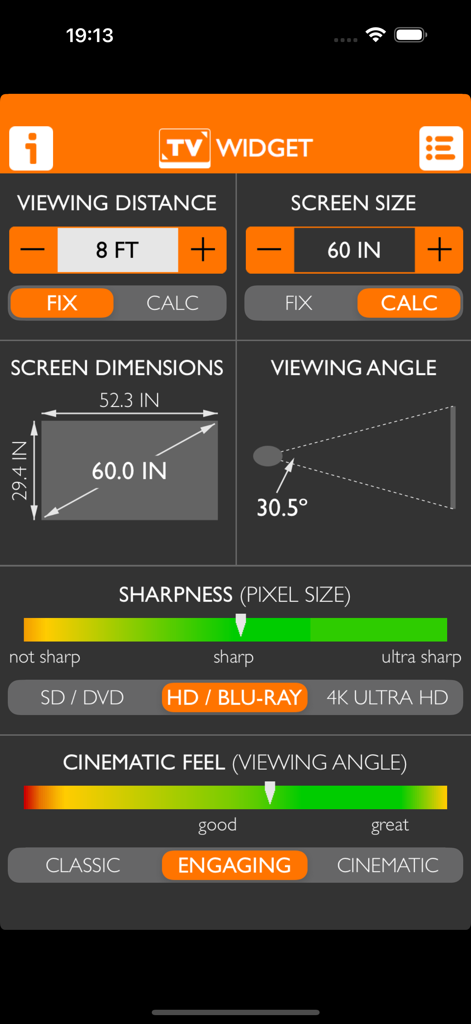
TV Widget + - TV Widget 앱 인터페이스는 8피트 시청 거리에서 60인치 화면 크기에 대한 계산과 선명도 및 시네마틱 느낌 게이지를 보여줍니다.
TV Widget 앱 인터페이스는 8피트 시청 거리에서 60인치 화면 크기에 대한 계산과 선명도 및 시네마틱 느낌 게이지를 보여줍니다.

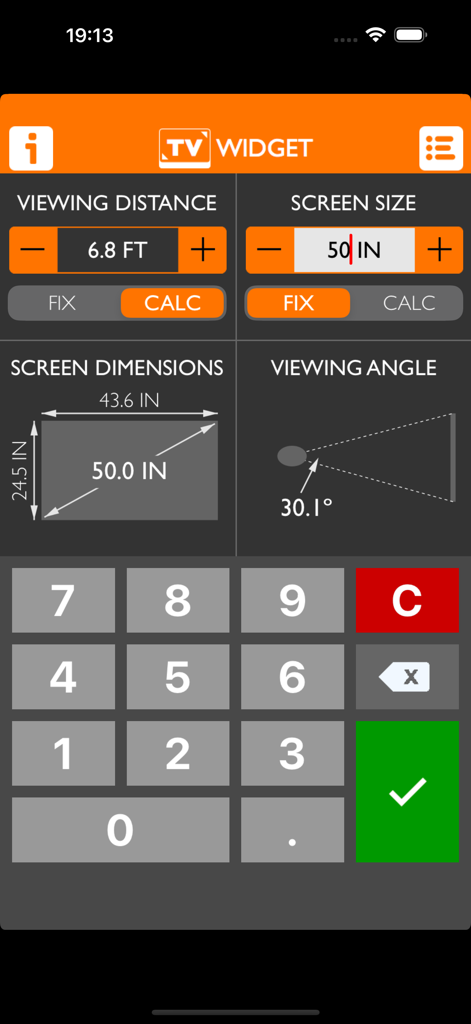
TV Widget + - TV Widget 앱 인터페이스는 시청 거리 화면 크기 및 시청 각도에 대한 계산을 보여줍니다
TV Widget 앱 인터페이스는 시청 거리 화면 크기 및 시청 각도에 대한 계산을 보여줍니다

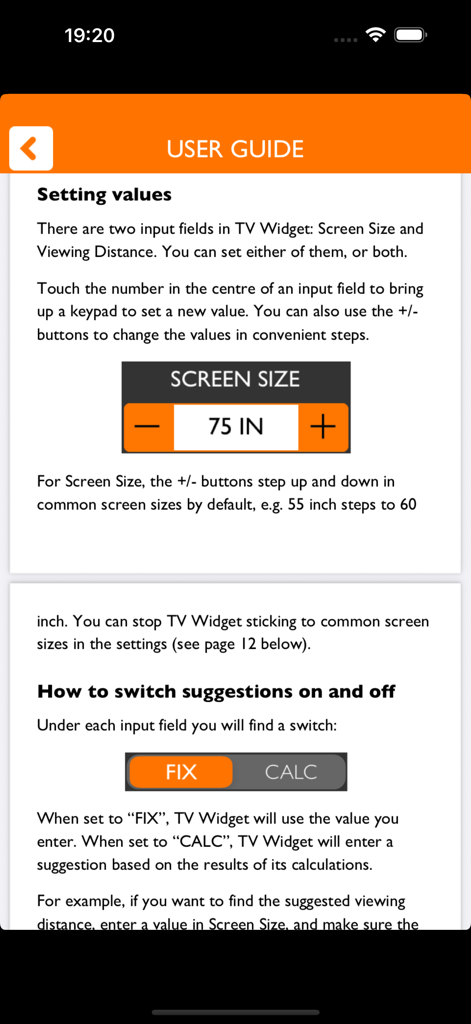
TV Widget + - TV Widget 플러스 사용자 가이드는 화면 크기 설정 및 계산 모드를 설명합니다
TV Widget 플러스 사용자 가이드는 화면 크기 설정 및 계산 모드를 설명합니다

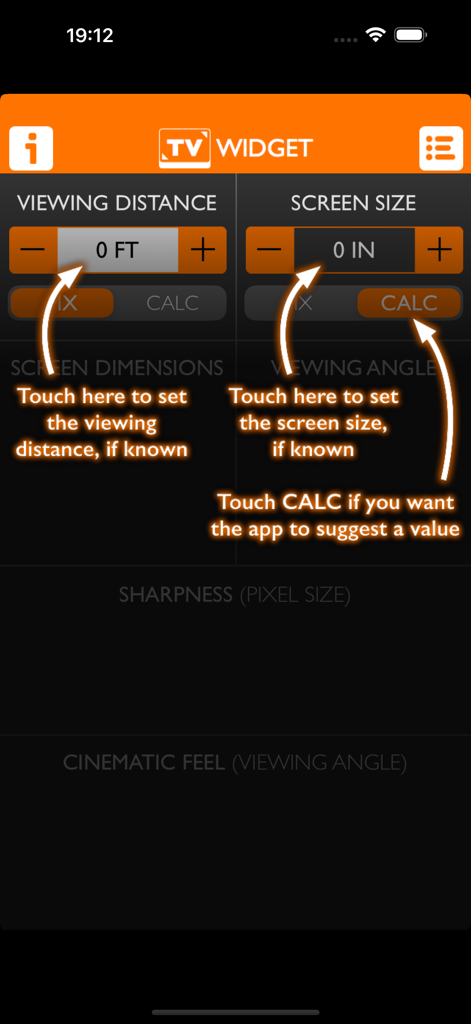
TV Widget + - TV Widget 앱의 메인 인터페이스는 지침 화살표와 함께 시청 거리 및 화면 크기 계산기 설정을 보여줍니다.
TV Widget 앱의 메인 인터페이스는 지침 화살표와 함께 시청 거리 및 화면 크기 계산기 설정을 보여줍니다.

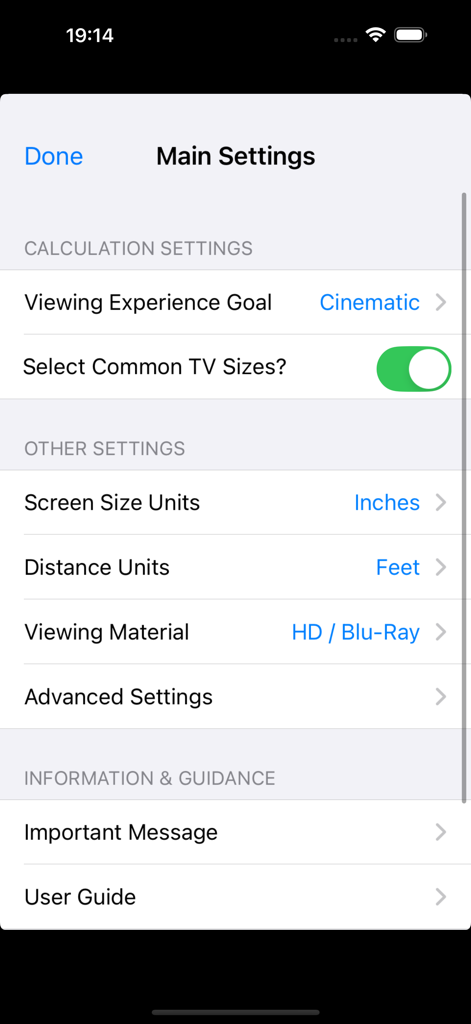
TV Widget + - TV Widget 플러스 앱의 메인 설정 화면은 홈 시어터 계산 환경 설정을 보여줍니다

TV Widget 플러스 앱의 메인 설정 화면은 홈 시어터 계산 환경 설정을 보여줍니다

설명

Instant calculations for TV size, viewing distance and viewing angle! TV Widget is a fun and informative app for learning about the relationship between screen size, viewing distance and viewing angle. You can use it to help inform your decision about what size TV to buy, or how to arrange the seating in your room. You can use TV Widget to do three things: 1. Calculate screen size. If you know how far you'll site from the screen, TV Widget can suggest a suitable TV size. 2. Calculate viewing distance. If you know the TV size, TV Widget can suggest the distance of your seating. 3. Assess the viewing experience. TV Widget calculates the viewing angle and provides fun gauges that help you assess how big the picture will feel compared to a cinema/theatre. It can help you work out if that new Ultra HD TV is really worthwhile given your seating arrangement and TV size constraints! TV Widget is designed to be fun and easy to use. It’s not a replacement for expert advice as it cannot take into account all your preferences and requirements, and it includes guidelines that are quite subjective in nature. However, it can be helpful in narrowing down your choices and understanding the trade-offs. The app is in active development. Please contact us with any issues, feedback or suggestions – our email address is tvwidgetapp@gmail.com. ADDITIONAL FEATURES - Provides instant calculations as you type - Makes suggestions based on three user-selectable 'viewing experiences' - Selects common TV sizes automatically (can be switched off) - Provides a guide to the sharpness of the TV image (e.g. Blu-rays vs. DVDs vs. Ultra HD) - Calculates screen height, width and diagonal - Gauges the visual impact of the TV image - Pre-selects the international TV system in your region: NTSC, PAL or SECAM - Includes a built-in user guide - Supports measurements in feet, inches and cm. Optional Advanced Settings: - Allows screen to be measured by width rather than diagonal (for projectors) - Allows international TV system region to be changed - Supports the standard 16:9 widescreen TV ratio, but can also be switched to 4:3, 16:10, 1.85:1, 21:9, 2.39:1 and 32:9 aspect ratios for projectors and computer monitors.

Download

다운로드: App Store

이 페이지는 앱이나 개발자의 공식 페이지가 아니며, 정보 제공 및 논평을 목적으로 작성된 독립 편집 간행물입니다. 명시적으로 달리 언급되지 않는 한, 해당 앱이나 개발자는 MWM, Apple, Google Play, 앱 퍼블리셔 또는 앱 개발자와 제휴, 보증, 후원, 승인 또는 공식적으로 연결되어 있지 않으며, 이 페이지의 어떤 내용도 해당 앱이 MWM의 서비스를 사용하여 개발되었음을 의미하지 않습니다. 모든 상표, 로고, 스크린샷 및 기타 콘텐츠는 해당 소유자의 자산입니다.








